

Table of Content
Projection digital signage is a modern type of digital display that uses projectors to show content on different surfaces. Instead of using fixed screens like LED or LCD panels, projection systems throw images or videos onto walls, floors, ceilings, glass, and more. This technology is becoming popular in advertising, marketing, and events because it offers a striking, engaging way to show ads, videos, and other high-definition content.
It turns everyday surfaces into bright “screens,” helping businesses create immersive experiences that hold people’s attention. Because it works on many kinds of surfaces and in many locations, it fits well in busy retail stores, corporate offices, museums, galleries, and even outdoor areas. By using light and creative content, projection digital signage draws in customers and visitors and delivers messages in a strong and memorable way.
What is projection digital signage?
How does projection digital signage work?
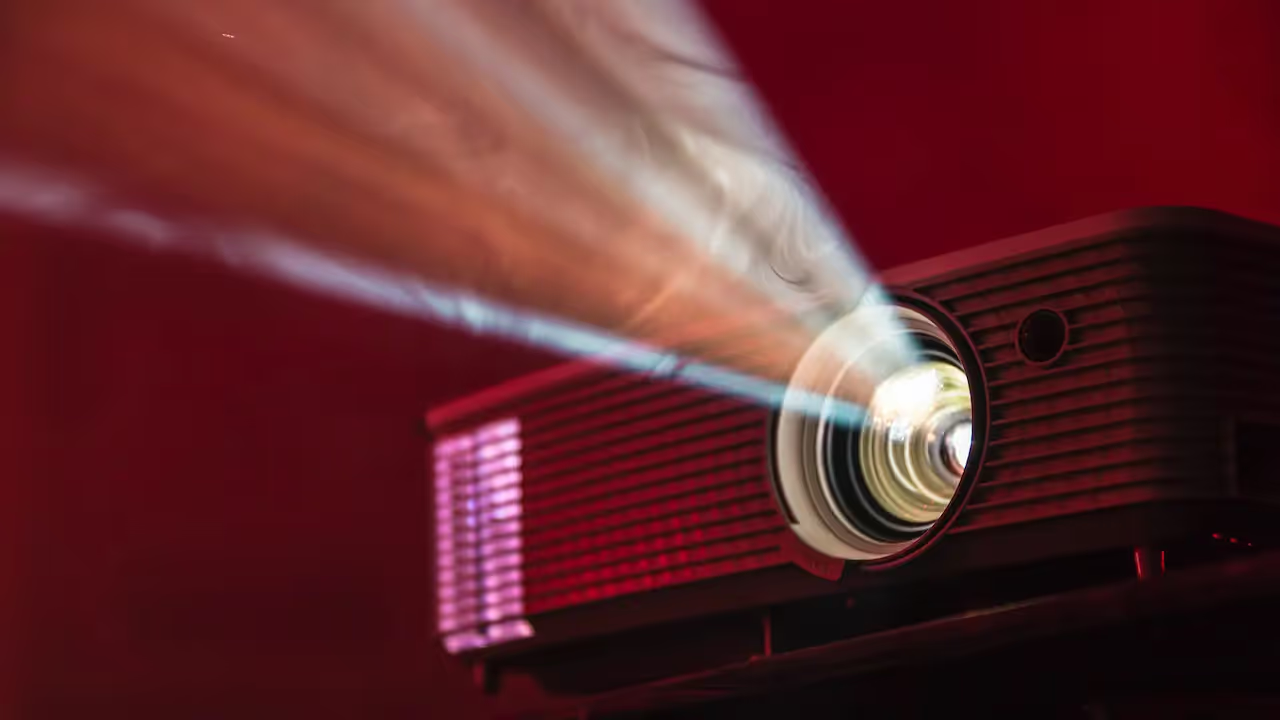
Projection digital signage is based on how light can be controlled and shaped. A projector is the main device. Inside it are a light source, a color system, and a lens system. The process starts with the light source creating a strong beam of light. This beam then passes through a color system, such as a color wheel or several color chips, depending on the model. This step is key for getting the right colors and brightness.
Next, the colored light hits a display chip, usually DLP (Digital Light Processing), LCD (Liquid Crystal Display), or LCoS (Liquid Crystal on Silicon). This chip creates the actual image. Finally, the lens system-made of carefully placed lenses and sometimes mirrors-focuses and enlarges the image and sends it to the chosen surface. For digital signage, this process is often supported by features like keystone correction (to fix angled images), lens shift (to move the image without moving the projector), and different throw ratios (to match various distances). The content is usually controlled by a media player or computer running special software, which handles scheduling, effects, and sometimes interactive functions.
Key differences from traditional digital signage
The main difference between projection digital signage and traditional LED or LCD signage is how the image is shown. Traditional digital signage uses self-lit panels with fixed sizes, so the content appears directly on a built-in screen. Projection digital signage, on the other hand, uses light to place an image on an existing surface, effectively turning that surface into the “screen.” This different approach opens up many new options.
One major benefit of projection is that the display size can be almost any scale. While LED and LCD panels are limited by their physical size, a projector can cover very large areas, depending mainly on ambient light and the distance to the surface. This often gives a lower cost per inch of image area, making very large visuals more affordable. Projectors are also very flexible in the types of surfaces they can use-walls, floors, ceilings, glass, or uneven objects-turning them into active marketing tools. When switched off, a projector can almost disappear into the environment, unlike a large fixed screen, which always changes the look of the space. Projectors are also easy to move and reconfigure, making them ideal for temporary setups or locations where the layout changes often.

What types of projection systems are used for digital signage?
Projection technology comes in several types, each with its own strengths and best use cases. Choosing the right kind of projector for digital signage is important if you want good visuals and smooth day-to-day operation. Options range from long-used lamp-based models to newer laser and LED systems, and knowing the basic differences helps you pick the right one.
Lamp-based projectors
Lamp-based projectors are the traditional choice and are still common in digital signage. They use a bright lamp, often mercury vapor or metal halide, as the light source. These projectors are usually less expensive to buy at the start and can produce bright, colorful images. For example, the ViewSonic PA503S (3,800 ANSI lumens) and Epson VS260 (3,300 lumens) show how lamp-based units can give clear pictures where budget is a major factor. The BenQ MH733, with 4000 ANSI lumens and Full HD resolution, works well for mid-sized spaces.
However, the lower upfront cost comes with trade-offs. Lamps do not last as long and must be replaced regularly, which adds to maintenance and long-term costs. Lamp-based projectors also use more power and give off more heat, which can matter in small or closed spaces. They are still a good option in many cases, but businesses often weigh short-term savings against higher running and upkeep costs over time.
Laser projectors
Laser projectors are at the leading edge for digital signage. They use laser diodes to create light, which gives very high brightness, strong color performance, and great overall image quality. The Optoma ZH406, with 4000 ANSI lumens and a laser light source rated up to 30,000 hours, shows how tough and long-lasting this type can be. For larger setups, models like the Epson PowerLite L510U and the Optoma ZU506T-W (both around 5,000 lumens) offer sharp images and high contrast, fitting for large displays. Projectors like the Epson EB-L1075U (7,000 lumens) and Panasonic PT-RZ970 (10,000 lumens) go even further for big venues such as auditoriums and museums.
Laser projectors bring many benefits. Their light source can last 20,000 hours or more without needing replacement, which cuts down heavily on maintenance and running costs. They can turn on and off almost instantly, saving power and removing warm-up time. They also keep their brightness and color quality fairly steady over their life, giving a reliable visual result. While laser models usually cost more at purchase than lamp-based ones, their longer life, lower maintenance, and higher performance often make them a strong long-term choice for serious digital signage projects.
LED projectors
LED projectors use light-emitting diodes as their light source. This gives a useful mix of advantages that works well for digital signage. Compared with lamp-based units, LED projectors last longer, use less power, and produce less heat. This makes them more eco-friendly and often better for continuous use.
LED projectors are also known for accurate color and steady brightness over long periods. They are often smaller and easier to carry, which helps in mobile setups or where space is limited. The Kodak LUMA 450, for example, is a pocket-sized smart projector with Full HD resolution and a built-in Android system. It shows how LED projectors can be very portable and flexible, supporting use cases like screen mirroring and streaming. While LED projectors may cost more at the beginning than lamp-based ones, their lower energy use, reduced maintenance, and strong color performance can pay off over time.
Short-throw and ultra-short throw projectors
Short-throw and ultra-short-throw projectors solve space problems that are common in digital signage. They are built to produce large images from very short distances. This is especially helpful in narrow spaces or places where people or objects might otherwise cast shadows on the image.
Short-throw units can create big images from just a few feet away. Ultra-short-throw models can sit only inches from the wall and still show a large picture. This small footprint opens up creative setups in tight areas like shop windows or compact exhibition stands. The BenQ MW855UST, with 1280x800 resolution and 3,500 lumens, is one example built for small spaces. These projectors come in lamp, LED, and laser versions, so there are many choices for different budgets and needs, while still giving a lot of freedom in placement and reducing image obstruction.
Where can projection digital signage be used?
One of the strongest points of projection digital signage is how many ways it can be used. Since almost any surface can become a display, it fits many locations and industries and can support a wide range of goals.
Retail environments and stores
In retail and stores, catching a shopper’s eye is extremely important, and projection digital signage is very good at doing this. It helps stores create engaging, fun experiences that match customer expectations for convenience, entertainment, and brand connection. Stores can use projection to show product details, promote discounts, or build scenes that change through the day. For example, you could show a baby crawling across the floor in a diaper ad, or run a virtual fashion show on a shop window that changes outfits several times a day.
Projection can mix real and virtual elements by putting product information on large, hidden displays that create unique experiences not possible with standard screens. It works especially well for new product launches, special offers, and seasonal displays. Some stores project content on floors and walls to create virtual queues, direct people through the space, or project different clothing designs onto plain mannequins. This kind of setup can turn an ordinary visit into a memorable experience that people talk about.
Events and exhibitions
Events and exhibitions depend heavily on strong visuals and memorable setups, which makes projection digital signage a natural fit. At trade shows and expos, projectors let exhibitors build large, attractive displays without hauling heavy LED or LCD screens. They can project content on booth walls, floors, or custom structures to create unique branded spaces.
At special events and product launches, projection can support dramatic reveals-for example, by projecting on a curtain that later drops, or by surrounding guests with a 360-degree projected scene tied to the brand. With several projectors working together, it’s possible to cover big areas with synchronized content that changes a plain room into an immersive brand space. Projectors can also show important practical information, such as social distancing rules, daily schedules, and room directions, in large and easy-to-read formats.
Outdoor advertising and building projections
For outdoor advertising, projection mapping offers an impressive way to reach people in cities. Architectural projection turns whole buildings into digital canvases. This can highlight design details, tell stories about the building’s past, or create large-scale shows for festivals and public events. With careful mapping, content can fit the building’s shapes and edges, creating illusions of movement, change, and depth.
In city areas with controlled light at night, projectors can show moving ads on building walls or other big surfaces. Content can be updated quickly for short-term campaigns or rotating ads without changing physical signs. Since this kind of display is still unusual in many places, it stands out among other ads on the street. With suitable equipment, it is also possible to project during the day onto certain surfaces, but nighttime usually gives the best effect.

Interactive installations and experiential spaces
Projection digital signage is also very strong for interactive and “experience-based” installations. By adding interactive elements, businesses can turn viewers into active participants. This could mean simple effects, like floor projections that react when people walk over them, or more advanced setups where people control content with gestures or their phones.
In museums and galleries, projectors can surround visitors with visuals, add context to artworks, and show extra information on nearby walls or directly onto objects. They can also create interactive paths and floor displays that help guide visitors. Pop-up shops can use projection to turn blank walls into moving product displays, offer virtual try-ons, or simulate different scenes. By making content react to people’s actions, projection-based experiences help build a stronger bond between the audience and the story or brand.
Read also on the Look Blog – Interactive Content Examples for Digital Signage
Advantages and challenges of projection-based digital signage
Projection-based digital signage has many strengths but also some limits. To get good results, it helps to understand both what it does well and what may require careful planning, especially when choosing equipment and locations.
Flexibility and creative display options
One of the biggest strengths of projection digital signage is its flexibility and the many creative options it offers. Unlike fixed-size panels, projectors can use almost any surface-walls, floors, ceilings, glass, or irregular objects-as a display. This supports creative campaigns that use existing architecture as part of the message. Surfaces like brick, concrete, or textured materials can all become part of a visual story, instead of being limited to smooth, rectangular screens.
This flexibility also applies to the content itself. The same video or image can be sent to different locations and surfaces, and content changes are handled through software, with no need to swap physical signs. This is especially useful for retailers updating window displays or promotions often. From floor-based wayfinding to full-building branding, projection offers many ways to grab attention in ways that regular screens can’t easily match.
Scalability for large surfaces and unique shapes
Projectors are especially strong when very large or unusual display shapes are needed. Creating a huge video wall with LED or LCD can be complex and expensive, while a projector can cover a large surface with a single or a few units. The main limits are brightness and distance, not panel size. This makes projection very useful for building façades, stage backdrops, or any space that needs a broad, dramatic image.
Projectors are also not locked into rectangles. With projection mapping software, content can be shaped and aligned to fit complex forms and curves. This allows visuals to wrap around columns, fit into niches, or cover sculptures and 3D objects. The result is a display that feels built into the location instead of simply attached to it. For brands that want to make a strong visual statement or integrate digital media into the fabric of a space, this kind of scalability and shape freedom is very appealing.
Brightness and ambient light considerations
One of the main challenges for projection digital signage is dealing with ambient light. How bright a projector looks depends on its lumen rating, the distance to the surface, the surface itself, and the surrounding light level. In bright spaces-especially outdoors during the day-even high-lumen projectors can appear washed out. LED screens, by comparison, are much brighter and hold up better in strong light.
Because of this, careful planning around light is needed to get good results. Indoors, it may be necessary to dim lights, use shades, or position projectors away from direct light sources. Outdoors, projection tends to work best at night or in darker areas. High-brightness laser projectors have greatly improved what is possible, but brightness and ambient light still need close attention. Matching projector strength, surface reflectivity, and lighting conditions is key for a clear, vivid image.
Maintenance and operational costs
Running costs for projection digital signage depend heavily on the type of projector. Lamp-based projectors usually have low purchase prices but higher ongoing costs, because their lamps wear out and must be replaced. They also use more energy and create more heat, which can lead to higher electricity and cooling costs.
Laser and LED projectors, by contrast, have light sources that can last 20,000 hours or more, cutting down on lamp replacement and maintenance visits. Over time, this can make them cheaper to run, despite higher initial prices. All projectors still need basic care, such as cleaning lenses and keeping vents clear to avoid overheating. A good content management system (CMS) also helps reduce labor costs by allowing remote updates and centralized scheduling. While laser and LED options have made projection more durable and lower maintenance, planning for long-term running costs is still an important part of any project.
How does projection compare to LED and LCD digital signage?
When choosing a digital signage solution, many businesses compare projection with LED and LCD displays. Each technology has its place, and the best choice depends on the intended use, space, budget, and visual goals.
Visual impact and resolution
Projection digital signage can create very large and immersive visuals, limited mainly by the size of the projection surface. This can give a “wow” factor that fixed screens may struggle to match. For example, covering an entire building with moving images or turning a floor into a large interactive scene can leave a strong impression.
For pure resolution and pixel density, especially at close range, LED and LCD panels often have the upper hand. They can show very sharp, detailed images because the pixels are built directly into the screen. High-end projectors, such as the Epson EB-L1075U or Panasonic PT-RZ970, can also offer WUXGA or Full HD resolution and very good color. However, the final sharpness of a projected image also depends on the surface quality and surrounding light. LED displays are known for very bright output and strong color, while LCDs also offer good color but are usually less bright than LEDs in strong light. Projectors can also achieve wide viewing angles with minimal color change, while some flat panels can suffer from glare or color shift at certain angles.
Installation and flexibility
Installation needs and flexibility are areas where projection often stands out. Projectors can show images on almost any surface and can be moved or re-aimed fairly easily. This allows content to appear on floors, ceilings, and shaped structures, not just on flat walls. When turned off, only the small projector and mount remain visible, so the original look of the space stays mostly intact.
LED and LCD displays, on the other hand, are fixed panels and require mounting structures, supports, and sometimes structural work for large sizes. Modular LED walls can be built in custom sizes but usually need more planning, time, and money to install. For temporary setups, events, or locations where the layout changes often, projection is usually simpler to move and resize. Projectors typically need a ceiling or wall mount plus a suitable surface, while flat panels come in fixed sizes (often between 55" and 110") and must be mounted on walls or suspended from ceilings.
Energy efficiency and lifespan
Energy use and lifetime differ across technologies and generations. Older lamp-based projectors usually use more power and have shorter lamp lifespans (often a few thousand hours), which leads to more frequent replacements and higher long-term costs. Many LED and LCD displays are more efficient and offer long lifespans, often around 50,000 hours or more.
Modern laser and LED projectors, however, have greatly improved this picture. Their light sources often last 20,000 to 30,000 hours or even more. That brings them close to, or sometimes beyond, the practical life of many flat-panel displays while keeping energy use lower than lamp-based units. When comparing cost, projection usually gives a lower price per square inch of image area than LED or LCD walls, which can be expensive when scaled up. While actual energy use depends on brightness, size, and model, current-generation projectors can be a very competitive and environmentally friendly option for large or flexible digital signage setups.
Frequently asked questions about projection digital signage
As more businesses and venues use projection digital signage, certain questions come up again and again. Below are answers to some of the most common ones.
Can projection digital signage be used in daylight?
Using projection digital signage in daylight is possible, but it is challenging. Direct sun or strong ambient light can wash out the projected image, even from high-brightness projectors, making it appear dull or barely visible. This is one of the main reasons LED displays are often chosen for outdoor daytime use.
Newer high-lumen laser projectors have improved performance in brighter environments, especially when combined with careful placement. For daytime use, placing the projection in shaded areas, using bright, reflective surfaces, or special high-contrast screens can help. Outdoors, projection usually works best in the evening or at night. Indoors, it is often very effective during the day if the space has controlled lighting, such as in museums, galleries, and theaters where light can be dimmed.
What surfaces are suitable for projection?
Projection digital signage is very flexible when it comes to surfaces. Unlike rigid flat panels, projectors can turn many different surfaces into displays. Common choices include plain walls, ceilings, and floors, which then become active parts of the visual setup.
Projectors can also work on glass, which allows creative shop window displays that catch attention while still letting people see inside. Rough materials like brick and concrete can be used, especially with projection mapping that compensates for the texture. Even complex shapes-such as statues, product stands, or 3D logos-can be covered with content. The main factors to think about are color, reflectiveness, and texture of the surface. Light, matte surfaces usually produce the best image, but with proper software and adjustment, colorful or uneven surfaces can also look impressive.
How is interactive content enabled with projectors?
Projectors by themselves usually do not provide interactivity, but they can easily be combined with other devices to create interactive experiences. This is done using sensors and cameras that detect movement, touch, or gestures within the projection area.
For example, motion sensors, infrared cameras, or depth cameras (similar to those used in some gaming systems) can track where a person steps, waves, or touches. That input goes to a media player or computer that controls the projection. The software then changes the content in real time-starting a video, showing new images, triggering animations, or updating information. With this setup, you can create interactive floor games, virtual fitting rooms, responsive wayfinding, or learning tools where groups of people can interact with the projected content. This makes digital signage more engaging and helps people remember the experience and the message behind it.





