
Table of Content
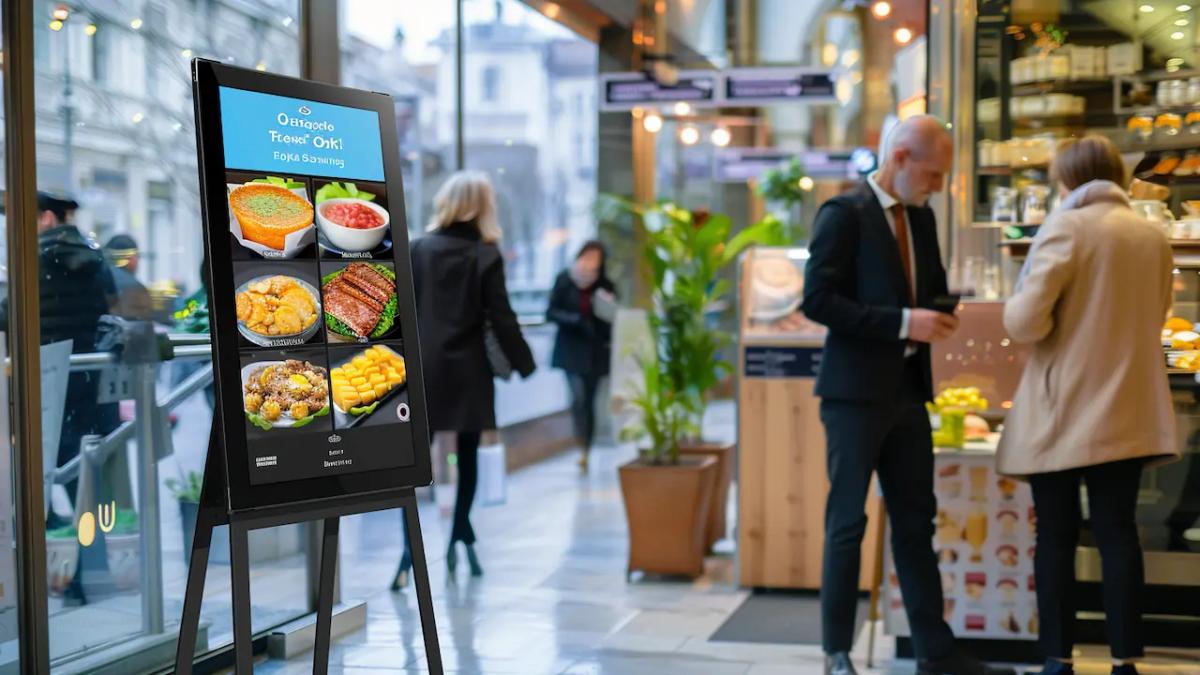
Wall-mounted TV screens are the most common type of digital signage, but they’re not easily movable. In response, manufacturers have developed portable digital signage screens that give you the same visual impact without permanent installation.
Over the years, the quality gap between portable and fixed displays has pretty much closed. You can get commercial-grade portable units with proper brightness, weather-proof ruggedness, and all the features you'd expect, with the added advantage of mobility.
In this post, we'll look at what makes a display "portable" and the different types available, the specs that affect your setup, six solid models across use cases, and show you how to get them running with the Look content management system.
What Makes Digital Signage "Portable"?
Portable digital signage refers to displays that can be moved and repositioned without permanent installation. Unlike fixed digital signage that requires wall mounting, electrical work, and professional installation, mobile units come with built-in stands, wheels, or lightweight frames that let you relocate them as needed.
Portable digital signage systems generally include the following components:
- Display: A high-resolution LED or LCD screen, which can be touchscreen-enabled, that showcases various content types like videos, images, and text.
- Media Player: The hardware component that processes and plays the content on the screen. This can be an integrated system-on-chip (SOC) device or an external player.
- Content Management System (CMS) Software: A cloud-based software used to create, manage, schedule, and update content remotely.
Three Main Types of Mobile Displays
- Battery-powered units run without an outlet for 8-16 hours, making them ideal for outdoor events, trade shows, or locations without reliable power access.
- AC-powered displays on wheeled stands need a wall socket but roll easily between rooms or floor locations as your layout changes.
- Lightweight plug-and-play screens are small enough to carry, set on a table or counter, and connect via HDMI or USB without permanent mounting.
How to Choose: Fixed vs. Portable
Go portable if your setup changes regularly. Trade shows, pop-up retail, rotating displays between store sections, offices with shifting floor plans, and temporary campaigns all benefit from screens that move without reinstallation. Portable also makes sense when you're testing content in different locations before committing to a fixed setup.
Stick with fixed displays when the location is permanent, the screen needs to be secured against theft or tampering, or you're building something like a video wall that requires precise alignment. If your content and placement stay consistent long-term, a wall-mounted setup is simpler and often cheaper.
Common Applications
Trade Show Product Demos: Mobile screens showcase product videos, pricing, and demos without relying on venue-provided monitors or complicated AV setups.
Pop-Up Store Signage: Set up a full digital signage system in a mall kiosk, farmer's market booth, or short-term lease space, then pack it up when the campaign ends.
Restaurant Menu Boards: Battery-powered tabletop displays on host stands show daily specials or happy hour promotions without cluttering the counter with printed materials.
Employee Breakroom Communication: Rotate through HR updates, employee recognition, cafeteria menus, and company news on screens that move between locations.
Corporate Lobby Digital Screens: Greet visitors with company announcements, directory information, and brand messaging that updates without reprinting.
Campus Wayfinding & Event Signage: Schools deploy portable screens for orientation events, parent-teacher conferences, and campus tours where fixed installations don't make sense.
Transit Queue Management: Bus terminals and train stations use portable displays for gate changes, service updates, and crowd control during temporary disruptions or special events.
Portable Display Buying Guide: What to Look For
| Factor | What You Need | Why It Matters |
|---|---|---|
| Brightness (Nits) | Indoor: 300-500 nits Bright indoor/windows: 700-1500 nits Outdoor: 2000+ nits | A 500-nit screen in direct sunlight is unreadable. Match brightness to your environment, or content washes out. |
| Power Source | Battery: 8-16 hours runtime, 3-6 hours charging AC-powered: Continuous operation, needs outlet access | Video drains batteries faster than static images. Hot-swappable batteries solve multi-day events without downtime. |
| Weight & Portability | Tabletop (15-22"): 10-20 lbs, carry by hand Floor kiosk (32-43"): 40-80 lbs, needs wheels Check folded dimensions | Some units don't fit in elevators or car trunks. Wheels and handles aren't optional for larger displays. |
| Weather Rating | Indoor: No rating needed Outdoor: IP54 minimum, IP65 for rain Check operating temps for extreme climates | Screens fail in extreme heat or cold. Anti-reflective glass helps, but doesn't replace high brightness. |
| Screen Size | Tabletop (15-22"): 3-5 ft viewing distance Kiosk (32-43"): 6-12 ft distance Large venue (55-65"): 15+ ft distance | Bigger isn't always better. Its better to match size to how far people will stand from the screen. |
| Touchscreen | Only get one if customers need to interact | Adds cost and complexity. Skip it for passive advertising or announcements. |
| Connectivity | Wi-Fi (standard but unreliable at events) Ethernet for a stable connection 4G/LTE for remote locations HDMI for external players | Look DS caches content locally, so your screen keeps playing even when Wi-Fi drops. Preload everything before events. |
6 Portable Display Models for Indoor and Outdoor
1. Armagard Battery-powered A-Frame for Outdoors
This outdoor-focused sidewalk sign by Armagard is built specifically for businesses that need weatherproof digital advertising. The single-sided version is more budget-friendly than their dual-sided models.
Key Specs:
- Display Size: 43"
- Weight: Not specified
- Display Resolution: 1920 × 1080
- Orientation: Portrait
- OS/Media Player: Available with or without media player (user's choice)
- Brightness: 1,000 NITS
- Battery Life: 10 Hours Max, 7 Hours Min (Subject to Battery Installed)
- Temperature Range: 36°F to 109°F
- Durability: NEMA 4 rated (weatherproof), powder-coated mild steel body, 0.25" anti-reflective glass
- Connectivity: HDMI, VGA, USB, LAN, Audio inputs
- Portability: Lockable castor wheels
- Warranty: 5 years
Price: Quote-based
Best for: Outdoor sidewalk advertising, storefronts, restaurants, coffee shops, transport hubs, stadiums
2. Armagard A-Frame for Indoor Customer-Facing Environments
If you don't need outdoor weatherproofing, this Armargard indoor A-Frame gives you longer battery life (12 hours vs 7-10) and a bigger screen (49" vs 43") in a sleeker portrait-oriented design.
Key Specs:
- Display Size: 49" single screen
- Weight: Not specified
- Display Resolution: 1080 × 1920 Full HD (portrait orientation)
- Orientation: Portrait
- OS/Media Player: Internal Android Media Player
- Brightness: 700 NITS
- Battery Life: 12 Hours
- Temperature Range: 32°F to 122°F
- Durability: 0.23" tempered glass, designed for indoor use
- Connectivity: HDMI, VGA, USB, LAN, Audio inputs
- Portability: Lockable castor wheels for secure positioning
- Warranty: 5 years
Price: Quote-Based
Best for: Shopping malls, lobbies, waiting areas, stadiums, cinemas, restaurants, airports, train stations
2. 15.6" Digital Touch Screen Countertop Kiosk
This Display2Go table-top kiosk is ideal in situations where customers need to actively interact by filling out forms, checking in for appointments, or browsing product details. The rotating screen and adjustable angle make it work for both staff-facing (landscape) and customer-facing (portrait) applications at the same counter.
Key Specs:
- Display Size: 15.6”
- Weight: 9.9 lbs
- Display Resolution: 1920 × 1080
- Orientation: Landscape/portrait
- OS/Media Player:: Android 11
- Brightness: 350 NITS
- Battery Life: 10 Hours Max, 7 Hours Min (Subject to Battery Installed)
- Temperature Range: 36°F to 104°F
- Durability: Brushed aluminum and steel construction
- Connectivity: USB, HDMI, and Ethernet Ports
- Warranty: 1 Year
Price: $600
Best for: Gym and fitness center sign-ups, corporate office self-service check-in, retail checkout promos, appointment check-in at medical offices or salons.
4. 43"-75" Non-Touch Digital Poster Kiosk – Indoor
This is the "set it and forget it" Display2Go non-touch kiosk for institutional environments where you need reliable information displays that staff can update remotely but visitors don't need to touch.
Key Specs:
- Display Size: 43”-75” LCD
- Weight: 136.6 lbs (55”)
- Display Resolution: 1920 × 1080
- Orientation: Portrait
- OS/Media Player: Android 11
- Brightness: 500 NITS
- Battery Life: 7 Days / 18 Hours
- Temperature Range: 32°F to 104°F
- Durability: Tempered glass
- Connectivity: USB, HDMI Ports
- Portability: Lockable castor wheels for secure positioning
- Warranty: 1 Year
Price: $2,499.99
Best for: Lobbies, hospitals, hotels, school campuses, train stations, airports, metro stations or anywhere you need wayfinding or public announcements in high-traffic areas.
5. Samsung Kiosk KM24A
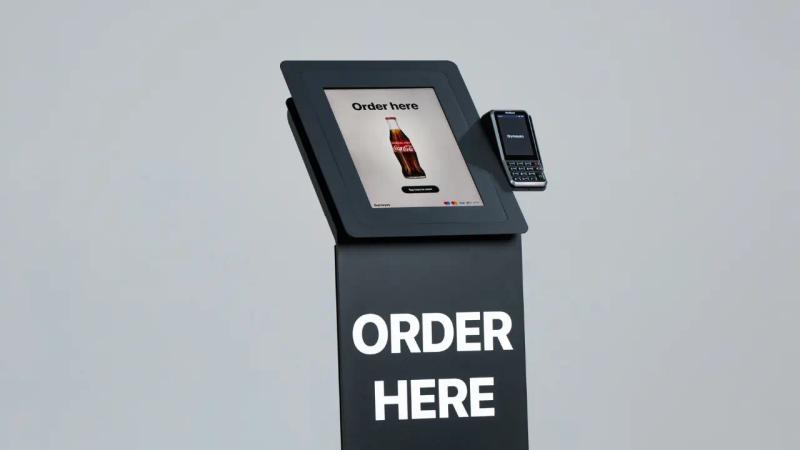
This Samsung's all-in-one self-service kiosk is built for businesses that need payment processing, check-in, or ordering in a compact, professional package. The modular design supports credit card, QR code, barcode, and NFC payments with a built-in receipt printer.
Key Specs:
- Display Size: 24"
- Weight: 9.7 lbs (screen only)
- Display Resolution: 1920 × 1080
- Orientation: Portrait
- OS/Media Player: Tizen 4.0
- Brightness: 250 NITS
- Battery Life: N/A (AC-powered)
- Temperature Range: 32°F to 104°F
- Durability: Antimicrobial coating, shatter-resistant film
- Connectivity: HDMI, USB, LAN, Wi-Fi
- Warranty: 3 Years
Price: ~$1,077.00 (screen only)
Best for: Quick-service restaurant ordering, retail self-checkout, hotel check-in, appointment kiosks in medical offices or salons.
6. LG StanbyME 2 (27LX6TDGA)
LG's StandbyMe portable touchscreen is designed for true grab-and-go flexibility. The screen detaches from its wheeled stand and works like a tablet with up to 4 hours of battery life.
Key Specs:
- Display Size: 27"
- Weight: 4.3 kg / 9.5 lbs (screen only); 15.2 kg / 33.5 lbs (with stand)
- Display Resolution: 2560 × 1440 (QHD)
- Orientation: Landscape/portrait (full swivel rotation)
- OS/Media Player: webOS
- Brightness: Not specified (AI Brightness Control adjusts automatically)
- Battery Life: Up to 4 hours
- Temperature Range: Not specified (indoor use only, not water/dust resistant)
- Durability: Not rated for commercial use
- Connectivity: USB-C, HDMI, USB, Wi-Fi, Bluetooth, AirPlay, Google Cast
- Warranty: 1 Year
Price: $997.00
Best for: Small retail displays, pop-up activations, trade show presentations, salon waiting areas, corporate meeting rooms or anywhere you need a portable screen that works without external hardware.
Note: This is a consumer/lifestyle product, not commercial-grade. It's not weatherproof and isn't designed for always-on operation, but its portability and built-in battery make it a unique option for light-duty signage use.
Other Touchscreen Alternatives:
- 43"-65" Touch Screen Digital Poster, IR Touch – Indoor
- 43" Outdoor Touch Screen Kiosk, Weather Resistant – Outdoor
DIY Budget Setup (TV screen + rolling stand + media player)
This is for people who want portable digital signage without spending $1,500-$3,000 on a commercial unit. You buy three separate components and assemble them yourself:
- Standard TV/Commercial-grade (TCL, Hisense, Samsung) - $250-$900
- Rolling TV stand with wheels (from Amazon) - $80-$150
- Media player (Fire TV Stick 4K Max, Android box, or Raspberry Pi) - $60
You mount the TV to the rolling stand, plug in the media player, and connect everything to power. Most rolling stands include cable management channels to keep cords organized. The media player handles content playback by connecting to a digital signage CMS. This gives you the flexibility to swap out individual components if something breaks or if you want to upgrade the screen size later without replacing the entire setup.
Limitations to consider:
- Indoor-only unless you buy a weatherproof display or protective enclosure
- Bulkier and less stable than purpose-built kiosks
- Assembly and troubleshooting are on you
- No single-vendor warranty if something breaks
- Portrait mode may not work on some consumer TVs
Best for: Businesses that want flexibility in choosing their own components, easy serviceability (replace one part instead of the entire unit), or want to upgrade components over time.
Setting Up with Look Digital Signage
Setting Up with Look Digital Signage: Getting a portable display running with Look takes about 10 minutes. Here's the process:
- Unbox and power on: Plug in your display or charge the battery if it's a battery-powered unit. Turn it on and let it boot up.
- Connect to Wi-Fi: Join your network through the display's settings menu. If Wi-Fi isn't available at your location, you can preload content and schedules before you leave.
Look caches everything locally, so your screen keeps playing even when offline. Content syncs automatically when connectivity returns.
- Install Look Player: Download the Look Player app from your display's app store. If your display doesn't support apps directly, connect an external media player like a Fire Stick or Android box via HDMI and install Look Player there instead.
Look DS is compatible with Android, Windows, webOS, Fire OS, Linux, Raspberry Pi, Amazon Signage, MacOS
- Pair with Look CMS: Open the Look Player app. A six-digit pairing code will appear on screen. Log into your Look account from any web browser, click "Add Screen," and enter the code. Your display is now connected to your CMS.
- Choose a template: Look's template library includes layouts for menus, event schedules, promos, wayfinding, and more. Pick one that fits your needs, drag and drop your images, videos, or text into the layout, and you're ready to publish.
- Schedule your content; Set playlists to run by time of day, day of the week, or as a 24-hour loop. If you're running a multi-day event, you can schedule different content for each day.
- Test and deploy: Use the demo screen through the CMS to confirm everything looks right, then hit publish.
How Look CMS Helps You Manage Portable Displays
Ready-made templates
Look's template library includes 300+ pre-designed layouts for event schedules, product showcases, menus, wayfinding, and promotional displays. You don't need design skills to create professional-looking content. Just pick a template, drop in your images and text, and publish.
Offline playback & local caching
Portable displays often end up in locations with unreliable Wi-Fi or no internet at all. Look caches all your content, schedules, and playlists directly to the device before you leave. The screen keeps playing exactly as planned even when connectivity drops. When Wi-Fi comes back, any updates sync automatically without interrupting playback.
Proof-of-play & remote monitoring
You're not always on-site with portable displays, so Look gives you visibility into what's happening. Proof-of-play reports show you what content played, when it played, and for how long.
The Alerts Center tracks online/offline status, playback errors, and connectivity issues in real time. You can also take screenshots remotely to verify the current content without physically checking the screen.
Multi-location content management
If you're running displays across different venues, trade show booths, or pop-up locations, you can manage them all from one dashboard.
Group screens by location or event, push different content to each group, and schedule campaigns that automatically adjust based on where each display is deployed. No need to configure each screen individually.
Quick content updates on the go
Change pricing, update event schedules, or swap promotional messages from your phone or laptop without being near the display. Updates push to the screen in seconds.
If you're at a trade show and need to highlight a different product or extend a promotion, you can do it from the event floor without leaving your booth.
Content Ideas for Portable Signage
- QR codes linking to menus, sign-up forms, or product pages
- Time-based promotions that change automatically throughout the day
- Live event schedules with session times, speaker names, and room assignments
- Emergency alerts and safety notifications
- Social media feeds pulling posts from Instagram, Twitter, or Facebook
- Digital menu boards with pricing, descriptions, and daily specials
Achieve Maximum Flexibility with the Right Portable Signage
Portable digital signage fundamentally transforms how you communicate by prioritizing flexibility and mobility. The most important takeaway as you plan your purchase is to match the display's specifications precisely to the intended environment (indoor, outdoor, counter, floor).
As you’ve seen, solutions range from rugged, high-brightness A-frames with 12+ hour batteries to simple, lightweight tabletop screens designed for indoor counter promos.
To maximize impact, pair your portable hardware with a proper content management software. Look Digital Signage lets you schedule playlists in advance, push updates to multiple screens at once, and monitor uptime remotely. Most users have their first screen running in about ten minutes. The setup is straightforward, and the interface doesn't require technical expertise to manage day-to-day operations.
Try Look free for 14 days. No credit card required.
FAQs on Portable Digital Signage
Do I need Wi-Fi while using portable displays?
No, you can preload content and schedules. Look Digital Signage cache content locally, so the screen continues playing until it reconnects. This makes mobile digital displays reliable even at events with spotty Wi-Fi.
How long do mobile signage batteries last?
Typically 8-16 hours, depending on brightness and content. Plan for overnight charging. Battery-powered portable displays and rechargeable digital signage screens should be charged overnight between uses.
What protection should be displayed for outdoor use?
Look for IP54-IP65 ratings, sealed enclosures, and 2000+ nits brightness. Weatherproof digital signage and outdoor mobile displays need these specs to handle rain, dust, and direct sunlight.
Can I use touchscreens as portable signage?
Yes, many portable displays offer touch capability for wayfinding and self-service. Interactive portable kiosks and touchscreen mobile displays work well for check-ins, directories, and product catalogs.
What size is recommended for mobile signage?
15-22" for tabletop portable displays, 32-43" for rolling digital kiosks and lobby signage, 55-65" for large venue screens. Match your portable screen size to viewing distance.
Will consumer TVs work for digital signage?
For limited hours in controlled indoor lighting, yes. For professional, always-on use, choose commercial-grade portable displays with proper warranties and higher brightness ratings.
How do I secure the touch display?
Use kiosk mode, PIN-protected settings, lockable wheels/enclosures, and cable locks in public areas. Secure mobile signage and theft-resistant portable kiosks protect your investment in high-traffic locations.


