Screen Layouts. Web Widget
The Web widget lets you add any website by URL directly to the screen layout canvas. No content is created in the main library.
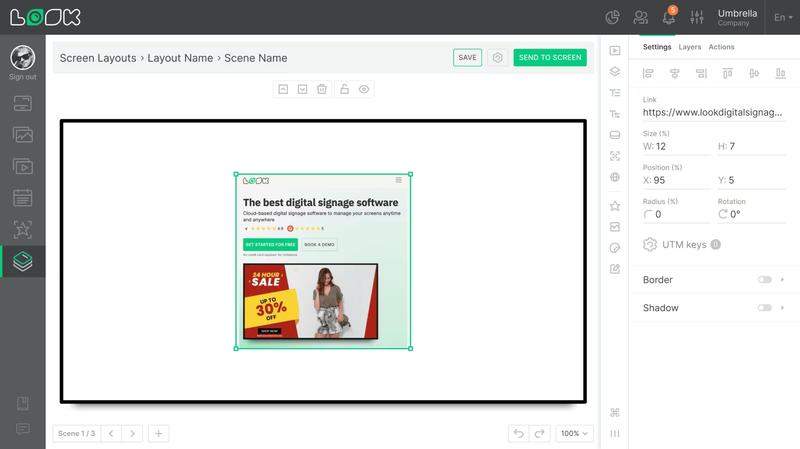
Adding a Widget
Click the Web icon in the toolbar. The widget will appear on the canvas, and the widget settings will open in the right panel — enter the website address in the required Link field. The widget will then render a preview of the page directly on the canvas.
Widget Settings
The following options are available in the right panel under the Settings tab:
- Link — the website URL.
- UTM keys — additional parameters appended to the link for traffic tracking.
- Standard parameters: Size, Position, Radius, Rotation, Border, Shadow.
If the Link Is Missing
If the Link field is left empty, the widget appears on the canvas with an Empty label and an orange border. Enter a valid URL in the right panel to fix this.
Can't find your answer?
Contact Support