Table of Content
Building a strong digital signage marketing strategy means following a clear step-by-step plan. You start by setting specific, measurable business goals and learning how your audience behaves and what they like. Then you choose reliable hardware and easy-to-use software that supports dynamic, real-time content, so you are no longer stuck with static posters. By using visual storytelling, smart scheduling, and analytics for ongoing A/B testing, you turn a simple screen into an “always-on” salesperson that grabs attention, supports your brand, and increases revenue with personalized, context-aware messages.
An effective strategy is never "set and forget"; it’s a living plan that you adjust over time. As we move into 2026, the difference between companies that simply hang a screen and those that follow a clear digital signage plan is getting bigger. The first group ends up with dull, ignored content. The second group creates “wow” moments in a world where people see up to 10,000 ads a day. When you treat digital signage as a key part of your marketing mix instead of an afterthought, you can use it fully to inform, teach, and entertain your audience.
What Is a Digital Signage Marketing Strategy?
A digital signage marketing strategy is a clear plan for how a business uses electronic displays-such as LCD, LED, or projectors-to communicate with its audience. It’s not just about buying screens. It covers everything from how you create content to how you deliver messages across all your displays. Unlike traditional signs that need printing and manual replacement, a digital plan uses cloud tools to send the right message to the right person at exactly the right time.
You can think of it as the “brain” behind the screen. Without a plan, a digital sign is just a glowing rectangle. With a plan, it becomes a strong tool for visual storytelling. It connects your displays to your overall marketing goals, so every animation, video, or social media feed on your screens has a clear purpose-whether that’s cutting perceived wait times in a lobby or driving impulse buys at the checkout.

How Does Digital Signage Marketing Work?
Digital signage marketing is based on three main parts: hardware, software, and content. The hardware is the displays and the media players (like the compact Rise Vision Media Player) that connect them to the internet. The software is the content management system (CMS), which lets you upload, schedule, and automate what appears on screens from anywhere. Because it’s cloud-based, one person can update dozens of screens in different buildings or time zones with just a few clicks.
The marketing power appears when you arrange the content into channels and playlists. For example, a business could run a “Morning Rush” playlist for commuters and an “Evening Relaxation” playlist for late shoppers. Using software widgets, you can add real-time feeds like weather, YouTube videos, or live social posts. This keeps screens up to date and helps prevent them from becoming “background noise” that people ignore.
Key Benefits for Businesses and Brands
A strong digital signage strategy brings many benefits, but the clearest one is better customer experiences. Digital screens grab attention with motion and bright colors. This “wow factor” helps people remember your brand. Digital signs also act like an extra staff member on the floor, sharing information automatically so employees can focus on more complex tasks and serve customers better.
From a money standpoint, digital signage drives revenue. You can promote special offers instantly and even sell ad space to partners or sponsors, adding a new income source. Because you avoid ongoing printing and shipping costs, the system tends to pay for itself over time. It also sets you apart from competitors-brands that use digital signage well look modern and innovative, while those that stick to paper posters can seem old-fashioned.
Why Invest in a Strong Digital Signage Marketing Strategy?
Investing in digital signage is about clear and fast communication, not just good-looking screens. In a fast-moving market, printed signs often can’t keep up with changing stock, prices, or urgent notices. A strong strategy lets you change messages in seconds so your displays always match what’s happening in the business. This speed helps you stay relevant when customer tastes can change overnight.
A planned approach also helps you avoid common rollout problems like “screen fatigue.” By focusing on strategy first, you avoid simply pushing random content and hoping for results. Instead, you build a meaningful story that fits your audience. This turns your screens from passive displays into active guides along the customer journey, from the moment they walk in to the moment they buy.
Improves Customer Engagement and Experience
Digital signage boosts engagement by turning viewers into participants. Interactive tools like touch-screen kiosks or wayfinding maps let people choose what they see. When customers tap through product details or design custom items on a screen, they stay with your brand longer. This extra “dwell time” is a key measure in retail and hospitality because it often leads to higher loyalty and higher spending.
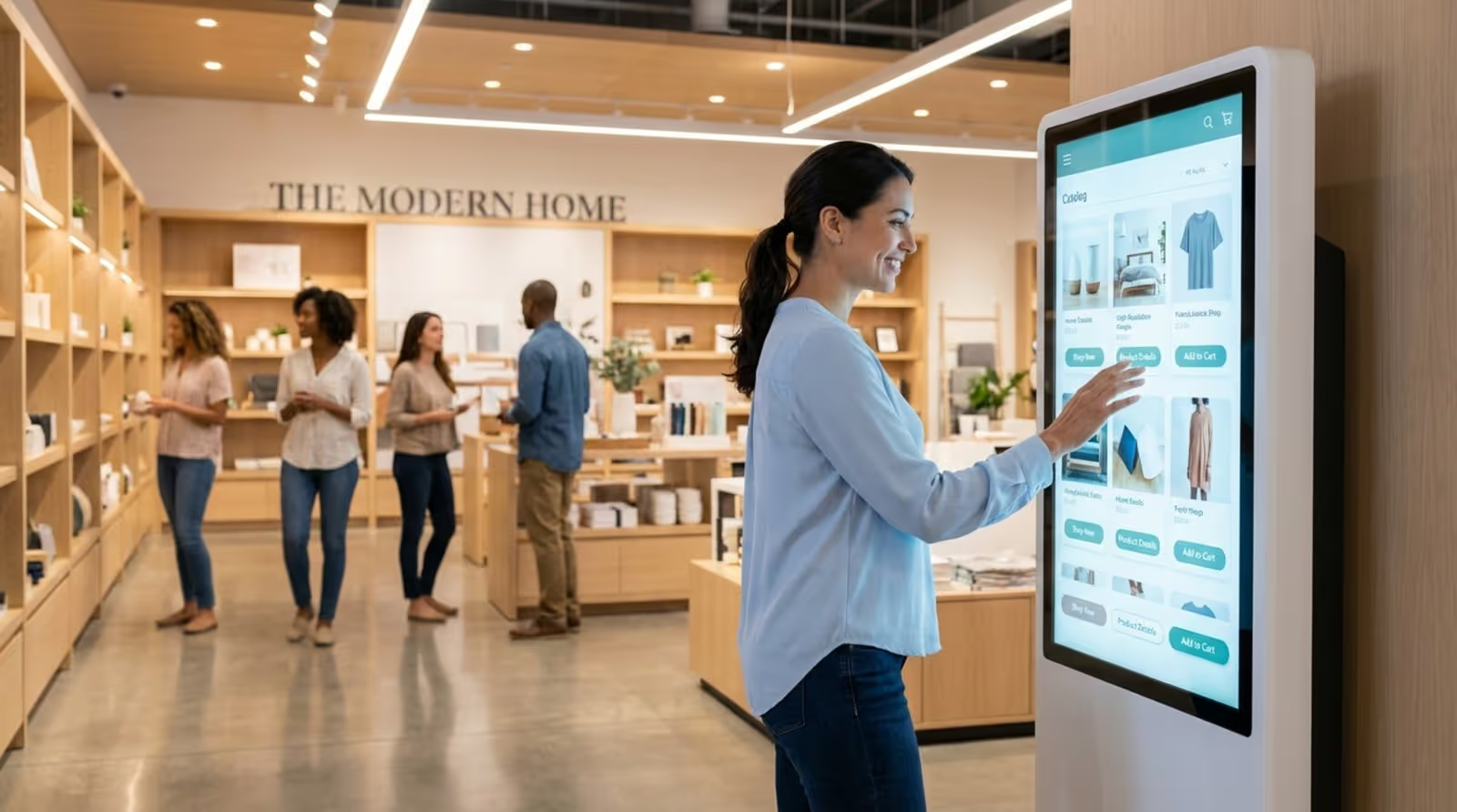
Beyond interaction, digital signage improves the overall experience by adding value. In waiting areas, it can show news, trivia, or other content that makes time feel shorter. In offices or schools, it can share stories, events, and announcements that build community. By sharing timely and personal information, digital signage makes spaces feel more thoughtful and responsive to visitors.
Improves Real-Time Communication
One of the biggest strengths of digital signage is real-time communication. Old-style campaigns needed weeks for design, printing, and installation. With digital, those delays disappear. If a restaurant runs out of a dish, staff can update the menu board right away and prevent letdowns. If there’s an emergency, every screen can switch instantly to safety messages.
This speed also helps with A/B testing. You can show two versions of a promotion on different screens and track which one gets more attention or sales. Since updates are simple, you can quickly adjust based on what the data shows. This flexibility keeps your campaigns fresh and performing well instead of letting them go stale.
Increases Brand Awareness and Revenue Potential
Digital signage is very effective for building brand awareness. By using the same colors, fonts, and tone across all screens, you build trust and recognition. Your displays become a steady visual reminder of what your brand stands for. A retail store, for example, can feature customer testimonials or large, sharp images of products in use, creating an impact that static posters struggle to match.
The income potential is also strong. Digital screens are great at driving impulse buys. Showing “Limited Time Offer” or “Buy One Get One” messages near checkout can convince customers to add one more item. You can also rent out space on your screens for partner or sponsor messages. This can turn digital signage into a profit center that covers its own costs while helping other brands reach your audience.
What Goals Should Guide Your Digital Signage Strategy?
Planned digital signage is effective digital signage. Before you buy a screen or design a slide, you need to decide what you want to achieve. Without clear goals, you can’t judge success or know if your spending is paying off. These goals act as your main guide, shaping content choices, screen locations, and how often you update messages.
Typical goals include raising brand awareness, attracting more customers, boosting website traffic, or improving internal communication. A school may focus on student safety and engagement. A retailer may push sales for a specific product line. When these goals match your wider marketing plans, all your channels work together instead of competing.
Defining Clear Business Objectives
Make your objectives as specific as you can. Instead of “I want to increase sales,” say “I want to raise sales of our new winter coats by 15% in the next three months.” Clear targets help you create content aimed at that exact result. If your main aim is to inform, use short, direct messages. If you want to entertain, lean more on animations and fun videos.
Think about “who” and “where” as well. Are you trying to reduce staff workload by answering common questions on screen? Or do you want to guide shoppers toward a purchase in a busy area? Setting these details early helps you avoid random, unplanned content. Every piece should answer: “How does this support our main goal?”
Establishing Relevant Key Performance Indicators (KPIs)
Once you have goals, you need a way to track them. Key Performance Indicators (KPIs) are the numbers that show how well your campaign is working. For brand awareness, KPIs might be more social media mentions, hashtag use, or higher foot traffic. For sales, track conversion rates in areas with signage and compare revenue before and after installing screens.
Many digital signage platforms now include real-time analytics. You might use QR codes on your screens to count how many people respond to a specific message. Try to focus on 3 to 5 strong KPIs that match your goals. Tracking everything leads to overload. Stick to the data that helps you adjust and improve over time.
How to Identify and Understand Your Target Audience
People only pay attention to messages that feel relevant. That’s why finding and understanding your target audience is one of the most important steps in your plan. You need to know who walks by your screens, what matters to them, and what their daily routine looks like. A message that hooks a tech-focused city worker likely won’t work for a retired local resident, and the other way around.
Understanding your audience means building clear personas. What are their ages, incomes, and interests? What problems are they trying to solve? How do their weekday habits differ from weekends? The more detailed these profiles are, the easier content creation becomes. You stop making “generic content” and start solving real problems for real groups.
Analyzing Demographics and Preferences
To really know your audience, you need to look at data. Review shopping patterns, digital behavior, and even how people move through your space. If morning visitors are mostly busy commuters, your messages should be bold and readable in under five seconds. If afternoons bring in families who stay longer, you can use more detailed, story-based content.
Preferences also cover style and tone. Some groups like clean, minimal layouts with sharp images. Others respond better to bright colors and playful movement. Knowing these tastes helps your content connect instead of annoy. Ask yourself: “What does my audience care about most right now?” and design your screens to meet that interest.
Segmenting Content Delivery by Audience Group
Digital signage makes it easy to show different content to different groups in ways that paper signs can’t. You can build channels that target specific audiences by place and time. This is very helpful for large organizations like global brands or universities. For example, a university can show club events in student areas and research news in faculty offices.
Time-based segments are just as useful. You might highlight breakfast deals in the morning and desserts in the evening. Adjusting content based on who is likely to see it makes it much more effective. If your audience changes a lot between morning and afternoon, your playlists should shift too, so the right people get the right message.
How to Plan Effective Messaging and Content for Digital Signage
For digital signage, content is the key factor. Even the best 8K screen looks “sad” if what it shows is boring or off-topic. Good messaging is clear, short, and visually strong. Because people often see screens while moving, you only have a few seconds to catch their eye and share the main point.
When planning content, remember you don’t have to start from zero. Platforms like Rise Vision provide hundreds of ready-made templates that you can adjust quickly. Aim for a mix of helpful and engaging pieces that keep viewers interested. Use visual storytelling to show your brand’s story fast, focusing on images and motion more than long blocks of text.
Creating Relevant and Attention-Grabbing Visuals
To make your screens stand out, use simple design rules. Choose bold fonts, strong colors, and high-quality images. Follow the 3x5 text rule: either three lines with five words each, or five lines with three words each. This helps people read your message at a glance. Use sans-serif fonts like Helvetica or Arial so text is clear from a distance.
Contrast matters too. Use light text on a dark background or the other way around so words don’t blend in. Many designers follow the 60-30-10 rule for color: 60% main color, 30% secondary color, and 10% accent color. This keeps layouts simple instead of messy. Also remember that most people read left to right, so putting your main image on the left and text on the right often feels more natural.

Utilizing Dynamic Content and Calls-to-Action
Static images work, but moving content like short videos or simple animations usually gets more attention. People’s eyes are drawn to motion. Use it to highlight key features or moments you want people to remember. But make sure movement has a clear reason-too many flashy effects can distract or annoy viewers.
Every marketing message should include a direct Call to Action (CTA). Examples include “Visit our website,” “Scan to learn more,” or “Get 20% off today.” Keep CTAs simple and clear. This is your last push to get the viewer to do something. A strong CTA paired with a sharp headline-maybe using numbers or a question-can greatly lift your results.
Personalization and Context-Aware Content Strategies
Personalization is what makes digital signage feel helpful instead of pushy. Using data and analytics, you can build content that fits the exact type of people watching. Context-aware content means changing messages based on time of day, screen location, or outside conditions like weather. For instance, a store can automatically promote umbrellas when a weather widget shows rain coming.
This kind of targeting makes the experience feel more human. Showing hot coffee deals on a cold morning or smoothies on a hot afternoon tells customers you understand what they want right now. With the right software, making these updates is quick, so your screens always show timely and appealing content.
Integrating Social Media and User-Generated Content
Adding social media to your digital signage is a strong way to increase engagement. Live social feeds, branded hashtags, and user-generated content (UGC) invite people to join the story. When customers see their own posts or reviews on a big screen, it builds a sense of community and trust that standard ads can’t match.
This also grows your reach beyond your physical location. A contest promoted on your screens can lead people to post online, spreading your brand to their followers. Showing real customer reviews helps hesitant shoppers feel more confident. In this way, a screen stops being a one-way message and starts becoming a two-way conversation.
What Hardware and Technology Are Required for Digital Signage?
Your strategy needs solid hardware to work well. You can’t mount any random TV and expect it to run all day, every day. Commercial displays and media players are built to run for long hours without overheating or suffering permanent image “burn.” Picking the right hardware helps your content look the way you planned and last longer.
The core pieces are the display, a media player, and mounts or stands. Many modern options bundle these together. For instance, some Avocor displays include built-in signage tools and media players, giving you an all-in-one setup that looks professional in busy spots like lobbies and conference rooms.
Choosing the Right Display Types and Sizes
Your choice of screen type-LCD, LED, or projection-depends on where the screen is and what you want to show. LCDs are good for close viewing with sharp detail. LEDs are better for large or outdoor screens where brightness is important. ePaper displays are a good option for low-power, almost-static signs that still update digitally.
Screen size matters as well. It should be large enough to be seen from where people stand, but not so big that it overwhelms the space. A giant screen in a tiny shop can feel out of place, while a small display in a huge lobby will go unnoticed. For typical landscape screens, a 16:9 ratio (1920x1080 pixels) is standard and keeps content looking clean and crisp.

Optimizing Placement and Screen Positioning
Placement can make or break a screen. Your displays must sit where your target audience can see them clearly. Think through the layout, foot traffic, and any objects that could block the view. Avoid spots with heavy glare from windows or lights. As a rule, keep screens around eye level, and remember ADA rules that say touch elements should be no higher than 44 inches.
Every screen should also have a reason to be where it is. A promotion or discount works best near the checkout where people are about to pay. A brand-building video fits better in a waiting area, where viewers have more time to watch. Smart placement helps the right message hit the right person at the right moment.
Selecting User-Friendly Digital Signage Solutions
You don’t want to constantly fight with your system. This is why picking an easy-to-use platform like Look Digital Signage matters. These tools offer simple, no-code interfaces so marketing or office staff can manage content without IT help. Look for remote monitoring features so you can check screen status and fix issues before others notice.
Many organizations are choosing Hardware as a Service (HaaS). With HaaS, you pay a regular fee instead of a big upfront cost. The provider usually handles updates, security, and hardware maintenance, while you focus on content and planning. This keeps your system up to date and gives you quick support if anything breaks, making long-term use much easier.
How to Allocate Budget and Resources Effectively
Budgeting and resource planning often decide whether a digital signage project thrives or fails. Costs are more than screens alone. You also need to plan for software, content creation, and upkeep. A clear budget lets your project grow over time instead of collapsing after the first year because of unexpected bills.
You must also decide who runs what. Will your in-house marketing team handle content, or will you hire an agency for design and video work? Many companies mix both-internal staff handle daily updates while outside experts manage big campaigns or complex interactive pieces. Defining roles early prevents delays and confusion.
Estimating Initial and Ongoing Costs
Your starting costs depend on whether you already have displays. If you do, your main expenses will be media players and software licenses. If not, you’ll need to budget for screens (often 43"-98"), mounts, and installation. Tools like Look DS usually charge per display, making it easier to predict costs as you grow.
Don’t ignore long-term expenses. Content needs regular updates, which take staff time or design fees. Hardware will also need support and, at times, replacement. Spreading these costs over time-possibly with a HaaS model-helps you avoid big one-time payments and keeps funds available for fresh, engaging content.
Evaluating Return on Investment (ROI)
Digital signage often pays off faster than print because you cut ongoing printing, shipping, and labor costs. To measure ROI, link your metrics to your starting goals. If your aim was to lift sales for an item, compare sales numbers during the campaign to a past period. If your focus is internal communication, look for changes in staff engagement or drops in safety issues.
Some organizations also track “Return on Objective” (ROO). For example, if you want to lower perceived wait times, rising satisfaction scores show success. Many find that the ability to update screens remotely with just a few clicks saves so much time and effort that this alone justifies the investment.
What Are the Best Practices for Digital Signage Content Management?
Good content management keeps your signage from getting stale. A common mistake is to build a playlist once and let it run for months. Regular viewers soon stop looking-this is “screen blindness.” Good practice means actively scheduling, testing, and refreshing content so screens remain a lively part of the space.
Consistency is also important. While messages change, they should always feel like they come from the same brand. Use the same voice, logos, and core colors everywhere. A central management tool lets one person update dozens of screens in different places, so messages stay aligned and current across your whole organization.
Scheduling Content for Maximum Impact
Timing is as important as the message itself. Use scheduling tools to match content to audience behavior throughout the day. A coffee shop, for example, might push a loyalty offer like “Free dessert after five visits!” in the morning to encourage repeat business, then switch to high-margin snack ads in the afternoon.
Also manage the length of each content loop. In busy transit spots, keep messages short (5-8 seconds) so people can understand them as they walk by. In “Point of Wait” areas like lobbies or restaurants, you can run longer stories because people are standing or sitting nearby. Planning schedules ahead of time prevents daily scrambling.
Testing and Refreshing Content Regularly
Digital signage allows real-time testing. You can show two design versions and track which gets more QR scans or responses. This A/B testing lets you turn decent content into strong content. Ask members of your target audience to review screens as “fresh eyes” and point out errors or confusing parts.
As a rule, refresh content at least once a month in slower spaces, and more often in high-traffic areas. Even simple updates-like changing background colors or rotating images-can catch attention again. If you see engagement dropping, that’s a sign content has been on-screen too long and needs a change.
Adapting Content for Different Locations and Times
Using the same content everywhere rarely works well. Each location has its own needs. A quiet library screen should use a calmer tone than a display in a busy train station. “Point of Transit” spots need very short messages, large text, and clean layouts. “Point of Wait” spots can use longer, more detailed or interactive content.
Adjusting for time matters too. Think in terms of daily, weekly, and seasonal changes. Templates for holidays, breaks, or seasonal events keep displays feeling current. As teacher Brian Grigsby from Shasta High School shared, having seasonal slide options helped his school share timely information that kept the community informed and involved.
How to Boost Engagement with Interactivity and Analytics
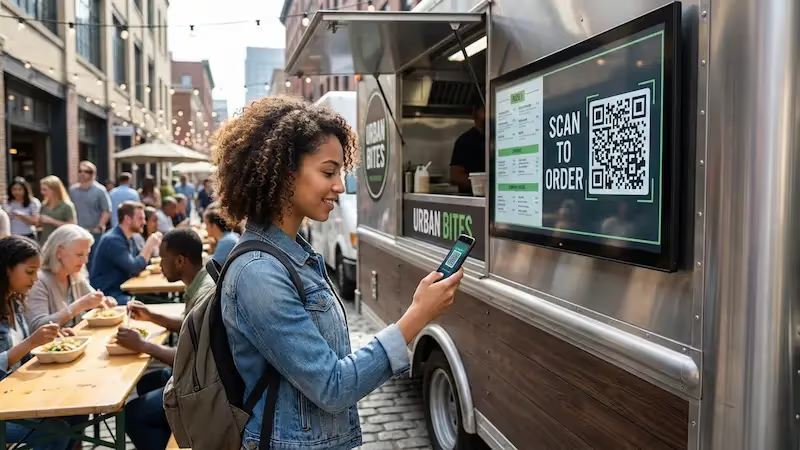
Interactivity turns watching a screen into doing something with it. When people can act-by scanning a QR code or using a touchscreen-experiences become more memorable. A simple example is a QR code that links to a coupon. A more advanced example is a kiosk where customers can browse a full product catalog. These tools help your brand stand out in a crowded media environment.
Analytics support this by giving you clear data. They show who is watching, how long they stay, and what they do next. By tracking dwell time, repeat views, and conversions, you learn what works and what needs adjusting. A data-based approach lets you improve results over time without guesswork.
Incorporating Interactive Elements
Interactive features come in many forms. QR codes are very popular because they’re simple and easy to measure. They connect the screen to the viewer’s phone, letting them take content with them. Touchscreens and mobile-based controls give people deeper control, which works well for retail, real estate, and other visual-heavy sectors.
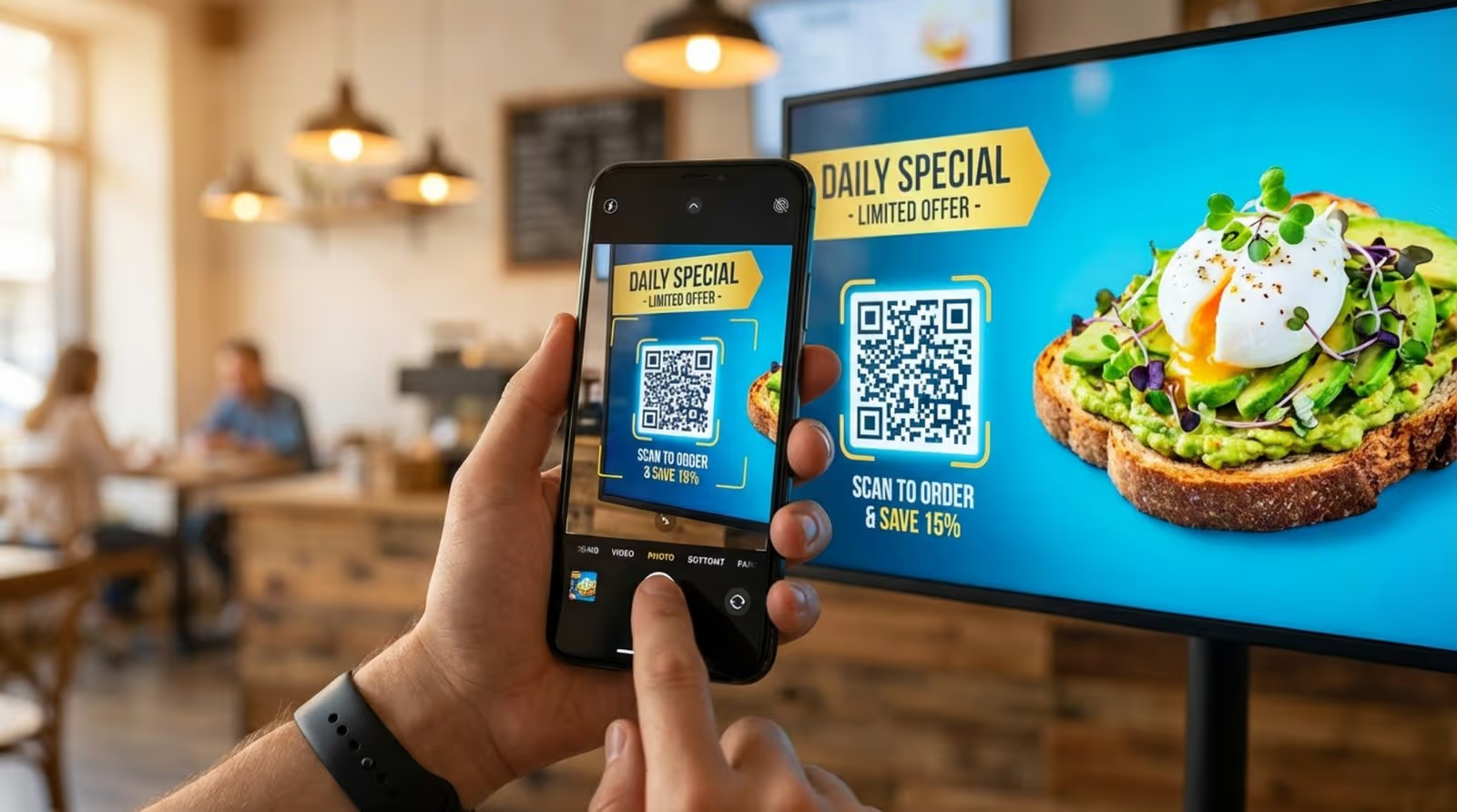
Loyalty and rewards also work well with signage. For example, using screens to show progress toward rewards or special member deals can motivate more visits. A message like “Free dessert after five purchases” can drive repeat business. Done right, interactivity doesn’t just show an ad-it starts an ongoing relationship.
Leveraging Analytics for Continuous Improvement
The data from your signage should guide both small tweaks and big decisions. If analytics show that people watch a certain video longer than static images, shift your content mix toward more video. If a specific call to action gets few scans or clicks, it might need clearer wording, a better position on screen, or a different color.
Many organizations, such as Kent State University, value platforms that provide these insights without needing advanced technical skills. With a central portal to automate content and review performance, you can keep improving your approach with minimal extra work. This helps your strategy stay effective even as trends and audience habits change.
What Metrics Should You Track for Digital Signage Success?
To know if your digital signage is working, you need to measure more than “Is it turned on?” You must track metrics that connect to your original goals. Focusing on 3 to 5 main KPIs keeps things manageable and gives you enough data to prove value to decision-makers.
Metrics usually fall into two groups: engagement (how people interact with screens) and conversion (what people do afterward). You need both for a full view of performance. Checking these often helps you adjust campaigns quickly instead of waiting until money and time are already wasted.
Key Performance Metrics for Measuring Effectiveness
For sales-focused campaigns, track conversion rates and revenue shifts in screen areas. Compare sales for highlighted products before and after they appear on your digital displays. For brand awareness, monitor web traffic, social engagement, or brand searches. Dwell time is especially important in retail; if people stand near a screen for 30 seconds, your content is drawing and holding attention.
“Proof of Play” is another helpful metric. It verifies that scheduled content actually showed, which matters a lot if you sell ad space to sponsors. Also listen to qualitative feedback-what customers or staff say. Short surveys or casual conversations often reveal whether content feels useful, fun, or annoying. Use both hard data and feedback to tune your approach.
How Often Should You Update Digital Signage Content?
A common rule for main content is updating 2-3 times per day-such as morning, midday, and evening rotations. This ties to the “three-exposure rule”, which suggests people need to see a message around three times before it sticks. In busy places where the same people pass multiple times a day, frequent changes stop your screens from fading into the background.
In stable settings, monthly updates may be enough. In busy retail or hospitality environments, weekly or daily changes work better. Automated elements like news, weather, or live social feeds can update themselves, keeping screens fresh without constant manual work. The goal is to keep things new and noticeable without overwhelming your team-this is where scheduling and automation tools help most.
Tips for Ongoing Optimization and Staying Ahead of Trends
Digital signage tech moves fast, with new features appearing regularly. To stay ahead, you need to be ready to adjust. This means updating your content and watching for advances in display hardware and software. Organizations that follow these changes tend to get more long-term value from their systems.
Ongoing optimization also means paying attention to what others are doing. Case studies from companies like Central National Gottesman Inc. show how digital signage can support safety programs with constant visual reminders. By reviewing how leaders in your space use signage, you can find fresh ideas to attract and engage your own audience.
Monitoring Industry Trends in Digital Signage Technology
Keep track of developments such as 8K displays with very sharp images, or AI-driven content that changes based on who is in front of the screen. ePaper displays are gaining interest for businesses that want low-power, more eco-friendly options. Even if you don’t use these right away, knowing about them helps with long-term planning so your setup doesn’t fall behind.
Another big trend is “all-in-one” systems that combine digital signage, screen sharing, and emergency alerts. This reduces the number of separate tools you need and is easier to manage. Platforms like Rise Vision even send weekly template ideas, helping users keep content modern and polished without spending hours designing from scratch.
Learning from User Feedback and Case Studies
User feedback is one of the best sources for improvement. If people say a screen is too bright or the text is too small, these are simple fixes with a big impact. Joseph Hunt from Central National Gottesman Inc. shared that digital signage became a key part of their safety efforts, offering a strong communication platform for employees. This shows that digital signage is useful for more than just marketing-it can also support internal communication and training.
Case studies also underline the value of ease of use. Kent State University reports that their system takes only about 1% of their time because it runs smoothly and is simple for non-IT staff. This supports the idea that the best strategy is the one you can consistently use. By choosing a platform that’s easy to manage day to day, you keep messages on time and on brand across all sites, which leads to long-lasting results.
To wrap up, building a strong digital signage strategy is an ongoing process of testing and adjusting. Beyond good design and solid hardware, you should make sure your signage is ADA-compliant so everyone can access the information. This means keeping interactive parts at reachable heights and using text sizes that people with low vision can still read. For example, a character height of at least 5/8 inch is recommended for a viewing distance of about 72 inches. You can also add speech-enabled options to help people with hearing or vision challenges. By following these accessibility guidelines and regularly using data to guide updates, your digital signage can stay powerful, fair, and effective as a core part of your modern marketing toolkit.