Table of Content
How do you keep a pizzeria’s daily specials, limited-time offers, and menu updates organized without relying on messy printed posters? A digital signage promo calendar is an automated scheduling system that lets you plan and display exact promotions by hour, day, or location. By managing everything from a central dashboard, you can automatically switch from lunch combos to dinner family bundles, keeping your screens perfectly synced with your kitchen and your customers' needs.
What Is a Pizzeria Promo Calendar for Digital Signage?
In a busy pizza shop, clear communication is the difference between a smooth rush and a chaotic lobby. Customers walking in need fast answers about today’s deals, popular items, and where to pick up their food. A digital signage promo calendar organizes these details so your screens always show the right message at the exact right moment. This reduces the friction of repeated questions, speeds up lines, and keeps your staff focused on preparing food rather than giving directions.
Pizzeria operations change constantly. Toppings run out, prep times fluctuate, and delivery cutoff times shift. Without a centralized way to update messages, your counter, kitchen, and delivery teams can easily end up communicating different things. Look Digital Signage is designed to help solve this by acting as a single source of truth for your screens. With a reliable cloud-based setup, you can ensure everyone is on the same page, avoiding the frustration and bad reviews that happen when promised items aren't available.
Why Digital Signage Promo Calendars Matter for Pizza Shops
Digital signage promo calendars aren’t just decorative-they solve practical problems that paper signs simply can’t handle. During a packed Friday night, if guests don’t know where to order or when their food will be ready, the space gets crowded fast. When staff have to stop making pizzas to repeat basic instructions, service slows down, and the guest experience drops.
Outdated information also damages customer trust. Showing expired deals, incorrect pricing, or missing allergen notes leads to complaint-heavy shifts. A remote management system allows you to make real-time updates from anywhere, ensuring your pricing, promotions, and dietary details stay accurate. When your screens provide clear, on-brand guidance, your store operations run much more smoothly.
Key Benefits for Pizzeria Operators and Customers
For operations teams, a digital promo calendar replaces the slow, expensive cycle of designing, printing, mailing, and hanging new menus. Updates that used to take days can be completed in minutes. This makes it incredibly easy to react to ingredient shortages or roll out last-minute promotions. It also simplifies compliance with menu-labeling rules, letting you add calorie counts or allergy warnings without needing a reprint.
For customers, clear digital menu boards remove ordering anxiety. Strong visuals highlight daily deals and add-ons, making choices obvious and fast. Order status screens add transparency, which can make wait times feel shorter. Ultimately, a calm, predictable ordering environment builds trust and encourages repeat visits.

How a Promo Calendar Improves Pizzeria Operations
Think of your digital promo calendar as a control center for your front-of-house communication. It goes far beyond displaying appetizing food photography; it actively manages what your screens show to drive sales and streamline service. By automating when specific promotions appear, you can confidently put high-margin items in front of guests during peak buying windows.
Because these updates happen automatically, your front-line team is freed from manual tasks and can concentrate entirely on the customer. From the moment they walk in to the moment they pick up their order, guests are guided by clear pricing and consistent messaging.
Boosting Order Value with Timed Promotions and Upsells
Digital signage is highly effective at guiding customers toward higher-value choices while they wait in line or confirm an order. You can easily promote extra toppings, premium crusts, or bundle deals exactly where customers are making their purchasing decisions, effectively raising the average ticket size without slowing down the queue.
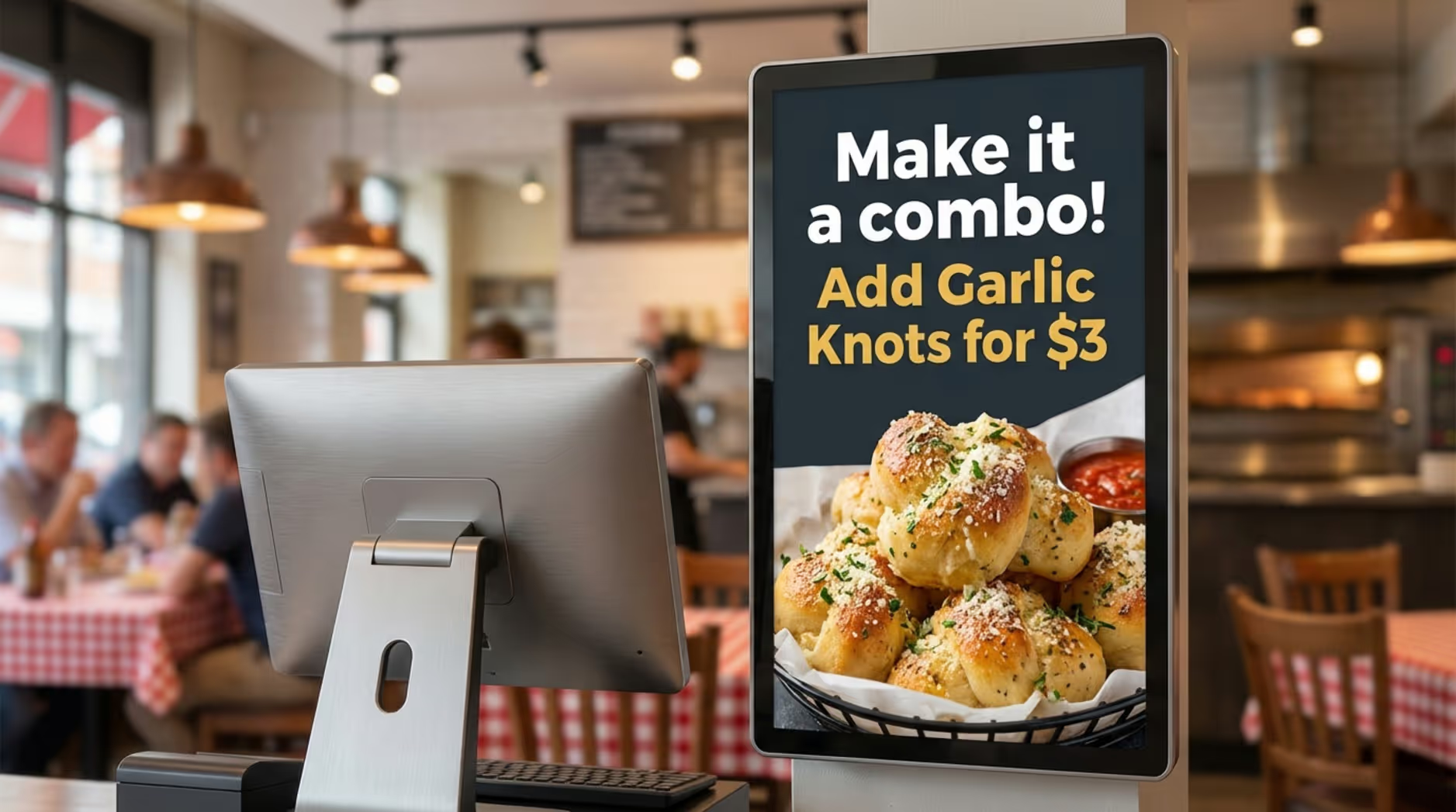
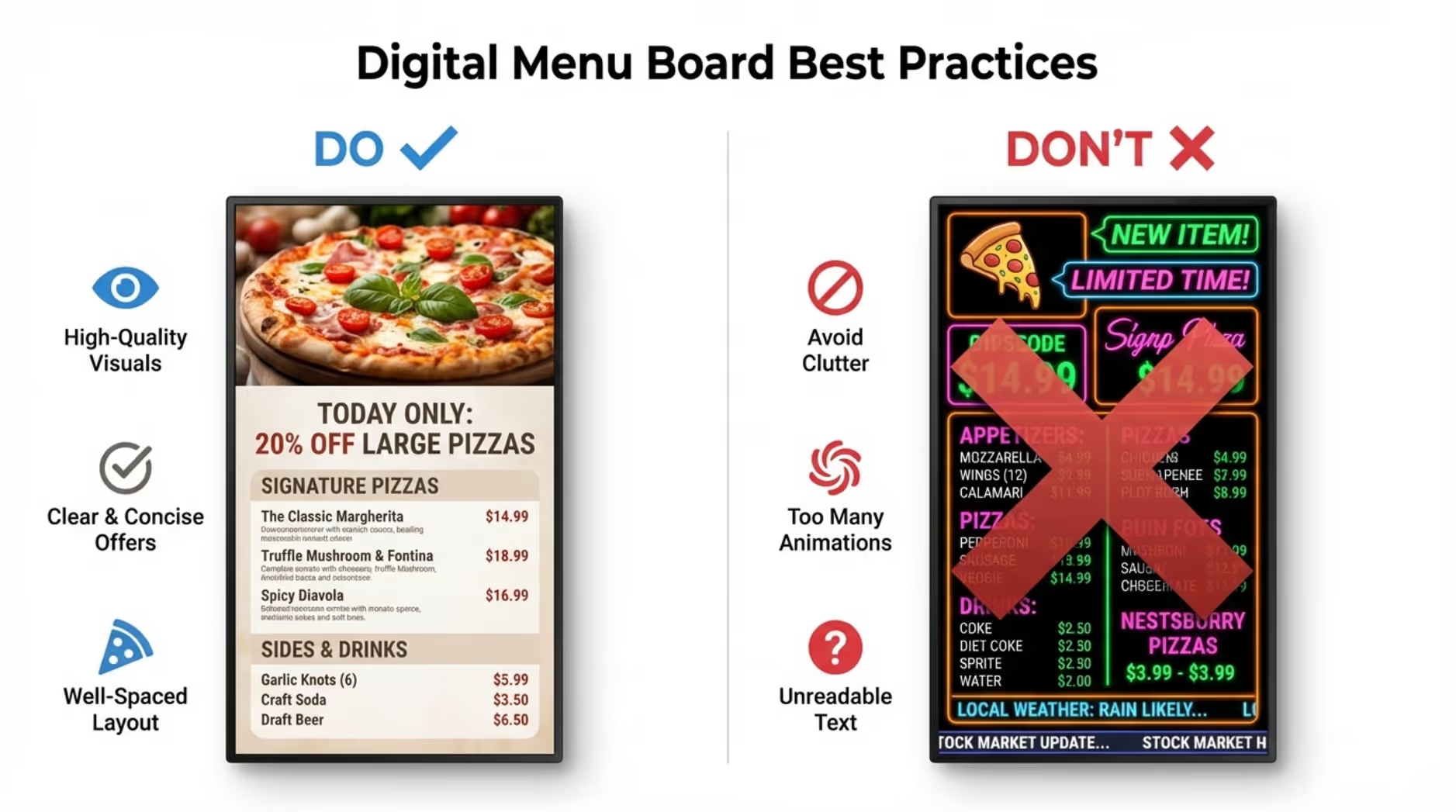
A proven strategy for driving upsells is the "one message per slide" rule. Rather than cramming a screen with text, show a clear visual of a premium pizza with a simple reason to try it, or offer a straightforward "pizza + wings + soda" bundle with obvious pricing. Keep the offer clean, compelling, and easy for the customer to say yes to.
Reducing Wait Time and Improving Guest Experience
When hungry customers can easily read your menu, they decide faster. Quicker decisions mean shorter lines. Using your screens to display order status, pickup instructions, and expected prep times sets clear expectations, which is essential for keeping traffic moving during peak hours.
You can further reduce backups by proactively answering common questions on screen, such as gluten-free options, spice levels, or where to stand for takeout. Promoting your online ordering platform for future visits can also alleviate counter pressure. Small visual cues make a massive difference in how smoothly your shop operates.
Improving Menu Strategy by Time of Day and Season
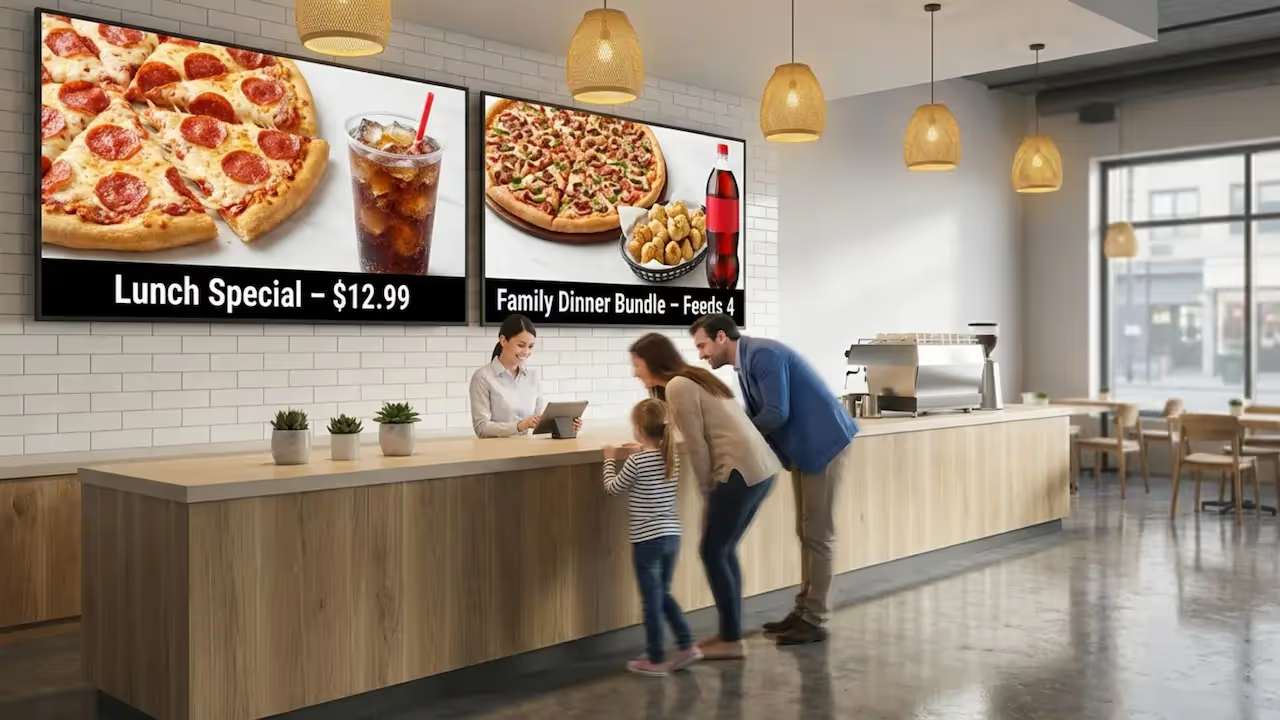
Flexible scheduling is where a digital promo calendar truly shines. Look Digital Signage features Smart Scheduling, which automates dayparting. You can set quick lunch combos to run automatically from 11 AM to 2 PM, then seamlessly transition your screens to highlight family bundles and larger pizzas for the evening dinner rush.
This same logic applies to seasonal pizzas, holiday hours, or temporary price changes. By aligning your on-screen messaging with daily sales patterns or even local weather, you push the right items at the right time. Your team never has to remember to manually switch the menu board over; it’s truly set and forget.
Centralizing Promotion Scheduling for Multi-Location Chains
Maintaining consistency across multiple pizza shops can be a logistical headache. A centralized system like Look CMS gives your marketing and operations teams the ability to push content to the right stores in seconds, from anywhere. This prevents common franchise issues like mismatched pricing or expired limited-time offers lingering on a screen in a single location.
Using one central dashboard, corporate teams can lock in standard branding and core pricing, while still granting local managers the flexibility to update approved regional content, such as today’s local slice special or adjusted holiday hours. This balances brand consistency with necessary local control.
What Promotions Should Be Included in a Pizzeria Digital Signage Calendar?
A dynamic promo calendar turns your menu board into an active sales engine. To get the highest return on your screens, think beyond basic discounts. Focus on offers that create urgency, highlight value, or solve a specific problem for the customer.
Whether you are highlighting seasonal ingredients, tying specials to a local sports event, or promoting a brand-new menu item, your goal is to help the customer decide quickly and encourage them to add just one more item to their ticket.
Daily Specials and Limited-Time Offers
Time-based deals like "Tuesday two-for-one" pizzas or a weekend wing special are perfect for digital signage because they create immediate urgency. With automated scheduling, you can set the exact start and end dates for a limited-time seasonal pizza. Once the promotion ends, it automatically drops off the playlist, keeping your menu clutter-free.
You can also use limited-time offers to react fast to your environment. If you have extra inventory of a certain topping, or if a major local event is happening, you can spin up a quick promotion in minutes to drive impulse buys.
Lunch Combos, Game Day Promotions, and Seasonal Pizzas
A smart calendar matches the natural rhythm of how your customers order. Lunch crowds typically prioritize speed, making "slice + soda" or personal pizza combos ideal for daytime playlists. As the evening approaches, game day bundles with strong visuals tap into the local energy and encourage larger group orders.
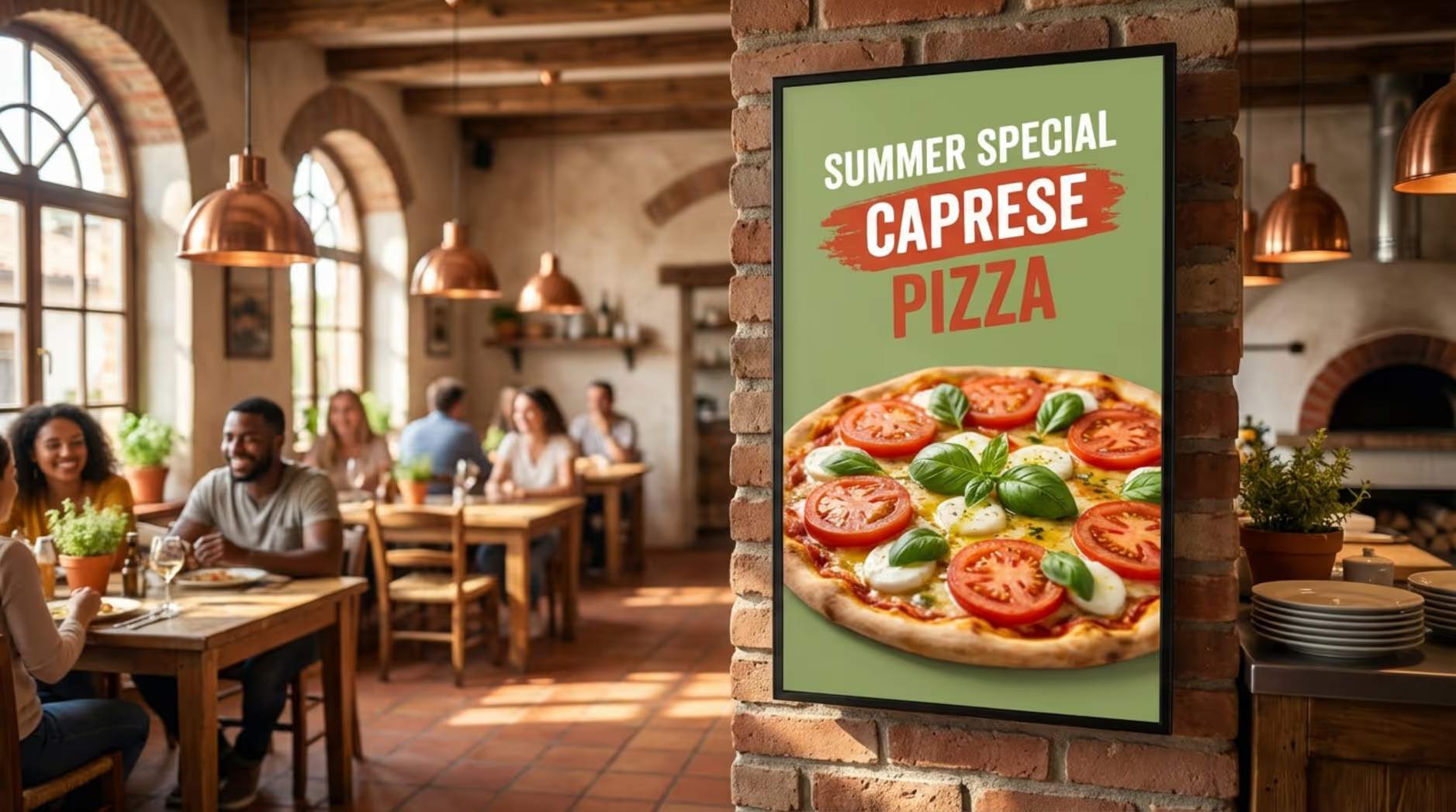
Seasonal pizzas also benefit heavily from digital displays. A vibrant, high-definition photo of a summer Caprese pizza can catch a customer's eye much better than a line of text on a printed menu. By keeping seasonal items scheduled strictly for their availability window, regular customers are always greeted with fresh, accurate options.
Catering, Events, and Neighborhood-Specific Deals
Don't just sell to the customer standing in front of you-sell to their future needs. Digital screens are a strong medium for promoting office catering packages or party trays. Be sure to include actionable details like "feeds 10-15" or "order 24 hours ahead," paired with a QR code to take them straight to your catering inquiry form.
You can also tailor playlists to specific neighborhoods. If one of your locations partners with a local brewery down the street, you can schedule a store-only promo on those specific screens to strengthen community ties.
Promoting Loyalty Programs and Online Ordering
Your screens can drive long-term retention alongside immediate sales. By dedicating a slide in your playlist to your loyalty program, you can visually show customers the rewards they are missing out on, like a free pizza after their tenth order.
Likewise, displaying a simple message like "Skip the line: Order online next time" alongside a QR code shifts future orders to your digital channels, which helps reduce physical bottlenecks during your busiest hours.
Best Practices for Scheduling and Managing Promo Content
Getting real ROI from your digital screens requires smart management. The objective is always a clear, helpful customer experience-not a chaotic screen stuffed with conflicting messages. Clean design, automation, and structural consistency are critical.
Think of your digital signage software as a finely tuned engine for smoother operations. When managed correctly, it guides the customer journey logically without adding any daily workload to your store teams.
Automation and Daypart Scheduling for Peak Traffic
Automation is the foundation of an efficient signage setup. By utilizing Smart Scheduling, you can define exactly when menus and promotions activate. For instance, lunch specials can run from 11:00 AM to 3:00 PM, and your dinner menu takes over at 3:01 PM. Content appears and vanishes precisely when it should.
This prevents embarrassing errors, like showing a breakfast menu during the dinner rush, and easily handles recurring events like weekly trivia night promos. Your staff never has to touch a remote control or a USB drive during a rush, ensuring reliable playback when it matters most.
Keeping Menu and Promotion Content Consistent
For brands operating multiple locations, maintaining a uniform look is essential. Using Ready-made Templates helps every store adhere to the same fonts, spacing, and brand colors. Centralized cloud control means your operations team updates a price once, and it pushes to every relevant screen instantly.
By establishing a clear workflow, you can prevent accidental design breaks. Even when granting local managers the ability to add store-specific notes, locking down the core layout ensures that your brand’s visual identity remains intact and professional.
Avoiding Message Overload and Keeping Screens Easy to Read
Effective digital signage feels calm and informative. Too many animations, scrolling tickers, or flashy effects will overwhelm a customer and actually slow down their decision-making process. The best approach is highly visual and intentionally simple.
Keep your main menu boards separate from your promo screens if possible. Use your Screen Layouts wisely-give promotions one clear offer and one obvious call to action per slide. Rotate your playlists at a comfortable reading pace so customers have time to absorb the information without feeling rushed.
Integrating Digital Signage Promo Calendars with Pizzeria Systems
Your digital signage becomes substantially more powerful when it aligns with the tools your pizzeria already relies on. By creating a connected ecosystem, you reduce repetitive data entry and ensure that pricing remains consistent across every customer touchpoint.
Integrations can eliminate human error, save your staff hours of manual updates, and guarantee that what the customer sees on the screen exactly matches what rings up at the register.
POS and Online Ordering Integration
Keeping your digital menu boards synced with your operational realities saves massive headaches. If your kitchen runs out of a specific ingredient, your screens should reflect that so customers don't try to order unavailable items. This saves your front counter staff from apologizing and explaining the shortage repeatedly.
Through Integrations (API) or by embedding web-based menu dashboards directly into your screen layouts, modern signage platforms can keep your data flowing smoothly. Even without a direct POS link, a strong cloud CMS makes manual updates so fast that keeping parity between your registers and your screens takes only minutes.
Real-Time Menu and Price Updates
With traditional printed boards, changing the price of a topping required a full reprint and physical installation. With cloud-based software, operators can adjust pricing, launch a new combo, or update delivery instructions in real time, from anywhere.
This agility helps protect your margins when ingredient costs fluctuate and ensures absolute accuracy across your network, drastically reducing the customer complaints that stem from outdated pricing information.
Multi-Location Content Management
Managing content across 10 or 100 pizzerias can be daunting. A centralized cloud dashboard allows you to organize screens by region, franchise group, or individual store type. You can verify what is playing on any given screen without having to call the store manager.
Role-based access is a crucial feature here. It allows your corporate marketing team to control the overarching brand campaigns, while giving local operators restricted access to update only the specific elements they need-like local operating hours, without breaking the master design.
Using Design Tools and Templates for Efficient Promotion Creation
You don't need a dedicated graphic designer to create high-converting promotional screens. Many platforms feature built-in Ready-made Templates designed specifically for digital menu boards, complete with predefined pricing grids and photo zones.
For even faster deployment, Look Digital Signage offers tools like the Content Creator, allowing your team to build on-brand layouts directly inside the CMS. These tools ensure that every time you introduce a new pizza or tweak a combo, your screens maintain a polished, professional aesthetic without requiring expensive third-party software.
Choosing Hardware and Software for Pizzeria Digital Promo Calendars
Brilliant content only matters if your screens actually stay on. Selecting the right hardware and software combination is critical for keeping your menu boards reliable, secure, and easy to manage as your business scales.
The ideal setup strikes a balance between total cost of ownership, durability, and robust features that support seamless remote updates.
Screen and Device Compatibility
Commercial-grade displays are generally recommended for pizzerias, as they are built to run 16 to 24 hours a day and offer the brightness needed to cut through brightly lit lobbies. However, if you already have existing screens, you can often utilize them to save on initial rollout costs.
Look DS is an incredibly adaptable solution. You can install the free Look App on supported operating systems (like Android TVs or Amazon Fire OS devices) to turn the hardware you already own into a fully managed endpoint. For a more robust, dedicated solution, the plug-and-play Look HDMI Player provides a highly reliable connection that supports Offline Playback, meaning your menus keep running smoothly even if the store's internet connection drops.
Security and Access Controls
Security is paramount when screens are visible to the public. Unauthorized access to your menu boards can severely damage your brand. It is vital to choose a platform that offers strict user roles and permission management.
By limiting who has the authority to publish content or alter prices, and by utilizing secure logins and activity tracking, you protect your screens from both internal mistakes and external interference, ensuring only approved promotions ever go live.
Remote Support for IT and Store Operations
Your digital signage must be supported by tools that keep it running with minimal on-site intervention. When rolling out a new store, repeatable setups and templates help get screens online rapidly.
If a screen does go dark, your IT or operations team needs to know immediately. Features like remote monitoring and playback analytics allow you to check device health from the cloud. This ensures your menu boards and order status screens remain stable, reducing the burden on your in-store staff.
Common Challenges and Solutions When Implementing a Pizzeria Promo Calendar
Transitioning to digital promo calendars offers massive upside, but operators often worry about the initial setup, ensuring consistency across franchises, and managing daily workloads. Fortunately, a purpose-built B2B platform mitigates these hurdles easily.
By anticipating these challenges and relying on automated tools, your digital signage becomes a powerful operational asset rather than a technical burden.
Updating Across Multiple Locations Without Confusion
In multi-unit operations, version control is historically a nightmare. Mismatched item names, outdated promotions, and varying prices can deeply frustrate customers. A robust, cloud-based platform is designed to eliminate this friction entirely.
Key mechanisms to ensure consistency include:
- Central control to execute updates once across the entire network
- Device grouping to route accurate pricing and items to specific store tiers
- Auto scheduling to seamlessly rotate limited-time offers in and out
- Approved templates to guard brand standards
- A clear publishing workflow to catch errors before they hit the screens
This entirely removes the need to email files to store managers or ship USB drives to every location.
Meeting Menu Labeling and Pricing Laws
Compliance with nutritional labeling regulations is a constant stressor with printed menus. Digital signage makes it effortless to cleanly display calorie counts, sodium levels, and critical allergen warnings without cluttering the design.
When prices must change, updating all screens simultaneously maintains compliance and customer trust. Keeping layouts logical, using consistent naming conventions for crusts and sizes, and placing pricing intuitively near the product imagery ensures your menus are legally compliant and highly readable.
Reducing Workload and Printing Costs
The cycle of printing and shipping promotional materials is a massive drain on your budget and staff time. Transitioning to a digital workflow heavily reduces your reliance on physical signage, yielding an excellent long-term ROI.
By automating your promotional schedule, you ensure that limited-time offers don't linger past their expiration dates. Over time, the hard costs saved on printing-combined with the operational hours saved on physical installation-make digital menu boards a financially sound investment for any growing pizzeria.
Measuring the Impact of a Digital Promo Calendar on Pizzeria Sales
To truly validate your investment, you must treat your screens like a data-driven sales channel. Tracking how your digital signage impacts operational KPIs allows you to iterate and improve your strategy month over month.
By monitoring the right metrics, you can transition your menu boards from a simple digital poster into a finely tuned engine for revenue growth.
Tracking Promotion Effectiveness and ROI
While you may not attribute every single walk-in sale to a specific screen, the aggregate operational data will paint a very clear picture of success. Look to these practical indicators:
- Higher average order value (AOV) driven by targeted bundles and add-on visibility
- Faster queue times during the lunch or dinner rush
- Fewer order modifications and errors thanks to crystal-clear item descriptions
- Lower printing costs across the quarter
- Immediate update times for network-wide pricing changes
- Increases in loyalty app sign-ups tracked via on-screen QR codes
When a promo calendar is executed correctly, it pays for itself by directly increasing ticket sizes and removing operational roadblocks.
Adjusting Strategies Based on Analytics
The beauty of a digital platform is its agility. If you notice a specific promotional layout isn't converting, you can simply adjust the Screen Layouts or swap the creative out in minutes. Using Playback Analytics, you can verify that your campaigns actually played at the right locations during the intended high-traffic hours.
Run short A/B tests on your upsell messaging, listen to feedback from your counter staff, and refine your playlists to consistently elevate your pizzeria's performance.
Frequently Asked Questions About Pizzeria Promo Calendars for Digital Signage
As operators look to modernize their physical spaces, questions naturally arise regarding content cadence, localization, and best practices for engagement. Choosing a platform that is highly approachable and supportive ensures your team can handle these demands effortlessly.
Here are clear answers to the most common questions regarding digital promo setups in pizzerias.
How Often Should Promotions Be Updated?
The frequency of your updates should mirror the natural cadence of your business. The ultimate goal is operational accuracy combined with enough novelty to catch the eye of regular customers. A solid rhythm looks like this:
- Immediate updates: Sold-out items, kitchen delays, or sudden inventory shifts
- Weekly updates: Rotating lunch specials and featured combos
- Seasonal updates: Limited-time pizzas and broad menu refreshes
- Monthly refresh: General brand messaging, catering pushes, and loyalty reminders
With an intuitive platform like Look CMS, you can handle all of these updates in minutes, keeping your screens fresh without the IT headache.
Can Promo Calendars Handle Multilingual Content?
Absolutely. If your locations serve diverse communities, utilizing multilingual content is a fantastic way to reduce ordering friction and improve hospitality. A flexible system handles this easily by:
- Assigning specific language playlists to screens in distinct geographic regions
- Scheduling slides to gracefully alternate between two languages
For the best results, keep translations concise, highly legible, and focused on practical ordering steps.
What Content Drives the Highest Engagement?
Data consistently shows that the most effective content is highly visual, structurally simple, and clearly actionable. The highest-performing pizzeria screens typically feature:
- Vibrant, authentic food photography
- Clear, bundled offers (e.g., "Family Pack: 2 Large Pizzas + Wings")
- Low-friction add-ons (e.g., "Add Garlic Knots for $3")
- Time-sensitive seasonal items
- Easily identifiable dietary icons (Gluten-Friendly, Vegan, etc.)
- Scannable QR codes tied to a singular call to action, like catering inquiries
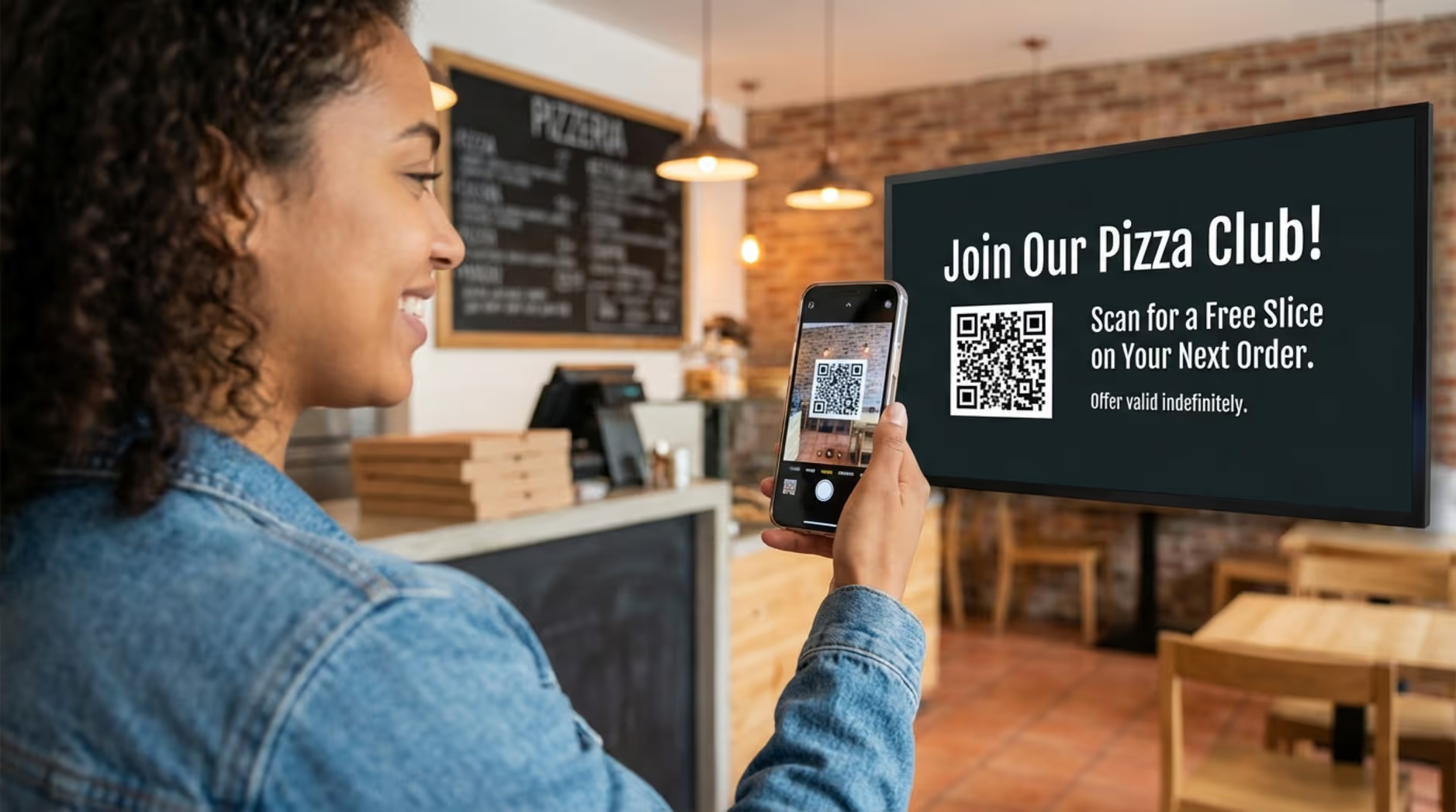
If your screen is too dense, customers will simply ignore it and ask your staff instead. Keep your playlists clean, lean, and focused, and let your digital signage do the heavy lifting. Ready to see the difference for yourself? Start small with a free trial or book a demo, connect a screen, and see how quickly you can get your first optimized playlist live.