

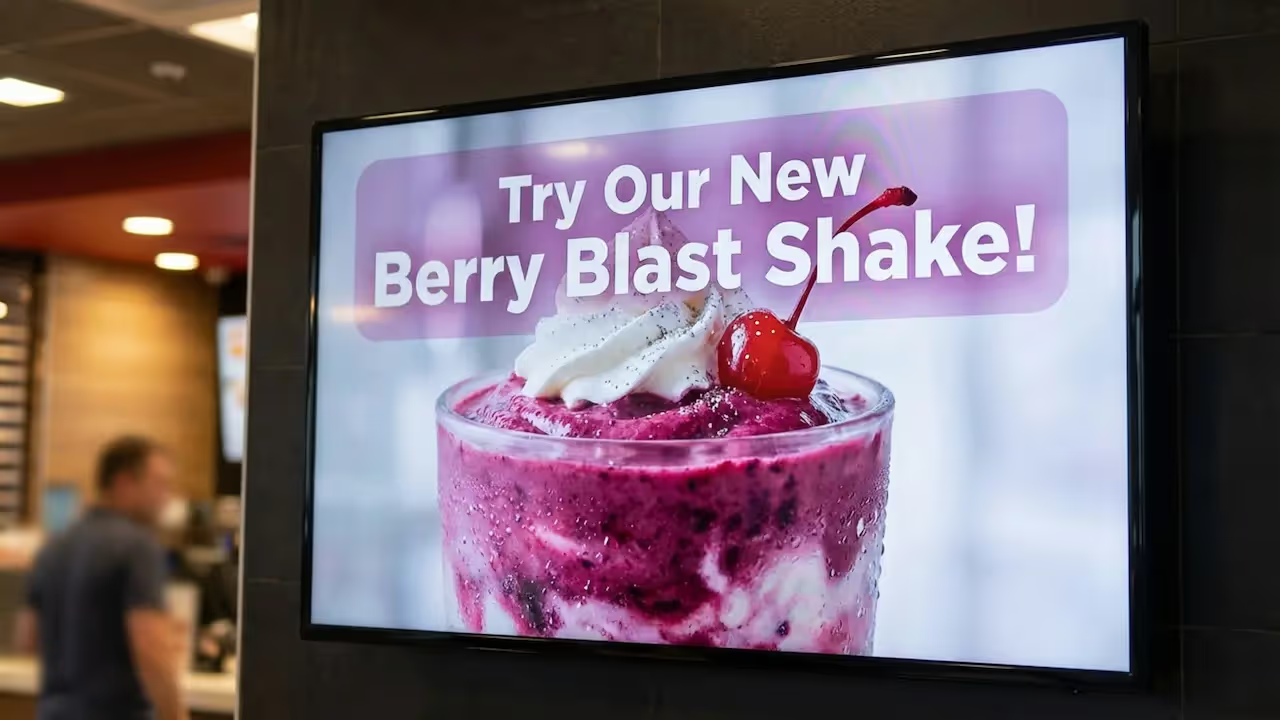
Table of Content
How can Quick Service Restaurants (QSRs) show the right menu items at exactly the right time without slowing down service? Dayparting with digital signage automatically switches your screens between breakfast, lunch, and dinner schedules without any manual work. By using cloud-based digital signage software, you can reduce printing and updates, adapt to rush hours in minutes, and keep your operations running smoothly from anywhere.
What Is QSR Dayparting With Digital Signage?
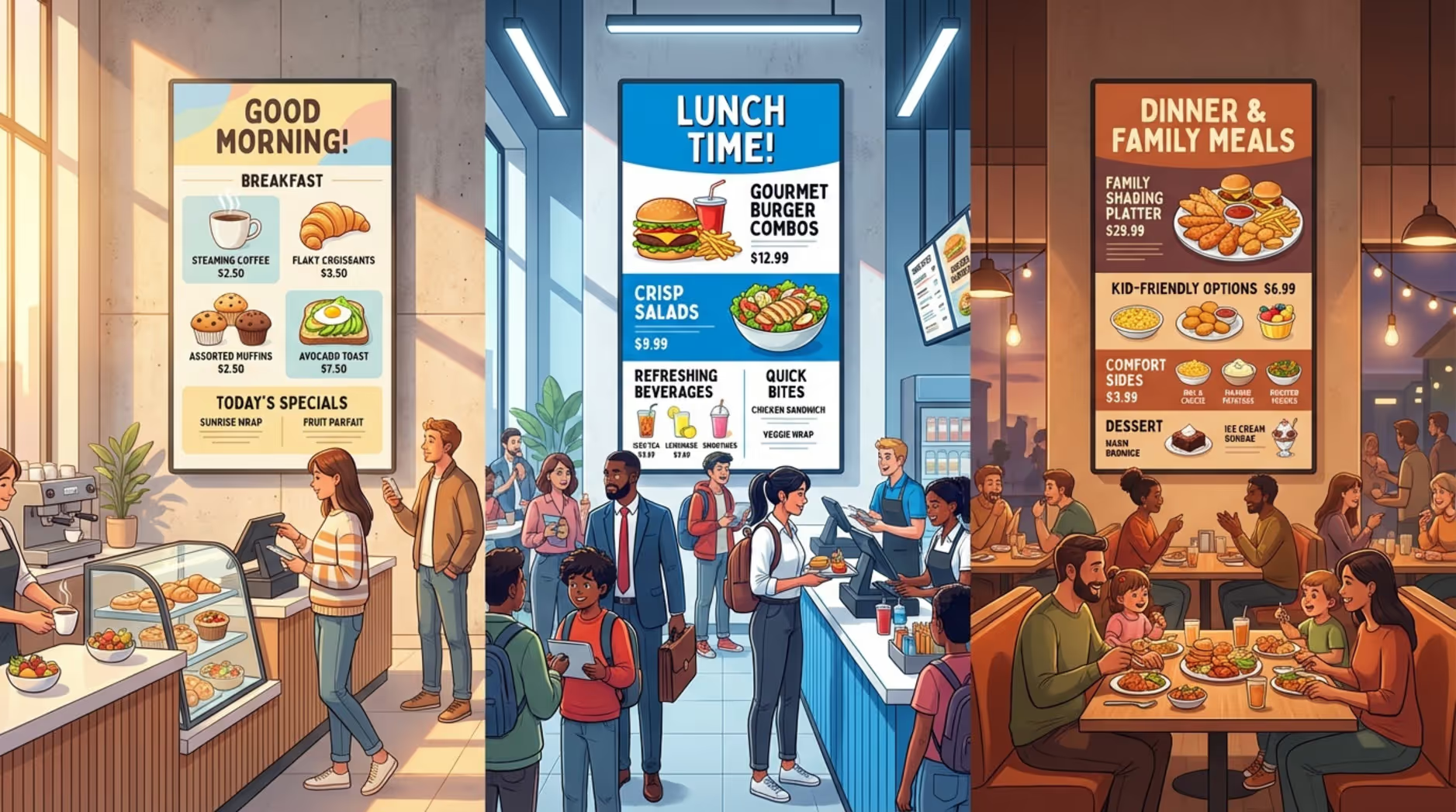
Dayparting is the practice of showing customers the best menu options for the time of day. What people order at 7 AM is usually very different from what they crave at 1 PM. In the past, staff had to manually swap printed menu panels. Digital signage changes that by letting your screens update automatically based on a set routine.
You can schedule menu boards and promo screens to change exactly when you need them to. The breakfast menu fades into lunch, then into dinner, with no complex setup required. You can also feature time-based promos or spotlight high-margin items to help drive more sales. The goal is to make every screen a helpful, clear next step for your customers.
How Does Dayparting Work in QSR Digital Menu Boards?
Dayparting is controlled through a cloud-based platform, like Look CMS. This dashboard is your control center where you build playlists and assign them to specific times. Think of it like a TV schedule: breakfast content runs from 6:00 AM to 10:30 AM, and lunch takes over at 10:30 AM. You can mix images, text, and video for reliable playback throughout the day.
Many systems also connect with your internal tools, like a Point of Sale (POS) or inventory database. If a popular pastry sells out, the system can pull it from the screen so customers only see what is actually available. This automation cuts down mistakes and keeps your messaging perfectly accurate.
What Are Common Dayparts in QSR Operations?
While schedules vary by location, most QSRs build their day around a few core blocks. Breakfast targets early commuters with coffee and fast items. Lunch handles the high-traffic midday rush with heavier meals and combo deals. Dinner usually shifts to larger portions or family bundles.
Many teams also use specific micro-schedules, such as:
- Mid-morning: Snacks and coffee refills
- Afternoon/Snack time: Lighter food, milkshakes, or happy hour deals
- Late-night: Limited menus and comfort food
- Weekend brunch: Weekend-only promos and specialty items
Each block is an opportunity to share data-driven content that fits exactly what the customer wants right then.
How Digital Signage Improves QSR Dayparting
Digital signage turns dayparting from a manual chore into a serious operational advantage. Printed signs require constant reprinting, shipping, and physical labor. Digital displays let you push real-time updates to one screen or thousands in minutes.
This speed helps you react to supply chain shifts, staffing levels, and inventory changes. Being able to instantly adjust drive-thru screens, indoor menu boards, and lobby displays helps protect your margins and keeps your team focused on making food, not changing signs.
Automating Menu Changes and Scheduling by Daypart
Automatic scheduling is the biggest time-saver. With Smart Scheduling, you can set and forget your daily menu swaps. Breakfast, lunch, and dinner roll out exactly when they should. This saves hours of labor and ensures your pricing is always correct.
This same logic applies to limited-time offers. A morning coffee deal can automatically disappear at 11:00 AM, replaced by a lunch combo. Giving every screen a clear job at a specific time helps customers order faster.
Improving Consistency Across Locations
Keeping menus consistent across franchises is tough. If one store forgets to take down an expired promo, it frustrates customers. Cloud-based management solves this by letting corporate teams push updates everywhere at once, while still allowing local managers to tweak sold-out items if needed.
You can track exactly what is playing across your network in real time. Consistent messaging often helps improve brand trust, especially when value deals look the same whether a customer visits a location in New York or Texas.
Supporting Real-Time and Contextual Updates
Beyond strict schedules, digital displays let you react to the real world. If a sudden heatwave hits, you can update your screens from anywhere to push iced drinks. If the kitchen is running behind, you can highlight items that are faster to prep.
Flash promotions based on stock levels are also much easier to handle. You can run a quick afternoon special to move excess inventory, then pull it down the moment it sells out.
Benefits of QSR Dayparting With Digital Signage
Using digital signage for dayparting does more than make your restaurant look modern. It solves real business problems. It helps you keep up with fast-moving crowds, supports your staff, and turns your menu boards into active sales engines.
From saving money on print to guiding customers toward the best options, a simple setup can give your team a massive operational edge.
Increases Efficiency and Reduces Labor Costs
By removing the need for manual sign changes, you save valuable staff time. Centralized systems often cut campaign setup time by more than half compared to traditional print workflows. Your team no longer has to climb ladders during a busy shift to swap a lunch panel. They can focus purely on service speed and food quality.
Improves Promotions and Upselling by Time of Day
Screens can show offers that naturally match the time of day. Instead of a static poster trying to sell everything at once, your morning screens can push breakfast sandwiches, while your afternoon screens suggest adding a dessert. Motion graphics and clear images can gently prompt customers to add an extra item to their order right when they are ready to pay.
Boosts Sales and Average Order Value
When customers see clear, relevant options, they decide faster and often buy more. QSRs that switch to digital dayparting frequently see a lift in Average Order Value (AOV). It also gives you the freedom to test different layouts without paying for new prints, letting you continuously prove ROI and refine your strategy.
Delivers a More Relevant Customer Experience
When customers walk in and immediately see exactly what they are craving, it removes friction. Clear visuals and readable fonts reduce choice overload. Engaging content can also make waits feel shorter, which often leads to better satisfaction and more repeat visits.
QSR Dayparting Applications for Digital Signage
Your screens can work together to guide the customer journey from the parking lot to the pickup counter. Using dayparting across different types of displays helps you get the maximum value out of your setup.
Menu Boards and Drive-Thru Displays
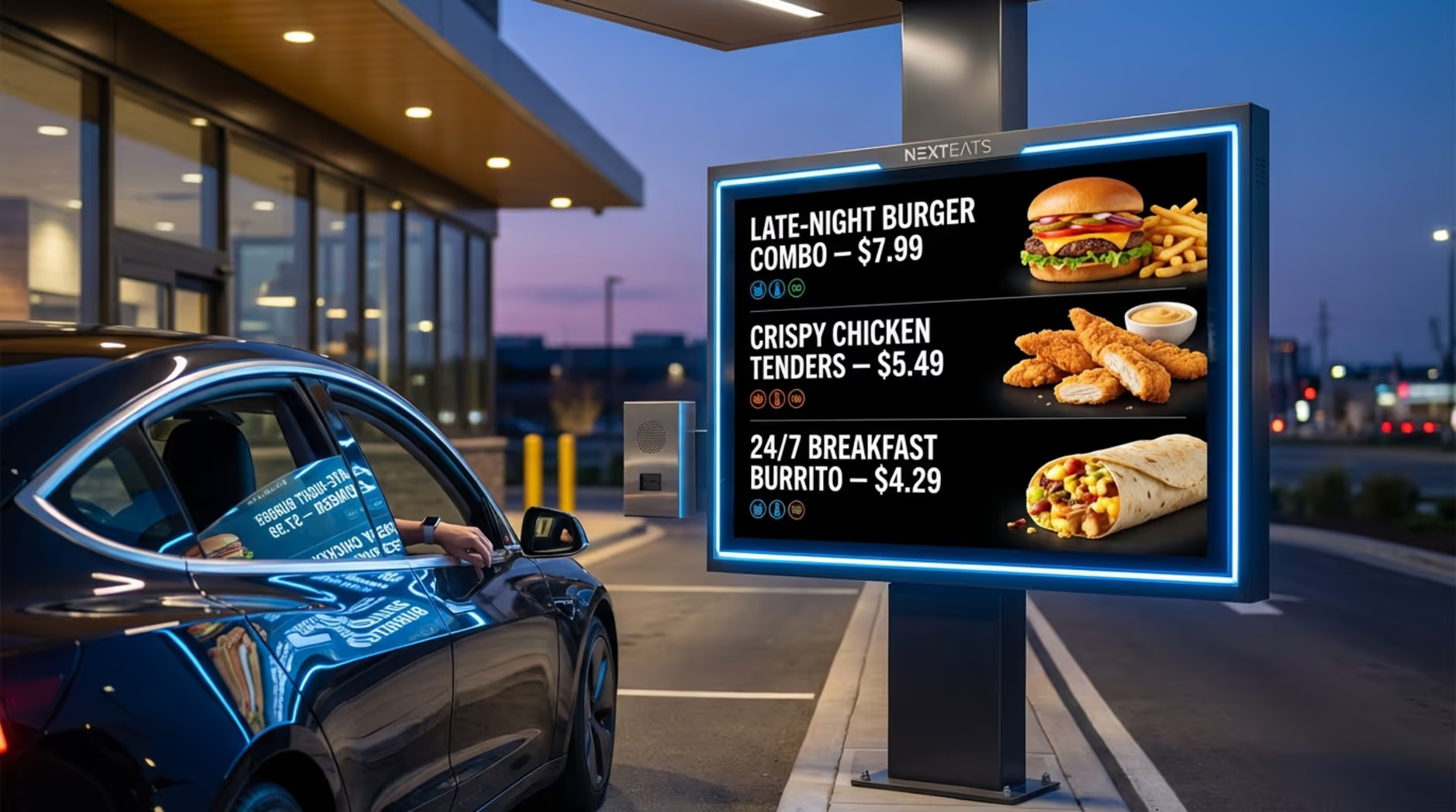
Drive-thrus account for the majority of sales for many QSRs. Clear messaging here is critical. Digital boards that automatically switch menus keep the drive-thru lane moving quickly. Well-lit, commercial-grade outdoor screens ensure that your breakfast and late-night menus are easy to read in any weather.
Flash Promotions and Limited-Time Offers
Limited-time offers (LTOs) need to start fast and end on time. Digital displays allow you to launch a flash promo across all locations instantly. If you run out of the promotional item, you can remove the ad just as quickly, avoiding frustrated customers at the counter.
Internal Operational Screens
Do not forget your staff. Screens placed in the kitchen or breakroom can display shift targets, prep lists, or training notes. A morning shift screen might show coffee brewing checklists, while the evening screen highlights closing duties and inventory counts. Better internal communication usually means smoother customer service.
Key Features to Look for in QSR Dayparting Solutions
Choosing the right digital signage software is about finding a platform that is easy for your team to actually use. You want a system that scales from 1 screen to thousands without creating an IT headache.
The best platforms give you reliable playback and practical tools to manage your menus daily.
Flexible Scheduling and Hourly Menu Adjustments
Your software needs to handle detailed timelines. Look for platforms that offer simple scheduling by the hour or minute. Having access to Ready-made Templates also means your team can build fresh, professional-looking menus inside the CMS without needing to hire a designer every time a price changes.
Integration With POS, Inventory, and Real-Time Data
A smart system talks to your other tools. Support for Integrations (API) allows your digital signage to pull live pricing directly from your POS, or automatically hide items when your inventory system marks them as sold out. This keeps your screens completely accurate without manual data entry.
Dynamic Content and Contextual Triggers
Basic digital menus are helpful, but adding motion makes them highly effective. The platform should support video, animations, and multi-zone screen layouts so you can show a menu alongside a rotating promo graphic.
Centralized Management for Multi-Location QSRs
We highly recommend Look Digital Signage as a suitable solution for QSR operators managing multiple locations. It is designed to help corporate teams manage every screen from one dashboard using Look CMS. You can rely on Offline Playback to keep your menus running smoothly even if a store's internet drops, and use Playback Analytics to monitor screen performance and prove ROI across your entire franchise network.
Best Practices for Setting Up QSR Dayparted Digital Signage
Getting the best results takes a little bit of planning. Think of your screens as an ongoing operations tool, not just a one-time visual upgrade.
Define Daypart Goals and Menu Strategies
Decide what you want each time block to achieve. Are you trying to speed up the morning line? Increase dessert sales in the afternoon? Build a clear menu plan for each block, focusing on core items and high-margin promos that fit those specific goals.
Choose Reliable Hardware and Software
Use hardware built for restaurant environments, especially for the drive-thru. For the software side, you can often keep costs down by using what you have. Install the free Look App on compatible smart TVs, or plug in a Look HDMI Player for a simple setup that guarantees reliable playback.
Test, Measure, and Continuously Optimize Performance
Digital signage should be data-driven. Once your dayparting is live, test different promo layouts. Review your POS data alongside your screen analytics to see what actually drives orders. If a specific lunch combo is not selling, swap it out for something else in minutes.
Common Challenges and Pitfalls in QSR Dayparting
Even with great software, operators can stumble if they do not plan their content carefully. Avoiding a few common mistakes will help you get better results faster.
Assumptions About Audience Habits
Do not just guess what your customers want. You might assume everyone wants a burger at noon, but your data might show a heavy demand for salads at a specific location. Always base your daypart schedules on real foot traffic and sales data.
Failing to Use Data and Analytics for Optimization
If you set your schedule once and never look at it again, you are leaving money on the table. Regularly check your performance metrics. If you are not measuring how your screens impact your average order value, you cannot improve it.
Overlooking Gradual and Smooth Daypart Transitions
A sudden screen change can be jarring. If a customer is reading the breakfast menu and it suddenly flashes to lunch at exactly 10:30 AM, it causes confusion at the register. Try to overlap popular items briefly during transition periods to keep the ordering experience smooth.
Frequently Asked Questions About QSR Dayparting With Digital Signage
If you are planning a rollout, you likely have a few logistical questions about how everything comes together.
Can Our Existing Screens Support Dayparting?
Often, yes. If you already have commercial displays, you do not necessarily need to buy new ones. You can simply connect a media player or download a supported app to turn your existing hardware into a fully scheduled digital signage network.
How Hard Is It to Update Dayparted Menu Content?
It is incredibly straightforward. With modern cloud-based software, there is no complex setup. You log into a web dashboard, drag and drop your new menu image into the playlist, and hit publish. The screens update automatically over the internet.
What Are the Typical Implementation Costs?
Costs scale with your business. You can start small with a single-screen pilot and scale smoothly to thousands. The main costs include the screen hardware, a small media player (if needed), and a monthly software subscription based on the number of screens you operate.
Is Dayparted Digital Signage Reliable for Franchise Networks?
Absolutely. Cloud-based platforms are built specifically for scale. Features like offline caching mean that your menus will keep playing their scheduled content even if the local store loses its Wi-Fi connection temporarily.
What’s Next for QSR Dayparting and Digital Signage?
The way restaurants use screens is constantly getting smarter. Moving forward, menus will become even more responsive to the environment around them, acting less like static posters and more like helpful, automated assistants.
Emerging Trends: AI, Personalization, and Data-Driven Menus
The future of dayparting relies heavily on automation and AI. Soon, menus will automatically adjust not just by time, but by the weather outside or the length of the line inside. Tools like the Look AI Wizard are already making it faster for non-designers to generate text and visuals in seconds, keeping content incredibly fresh.
Preparing Your QSR for the Future of Dynamic Dayparting
To stay ahead, treat your digital signage as a core piece of your daily operations. Build a habit of reviewing your data, making quick adjustments, and keeping your messaging perfectly aligned with your stock. Ready to see how fast you can get your first menu live? Try it on a demo screen first and see how simple scheduling can transform your workday.







