Table of Content
How can cafes keep menus accurate and visually appealing without printing new boards every week? Cafe menu design with digital signage solves this by using digital screens and cloud-based software to instantly update items, prices, and promotions from anywhere, saving staff hours and keeping your messaging perfectly aligned.
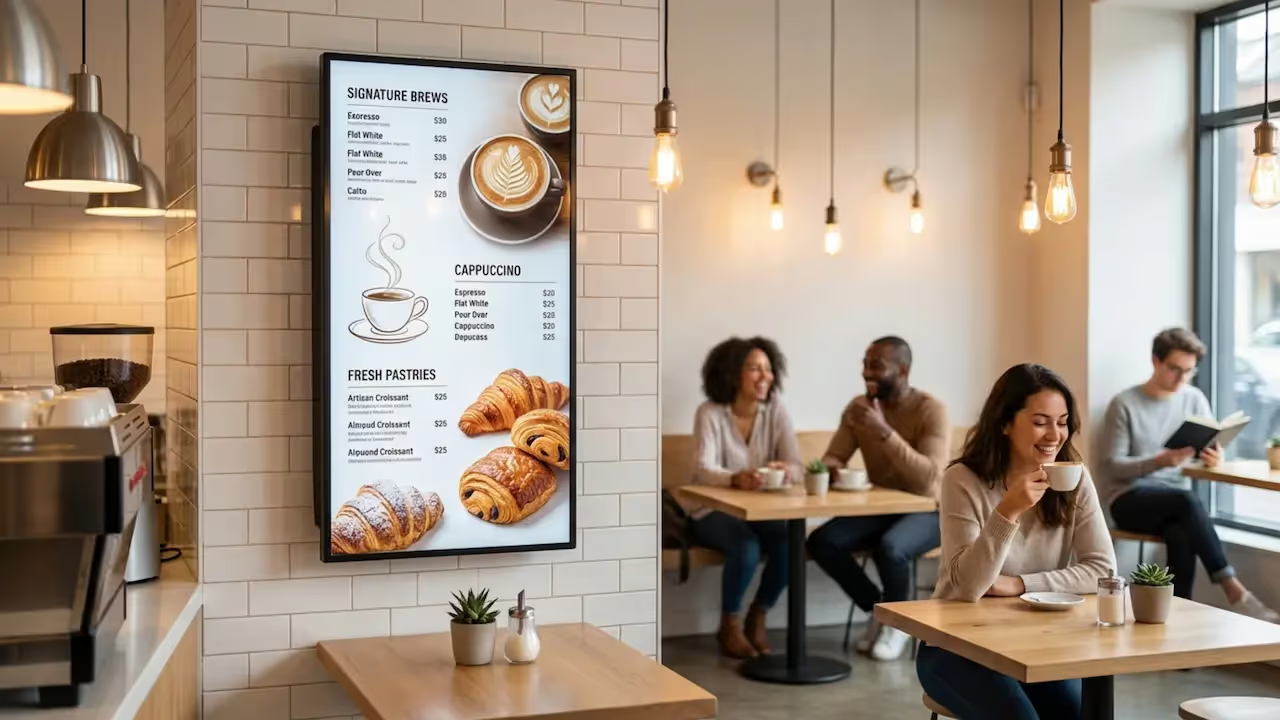
Cafe menu design with digital signage is a system that replaces static posters and chalkboards with electronic screens. Driven by digital signage software, these screens allow cafe owners to build visual menus, schedule what shows at different times of the day, and update pricing in real time. It shifts the cafe from a manual, paper-heavy process to a streamlined digital setup built for speed.
This approach gives you a flexible canvas to list items, share your brand’s personality, display high-quality photos of your food and drinks, and react to inventory changes instantly. The result is a cleaner, more engaging menu that helps customers make decisions faster.
How Does Digital Signage Differ from Traditional Menu Boards?
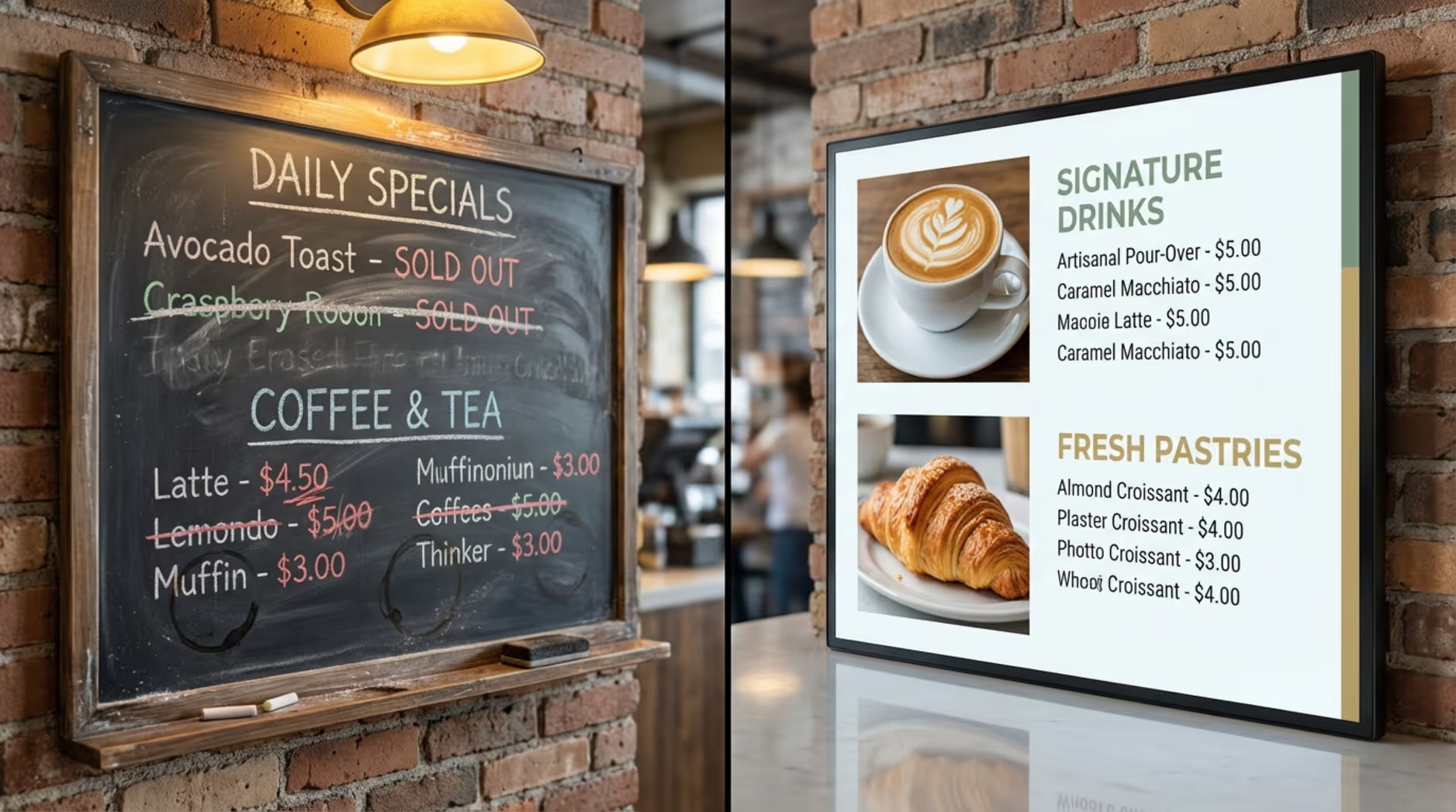
Traditional boards require physical labor to maintain. If a price changes, a syrup flavor sells out, or you want to introduce a seasonal drink, staff must erase, reprint, or tape over the old board. This takes time away from customers and often results in outdated information staying up too long.
Digital signage removes that friction entirely. A change to a digital menu can go live across all your screens in minutes. Instead of plain text, you can feature crisp photos and subtle animations that make items look irresistible. With remote management, you can make these updates from a laptop in the back office or from home, keeping your screens accurate and your daily operations running smoothly.
What Equipment Is Needed for Digital Cafe Menus?
To set up digital menus, you need three core components working together. First, the display screens. Commercial LCD screens are highly recommended because they are built to handle long operating hours and offer the brightness needed to cut through cafe lighting.
Next, you need a digital signage media player. This small device connects to your screen via HDMI and ensures reliable playback of your content. While some smart TVs have built-in capabilities, a dedicated player often provides better uptime and smoother performance.
Finally, you need digital signage software. This cloud-based dashboard is your control center. It allows you to upload assets, design screen layouts, and schedule playlists without ever needing to touch the screen itself.
Why Digital Signage Improves Cafe Menu Design
Upgrading to digital menus is a practical business decision that directly impacts how your cafe operates and how customers perceive your brand. By solving the common frustrations of static menus, digital signage supports a better customer experience and a more efficient staff workflow.
Improves Visual Appeal and Branding
Clear graphics, vibrant photos, and on-brand colors make food and drinks look more tempting. Unlike a printed poster, screens can display subtle motion, like a steaming cup of coffee, that naturally draws the eye. Consistent branding across high-definition screens instantly makes your cafe look more modern, organized, and welcoming.
More Menu Flexibility and Fast Updates
Without a digital system, a sold-out pastry means breaking out the tape and markers. With a cloud-based menu, you simply log in, click a button, and update the screen in seconds. This flexibility is critical for cafes that run daily specials or frequently cycle their stock. Customers always see accurate information, which reduces ordering friction and keeps the line moving.
Better Customer Attention and More Upselling
Screens naturally command attention. When customers are looking at dynamic displays, waits feel shorter, and you have the perfect opportunity to guide their purchasing decisions. You can highlight high-margin items, showcase combo deals, or prompt them to add a pastry to their latte. A well-designed digital menu board acts as a silent salesperson, consistently promoting your most profitable offerings.
Lower Costs Over Time Compared to Printed Menus
While screens and players require an initial investment, digital signage saves money over the long term by eliminating recurring printing costs. You no longer have to pay rush fees to a local printer every time your menu changes. Additionally, the hours your staff used to spend manually updating boards can now be spent serving customers and keeping the cafe clean.
Helps With Promotions and Seasonal Offers
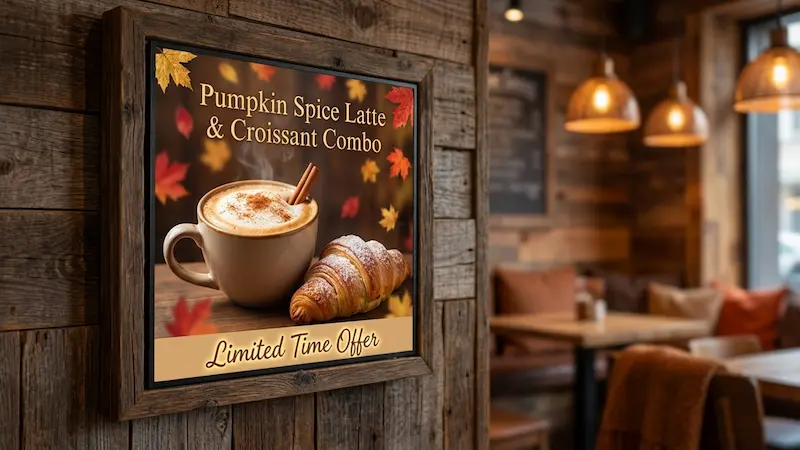
Digital menus excel at limited-time offers. With automated scheduling, your screens can seamlessly switch from a morning coffee-and-bagel promo to an afternoon iced-tea special. You can introduce seasonal drinks with high-impact visuals and swap them out the moment the season ends, keeping your messaging fresh without any manual effort.
Key Features to Include in a Successful Digital Cafe Menu
To maximize your ROI, your digital signage setup needs a few essential tools. These features simplify the design process and give you granular control over what plays and when.
Customizable Layouts and Templates
You shouldn't have to hire a graphic designer just to update your prices. A strong platform includes customizable templates tailored for cafes. These allow you to start with a clean, professional foundation and simply swap in your own photos, text, and brand colors to get your screens live fast.
Cloud-Based Control and Remote Updates
Cloud control is what makes modern signage efficient. Whether you manage a single neighborhood coffee shop or a franchise with twenty locations, cloud-based software lets you push updates to every screen from one central dashboard. This guarantees consistent messaging and pricing across your entire business.
Integration With POS and Ordering Systems
For high-volume cafes, syncing your digital signage with your POS or inventory tools can further reduce manual work. By pulling data automatically, your menu can drop items from the screen the moment they sell out in your register, preventing order errors and keeping customers happy.
Dayparting and Automated Scheduling
Scheduling-often called dayparting-allows you to set the rules for when specific menus appear. You can configure your breakfast menu to automatically transition to the lunch menu at 11:00 AM sharp. Once it is set up, the system runs itself, ensuring the right offers are shown to the right crowd.
Media Support for Images, Videos, and Animations
A great menu utilizes a mix of media. The ability to seamlessly blend static pricing text with high-quality video clips or rotating image galleries is vital. This dynamic content is what catches a customer's eye from across the room and pulls them toward your specials.
Nutritional, Allergen, and Dietary Information
Transparency is increasingly important to diners. Digital screens give you the space to clearly label calories, allergens, and dietary tags (like vegan or gluten-free) using recognizable icons. This helps customers with specific dietary needs order with confidence and keeps your cafe compliant with local regulations.
Interactive Menus and Customer Feedback
If you use touch-enabled displays, interactive menus allow customers to browse at their own pace. They can tap to read ingredient sourcing, view detailed photos, or interact with a loyalty program. It turns a standard menu into an engaging, self-guided experience.
Best Practices for Designing Digital Cafe Menus
Technology is only as effective as the content it displays. A well-designed menu board guides the customer’s eye, simplifies the ordering process, and highlights your best products.
Use Legible Fonts and High-Contrast Colors
If customers have to squint, the line slows down. Use clean, bold fonts that are easily readable from the back of the queue. High contrast is key, stick to dark text on a light background or crisp white text on a dark background. Avoid overly decorative fonts that prioritize style over readability.
Highlight Specials and High-Margin Items
Use visual hierarchy to steer attention. Dedicate a specific zone of your screen to high-margin products or daily specials. Use larger text, a subtle border, or a rotating image block to make these items stand out from your standard text listings.
Organize Menu Categories for Fast Navigation
A cluttered menu is overwhelming. Group your offerings into logical categories like "Espresso," "Teas," and "Pastries." Use clear headings and generous spacing to separate these sections. When customers can quickly find the category they want, the ordering process becomes much more efficient.

Incorporate Brand Identity and Ambiance
Your screens should feel like an extension of your physical space. Use colors, fonts, and imagery that match your cafe's atmosphere. A minimalist third-wave coffee shop might use ample whitespace and stark typography, while a cozy neighborhood bakery might lean into warm colors and rustic photography.
Update Content Regularly to Stay Relevant
Stale content makes screens look neglected. Refresh your visuals regularly by introducing seasonal promotions, community announcements, or behind-the-scenes videos of your baristas. Keep the content moving so regular customers always have something new to notice.
Top Software and Hardware Solutions for Digital Signage in Cafes
Choosing the right combination of software and hardware is critical for keeping your screens running reliably. You need a setup that is easy for your non-technical staff to manage, without sacrificing performance.
Popular Digital Signage Platforms for Cafes
When selecting a platform, look for a cloud-based system that eliminates complex IT setups. Look Digital Signage is a strong fit for cafes that want to manage any screen, anytime, from anywhere. Using the Look CMS, your team can easily create and manage content across one cafe or an entire franchise. Instead of starting from scratch, you can use Ready-made Templates tailored for menu boards, tweak them to match your brand, and publish them in minutes. Look DS is designed to be approachable and supportive for busy operators who just need their screens to work.
Types of Screens and Display Options
Invest in commercial-grade LCD or LED displays. Unlike standard consumer TVs, commercial screens are designed for 16-to-24-hour daily use, offer better heat dissipation, and feature higher brightness levels to combat glare from cafe windows. A 1080p resolution is standard, but 4K screens are excellent for displaying highly detailed food photography.
Digital Signage Player Capabilities
Your media player is the engine behind your screens. It needs to be stable and capable of running your content without constant rebooting. The Look HDMI Player is a plug-and-play device designed for quick setup and rock-solid reliability. Crucially, Look DS supports Offline Playback, meaning that even if your cafe's internet drops during the morning rush, your menus will keep playing from the device's local cache without missing a beat.
Free vs. Paid Template Resources
Building a menu from a blank screen takes time. Most professional digital signage platforms include built-in template libraries to accelerate this process. With Look Digital Signage, you get access to a variety of customizable layouts. You simply drag and drop your menu items and images into place, saving hours of design work while ensuring a polished, professional result.
Steps for Implementing Digital Signage in Your Cafe
Rolling out digital menus doesn't have to be overwhelming. By following a structured approach, you can transition smoothly and see the benefits of your new system right away.
Consultation and Site Planning
Start by evaluating your cafe’s layout. Identify where customers naturally look when they enter and where they stand to order. Determine the optimal screen size and viewing angle for these spots, and ensure you have adequate power and internet access (whether wired or reliable Wi-Fi) at those locations.
Selecting Hardware and Installation
Choose your commercial displays and media players based on your site plan. Mount the screens securely, ensuring they are level and easily visible. Plug in your media players and connect them to your network. If you are rolling out screens across multiple franchise locations, professional installation can help ensure consistent, safe setups.
Designing and Uploading Your Menu
Log into your cloud-based CMS to begin designing. Select a template, input your pricing and items, and upload your high-quality imagery. Group your menus into playlists and assign them to your screens. Within a few clicks, your digital menu will be live.
Staff Training and Change Management
Show your shift managers how to perform basic tasks in the system, such as marking an item out of stock or adjusting a price. Because modern platforms are built for non-technical users, training usually takes very little time. Emphasize how this new tool will save them from manually updating boards during busy hours.
Ongoing Support and Maintenance
Make it a habit to monitor your screens. Ensure the content looks correct and that your software and hardware are online. A reliable platform provides ongoing support and clear monitoring tools so you can proactively manage your network and keep downtime to an absolute minimum.
Use Cases: Creative Applications of Digital Menus in Cafes
Because your screens are digital, they can serve multiple purposes throughout the day. A bit of creativity can turn your menu board into a powerful marketing tool.
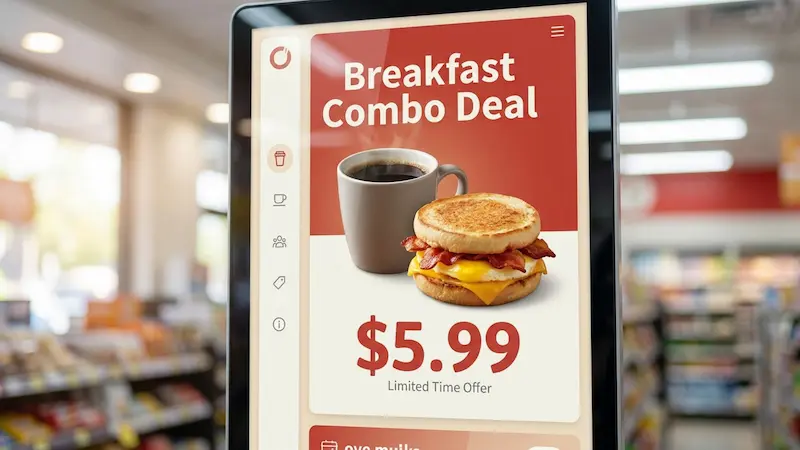
Showcasing Combo Deals and Limited-Time Offers
Use your screens to push time-sensitive promotions. When you automate Smart Scheduling, you can display a "Morning Coffee & Muffin" combo until 10:00 AM, then smoothly switch the screen over to a "Lunch Sandwich Special." This automated dayparting drives up your average ticket size without staff intervention.
Displaying Customer Reviews and Social Media Feeds
Social proof builds trust. Dedicate a portion of your screen layout to display your latest positive reviews or user-generated photos from social media. Showcasing happy customers enjoying your cafe encourages new visitors to order with confidence.
Real-Time Updates for Out-of-Stock or New Items
If your batch-brew coffee runs out or you sell the last croissant, you can jump into the dashboard and remove the item instantly. This prevents customers from ordering unavailable items, saving your staff from awkward apologies and keeping the checkout process fast.
Promoting Loyalty Programs and Events
Replace countertop flyers with clear, bright on-screen promotions. Use a zone on your display to explain the perks of your digital punch card, complete with a QR code customers can scan while they wait. You can also use the screens to promote upcoming live music nights or community events.
Frequently Asked Questions About Cafe Menu Design With Digital Signage
If you are considering the switch to digital menus, you likely have a few practical questions. Here is a straightforward look at what to expect.
What Are the Costs of Setting Up Digital Signage?
Costs are typically split into a one-time hardware purchase (screens, mounts, and media players) and an ongoing software subscription. Subscriptions scale smoothly based on the number of screens you operate, allowing you to start small and grow over time. Over months and years, the system often pays for itself by eliminating printing costs and driving higher sales through targeted promotions.
Is Specialist IT Knowledge Required?
Not at all. The best digital signage software is built specifically for operations and marketing managers, not IT professionals. If you can navigate a web browser and upload a photo, you can manage a digital menu board. Simple drag-and-drop interfaces make updates intuitive and fast.
Can Digital Menus Be Managed Remotely?
Yes. Cloud-based platforms allow you to log in from any internet-connected device. You can be at home or traveling and still have full control to update prices, swap out seasonal images, or check that your screens are running reliably at the cafe.
Are There Free Templates for Designing Digital Cafe Menus?
Yes, reliable platforms provide libraries of ready-made templates specifically designed for the hospitality industry. You do not need to hire a designer or start from a blank canvas; you can simply select a menu template, add your logo and menu items, and publish it to your screens.