
Table of Content
How can businesses turn standard screens into professional communication tools without a heavy IT budget? Android digital signage provides a cost-effective, flexible answer, allowing you to manage content on any screen from a central cloud dashboard and publish updates in minutes.
What is Android Digital Signage?
How does Android power digital signage?
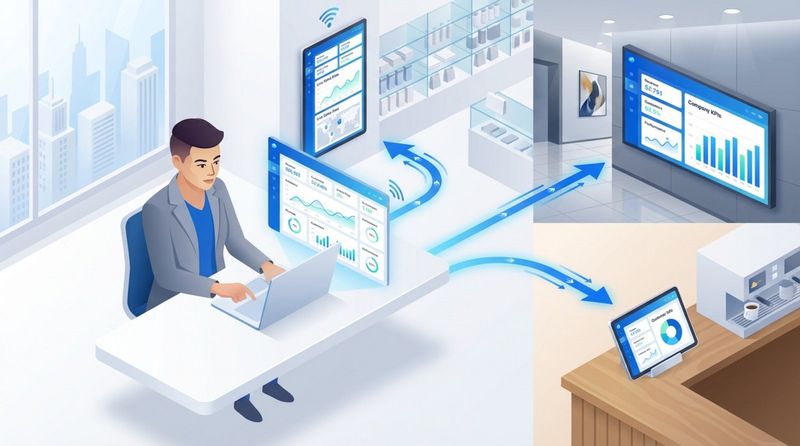
Android acts as the "engine" that drives your displays. Just as you install apps on your smartphone, a digital signage media player or smart TV runs a specialized app-like the Look App-to handle visual communication. This app connects to a cloud-based Content Management System (Look CMS), downloading your images, videos, and schedules so the right content appears at the right time. Because Android is widely used and open-source, it offers a stable, familiar foundation for running screens 24/7 without complex setup.
The real strength here is flexibility. Android handles everything from simple image slideshows to 4K video and live data feeds. Since the operating system is robust and proven, you can set your signage app to launch automatically when the device powers on. This turns generic hardware into a dedicated marketing or communication channel that requires zero daily manual effort.
What are the core uses of digital signage?
Digital signage serves three main purposes: to inform, entertain, and influence. In retail settings, it acts as a silent team member, highlighting promotions and reducing the need for printed signage. In corporate offices, it replaces cluttered noticeboards with clean displays showing KPIs, internal announcements, and meeting schedules. The goal is to capture attention in high-traffic areas where static posters are often ignored.
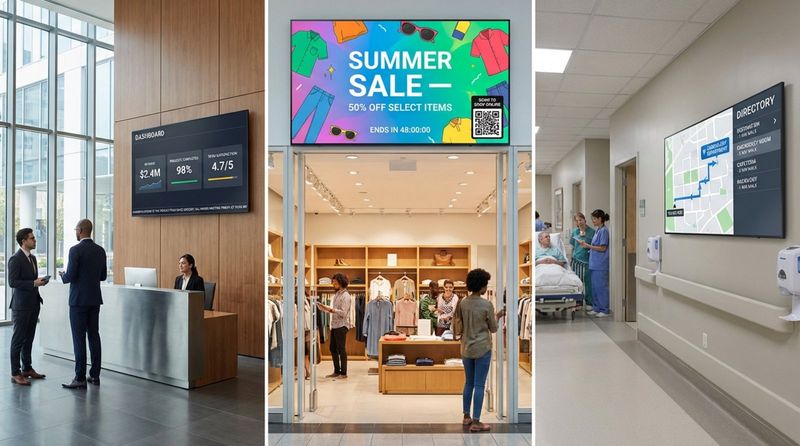
Beyond engagement, this technology solves practical operational problems. Wayfinding screens help visitors navigate hospitals or campuses, while safety alerts can instantly take over the screen network during an emergency. In hospitality, screens serve as virtual concierges, providing guests with weather updates, event schedules, and dining options, ensuring your brand messaging remains consistent across locations.
Why Choose Android for Digital Signage?
Affordability and accessibility compared to alternatives
Cost is a major factor for many teams. Proprietary PC-based hardware can be expensive, whereas capable Android devices are often a fraction of the price. Because the ecosystem is open, you avoid high licensing fees, allowing you to scale from one screen to thousands without a prohibitive upfront investment. This makes it an ideal entry point for businesses that want to start small and grow smoothly.
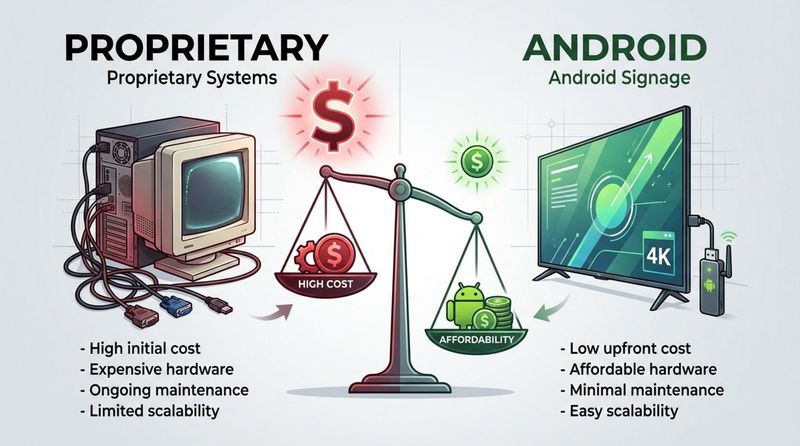
Accessibility is equally important. Most people are already comfortable with the Android interface from using their phones, which makes the learning curve very short. The hardware is widely available-from consumer electronics stores to professional distributors-meaning you aren't locked into a single proprietary hardware supplier.
Hardware flexibility for diverse display environments
Android runs on a vast range of devices, giving you options for every scenario. You might use a compact HDMI stick for a breakroom TV, a rugged media player for a dusty warehouse, or a commercial-grade tablet for a meeting room booking system. This variety ensures you can find the right tool for the job while managing everything through the same Look Digital Signage software.
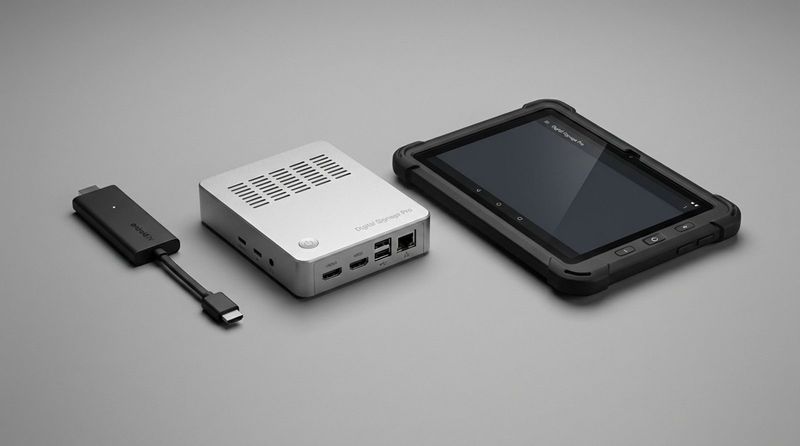
This flexibility also allows you to utilize hardware you already own. If you have existing Android TVs or unused tablets, you can often repurpose them simply by installing the Look App. This approach supports a budget-friendly rollout and reduces electronic waste.
Reliability and ease of setup
Modern Android signage devices are designed for simple setup. External players typically plug into an HDMI port and connect to Wi-Fi or Ethernet in moments. For business use, professional-grade Android players often feature metal casings for better cooling and robust processors designed to handle continuous operation.
Reliability is further ensured by features like offline playback. Platforms like Look Digital Signage cache your content locally on the device. This means if your internet connection drops, your screens keep running your scheduled playlists without interruption, ensuring a seamless experience for your audience.
Compatibility with content management software
Android is supported by the vast majority of digital signage software providers. This compatibility gives you the freedom to choose a CMS based on its features-such as smart scheduling, screen layouts, and ease of use-rather than being limited by hardware constraints. With Look DS, for example, you get a seamless connection between the Android OS and the cloud dashboard, allowing for smooth remote management.
Types of Android Digital Signage Devices
Android smart TVs
Many commercial and consumer displays (from brands like Sony, Philips, and TCL) come with Android built-in (often as "System on Chip" or SoC). This provides a clean, "all-in-one" installation with no visible cables or external boxes. It is a strong choice for lobbies and offices where aesthetics matter, and it simplifies the installation process significantly.
Android tablets
Tablets are excellent for scenarios requiring audience interaction. With built-in touch capabilities, devices like the Samsung Galaxy Tab can function as digital kiosks, check-in stations, or shelf-edge retail displays. They are easy to mount and can be deployed quickly to provide product details or gather customer feedback via interactive scenarios.
Android media players and TV boxes
Media players are external devices that turn any screen into a smart sign. They range from consumer sticks (like the Amazon Fire TV Stick) to professional hardware. For business reliability, a dedicated device like the Look HDMI Player is often the best choice. These plug-and-play players are optimized for the Look CMS, offering auto-start, reliable playback, and better heat management than standard consumer dongles.
Comparing device options: strengths and drawbacks
Selecting the right hardware depends on your budget, installation space, and usage hours:
| Type | Strengths | Drawbacks |
|---|---|---|
| HDMI Sticks | Highly affordable, compact, easy to conceal. | Usually Wi-Fi only, may struggle with heat in 24/7 use. |
| TV Boxes / Players | Better cooling, storage, and often include Ethernet. | Requires mounting space behind the screen. |
| Smart TVs (SoC) | Clean setup, no external cables or player needed. | Entire unit must be replaced if the internal computer becomes outdated. |
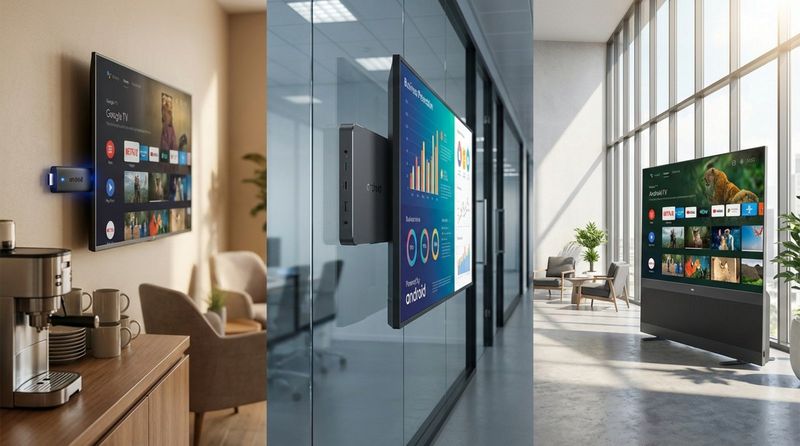
Understanding these trade-offs helps you build a network that balances cost with long-term stability.
Choosing the Right Android Device for Your Needs
Key factors: display size, environment, and mounting
Start by considering the viewing context. A small tablet is perfect for a counter, but a reception wall needs a large format screen for visibility. Environmental factors are critical; bright window-facing areas need high-brightness screens to combat glare, while kitchens or industrial spaces require hardware that can withstand heat and dust.
Mounting and power are practical concerns that are often overlooked. Professional displays use standard VESA mounts for secure installation. Ensure you have power access near the screen to avoid messy cabling. For smaller setups, Power over Ethernet () can deliver both data and power through a single cable, simplifying the infrastructure.
Android Digital Signage Software and Content Management
How content management systems (CMS) work for Android signage
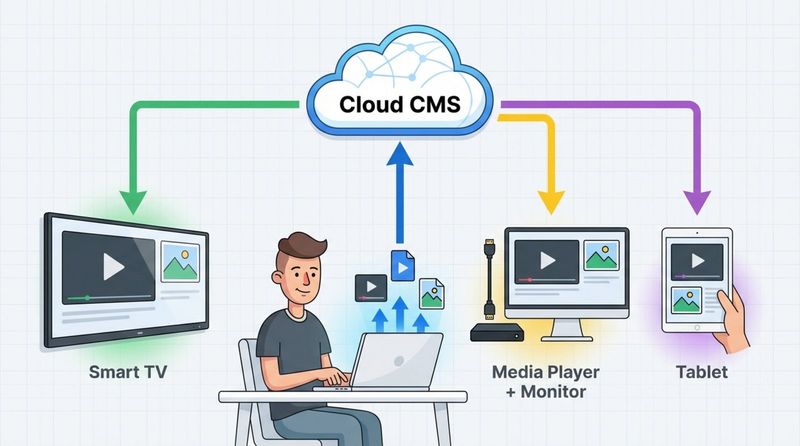
The CMS is the control center for your network. With a solution like Look Digital Signage, you access a web-based dashboard to upload images, videos, and design layouts. You then organize this media into playlists and publish it to your Android devices. The player app on the screen downloads the content and plays it according to your instructions. This allows you to update screens in minutes from anywhere, without ever visiting the location.
Features to look for in Android digital signage software
A robust CMS should offer more than simple loops. To maximize ROI, look for:
- Ready-made templates: Create professional visuals quickly without needing a graphic designer.
- Look Apps and integrations: Easily display dynamic content like weather, news, or social media feeds.
- Scalability: A system that lets you manage one screen or thousands with equal ease using grouping and tagging.
Scheduling and updating content remotely
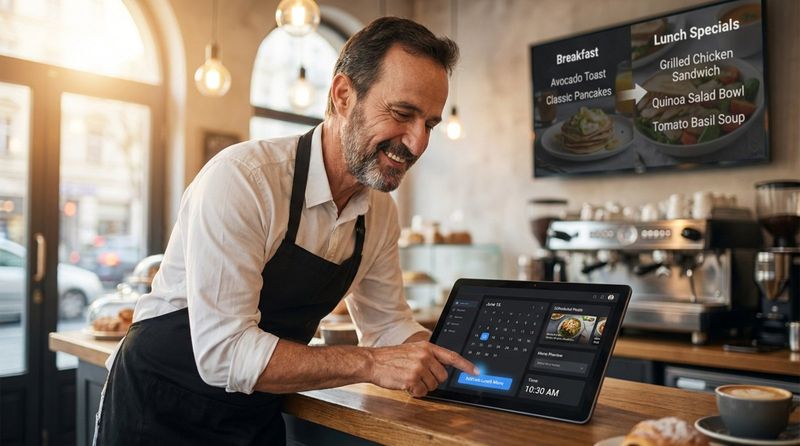
Smart scheduling allows you to automate your messaging. You can program menus to switch from breakfast to lunch automatically, or schedule seasonal promotions months in advance. This "set and forget" capability saves staff time and ensures your messaging is always relevant. Remote management means you can correct a typo or launch a flash sale across all locations instantly.
Security considerations for software and devices
When screens are public-facing, security is paramount. Look DS supports secure operational practices, but you should also ensure your Android devices are protected. Use software that offers distinct user roles and permissions. Keeping the Android OS and the player app updated is essential to protect against vulnerabilities.
Best Practices for Setting Up and Managing Android Digital Signage
Hardware placement and installation tips
Screens should be positioned at natural eye level to maximize engagement. Content placed too high is frequently missed. In interactive setups, ensure the screen is reachable and compliant with accessibility standards. Always test your content on the actual screen to ensure text sizes and colors are legible from the intended viewing distance.
Network and power management
While Wi-Fi is convenient, a wired Ethernet connection is recommended for professional signage to ensure consistent uptime. If Wi-Fi is the only option, ensure the signal strength is robust at the installation point. Using dedicated power outlets-rather than sharing strips with high-draw appliances-protects your hardware from surges.
Routine maintenance and software updates
Regular maintenance ensures reliable playback. Configure your devices to reboot automatically during off-hours to clear memory and maintain performance. Review your content strategy monthly; stagnant content becomes "wallpaper" that audiences ignore. Use the proof-of-play and monitoring features in Look CMS to verify that screens are active and content is running as expected.
Troubleshooting common Android signage issues
If a screen goes dark, verify power and internet connectivity first. Choppy playback often indicates a network speed issue or a file that is too heavy for the hardware. Look Digital Signage offers remote monitoring tools, including the ability to take screenshots of the live display, allowing IT teams to diagnose and often resolve issues without a site visit.
Popular Use Cases for Android Digital Signage
Retail stores and product promotions
Retailers use screens to bridge the gap between physical and digital shopping. "Endless aisle" kiosks allow customers to browse full catalogs, while screens at the POS can upsell items or display loyalty program details. QR codes displayed on screen allow shoppers to take the interaction to their mobile devices instantly.

Corporate offices and internal communications
For HR and operations teams, digital signage is a vital tool for culture and compliance. Screens in breakrooms highlight team achievements, while lobby displays welcome visitors. This ensures that non-desk employees receive the same consistent updates as those on email.
Educational institutions
Schools utilize Android signage for campus-wide alerts, event schedules, and cafeteria menus. It reduces paper waste and ensures that urgent information-such as room changes or safety alerts-reaches students and staff immediately.
Hospitality and restaurants
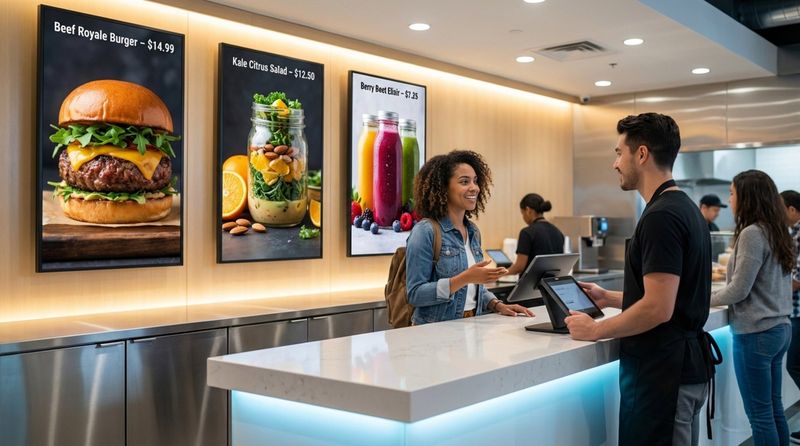
Digital menu boards are a standard in QSR and fast-casual dining, allowing for instant price changes and stock updates. In hotels, screens in the lobby and elevator banks act as automated guides, reducing the load on front-desk staff by answering common questions about amenities and local events.
Healthcare and public service environments
Clinics and hospitals use signage to reduce perceived wait times and improve wayfinding. Clear directions and health tips in waiting areas keep patients informed and calm. Because Look DS supports offline playback, these critical screens remain operational even during temporary network outages.
Transportation hubs and event venues
In high-traffic areas like airports or stadiums, screens provide real-time data on schedules and directions. Android-powered video walls can also deliver high-impact sponsor content, helping venues drive revenue through advertising.
Limitations and Situations When Android May Not Be Suitable
Performance boundaries with demanding content
While versatile, standard Android players have limits. If your project requires rendering complex 3D environments or driving massive, multi-screen video walls with ultra-high resolutions (like 8K), a high-performance PC might be necessary. It is important to match the hardware specs to your content requirements.
Durability in extreme conditions
Consumer Android tablets are not built for extreme environments. For outdoor usage or areas with high heat and grease (like kitchens), you must use industrial-grade Android players or protective enclosures to prevent hardware failure.
Comparing Android with commercial-grade alternatives
In highly regulated industries, internal IT policies may mandate specific operating systems like or for security compliance. However, for the vast majority of commercial applications, Android provides the best balance of cost, performance, and ease of management.
Key Takeaways for Beginners
Steps to start with Android digital signage
Launching your first screen is straightforward:
- Define your goal: Know whether you want to increase sales, improve internal comms, or help visitors navigate.
- Choose your hardware: Start with a compatible device you already have or invest in a dedicated player like the Look HDMI Player.
- Connect your software: Create an account with Look Digital Signage to start managing your content and schedule your first playlist.
Resources for further guidance
The barrier to entry for digital signage has never been lower. With affordable Android hardware and intuitive software like Look CMS, you can deploy a professional network without technical expertise. Whether you are running a single café screen or a global corporate network, the tools are available to make your screens work harder for your business today.


