Content Creator Interface
On the content creator page, you can create and edit various widgets (such as layers, text, media, graphics, etc.).
Main Interface Elements
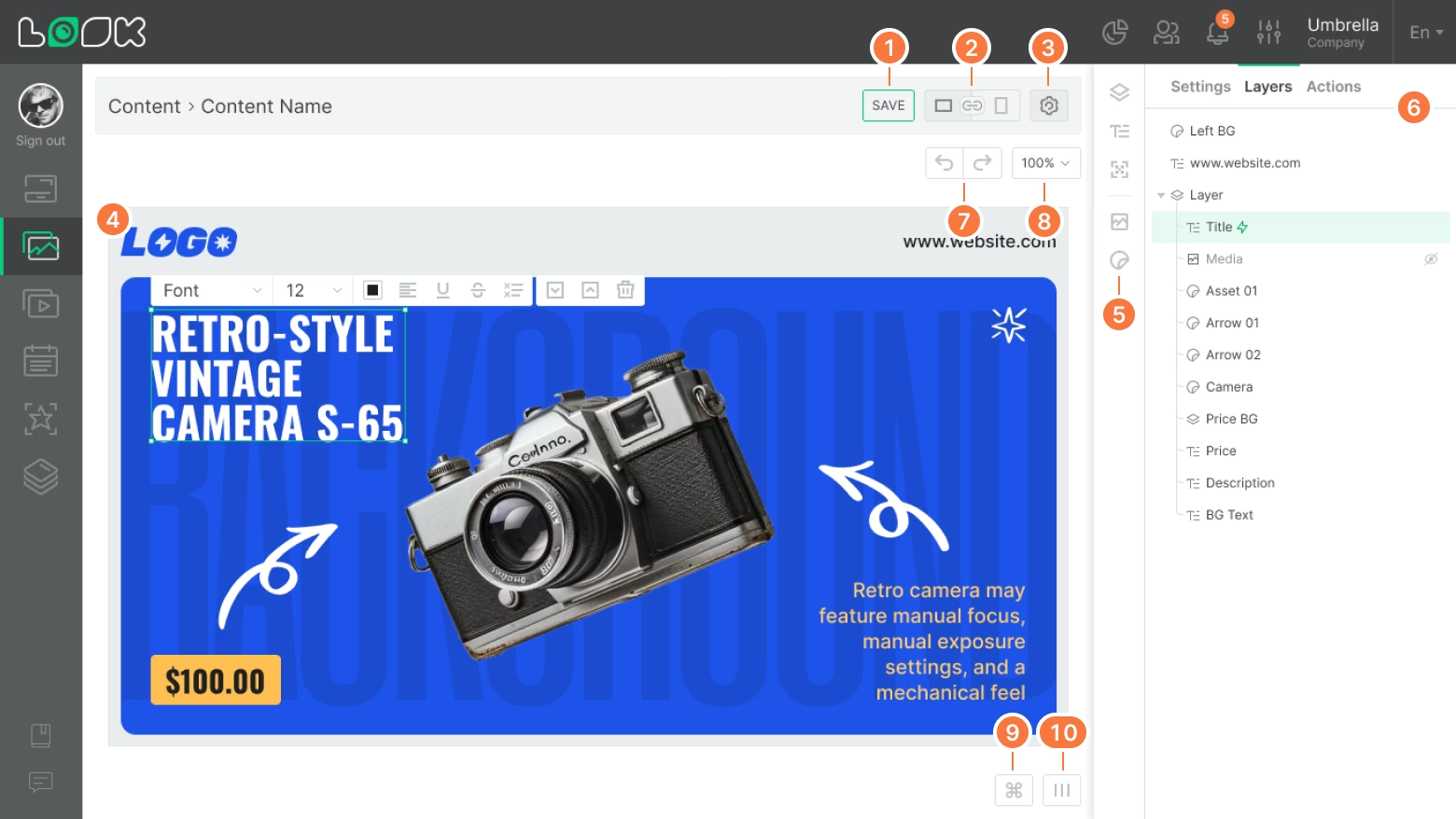
Content Creator Navigation Panel
- Save — saves the latest changes made to the editable content.
- Adaptive orientation — a setting that controls how the layout is displayed in portrait or landscape mode (depending on the orientation of the screen where the content will be played). Read more about adaptive orientation.
- Editable content settings — general settings of the editable layout. Here you can set the artboard resolution, define a background color or content, add background audio, and more.
Artboard
- Artboard — the area where all editable layers and widgets are placed, exactly as they will appear on the screen. The artboard size is defined in the layout settings, and ideally it should match the resolution of the target screen where the layout will be displayed.
Toolbar
- Layers and widgets (media, text, graphics, QR code) can be added through the toolbar located in the main sidebar.
Sidebar
- The sidebar content changes depending on the context: here you can edit general content settings, manage layers and widgets, or view and configure actions.
Other Controls
- Buttons to undo or redo the last action — useful when you need to quickly revert a mistake or restore a change.
- Artboard zoom controls to zoom in or out of the workspace for more precise adjustments.
- A list of keyboard shortcuts for quickly checking combinations that speed up your workflow.
- A toggle for the helper grid, which makes it easier to align and position objects on the layout.
Can't find your answer?
Contact Support