


Table of Content
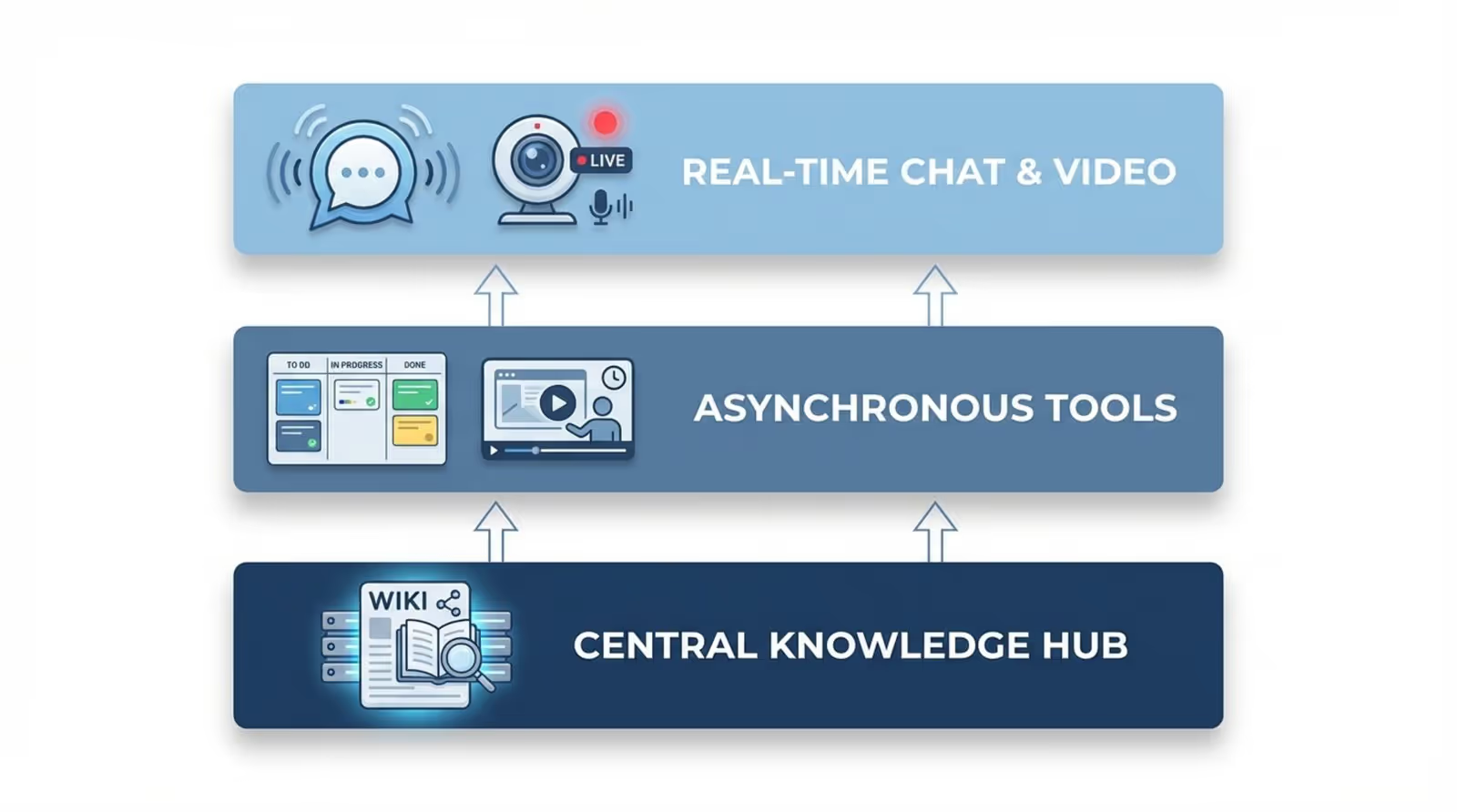
How can you keep your team connected and aligned without drowning in endless email threads? The answer lies in a layered communication stack that prioritizes speed, clarity, and accessibility. By combining real-time chat, reliable video, and central knowledge hubs, you can bridge the gap between remote and on-site teams and keep essential information visible.
Modern communication is not about chasing trends; it is about building a setup that fits how work actually happens today. Employees expect natural, flexible interactions, whether that means a quick asynchronous video update or a collaborative session on a digital whiteboard. The tools in this guide have become standard because they support a global workforce that values efficiency over rigid, top-down structures.
Why Your Organization Needs the Right Communication Tools
Business Benefits of Adopting Modern Communication Tools
A strong communication stack cuts down on “work about work.” When your team does not have to dig through multiple email chains to find a single document, they gain time for meaningful tasks. Effective tools create transparency-project status is visible at a glance, reducing the need for status meetings that could have been a short message. This efficiency speeds up projects and supports smoother operations.
These tools also shape company culture. In hybrid environments, digital platforms act as the new breakroom. They provide space for casual chats, recognition, and the spontaneous ideas that used to happen in the hallway. When staff feel informed and connected, engagement rises, helping you build a consistent brand experience for both employees and clients.
Risks of Relying on Outdated or Fragmented Solutions
Sticking with old systems or a scattered mix of apps creates information silos. When key files sit on one person’s desktop or in an archived email, decisions slow down. This frustration often leads to “shadow IT,” where employees use unapproved tools to get work done, exposing your company to security risks and compliance issues.
Outdated habits also fuel burnout. Without clear channels or the ability to set quiet hours, employees face a constant stream of notifications. This turns work into nonstop firefighting. If your team frequently misses updates buried in long threads, you are already falling behind organizations that use clearer, more structured tools.

What Makes a Communication Tool Effective?
Core Features to Look For
A good tool must be simple to set up and use. If it requires extensive training, adoption will suffer. Look for platforms with powerful search capabilities so teams can find past messages and decisions in seconds. In a fast-paced environment, retrievability is essential.
Scalability and integration are equally important. Your tools should work as well for 10 people as they do for 10,000. They must connect with your other software-like CRM or HR systems-to ensure data moves smoothly. This prevents manual copy-pasting and ensures everyone works from the same, up-to-date information.
Types of Communication Tools Currently Available
Most communication tools fall into these main groups:
- Synchronous: Live chat and video calls for urgent issues.
- Asynchronous: Project boards or recorded updates that let people reply on their own time, ideal for different time zones.
- Collaborative: Apps for co-editing documents or brainstorming together.
- Analytical: Tools that track engagement and information flow.
- Visual/On-Premise: Digital signage and screens that broadcast information to physical spaces.
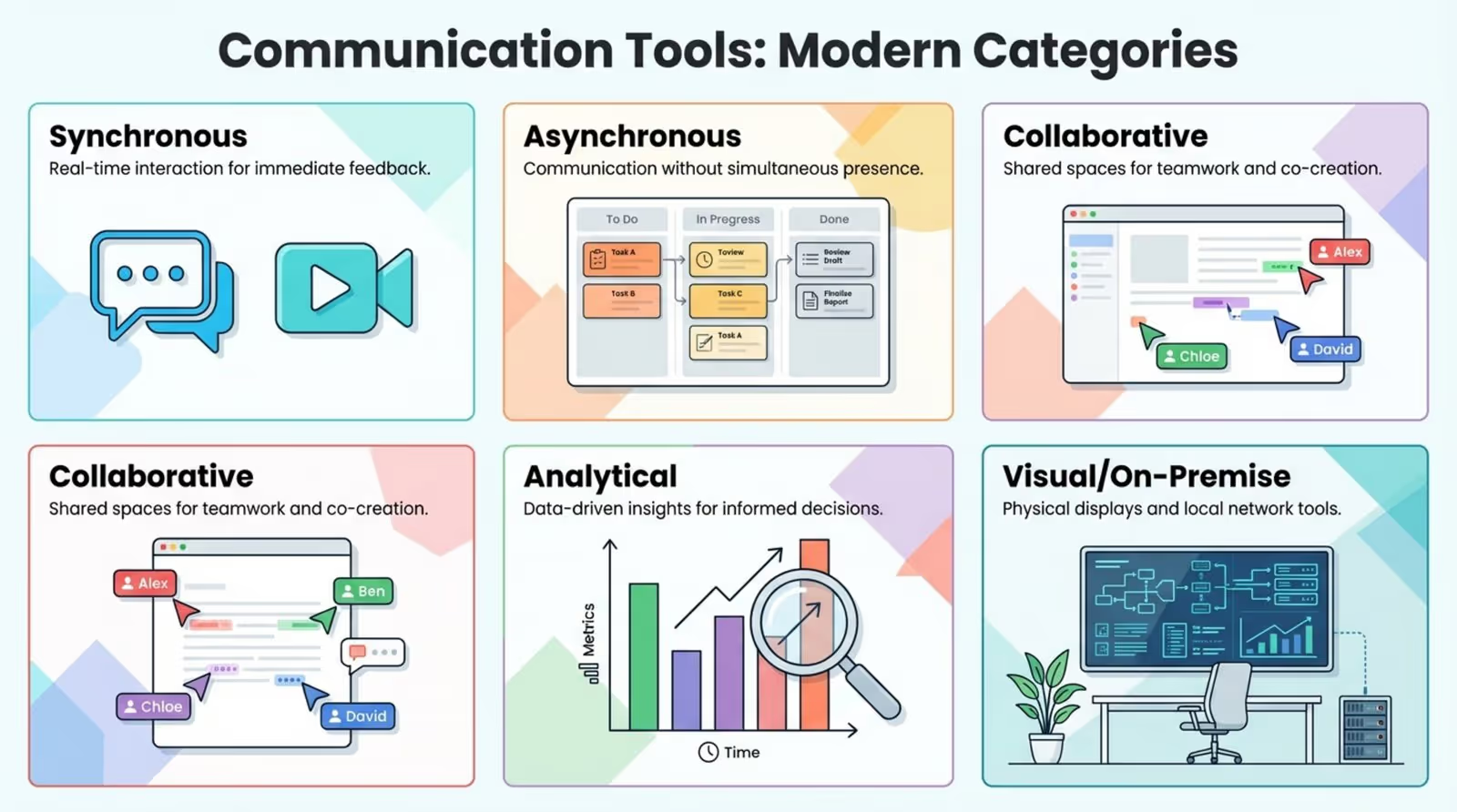
Analytical and visual tools are growing in importance as leaders seek better ways to verify that internal messages are actually reaching their audience.
Top Communication Tools You Better Implement Today
Real-Time Messaging Platforms
Slack
Slack remains a top choice for channel-based chat. It organizes conversations by topic, preventing the clutter of basic messaging apps. Its extensive library of integrations allows it to act as a central hub where alerts from other tools appear, letting you handle tasks without switching tabs.
Features like Huddles allow for quick audio or video check-ins, mimicking the ease of dropping by a colleague's desk. Workflows and custom emojis add efficiency and personality, keeping communication human.
Discord
Originally for gamers, Discord is now common in tech and creative teams. Its “always-on” voice channels allow people to jump in and out of rooms easily, creating a virtual shared office feel.
With strong permission controls and a server-based structure, Discord handles large communities and focused project groups well. It offers a flexible, informal atmosphere that suits companies with relaxed cultures.
Microsoft Teams
For organizations deeply invested in the Microsoft ecosystem, Teams is the logical choice. It combines chat, video, and file storage with enterprise-grade security. Its integration with Excel, Word, and PowerPoint makes it powerful for document-heavy workflows.
Teams continues to refine its interface for simplicity. "Together Mode" places participants in a shared virtual background, helping to reduce the fatigue often associated with grid-view video calls.

Google Chat
Google Chat is a streamlined option for Google Workspace users. It integrates closely with Gmail and Drive, making it the smoothest way to discuss Docs and Sheets in real time.
While it has fewer bells and whistles than some competitors, its strength lies in how quietly it fits into existing Google workflows. It requires no extra account management, making it ideal for teams that prefer a minimal toolset.
Video Conferencing and Voice Tools
Zoom
Zoom is known for reliability, performing well even on weaker internet connections. Features like breakout rooms and automatic transcripts make it versatile for everything from quick syncs to large webinars.
With expansions into phone systems and whiteboarding, Zoom aims to be a comprehensive communication platform. It remains a strong candidate for teams prioritizing video quality and stability.
Google Meet
Google Meet focuses on convenience. It runs entirely in the browser, eliminating software installation-a major plus when meeting with clients who have strict IT policies. Joining is often just a single click from the calendar.
Recent updates have improved noise cancellation and lighting adjustment, helping team members present professionally from home setups.
Nextiva
Nextiva connects traditional phone systems with modern collaboration tools. As a Unified Communications as a Service (UCaaS) platform, it merges VoIP, video, and messaging. This is particularly useful for sales and support teams managing high call volumes.
Nextiva provides detailed analytics on call patterns and customer sentiment, offering data-driven insights into how well your team connects with customers.
Collaborative Document and Knowledge Management
Google Workspace
Google Workspace normalized real-time co-editing. Allowing multiple users to type in a document simultaneously remains one of the most effective ways to eliminate version-control issues.
Shared drives and notes create a living knowledge base that updates constantly, ensuring your team always has access to the latest information.
Microsoft 365
Microsoft 365 offers deep functionality for document management. While Google excels at simplicity, Microsoft 365 leads in complex data handling and formatting via desktop Word and Excel.
With OneDrive and SharePoint, it supports seamless offline and online editing. It is often the preferred choice for industries like finance and law that require structured, complex documentation.
Notion
Notion combines notes, wikis, and databases into one flexible interface. Teams can build custom workflows, housing videos, task lists, and strategy documents on a single page.
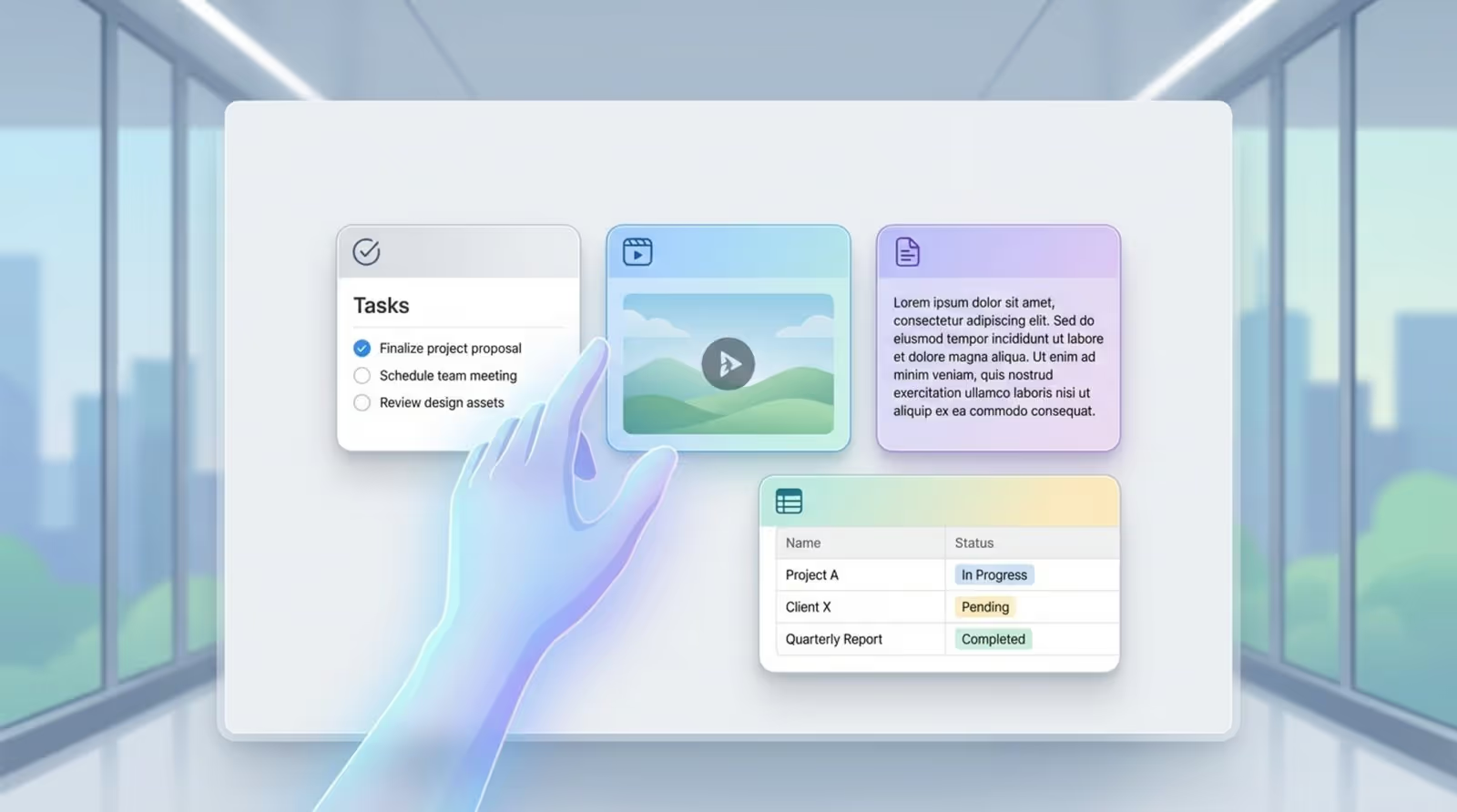
Its building-block architecture suits teams that find standard folder structures too rigid, allowing you to organize information exactly how your brain works.
Confluence
Confluence is a robust wiki platform favored by technical teams for documenting processes and specifications. Its close integration with Jira makes it a natural fit for engineering and product workflows.
It encourages a culture of open documentation. By writing information down by default, you make onboarding faster and easier, as new hires can search through project history and decisions.
Project and Task Management Communication
Asana
Asana clarifies ownership and deadlines. It moves conversations out of chat and connects them to specific tasks, ensuring every discussion leads to action. Workload views help managers prevent burnout.
Its visual design and celebratory animations add a layer of engagement, making progress feel tangible and rewarding.
Trello
Trello uses the Kanban board method to visualize work stages. Its card-and-list system is intuitive, requiring almost no training. It is perfect for teams that need to track items moving from "To Do" to "Done."
Though simple on the surface, Trello supports integrations ("Power-Ups") that connect it to other apps, allowing it to handle complex workflows with minimal setup.
Monday.com
Monday.com is a highly visual "Work OS" that lets you build custom workflows without coding. It uses color-coded boards to show status instantly. If spreadsheets feel too dry, Monday.com offers a more engaging alternative.
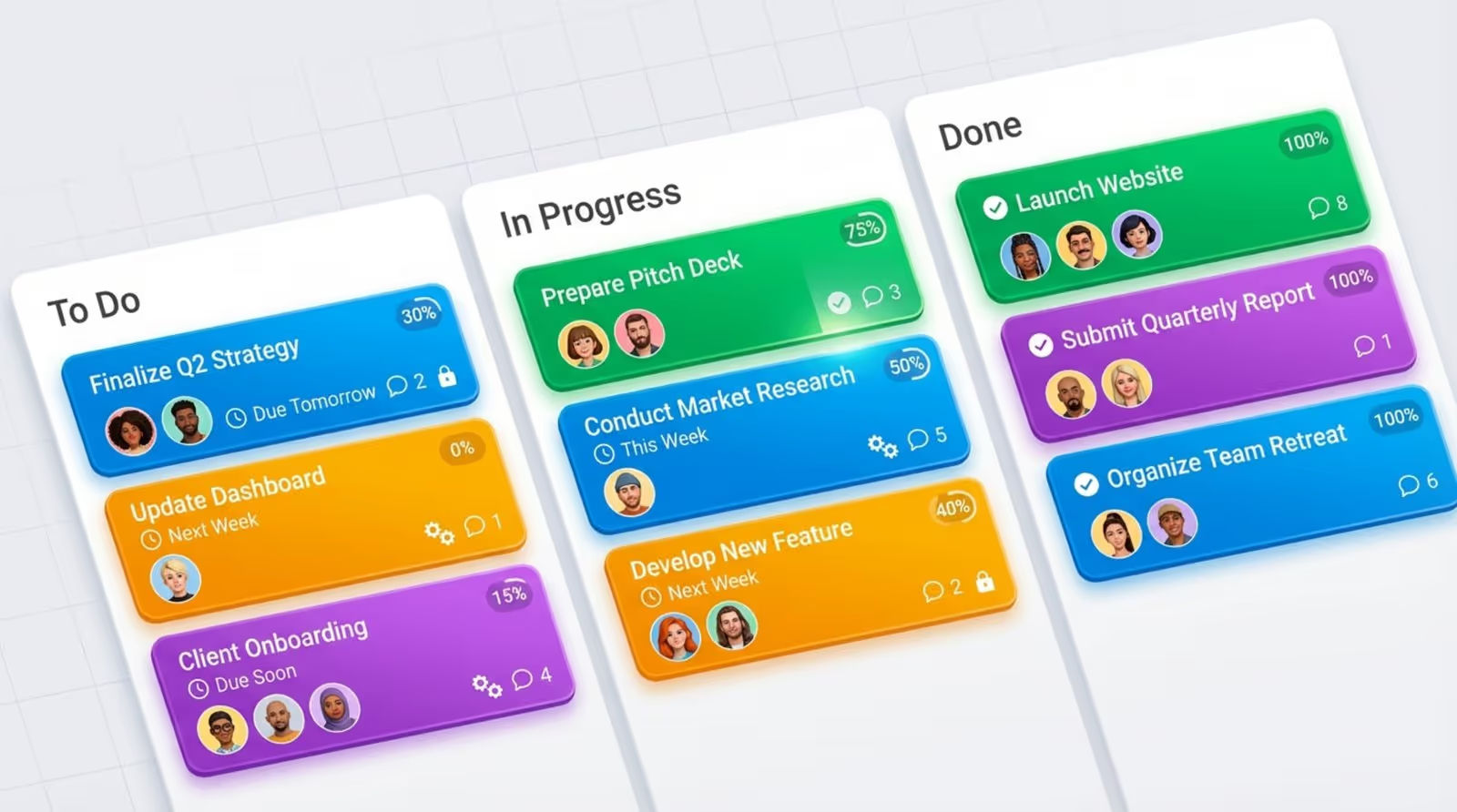
Its automation features are a key strength, reducing manual coordination by automatically moving tasks or notifying team members when status changes occur.
Basecamp
Basecamp promotes a calm, organized approach to collaboration. It consolidates message boards, to-do lists, and files in one place, reducing the number of tools your team needs to juggle.
It is well-suited for agencies and client-service teams, allowing you to share specific project areas with clients while keeping internal discussions private.
Visual and On-Premise Communication
Look Digital Signage
For teams with physical locations, such as offices, retail stores, or warehouses, Look Digital Signage is a powerful tool to bridge the gap between digital updates and the real world. It is a cloud-based platform that allows you to manage any screen, anywhere, directly from a web dashboard.
Look Digital Signage is designed for efficiency. You can use ready-made digital signage templates to create professional announcements or dashboards in minutes. With smart scheduling, you ensure the right message reaches your staff or visitors at the exact right time. Features like offline playback ensure your screens keep running reliably even if the internet connection drops. It is an ideal solution for keeping deskless employees informed and engaged without complicated IT setups.

File Sharing and Intranet Solutions
Dropbox
Dropbox has evolved from storage to collaboration. Features like Dropbox Paper and DocSend support file creation and secure sharing, with tracking to see who views your documents.
Smart Sync allows access to cloud files without using local hard drive space, which is critical for teams managing large media libraries.
Workvivo
Workvivo is a modern internal communication platform that functions like a social network. It focuses on engagement through a central feed for news and recognition.
By emphasizing the human side of work, it helps remote staff feel part of a community, replacing static intranets with an active space people want to visit.
AI-Powered Communication Assistants
ContactMonkey
ContactMonkey allows internal comms teams to create responsive HTML emails within Outlook or Gmail. Crucially, it tracks how employees interact with these messages.
Knowing which subject lines get opened helps you refine your internal strategy, turning communication from guesswork into a data-backed process.
How to Choose the Best Communication Tools for Your Team
Factors to Consider Before Implementation
Analyze how your team works before committing to a tool. Developers, designers, and frontline staff have different needs. Consider your balance of real-time versus asynchronous work; a tool that encourages constant chat might disrupt focus in some roles.
Consider the "cost of friction" alongside the price tag. A clumsy tool that wastes 15 minutes a day costs more in lost productivity than a slightly more expensive, seamless option. Running a small pilot program with different roles can help you identify the right fit.
Integrating Communication Tools for Seamless Workflow
Integrations tie your digital workplace together. Ideally, data should flow automatically between apps-for instance, a client form submission creating a task in Asana and alerting a Slack channel. This automation reduces mental load and prevents missed tasks.
Prioritize tools with native integrations for stability. For other needs, services like Zapier can bridge gaps. However, keep automation focused on moving information, not overwhelming people with alerts. Human judgment should always remain in charge.
What the Future Holds: Trends in Communication Tools
The Role of Artificial Intelligence in Communication
AI is becoming central to communication tools. We are seeing features that summarize meetings or flag sentiment shifts in team chats. Scheduling assistants are evolving to suggest times based on productivity patterns rather than just open slots.
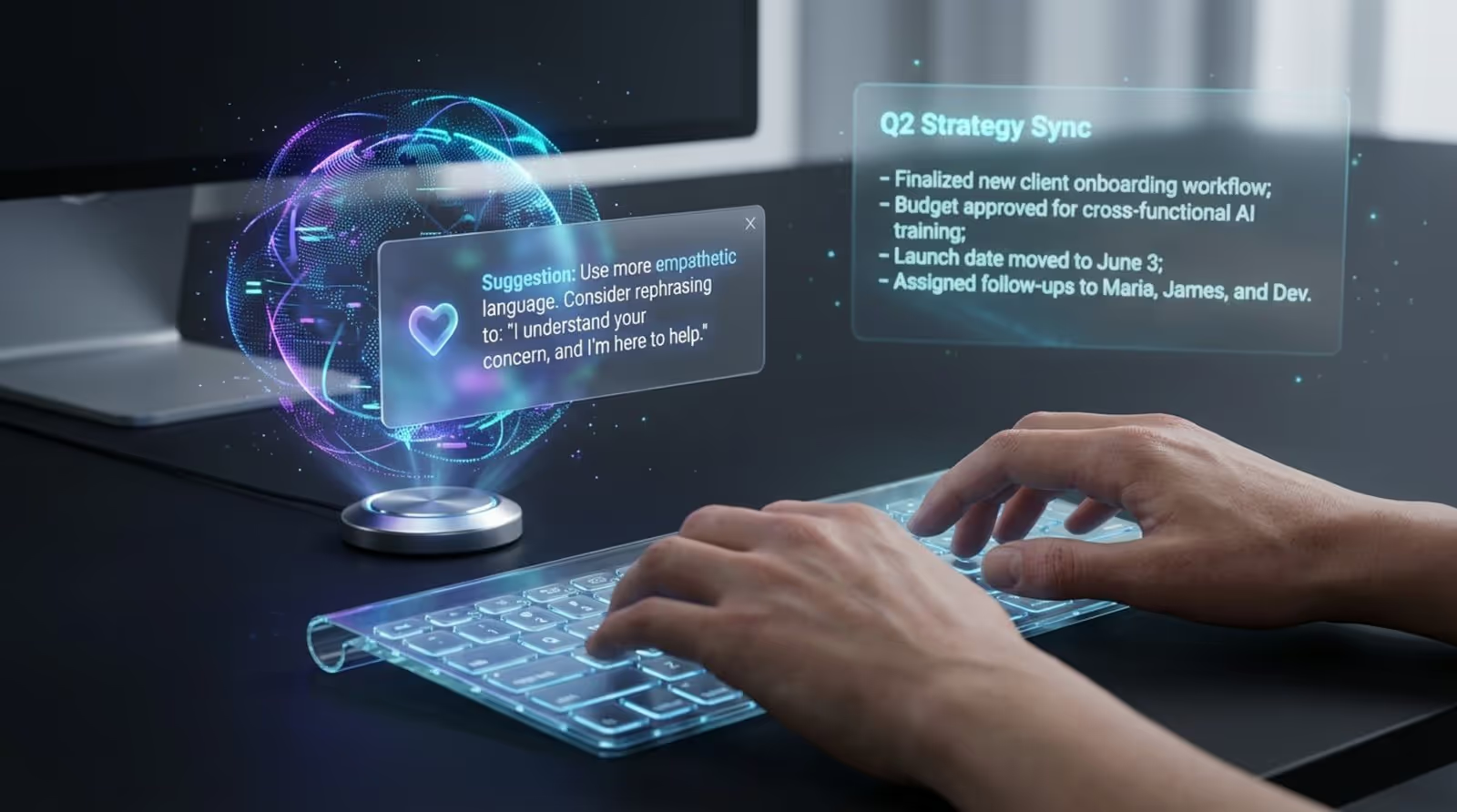
Generative AI will increasingly act as an editor, helping staff write with more empathy and clarity. By handling formatting and tone checks, AI allows people to focus more on the core ideas they need to share.
Unified Collaboration Platforms
The market is shifting toward "Super-Apps" that combine chat, video, and project management. This consolidation simplifies the digital office, reducing the need to constantly switch contexts.
Tools are blending categories-docs act as project boards, and chat apps handle video. This trend offers a consistent user experience and shortens the learning curve for new employees.
Adapting Tools for Remote and Hybrid Workforces
Tools are adapting to the hybrid reality. Features like spatial audio and VR integration help remote workers feel present in physical meetings. Simultaneously, there is a renewed focus on asynchronous tools that protect focus time, supporting a healthier, more sustainable way of working.





