Table of Content
In today's fast-paced corporate world, first impressions matter a lot. And where are those first impressions often formed? In the office lobby. So how do you make sure your lobby doesn’t just sit there, but actually communicates, engages, and leaves a strong positive impact? One of the best ways is with smart digital signage strategies, especially by using tools like Look DS. Digital signage turns these often-ignored areas into active centers of information, branding, and interaction, creating a welcoming and professional mood for every visitor and employee who walks in.

Modern office lobbies are no longer just waiting rooms. They are key points for internal and external communication, brand messaging, and even smoother operations. Digital signage, with its flexibility and visual power, is the key to using this space fully. It offers a flexible and engaging way to share messages that printed signs can’t compete with. It’s about creating an experience, not just filling a room.
What Is Digital Signage for Office Lobbies?
Digital signage for office lobbies means using electronic screens – from simple monitors to advanced interactive displays – to show changing content. This content can include personalized welcome messages, real-time updates, company news, brand videos, and interactive wayfinding maps. In short, it’s a modern, engaging replacement for traditional bulletin boards and posters, with far more options in how information is shown and used.
This technology is now a key part of how many companies communicate. It offers a lively and efficient way to share information, connect with visitors, and improve the overall feel of the lobby. It brings your lobby to life and turns it into an active part of your company’s story instead of just a background space.
How Do Office Lobby Displays Improve the Workplace Environment?
Office lobby displays have a big impact on the overall workplace atmosphere. They do more than just look good; they help create a more welcoming, informative, and engaging space. For visitors, a well-planned digital display can instantly show professionalism, modern thinking, and strong organization. Personalized greetings, for example, make guests feel valued as soon as they arrive, shaping their view of the company in a very positive way.
For employees, these displays create a sense of connection and pride. By showing internal updates, company wins, and even social media activity, digital signage keeps staff informed and engaged. This quiet but strong way of sharing information helps build openness and trust, links employees to company goals, and supports a positive culture. It turns the lobby into a central point where people feel informed and included.
Why Is Digital Signage Gaining Popularity in Office Settings?
The growing use of digital signage in offices is not just a passing fad; it’s a smart move driven by several key reasons. The technology has become more affordable, energy-efficient, and flexible than in the past. Modern displays offer bright images and strong performance, making them a sensible long-term choice for many businesses.
Digital signage also solves the need for faster, clearer communication in today’s busy work environment. It lets companies share messages more quickly and effectively with both visitors and employees. Content can be updated instantly and remotely, giving a level of flexibility that printed materials can’t match. This flexibility, combined with eye-catching visuals, makes digital signage a key tool for improving brand image, boosting efficiency, and creating a more engaging space.
How Look DS Improves Office Lobby Communications
Look DS is a powerful software platform that helps organizations get the most from their digital screens, especially in office lobbies. It simplifies the often complicated work of designing, scheduling, and managing engaging lobby content so it lines up with your company’s goals and values. With Look DS, turning your lobby into a strong communication center becomes a smooth and simple task.
The platform offers tools that help you move beyond boring, static screens and build a truly interactive and informative experience. From easy content creation to smart scheduling, Look DS is built to make your digital signage plan both effective and easy to run, raising the overall quality of the lobby experience.
Key Features of Look DS
Look DS includes many features that help users create and manage engaging digital signage content with little effort. One major feature is its easy-to-use content management system (CMS), which allows flexible content creation and scheduling. For example, the Layout Designer area includes ready-made templates, making it simple to build dynamic welcome screens. You can pick a template and quickly replace placeholders with visitor names, reason for visit, and other key details, adding a personal touch without heavy design work.
Beyond static content, Look DS supports real-time updates and integrations. It can pull in social media feeds and news widgets, keeping your team in touch with your company’s online presence and current events. With built-in social apps, you can log in, choose specific posts, or use hashtags to build feeds that appear right away. Its strong scheduling tools let you control exactly when and where content appears, such as running announcements during peak entry times or targeting content to certain departments. This level of control helps your messages reach the right people at the right time.

Compatibility and Hardware Options
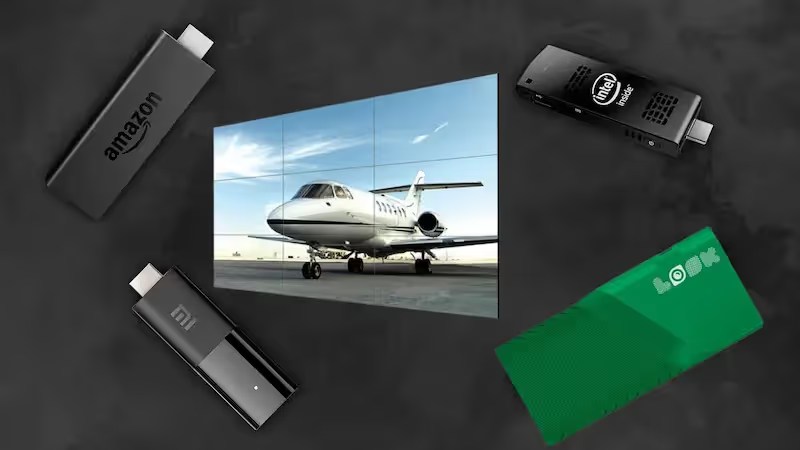
One big plus of Look DS is its flexibility with hardware. Many customers value its ability to work with existing screens and media players, which can be a "huge game changer" for companies wanting to upgrade without replacing everything. This means you don’t always need to buy new, expensive equipment, making the move to digital signage easier and cheaper.
Although Look is software, it works with many types of displays, from basic monitors to advanced interactive screens. So whether you use standard LCDs or are thinking about OLED displays or DV LED video walls, Look DS can handle your content. The main focus is a smooth content experience on any display technology, giving you options for different lobby sizes, styles, and budgets.
What Are the Benefits of Using Look DS Digital Signage in Lobby Spaces?
Using Look DS digital signage in your lobby brings benefits that go far beyond simply showing information. It turns the lobby from a quiet waiting area into an active, useful, and engaging space that helps both visitors and employees. When used well, dynamic content powered by Look DS can noticeably improve communication, simplify processes, and strengthen your brand, helping build a more modern and efficient workplace.
These gains are real and measurable. They show up in higher visitor satisfaction, better employee morale, and a stronger overall view of your company. By using the wide range of features in Look DS, businesses can build a lobby experience that reflects a modern approach and a strong focus on quality.
Improved Visitor Experience
The first impression visitors get from your company usually starts in the lobby. Look DS digital signage can greatly improve this experience by making it more welcoming, clear, and engaging. Personalized greetings can include the visitor’s name, why they are there, and simple directions to their meeting room or host. This personal touch helps visitors feel noticed and appreciated, creating a warm and friendly feeling right at the door. Walking into a lobby and seeing your name on a custom welcome screen has an immediate positive effect.
Beyond greetings, digital screens can share key information that reduces confusion and stress. Real-time meeting schedules, maps, and check-in instructions make the process smoother, shorten wait times, and free reception staff to handle more complex tasks. Content such as news, weather, or short videos can make waiting more pleasant, keeping visitors informed and occupied instead of bored or worried.
Better Internal Communication
Digital signage in the lobby, powered by Look DS, is also a strong tool for internal communication. It offers a quiet but effective way to reach all employees at once, keeping everyone updated with the latest news and changes. This supports a culture of openness and trust, which is important for a well-informed and efficient workforce.
Updates on new projects, milestones, or policy changes can be shown clearly, helping employees feel closer to the company’s direction. Look DS can also display live social media content and news widgets, keeping staff in touch with the company’s public image and outside coverage. This steady flow of information helps employees stay engaged and better prepared to represent the company in a positive way.
Streamlined Content Management
One of the biggest strengths of Look DS is how it simplifies content management. The platform has easy tools for designing, scheduling, and updating content, even for users without deep technical skills. With ready-made templates for many uses – such as welcome messages or employee recognition – you can create good-looking content in just a few simple steps.
Look DS scheduling tools are a real "game-changer," letting you plan and automate content far in advance. You can load a full week of content and have it appear at set times, so different messages reach people at the best moments. Integration with services like Zapier can automate updates from Google Calendar, employee lists, and more, so changes in meetings or recognition posts appear on your screens automatically. This cuts down manual work and keeps displays current and useful.
Boosted Brand Visibility
Your lobby is a prime spot for showing your brand, and Look DS digital signage is a strong way to do that. By displaying your logo, tagline, and visuals on dynamic screens, you reinforce your brand image to visitors and employees over and over. This steady presence helps align the lobby experience with your larger branding efforts.
Beyond logos, Look DS lets you share content about company successes, customer reviews, and behind-the-scenes clips from product or team activities. This builds trust and credibility and gives staff real stories and examples they can talk about. By bringing brand stories and customer feedback onto your lobby screens, you turn reception into a tool for stronger brand awareness and positive feelings about your company.
Top Content Strategies for Effective Office Lobby Digital signage
The real strength of digital signage in a lobby comes from the content it shows, not just the screens themselves. With Look DS, there are many ways to engage and inform your audience. A smart content plan keeps your screens fresh, useful, and impactful. The aim is more than filling space; you’re telling your company’s story, sharing important information, and supporting a positive workplace.
A strong content strategy looks at all the groups who pass through the lobby – potential clients, current staff, job candidates, and casual visitors – and adapts messages to each group. The goal is a dynamic visual experience that sticks in people’s minds and serves several communication needs at once.
Welcome Messages That Make a Positive First Impression
Personalized welcome messages are one of the most effective uses of lobby digital signage. They quickly set a positive tone and show respect for visitors. With Look DS, you can easily build dynamic welcome screens with a visitor’s name, company, reason for visit, and directions to their host or room. This level of detail shapes how visitors view your company, showing care and attention.
Look DS includes templates made just for welcome messages, so creation is fast and simple. You can choose a layout and fill in the blanks with visitor details. Even with many guests each day, you can keep delivering personal greetings, making your entrance feel warm and professional.

Real-Time Updates and Information Sharing
Real-time information is one of the strongest uses of digital signage. In a lobby, this can cover many topics. Showing daily announcements and upcoming events keeps visitors and staff aware of what’s going on. This might include meetings, company events, important notices, or local news and weather, helping employees plan their day and stay aware of what’s happening outside the office.
Look DS makes it simple to pull in live news feeds (such as CNN or BBC News) and weather apps, with automatic location detection for accurate forecasts. For public companies, live stock prices and trends can help staff see how their work connects to company performance. You can also schedule content – for example, rotating policy reminders weekly or highlighting emergency routes during busy times – so key information is always timely and easy to see.
Showcasing Team Achievements and Company Culture
Digital signage is a great way to highlight success and show your company culture. Employee recognition is a strong motivational tool. With Look DS, you can spotlight individuals or teams with photos, videos, and notes about their achievements. You can add leaderboards, mark birthdays and work anniversaries, and share fun facts to make things feel more personal.
Look DS offers many templates for recognition content, and Zapier integration can pull data from a Google Sheet containing birthdays, hire dates, and awards. This lets your recognition playlist update on its own. You can also show behind-the-scenes clips from product development, interviews with staff, or scenes from company events, helping everyone feel connected to what’s happening across the business.

Displaying Safety Protocols and Essential Alerts
Clear safety information is a must in any office. Digital signage is a fast and visible way to share safety rules and important alerts, especially during serious situations. In an emergency, good instructions can make the difference between a smooth exit and confusion. Lobby screens allow quick rollout of such messages, helping everyone follow the latest safety steps.
With Look DS, you can group safety and policy content into dedicated playlists, which makes it easier to manage and schedule. Using the scheduling tools, you can set regular times for these playlists to run. For example, you might show exit routes and evacuation steps every day during peak hours, and rotate different policy topics over the week. This steady rhythm helps people see and remember important safety information.
Providing Directions, Schedules, and Wayfinding
Finding your way around a new or large office can feel overwhelming for visitors. Digital maps and directories powered by Look DS are very helpful. They can give step-by-step directions to rooms, departments, and services and can be searchable and interactive. This cuts down on confusion, saves time, and improves the visitor experience.
Look lets you build multi-layer maps and directories with interactive elements. You can create a main floor plan and link it to detailed layouts for different areas using the Layout Designer. Users can move through the map by clicking or tapping buttons. Lobby screens can also show live meeting schedules with room numbers and times. Last-minute changes or canceled meetings can appear right away, helping people adjust plans easily. Zapier can connect tools like Google Calendar or Outlook to Look DS, so schedule changes show on screens in real time.
Promoting Events and Announcements
Digital signage is ideal for spreading the word about company events, news, and new initiatives. Whether it’s an internal training session, a charity project, or a product launch, dynamic screens reach a wide audience. Posting daily announcements and upcoming events helps visitors and employees see that the company is active and engaged.
You can put together engaging event content using text, images, and video. Scheduling features let you run those messages at the best times, giving them more visibility and effect. Highlighting key dates and new releases can build interest and excitement among staff and visiting clients or partners.
Integrating Social Media and Live Feeds
Today, people expect live, connected content. Bringing social media and live feeds into your lobby screens is a strong way to keep content fresh and interesting. Live social feeds are real-time and eye-catching and can appear next to company news to say, "Here’s what’s going on out there, and we’re part of it." This kind of content often holds attention better than casual hallway talk and helps staff feel tied into the company’s online life.
Look DS makes this simple with built-in social apps. You just log into your social account, pick posts, or select hashtags, and the feed appears at once. In addition, the apps section lets you set up news sources like CNN or BBC, or use the RSS app to pull in live stock data from financial sites. This steady flow of fresh, relevant information keeps your lobby screens lively and engaging.
How to Design Visually Strong Digital Signage Content
Good design is key if you want your digital signage to catch attention and share messages clearly. Putting text on a screen isn’t enough; the way it looks has to be engaging, clean, and visually pleasant. Look DS gives you the tools to build great visuals, but knowing some basic design rules will help you get the best results. This means thinking carefully about layout, colors, fonts, and movement so your screens are both useful and appealing.
Well-designed content turns passive watching into active interest, making your lobby a more memorable and energetic place. It creates a visual style that says a lot about who you are as a brand.
Principles of Effective Visual Communication
Strong visual communication on digital signage is based on a few main ideas. Simplicity and clarity come first. In a lobby, people usually pass by quickly, so your message should be short and easy to grasp at a glance. Avoid clutter; often, less information displayed well works better than too much on one screen. Use a mix of text, images, and video to make things more interesting, but give each element a clear purpose.
Readability is also very important. Choose fonts that are easy to read from a distance and pair text and background colors that contrast well. Plan your layout so the eye goes first to the most important points. Think about viewing distance and angle; content that looks fine up close may be hard to read from across the lobby. Adding gentle motion like simple animations or transitions and changing content often helps keep screens from fading into the background.
Branding Consistency in Your Lobby Displays
Keeping your branding consistent across all lobby screens is key to building a strong identity. Your digital signage should clearly reflect your company’s look and values. This means using your logo, brand colors, and images that match your usual style and tone of voice.
Look platform supports this by allowing full customization. You can upload your own images and fonts so that every piece of content – from greetings to marketing clips – looks like it belongs to your brand. The layout of your displays should fit naturally with the lobby design and architecture. A consistent and well-matched visual style helps visitors remember your brand and strengthens your reputation.
Steps for Implementing Digital Signage in Office Lobbies with Look DS
Setting up digital signage in your lobby may seem complex at first, but with a clear plan and a platform like Look DS, it becomes much easier. It involves more than just installing a screen; you need careful planning, smart content, and ongoing management to get real value. By following clear steps, you can turn your lobby into a strong communication space that helps visitors and staff alike.
Each step – from early planning to regular upkeep – plays an important part in making your digital signage program work well over time. Look DS gives you a solid structure to handle these steps efficiently and get strong returns on your investment.
Selecting the Right Display Locations
Where you place screens is just as important as what you show on them. When choosing locations, think about how people move through the lobby – where do their eyes naturally go? Areas near reception, elevators, seating areas, and main doors are usually best for visibility. The aim is to catch attention while still fitting naturally into the space.
Also think about light levels, viewing distance, and glare. For example, areas with large windows might not work well for some touchscreens because of bright sunlight. Consider how the displays will look in the room: Will they be wall-mounted, placed on kiosks, or combined into a video wall? Good placement helps people actually see and absorb your Look DS content.

Content Planning and Scheduling
After you’ve chosen where to put your screens, the next key step is careful content planning and scheduling. Decide what you want digital signage to achieve – better communication, stronger branding, wayfinding help, or all of the above. These goals will guide what you show. Create content that fits these aims, using Look DS to mix text, images, video, and simple animation.
You can group content into playlists for different needs, such as welcomes, internal news, or safety messages. The platform’s scheduling tools let you set regular time slots so different content appears at chosen times of day or week. For example, you might show visitor-focused content during busy arrival times and switch to staff-focused updates during quieter periods. This planning keeps content timely and engaging without constant manual work.
Installation Best Practices
Installing lobby screens is a technical job that usually benefits from professional help. It’s more than just hanging screens; you need to connect them properly to your network and systems. A professional setup helps the displays work reliably and look clean and well-integrated with your existing technology.
You need media players set up correctly and connected to the internet for smooth content delivery. Consider power outlets, cable routing for a tidy look, and secure mounting hardware. An AV expert can review wall space, daily usage, and light levels to suggest the right screens and mounting approach. A solid installation sets the base for stable performance and an attractive overall result.
Routine Maintenance and Support
Keeping your lobby screens in good condition over time requires regular maintenance. This includes cleaning the screens but also checking software, updating systems, and testing content playback so everything runs smoothly. Well-maintained screens will serve you longer and provide a steady, high-quality communication channel.
With Look DS, software updates and management are usually handled through the cloud platform, so you always have access to the newest features and security fixes. Still, set up a simple routine to test screen function, network connections, and content playlists. Fixing small issues early helps avoid bigger problems later. Regular attention to both hardware and software keeps your lobby screens reliable and effective.
How to Measure the Impact of Digital Signage in Office Receptions
Digital signage is an investment, and you need to know what you’re getting back. Measuring impact in your reception area helps you see how well it’s working, spot areas to improve, and justify ongoing costs. It moves you beyond guesswork and into clear data, showing how these screens help your business. By tracking results, you can tune your approach and keep your lobby working as a strong communication tool.
This kind of review helps you confirm that your digital signage isn’t just good-looking but is actually meeting goals like smoother visitor flow, higher staff morale, or a better brand image.
Key Performance Indicators for Lobby Displays
To measure results properly, you need clear Key Performance Indicators (KPIs). These are numbers or signals that show how well your digital signage strategy is doing. For visitor experience, KPIs might include shorter perceived wait times (from surveys), interactions with touchscreens, or fewer questions at reception about directions. If you use personalized greetings, you might track feedback on how visitors feel about them.
For internal communication, KPIs could include engagement with internal news (for example, QR code scans), awareness of key initiatives, or attendance at events promoted on the screens. For brand impact, you might track brand recall and visitor sentiment with simple surveys. While Look DS focuses on content control, you can connect it with other tools to gather a full picture across these KPIs.
Gathering Feedback from Visitors and Employees
Numbers are useful, but direct feedback from visitors and employees gives extra insight into how people actually experience your screens. For visitors, you can offer short digital surveys linked by QR codes on the displays or provide quick comment cards at reception.
For employees, you can run internal surveys or small group discussions to hear their views on lobby content. Ask about relevance, clarity, and design. Do they feel more informed? Does recognition content make them feel appreciated? This feedback helps you see what’s working and what needs changes. When you combine these comments with your KPIs, you get a full understanding of your signage’s impact.
Maximizing Value: Tips for Long-Term Success with Office Lobby Digital Signage
Getting long-term value from office lobby digital signage, especially with a tool like Look DS, takes ongoing effort. It’s not just about launching screens and walking away. You’ll want to keep adjusting, trying new ideas, and updating content. Digital tools and expectations are always changing, and your signage plan should grow along with them. By keeping up with new ideas and regularly refreshing what you show, your lobby can stay engaging, useful, and effective for the long run.
Think of your digital signage as a live communication channel that needs regular attention. This mindset will help keep your lobby a leading example of modern office communication.
Staying Updated with Digital Signage Trends
The digital signage field changes quickly, with new screens, content styles, and ways to engage audiences appearing often. To keep your lobby current and effective, stay aware of these trends. This might mean looking into new display options such as transparent OLEDs or advanced touch video walls that can create striking, mixed-use spaces. Even small lobbies can make a strong impression with the right creative setup.
Beyond hardware, watch for new content approaches, such as AI-driven personalized content or data-based targeting. Look DS will also keep growing and adding features, so staying familiar with its updates is helpful. Reading industry blogs, joining webinars, or talking with AV specialists can give you ideas on how to keep your digital signage fresh and modern.
Continuous Content Refresh Strategies
Even excellent content becomes dull if it never changes. Regular content updates are key to keeping people interested. Create a simple content calendar that outlines how often you’ll update each type of content. For example, welcome messages might change daily, internal news weekly, and company highlights monthly.
Use scheduling tool to automate many of these updates. Build playlists that mix promos, testimonials, motivational messages, and even digital art that rotate through the day or week. Use tools like Zapier to automatically pull in new meeting schedules, recognition content, or news, cutting down on manual work. Invite different departments to share content ideas so the screens show a wide range of topics. Keeping content fresh and relevant helps your displays stand out instead of becoming part of the background.
Common Questions about Look DS Digital Signage Solutions
Should You Choose Cloud-Based or On-Premise Management?
Choosing between cloud-based and on-premise digital signage management depends on your needs, existing IT setup, and preferences. Cloud-based solutions like Look DS usually offer more flexibility, easier scaling, and simple access. You can manage and update content from anywhere with an internet connection, which is helpful for companies with several locations or remote teams. Cloud systems also usually handle updates and maintenance automatically, reducing the load on your own IT staff. This is especially useful if you want a simple way to manage content and keep software current.
On-premise systems give more direct control over data and security but often need higher upfront investment and dedicated IT resources for upkeep. For many modern organizations that value speed and ease of use, a cloud-based platform like Look DS is a strong, practical choice.
What Types of Content Are Most Effective in Office Lobbies?
The best lobby content is a mix that serves both visitors and employees, balancing useful information, engagement, and branding. Personalized welcome screens work very well for visitors and help create a strong first impression. For general information, real-time news, weather, and meeting schedules are very useful, helping reduce confusion and perceived wait time.
For employees, content that supports culture and communication – such as recognition, team wins, company news, and social feeds – is very engaging. Safety content and maps are also key for daily use. In addition, brand stories, customer quotes, and promotional videos help strengthen your identity. The main point is to keep content changing, visually strong, and well-organized, using Look DS templates and scheduling tools to manage the mix.
How Secure Is Digital Signage Software Like Look DS?
Security is a major concern for digital tools, and platforms like Look DS are built with strong protections in mind. Cloud-based systems usually use standard encryption for data in transit and at rest, helping protect content from unwanted access. They also include user roles, permissions, and secure logins so only approved users can create or publish content.
Trusted digital signage providers invest in strong infrastructure security, including firewalls, monitoring, and regular security checks. While no system is perfect, using a well-known platform like Look DS means you benefit from ongoing work to keep data safe. This helps your digital signage network stay reliable, engaging, and secure, protecting both your content and your company’s reputation.
On-premise systems give more direct control over data and security but often need higher upfront investment and dedicated IT resources for upkeep.


.webp)