
Table of Content
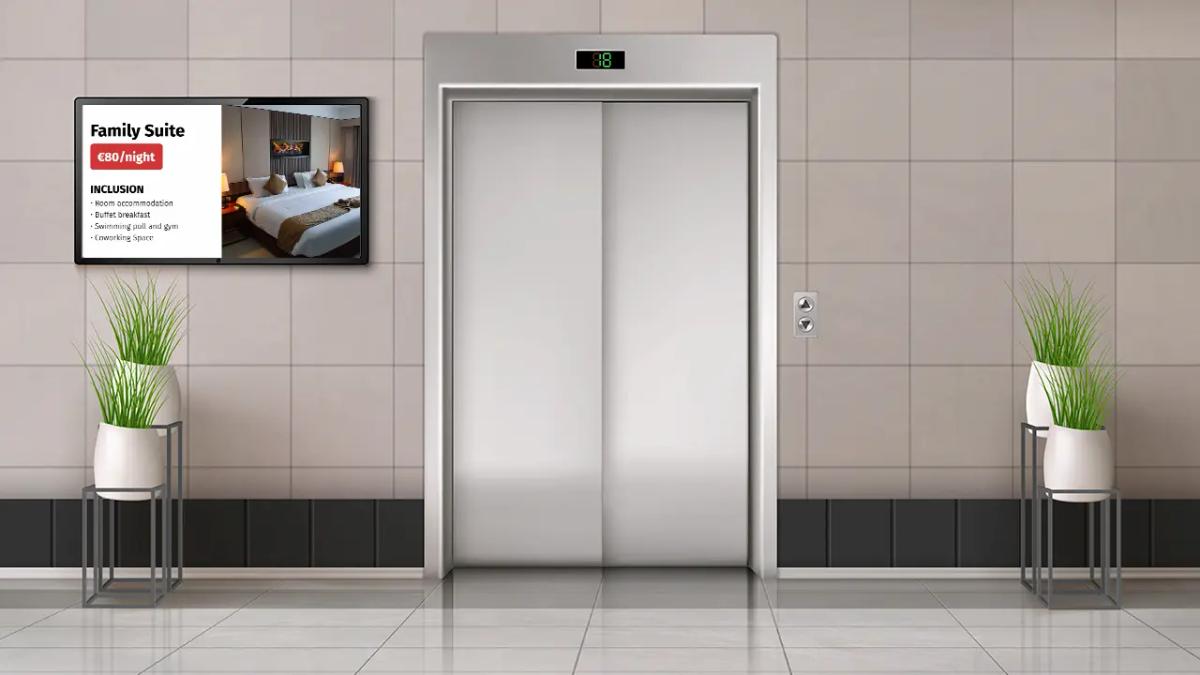
How can you turn dead air in an elevator into a valuable communication channel? Elevator digital signage uses screens managed by cloud-based software to display announcements, advertisements, and news. This turns a captive audience moment into an opportunity to inform tenants, improve building safety, and generate revenue.
More than just decoration, elevator screens act as a vital link between property managers and tenants. While paper notices are easily missed or ignored, bright digital displays ensure maintenance updates and emergency alerts get seen. Whether you manage a luxury apartment building, a corporate office, or a busy hotel, digital signage provides a scalable way to keep people connected.
What Is Elevator Digital Signage?
How Does Elevator Digital Signage Work?
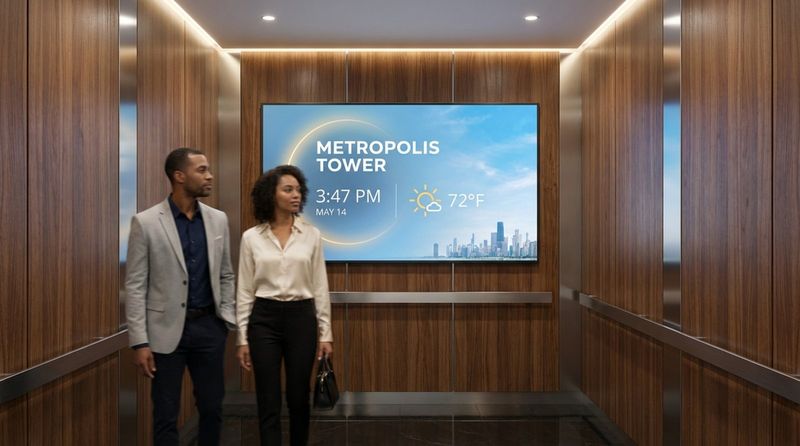
Elevator digital signage is a networked system that pairs display hardware with content management software. The setup typically includes a commercial display (LCD or LED) and a media player. This player can be an external device, like the Look HDMI Player, or software running directly on a smart screen using the Look App. Connectivity via Wi-Fi, LAN, or 4G allows you to update content in real-time without physically visiting the elevator cab.
The control center is the digital signage software, such as Look Digital Signage. This cloud-based platform allows you to manage playlists, schedules, and screen layouts from a single web dashboard. You can log in from anywhere to upload images, videos, or live feeds. Because the system is cloud-based, you can scale from one screen to thousands across multiple properties without complicated IT setups.
What Content Can Elevator Digital Signage Display?
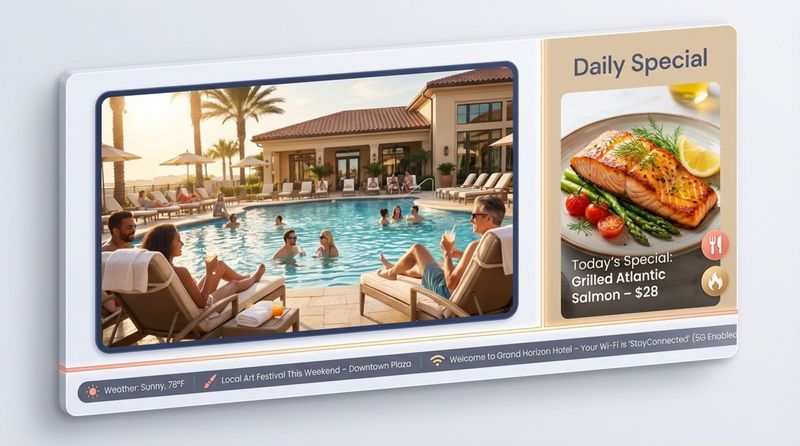
Digital signage is flexible enough to handle various media formats. You can display static images, HD videos, scrolling text tickers, and dynamic apps. A hotel might show restaurant menus and weather forecasts, while a corporate office displays meeting room schedules and internal news.
Using tools like Screen Layouts in Look CMS, you can split the screen to show multiple types of content at once-like a news feed at the bottom while a property announcement plays in the main zone. This ensures the 10-to-30-second ride offers value without overwhelming the viewer.
Why Use Elevator Digital Signage?
High Visibility and Audience Engagement
Elevator riders are a captive audience. With limited distractions and a natural tendency to avoid eye contact with strangers, passengers almost instinctively look at screens. This creates a high-engagement window where your message is actually consumed. Unlike flyers that get ignored, digital screens draw attention through motion and brightness.
This engagement makes elevators one of the most effective spots for communication. Whether you are promoting a gym service or posting a maintenance reminder, the message is delivered directly to people who are already paying attention.
Efficient Communication for Buildings and Tenants
Paper notices are inefficient. Staff must print, walk to every elevator, tape up signs, and eventually take them down. Digital signage eliminates this manual work. With a few clicks in the Look CMS, a manager can publish a notice about window cleaning or a power outage to every screen in the building instantly.
For managers with multiple properties, Remote Management features allow you to control messaging across all locations from one dashboard. This consistency reduces staff workload and ensures no outdated notices are left hanging on the walls.
Monetization and Advertising Potential
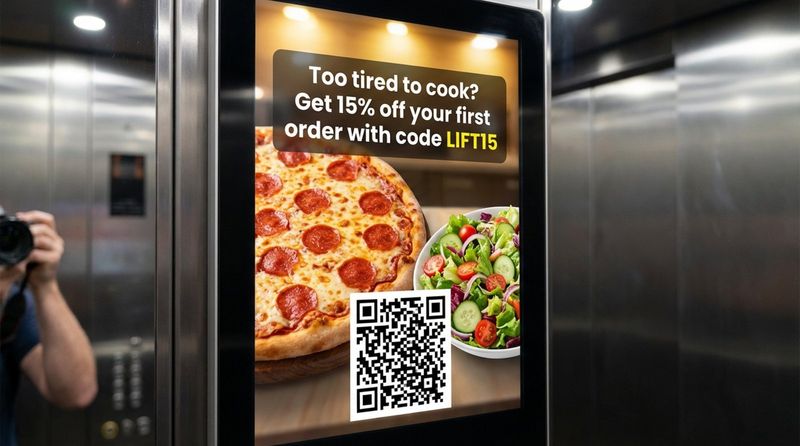
Elevator screens can transform a cost center into a revenue stream. The high attention span inside a lift is valuable to advertisers. Property owners can sell ad space to local businesses-such as nearby dry cleaners, food delivery services, or salons-that want to reach residents or workers.
Using Smart Scheduling, you can display specific ads at relevant times. Morning slots can feature coffee shop deals, while evening slots highlight dinner specials or delivery apps. This targeted approach offers better value to advertisers and keeps the content relevant to riders.
Better Passenger Experience and Shorter Perceived Wait Time
Waiting for an elevator feels longer when there is nothing to do. Digital signage reduces perceived wait time by providing entertainment and information. Catching up on headlines, weather, or building trivia shifts the focus from the wait to the content, making the ride feel shorter.
For hotels and resorts, this is an opportunity to improve the guest experience immediately. Showcasing amenities, local guides, or spa promotions welcomes guests and helps them plan their stay before they even reach their floor.
Emergency Messaging and Real-Time Alerts
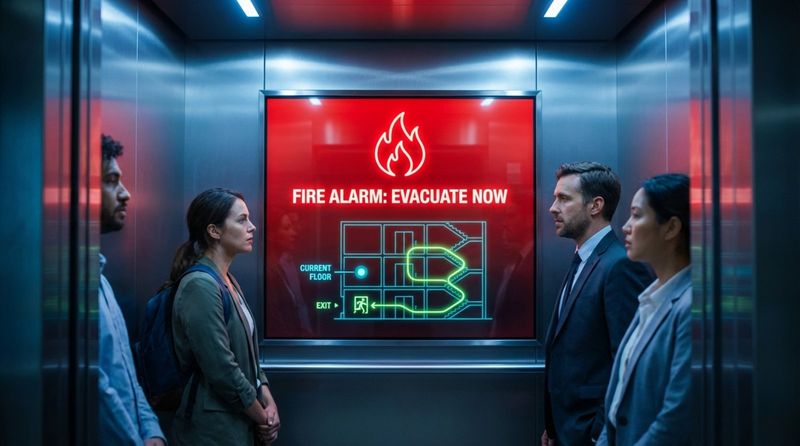
Safety is a priority for any facility manager. During emergencies, digital screens serve as a critical communication tool. They can display clear evacuation routes, safety instructions, or weather warnings. Visual aids help reduce panic and provide clarity when it is needed most.
Reliability is key here. Features like Offline Playback in Look Digital Signage ensure that essential content keeps running even if the internet connection in the elevator shaft drops. This stability is crucial for maintaining safety protocols and keeping tenants informed during outages.
Boosting Brand Image and Building Prestige
Modern displays signal that a property is well-managed and up-to-date. Replacing taped-up paper signs with professional digital screens elevates the perception of the building. It demonstrates that management invests in technology and tenant comfort.
In Class-A office buildings or luxury residential towers, screens can be customized to match the interior aesthetics. Using Look’s Content Creator or Ready-made Templates, you can ensure that every slide looks professional and on-brand without needing a graphic designer.
Key Uses and Content Ideas for Elevator Digital Signage
Advertising and Promotions
Targeted local advertising is a practical use case. In residential buildings, this often includes home services or neighborhood dining. In hospitality, screens act as virtual concierges, promoting on-site revenue centers like bars, spas, or gift shops.
By utilizing Playback Analytics, you can provide advertisers with data on how often their content played, helping to prove the value of the ad placement and secure recurring revenue.
Building Information and Announcements
The primary operational use is sharing building news. Reminders about HOA meetings, package room policies, or facility maintenance schedules ensure smooth operations. Since tenants ride elevators daily, this is the most reliable way to guarantee information is seen.
In corporate settings, screens can welcome clients, celebrate employee milestones, or display company KPIs. This fosters a sense of community and keeps teams aligned.
Safety Instructions and Emergency Guidance
Safety messages should be part of your regular content rotation. Displaying emergency contact numbers, fire safety tips, or hygiene reminders helps riders feel secure. In urgent situations, the ability to instantly override scheduled content with full-screen alerts allows for rapid response.
As mentioned earlier, neglecting maintenance or safety communication can carry risks. Digital signage simplifies the process of keeping these reminders visible and current without physical waste.
News, Weather, and Local Events
Automated content feeds keep screens fresh with zero effort. Using Look Apps, you can add dynamic widgets for RSS news, live weather, or traffic updates. This content is highly practical for people heading out for the day.
Highlighting community events-like farmers' markets or local festivals-adds a "neighborhood" feel to the building, helping residents feel more connected to their location.
Entertainment and Engagement for Passengers
To keep the content mix engaging, include light entertainment. Trivia, "quote of the day," or short video clips can lighten the mood. Interactive Scenarios (if using touchscreens) can allow riders to scan QR codes to vote on building improvements or access digital bulletin boards.
A friendly morning greeting or a positive message adds a human touch to the technology, making the building environment feel warmer.
How to Set Up Elevator Digital Signage
Planning and Strategy
Start by defining your primary goal. Is it to reduce support calls about maintenance, improve tenant satisfaction, or generate ad revenue? Your goals will dictate your hardware and software choices. If you plan to sell ads, you will need a platform like Look DS that offers robust proof-of-play reporting.
Understanding your audience is also critical. A residential building needs community-focused content, while a commercial tower requires professional, concise updates. Tailoring your strategy ensures the screens add value from day one.
Choosing the Right Hardware
Elevators are unique environments due to constant movement and potential vibration. Choose commercial-grade displays designed for 24/7 operation. These screens are built to withstand the rigors of continuous use better than consumer TVs.
If you prefer a simple setup, the Look HDMI Player is a plug-and-play device that connects to any screen and turns it into a managed signage endpoint. For space-constrained cabs, vertical (portrait) mounting or specialized bar-type displays are effective options.
Selecting Software and Content Management Systems
The software is the brain of your system. We recommend Look Digital Signage for elevator networks because it combines ease of use with professional reliability. Key features to look for include:
- Cloud-based management: Update content from anywhere, no site visits needed.
- Offline Playback: Keeps content running even if the elevator loses Wi-Fi.
- Smart Scheduling: Automates content changes based on time of day or day of the week.
- Templates & Layouts: Helps you create professional slides quickly without design skills.
Installation and Mounting Best Practices
Placement is crucial. Avoid the back wall if possible, as riders typically face the doors. Mounting screens on the side walls or above the control panel keeps them in the natural line of sight.
Common mounting options include:
- Wall-mounted: Securely attached to interior panels.
- Embedded: Built into the elevator wall for a flush, seamless look (often done during modernization).
- Protective Enclosures: Essential for preventing tampering or damage in high-traffic public elevators.
Integration with Existing Building Systems
Advanced setups can integrate signage with other building technologies. For example, connecting screens to emergency alarm systems allows for automated safety overrides. While this requires more technical planning, it significantly enhances building safety infrastructure.
Best Practices for Elevator Digital Signage Success
Designing Clear and Readable Content
Elevator rides are short. Your message must be understood in seconds. Use large fonts, high contrast, and the Look Content Creator to build slides that are legible from a few feet away. Stick to one key message per slide to avoid clutter.
If using video, keep clips short (10-15 seconds) and rely on visuals rather than audio, as elevator acoustics can be poor. Always use captions if speech is involved.
Content Scheduling and Remote Management
Static content becomes invisible over time. Use Smart Scheduling to rotate messages. A morning schedule might focus on traffic and weather, while an evening schedule highlights local dining or events. This keeps the screens relevant throughout the day.
Remote management allows you to react fast. If an elevator goes out of service or a package room is full, you can post an update in minutes, saving staff from answering repetitive questions.
Keeping Passengers Safe and Screens Durable
Safety comes first. Ensure screens do not obstruct buttons, handrails, or emergency instructions. Mounts must be secure to handle the vibration and stopping forces of the elevator.
From a software perspective, ensure your media player supports Offline Playback. Elevators often have spotty internet signals; your screens should not show a "No Connection" error just because the cab is moving between floors.
Regulatory Compliance and Accessibility
Check local building codes regarding elevator modifications. Some jurisdictions have strict rules about materials and weight added to the cab. Additionally, ensure your content is accessible-use large text and clear visuals to assist riders with visual impairments.
Measuring Performance and ROI
Track the effectiveness of your screens. Use QR codes on your slides to measure engagement with announcements or ads. If you are using Look DS, leverage the analytics dashboard to monitor uptime and content performance. Demonstrating that tenants are engaging with the screens helps justify the investment and can support ad rate negotiations.
Common Questions About Elevator Digital Signage
What Is the Cost of Installing Elevator Digital Signage?
Costs vary, but digital signage is often more affordable than expected. A basic setup involves a screen, a media player (like the Look HDMI Player), and a software subscription. When factored against the time saved on manual updates and the potential for ad revenue, many buildings see a return on investment within the first year.
How Is Content Managed and Updated?
Content is managed via a central cloud dashboard. With Look Digital Signage, you log in from any computer, drag and drop your media, and publish updates to one or all screens instantly. No physical access to the elevator is required.
Can Screens Function Without Internet Connectivity?
Yes. A reliable solution like Look downloads the playlist to the media player’s local storage. If the internet drops-which is common in elevators-the screens continue to play scheduled content seamlessly. Only live streams (like news tickers) require an active connection.
What Maintenance Is Required?
Maintenance is minimal. Physically, screens need occasional cleaning. Technically, the software should be kept up to date. Using a commercial-grade player ensures the system is robust enough for long-term use with little intervention.
How Long Does Installation Take?
Installing a screen typically takes a few hours per cab. Configuring the software is even faster-often taking just minutes to pair a screen and publish the first playlist.
What Are the Energy Efficiency Options?
Many commercial displays feature auto-dimming sensors and power scheduling. You can set screens to turn off during low-traffic overnight hours to save energy and extend hardware life.
How Do I Choose the Right Vendor?
Look for a vendor that offers a complete ecosystem-reliable software and compatible hardware. Look Digital Signage provides a free trial, allowing you to test the CMS and see how easy it is to create and schedule content before you commit. Choosing a specialized provider ensures you have the support and features necessary for a stable, professional elevator network.
Elevator digital signage is a practical upgrade that modernizes your building, streamlines communication, and can even generate income. By choosing a reliable platform like Look, you can start small and scale effortlessly as your needs grow.


