
Table of Content
Can a screen really improve your service speed and bottom line? A self-ordering kiosk does more than just take orders; it acts as an always-on upsell engine, reduces wait times, and cuts down on order-entry mistakes. By letting guests control their ordering experience, these digital stations free your staff to focus on hospitality rather than data entry. For modern restaurants, this technology is a practical tool for growth, efficiency, and meeting customer expectations.
Beyond the operational wins, kiosks match the digital habits your customers already have. They offer independence and clear visuals, providing a smooth interaction that traditional counter service often lacks. As the industry evolves, kiosks signal that a business values efficiency and customer control.
What is a self-ordering kiosk for restaurants?
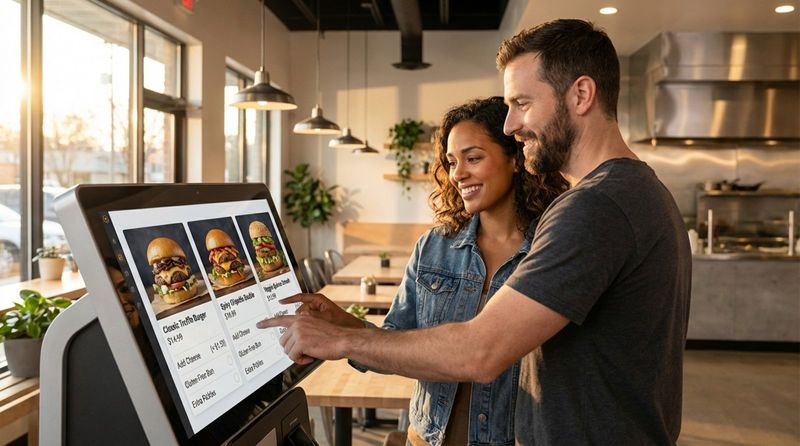
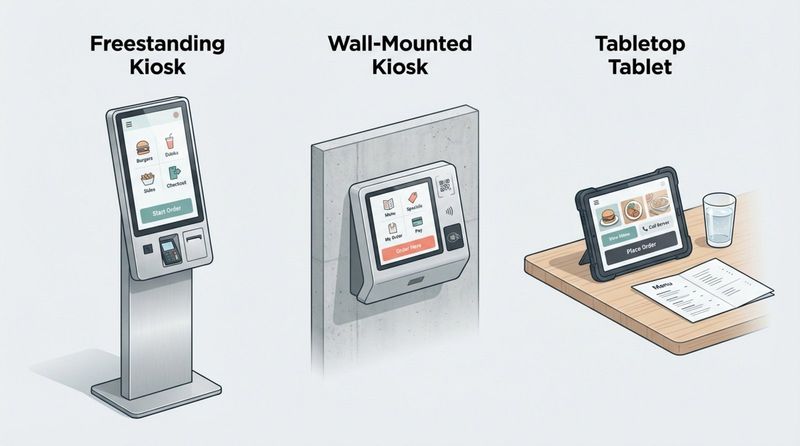
A self-ordering kiosk is an interactive screen that sits between the customer and the kitchen. It functions as a digital menu where customers browse, customize, and pay for meals without needing a cashier. These can be freestanding floor units, wall-mounted screens, or tablet-style devices on tables, all designed to make ordering as simple as using a smartphone app.
For owners, a kiosk is an extension of the point-of-sale (POS) system. It connects to your back-office tools so that every choice-"no onions," "extra cheese," or a combo upgrade-goes straight to the kitchen. This removes the manual entry step, ensuring the customer builds their meal exactly how they want it.
How does a self-ordering kiosk work?
The process is straightforward. A customer approaches the kiosk and interacts with a visual menu. The layout typically organizes items into clear sections like appetizers, mains, and drinks. As customers select items, the software triggers smart prompts for upgrades or sides, which they can add with a single tap.
Once the order is complete, the customer pays directly at the kiosk via card, mobile wallet, or cash (if hardware allows). The order data is sent immediately to the Kitchen Display System (KDS) or printer. The customer receives a receipt and moves to the pickup area, keeping the front counter clear and the lobby organized.
Types of self-ordering systems in restaurants
Hardware options vary based on your space and volume needs. Freestanding kiosks are common in busy quick-service chains; these sturdy units manage long lines effectively. Wall-mounted kiosks save floor space in smaller cafes while offering full functionality.
Tabletop tablets are increasingly popular in casual dining. They allow guests to order rounds of drinks or desserts from their seats without waiting for a server, speeding up table turnover.
Customer preferences and adoption trends
Dining habits have shifted. Many customers, particularly Gen Z and Millennials, prefer digital ordering over verbal interaction for routine transactions. This preference isn't about avoiding social contact; it is about autonomy and speed. Customers appreciate the time to browse the menu fully without feeling rushed by a line behind them.
This trend extends beyond fast food into fast-casual and casual dining. Online shopping has trained people to expect instant information and clear visuals. They bring those same expectations into your restaurant.
Why customers choose self-service options
Low pressure is a major factor. At a staffed counter, customers often rush their decisions. A kiosk allows them to explore descriptions, check ingredients, and discover new items. This often leads to higher satisfaction because the guest feels confident in their choice.
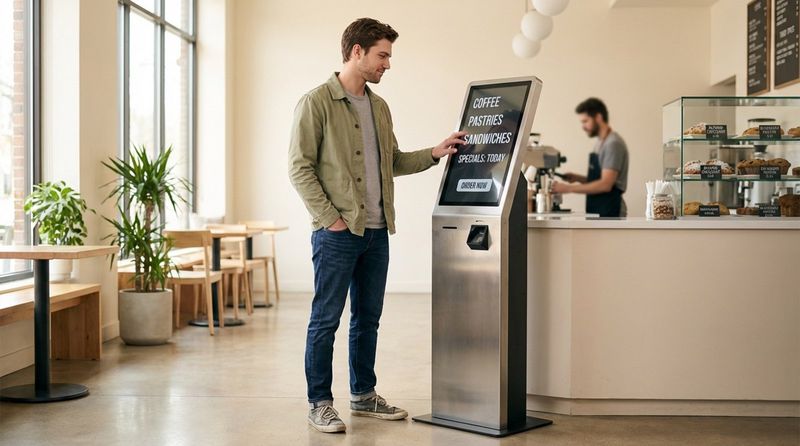
Visual confirmation builds trust. Seeing a high-quality photo of a dish is more compelling than reading text. Customers also value seeing the price update in real time as they modify their order, which eliminates surprises at payment.
Restaurant industry adoption and statistics
Industry data suggests that self-ordering systems can increase average check sizes by 15% to 30%. This growth comes from consistent, programmed upselling that human staff may miss during peak hours. Many independent restaurants find that the return on investment (ROI) justifies the setup costs quickly.
Additionally, a majority of customers report they would visit a restaurant more frequently if self-service kiosks were available. Ignoring this technology may cause your business to appear outdated to efficiency-minded diners.
Key benefits of self-ordering kiosks for your restaurant
Kiosks impact sales, operations, and guest experience. When you shift order entry from staff to customers, you gain efficiency that is difficult to achieve with manual processes alone. Here is how kiosks improve daily operations.
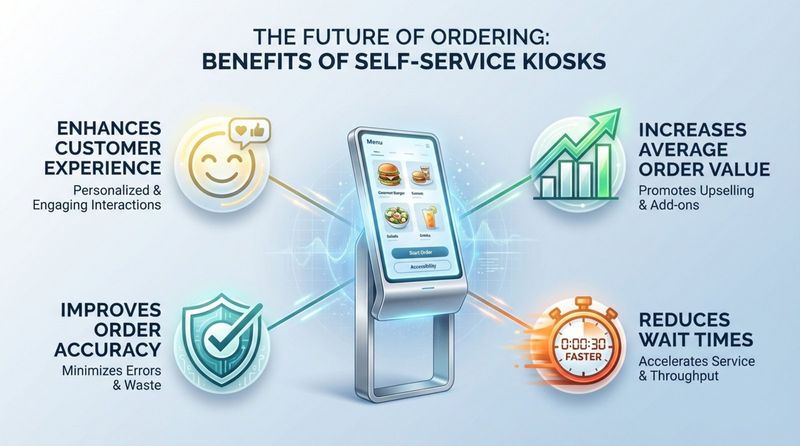
Improves customer experience and satisfaction
Kiosks give customers control. They eliminate the "game of telephone" where a guest tells a cashier, and the cashier interprets the order for the kitchen. With the screen, the customer verifies their own choices. Kiosks also support multiple languages easily, welcoming international guests or non-native speakers by allowing them to order comfortably in their preferred language.
Boosts order accuracy and prevents mistakes
Verbal errors cost money. Background noise can cause a cashier to mishear a request, leading to food waste and frustration. Kiosks solve this by displaying a full order summary before payment. This clear line of communication from customer to kitchen keeps operations steady and reduces the cost of remaking dishes.
Increases sales and average order value
A kiosk never forgets to upsell. It will always ask if the customer wants a drink, dessert, or extra topping. While staff might skip these questions to move a line faster, the kiosk automates the process. Furthermore, customers often feel less judged by a screen, leading them to order larger portions or extra treats they might hesitate to ask a person for.
Speeds up service and reduces wait times
Kiosks act as additional service points without requiring more staff. Splitting the line across multiple screens allows you to process more orders in minutes. As soon as payment clears, the kitchen begins prep, shortening the total service time and increasing throughput.
Improves staff productivity and use of labor
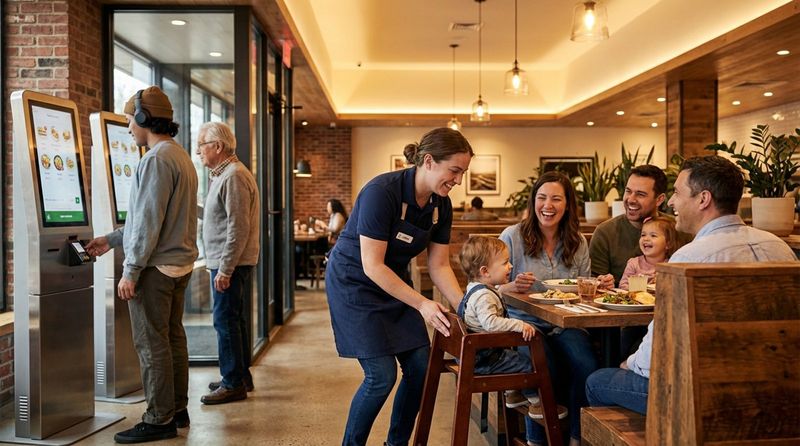
Automation does not necessarily replace staff; it reallocates them. Instead of keeping three employees anchored to cash registers, you might only need one at the counter. Remaining staff can focus on food running, cleaning, and table service. This shifts the focus from transactional tasks to genuine hospitality.
Strengthens in-store marketing and upselling
Your kiosk screen is a powerful marketing tool. When idle, it can display high-margin items, limited-time offers (LTOs), or new menu arrivals with sharp visuals.
For the software layer, Look Digital Signage is a strong fit for managing these visual experiences. You can use Interactive Scenarios to build touch-friendly menu interfaces without complex coding. Additionally, Screen Layouts allow you to split the screen, keeping promotions visible while customers browse the menu. Because Look DS is cloud-based, you can update these marketing assets remotely in minutes.
Gives customers more control and interaction
Customers are accustomed to self-service in retail and travel. In restaurants, kiosks allow them to customize meals-swapping ingredients or adjusting portions-at their own pace. This interactivity makes ordering part of the dining experience rather than just a chore. It also simplifies payment, allowing for split checks or loyalty redemption without holding up a cashier.
Simplifies menu management and updates
Printed menus become obsolete the moment a price changes or an item sells out. With digital kiosks, updates happen instantly. You can mark an item as unavailable to prevent disappointment or switch from breakfast to lunch menus automatically. This flexibility allows you to test new items or run weekend specials without printing costs.
Supports customer loyalty programs
Kiosks integrate smoothly with loyalty systems. Guests can scan a phone or type an email to identify themselves. The system can then display recent orders or reward progress. This data helps you understand ordering patterns, enabling you to send targeted offers that bring customers back.
How self-ordering kiosks impact restaurant operations
Implementing kiosks creates a steadier flow of orders to the kitchen. Instead of a single cashier sending a batch of orders at once, multiple kiosks feed tickets to the kitchen at a consistent rate. This data also provides visibility into peak times and popular customizations, helping you make informed staffing and inventory decisions.
Makes order processing and kitchen workflow smoother
Kiosk orders arrive in the kitchen standardized and legible. There is no handwriting to decipher or shorthand to interpret. Orders are routed automatically to the correct station-grill, fryer, or salad. This reduces front-to-back communication and allows cooks to focus on preparation.
Lowers labor costs while keeping service quality high
Kiosks provide a buffer against labor shortages. On days when you are short-staffed, kiosks keep the orders moving without closing sections of the restaurant. This automation handles the routine work, allowing your team to handle complex guest needs and maintain a welcoming atmosphere.
Keeps guest experiences consistent across locations
For multi-location brands, consistency is vital. A kiosk ensures every guest sees the same menu, pricing, and imagery, regardless of the location. This reliability builds brand trust, as customers know exactly what to expect.
Sales growth: How kiosks help increase restaurant revenue
Revenue growth relies on serving more guests and increasing the value of each ticket. Kiosks address both by reducing line abandonment and automating upsells. Visuals play a key role here; seeing an appetizing image of a dessert at checkout often triggers an impulse buy.
Upselling and suggestive selling at the kiosk
Suggestive selling works best when it is consistent. A kiosk can offer a premium sauce or side dish for a small fee on every transaction. These small additions accumulate significantly over time. Smart logic can also pair items, suggesting fries with a burger or coffee with a pastry, guiding the customer toward a fuller meal.
Encouraging repeat visits through automation
Fast, accurate service is a primary driver of repeat business. If customers know they can get lunch quickly during a break, they are more likely to return. Data collected at the kiosk can also feed into automated marketing campaigns, sending reminders to guests who haven't visited recently.
Integrating self-ordering kiosks with restaurant systems
Integration is critical for a "set and forget" operation. Your kiosk should communicate seamlessly with your POS, KDS, and inventory management tools to keep data synchronized.
Compatibility with POS and kitchen display systems
Direct integration with your POS ensures that sales data, accounting, and inventory are always accurate. Price changes made in the central system should reflect on kiosks immediately. Similarly, connection to the KDS ensures kiosk orders are prioritized correctly alongside other order channels.
Data collection for ongoing improvement
Digital ordering provides granular data. You can track which menu sections get the most views and where customers drop off. You can also A/B test images or descriptions to see which versions drive more sales. This allows you to optimize your menu based on real user behavior.
What to look for when choosing a self-ordering kiosk
Selecting the right solution involves both hardware and software. Hardware must be durable enough for commercial use, while software must be intuitive for all ages.
We recommend Look Digital Signage as a flexible software solution for powering your interactive screens. It is designed to be simple for non-technical teams to manage.
- Interactive Scenarios: Create navigable menus and ordering flows easily.
- Remote Management: Update content and prices on one screen or thousands from a single dashboard.
- Look CMS: Manage your media, playlists, and schedules in a cloud-based environment without complicated setup.
- Hardware Compatibility: Look DS works with various media players and touch monitors, allowing you to choose hardware that fits your budget.
Features for a strong customer and operator experience
For the customer, prioritize:
- Simple navigation and large, clear buttons.
- High-quality images and legible descriptions.
- Filters for dietary restrictions (e.g., vegetarian, gluten-free).
- Clear allergen information.
- Support for modern payment methods (tap, chip, mobile wallet).
For the operator, look for:
- A centralized dashboard for instant menu edits.
- Real-time "86ing" (removing) of out-of-stock items.
- Detailed sales and performance reporting.
- Reliable support and regular software updates.
Addressing challenges and considerations
Adopting new technology requires planning. Staff and customers need time to adjust, and the physical layout of your restaurant may need to change.
Potential drawbacks of self-ordering kiosks
Upfront costs for hardware and software can be significant. Technical reliability is also a factor; if the internet drops, you need a backup plan. Some solutions, like Look DS, offer offline playback capabilities to keep screens running even when connectivity is unstable. Additionally, it is important to balance technology with human connection so your restaurant retains its hospitality.
Overcoming implementation hurdles
Start with a soft launch to test the system with staff and a small group of customers. Position kiosks where they are visible but do not block traffic flow. Train your staff to view the kiosk as a tool that helps them, not replaces them. When staff understand that kiosks handle the repetitive work, they are more likely to champion the technology.
Balancing automation with human interaction
The ideal setup blends digital efficiency with personal service. While the kiosk handles the transaction, a "lobby host" can greet guests, assist with the interface, and manage the dining room. This ensures the experience remains warm and welcoming.
Examples of self-ordering kiosk success in major chains
Major brands have standardized kiosks, offering a roadmap for smaller operators. Successful implementations typically involve redesigning the flow of the restaurant to prioritize pickup and seating over queuing.
McDonald's: A case study in kiosk adoption
McDonald's normalized the use of kiosks globally. By deploying large, intuitive screens, they increased average check sizes and improved guest satisfaction. They also utilized the technology to introduce table service, proving that automation can actually enhance the service level in fast food.
How other restaurant brands are following suit
Chains like Panera Bread and Taco Bell report that digital channels, including in-store kiosks, drive a significant portion of their sales. These systems support complex customizations that would be slow to enter manually. Smaller coffee shops and fast-casual spots are also adopting tablet-based kiosks to modernize their service and free up baristas.
Future trends for self-ordering kiosks in restaurants
Looking toward 2026, kiosks will become more context-aware. Smart scheduling and sensors may adjust menus based on weather or time of day-promoting hot coffee on a cold morning or iced drinks on a sunny afternoon.
The role of AI and personalization in self-ordering
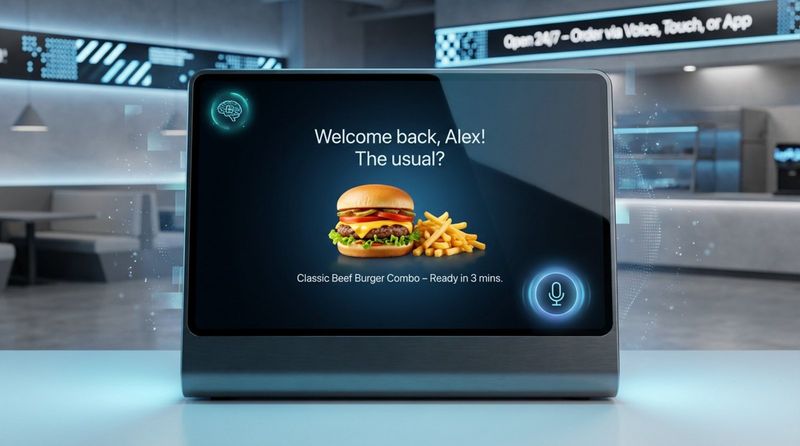
Artificial intelligence will increasingly tailor the ordering experience. Kiosks may recognize loyalty members and suggest their "usual" order or recommend items based on current kitchen capacity to balance workflows. Voice ordering is also emerging as an accessibility feature, helping guests navigate menus hands-free.
Ultimately, self-ordering kiosks provide the speed, control, and clarity that modern diners expect. By allowing guests to order on their own terms, you create a smoother, more efficient operation. With tools like Look Digital Signage providing the software backbone, deploying these systems is accessible for businesses of any size.


