Table of Content
How can quick-service restaurants (QSRs) turn a simple drive-thru lane into a reliable engine for higher sales? By replacing static printed boards with digital signage software, you can schedule promotions, display engaging visuals, and adjust pricing in real time. This simple upgrade transforms a basic ordering spot into an active, data-driven sales tool designed to improve both your average check size and the overall customer experience.
What Are Drive-Thru Upsells With Digital Signage?
Drive-thru upsells with digital signage involve using bright, commercial-grade screens managed by cloud-based software to display timely, appealing content. Instead of a fixed list of items, these screens act as a flexible menu that can encourage customers to add a side, upgrade a drink, or try a new dessert. You can manage everything remotely, ensuring your menus adapt to what you actually need to sell.
The core idea is to make the most of the short time a customer spends deciding. By showing the right visuals at the right moment, you can naturally guide choices and help customers build a more satisfying meal, all without requiring complex setup or constant manual updates from your staff.
How Does Digital Signage Influence Drive-Thru Sales?
Digital signage influences sales through strong visuals and smart timing. High-definition screens bring your food to life. Seeing steam rise off a burger or condensation on a cold drink makes the offer feel much more appealing, which can often increase cravings and prompt immediate add-on purchases.
Beyond looks, digital signage allows you to schedule your content to support daily business goals. You can easily highlight quick-service items during a lunch rush or promote family bundles in the evening. The screen handles the suggestive selling-like prompting a combo upgrade or a premium side, taking the pressure off your staff while keeping your messaging totally consistent.
Differences Between Static and Digital Drive-Thru Menu Boards
The biggest difference between printed boards and digital screens comes down to speed and control. Printed signs lock you in. If you need to update a price, launch a new promo, or remove a sold-out item, you are stuck with a slow "print, ship, and hang" process that wastes time and money.
Digital signage software lets you update your screen layouts in minutes, from anywhere. Whether you manage one local drive-thru or thousands of locations, you can push a new playlist or price update across your entire network from one simple dashboard. This saves your team hours of manual work and gives you a much faster way to respond to real-world inventory changes.
Benefits of Digital Signage for Drive-Thru Upselling
Upgrading your drive-thru to digital is an operational shift that can help you run smoother shifts and prove ROI. It removes the friction of physical updates while keeping your screens running reliably day and night.
From grabbing attention to reducing wait times, cloud-based screens give you a practical way to communicate directly with your customers. Here is how digital signage supports a more efficient, profitable restaurant model.
Increases Sales Through Upselling and Cross-Selling
One of the clearest benefits of a digital menu is its ability to drive upsells. Industry examples often show that moving to digital screens can help raise the average purchase value. Clear photos and short video clips draw the eye and make impulse buys, like adding a milkshake on a hot afternoon, much more likely.
Digital systems also automate the upsell process. You can set your screens to consistently suggest a dessert or a larger size. Because the screen asks every single time, you never miss an opportunity to feature high-margin items and increase your overall revenue.
Improves Customer Experience and Engagement
A bright, dynamic screen makes the drive-thru line feel a lot less tedious. Motion graphics and clear layouts give customers something engaging to look at, which can make perceived wait times feel shorter.
Digital displays also improve clarity. When customers can easily read the menu and see order confirmations on-screen, they can spot mistakes before they get to the window. This keeps the line moving, improves order accuracy, and leaves customers with a better impression of your brand.
Delivers Real-Time Promotions and Menu Updates
In a fast-paced environment, the ability to change your menu in minutes is a major advantage. Digital signage software allows you to run flash promotions based on inventory, time of day, or even the local weather.
If you have extra stock of a specific item, you can instantly add a promotion to your playlist. When breakfast ends, your scheduled content can automatically switch to the lunch menu. This "set and forget" scheduling reduces manual tasks for your staff and ensures customers only see items that are actually available to order.
Reduces Wait Times and Improves Order Accuracy
A smooth drive-thru relies on speed. A well-organized digital screen layout helps customers find what they want quickly, which speeds up the ordering process and allows you to serve more cars during peak hours.
By showing a digital order summary, you give the customer a chance to verify their meal before paying. Catching a missing item or a wrong drink at the speaker box prevents frustrating delays at the pickup window, making the entire operation run much smoother.
Strengthens Brand Consistency Across Multiple Locations
As you grow, keeping your promotions consistent across every location becomes a challenge. Mismatched pricing or outdated posters can confuse customers and weaken your brand.
With remote management, corporate teams can lock in brand colors, fonts, and promotions, pushing updates to every screen at once. This ensures that a customer visiting a location in one city gets the exact same high-quality visual experience as a customer in another, building trust and reliable brand recall.
Types of Digital Signage Solutions for Drive-Thru Upsells
Every drive-thru is built differently, so your signage setup needs to match your physical space and your specific goals. You need reliable hardware that can stay bright and legible through tough weather and direct sunlight.
Whether you need a simple single-screen pilot or a full multi-lane rollout, understanding your hardware options helps ensure your investment delivers a strong return.
Single and Dual-Lane Menu Boards
The layout of your drive-thru usually dictates your screen setup. Many QSRs start with a single lane featuring a pre-sell board followed by the main menu. To serve more cars, many operators are expanding to dual-lane setups with double order canopies.
Screens are typically mounted in portrait (vertical) orientation. This fits more lines of text into a narrow viewing angle, making it much easier for drivers to read their options and spot upsell prompts without leaning out of their cars.
Interactive and Touchless Displays
While drive-thru customers do not physically touch the screens, the experience can still feel highly interactive. Smart prompts that ask "Would you like to make that a meal?" create a responsive dialogue between the customer and the menu board.
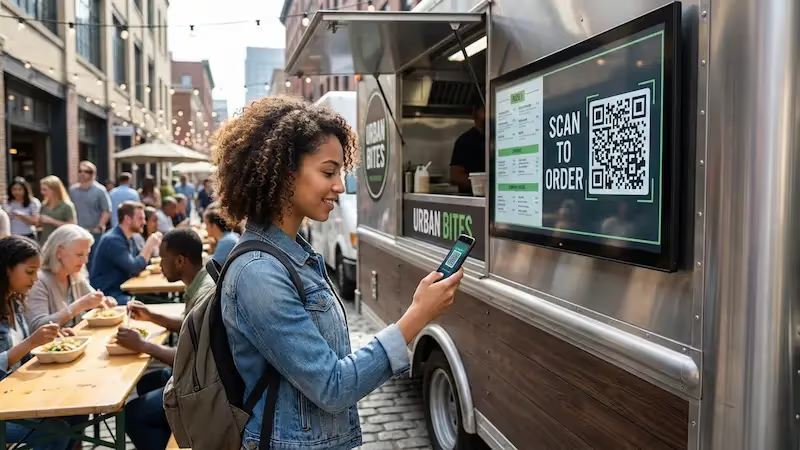
You can also display QR codes on your screens, encouraging waiting cars to scan and download your app or join a loyalty program. This bridges the gap between your physical signs and your digital marketing, all without slowing down the line.
Outdoor LED and LCD Boards
Standard indoor TVs will not survive a drive-thru. You need purpose-built, commercial-grade outdoor displays. These screens are designed to cut through direct sunlight and continue running reliably 24/7.
Outdoor hardware is also built to handle extreme heat, freezing rain, and humidity. Investing in proper outdoor displays ensures your menus and carefully planned upsells remain visible and vibrant no matter what the weather is doing.
How Digital Signage Enables Effective Drive-Thru Upselling
Successful upselling relies on showing the right item at the right time. Digital signage gives you the tools to replace random guessing with a structured, data-informed strategy.
By scheduling your content logically and using clear, appealing layouts, you can naturally guide customers toward larger orders while making the experience feel helpful rather than pushy.
Dynamic Content and Personalization for the Guest Journey
Digital signage allows your menu to adapt to the time of day and general local conditions. This scheduling capability means your screens automatically feature hot coffee on a chilly morning and iced drinks during an afternoon heatwave.
You can also use non-invasive, privacy-friendly data, like opt-in loyalty program scans or local buying trends, to highlight the most popular add-ons. Tailoring your suggestions based on helpful context makes the upsell feel relevant, which often leads to better conversion rates.
Eye-Catching Visuals and Multimedia to Promote Add-Ons
People buy with their eyes. High-quality visuals are your best tool for promoting add-ons. A digital menu board can seamlessly blend your static price list with short, high-resolution video loops of your best-selling items.
A well-timed animation of a premium side dish or a seasonal dessert catches the customer's attention just as they are ready to order. Presenting your food in the best possible light makes it incredibly easy for customers to say "yes" to a little something extra.

Scheduling Flash Promotions and Limited-Time Offers
Managing limited-time offers (LTOs) is much easier when you do not have to wait for the printer. With a cloud-based platform, you can quickly schedule flash promotions to move excess inventory or drive traffic during a slow shift.
The main benefit is agility. You can set an offer to start on Friday at noon and disappear automatically by Sunday evening. If you run out of a promotional item early, you can remove it from the screen in seconds, entirely avoiding customer disappointment.
Suggestive Selling: Targeted Recommendations and Combos
Digital boards standardize your suggestive selling. Instead of hoping your staff remembers to offer a side, the screen handles it automatically. It clearly displays options like "Add a drink for $1" alongside the main entrees.
Because the prompt is highly visible and easy to read, customers can quickly process the value of the combo. This reliable, friendly approach to upselling typically raises your average check size while keeping the line moving quickly.
Operational Considerations for Drive-Thru Digital Signage
In the QSR industry, margins are tight, and operations must be simple. Any new technology has to save time, not create more work for your IT or store-level teams.
When planning your digital signage rollout, it is important to think about how the system will be managed daily to ensure you get the maximum value with the least amount of friction.
Speed of Communication and Order Flow
Everything in a drive-thru revolves around speed. Cluttered or confusing printed signs slow down decision-making. Digital signage allows you to present a clean, organized menu that helps customers choose faster.
When updates happen instantly, and screens are easy to read, your staff spends less time explaining the menu or apologizing for sold-out items. A smoother order flow keeps your customers happy and protects your throughput numbers.
Ease of Centralized Management and Real-Time Updates
For operations managers, centralized control is a game-changer. You can leave behind the headache of tracking which locations have hung up their new promotional posters. Instead, you log into your dashboard and verify the content is playing everywhere.
This remote management drastically cuts down the time it takes to launch a new campaign. You can update hundreds of screens across different states with just a few clicks, ensuring total compliance with your marketing plan without ever leaving your desk.
Cost Efficiency, Maintenance, and Sustainability
While installing commercial outdoor screens requires an upfront budget, digital signage is designed to reduce your total cost of ownership over time. It completely eliminates recurring design, printing, and shipping costs for temporary banners and menu strips.
Digital boards also cut down heavily on paper waste, aligning with broader sustainability goals. By treating your screens as long-term infrastructure and keeping your software updated, you build a reliable communication channel that pays for itself through operational savings and increased sales.
Measuring the Impact of Drive-Thru Upsells With Digital Signage
Unlike a piece of printed cardboard, digital signage software lets you measure what is actually happening on your screens. Connecting your playback data to your business results helps you prove ROI.
By tracking performance, you can see what content actually drives sales, allowing you to fine-tune your approach and make your drive-thru even more profitable.
Key Performance Indicators for Drive-Thru Sales
To know if your digital signage is working, you need to track your KPIs. By comparing your point-of-sale data to your scheduled playlists, you can see exactly which on-screen promotions led to actual sales.
Look at your average order value (AOV) before and after running a combo promotion. Monitor traffic changes during specific dayparts when you test a new layout. Data-driven adjustments help you get the most out of your screen time.
Analyzing Customer Behavior and Upsell Conversion Rates
You can also use your screens to better understand your customers. By featuring QR codes for app downloads or loyalty sign-ups, you create a privacy-friendly way to connect anonymous drive-thru visits to customer profiles.
This helps you learn which upsell items are most popular at different times of the week. When you know what your customers actually want, you can adjust your templates to feature those exact items, leading to higher conversion rates and happier guests.
Continuous Optimization Through Analytics and Data Insights
Your digital menu should never be static. Because updates are free and take only minutes, you can safely test different strategies. Try running an A/B test with two different dessert images on alternating days and check your sales data to see which one performs better.
Once you find the winning layout, you can instantly push it to all your locations. Using analytics turns your drive-thru into a constantly improving system that reliably supports your sales goals.
Risks and Challenges in Implementing Digital Signage Upselling
While the benefits are clear, moving to digital signage requires practical planning. Failing to consider hardware limits or network stability can lead to blank screens and lost revenue.
Treat your digital signage as a core piece of operational equipment. Proper planning prevents technical headaches and ensures your screens keep running no matter what.
Common Mistakes in Upsell Content Strategy
The most common mistake is cramming too much onto the screen. If you fill every inch with text and flashing videos, you will overwhelm the customer, which actually slows down the drive-thru line.
Keep your screen layouts clean and simple. Your upsell prompts should have a clear next step and feel like a helpful suggestion. Focus on high-quality templates that naturally guide the eye without causing clutter.
Technical and Environmental Considerations for Outdoor Signage
Outdoor screens face harsh environments. If you use cheap hardware, direct sunlight will cause glare, or the screens may overheat and shut down during the summer rush.
Network reliability is also a factor. Internet connections can drop unexpectedly. It is highly recommended to use digital signage software that supports local caching so your menus continue to play smoothly even if your store loses Wi-Fi.
Preventing Customer Overwhelm and Choice Paralysis
When customers have too many choices, they often freeze, slowing down your entire operation. Your menu board should simplify the ordering process, not complicate it.
Use smart scheduling to hide items that are not relevant to the current time of day. Group your combos logically and limit your active upsell prompts to one or two high-value items at a time. A clear, focused menu is always your best sales tool.
Future Trends in Drive-Thru Upsells With Digital Signage
The drive-thru is evolving rapidly to meet demands for faster, more personalized service. Digital signage is becoming a more integrated part of the restaurant's overall technology ecosystem.
Looking ahead, screens will connect more deeply with the tools you already use, creating a seamless experience from the mobile app to the pickup window.
AI and Data-Driven Personalization
Content creation is becoming faster and smarter. Tools built into your digital signage software can help you generate layouts and promotional text quickly, allowing you to test new ideas without hiring a designer.
Screens will also increasingly rely on anonymous, real-time data, pulling local weather feeds to automatically promote hot soup on a rainy day. This sensible approach to personalization drives relevance and sales without compromising customer privacy.
Integration With Mobile Ordering and Loyalty Programs
The line between digital ordering and the physical drive-thru is blending. If a customer places an order on their phone, the drive-thru screen can display their name and order summary for confirmation as they pull up.
Using on-screen QR codes to drive loyalty program sign-ups helps you build a direct relationship with your customers. The more connected your systems are, the easier it is to offer relevant rewards that keep people coming back.
Sustainability and Energy Efficient Display Technologies
As energy costs rise, hardware manufacturers are building displays that consume less power while remaining bright enough for outdoor use. Many screens now include sensors that dim the display slightly when the sun goes down.
Combined with the massive reduction in paper and plastic waste from printed signs, modern digital signage supports long-term operational savings and fits perfectly into responsible business practices.
Key Takeaways for Maximizing Drive-Thru Upsells Using Digital Signage
Upgrading your drive-thru is about more than just hanging a screen; it is about taking control of your communication and driving measurable business results. For operations and marketing teams looking to streamline this process, Look Digital Signage is an ideal solution designed to help you manage every screen with ease.
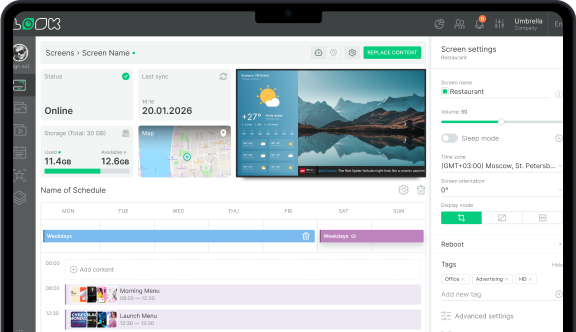
Using the cloud-based Look CMS, you can quickly build menus and push updates from anywhere, eliminating the cost and delay of printed signs. With features like Smart Scheduling, you can easily set up dayparting to switch from breakfast to lunch automatically or trigger flash promotions during peak hours. If your location's internet connection drops, the Offline Playback capability ensures your drive-thru screens keep running reliably. Finally, you can use Playback Analytics to monitor what plays and when, helping you prove ROI and optimize your upselling strategy.
By treating your digital screens as an active, data-driven part of your business, you can reduce manual tasks, keep your messaging consistent, and turn a simple drive-thru lane into a highly efficient engine for growth.