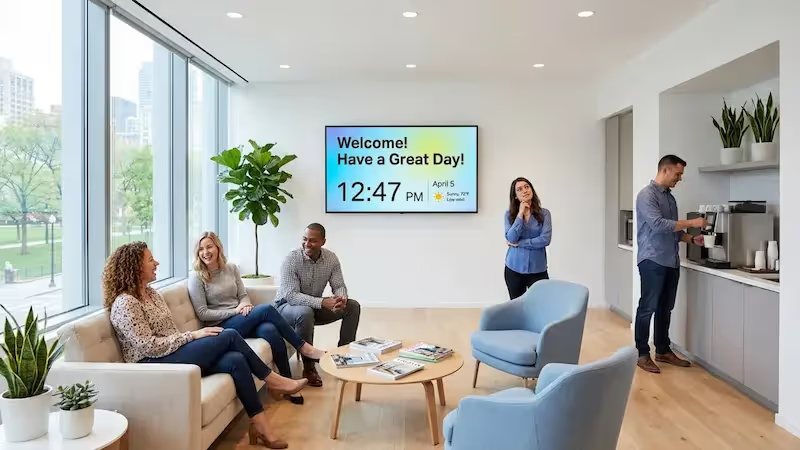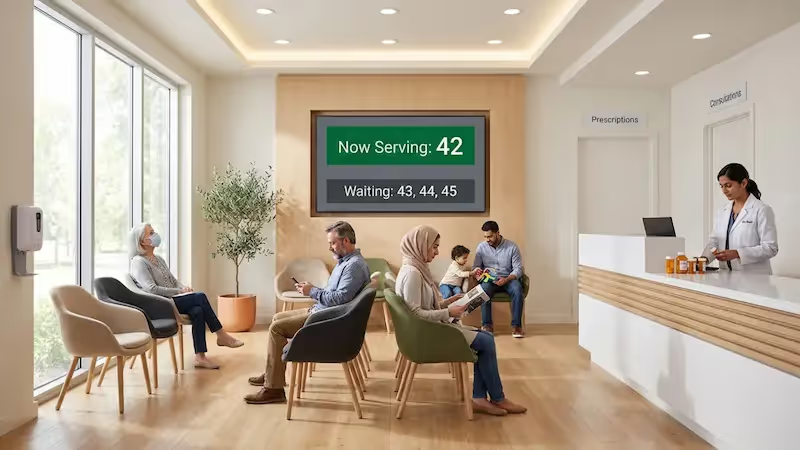

Share oral care tips, promote services, and make check-in and appointment information easily accessible to patients in your dental clinic with Look Digital Signage.
Choose from a collection of free templates tailored for dental clinics. Share dental care tips, service highlights, and clinic updates to improve the patient experience.
Hear from our delighted customers! Check out their inspiring quotes about how our service has transformed their digital signage implementations.
4.9
5
Ervin Piotrowski
YourLocalListers
We have 22 locations and zero issues with Look software. It’s so easy to use and has a lot of useful tools that we utilize in our day-to-day business. All-in-all, our experience was top-notch.
We tried many different solutions for our platform. After many trials and errors, we found Look Digital Signage to be an amazing tool for our purposes.

I’m grateful for the opportunity to work with Look and it's been a really big game changer for us, because it has helped us to come across as an older business in a much more fresh way.

Our experience with Look has been nothing but amazing. Customer service is excellent, and the product works perfectly. It's remarkable and I wouldn't go with any other company.

In terms of using the system, the other options that I found were a little clunky and Look was not only affordable but really easy for us to deploy and get up and running.

With Look we can upload content and publish it within seconds and also customize screens for each of the branches. It is incredibly user-friendly and so easy-to-use, thus it's amazing to work with.
Can one account manage screens across several practices?
A single Look account is enough to administer screens belonging to several practices, all from one cloud dashboard. Screens can be grouped by location, department, audience or campaign, so a DSO is able to hold core branding and patient education steady across the group while still leaving room for content that only makes sense locally. Scheduling by time, date, day and location covers the practices whose opening hours or promotions do not match the rest.
Can a screen in the operatory help explain a treatment plan?
An operatory screen earns its place during treatment planning, where diagrams, procedure video, X-rays, clinical photographs and two or three treatment options shown alongside each other tend to communicate more than a spoken account of the same thing. The American Dental Association holds that informed consent should cover the proposed treatment, its benefits and risks, and the alternatives available. None of that displaces the conversation between dentist and patient; the screen is a teaching aid working in support of it.
Do I need a new TV, or will my existing screen work?
In many practices the display already in the room is sufficient. Look runs on ordinary smart TVs, on computers, on streaming devices and on professional displays, with support for Android, Windows, Linux, macOS, LG webOS, Samsung Tizen, Raspberry Pi, Fire OS and Google TV, and an external media player can be attached over HDMI where the screen itself cannot run the app. Older sets are the ones worth checking against the compatibility list before any hardware is ordered.
What is dental digital signage?
Dental digital signage refers to the screens a practice uses to carry patient information, oral health education, practice news and treatment content, whether the screen sits in the waiting room, at reception, in an operatory or across a group of offices. Because the software runs in the cloud, one Look dashboard is enough to reach all of them, a multi-location network included. Support currently extends to 9 major device platforms, Android, Windows, Tizen, webOS and Raspberry Pi among them.
What should I display in a dental waiting room?
Two kinds of content belong on a waiting-room screen. One kind is information the patient needs anyway, such as check-in instructions, office policy, the services on offer and the weather outside. The other is anything short enough to finish before a name gets called, which covers oral health tips, staff introductions, treatment explainers, patient reviews, financing terms, recall reminders and the calmer visual filler that sits between them. The point of doing this at all is that the wait stops feeling idle, and that whatever appears on the wall is chosen by the practice rather than by a broadcast channel.
Can I show before-and-after cases without exposing patient data?
Before-and-after cases can go on screen once the patient has given the appropriate permission and the display has been placed where other visitors cannot read anything protected. Regulation varies by market. In the US, HIPAA may apply from the moment protected health information is used for marketing purposes; in Europe, the GDPR classes health data as a special category of personal data. In practice that means consent in writing, identifiers taken out wherever they add nothing, and a look at the local rules governing the practice.
How much does dental digital signage cost?
Pricing with Look begins at $15 per screen per month, or $13.50 per screen per month on annual billing, and a full-featured trial runs for 14 days before any commitment. Many practices find that a compatible TV already on the wall will serve, which removes the cost of a commercial display. Beyond the subscription, the figure that matters is driven by screen count, the hardware behind each screen, mounting work and whether a separate media player has to be bought.
How long does setup take without an IT team?
Setup at a standard dental office comes down to four steps and does not call for dedicated IT support: install the Look app or connect a player, take the 6-digit screen code it displays, enter that code in the CMS and assign content to the screen. Network restrictions and unusual hardware are the two things that lengthen the job. Otherwise it is a self-service installation.
Can I keep the sound off and still hold attention?
Attention holds without sound, because the message travels through on-screen text, captions, still images, light animation and short visual sequences instead of a voice track. In a waiting room or an operatory, background audio usually works against the practice anyway. Look covers images, video, layouts, scheduling and per-screen volume, so one zone can run a silent playlist while a different zone runs something else entirely.
Look’s built-in digital signage apps
Leverage Look DS apps to display live health care feeds, clinic’s Facebook or Instagram posts, positive Google reviews and more for a dynamic clinic environment.