Table of Content
Wondering if digital signage really makes a difference for your café, bar, or restaurant? The clear answer is yes. Digital signage is no passing trend; it has become a key tool for hospitality venues that want to stand out. It helps at every stage of the customer journey: attracting people from the street, improving their experience inside, lifting sales, and simplifying day-to-day work. Bright screens and smart content change how you talk to guests, making each contact more engaging, more efficient, and more profitable.
The time of static, easy-to-ignore paper menus and chalkboards is fading. Modern digital signage mixes information with eye-catching visuals and motion. It gives you a flexible way to show your menu, entertain guests, and communicate quickly. This article explains how digital signage can lift your business, covering what it is, how it works, the benefits, and real examples of use.

What are Digital Signage Systems for Cafés, Bars and Restaurants?
A digital signage system in restaurants is a set of screens connected to hardware and software that show changing content. You can think of it as a smart, always-updating menu board or advertising screen inside and outside your venue. Unlike printed signs, these systems use technology to share moving images, real-time messages, and even interactive content, giving customers a richer experience.
It goes far beyond a simple lightbox or backlit sign. Digital signage combines screens, media players, and control software to create a simple but powerful way to communicate with guests. It might be one screen showing daily specials, or a touch display where people can browse the menu and place orders. The range of options is wide.
Key Components of Digital Signage Systems
A working digital signage system usually includes three main parts that work together:
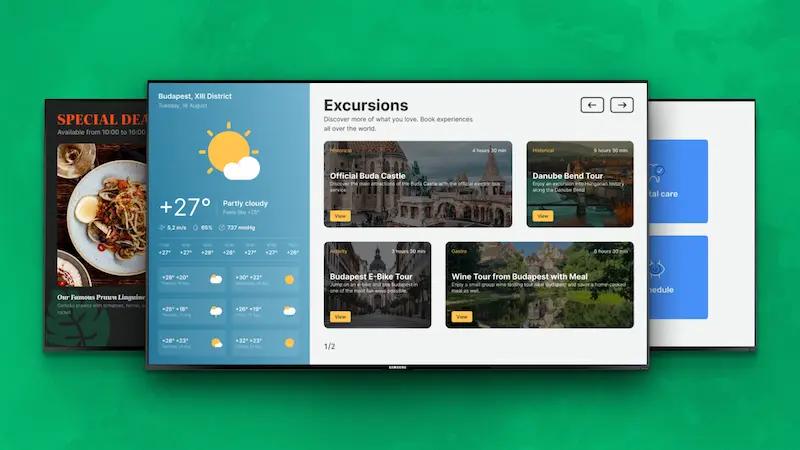
- Display screens - These can be large wall-mounted monitors, menu boards above the counter, or small screens on tables. They are the surface where all your content appears.
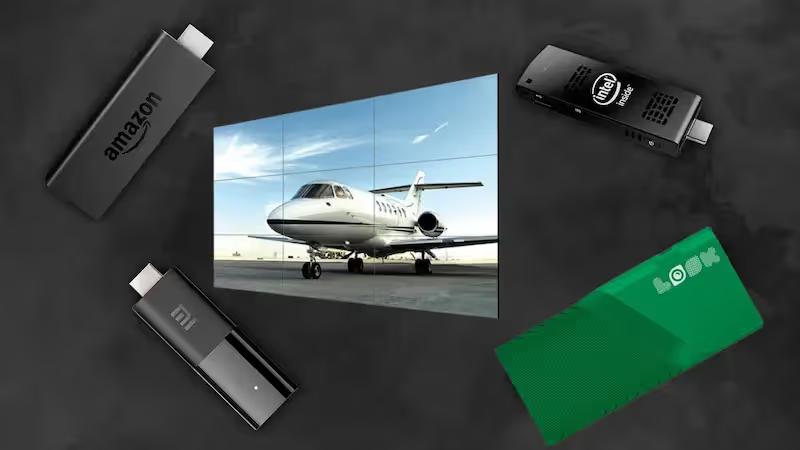
- Digital signage player - A small device (often hidden behind the screen) that stores or receives your content and plays it on the display, similar to a DVD or streaming box.
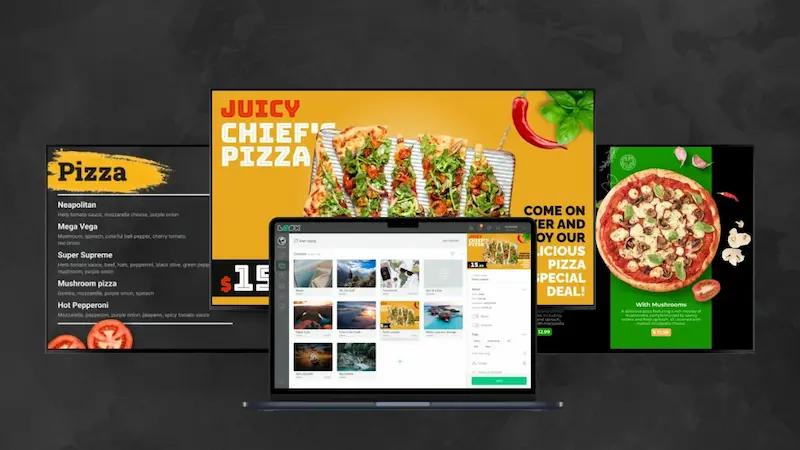
- Digital signage software - Often cloud-based, this control panel lets you create, upload, schedule, and manage content for one or many locations from a single place.
Types of Digital Displays Used in Hospitality
Digital signage is very flexible, and that shows in the kinds of screens you can use:
- Outdoor and window displays - Large, bright screens facing the street to show offers, menus, and videos that draw people inside.
- Menu boards behind the counter - Multi-screen setups for menus, combos, and upsells, with images and short clips of dishes and drinks.
- Tabletop displays - Small screens that let guests browse the menu, order, or see promotions from their table.
- Touchscreen kiosks - Self-order stations for browsing, customizing, and paying without waiting in line.
- Weather-resistant outdoor screens - For patios, drive-thrus, and street-facing messages that must handle sun, rain, and cold.
Digital Signage versus Traditional Signage: Main Differences
Printed menus, chalkboards, and posters are fixed. Once printed, any change in prices, dishes, or offers means reprinting or rewriting, which takes time, costs money, and often becomes out of date quickly. If a dish sells out, staff have to manually cross it off or rewrite boards in several places.
Digital signage is flexible. You replace still images and simple text with videos, animations, and live data. You can change content on a single screen or across many sites from a laptop or tablet in seconds. This quick change keeps information accurate, lets you respond to stock levels or events, and keeps your displays fresh without constant printing and manual effort.
Why Use Digital Signage in Cafés, Bars and Restaurants?
The real question is: why would you ignore digital signage when guests are used to screens and digital content everywhere? Hospitality venues are fighting for attention, loyalty, and repeat visits. Digital signage helps on several fronts at once: customer experience, sales, branding, and operations. It shifts your role from simply serving food and drink to creating a complete experience.
Used well, digital signage shapes how people see your brand and can have a strong impact on both revenue and costs. It helps you communicate clearly, cut mistakes, and create an atmosphere that encourages people to stay longer and come back more often.
Improving Customer Experience and Engagement
Digital screens catch the eye. Bright menus, animations, and high-quality photos turn an ordinary visit into something more memorable. Showing clear pictures of dishes helps guests imagine what they are ordering and often leads them to choose items they might not have considered.
Screens can also keep guests busy and informed while they wait. Instead of staring at a blank wall, they can watch short videos, see “chef’s picks,” learn about ingredients, or enjoy relaxing visuals. This reduces how long the wait feels and helps create a pleasant mood that encourages people to return.

Increasing Sales and Profit Margins
Many businesses report strong revenue growth after adding digital signage, sometimes up to one-third more sales. This comes from putting the right items in front of customers in the right way. You can highlight high-margin dishes, time-limited offers, and seasonal specials with bold visuals that stand out at the point of decision.
Interactive menus can suggest extra items like sides, desserts, or drinks, recommend pairings, or offer larger sizes. This gentle upselling raises your average order value. Because you can change promotions instantly, you can push slow-moving stock, react to weather (like promoting hot drinks on cold days), or promote new items quickly and easily.
Improving Operational Efficiency
Digital signage also helps behind the scenes. It can connect front-of-house and kitchen teams with live updates, which cuts errors and makes orders more accurate. Kitchen display systems can show what to prepare and in what order, whether the order is dine-in, takeaway, or delivery.
Instant menu changes save time and money on printing and reduce waste. For chains and multi-site groups, one central system can control content for all branches, keeping branding and pricing aligned while still allowing local specials. Automation and remote control help you run more smoothly, even with limited staff.
How Can Digital Signage Change Menus and Promotions?
Digital signage turns your menu from a fixed list into a living marketing tool. It can react throughout the day, react to stock levels, and highlight offers at the perfect moment. This flexibility is what sets digital menus apart from paper.
Sharp images, short videos, and clear layouts help guests understand your offer quickly, choose faster, and feel better about their decisions. At the same time, you can steer their attention toward items that are more profitable or that you want to push.
Dynamic Digital Menu Boards
Digital menu boards are one of the most common and effective uses of digital signage in hospitality. They replace printed boards or menus with high-resolution screens showing attractive images, animations, or short clips of dishes being prepared or served.
You can switch menus automatically by time of day: breakfast, lunch, afternoon snacks, dinner, or late-night service. Changing from one menu to another is automatic and smooth, so customers always see the offer that fits the moment, which helps both the guest experience and your sales.

Real-Time Updates for Specials and Item Availability
With digital menus, you can change content instantly. If you run out of a dish, you can remove it or mark it as unavailable in seconds. If the chef creates a new special, you can place it at the top of the menu with a clear image and price right away.
These quick changes avoid frustration, since guests are less likely to order something that is no longer available. They also help you stay in step with your stock, reduce waste, and present a more professional, organized image to customers.
Highlighting Promotions, Events, and Discounts
Digital screens are ideal for promoting:
- Happy hour and drink specials
- Daily or weekly food deals
- Themed nights and live events
- Loyalty schemes and referral offers
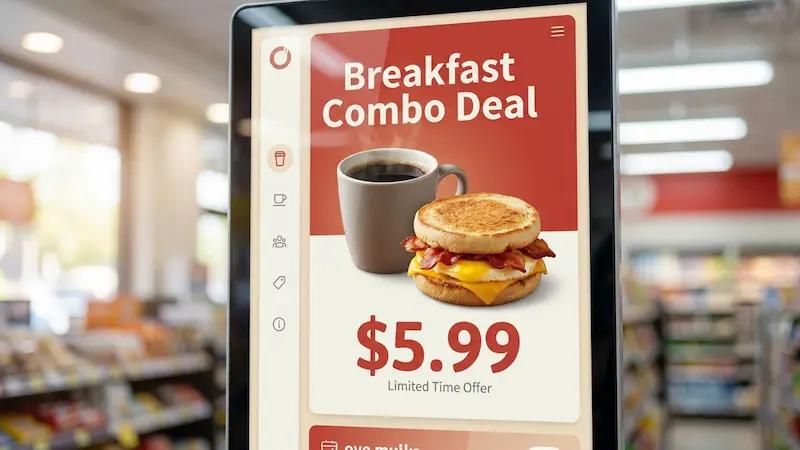
Animations, bold colors, and clear text draw attention far better than static posters. You can also promote live music, quiz nights, sports screenings, or holiday menus, helping you build a community feel and encourage guests to return. Adding QR codes for vouchers or loyalty sign-ups makes it easy for guests to act on what they see.
Upselling Opportunities with Visual Content
Well-planned visuals can gently steer guests toward add-ons and upgrades. Showing a dessert and coffee together, or a glass of wine next to a main course, prompts people to think of these options without your staff needing to push too hard.
Interactive systems can suggest extras based on what the guest has already chosen, or show “popular combinations” that raise the total bill. Because you can change and test content easily, you can see what images and pairings work best for your audience.
Which Content Can You Display with Digital Signage?
Digital signage is not limited to menu images. It can show many types of content, which makes it a strong communication tool in all areas of your venue. By mixing useful information with entertaining material, you keep screens interesting and helpful.
You can adapt what you show according to where the screen is placed: at the door, behind the bar, at the counter, in the seating area, or in staff spaces.
Menus and Nutritional Information
Menus are the most direct use. High-quality menu boards show items, prices, and mouthwatering photos. You can add icons or text for:
- Allergens (e.g. nuts, gluten, dairy)
- Diet types (vegan, vegetarian, gluten-free)
- Calorie counts or other nutrition details if needed
Changes to ingredients, prices, or dishes are fast and low-cost because you do them from the software instead of reprinting menus.
Special Offers and Loyalty Programs
Use your screens to give space to:
- Happy hour times and prices
- Seasonal or holiday offers
- Combo deals and “meal of the day”
- Loyalty cards, apps, or stamp schemes
Animated banners and bright designs help these offers stand out. QR codes on screen can lead to sign-up pages, digital coupons, or ordering apps, making it simple for customers to join in on the spot.
Social Media Feeds and User-Generated Content
You can plug your digital signage into your social media accounts to show:
- Instagram photos that tag your venue
- Latest posts from your accounts
- Selected reviews or ratings
This keeps content fresh and encourages customers to share their own photos and tag you, so they might see themselves on screen. It builds trust, shows real experiences, and is especially helpful when promoting new dishes or special drinks.

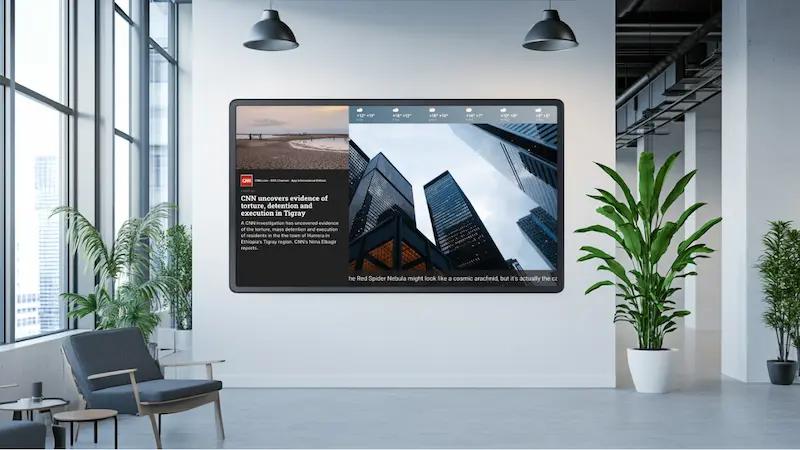
Entertainment, News, and Event Schedules
For waiting areas or bars, screens can show:
- Short, relaxing videos or nature clips
- Music videos or ambience loops (e.g. a virtual fireplace)
- Sports fixtures and live scores in sports bars
- Local news headlines and weather
You can also list upcoming events like quiz nights, tastings, or live bands to keep customers informed and interested in coming back.
Staff Announcements and Internal Communications
Digital signage is also useful behind the scenes. In staff-only areas, screens can show:
- Shift rotas and holiday schedules
- Health and safety information
- Training clips and best-practice reminders
- Targets, sales results, and team achievements
Kitchen screens linked to the ordering system help chefs see tickets clearly and in the right order. You can also feature staff shout-outs, birthday messages, or “Employee of the Month” to support team spirit.
What are the Technical and Operational Benefits?
Apart from looking good, digital signage brings several practical gains. It can cut long-term costs, reduce mistakes, save staff time, and give you more control. Modern systems are easier to use than many expect, even for people who are not very technical.
Better screens, simple software, and stable hardware mean you can rely on the system day after day, while focusing on serving customers.
Centralized and Effortless Content Management
With most digital signage platforms, you can handle all screens from a central login. Whether you run a single café or a large group of venues, your marketing or management team can:
- Update menus and prices once and send changes everywhere
- Schedule campaigns in advance
- Keep branding and layouts consistent
Many tools use simple web dashboards with drag-and-drop editors, so staff without design training can still build good-looking layouts.
Integration with POS and Other Restaurant Systems
Modern signage tools can link with your:
- Point of Sale (POS) system
- Online ordering platform
- Inventory and stock software
When a dish sells out, the POS can tell the menu board to hide it. When an order is placed, it can appear at once on the kitchen display. This cuts double-entry work, lowers the risk of human error, and speeds up service from order to delivery.
Offline Support and Failover Capabilities
Good systems keep working even if your internet drops for a while. Content is stored locally on the player, so screens continue to show the latest playlist instead of going blank. Some setups include backup players or backup layouts that take over if a device fails, so communication with guests is not interrupted.
This kind of backup gives you confidence that your main menus and messages will still show during network or hardware issues.
Customization and Design Flexibility
Digital signage lets you match your screens to your brand exactly. You can set up templates with your logo, colors, fonts, and styles, then reuse them across locations. That creates a strong, consistent look in every area of your venue.
You can also adapt content by time, season, or event. A café can show calm morning scenes with coffee visuals, then switch to brighter content and promos for the evening. A bar can run match-day themes for big games and different content on quieter nights. All of this is possible without printing or physical changes.
How Can Digital Signage Influence Foot Traffic and Brand Perception?
On busy streets, people walk past many venues every day. You need to catch their eye and give a quick, clear idea of what you offer. Digital signage outside and at the window can strongly affect how many people walk in and how they feel about your place before entering.
Inside, screens continue this story, supporting your style and atmosphere. Together, these touches help turn one-time visitors into regulars who associate your brand with a certain look and feeling.
Outdoor Displays and Window Advertising
Bright outdoor screens are like a 24/7 digital host. They can show:
- Videos of dishes and drinks being prepared
- Short menus and prices for popular items
- Today’s offers or events
Because they move and change, these screens stand out much more than printed posters. People walking or driving past can quickly see what you serve and what makes you different, which nudges them to come in.

Strengthening Brand Identity and Atmosphere
Inside the venue, digital displays help you express your style. You can set the tone with:
- Brand colors, fonts, and logo animations
- Background video loops that match your theme
- Stories about your suppliers, values, or history
A quiet café might show soft, warm visuals; a lively bar might show music videos and event teasers; a fine-dining restaurant might show close-ups of carefully plated dishes or vineyard scenes. You can change all of this quickly to suit holidays, big sports events, or local festivals.
Reducing Perceived Wait Times
Waiting can easily spoil an otherwise good visit. Screens help by giving guests something to watch or read. When people are engaged, they feel like they are waiting for less time.
You can show queue information, estimated wait times, and alerts when a table or order is ready. Combined with light entertainment or interesting content, this helps keep guests calm, informed, and more likely to stay instead of leaving.
What Steps Are Needed to Get Started with Digital Signage?
Setting up digital signage may look complex at first, but it is quite manageable if you break it down into clear steps. Modern systems are made so that people with basic computer skills can use them.
With careful planning around hardware, software, content, and budget, you can add digital signage to your venue and quickly start seeing benefits in both customer response and operations.
Choosing the Right Hardware and Software
Start by choosing:
- Screens - Decide on size, brightness, and placement. Outdoor screens need higher brightness and weather protection; indoor screens can focus more on resolution and viewing angles.
- Media players - Small devices that plug into the screens (often via HDMI). For menus and simple videos, Full HD (1080p) output and modest processing power are usually enough, so you do not need high-end, power-hungry hardware.
- Software - Look for cloud-based platforms with remote access, scheduling, template tools, and support for images, videos, and maybe web content. Many run on Android or similar platforms and are simple to set up.

Content Creation and Scheduling Tips
Once your system is ready, the real value comes from the content you show. A few simple rules help:
- Use clear, high-quality photos and videos of your food, drinks, and space.
- Keep text short and easy to read from a distance.
- Highlight key offers with motion or subtle animation.
- Make sure menus, prices, and allergen details are always accurate.
Plan schedules that match your service times. For example:
Cost Considerations and ROI Estimation
Your main costs are:
- Hardware: screens and players
- Software: licenses or subscriptions
- Content: photos, videos, and design (in-house or outsourced)
Against this, you can set the gains:
- Higher average order value from upselling
- Fewer printing costs and less waste
- Less staff time spent changing boards and explaining offers
- Better guest experience, repeat visits, and positive reviews
Many venues find that the extra sales and saved costs pay back the initial spend in a relatively short time.
Installation, Maintenance, and Support
Installing a basic system often involves mounting brackets, fixing the screens, connecting the media players with HDMI cables, and providing power and internet. Small venues can often handle this themselves; larger groups may want a professional installer for consistent results.
Ongoing care is usually simple: keep screens clean, check that players are online, and let automatic software updates run. Choose a provider with good support so that any issues are solved quickly. Solutions with offline playback and backup functions further reduce the risk of downtime.
Frequently Asked Questions about Digital Signage for Cafés, Bars and Restaurants
What is required for a basic digital signage setup?
You need three things:
- A screen (TV, commercial monitor, or outdoor display)
- A media player (small device that drives the content)
- Digital signage software (usually cloud-based, to design and schedule content)
An internet connection is normally needed to send updates to the player, but most systems can keep showing the latest stored content if the internet is down.
Can digital signage be used for staff communication?
Yes. Staff-area screens are great for sharing rotas, rules, training tips, and company news. You can also use them to show reminders, safety messages, and team recognition. This helps keep everyone informed without lots of printed notices or long briefings.
How do digital menu boards compare to traditional boards?
Digital boards:
- Update instantly and remotely
- Show images, video, and motion
- Can change automatically by time of day
- Can connect to your POS for stock updates
Traditional boards:
- Need manual changes and reprinting
- Limit you to text and static images
- Are harder to keep accurate across sites
Can interactive elements be incorporated?
Yes. Touchscreens can let guests:
- Browse and search the menu
- Customize orders
- Check nutrition and allergen info
- Play simple games while they wait
You can also use QR codes on screens so people can scan with their phones to see menus, join loyalty programs, or order and pay online.
Is it possible to update content remotely?
Yes. Most platforms allow you to log in from any device with internet access and change content, fix mistakes, or schedule new campaigns. Updates can go live in seconds on one screen or on every screen in a chain, without anyone needing to visit the site.
Key Takeaways: Digital Signage Opportunities in Hospitality
Hospitality businesses are operating in an increasingly digital environment, and guests expect clear, visual communication. Digital signage is more than a nice extra; it is a strong tool for any café, bar, or restaurant that wants to stand out, run smoothly, and keep guests coming back.
With digital displays, your menus stay current, your offers are visible and attractive, and your guest experience becomes more engaging. You can react fast to changes in stock, time of day, or demand, while keeping your brand look consistent. Guests enjoy clearer information, better visuals, and shorter-feeling waits.
Moving toward digital signage can lift both the look and the performance of your venue. By using screens wisely, you can turn walls and windows into active sales and communication tools, improving sales, operations, and brand strength all at once.