
How digital menu board works

Look Digital Menu Boards provide an efficient and flexible way to manage your drive-thru menu content, helping you keep customers engaged and improve order speed in a couple of easy steps
  • Content

    Create content

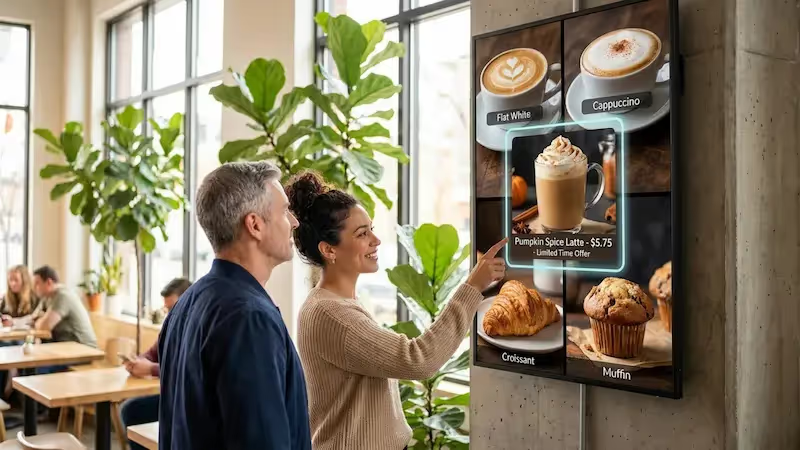
    Upload your menu items, prices, and promotions, or use one of our free templates to create an appealing and easy-to-read menu for your drive thru
  • Schedule

    Playlist and schedule

    Create playlists and schedule them to run at different times of the day to ensure your customers always see the most relevant menu items
  • Playlists

    Start playing

    Deliver your playlists to one or all screens with the latest new products, specials, and promotions, boosting your sales with digital displays
Digital signage for digital menu boards,  QSRDigital signage for digital menu boards,  QSRDigital signage for digital menu boards,  CMS

Free digital signage templates
for drive thru menu boards

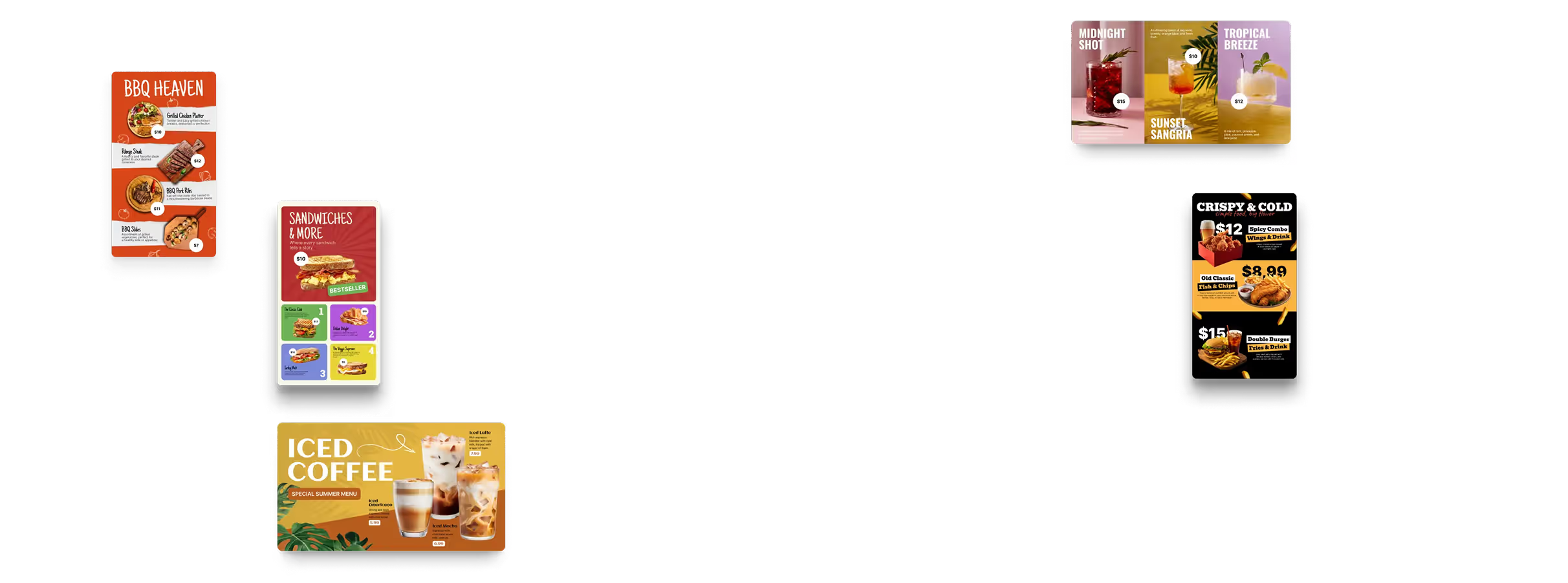
Choose from our professional, pre-designed template selection tailored specifically for drive thru landscape and portrait screens. Easily edit these templates to match your branding, highlight key offers, and maintain a consistent customer experience.
Digital signage for digital menu boards,  free templatesDigital signage for digital menu boards,  free templatesDigital signage for digital menu boards,  QSR

How to turn your TV into a digital signage screen

Look service works seamlessly on any hardware, whether you're planning to purchase or already use it
Or

Install FREE Look App

Transform any TV or compatible device into digital signage by installing the free Look app.
WindowsAmazon Signage
Androidgoogle-tvLinuxOS Fire Amazon
macOSWebOSOS Tizen OS Raspberry Pi
Supported Operating Systems

Plug Look HDMI Player

Connect the Plug & Play Look Player to your display’s HDMI input for instant setup. Worldwide shipping.
Buy nowLook HDMI Player

Success stories

Hear from our delighted customers! Check out their inspiring quotes about how our service has transformed their digital signage implementations.
Captera Rating
4.9
G2 Rating
5.0
60 000+
Screens
11 000+
Users
120+
Countries

Frequently asked questions

Can the menu switch between breakfast, lunch, and dinner on its own?

It does. Scheduled playlists and dayparting rules handle the swap: breakfast off at 11:00 AM, lunch straight after, late-night at whatever hour suits the site. Set the times once and the boards follow on their own, whether that is one screen or all of them.

How much does a digital drive-thru menu board cost?

The total moves with a few things: how many screens you put up, the outdoor hardware, mounting, cabling, electrical work and installation. On the software side, Look DS starts at $15 per screen per month, or $13.50 if you pay annually. More screens – lower price. The display itself and the physical install are separate line items. So a simple retrofit lands nowhere near the price of a brand-new multi-screen lane with outdoor enclosures, foundations and order-confirmation hardware.

What is a digital drive-thru menu board?

A digital drive-thru menu board is an outdoor screen that shows the menu, prices, promos and the rest of the ordering information, and you update it remotely instead of walking out to it. Most setups come down to three things: a commercial display, a media player or a compatible app, and a cloud CMS like Look DS. Printed boards cannot do the next part. A digital menu changes by time of day, and nobody has to swap physical graphics to make that happen.

Will a digital drive-thru menu board survive rain, snow, and heat? What about enclosures?

Yes, a digital drive-thru menu board can operate year-round if the display or enclosure is designed for outdoor use. Samsung’s OH55A-S and LG’s 55XE4F-M both carry IP56 protection and are rated for operation from about −30°C to +50°C. If you reuse a non-outdoor display, the enclosure must also manage water, dust, condensation, heating, and cooling rather than simply covering the screen.

Can I run several lanes and several locations from one account?

Yes, one Look DS account runs several drive-thru screens, lanes and locations from a single dashboard. Push a change to one screen or to the whole network, and each site can still keep its own schedule and its own content. Look currently reports more than 60,000 screens and 11,000 users across 120+ countries, so multi-location setups are well-trodden ground here.

Can I keep my existing boards and just add digital signage software?

Yes, many drive-thru installations can be retrofitted without replacing every existing component. If your current screen is suitable for outdoor operation and has HDMI, you can connect a Look HDMI Player; supported smart displays and devices can also run the free Look App. Look currently supports 10 platform families, including Android, Windows, Linux, macOS, LG webOS, Samsung Tizen, Raspberry Pi, Google TV, Fire OS, and Amazon Signage.

How bright does a drive-thru screen need to be in direct sunlight?

For a drive-thru screen exposed to direct sunlight, 3,500–4,000 nits is a strong benchmark for reliable daytime visibility. Samsung’s 55-inch OH55A-S is rated at 3,500 nits typical and 4,000 peak, while LG’s 55XE4F-M is rated at 4,000 nits. Anti-reflection treatment and visibility through polarized sunglasses also matter, so brightness should be evaluated as part of the full outdoor display design.

What is an order confirmation board, and do I need one?

Think of it as a receipt the customer can read before paying. While the order is still being taken, the board shows the basket, the modifiers and the running total, so a wrong drink gets caught at the speaker instead of at the window. A digital menu does not need one to work. Where accuracy is what costs you money, it earns its keep: in a Coates case study, McDonald's Australia and New Zealand saw drive-thru order accuracy improve 15% after a wider digital ordering rollout.

Can prices sync automatically from my POS?

Yes, if your POS can talk to Look DS over an API. Change a price there or flag an item as sold out, and the board picks it up, so nobody is fixing screens by hand halfway through a shift. The catch is that every POS exposes different data, so how much you can automate depends on the API you have. Budget for an integration, not a switch you flip once.

Who installs drive-thru digital menu boards?

Outdoor screen installation should be handled by a qualified AV, digital-signage, or electrical contractor, while Look DS provides the software and player layer. The Look HDMI Player itself uses a simple 3-step setup—plug in, sign in, and pair the screen—but an outdoor lane may also need a weather-rated mount or enclosure, AC power, network cabling, foundations, and permits. A local installation partner can handle that physical work.

Look’s built-in digital signage apps

  • Enhance your drive-thru digital menu boards with built-in apps from Look. Use social media integration, traffic information, news feeds, or RSS tickers to deliver engaging and relevant content.
InstagramTwitterFly ScheduleFacebookDigital signage for digital menu boards,  free applications