

Table of Content
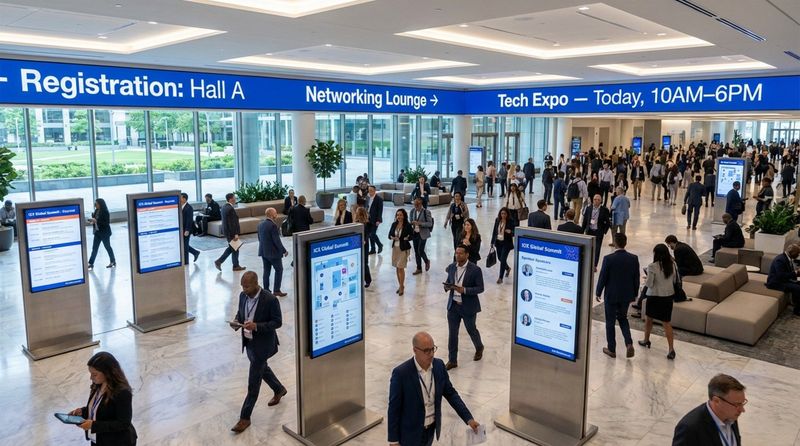
How do you guide thousands of attendees through a complex venue without answering the same directional questions all day? Effective conference signage does more than label a room; it acts as a connected system that helps people find their way while reinforcing your brand. Strong signage answers "where," "when," and "who" instantly. By combining bold physical markers with smart digital screens, you can remove confusion and keep traffic flowing. When you mix clear wayfinding with reliable scheduling, you turn a chaotic venue into a smooth, professional experience.
The success of large events relies on attendees moving easily between sessions. Without clear guidance, even well-organized conferences can feel disorganized, leaving guests frustrated or late. Modern signage focuses on utility and visibility, using dynamic displays to stand out. By combining practical design with modern software, event planners can build a visual network that informs and engages attendees without constant staff intervention.
What Makes Conference Signage Impactful?
Key Goals of Effective Conference Signage
The main job of your signage is to map the attendee journey. From the parking lot to the keynote hall, signs should provide order. Good signage keeps messages short, making event names and directional arrows easy to spot from a distance. This base layer of information prevents "sign fatigue," where guests stop paying attention because they are overwhelmed by visual clutter.
Beyond basic directions, reliable signage acts as a quiet brand representative. It displays your organization’s style and professionalism. Using high-quality digital displays or well-printed materials signals that this is a high-value event. Screens also offer a prime opportunity to feature sponsors and partners, helping cover event costs while giving brands exposure in high-traffic areas.
Conference Signage and Attendee Engagement
Engagement starts with clarity. Research suggests people form an opinion of a sign in seconds. With a short window to capture interest, your signage must be legible and relevant. Digital screens allow you to use motion and bright visuals to grab attention in busy hallways where static posters might be ignored.
Interactive signage-like digital kiosks or social walls-turns a passive environment into an active one. This encourages participation. When attendees see their social posts or poll results on a large display, they feel like part of the event narrative. This simple connection can boost satisfaction and keep energy levels high throughout the day.
Psychology of Color and Design in Signage
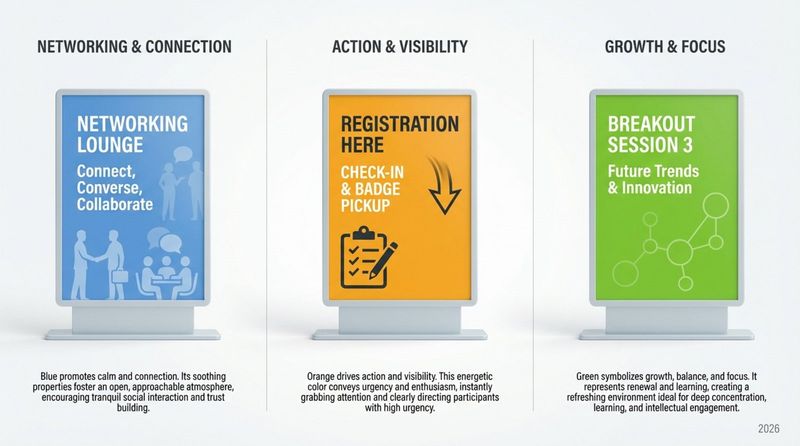
Color and font choices should shape how people behave in a space. For example, blue is often used to create a calm atmosphere during networking, while green can suggest balance in breakout areas. These choices should align with the goal of the specific zone.
Designers must also balance energy with readability. High contrast between text and background ensures messages are legible, even from across a crowded room. Limiting designs to two font families and establishing a clear hierarchy for headings helps attendees process information quickly. In digital formats, keep motion smooth to attract the eye without causing distraction.
Indoor vs Outdoor Conference Signage: Comparing Strategies
Best Outdoor Signage Ideas for Conferences
Outdoor signs set the scene before guests walk through the doors. They must withstand weather-sun, wind, or rain-while remaining readable. Durable materials are essential to prevent fading or tearing during the event.
Entrance Banners and Branded Welcome Arches
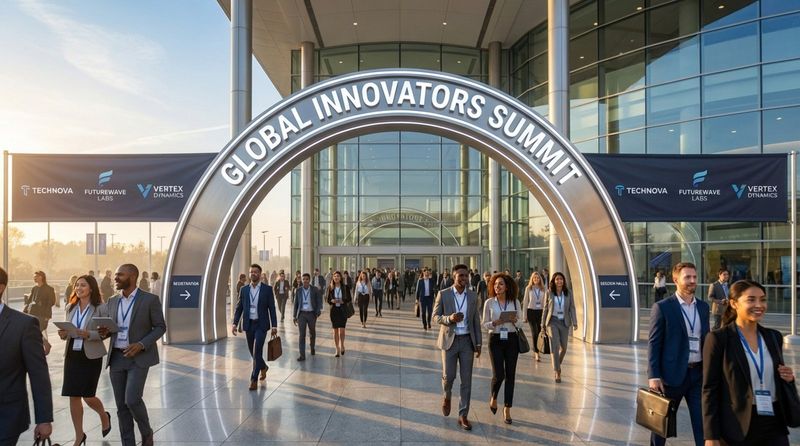
Entrance banners create a strong visual moment upon arrival. Large arches or branded structures mark the event perimeter, acting as a gateway that transitions visitors from the outside world into your professional environment.
Directional Lawn Signs and Pavement Graphics
For large campuses, outdoor directional signs are vital for guiding foot traffic from transport hubs to the main entrance. Pavement graphics and floor decals are a practical way to catch the eye of attendees looking down at their phones. These slip-resistant markers can form paths leading guests to registration desks or specific halls.
LED Video Walls and Large Format Displays
Outdoor LED video walls provide impact that printed signs cannot match. These high-resolution screens work well in various lighting conditions and allow you to rotate sponsor ads, welcome messages, and emergency updates instantly. They are a flexible solution for keeping information current without printing new banners.
Vehicle and Parking Lot Signage
Using vehicles as mobile signs can promote your conference in the surrounding area. Vinyl wraps or magnetic signs on shuttles and buses turn transportation into a branding opportunity. A branded vehicle parked near the entrance creates a clear landmark for attendees arriving by car.
High-Impact Indoor Signage Solutions
Once inside, the focus shifts to detailed directions and session management. Indoor signs shape how people move through the venue and ensure the space feels connected.
Dynamic Registration Booth Displays
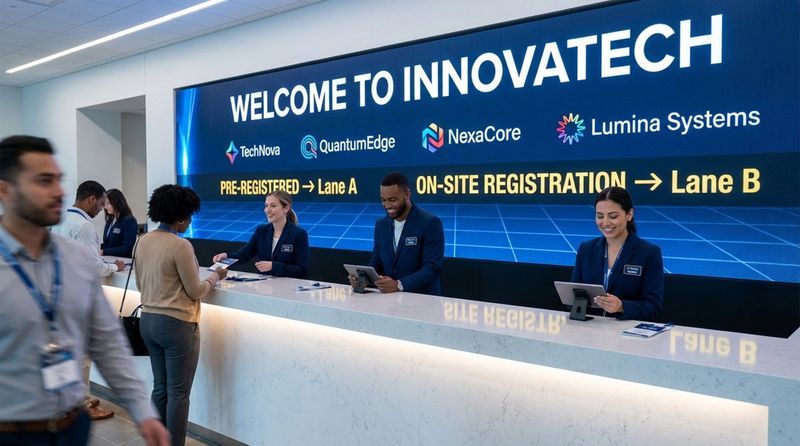
The registration area is often the first point of contact. Using digital screens here puts branding front and center. This high-traffic zone is also ideal for sponsor loops, as every attendee passes through this checkpoint.
Wayfinding and Directional Signs
In complex convention centers, clear zone markers are essential. Wall-mounted screens or freestanding displays help people locate tracks or floors. Placing these signs above head height ensures they remain visible even when hallways are packed with people.
Interactive Session Schedules and Digital Directories
Printed programs become obsolete the moment a schedule changes. Digital directories offer live updates. This is where Look Digital Signage provides a distinct advantage. Using Look CMS, you can update schedules across every screen in minutes. If a speaker moves to a different room, you can edit the playlist remotely, ensuring no one goes to the wrong location.
Social Media Walls and Live Updates
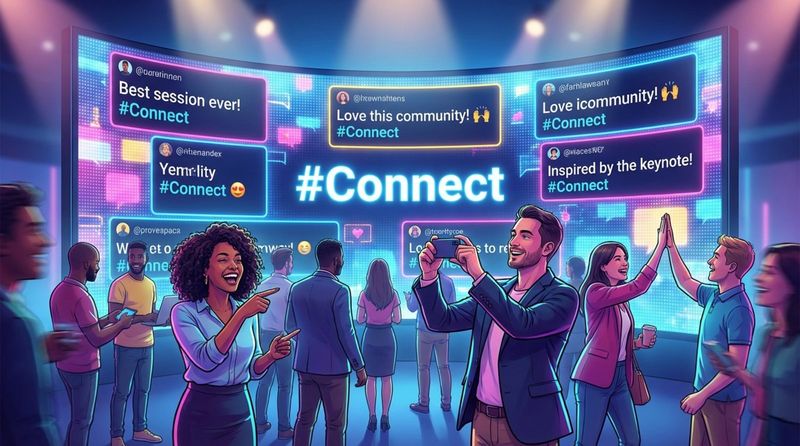
A social media wall encourages guests to share their experiences. By aggregating posts from different platforms onto a central screen using Look Apps, you build a sense of community. This turns attendees into real-time promoters of your event.
Printed Banners, Posters, Wall and Floor Graphics
Traditional printed options like fabric banners and floor graphics remain useful for static branding. They are affordable and easy to place. Wall wraps can transform plain corridors into on-brand environments, while floor graphics can designate specific zones in an exhibit hall.
Networking Lounge and Breakout Area Signs
Lounge areas require a softer approach. Signs here should clearly display Wi-Fi credentials, charging station locations, and refreshment options. Using clean materials fits the relaxed but professional tone of a networking space.
Digital and Interactive Signage: Driving Maximum Engagement
Touchscreen Wayfinding Kiosks
Digital wayfinding is crucial for large venues. Look Digital Signage supports interactive scenarios, allowing you to build touch-enabled maps and directories without writing code. Attendees can tap to find exhibitor booths or restrooms, reducing the load on information desk staff.
Live Polling and Feedback Stations
Gathering attendee input improves future events. Digital stations allow for quick feedback on sessions or speakers. Because Look CMS manages content remotely, you can switch the survey questions between sessions to stay relevant to the current topic.
Augmented Reality and QR Code Integrations
QR codes bridge the gap between physical screens and mobile devices. You can use the Content Creator in Look CMS to easily add QR codes to your digital slides. A quick scan allows attendees to download presentation decks, view speaker bios, or join a mailing list, reducing paper waste.
Real-Time Social Media Streams
Integrating live social feeds taps into existing behavior. Displaying attendee content keeps the screens fresh and encourages more posting. This dynamic content runs automatically, keeping the screens alive without constant manual updates.
Branding through Conference Signage
Consistent Brand Identity across All Touchpoints
Consistency builds recognition. Use the same color palette and fonts across every sign. Look Digital Signage offers ready-made templates that you can customize to match your brand guidelines quickly. This ensures that every digital display, from the lobby to the breakout rooms, looks uniform and professional.
Maximizing Sponsor and Partner Visibility
Sponsors expect visibility. Digital signage allows you to guarantee screen time for partners through Smart Scheduling. You can program sponsor loops to play more frequently during breaks or in high-traffic zones, providing proof of value to your backers.
Photo Opportunities and Instagrammable Moments
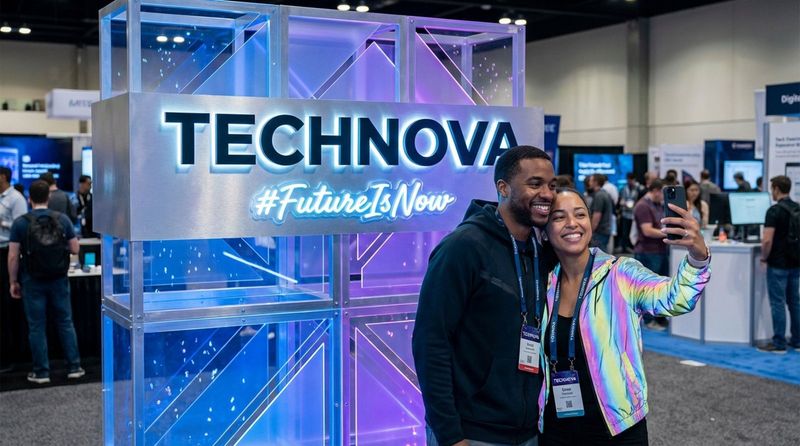
Designated photo spots encourage organic sharing. Branded backdrops or digital walls invite guests to take photos. When attendees share these images, your brand travels beyond the venue walls.
Design and Placement Tips for Maximizing Impact
Color, Typography, and Graphic Elements
Legibility is the priority. Choose clean fonts and avoid thin typefaces that disappear from a distance. Use Screen Layouts to organize information logically, separating headlines from body text. High-quality images are non-negotiable; pixelated graphics reflect poorly on the event's professionalism.
Best Signage Placement for Attendee Flow
Placement determines effectiveness. Walk the venue before the event to identify decision points-spots where a guest naturally stops to look for directions. Place screens at eye level for information and raise directional signs above the crowd line. Offline Playback ensures your screens keep running even if the venue's Wi-Fi becomes unstable, keeping your flow interruptions to a minimum.
ADA Compliance and Accessibility Considerations
Inclusive design ensures your event welcomes everyone. Signs should feature high contrast and readable font sizes. Ensure digital kiosks are mounted at accessible heights and consider navigation paths that are wheelchair-friendly.
Eco-Friendly and Sustainable Options for Conference Signage
Recyclable and Reusable Signage Materials
Sustainability is increasingly important to attendees. Using materials like recyclable cardboard or biodegradable plastics reduces environmental impact. For generic signage, choose durable materials that can be reused for future events.
Digital Alternatives to Minimize Waste
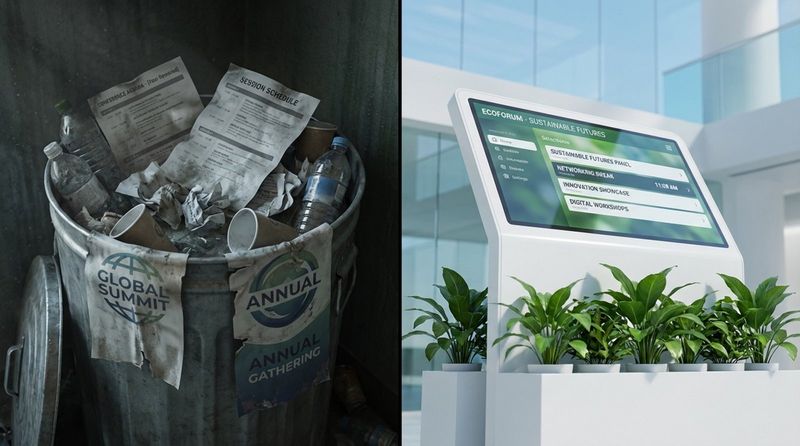
The most sustainable sign is one you don't have to print. Digital signage significantly reduces paper waste and allows for instant corrections. With Look Digital Signage, you can update content on the fly rather than re-printing banners for every schedule change. This flexibility saves resources and keeps your event running smoothly, regardless of last-minute adjustments.
Combining smart software with clear physical signage creates a seamless environment. By using Look Digital Signage, you can manage schedules, wayfinding, and sponsor content from a single dashboard, ensuring attendees always have the information they need. Start a free trial to see how easily you can control your conference screens and deliver a better attendee experience.


