
Table of Content
How do you keep a digital screen clear, readable, and reliable outside-in sun, rain, heat, and cold? Outdoor digital signage does it with high-bright displays plus rugged housings, cooling/heating, and weatherproof ratings, so you can share ads, directions, and public updates in real time.
What Is Outdoor Digital Signage?
Key Features That Distinguish Outdoor Digital Displays
The main difference between indoor and outdoor screens is durability. Outdoor displays use high-brightness panels, often 2,000 to 5,000 nits, while a typical home TV is around 300 to 500 nits. That extra brightness helps your content stay readable in direct sun instead of looking washed out. These screens also use cooling systems-fans or even built-in air conditioning-to prevent overheating in summer and to stay stable during cold snaps.
The enclosure matters just as much as the panel. Outdoor screens usually sit in steel or aluminum housings with tempered, anti-reflective glass. This reduces glare and helps protect the display from UV exposure. Inside, components may be coated to reduce corrosion from humidity or salty coastal air. In short: outdoor displays are built like equipment, not like a living-room TV.
Common Applications in Public Spaces and Businesses
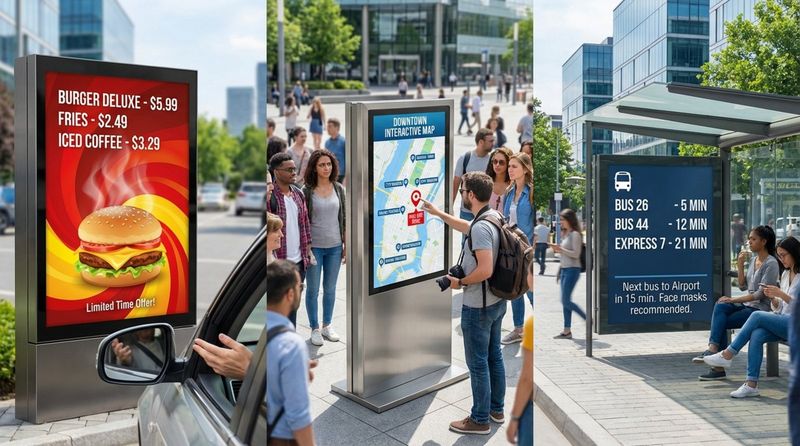
You likely see outdoor digital signage every day. In retail and hospitality, drive-thru menu boards let teams update prices fast and switch menus between breakfast, lunch, and dinner without reprinting anything. In city centers, kiosks can show maps, local info, weather, and emergency alerts. Done well, these screens turn “dead space” into useful space for visitors-and a measurable channel for operators.
Public agencies also use outdoor screens for transport updates. Real-time bus and train times at stops and stations can make waits feel shorter because people know what’s happening. Stadiums use large outdoor displays for live action, replays, and sponsor content even outside the gates. Outdoor digital signage can be as small as a 22-inch display at a fuel pump or as large as a billboard spanning a building façade.
Core Components and Technology of Outdoor Digital Signage
Screen Types: LED vs LCD vs OLED
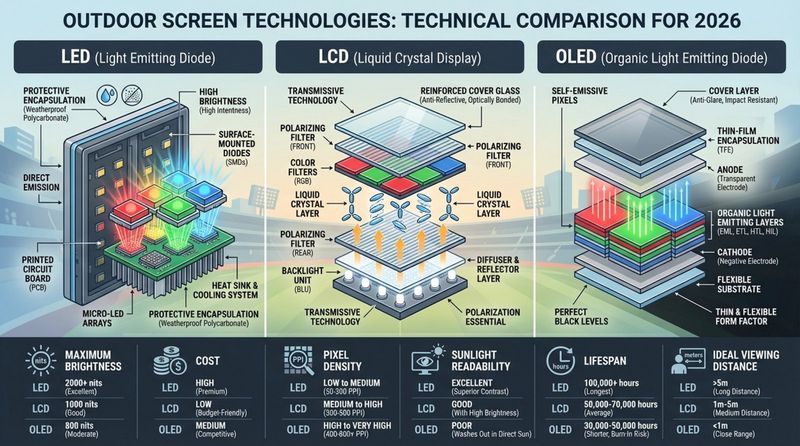
Picking the right screen type is one of the biggest decisions in an outdoor project. LED (Light Emitting Diode) displays are common for large outdoor signs. They’re built from smaller modules that join together, so you can create many sizes and shapes. LED can reach very high brightness and can be efficient at large scale. The trade-off is pixel pitch (pixel size): many LED billboards are meant to be viewed from farther away.
LCD (Liquid Crystal Display) is often used for smaller screens where people stand closer-like kiosks and storefront displays. LCD can show sharp text and detailed images, but it needs a strong backlight to compete with sunlight. OLED (Organic LED) has great contrast and can be very thin, but it’s still uncommon outdoors because it can be harder to achieve the same peak brightness, and it can be more sensitive to image “burn-in” in some use cases.
Weatherproofing and Durability Standards
Outdoor signage has to deal with rain, wind, dust, and fast temperature changes. That takes more than a “waterproof box.” High-quality outdoor displays use gaskets, seals, and tight joins to block water, snow, and fine dust-while still managing heat safely inside the unit.
The front surface also needs to be tough. Many outdoor displays use strengthened glass designed to resist hail or accidental impact. In coastal areas, special coatings on metal parts help prevent rust caused by salt in the air, so the unit stays clean and professional-looking over time.
Brightness and Readability in Sunlight
Sunlight is the biggest enemy of screen visibility. Without enough brightness, the display turns into a dark mirror. Outdoor units use high-bright panels and often include sensors that adjust brightness throughout the day. This keeps the content readable at noon, while dimming at night to reduce glare and wasted power.
Another tool is optical bonding. Here, the protective glass is bonded directly to the LCD with a clear adhesive, removing the air gap. This reduces internal reflections and improves contrast, so the image looks clearer even in strong daylight.
IP Ratings, Vandal Resistance, and Operating Temperature
IP (Ingress Protection) ratings tell you how well a unit is sealed. For example, IP65 means it’s sealed against dust and protected against low-pressure water jets. Tougher environments may require IP66 or higher. IK ratings measure impact resistance. IK10 is a top rating and signals strong resistance to blows (like heavy impacts to the front glass).
Temperature range is another key spec. Many standard electronics are rated for about 0°C to 40°C. Professional outdoor displays are often rated around -30°C up to +50°C. They reach that range using built-in heaters for cold climates and stronger cooling designs-such as airflow channels that move heat away from the front panel-for hot regions.
Power Supply and Electrical Considerations
Outdoor screens can draw serious power, especially at high brightness. Plan for dedicated electrical circuits and surge protection to help guard against lightning and power spikes. Many modern units also use efficient power supplies to reduce standby power when the screen is off.
Electrical safety is critical outdoors. Units should be grounded correctly to reduce shock risk in wet conditions. Installers often add Ground Fault Circuit Interrupters (GFCI), which cut power quickly if a fault or moisture issue is detected, helping reduce damage and injury risk.
Connectivity and Remote Management Capabilities
A screen only helps if the right content shows at the right time. Because outdoor displays can be hard to reach, many setups use Wi-Fi, Ethernet, or cellular (4G/5G). That lets your team update content, change schedules, and troubleshoot from a central office instead of rolling a truck to each site. Some setups also send status data and alerts if the screen goes offline or overheats.
Remote management is usually handled by a Content Management System (CMS). A CMS lets you control many screens from one place, so you can publish the same update across dozens of locations without manual work. If you’re building an outdoor network and want simple setup plus reliable day-to-day control, Look Digital Signage (Look DS) is a strong fit because it combines remote management through Look CMS with Smart Scheduling (so you can plan content by time/day/date), Offline Playback (so screens can keep playing even if the internet drops), and Proof-of-Play and Monitoring (so you can verify what played and spot device issues early).
Types of Outdoor Digital Signage and Their Uses
Freestanding Kiosks
Freestanding kiosks are self-contained units placed on sidewalks, in public squares, or outside shopping centers. Many are double-sided to catch attention from both directions, and many use touchscreens. They’re often part of “smart city” projects, offering maps, local info, and sometimes public connectivity features.
Because they sit at ground level, kiosks are built for heavy wear and possible vandalism. They may use reinforced bases anchored into concrete to prevent tipping or theft. For businesses, a kiosk can act like a clear “front door” message before someone even walks inside.
Wall-Mounted Displays
Wall-mounted outdoor screens are common on building fronts, above store doors, and in transport hubs. They save floor space and work well where people pass close by. Many act like digital posters, replacing printed signs with motion and video that can be updated without reprinting.
Installation needs careful planning because outdoor units are heavier than indoor ones due to cooling and protective housings. The wall must handle both weight and wind load. Installers typically use rated brackets and hardware to keep the display secure during storms.

Billboards and Large Format Screens
Digital billboards are the largest outdoor format. Along highways or on tall buildings, they use LED modules to create images visible from long distances. Unlike printed billboards that need physical changeouts, digital billboards can rotate multiple ads, which can improve revenue per location in many business models.
Large outdoor screens are also used for fan zones during major events. They let crowds watch together in parks and squares, creating a shared experience. Because of their scale and brightness, these screens can become landmarks in busy areas.
Transit Station and Wayfinding Solutions
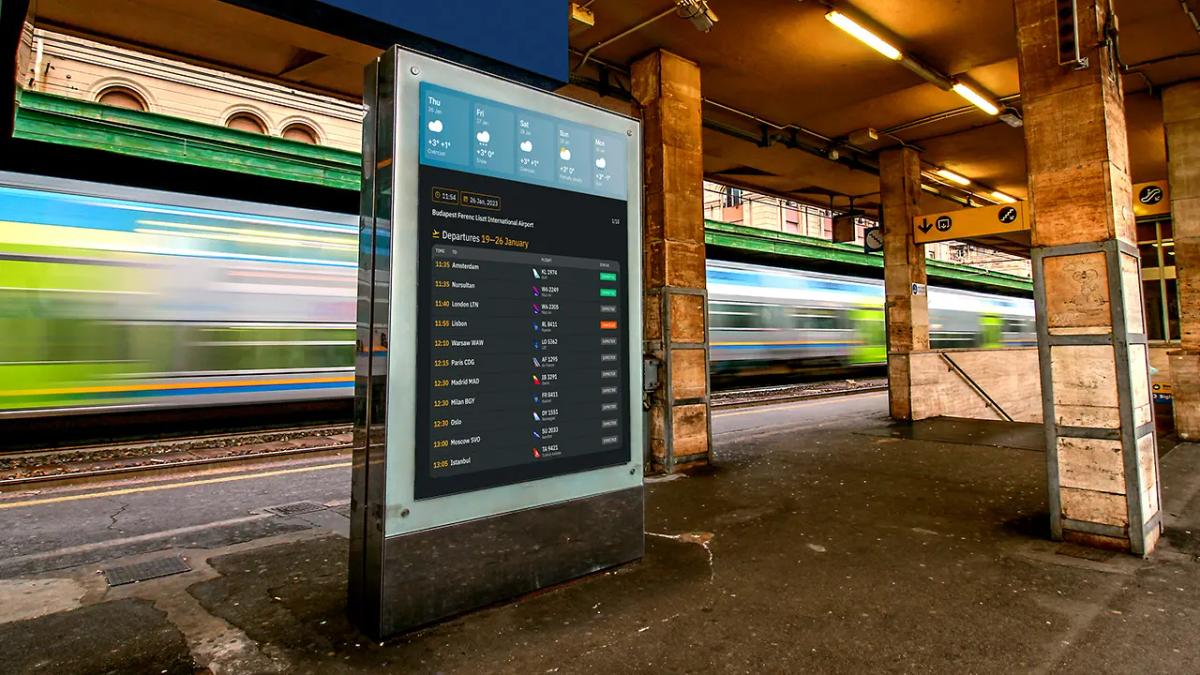
Outdoor digital signage is now standard in many transport networks. Screens at bus stops, train platforms, and airports show Real-Time Passenger Information (RTPI), like countdowns to the next arrival. When delays happen, messages can be updated quickly to show revised routes and times.
Wayfinding is another major use. Large sites like hospitals, campuses, or business parks use outdoor screens to guide visitors through complex layouts. With arrows and maps, these displays can change directions when routes shift-for example, if a walkway is closed or parking zones change for an event.
Digital Out-of-Home (DOOH) Advertising
Digital Out-of-Home (DOOH) advertising is digital advertising in public places. It’s growing because it mixes the reach of outdoor ads with the flexibility of digital content. Advertisers can buy time slots across a screen network and adjust messages by location and time of day.
DOOH can also connect to mobile actions. For example, a display can show a QR code that sends people to a discount page when scanned. That creates a clearer line between what was on screen and what people did next, which helps marketers measure outcomes.
Key Benefits of Outdoor Digital Signage
Increases Brand Visibility and Engagement
People notice light and motion. Compared to a printed sign, a digital display can be easier to spot-especially from a distance. Video, animation, and bright color help brands share short, clear stories that static signs can’t, which can support brand recall and foot traffic.
Engagement can also mean interaction. Some outdoor screens show live social content or community posts, encouraging people to take photos and share. This can extend a message beyond the street and into online channels.
Enables Real-Time Updates and Targeted Messaging
Outdoor digital signage is useful because you can change it fast. If a restaurant sells out of an item, you can remove it from the menu right away. If the weather shifts, a store can highlight the most relevant products for that moment. The message stays aligned with what’s actually happening.
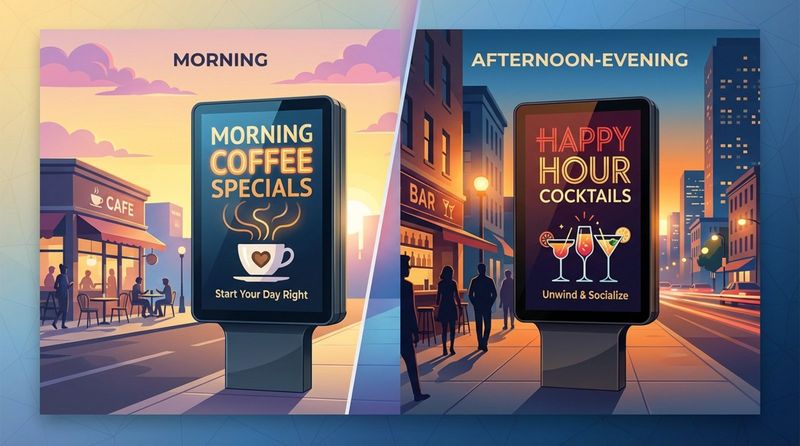
Digital signage also supports time-based messaging, often called dayparting. A café might run breakfast items in the morning, lunch offers at midday, and desserts later. You get more value from the same screen because the content matches the time and context.
Supports Advanced Content Scheduling and Automation
Modern signage platforms let you plan content days, weeks, or months ahead. You can set rules like “run this promo on weekends” or “show this message after 5 PM.” With the schedule in place, updates become more “set and forget” (especially for repeating campaigns) instead of daily manual work.
Screens can also pull live info from external sources, like sports scores, headlines, or business dashboards. That reduces busywork because your content stays current without constant file uploads.
Can Improve Public Safety with Emergency Alerts
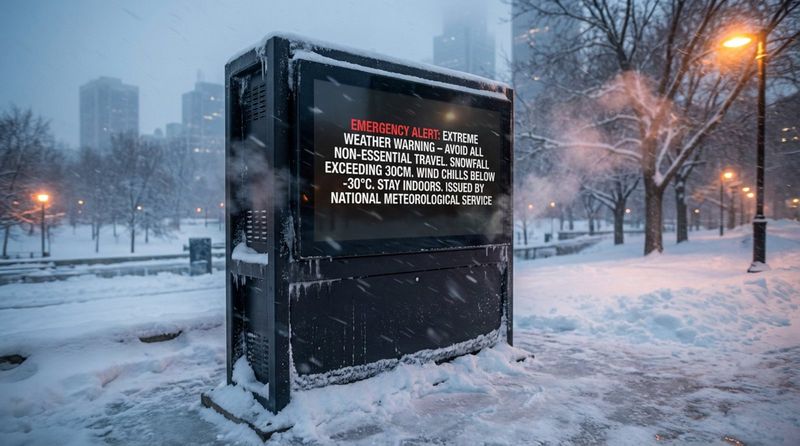
In emergencies, outdoor screens can become a fast public channel. Agencies can interrupt normal content and show urgent notices like severe weather warnings or evacuation instructions. Because these displays sit in high-traffic areas, they can reach people who aren’t checking their phones at that moment.
Brightness also helps during difficult conditions. Even in poor weather, a well-designed outdoor display can stay readable, which makes it useful for time-sensitive public messaging.
Allows Data Integration and Audience Measurement
Some outdoor networks use sensors or cameras to count footfall and estimate how many people pause to watch. This can support metrics like dwell time. When done responsibly, this measurement should be anonymous and transparent-focused on patterns, not on identifying individuals.
Outdoor signage can also connect to business data. For example, teams may compare what played on-screen with changes in POS results during the same time window. This helps move decisions from guesswork to more data-driven planning and clearer ROI discussions.
Potential Challenges and Risks
Weather-Related Threats and Solutions
Even rugged outdoor screens face weather risks. Extreme heat can cause “solar loading,” where sunlight pushes internal temperatures beyond safe limits, leading to temporary dark spots or a full blackout. Higher-end units handle this with stronger cooling designs and airflow behind the panel.
In very cold regions, parts can become brittle, and LCD response times can slow down, creating motion blur or “ghosting.” Built-in heaters help keep internal temperature steady. In hurricane or typhoon zones, screens also need to meet wind-load requirements so they stay secure and don’t become hazards.
Vandalism and Security Measures
Public screens can face physical damage and digital risk. To reduce physical harm, manufacturers use thicker housings, stronger glass, and sometimes anti-graffiti coatings that make cleanup easier. Some units include impact sensors that can trigger alarms or send alerts after a hard hit.
Security matters on the software side too. If systems aren’t protected, someone may try to publish harmful content. Strong setups use firewalls, encrypted connections, and strict user access rules. Regular updates help close known security gaps over time.
Maintenance, Repairs, and Downtime
Outdoor displays need ongoing care. Common tasks include cleaning the front glass, checking vents and fans, and replacing air filters. Skipping maintenance can shorten hardware life and increase repair costs because heat and dirt are constant stressors outdoors.
Downtime also hurts ROI. If a screen is off, it can’t show ads or information. Some operators reduce downtime with redundancy. For example, a backup media player can take over if the main one fails. Large LED walls are often modular, so technicians can replace a single faulty tile instead of the whole screen.
Power Consumption and Environmental Considerations
High-brightness screens can use a lot of electricity, especially if they run 24/7. Light pollution is another concern-bright displays near homes can trigger complaints and may face local limits on brightness and operating hours.
To reduce cost and impact, many projects use efficient LEDs and strict dimming or shutoff schedules at night. Some smaller installations also add solar panels to offset a portion of energy use, depending on the site and power needs.
Choosing and Installing Outdoor Digital Signage
Factors to Consider: Location, Size, and Resolution
Start with location. Consider how far away viewers will be, the viewing angle, and mounting height. Too high, and people may never look up. Too low, and cars, signs, or crowds can block the view. Screen size should match viewing distance, with text large enough to read quickly.
Resolution (often discussed as pixel pitch) matters too. Pixel pitch is the distance between neighboring pixels. If viewers are about 50 feet away, a larger pitch (like 10mm) can be fine. For kiosks where people stand just a few feet away, you’ll usually want a smaller pitch (around 1.5mm to 2.5mm) so text and images look smooth.
Selecting Compatible Player Devices and Software
The media player is the small computer that feeds content to the screen. Outdoors, the player needs protection from temperature and moisture-either as rugged hardware or installed in a controlled enclosure. It should have enough performance for high-definition content and a stable OS that can recover cleanly after power issues.
Software choice is just as important. Your digital signage software should support easy publishing, strong scheduling, and remote management across all locations. It also needs basic security controls for public-facing screens. If you want a practical setup that scales, Look Digital Signage can help you manage screens from one dashboard, build playlists, and automate playback with Smart Scheduling-so updates don’t depend on someone being on-site every time a menu or message changes.
Installation Best Practices for Longevity
Installation quality can add years to a system’s life. Freestanding units need solid foundations. Wall-mounted displays need proper anchors and a wall that can handle both weight and wind load. Cable routing should be protected from moisture and from damage (including animals that may chew exposed cables).
Airflow is also critical. Even strong cooling systems struggle if vents are blocked or if the unit is installed too close to other surfaces. Leave space for air to move. Before a site goes live, installers often run a long test-24 to 48 hours at full brightness-to catch heat, power, or stability issues early.
Content Strategies for Outdoor Digital Displays
Creating Compelling Visuals for Outdoor Environments
Content that looks fine on a laptop can fail outdoors. In bright light, you need strong contrast between text and background. Use simple, bold sans-serif fonts, not thin or decorative styles that disappear at a distance.
Keep messages short and focused. Most people are walking, driving, or moving fast when they see outdoor screens. You often have only a few seconds. Aim for one clear idea and one clear action. Use quality images and video, but don’t let motion bury the key message.
Scheduling Content for Maximum Impact
Good scheduling starts with foot traffic patterns. Near a train station, shorter content works better during rush hour. In the evening, longer clips may work because people slow down. When content length matches real behavior, screens feel more useful and less like noise.
Also match your loop length to how long people can see the screen. If the average wait at a crosswalk is 30 seconds, a full loop should fit in that window so viewers can catch all key messages. On highway billboards, where drivers pass quickly, individual slots are often limited to around 8-10 seconds.
Legal and Ethical Considerations for Public Messaging
Before you go live, check local rules. Many cities have zoning limits for digital signage, especially around brightness at night and motion near roads. Some areas only allow static images that change every few seconds to reduce distraction.
Privacy is another key topic. If you use sensors or cameras for audience measurement, keep it anonymous and follow local rules such as GDPR or CCPA where applicable. Being clear with the public about what you collect-and why-helps build trust and avoids backlash.
Innovations and Trends in Outdoor Digital Signage
Growth of Programmatic DOOH Advertising
Programmatic buying is changing DOOH. Instead of booking each placement manually, advertisers can buy screen time through automated platforms, closer to how online ads work. This can open premium locations to smaller campaigns and shorter runs.
Programmatic also supports tighter targeting. For example, a brand can run ads only during certain hours or when certain conditions are met (like a high pollen count or a major local event). The goal is to spend budgets more efficiently by aligning content with context.
Use of Real-Time Data and Dynamic Content
Outdoor content is shifting from fixed loops to dynamic screens that react to live data. A sports brand might show a countdown to a game. A utility might show current usage. In these cases, the screen acts more like a live dashboard than a simple video playlist.
AI is also entering the space. Some systems can analyze traffic or crowd patterns and adjust content automatically. This area is still developing, but the direction is clear: more screens will adapt to what’s happening around them.
Emerging Hardware and Software Features
On the hardware side, transparent LED is becoming more common. These displays can sit on glass windows, letting people inside see out while passersby see bright content. It can work well for storefronts that want digital window messaging without blocking natural light.
On the software side, edge computing is gaining ground. Processing interactions on the device (instead of relying on a distant server) can reduce delay. That matters for touch and other interactive experiences, where slow response can make the screen feel broken even when it isn’t.
Sustainability and Green Technology Developments
By 2026, many projects treat sustainability as a basic requirement, not a nice-to-have. One example is outdoor E-ink signage for simple information like timetables. These displays use power mainly when the image changes and stay readable in sunlight, which can make them a good fit for text-heavy use cases.
Manufacturers are also using more recycled materials and building refurbish/recycle programs to reduce landfill waste. Cooling is improving too, with more passive designs and heat pipes that can reduce the need for energy-hungry air conditioning in some installs.
Frequently Asked Questions about Outdoor Digital Signage
What Is the Typical Lifespan of an Outdoor Display?
A quality outdoor LED or LCD display, maintained properly, often lasts about 50,000 to 100,000 hours. At 24/7 use, that’s roughly 5 to 10 years. Lifespan is usually measured by brightness drop (often to about half the original brightness), not by the day the screen stops working.
Automatic dimming helps extend life because full brightness at night is usually unnecessary and adds stress to LEDs and power parts. Regular cleaning and filter changes also reduce heat buildup, which is a common cause of early failure.
How Much Does Outdoor Digital Signage Cost?
Cost depends on size, resolution, brightness, housing, and installation needs. A small 32-inch outdoor LCD can cost a few thousand dollars, while a large, high-resolution LED billboard can reach hundreds of thousands. Plan for installation, electrical work, software licenses, connectivity, and ongoing maintenance-not just the screen itself.
While the upfront cost is often higher than printed signs, digital signage can reduce printing and shipping and can run many messages on one display. For many teams, that improves long-term value, especially when content changes often.
What Maintenance Is Required?
Outdoor screens need routine care. Clean the front glass every few months to keep images clear. Check and replace air filters at least twice a year (more often in dusty areas). Inspect seals and gaskets so water can’t enter the enclosure.
Software maintenance matters too. Media players and CMS tools should be updated regularly for stability and security. Some organizations use service contracts to cover scheduled checks and faster support response, depending on how critical the screens are.
Can Outdoor Digital Signage Be Controlled Remotely?
Yes. Most modern outdoor signage can be controlled remotely through a web-based CMS. You can upload content, set schedules, check device status, and restart players from anywhere with an internet connection. That’s what makes multi-site networks practical.
Remote monitoring can also catch problems early. Managers may track device status and receive alerts when something looks wrong, so issues can be fixed before a screen goes dark.
Final Thoughts: Making the Most of Outdoor Digital Signage
Outdoor digital signage is becoming part of everyday infrastructure in many places. Screens can support wayfinding, local updates, and time-sensitive messaging, adding a digital layer to physical spaces without forcing people to open an app.
For most organizations, results come less from having the biggest screen and more from running useful, timely content with reliable playback. When you pair durable outdoor hardware with a platform built for simple setup and remote management, like Look Digital Signage, with Smart Scheduling, Offline Playback, Proof-of-Play and Monitoring, and Playback Analytics, you get a system that’s easier to run day to day and easier to improve over time using real performance data.


