


Table of Content
With today’s focus on fast, eye-catching visuals, the real question isn’t “Should I use AI for my digital signage?” but “Which AI image generator fits my content best?” The right choice depends on your needs, budget, and how much creative control you want. From speeding up content production to keeping your brand look consistent everywhere, AI image generators are now an essential tool for effective digital signage.
These tools use machine learning models, often called neural networks, trained on huge collections of images and text. This careful training lets the AI spot links between words and visuals. So when you give the AI a text prompt, it can create an image that matches what you describe, using what it has learned. For anyone who wants to improve their digital signage strategy, this turns directly into real benefits.
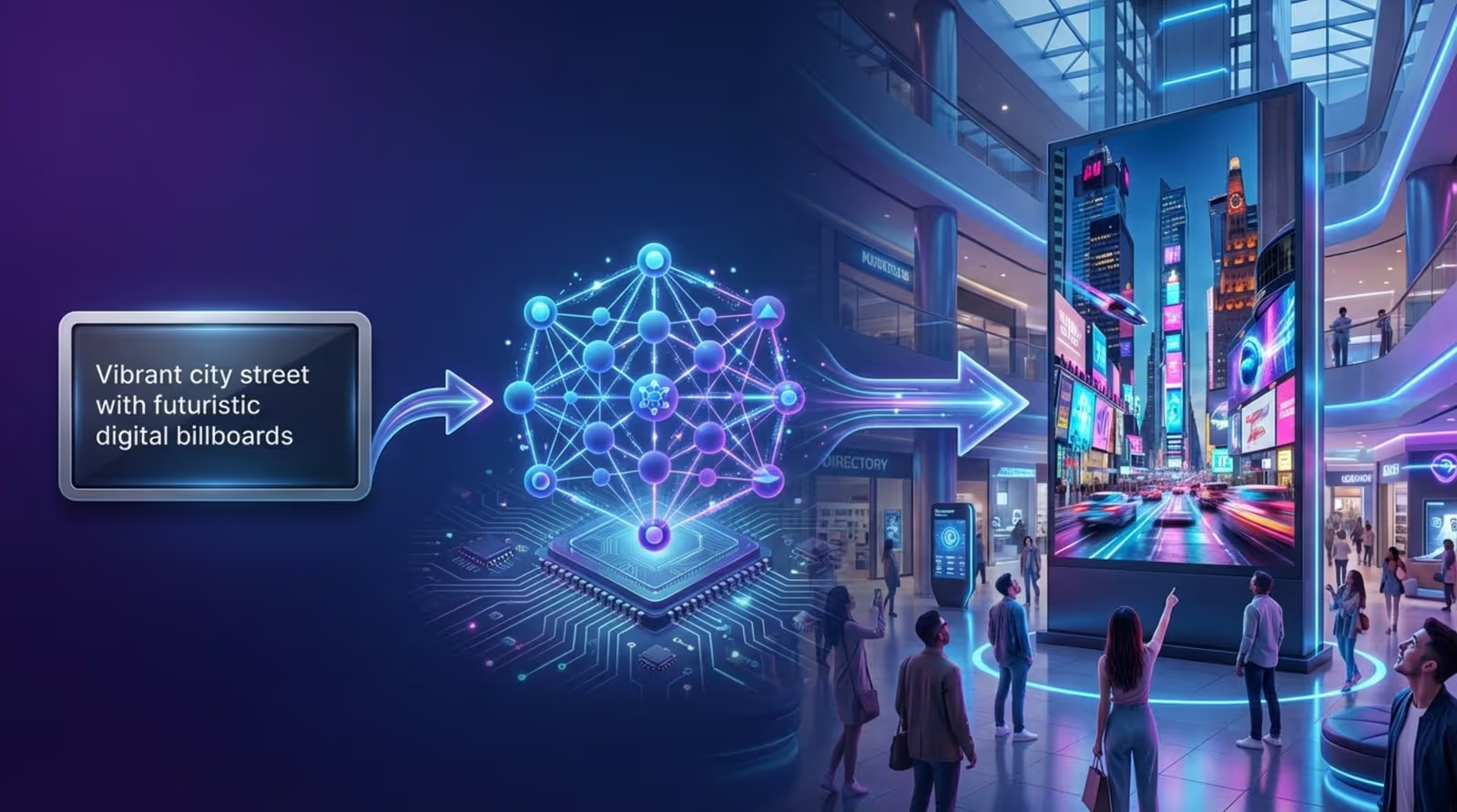
Why Use AI Image Generators in Digital Signage?
Adding AI image generators to your digital signage workflow brings many strong advantages and changes how businesses handle visual communication. It’s about more than making nice-looking graphics; it’s about boosting speed, creativity, and saving money.
Digital signs are everywhere, from changing restaurant menus to waiting room screens in clinics. To stand out and share messages clearly, the content must be fresh, interesting, and relevant. AI image generators give you the technology you need to do this with far less effort than before.
Speeds Up Content Creation
Imagine you need a very specific image that you can’t find on any stock website-like a “robot drinking coffee in space.” Without AI, you’d probably need a designer and a lot of back-and-forth. With an AI image generator, you can get that image in a few seconds. This speed is especially helpful for digital signage, where content often needs frequent updates to stay timely and engaging.
/imagine prompt: a robot drinking coffee in space, photorealistic, 4k
AI tools simplify the design process, so you can quickly produce visuals for announcements, events, greetings, promotions, and more. You spend less time creating artwork and more time planning what to show and when. Because you can create unique images so fast, your digital signage can always feel fresh and responsive without the usual delays of traditional design work.
Boosts Creative Flexibility
AI image generators open up new creative options. They can produce images that are unique and closely matched to a particular campaign or audience. This is different from just picking an okay stock photo; it’s about creating visuals that fit your message and brand identity very closely.
Being able to quickly try different looks, test styles, and generate variations of an existing image helps designers and marketers explore new ideas. This flexibility matters for digital signage, which depends on dynamic, attention-grabbing content that can adjust to different goals and settings-such as promoting a sale, setting a mood, or highlighting an event.
Reduces Costs
Hiring professional designers for every single screen update can get expensive, especially for small businesses or brands that change content often. AI image generators cut this cost by allowing people with little or no design background to create professional-looking visuals.
Platforms that include AI image generation inside a digital signage system can save both time and money. You may no longer need extra design subscriptions or large design teams. This makes quality digital signage more affordable and reachable for many different organizations.
Helps With Multilingual and Diverse Campaigns
Many businesses now speak to global or diverse local audiences, often in several languages. AI image generators focus on visuals, but they can still help with diversity by creating images that match cultural details or local tastes when you describe them in the prompt.
For example, if you need a campaign for a specific culture or region, the AI can include fitting visual cues, design styles, or cultural elements. When you pair this with AI translation tools (such as Canva’s Translate Text), you can create inclusive and effective digital signage content in multiple languages and styles with much less effort.
What Makes an AI Image Generator Effective for Digital Signage Content?
Picking an AI image generator for digital signage is about more than raw image quality. You need a tool that fits the special needs of screens in public spaces. Digital signage is not like a poster on a wall; it’s a live visual experience that must catch attention, share information, and often trigger action-usually from a distance and in just a few seconds.
So a good AI image generator for digital signage needs features that go beyond basic image creation. These features help you create visuals that look great and also work well for your display environment.
Image Clarity and Visibility
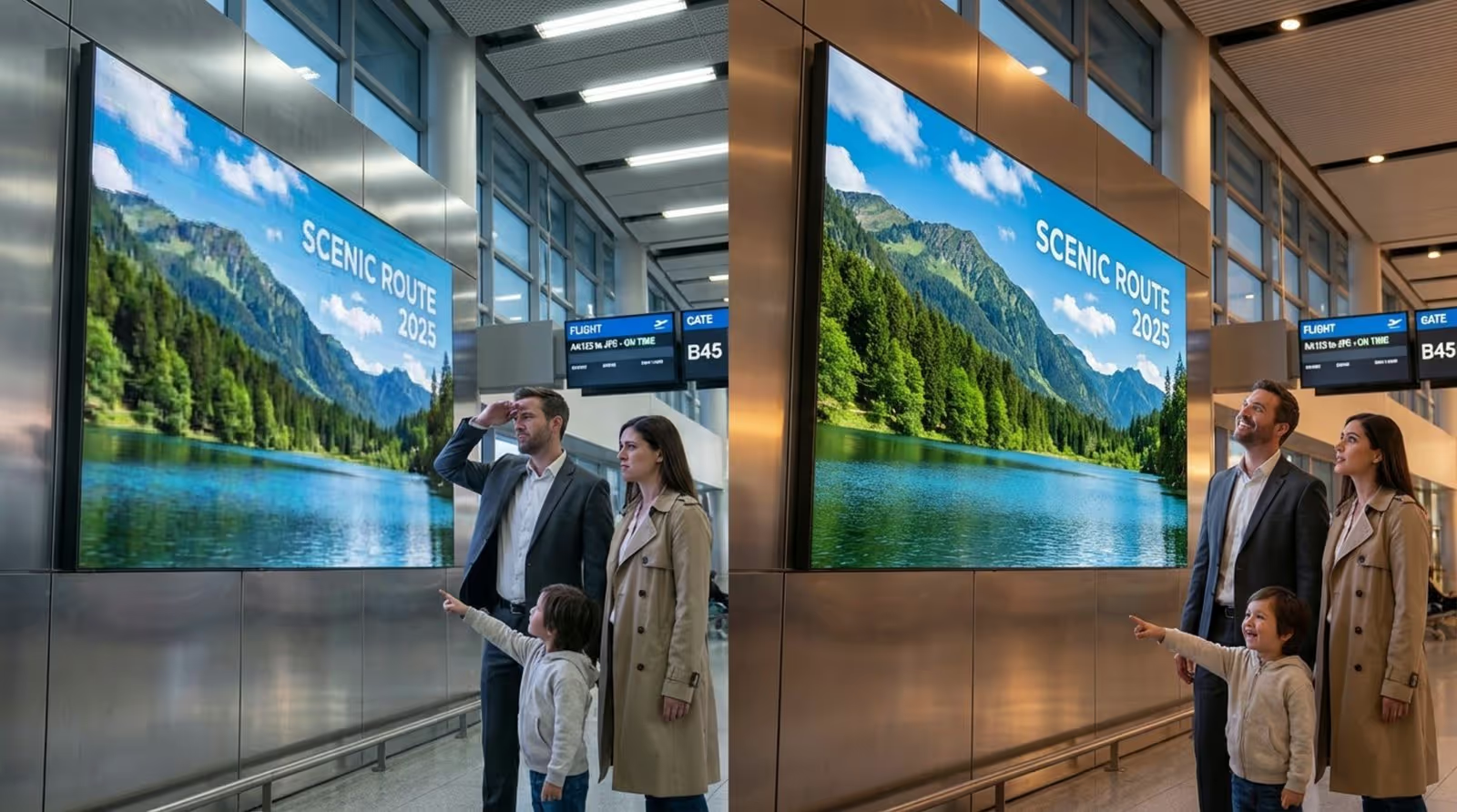
For digital signage, clarity and visibility are key. Screens range from small displays in a café to huge video walls in a mall. On any of these, your images must have high resolution to avoid pixelation, especially on large screens where flaws are easy to see.
Content is often viewed from several feet away, so you need bold colors and simple layouts that people can understand at a glance. Overly busy or complex images make it harder for viewers to notice the main message. The best AI generators for signage will create images that focus on sharp detail, bright but controlled color, and clean composition.
Brand Consistency and Customization
Keeping your brand look the same across all channels is important, and digital signage is part of that. A good AI image generator should support visuals that match your brand colors, style, and tone. This may mean the AI can follow brand rules or at least give you enough control to apply them yourself.
Being able to add logos, icons, and other brand elements in the right places is also important. Features such as color palette selection or style transfer make it easier to keep all AI-generated content in line with your brand, creating a consistent, professional look across every screen.
Relevance and Audience Engagement
Every image on your digital signage should have a clear purpose: inform, sell, inspire, or set a mood. A strong AI image generator helps you do this by creating images that support your text and match what your audience cares about. Filler images that “just take up space” don’t help and can weaken your message.
The AI needs to handle detailed prompts and produce visuals that fit the situation. For example, a summer sale display should show warmth, fun, and value. The better the AI can reflect audience taste and campaign goals, the more engaging your signage will be.
Aspect Ratios and Resolution Options
Digital signage screens come in many shapes and sizes-landscape, portrait, square, ultra-wide, and custom sizes. A useful AI image generator for signage should let you choose from flexible aspect ratios and resolutions so your images fit your screens without stretching or cropping in the wrong places.
Tools that allow you to set aspect ratios directly (like Midjourney’s “--ar” option) are very helpful. This cuts down on post-editing and helps you get images that are ready for your screen the moment they’re generated. High-resolution output is also a must to keep images crisp on large displays.
/imagine prompt: brand background for a coffee shop, welcoming feeling --ar 16:9
Copyright and Licensing
Copyright is a major concern with digital content. When you use AI-generated images, you need to understand what you are allowed to do with them. A good AI tool or platform should clearly explain if its images are free to use, need credit, or follow certain license rules.
Use only images you own, have licensed, or that follow Creative Commons or the tool’s license terms. Many AI tools allow commercial use, but always read the usage rules to avoid legal trouble. Some, like Adobe Firefly, spell out that certain paid plans offer images without watermarks, which is helpful for commercial signage.
Key Features to Seek in the Best AI Image Generator
With so many AI image tools available, it can be hard to know where to start. To focus your search, pay attention to the features that matter most for digital signage displays.
The best options combine strong creative tools with practical functions for a smooth workflow and good on-screen results. They help you create attractive, relevant, and brand-consistent visuals quickly.
Prompt-Based Text-to-Image Generation
The core feature of any AI image generator is turning text prompts into images. For digital signage, this should be fast and accurate. You should be able to describe what you want in natural language, and the AI should give you useful image options.
More advanced systems handle long, detailed prompts well, which helps when you need very specific or unusual images. Features for refining prompts, creating variations, and using different art styles give you more control so the final visual closely matches your intent.
Pre-Built Templates and Design Tools
While AI can create images from scratch, starting from a template is often faster-especially if you’re new to design or under time pressure. The best platforms with AI image tools also offer many templates built for digital signage use cases, such as menus, announcements, or promotions.
Strong built-in design tools let you fine-tune the AI results. You should be able to edit colors, fonts, layouts, and combine AI images with your brand assets. Tools like Canva make this easier with drag-and-drop interfaces and large libraries of icons and shapes.
Integration with Digital Signage Platforms
An AI tool becomes far more useful when it connects directly with your digital signage software. Direct integration removes the need to constantly download and upload files between systems, which can be time-consuming and error-prone.
Some tools let you design content and push it straight to your signage playlists, like Canva’s integration with EasySignage and Ditto. This makes it easy to deploy, schedule, and manage AI-generated content across many screens in real time.
Editing Tools (Background Removal, Magic Eraser, Edit & Expand)
Even good AI images often need some changes before they’re ready for your screens. Built-in editing tools are very helpful here. Background removal helps you cut out products or people so you can place them on new backgrounds.
Features like Canva’s “Magic Eraser” make it easy to remove unwanted objects. “Magic Edit” and “Magic Expand” let you change areas of an image or extend the background to fit different layouts, without losing quality. These tools reduce the need for extra software and speed up the final polish.
Support for Static, Animated, and Dynamic Content
Digital signage is more than still images. Many screens use animations, moving text, or short video loops. Most AI image generators focus on static content, but the best options will either support simple animations or work well with tools that can animate your AI images.
Being able to create backgrounds, elements, or scenes that you can later animate or combine into a slideshow makes your content more engaging. Look for platforms that make it easy to move AI-generated assets into animated or dynamic layouts.
Comparing the Leading AI Image Generators for Digital Signage
Choosing among AI image generators can feel like walking through a large art gallery, with each tool offering a different style and workflow. There’s no single “best” option for everyone. The right choice depends on the kind of content you create, your technical setup, and your budget. Below are some leading tools and how they fit digital signage needs.
Midjourney
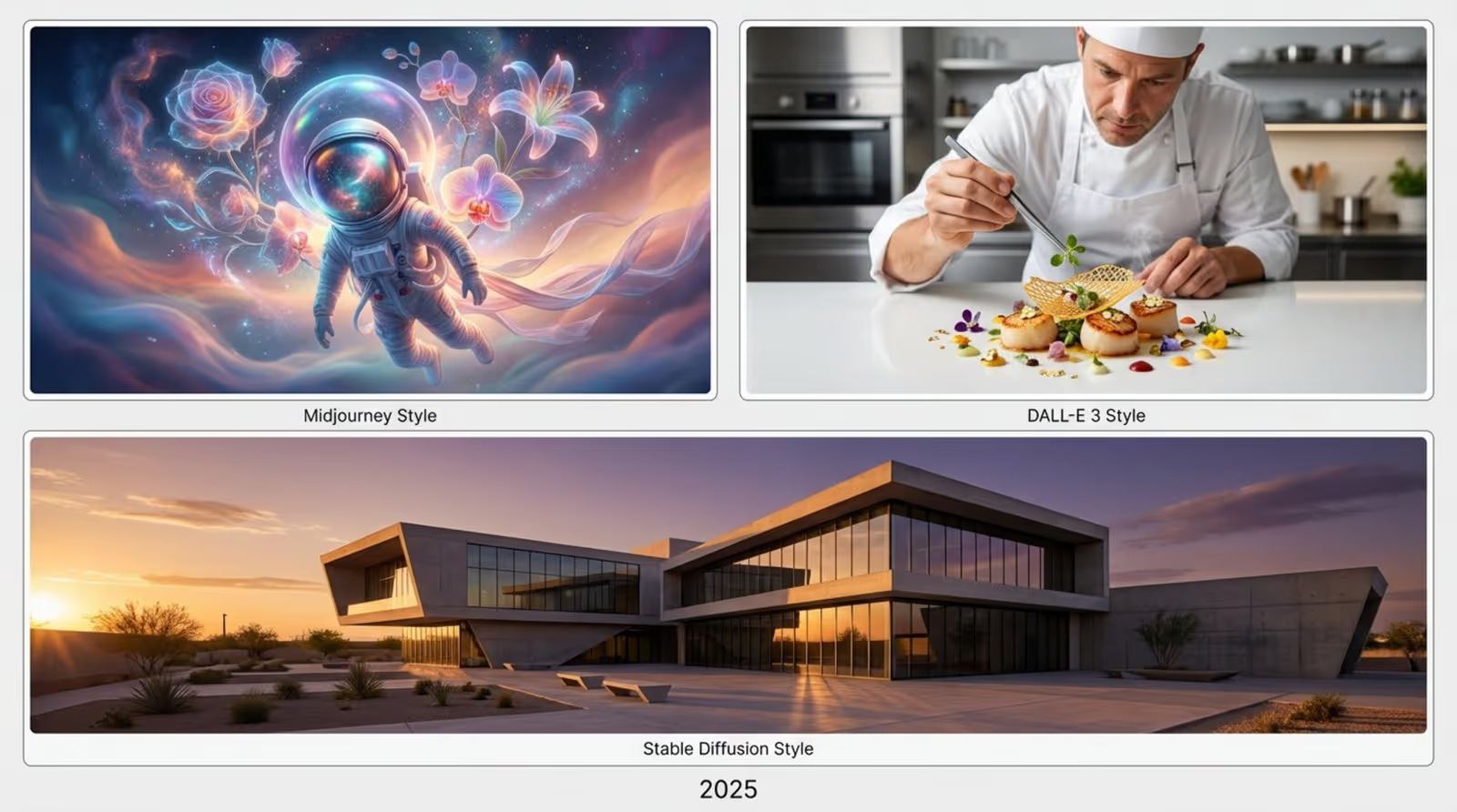
Midjourney is known for its detailed, stylized, and often surreal or artistic images. If your digital signage needs an art-heavy, standout look, Midjourney is a strong option.
Key Features
Midjourney runs mainly through a Discord server, so you need a Discord account and access to the Midjourney server. You type a text prompt, and the AI returns four image options. You can then upscale one for higher detail or create more variations.
It offers “Relax Mode” for unlimited generations (with possible wait times) and “Fast Mode” for quicker results that use limited GPU time. You can control style, composition, and details using different prompt settings and commands. For digital signage, the ability to set aspect ratios with the “--ar” option helps you generate images that fit your screens.
Pricing Structure
PlanPrice / MonthFast GPU TimeBasic$103.3 hoursStandard$3015 hoursPro$6030 hours + Stealth ModeMega$12060 hours + Stealth Mode
Higher plans also support more queued jobs and extra “Fast” or “Relaxed” tasks.
Best Use Cases for Digital Signage
Midjourney is great when you want visually striking, artistic images: event promos, gallery signage, luxury retail, or brand storytelling. Its Discord workflow may be less convenient if you need very fast, high-volume production or tight integration with a signage CMS.
DALL-E 3
DALL-E 3 from OpenAI, the creators of ChatGPT, is known for realistic and imaginative images generated from very detailed descriptions. It’s a strong choice when you need photorealistic or complex images.
Key Features
You describe what you want in plain language, and DALL-E 3 produces images that closely match your text. It handles small details and relationships between objects well and supports many art styles.
It also includes editing features like inpainting (changing part of an image) and outpainting (expanding beyond the original borders). These features help you adapt images to fit screen layouts or update designs without starting over.
Pricing Structure
DALL-E 3 is included with ChatGPT Plus at $20 per month. There are no complex credit packages; usage is included within your ChatGPT Plus access, with some usage limits managed by OpenAI.
Best Use Cases for Digital Signage
DALL-E 3 works well for campaigns that need clear, realistic images or visuals with fine detail-such as product showcases, instructional screens, or services that are hard to photograph. The editing tools help you adjust images for different signage sizes and layouts.
Stable Diffusion
Stable Diffusion is an open-source text-to-image model, widely used for its flexibility and ability to produce realistic images. Because it is open-source, it can be customized and self-hosted.
Key Features
You enter a text description, and Stable Diffusion (especially the latest Stable Diffusion XL) generates matching images. It offers many settings to adjust style, detail, and more. A large community builds tools, models, and integrations around it.
It supports Image-to-Image, where you give an existing image and a prompt and get a modified version. It also supports inpainting and outpainting. “Negative prompts” let you tell the AI what to avoid (for example, “no blur,” “no distorted hands”).
Prompt: a photorealistic portrait of a person smiling
Negative Prompt: blurry, distorted hands, extra fingers, cartoon
Pricing Structure
The base model is free and can run on your own hardware if you have a suitable GPU. Hosted services around Stable Diffusion vary, but common examples include:
- Basic: about $27/month for ~13,000 images and 3,250 API calls
- Standard: about $47/month for ~40,000 images
- Premium: up to unlimited images around $147/month (provider-dependent)
Exact prices depend on the platform you choose.
Best Use Cases for Digital Signage
Stable Diffusion fits teams that want maximum control, custom models, or on-premise setups for privacy or special technical needs. It’s strong for realistic product visuals, architecture views, and any signage that needs a grounded, real-world look. Image-to-Image and editing make it well-suited to iterative branding work.
Adobe Firefly
Adobe Firefly is a generative AI tool built into Adobe’s Creative Cloud, so it’s a natural match for designers already using Photoshop and other Adobe apps.
Key Features
Firefly can generate images from text prompts and then lets you adjust style, content, and color. “Generative Fill” allows you to add or remove objects from existing images in a realistic way. “Text Effects” creates decorative and styled text based on prompts, ideal for headlines and promo messages on screens.
Many Firefly features are part of current Photoshop releases, so they fit into existing Adobe workflows.
Pricing Structure
Adobe Firefly offers:
- Free plan: 25 generative credits per month
- Premium plan: $4.99/month with 100 credits, no watermarks on AI images, and access to Adobe Fonts Free
For full power, you usually combine Firefly with an Adobe Creative Cloud plan (for apps like Photoshop).
Best Use Cases for Digital Signage
Firefly is ideal for teams already using Adobe tools who need polished, flexible content. It’s especially good for branding work, ad campaigns, and signage where both images and text treatments matter. Generative Fill is handy for quick fixes or last-minute layout changes.
Canva AI
Canva is known for easy drag-and-drop design, and its AI tools make it even more useful for digital signage-especially for non-designers who need results fast.
Magic Media and Magic Edit Tools
Key Canva AI tools include:
- Magic Media: create images and graphics from text prompts
- Remove Background: one-click subject cut-out
- Magic Eraser: remove unwanted items from photos
- Magic Edit: change objects, tweak designs, and resize elements with AI
- Magic Grab: pull elements out without manual cropping
- Magic Expand: extend backgrounds intelligently
- Grab Text: convert text in images to editable text
- Magic Write: AI writing assistant
- Magic Morph: turn text or shapes into art with prompts
- Translate Text: support for multilingual content
Integration with Digital Signage Platforms (e.g., EasySignage, Ditto)
Canva’s big strength for signage is its connection to platforms like EasySignage and Ditto. You can design in Canva and send content directly into your signage system. This saves time and keeps everything in one workflow.
Pricing Structure
Canva offers a free plan with lots of templates and features. Canva Pro is a paid subscription that unlocks full AI tools and a larger asset library. Using Canva within integrations like EasySignage or Ditto normally doesn’t add extra costs beyond your Canva plan.
NightCafe Studio
NightCafe Studio is an AI art platform with several creative models and a focus on text-to-image art styles.
Key Features
NightCafe lets you choose from multiple AI models (such as neural style transfer, VQGAN+CLIP, and Stable Diffusion). You enter a prompt, pick your model, and get image options. You can adjust resolution, number of steps, and how strictly the AI follows your prompt.
The “Evolution” feature lets you take an existing image and change it through several generations, guided by new prompts, which is useful for exploring variations on a theme.
Pricing Structure
NightCafe uses a credit system. You receive some free credits when you sign up (for example, 5 free credits). You can then buy more, such as:
- 100 credits for about $5.99
Other bundles are available. This pay-as-you-go model is helpful if you only need AI images from time to time.
Evaluating and Choosing the Best AI Image Generator for Your Needs
Picking the right AI image generator for digital signage is a strategic decision. You want a tool that fits your workflow, budget, and long-term plans. Think of it as choosing a key creative partner who understands your goals and can deliver consistent results.
The right choice produces strong visuals and also fits neatly into how you already manage and publish content. Here are key points to review.
Assess User Interface and Integration Options
A tool may be powerful, but if it’s hard to use, you lose time and value. The interface should feel clear and simple so both designers and non-designers can work with it quickly.
Also check how well the tool connects with your signage platform. Deep integrations, like Canva with EasySignage or Ditto, let you create, edit, and publish without constantly swapping apps. This shortens the time from idea to screen.
Compare Subscription Models and Free Tiers
Costs matter, especially if you’re updating content often. AI generators use different pricing: free tiers, credit packs, or monthly subscriptions. Choose what matches your content volume and budget.
- Free tiers: good for testing features and light use, but often limited.
- Subscriptions: better for high-volume content, with predictable monthly costs.
- Credit-based: flexible for occasional projects (like NightCafe).
Also check for hidden costs like watermarks on free plans or extra subscriptions you may need (for example, Adobe Creative Cloud with Firefly).
Check for Compatibility with Your Signage Hardware and Software
Your AI images must work with your screens and media players. Make sure the generator supports common formats like PNG and JPG and allows you to set aspect ratios like 16:9, 9:16, or 1:1.
Some signage systems are stricter than others, so confirm that files import smoothly without lots of manual resizing or conversion. This step helps your visuals display correctly and look professional.
Factor in Customer Support and Community Resources
Even simple tools can raise questions. Helpful customer support, clear help docs, and active communities can save time and frustration. For example, Midjourney’s Discord community is a rich source of tips and inspiration.
Check how fast support responds and what kind of guides, FAQs, or tutorials are available. Good support helps you get full value from your chosen tool and keep your content pipeline running smoothly.
How to Create Digital Signage Content with an AI Image Generator
Thanks to AI image generators, going from a blank layout to a strong digital signage design is faster and easier than ever. You combine your ideas with AI’s speed to create targeted visuals quickly.
These tools make design more accessible for everyone. The main skill you need is learning how to “talk” to the AI using clear prompts and then fitting the results into your signage system.
Accessing the AI Image Generation Tool
Start by opening your chosen AI tool. This could mean logging into a dedicated site, opening an AI feature inside a design platform (like Canva’s Magic Media), or using a bot in Discord (for Midjourney).
Many signage CMS platforms now build AI tools directly into their dashboards. For example, PosterBooking added built-in AI image generation in 2025. Canva AI apps can be used directly from the EasySignage console. Learn where the tool lives in your current setup so you can reach it quickly.
Writing Effective Prompts for Desired Visuals
AI image quality depends heavily on your prompt. Think of your prompt as clear instructions to a very imaginative artist. The more specific and descriptive you are, the better the results.
Include:
- Subject (what is in the image)
- Style (photo, illustration, watercolor, 3D, etc.)
- Setting (location, background details)
- Mood and colors
- Details to avoid (“no blur,” “no text,” “no crowd,” etc.)
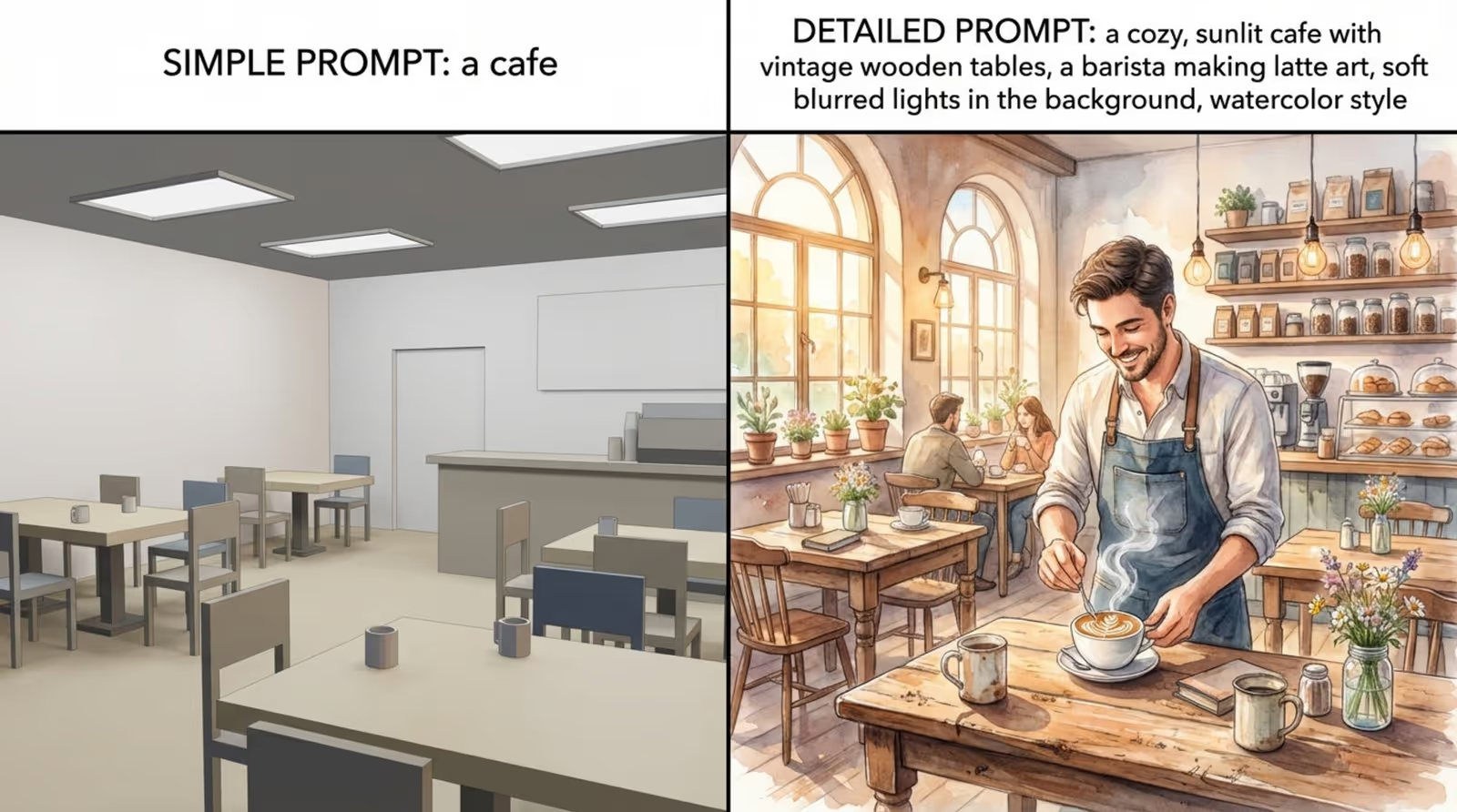
For example, instead of “a cafe,” use: “a cozy, sunlit cafe with vintage wooden tables, a barista making latte art, soft blurred lights in the background, watercolor style.” If the first result is not right, adjust the prompt and try again.
a cozy, sunlit cafe with vintage wooden tables, a barista making latte art, soft blurred lights in the background, watercolor style
Selecting Aspect Ratios and Resolutions
Match your image shape to your screen. Common ratios include 16:9 (landscape), 9:16 (portrait), and 1:1 (square). Set this inside the AI tool so the image fits your display without ugly cropping or stretching. Tools like Midjourney let you do this with the “--ar” parameter.
Always choose high resolution for digital signage, especially for large displays. Low-res images will look blurry or pixelated. If available, use upscaling tools or higher output sizes and check resolution before downloading.
Applying Brand Colors and Style Consistency
To keep your brand look consistent, include your brand colors and style in your prompts or in post-editing. Some tools allow direct color choices; others require you to adjust colors afterward in an editor like Canva or Photoshop.
Think about your usual style: clean, bold, playful, formal, etc. Use similar wording in multiple prompts to create a unified look. Add logos and brand elements in the same location and size across designs to build recognition.
Adding AI-Generated Images to Your Signage Playlist
After you’re happy with your AI image, add it to your signage system. If your design tool links directly to your signage platform (like Canva with EasySignage or Ditto), you can send the image straight into your content library or playlist.
If not, download the image and upload it manually to your signage CMS. Then place it into the right playlist, set its schedule, and assign it to the screens where it should appear.
Tips for Maximizing Results with AI Image Generators
AI generators are powerful, but results improve greatly when you use them with a clear plan. Instead of entering random prompts and hoping for the best, follow a simple process to get consistent, useful content.
Set Clear Goals for Each Piece of Signage
Before writing a prompt, decide what the sign should do. Is it for promotion, information, wayfinding, branding, or mood-setting? Decide what main message or action you want from viewers.
For a product promo, the image should highlight the product’s benefits. For informational content, focus on simple visuals that don’t distract from text. Clear goals help you judge which AI images work and which don’t.
Use Design Templates and Readable Fonts
If you aren’t a trained designer, start with proven templates to get balanced layouts and professional structure. Tools like Canva and many signage CMS platforms provide templates for menus, promotions, event boards, and more.
Choose simple, bold fonts that are easy to read from a distance. Avoid long text blocks and thin or overly decorative fonts. Use strong contrast between text and background so people can read quickly, even in bright environments.
Test Visuals on Real Displays Before Full Rollout
An image that looks perfect on your laptop may look very different on a large screen. Colors, brightness, and legibility can change. When possible, preview the content on the same type of screen your audience will see.
Check it from typical viewing distances and angles. If text is too small or details are lost, adjust and test again. This helps you catch issues before you roll out content across all locations.
Balance File Size and Resolution
You need high resolution for clarity, but huge file sizes can slow uploads and playback. Compress images where you can while keeping quality high enough for your screens.
Most design tools have export settings that let you balance quality and size. Find a setting where images stay sharp but files are light enough for smooth playback, especially if content is updated remotely or across many screens at once.
Review Legal Rights and Licensing
Always read the copyright and licensing terms of your AI generator before using images commercially. Some services allow full commercial use with no credit needed, while others may require attribution or forbid certain uses.
For digital signage, it’s safer to use tools and plans that clearly include commercial rights and watermark-free images (for example, specific paid tiers of Adobe Firefly). When unsure, check the terms of service or ask the provider.
Common Questions About AI Image Generators for Digital Signage
As more people use AI for digital signage, common questions come up about formats, licensing, editing, and live updates. Clear answers help you avoid problems and get better results.
What image formats do these generators support?
Most AI image tools export in standard formats like PNG and JPG. PNG is good for images with transparency or sharp graphics, while JPG is good for photos and offers smaller file sizes.
Some tools may support other formats, but PNG and JPG are usually enough for digital signage and are widely accepted by CMS platforms and media players.
Are the images from AI tools copyright-free or do they require attribution?
Rules vary by platform. Many paid AI tools give commercial rights to the images you create and don’t require attribution. Others, especially free versions or specific use cases, may ask for credit or limit certain uses.
Always read the licensing terms for each AI tool you use. For commercial signage, using a plan that clearly grants commercial rights and no-attribution-required usage is safer.
Can AI-generated images be edited after creation?
Yes. Most AI-generated images can be edited just like any other picture. Many AI platforms include editing features such as background removal, inpainting, outpainting, and color adjustments.
For example, DALL-E 3 supports inpainting and outpainting, while Canva offers several “Magic” tools for edits. You can also export images to tools like Photoshop, GIMP, or standard Canva editing for more control.
Which AI tool works best for real-time digital signage updates?
For rapid updates, use a tool that connects directly with your signage platform and can generate images quickly. Canva AI, with its integrations into EasySignage and Ditto, is a strong fit here.
You can create or edit AI content inside Canva and push changes to screens almost immediately. This helps you react in real time to new offers, events, or information needs.
Final Thoughts: Elevating Digital Signage Content with AI Image Generators
AI is now a central part of modern visual communication, and digital signage is a clear example. The time from idea to on-screen content has shrunk, and more people can now create strong visuals without expert design skills.
AI image generators don’t just create attractive pictures. They make design faster, cheaper, and more consistent across many locations and campaigns. This helps businesses keep screens fresh and relevant without large design budgets or long delays.
Looking ahead, AI tools and digital signage systems will likely work even more closely together-offering better interfaces, more realistic visuals, and smarter integrations. Future systems may update content automatically based on live data like time of day, local events, or audience behavior.
Success will come from a mix of clear goals, careful tool choice, and willingness to experiment. By using each AI generator’s strengths and tying them tightly into your signage workflow, you can create digital displays that truly stand out and support your business goals on every screen.





