
Table of Content
How can you make wait times feel shorter and keep visitors informed without adding to your staff's workload? The answer lies in choosing the right digital signage platform-one that is easy to manage, supports engaging content, and runs reliably.
The best software acts as a partner in visitor management, not just a TV screen. Whether you run a small dental office or a large hospital network, the system needs to be stable enough for reliable playback all day, yet simple enough that front-desk staff can update it instantly. By focusing on features like remote management and smart scheduling, businesses can turn waiting rooms into communication hubs rather than places of frustration.
What Is Digital Signage Software for Waiting Rooms?
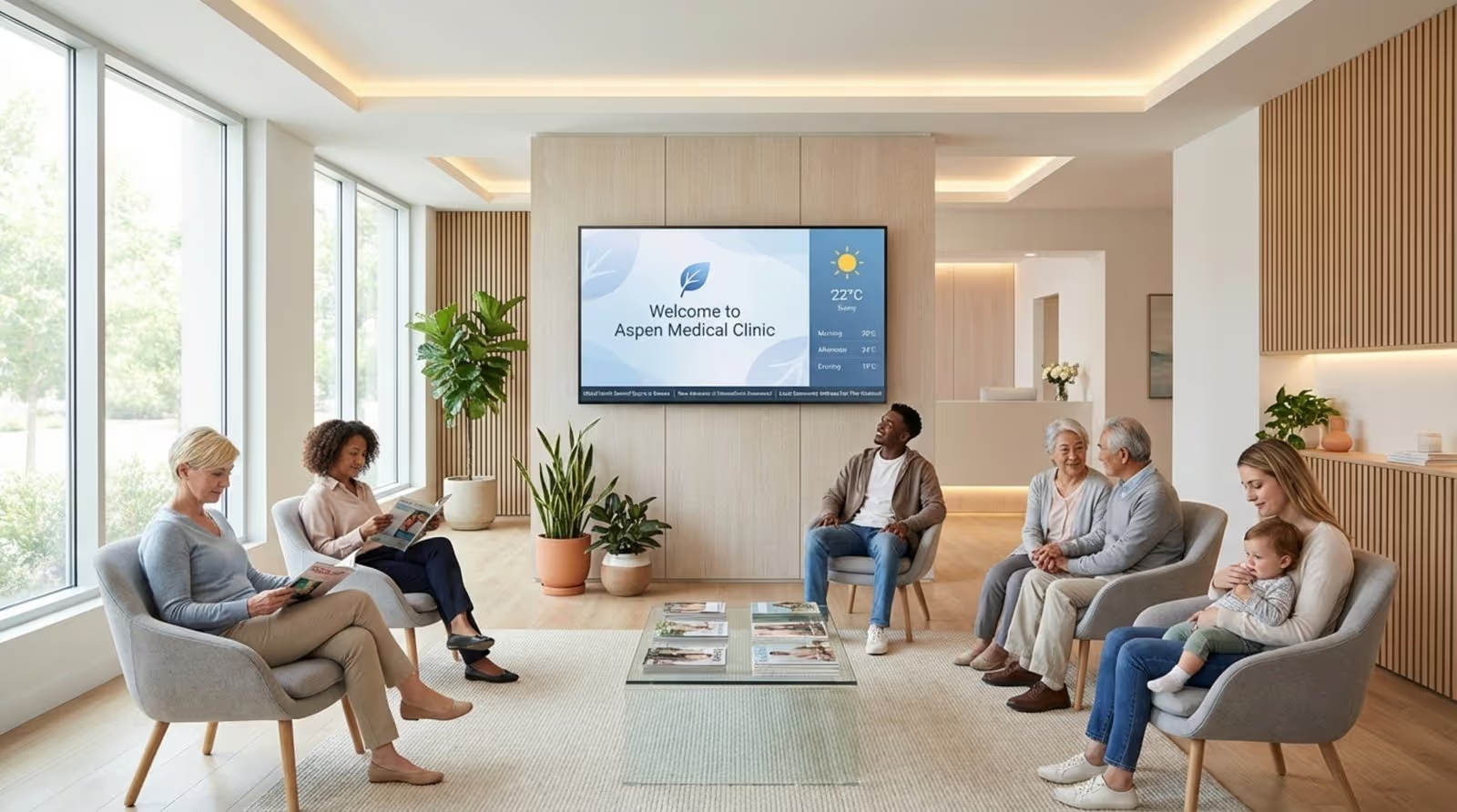
Digital signage software for waiting rooms is a specialized content management system (CMS) that controls and displays media on screens in reception and lobby areas. Unlike a standard TV channel, Look CMS gives the business full control over what shows on screen. It allows you to use screen layouts where one area shows live news or weather apps, another displays queue numbers, and a third promotes services or shares health tips. It turns an ordinary display into a smart communication tool.
Today’s systems have grown far beyond simple slideshow players. Modern, cloud-based platforms like Look Digital Signage can pull live data from outside sources, such as social media feeds, RSS news, or internal databases. This keeps content fresh and relevant without constant manual work from staff, who are already busy assisting visitors in person.
How Digital Signage Improves the Waiting Room Experience
The main aim of digital signage in a waiting room is to reduce the perceived wait time. When visitors watch high-quality visuals, educational content, or short news items, the wait feels significantly shorter. This matters most in high-stress places like medical clinics or law offices, where calm, informed visitors are easier to assist.
Digital signage also supports transparency. By showing real-time updates on wait times or provider availability, facilities help set clear expectations and cut down on repeated questions to reception staff. This leads to a more relaxed environment where visitors feel informed and respected.
Common Uses in Healthcare, Hospitality, and Service Environments
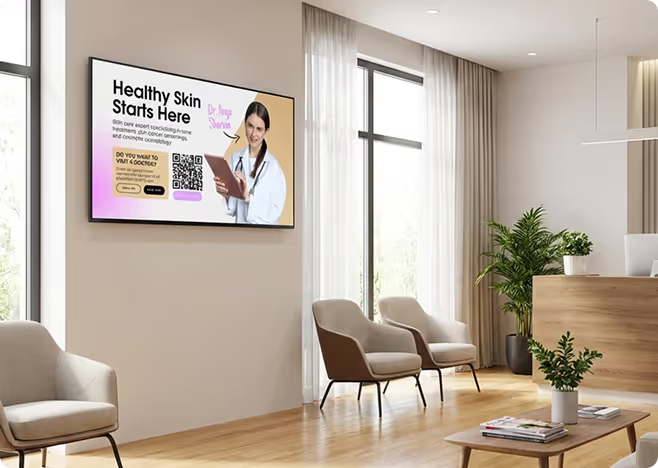
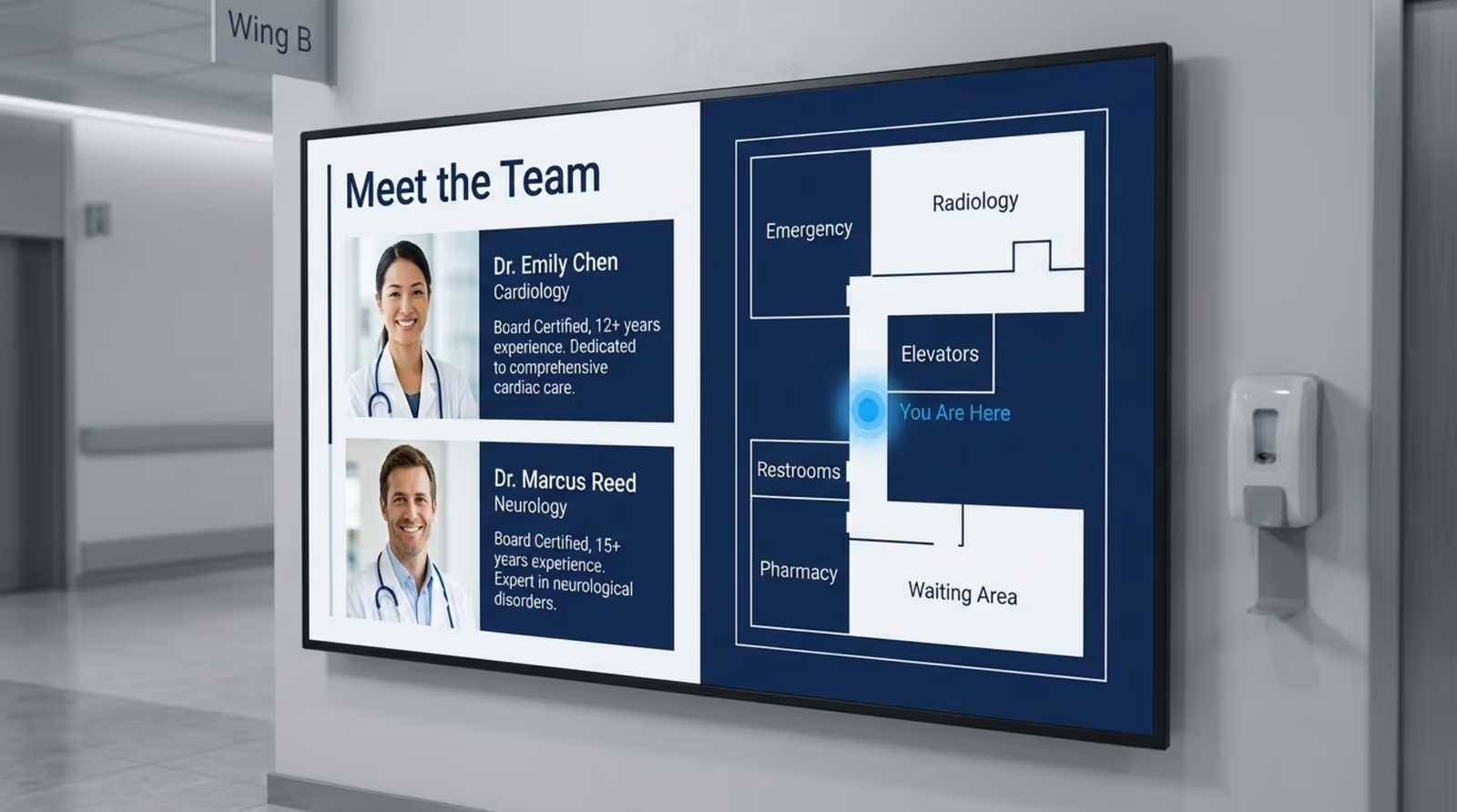
In healthcare, digital signage is a strong tool for patient education. It can explain common procedures, share seasonal health advice (such as flu shot reminders), and introduce the medical team with short bios using ready-made templates. This builds trust even before the patient meets the provider. It also supports practical needs by providing wayfinding help, guiding patients through large facilities.
In hospitality and service spaces, like hotel lobbies or government offices, the software often supports branding and service promotion. A hotel may use screens to highlight spa offers or local attractions, while a bank might show current rates and financial tips. In every case, the goal is to provide useful information, turning downtime into a chance for engagement.
Benefits of Using Digital Signage Software in Waiting Rooms
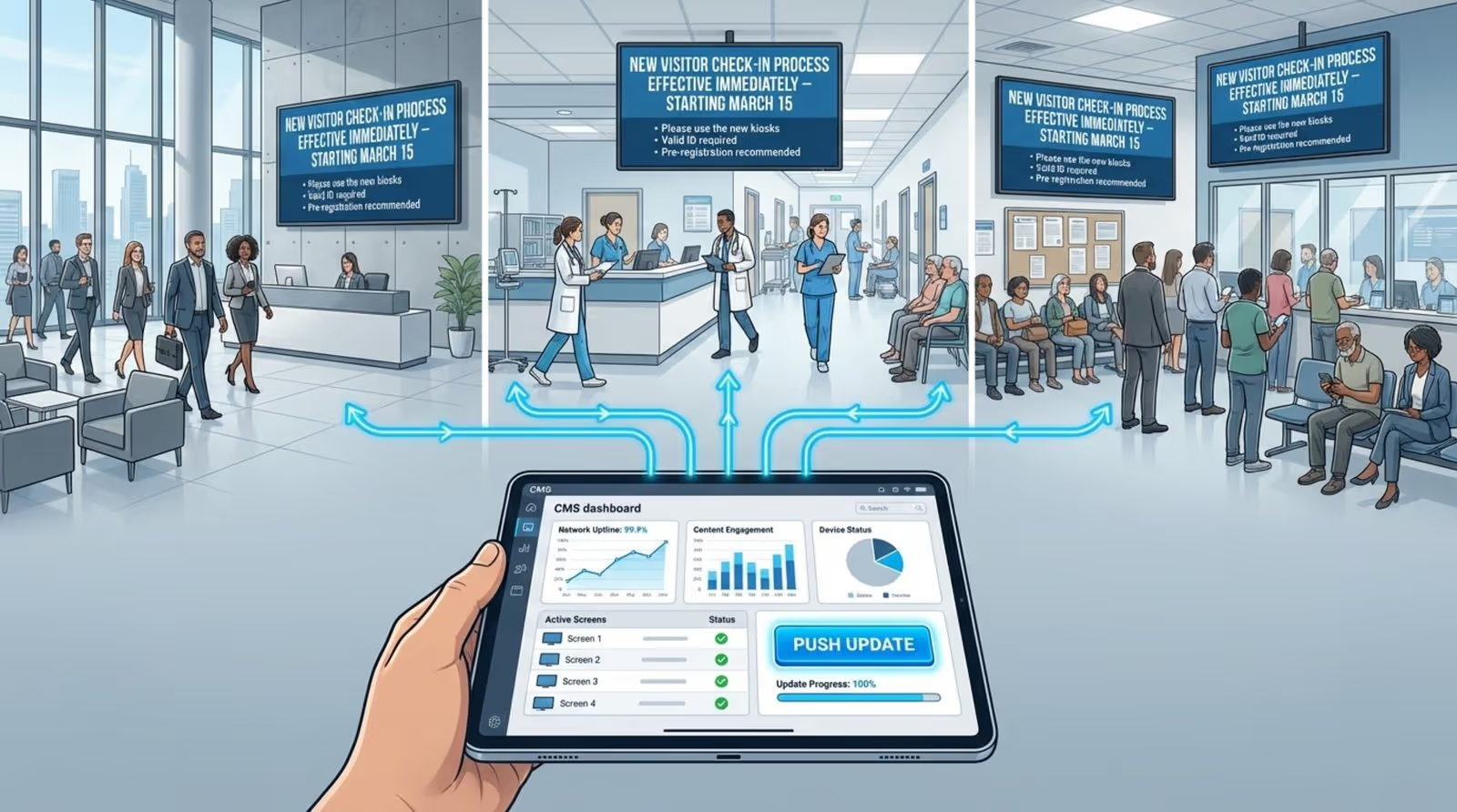
Switching from printed posters to digital displays brings many practical benefits. One major advantage is centralized communication. Instead of printing and hanging new signs every time a rule changes, an administrator using Look CMS can update all screens across multiple locations in a few clicks. This saves on printing costs and keeps messages consistent and professional everywhere.
Digital signage also acts as a "quiet salesperson." It offers a gentle way to promote services or products without being pushy. For example, a dental office might play a short video about teeth whitening. Because visitors are already on-site and thinking about their health, they are often open to these messages.
Reduces Perceived Wait Times and Boosts Visitor Engagement
Engagement fights boredom. By using "infotainment"-a mix of information and entertainment-businesses can keep visitors focused on the screen. Content like trivia, local weather widgets, or relaxing nature videos offers a mental break. When people are engaged, time seems to pass faster, often leading to better satisfaction ratings.
Delivers Up-to-Date Announcements and Important Information
Waiting rooms are often where visitors first see important updates. Whether it’s a change in office hours, a new check-in process, or a safety alert, digital signage helps make sure the message is visible. With features like remote updates, you can ensure critical information reaches everyone in the room immediately, which adds a key layer of safety for public spaces.
Enables Infotainment and Promotes Services
Infotainment keeps the content loop from feeling stale. By mixing national news or social media feeds with other items, the screen remains interesting. Between these pieces, businesses can add promotional slides using the built-in Content Creator. This gentle approach works well: a patient who sees a slide about a new wellness program while waiting is more likely to ask the provider about it.
Supports Compliance with Accessibility and Health Standards
Digital signage can play an important role in keeping spaces safe. Screens can show cleaning reminders, hand-washing steps, or distancing guidelines. For accessibility, support for high-contrast templates and large text helps visitors with low vision. Facilities can also display QR codes on the screen to allow touchless access to forms or menus.
Best Digital Signage Software for Waiting Rooms
1. Look Digital Signage
Look Digital Signage gives waiting room operators a single cloud dashboard to manage every screen without juggling multiple platforms or paying extra for content feeds. The built-in app library covers weather, news (CNN, BBC), Google Reviews, YouTube, and social media feeds out of the box – no third-party subscriptions required.
With screen zoning, you can divide a display into sections showing queue status feeds, health education content, and service promotions simultaneously. Healthcare-specific templates cover welcome messages, team bios with photos, service menus, and patient education slides, all customizable from the Content Creator tool.
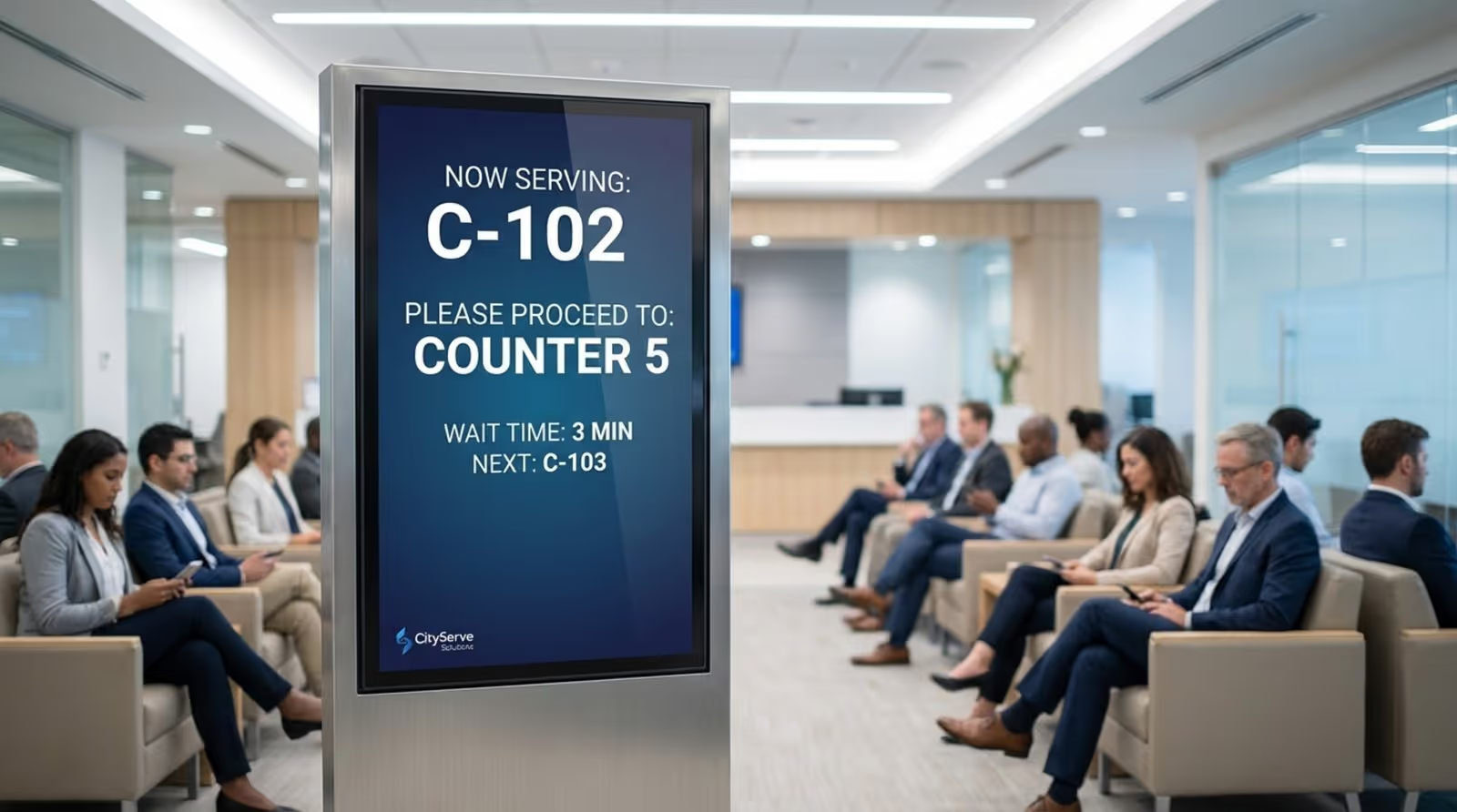
For queue management, you can embed a web-based queue system URL directly into a playlist through the Embeddable Code app, so ticket numbers and wait times appear alongside regular content. Zapier connects Look to Google Calendar or Outlook if your practice uses either for appointment scheduling.
Key features:
- Real-time screen monitoring with screenshot verification and uptime alerts
- Screen tagging and grouping for targeted playlists by location, department, or screen function across multiple facilities
- Offline caching keeps screens running through network outages
- Interactive touchscreen builder for self-check-in kiosks and wayfinding with no coding required
- QR code support linking directly to patient portals, virtual check-in forms, or post-care surveys
Best for: Multi-location clinics, dental offices, urgent care centers, government service waiting rooms, and car dealership lounges that want an easy, affordable way to keep patients informed and entertained without IT involvement.
Pricing: Up to $15/screen/month. More screens – lower price. 14-day free trial, no credit card required.
2. Rise Vision
Rise Vision has an emergency alert system that integrates with Common Alerting Protocol (CAP) providers, including Singlewire, Alertus, Raptor, and CrisisGo. When triggered, alerts automatically override whatever's on screen across every display without manual intervention. The platform is SOC 2 Type 2 attested, and hospital systems across North America already use it for patient-facing signage.
Key features:
- 600+ customizable templates, including healthcare-specific options
- Integrations with Power BI, Google Workspace, Canva, and social media feeds for automated waiting room content
- Email notifications on display online/offline status
Best for: Healthcare facilities that need robust emergency alert overrides and SOC 2-backed security alongside everyday waiting room content.
Pricing: From $11/display/month. 30-day risk-free trial.
3. XOGO
XOGO partners with Screenfeed to give practices access to over 120 infotainment channels formatted for 16:9 screens, covering local weather, sports, national news, and social media. You mix these feeds into playlists alongside your own slides for service promotions, team bios, or health tips, and the content refreshes automatically in the background. If your office runs a web-based queue system, you can embed that URL directly into a playlist so ticket numbers show up between slides.
Key features:
- Real-time mode lets you interrupt a playlist on the fly to trigger content instantly
- 4K resolution is supported on the Pro plan
- Developer API for custom integrations with tools like Power BI and external data sources
Best for: Small clinics and solo practices that want to get up and running fast without a steep learning curve.
Pricing: Free (1 screen, 15 items, HD only); Pro at $20/screen/month (25% off annually).
4. TrouDigital
TrouDigital is a UK-based platform that lets you integrate live TV alongside waiting room content, so patients can watch news or children's channels while health tips, staff profiles, and service promotions rotate around it. It supports touchscreen and kiosk setups, including a "lift and learn" feature where picking up a product — a medical device or pharmaceutical item — triggers related content on screen.
Key features:
- 40+ widgets and integrations
- Proof-of-play reports tracking which slides played, on which displays, and for how long
- Screen grouping to manage content by location or department across multi-site practices
Best for: Healthcare practices looking to make the wait feel less clinical and more comfortable.
Pricing: From £16/screen/month. Demo available.
5. ScreenCloud
ScreenCloud connects to 80+ apps and integrations that feed live content onto waiting room screens. You can pull in news, social media, weather, Power BI dashboards, and Google Slides presentations, and they update automatically. The Canvas design tool zones a display so you can show estimated wait times on one side and educational content on the other. Touchscreen support is available for interactive patient kiosks.
Key features:
- Local content caching
- Remote device management monitors screen health across locations from one dashboard
- Proof-of-play reporting to verify content delivery across large screen networks
Best for: Larger healthcare organizations with complex content needs across multiple sites and departments.
Pricing: $24/screen/month (monthly billing). 14-day free trial.
6. OptiSigns
OptiSigns sits at the more affordable end of the market without cutting the feature set down to basics. The platform connects to over 140 apps, including queue management tools like Waitwhile, which lets you display live wait times on screen and reduce the number of patients crowding the reception area. SOC 2 Type II certification makes it a credible option for practices with compliance requirements.
Key features:
- Waitwhile queue management integration for displaying live wait times and reducing front desk interruptions
- 140+ app integrations, including Power BI, Google Slides, Instagram, and Canva
- SOC 2 Type II certification for organizations with data security compliance requirements
Best for: Growing practices that need a reliable, scalable solution without overspending.
Pricing: From $10/screen/month (Standard). Free tier available.
7. Visix
Visix is a good fit if you're running waiting rooms across multiple clinic locations. Using its drag-and-drop widget library, you can build screens that pull live data from weather feeds, RSS news, web pages, Excel spreadsheets, Google Sheets, XML, JSON, and Power BI dashboards. The Widget Controller lets you set if/then conditions that influence the behavior of other widgets based on parameters you've defined. With user roles, each department publishes and manages its own content independently from a central platform.
Key features:
- Widget Controller with if/then logic that automatically changes on-screen content based on live data value
- Custom screen design and branding services available through Visix's in-house creative team
- Emergency alerts can override all screens instantly via the built-in Alert Management System
Best for: Large hospital systems where patient navigation and accessibility are as important as the waiting room experience itself.
Pricing: Custom quote only. Cloud subscriptions, site licenses, and Hardware as a Service (HaaS) options are available.
8. Navori Labs
Navori supports emergency messaging, is SOC 2 Type II certified with both cloud and on-premise deployment options, and natively supports CAP feeds for automated emergency alerts.
For day-to-day waiting room use, it integrates with patient management systems to show real-time check-in status, room assignments, and service availability. You can blend live video streams directly into signage layouts alongside RSS and social media feeds. Navori also includes an AI-powered analytics layer called Aquaji that tracks wait and dwell times in real time, and automatically adjusts what's shown on screen based on how long people have been waiting.
Key features:
- Real-time patient feedback collection via touchscreens or QR codes
- Multi-zone template designer with 4K support, live data feeds, and rule-based playback automation
- Multi-user access with domain-level controls
Best for: Enterprise healthcare environments with strict security requirements and a need for data-driven waiting room management.
Pricing: From $14/player/month (Cloud Essential). 30-day free trial.
9. Mood TV (Mood Media)
Mood TV replaces your cable subscription with short-form licensed programming from NBC, ABC, CBS, and other major networks — pre-curated and family-friendly, so you never have to worry about competitor ads or inappropriate content showing up in your waiting room. Your own messaging wraps around the TV content in branded templates, and Mood claims it costs half what cable does.
The big difference here is that Mood is a fully managed, end-to-end provider. They handle hardware, screens, installation, content creation, and 24/7 service with local technicians in every US zip code. That's great if you don't want to manage anything yourself, but it does mean less control compared to the self-service platforms on this list.
Key features:
- Harmony CMS platform for scheduling and managing content across single or multi-location networks with role-based permissions
- Professional signage templates including L-wraps, multi-zone configurations, and full-screen layouts
- Bundled sound masking solutions are available for HIPAA-compliant patient privacy in the same facility
Best for: US dental offices and medical practices wanting a fully managed waiting room TV experience with licensed network programming and zero content curation effort.
Pricing: Contact vendor for pricing.
10. UPshow (EverPass Media)
UPshow is a patient engagement platform for waiting rooms with 500+ entertainment channels including curated kids and family content, mindfulness and relaxation stations, local news, live sports, and comedy.
The in-app Canva integration makes it easy to create patient education slides with drag-and-drop templates, so staff don't need separate design tools. It has wayfinding support for multi-campus hospital systems, and trackable QR code support for patient engagement.
Key features:
- Multi-location screen management with customized scheduling and playlisting
- Data insights and analytics
- Plug-and-play setup that works with existing TVs using compatible media players
Best for: Multi-location healthcare systems and clinics wanting entertainment-forward waiting room screens with built-in patient engagement tools.
Pricing: Quote-based. Demo available.
Key Features to Look for in Waiting Room Digital Signage Software
When you choose software, real value lies in the backend stability and ease of use. The best waiting room software should be something you can mostly "set and forget," but still allow strong customization when you need it. Reliability is key; you need a system like Look Digital Signage that ensures reliable playback even if the internet connection drops.
The user interface is another major factor. Since the person updating content may be an office manager rather than an IT specialist, the software must be simple. Drag-and-drop tools, an intuitive dashboard, and an AI Wizard for quick content creation all help reduce training time.
Content Scheduling and Dynamic Updates
Good scheduling lets you match messages to the time of day. With Look's Smart Scheduling, a pediatric clinic might show kid-friendly content in the morning and switch to adult wellness content later in the day. Dynamic updates mean that when you change a price or schedule in your central system, that change appears on the screen automatically.
Integration with Appointment and Queue Management Systems
In busy waiting rooms, the ability to show a "Now Serving" display is a major plus. Integrations via API or HTML embed allow the next number in line to appear on the screen automatically. This reduces anxiety, cuts down on "am I next?" questions, and keeps visitor flow moving smoothly.
Remote Management and User-Friendly Interface
Remote management is essential for businesses with more than one location. It lets someone at head office see the status of all screens and send updates to specific sites or all of them at once. Look CMS provides a clear interface that lets local staff make small changes-such as adding a welcome message-from anywhere, without needing technical skills.
Customizable Templates and Branding Options
Your signage should match your brand. Look Digital Signage includes a library of ready-made templates that you can adjust with your logo, brand colors, and fonts. This creates a polished, consistent look that supports your brand identity every time someone looks at the screen.
Support for Multiple Screen Sizes and Orientations
Waiting rooms differ in size and layout. You might have a large 4K TV in the main lobby and a vertical tablet at the check-in desk. Screen Layouts in Look CMS allow you to handle different resolutions and orientations without stretching content, keeping your messages clear whether on a floor-standing display or a wall-mounted TV.
Security, Privacy, and Accessibility Considerations
In settings like healthcare, data privacy is critical. Look offers an On-Premise Digital Signage option for organizations that require maximum control over their data and infrastructure. For general use, the cloud platform is designed to support privacy-first data collection while allowing you to monitor screen health remotely.
How to Choose the Right Digital Signage Software for Your Waiting Room
Choosing the right software starts with a clear view of your needs. Price is one factor, but you also need to think about the "total cost of ownership," including staff time needed to manage content. A platform that is hard to update will cost more in the long run through lost time. Look Digital Signage is designed to save hours on updates through its intuitive interface.
Begin by listing your must-have features:
- Do you need to schedule content for different times of the day?
- Do you need to use existing screens?
- Is offline reliability a priority?
Your answers will likely point toward a flexible, cloud-based solution like Look.
Checking Compatibility with Existing Hardware
If you already have TVs mounted in your waiting area, you’ll want software that works with them. Look Digital Signage offers a free player app for many operating systems, or you can use the Look HDMI Player for a simple, dedicated solution. This ensures you don't face a costly hardware overhaul.
Looking at Total Cost of Ownership
Don’t stop at the license price. Consider:
- Time saved on manual updates
- Reliability and uptime
- Simplicity of the setup
Look allows you to scale smoothly from 1 screen to thousands, ensuring the cost makes sense for your business size.
Scalability for Single or Multiple Locations
Your needs may grow over time. A tool that works well for one screen might become hard to manage once you reach dozens. Look provides strong multi-location features such as:
- User permissions for different staff roles
- Group-based scheduling
- Central monitoring
These features help you grow your network without adding extra admin work.
Level of Technical Support
If a screen needs attention, fast help matters. Look Digital Signage is known for its supportive approach, offering resources to help you get unstuck quickly. You can access support directly to resolve questions right when you need to.
Trial Options
Avoid long contracts without trying the software first. Look offers a free trial that lets you:
- Test how easy the interface is to use
- Try different templates and layouts
- See how content actually looks on your screens
This is the best way to prove the value before you buy.
Best Practices for Effective Waiting Room Digital Signage
Owning good software is only half the story; smart content makes the difference. A good rule is to keep about 70% of your loop focused on helpful information and entertainment, and 30% on promotion. If the display is only ads, visitors will tune it out. Lead with value.
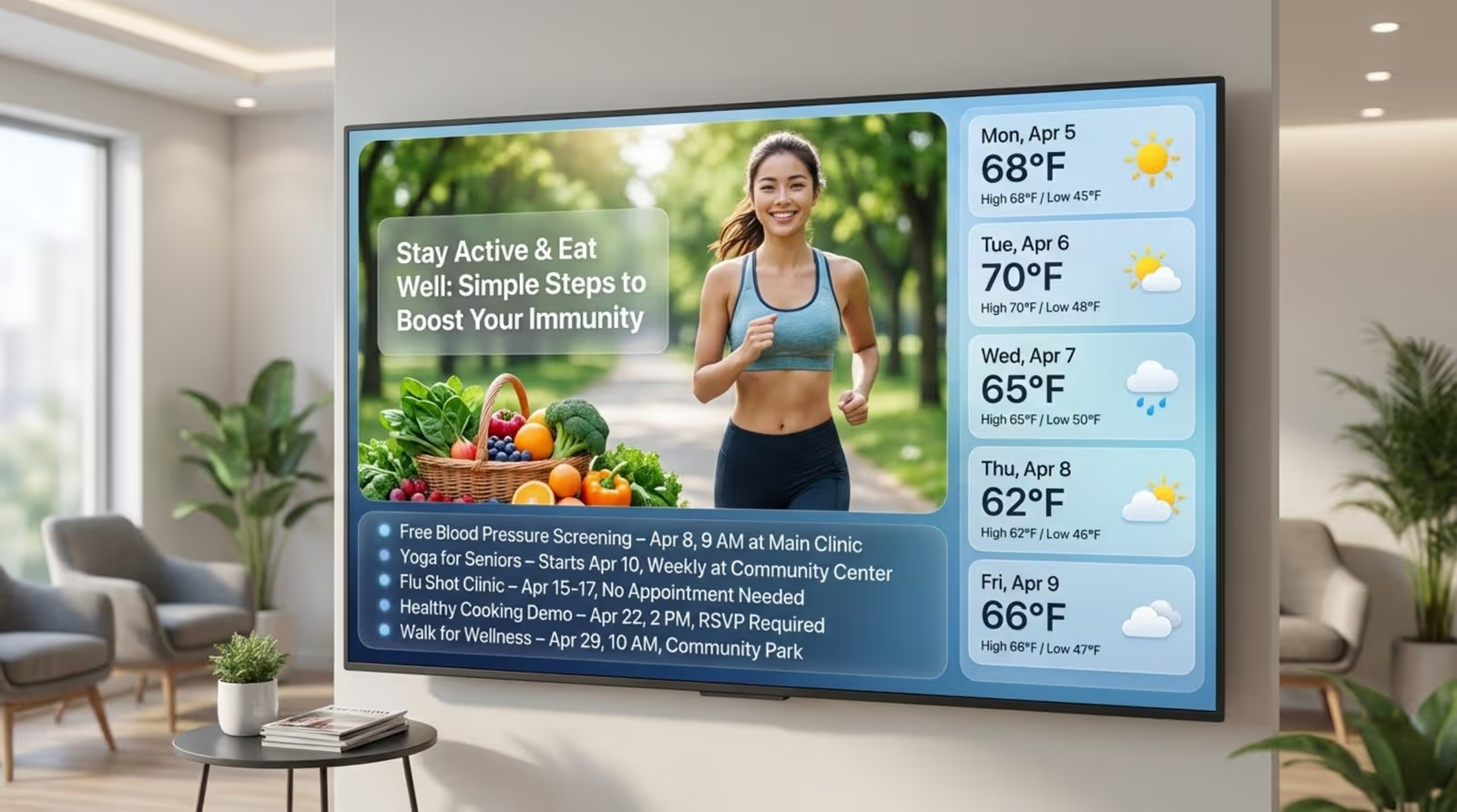
Visual quality matters too. Use high-resolution images, and keep text large and easy to read. Avoid crowded layouts. Using Look's Screen Layouts, you can ensure your main message stands out while secondary info, like weather, sits neatly to the side.
Content Ideas for Engaging and Informing Visitors
A strong content rotation might include:
- Local weather and traffic updates
- "Meet the Team" slides
- Health or industry-specific tips
- Live news tickers
- Community notices
In medical settings, short explainer videos about procedures can reduce anxiety and prepare patients for their visit.
Screen Placement and Visibility
Screen location makes a big difference. In many waiting rooms, a 55-65 inch TV mounted high on a wall works well. Aim for visibility from most seating. For larger spaces, you might use multiple screens managed via the Look CMS to ensure everyone has a good view.
Maintaining Privacy and Data Security
Because everyone in the room can see the screen, never show sensitive personal information. Use formats such as ticket numbers for queues. On the technical side, Look's secure cloud infrastructure ensures that only authorized staff can change the content.
Regular Updates and Monitoring Performance
Outdated content sends a bad message. Use Look's Smart Scheduling to set end dates for slides so they disappear automatically after an event passes. Use the Playback Analytics to see which content runs most often and verify that your screens are online.