Table of Content
How do you keep pricing accurate, promotions fresh, and wayfinding clear across a sprawling retail network without wasting staff hours? The answer lies in cloud-based digital signage software that centralizes control and automates playback. By choosing a platform like Look Digital Signage, retailers can manage every screen from one dashboard, ensuring the right message reaches the right shopper at the right moment.
Retail moves fast, and changing your message within seconds is now a basic requirement. From a last-minute promotion in the produce aisle to a mall-wide emergency alert, the right software bridges the gap between your marketing strategy and your physical screens. This guide explains how these systems work and why Look Digital Signage is the software of choice for supermarkets and shopping centers looking for reliable, scalable results.

What Is Digital Signage Software for Supermarkets and Shopping Malls?
Digital signage software is the “brain” behind the screens you see in modern stores and malls. It is a content management system (CMS), like Look CMS, that lets you create, schedule, and publish visual content to one or thousands of displays at once. Unlike a basic media player that just loops a USB drive, professional signage software provides a full control panel where you can build complex playlists, monitor device health remotely, and target content by location or time of day.
For supermarkets and malls, this software must be robust. It needs to handle HD video, interactive scenarios, and live data feeds without lagging. It transforms walls and open spaces into useful, eye-catching digital assets that you can update from anywhere with an internet connection.
How Does Digital Signage Software Work in Retail Spaces?
A typical digital signage setup in retail includes three parts: the CMS software, a media player, and the display screen.
- You log in to the CMS (such as the web-based Look CMS) and design layouts using ready-made templates or your own assets.
- When the content is ready, the software publishes it over the internet to the media players connected to each screen.
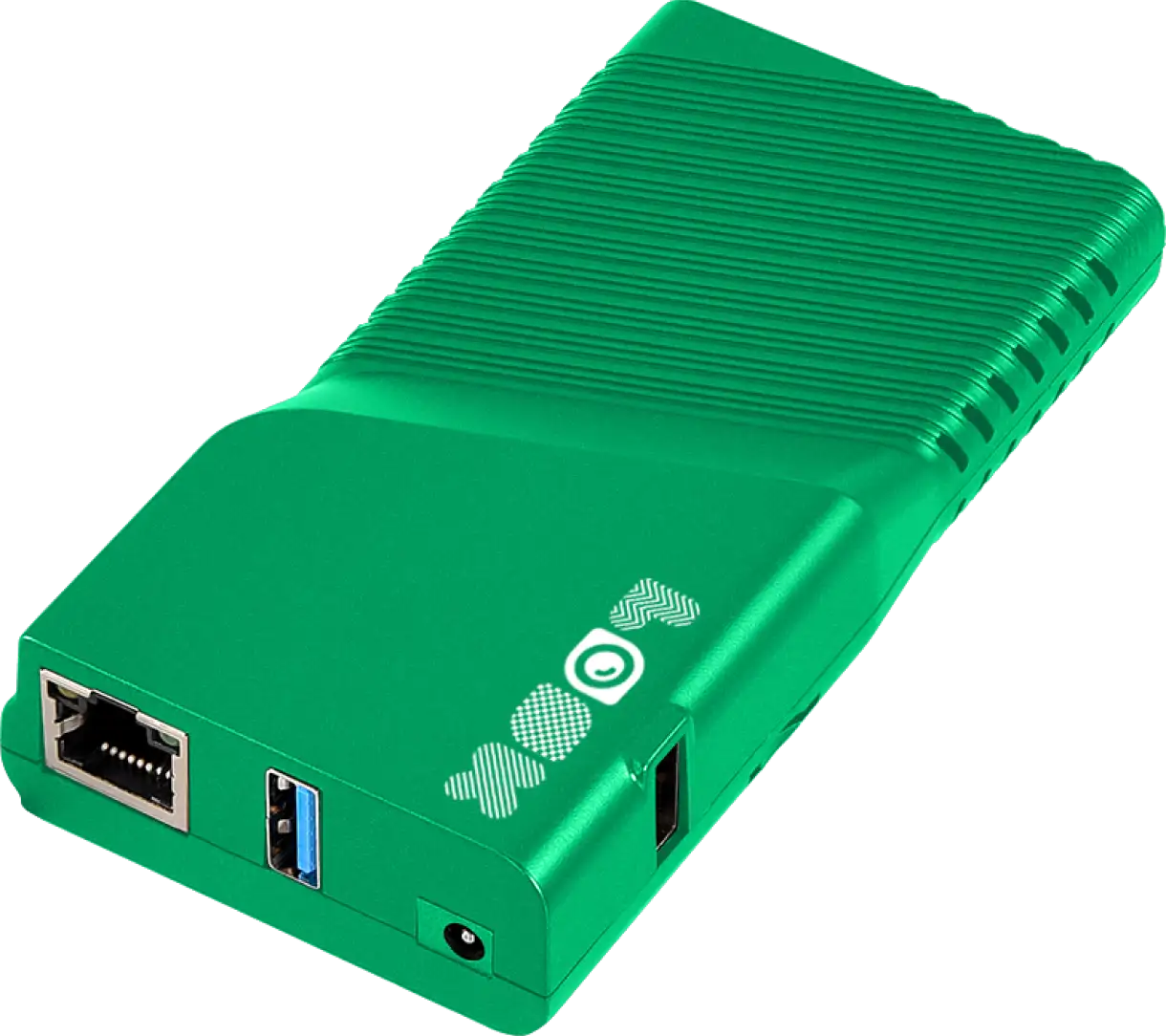
- The players-whether they are external devices like the Look Player or a smart TV running the Look App-download and cache the content. This ensures offline playback, keeping your screens running smoothly even if the internet connection drops.
In large spaces like malls, the software uses grouping tools. A facility manager can send specific ads to food court screens while simultaneously updating directory information on entrance kiosks. Platforms like Look Digital Signage also allow for integrations to display dynamic content, such as social media feeds or weather updates, keeping the screen network alive and relevant.
Common Use Cases in Grocery Stores and Malls
In supermarkets, digital signage is often used for:
- Digital menu boards in deli and hot food areas, easily updated via Smart Scheduling.
- End-of-aisle displays highlighting weekly specials.
- Recipe ideas or cross-sell suggestions near key products.
These screens act as silent sales staff. For example, a screen in the wine aisle can suggest a pairing for a steak currently on promotion. This guides purchase decisions directly at the shelf.
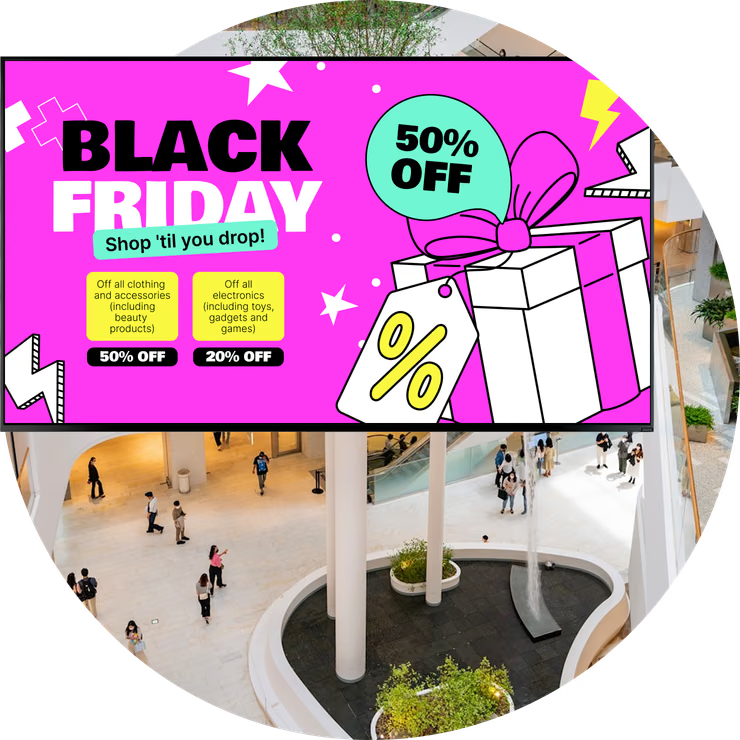
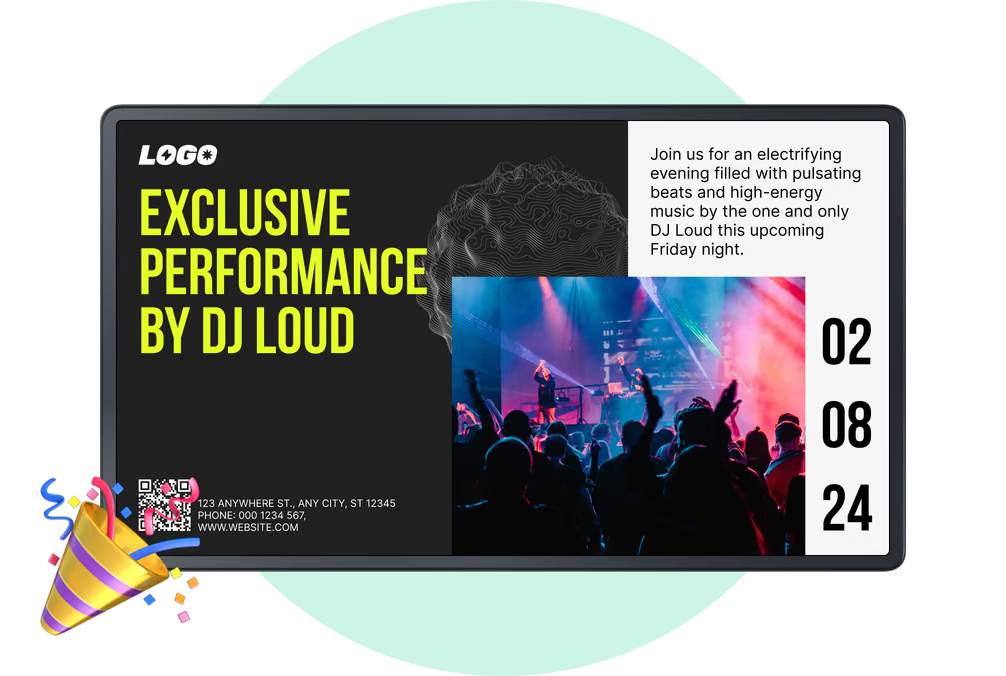
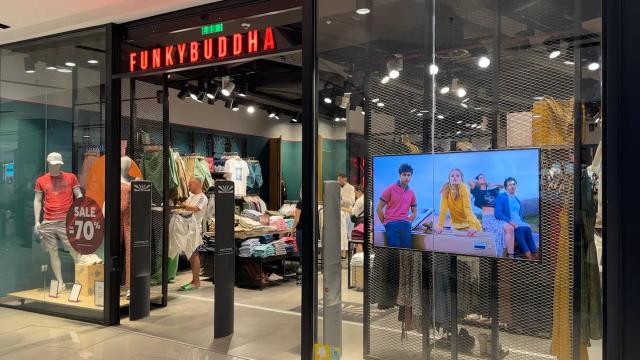
Shopping malls utilize digital signage for broader communication. Beyond standard advertising, screens serve as interactive wayfinding tools to help visitors locate stores. They also function as event boards for holiday photos or pop-up shops. Many malls also operate their screens as a Digital Out-of-Home (DOOH) network, generating revenue by selling ad slots to tenants and external brands-a process supported by Proof-of-Play reporting.

Why Use Digital Signage Software in Supermarkets and Shopping Malls?
The shift from printed posters to digital screens is driven by the need for speed and relevance. Shoppers are accustomed to dynamic digital content, making static paper signs easy to ignore. Digital displays capture attention with motion and timely messaging. A supermarket can automatically switch from “breakfast” to “lunch” offers at 11:00 AM without staff needing to manually swap a single sign.
Modern platforms like Look Digital Signage also use data to refine content strategy. By analyzing Playback Analytics, retailers can verify that campaigns are running as planned and optimize schedules to maximize impact. This continuous loop of data and updates keeps in-store communication effective.
Increases Customer Engagement and Dwell Time
Capturing attention is critical in retail. Digital signage leverages high-definition video and dynamic layouts to stand out far more than print. Industry observations suggest that digital displays can significantly increase store traffic. When shoppers find content useful or entertaining, they stay longer in the space-increasing "dwell time."
In malls, engaging content in common areas transforms a quick errand into a leisure experience. Brand videos, fashion highlights, or community announcements displayed on large screens encourage visitors to spend more time on-site, creating more sales opportunities for tenants.
Improves Communication and Real-Time Updates
Instant communication is a major advantage. If a supermarket receives a surplus shipment of perishables, a manager can launch a flash sale across all relevant screens in minutes. This speed ensures inventory moves quickly and reduces waste.
It also supports safety and operations. In the event of an emergency, screen content can be instantly overridden from the central dashboard to display evacuation routes or safety warnings. This synchronized messaging provides a safety layer that printed signage cannot match.

Boosts Promotions, Upsells, and Advertising Revenues
Digital signage is a powerful sales engine. Screens in high-traffic zones can highlight high-margin items or cross-sell add-ons. A display near the checkout can trigger impulse buys with last-minute offers. With Smart Scheduling, you can automate these promotions to align with peak shopping hours.
For mall operators, the screen network itself is a revenue generator. By selling ad space to tenants, operators create a DOOH revenue stream. Look Digital Signage provides the necessary Proof-of-Play and Monitoring tools to generate reports for advertisers, verifying exactly when and how often their ads were displayed.
Cuts Printing and Operational Costs
While there is an initial investment in hardware, the long-term savings are significant. Printed signage involves recurring design, printing, shipping, and labor costs. It is slow and creates waste. With digital signage, updating a campaign happens in minutes and costs nothing in materials.
Staff efficiency also improves. Employees are freed from the task of manually replacing posters and price tags, allowing them to focus on customer service. Additionally, digital updates eliminate paper waste, supporting sustainability goals.
Improves Wayfinding and Customer Experience
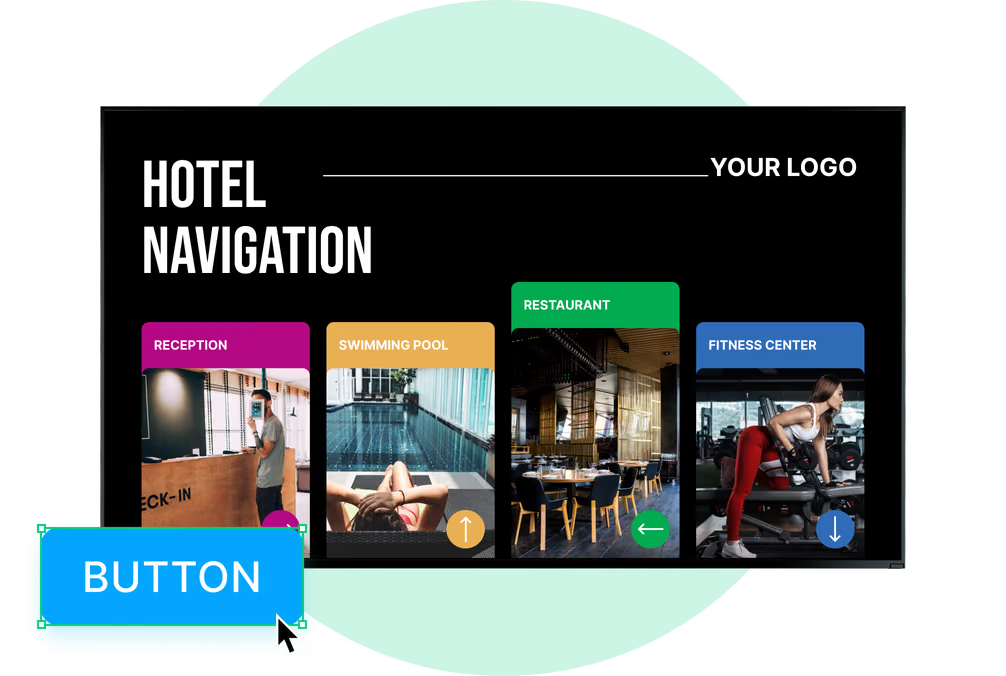
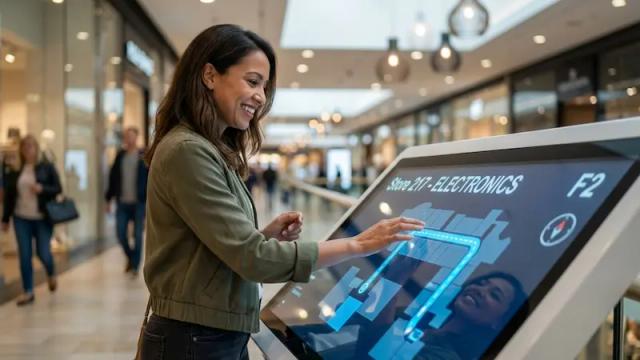
Large shopping complexes can be navigating challenges. Digital kiosks act as self-service guides. Using Interactive Scenarios, you can build touch-enabled directories that show maps, store lists, and current offers. Reducing shopper frustration improves the overall experience and encourages repeat visits.
In supermarkets, wayfinding helps shoppers find products faster. A kiosk or aisle screen can direct a customer to the exact location of an item. This build helps build trust and creates a smoother shopping journey.
Types of Digital Signage Displays for Supermarkets and Shopping Malls
The hardware you select is just as important as the software. Different zones require different displays, from high-brightness screens in sunny atriums to smaller displays on shelves. Look Digital Signage is hardware-agnostic, meaning it works with a wide variety of players and screens to suit your specific layout.
By combining different display types, malls and supermarkets create a cohesive "smart" environment that guides the shopper from the parking lot to the checkout counter.

Wall-Mounted and Hanging Displays
Wall-mounted screens are standard for high-visibility messaging. Placed behind service counters or at entrances, they are ideal for brand storytelling or promoting key products. In supermarkets, these screens often run Screen Layouts that split the display between promotional video and informational text.
Hanging screens utilize vertical space in mall corridors and wide aisles. Visible from a distance and above crowds, they are excellent for mall-wide announcements or major campaigns, ensuring messages are seen even during peak foot traffic.
Freestanding Kiosks and Touchscreens
Freestanding kiosks often serve as the first digital touchpoint. Vertical displays in walkways can feature interactive maps or directories. Using the Interactive Scenarios feature in Look CMS, you can create navigable menus without writing code, allowing visitors to search for stores or services easily.
In supermarkets, smaller kiosks can handle price checking or loyalty sign-ups. Interactive end-caps allow shoppers to scan products for detailed nutritional info or recipes, adding a layer of digital convenience to the physical product.

Digital Menu Boards and Product Catalogs
Digital menu boards are essential for in-store cafes and food courts. They allow for instant price updates and the ability to hide sold-out items immediately. High-quality visuals of food and drink drive appetite appeal and can increase average order value.
Digital product catalogs extend the "endless aisle" concept. Where shelf space is limited, a screen can showcase the full range of products available for order. This is particularly effective in electronics or beauty sections, where customers want to compare specifications or shades.
Outdoor LED Signs and Video Walls
The experience begins before the customer enters. Outdoor LED screens are built to withstand weather and sunlight, making them perfect for building facades or parking entrances. They signal that the location is modern and active.
Inside, video walls create a massive visual impact. Typically located in central plazas, these multi-screen setups are ideal for high-definition brand campaigns. Look Digital Signage supports custom resolutions and aspect ratios, ensuring your content scales perfectly across these large formats.
Best Digital Signage Software for Supermarkets
1. Look Digital Signage
Look DS is designed to support not only single-location grocery stores, but multi-location supermarkets and shopping malls in managing the full spectrum of retail store use cases. Customers consistently praise the cloud CMS for being easy to use and packed with enterprise-level features at a fraction of the cost.
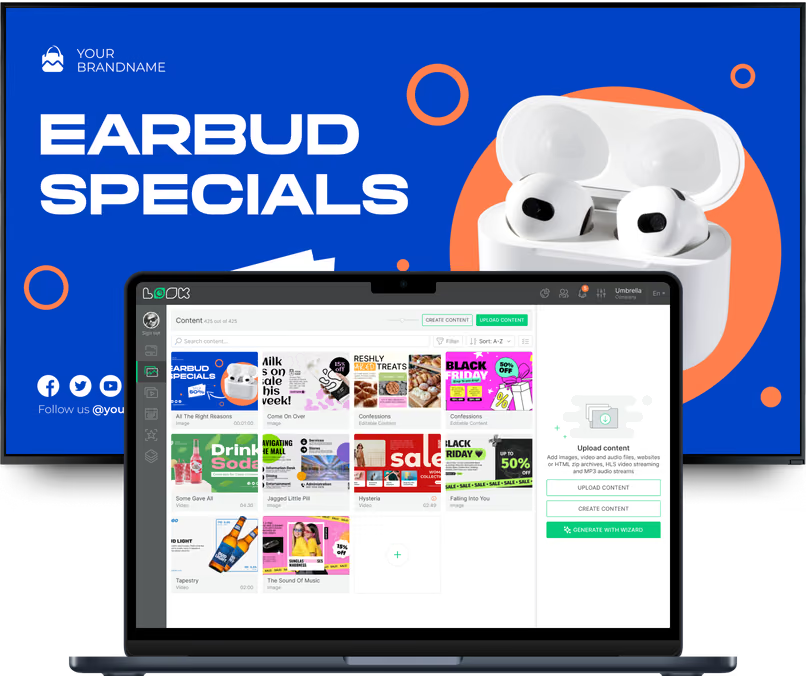
In the built-in content creator, you'll find hundreds of ready-made templates for deli menu boards, endcap promotions, seasonal produce displays, and checkout lane offers. Supermarket chains can create tagged screen groups for produce sections, bakeries, deli counters, and checkout lanes, then set smart schedules that shift content automatically through the day. Screens keep running from cached content if the internet drops, and connects to your POS or inventory system via Zapier or API.
Key Features:
- Multi-language content rotation supporting diverse customer demographics
- Playlist scheduling with conditional triggers based on time, date, or custom parameters
- Pre-built templates for deli counters, produce sections, and checkout displays
- Integration capabilities for POS data feeds and inventory management systems
- Screen grouping with tags for managing displays by department, store, or region
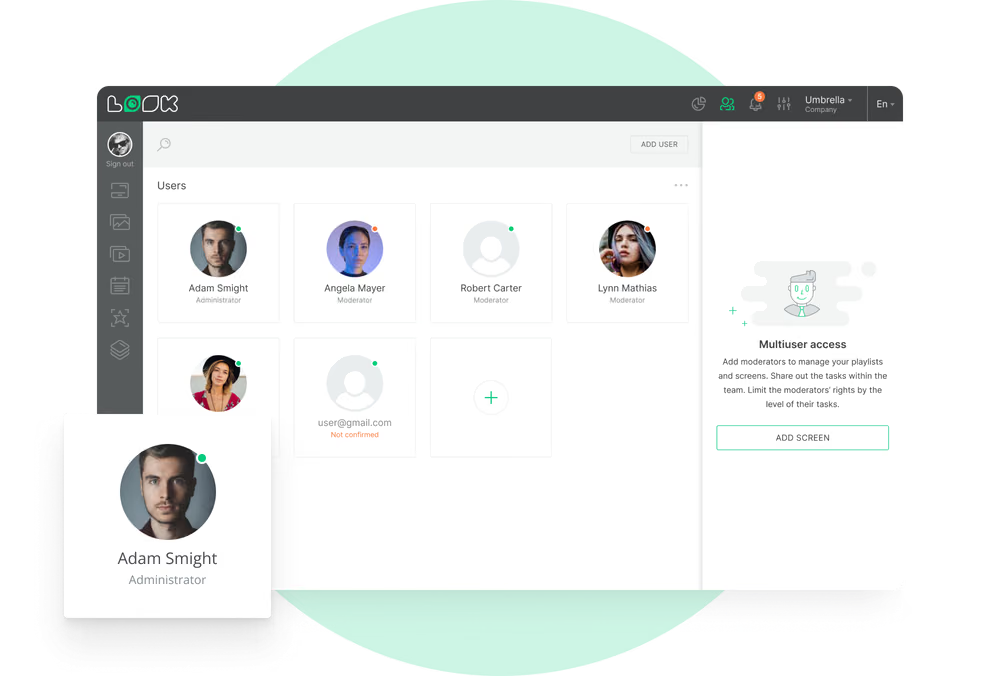
- Role-based permissions allowing store managers to update local content while corporate controls branding
- Interactive wayfinding and self-service kiosks for product location and recipe ideas
Pros:
- Intuitive interface designed for non-technical store managers
- Scalable pricing that decreases per-screen cost at higher volumes
- Comprehensive hardware compatibility reduces deployment complexity
Cons:
- Smaller third-party app integration, but you can connect 1000+ apps to your screens using the Zapier integration
Best For: Regional grocery chains and independent supermarkets seeking centralized control with local flexibility
Pricing: Up to $15/screen/month. More screens — lower price. Free 14-day trial available.
2. Navori Labs
Twenty-seven years in the market and SOC 2 certified, Navori sits firmly in enterprise territory. It has native POS and ERP integration, rule-based scheduling where content triggers based on conditions you define, and local playback. The most outstanding feature for high-traffic retail environments is AQUAJI, Navori's own AI computer vision add-on that anonymously reads shopper demographics and dwell time and feeds that data back to adjust what's on screen in real time.
Key Features:
- Rule-based content triggers that can respond to inventory levels, time of day, or live data feed values without manual intervention
- AQUAJI computer vision tracks foot traffic, demographics, and attention span per screen, feeding directly into the CMS to automate content decisions
- Programmatic DOOH advertising support
Best for: Large grocery chains and shopping mall operators who need enterprise-grade reliability, conditional content automation, and the option to monetize screens with third-party advertising.
Pricing: From $14/screen/month (cloud); contact sales for enterprise and on-premise pricing. 30-day free trial.
3. TelemetryTV
Trusted by Starbucks, Amazon, and franchise chains, TelemetryTV suits shopping malls well with 8K video wall support, self-service kiosks for product browsing, and API-driven targeted content per location or tenant.
Grocery chains get auto-expiring sale content, and playlist approval workflows that keep corporate brand standards intact across locations. It is PCI-DSS and SOC 2 compliant with reliable offline playback. No native POS integration.

Key Features:
- Self-service kiosk builder using DevOps-powered custom web apps, no third-party kiosk software needed
- API-driven content targeting delivers different promotions to each location or tenant programmatically
- IPTV streaming blends live broadcasts with branded signage content on the same screen
Best for: Multi-location grocery chains and shopping mall operators who need enterprise-grade content governance, interactive kiosk capability, and video wall support.
Pricing: From $8/screen/month (billed annually); $9/screen/month on monthly billing. 30-day free trial available.
4. SmarterSign
In business since 2006, SmarterSign is one of the more battle-tested options on this list. It has native integrations with Square, Clover, and Heartland POS, making it a practical fit for grocery retailers who want checkout-synced promotions without custom API work. Dayparting and multi-location content management keep campaigns on schedule across locations, and mall operators can extend reach with built-in DOOH support.
The drag-and-drop designer is learnable in minutes, and for teams without dedicated designers, a professional design service is available as an add-on. It is not the pick for operators who need advanced analytics or IoT-triggered content, and at $30/screen/month it sits on the pricier end of this list.
Key Features:
- Custom integrations and 99.9% SLA guarantee on enterprise plan
- Drag-and-drop Manager with hundreds of templates
- US-based live phone support
Best for: Mid-size grocery chains that want POS-connected signage, can handle managed content creation, and have reliable in-store internet.
Pricing: From $30/screen/month; contact sales for volume pricing. 14-day free trial.
5. OptiSigns
With 100+ app integrations and POS connectivity via OptiSync, OptiSigns covers most of what a multi-location retailer or mall operator needs out of the box. Content caches locally so screens keep running through connection drops, dayparting and split-screen zones are both standard, and the Enterprise tier adds GraphQL API access for custom integrations with inventory or ERP systems.
Key Features:
- IoT sensor support lets screens respond to real-world triggers like motion or occupancy data in real time
- Role-based access with approval workflows
- SOC 2 Type II certified, with GDPR compliance and SSO support for enterprise deployments
Best for: Retailers and mall operators who want a wide integration library, solid scheduling, and enterprise-grade access controls at a mid-range price.
Pricing: Free plan available (3 screens, watermarked); paid plans from $10/screen/month.
6. Xibo
The open-source option on this list. Xibo runs on your own server for free or on Xibo's cloud from $4.90/screen/month, and its full RESTful API makes POS integration genuinely flexible rather than limited to a preset list of connectors.
Content caches locally on players for offline playback, multi-zone layouts let you split promotional screens, directory boards, or checkout displays into independent content areas, and it runs natively on LG webOS and Samsung Tizen displays so you may not need separate media players at all. The trade-off is setup complexity where non-technical teams may struggle, and advanced features are gated behind higher-tier plans.
Key Features:
- Fallback data on widgets keeps screens showing static content if a live feed drops
- Proof of play reporting per display, exportable as scheduled PDFs
- Real-time display status monitoring with diagnostic logs for remote troubleshooting
Best for: Grocery retailers with in-house IT who want maximum integration flexibility without vendor lock-in.
Pricing: Free (self-hosted); cloud from $4.90/screen/month. 14-day free trial available.
7. ScreenCloud
Retail store operators in shopping malls will love ScreenCloud for its vast app store, which covers everything from wayfinding directories and social media feeds to Canva design and live event countdowns.
Tenant announcement boards, store directory updates, and safety notices can all be pushed to mall screens in seconds, and role-based access maintains brand and content integrity across tenants and departments. It is a strong all-round platform for mall environments, but falls short if you need native POS price-sync or inventory-triggered content.
Key Features:
- The Emergency Alerts app automatically overrides all screens with safety messages
- GraphQL API lets developers automate content based on external system triggers
- Proof of play reporting tracks content playback for compliance audits
Best for: Shopping mall operators and multi-location retailers who need flexible content management across a complex screen network without heavy IT involvement.
Pricing: $24/screen/month (Core, monthly billing); $20/screen/month billed annually. 14-day free trial available.
8. NoviSign
NoviSign has offline playback, dayparting, screen grouping by department, and POS connectivity via native integrations with Clover, Revel, and Lightspeed as well as Zapier for everything else. For grocery stores specifically, the IoT/RFID support means you can set screens to trigger targeted content when a product barcode is scanned, which is useful for endcap displays and produce sections. The interface gets flagged as dated in reviews, but the core scheduling and reliability hold up well across large deployments.
Key Features:
- Free set-up assistance & training
- Remote screen management with advanced playlist scheduling
- 400+ templates across retail and menu board formats, with an AI content generation tool added in recent updates
Best for: Grocery operators who want IoT-driven or scan-triggered signage and need reliable offline playback across multiple departments.
Pricing: From $18/screen/month (billed annually). 30-day free trial.
9. Pickcel
If you need POS-triggered loyalty display at checkout, Pickcel has it covered: when a customer scans their card, their points balance or a personalized deal surfaces on the nearest screen automatically. Dayparting, multi-zone layouts, and native Shopify POS sync are all core features, and the dashboard lets you reboot devices, clear cache, or pull a live screenshot remotely without anyone on the floor.
SOC 2 and ISO 27001 certification make it a comfortable choice for retailers with stricter data requirements. Analytics are thin compared to competitors, and reviewers have flagged offline resilience as inconsistent despite local caching being advertised.
Key Features:
- 100+ pre-made templates and 60+ content apps
- Advanced content scheduling and unified content management
- The Business and Enterprise tiers include around-the-clock chat and phone assistance
Best for: Grocery chains that want POS-triggered loyalty display at checkout alongside solid multi-location management.
Pricing: From $15/screen/month. 14-day free trial available.
10. Mandoe Media
At $7/screen/month, Mandoe sits at the affordable end of this list. It connects to your POS via API so price and product updates push automatically to screens (specific to enterprise clients), supports dayparting, and uses a tagging system to distribute content to specific locations or departments.
Key Features:
- AI template wizard that generates layouts from a text prompt, useful for quick turnaround on flash sale or overstock content
- Proof-of-play reporting with a display history log you can match against sales data
- Shutterstock library built in, giving you licensed stock imagery without a separate subscription
Best for: Small to mid-size retailers who want automatic POS-to-screen syncing at a low entry price and have reliable in-store internet.
Pricing: Free plan available; paid plans from $7/screen/month.
11. Yodeck
For smaller grocery retailers or independent store operators watching their budget, Yodeck is hard to beat. The first screen is free forever, paid plans start at $8/screen/month, and annual plans include free hardware. Local playback, tag-based dynamic playlists, dayparting and multi-zone layouts are core features. Third-party integrations are limited compared to competitors and analytics are thin, so it is not the pick for operators who need deep POS connectivity or performance reporting.
Key Features:
- API available for Premium and Enterprise customers for integration with POS and ERP systems
- 80+ apps/integrations, 500+ customizable templates
- Interactive kiosk app for self-service customer interactivity
Best for: Small to mid-size grocery retailers and independent store operators who want reliable, affordable signage with minimal setup and offline resilience.
Pricing: Free (1 screen); paid from $8/screen/month. Free hardware included on annual plans.
Key Features to Look for in Digital Signage Software for Retail
Not all software is built for the demands of retail. You need a system that scales easily, secures your data, and integrates with your workflow. Look Digital Signage is designed to meet these needs, offering a balance of power and simplicity.
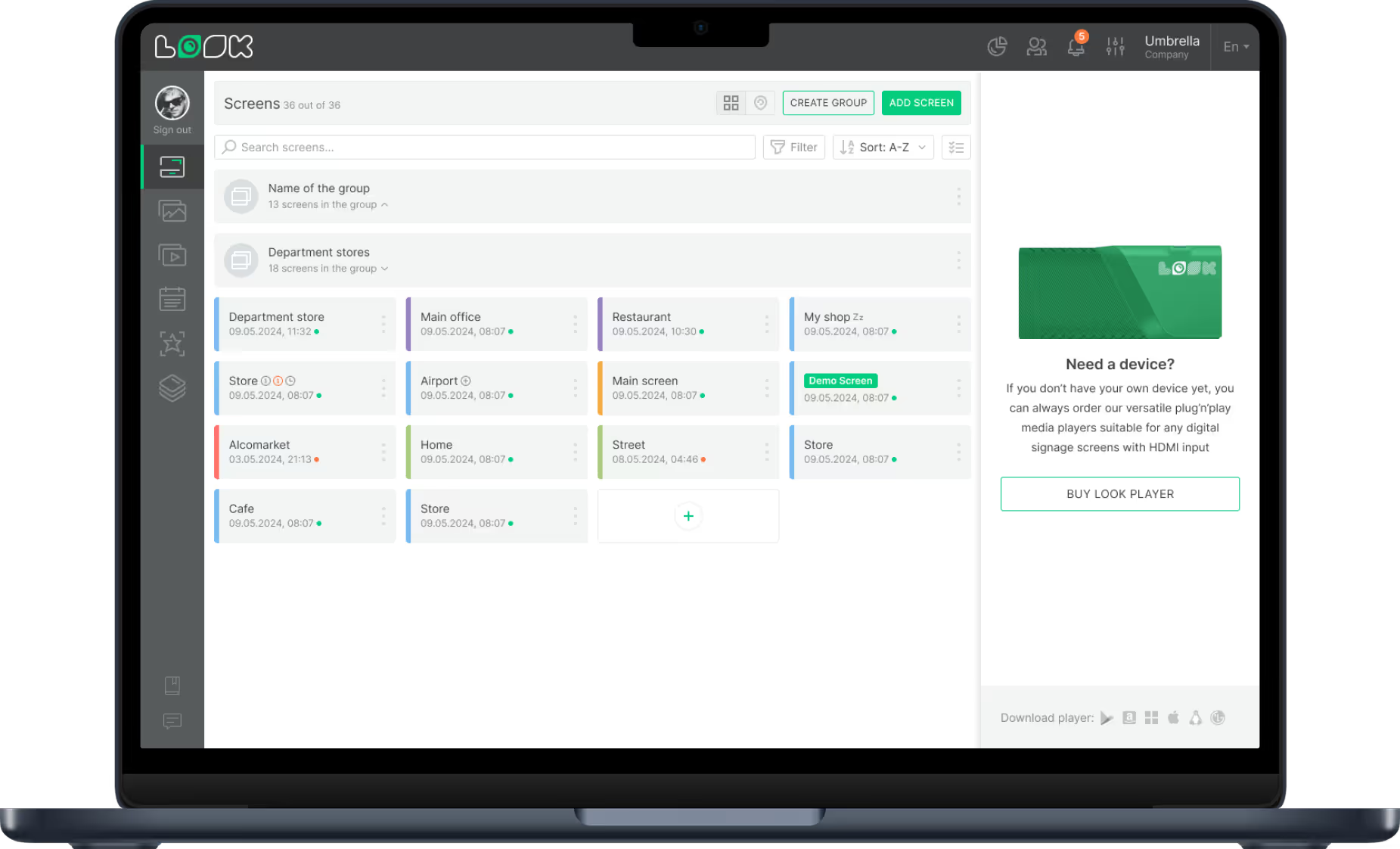
Centralized Multi-Screen and Multi-Location Management
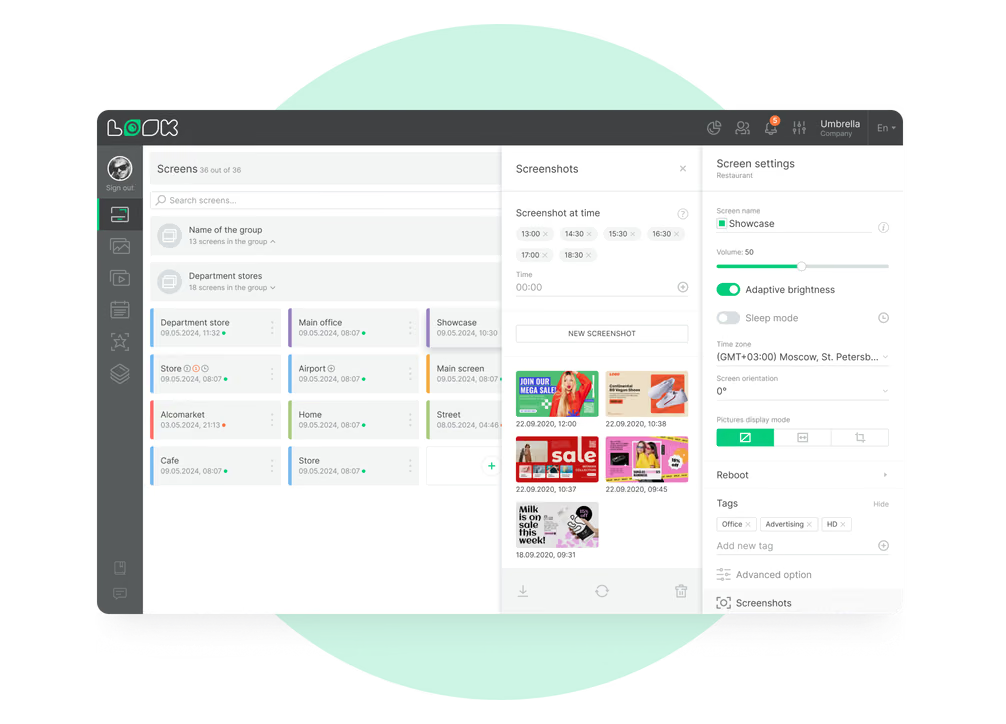
Managing a network across multiple locations requires a unified dashboard. Look CMS allows you to:
- Monitor the status of every screen in real-time.
- Group screens by location (e.g., "North Mall," "Downtown Store") or by type (e.g., "Checkout," "Entrance").
- Publish content to thousands of screens in minutes.

This centralization ensures brand consistency while allowing local managers to update specific regional promotions if granted permission.
Scheduling and Playlist Functionality
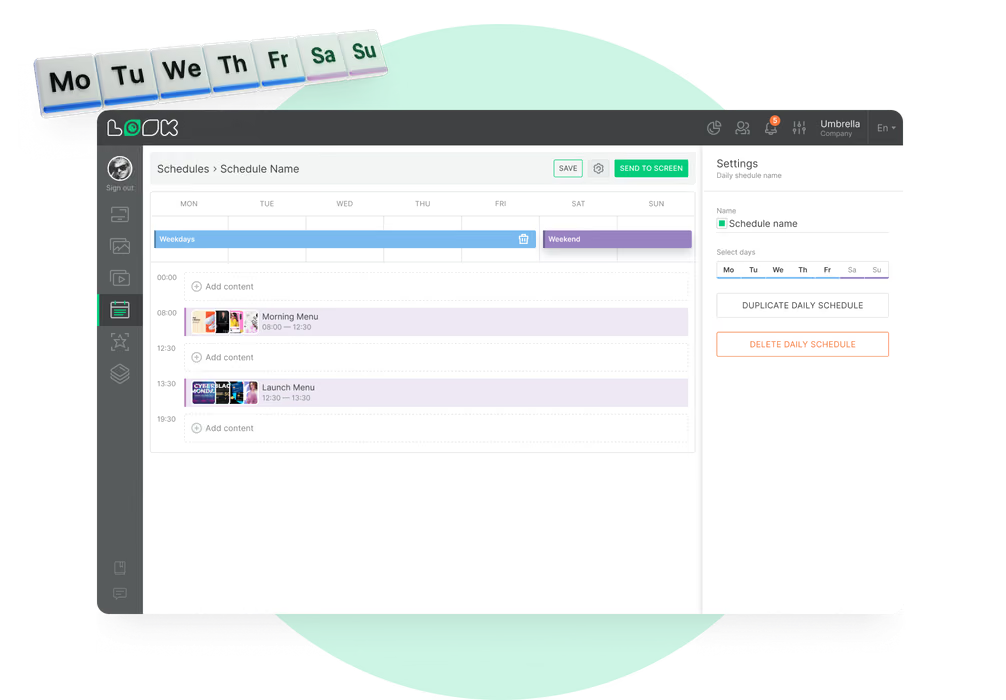
Automation is essential. Smart Scheduling in Look CMS lets you plan content delivery by time, day, or date range. You can schedule breakfast deals to end automatically at 11:00 AM, or set holiday promotions to run only during specific weeks. This "set and forget" capability saves time and prevents outdated content from lingering on screens.
Integration with Business Systems
Screens should not be isolated silos. Through Integrations and API access, digital signage can connect with other tools. For example, you can display dynamic dashboards or use web-based triggers to update content. Look also offers an app library to easily add weather, news, or social media feeds to your layouts.
Cloud-Based Content Updates
Cloud-based platforms offer the flexibility to manage your network from anywhere. Look Digital Signage is a SaaS solution, meaning you can log in from any browser to make changes. Updates are pushed to screens instantly. Crucially, the system supports Offline Playback, downloading media to the player's local storage so that playback continues uninterrupted even during internet outages.
Data Analytics and Performance Reporting
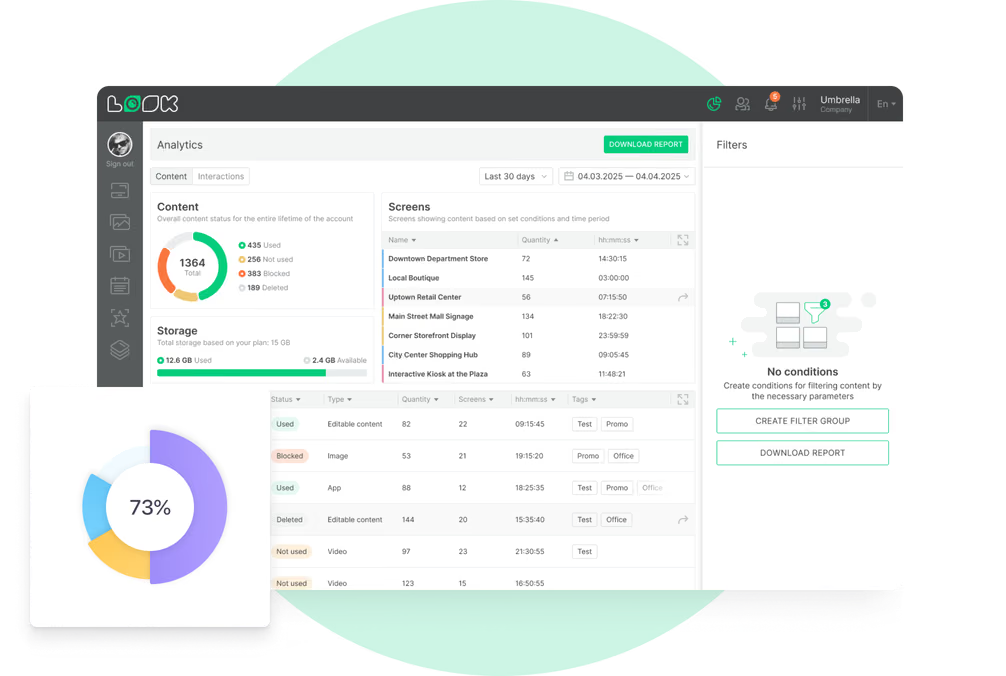
Data-driven decisions lead to better ROI. Look provides Playback Analytics to track content performance and Proof-of-Play reports to verify ad delivery. This visibility allows operations managers to see exactly what is playing and helps marketing teams understand which campaigns are receiving the most screen time.
Support for Interactive and Touchscreen Displays
As retail becomes more experiential, interactivity is a must. Your CMS should support touch interactions for wayfinding and catalogs. Look’s Interactive Scenarios allow you to build complex touch-based experiences-like product selectors or mall directories-using a visual editor, eliminating the need for expensive custom development.
Compatibility with Various Hardware
Flexibility prevents hardware lock-in. Look Digital Signage is compatible with a vast range of devices. You can use the Look App on Android, Amazon Fire TV, and smart commercial displays, or use the Look HDMI Player for a dedicated plug-and-play experience. This allows you to mix and match hardware based on budget and use case.
How to Choose the Right Digital Signage Software for Your Store or Mall
Selecting the right platform is about balancing current needs with future growth. A small independent grocer has different requirements than a multi-location mall operator. However, the core needs-stability, ease of use, and support-remain the same.
Checking Scalability for Chain Operations
If you plan to expand, your software must grow with you. Look Digital Signage allows you to start with one screen and scale to thousands without changing your workflow. Features like screen grouping and remote updates ensure that managing 500 screens is as simple as managing five.
User Accessibility and Content Creation
The best software is the one your team actually uses. Look CMS is designed for non-technical users. Marketing managers can upload assets, use the AI Wizard to generate layouts, and publish content without IT assistance. Drag-and-drop tools and a clear interface minimize training time.
Total Cost of Ownership
Cost involves more than just the monthly subscription. Consider hardware, installation, and maintenance. Look offers a transparent, per-screen subscription model that includes all updates and support. By offering a free Look App for compatible screens and affordable Look HDMI Players for others, Look helps control the total cost of ownership across your network.
Implementing Digital Signage in Supermarkets and Shopping Malls
Implementation is where strategy meets reality. To ensure success, plan your screen placement and content strategy carefully before drilling holes in the wall.
Identifying High-Impact Locations for Screens
Placement dictates performance. In supermarkets, high-impact zones include:
- Entrances for welcome messaging and brand positioning.
- Service counters (deli, bakery) to reduce perceived wait times.
- Checkouts for impulse purchases and loyalty reminders.

In malls, focus on "dwell zones" like food courts and seating areas, as well as decision points like elevator lobbies and main atrium entrances.
Selecting Compatible Hardware
Choose hardware that fits the environment. Commercial-grade displays are recommended for 24/7 operation and high brightness. For the media player, the Look HDMI Player is a reliable choice for plug-and-play simplicity. If you have existing smart displays (Android, Fire OS, etc.), you can simply install the Look App to connect them to your network.
Content Strategy: Promotions, Information, and Engagement
A successful network balances different types of content:
- Promotional: Sales, limited-time offers, and tenant ads.
- Informational: Wayfinding, safety notices, and opening hours.
- Engaging: Social media feeds, community news, or entertaining videos to reduce perceived wait times.
Use Ready-made Templates to keep this content looking professional and consistent without needing a dedicated graphic designer.
Strategies for Maximizing ROI with Digital Signage in Retail Environments
To get the most out of your digital signage, treat it as an active performance channel. Regular updates and data analysis are key to driving returns.
Using Analytics to Improve Content Performance
Don't guess-measure. Use Look's Playback Analytics to see which content runs most frequently and correlate it with sales data. If a specific promo on the "Aisle 4" screen coincides with a sales spike, you have a winning formula to replicate.
Localizing Content for Different Demographics
Digital signage allows for hyper-local marketing. You can tailor content for specific store locations based on local events or demographics. A mall in a tourist area might display multi-language welcome messages, while a suburban supermarket focuses on family meal deals. This relevance drives higher engagement.
Attracting Advertisers and Brand Partners
Transform your screens into a revenue stream. Brands are willing to pay for visibility at the point of sale. By providing Proof-of-Play reports from Look CMS, you can offer professional-grade accountability to advertisers, making it easier to sell slots and secure recurring ad revenue.
Get Started with Supermarket and Shopping Mall Digital Signage
Most signage software makes simple tasks complicated. Look DS doesn't. Whether you're managing one store or fifty, it's built to keep your screens current, your promotions running on time, and your team in control. Getting started takes minutes, and growing with it is just as effortless.
Try it free for 14 days today.
FAQs About Digital Signage Software for Supermarkets and Shopping Malls
By implementing a robust solution like Look Digital Signage, supermarkets and malls can turn static spaces into dynamic, revenue-generating assets. Whether you need to update a single menu board or manage a global network of mall directories, the right software makes the process simple and effective.