Table of Content
What defines the best digital signage software for Digital Out-of-Home (DOOH) networks? It comes down to three essentials: reliable playback, scalable remote management, and the ability to prove performance with data. In a competitive landscape where public attention is currency, your platform must keep screens running smoothly 24/7 while allowing you to publish dynamic content in minutes, from anywhere.
Choosing the right software is the most critical step in building a digital screen network. It acts as the "brain" of your operation, handling everything from scheduling complex playlists to generating proof-of-play reports for advertisers. Modern solutions like Look Digital Signage have evolved beyond simple media players; they are comprehensive communication hubs designed to connect your strategy with real-world locations without complicated setups.

What Is Digital Out-of-Home (DOOH) Digital Signage Software?
DOOH digital signage software is the technology used to manage and display advertising and information on screens in public spaces. Unlike a simple setup for a single meeting room, DOOH tools are built for high-traffic, commercial, and outdoor environments. At the core is a cloud-based Content Management System (CMS), which allows you to control a network of any size-from a few lobby screens to thousands of roadside displays-through one intuitive dashboard.
This software serves as the backbone of your network. It sends media files to your players and ensures they run according to a precise schedule. Reliability is key; robust platforms include features like offline playback, which caches content locally. This ensures your screens keep playing even if the internet connection drops, preventing blank screens and preserving ad revenue.
How does DOOH differ from traditional digital signage?
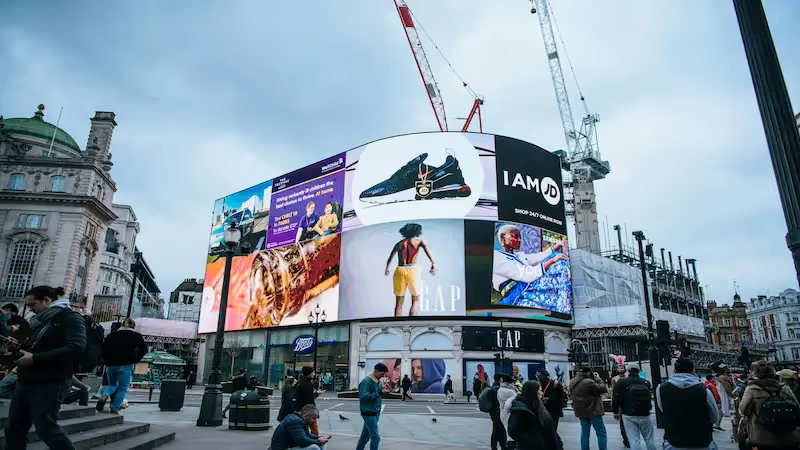
The main difference lies in the audience and the environment. Traditional digital signage often focuses on internal communication-like breakroom updates or corporate dashboards. DOOH targets people in public areas, such as shoppers in a mall, commuters at a train station, or pedestrians passing a billboard.

DOOH also offers greater flexibility than static signage. While a printed billboard requires manual labor to change a single image, a DOOH screen powered by software like Look DS can rotate through multiple ads, news tickers, and weather widgets. This dynamic capability allows media owners to maximize revenue per location and helps advertisers grab attention with motion and timing.
What are the main uses of DOOH software?
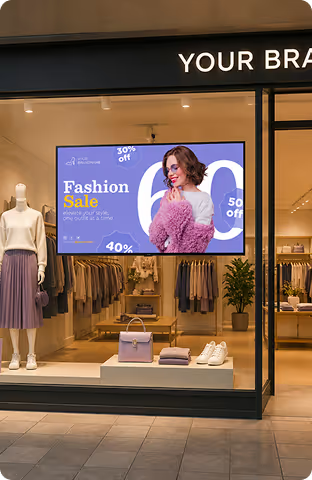
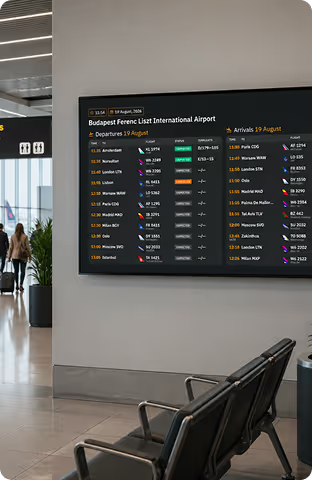
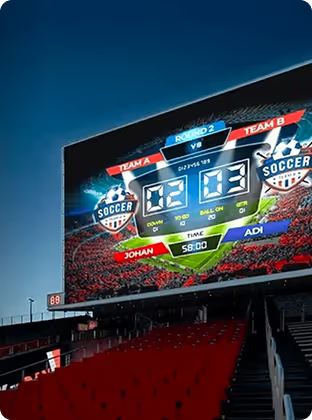
DOOH software supports a vast array of scenarios. Retail brands use it to launch seasonal promotions across multiple store locations instantly. City governments utilize outdoor screens for community announcements and wayfinding. In complex venues like airports or stadiums, these screens guide foot traffic and display real-time status updates.
Beyond advertising, this software powers critical public information. It can integrate with external data sources to show live news, transit schedules, or emergency alerts. This versatility makes it an essential tool for any organization looking to reach a large, diverse audience with timely, visual messaging.
Why Choose Specialized Software for DOOH Campaigns?
Using software specifically designed for DOOH is vital because public-facing screens face challenges that standard consumer tools cannot handle. Outdoor displays often operate in harsh lighting conditions, requiring hardware that stays visible and software that monitors device health remotely. Specialized platforms protect your investment by ensuring uptime and visibility.
Furthermore, if your network relies on ad revenue, you need data. Specialized software includes Proof-of-Play and monitoring tools to verify exactly when and where content appeared. This level of accountability is standard in Look Digital Signage, giving you the reporting capabilities needed to satisfy advertisers and stakeholders.
Benefits of digital signage for outdoor environments
Digital signage captures attention far more effectively than static print. Motion graphics, video, and changing layouts draw the eye naturally. Additionally, digital displays allow for agility; you can update a promotion in minutes without printing costs. For example, a restaurant can schedule breakfast menus for the morning and switch to dinner specials automatically in the evening.
Operational efficiency is another major benefit. Managing screens remotely reduces the need for site visits and physical installations. Modern software also contributes to sustainability by eliminating paper waste and optimizing screen operation schedules to save energy.
How digital signage software improves DOOH campaign performance
Software drives performance by making content context-aware. Using data integrations, your screens can react to real-world triggers. For instance, you might schedule specific ads to run only during certain weather conditions or times of day. This relevance increases viewer engagement significantly compared to static loops.
Advanced scheduling features allow you to target specific locations or regions with pinpoint accuracy. You can manage a global network but still tailor content to local neighborhoods. This capability ensures that your messaging resonates with the specific audience in front of the screen, improving the return on investment (ROI) for your campaigns.
Key Features to Look for in Digital Signage Software for DOOH
When evaluating solutions, look beyond the interface design and focus on the engine under the hood. The best software simplifies complexity-it should allow you to scale from one screen to thousands with no complex setup. Key priorities include automation, reliable playback, and the flexibility to handle various media types.

Since DOOH screens are often located in hard-to-reach places, robust remote management is non-negotiable. You need the ability to troubleshoot, update, and monitor your entire network from your desk, avoiding costly maintenance trips.
Remote content management and real-time updates
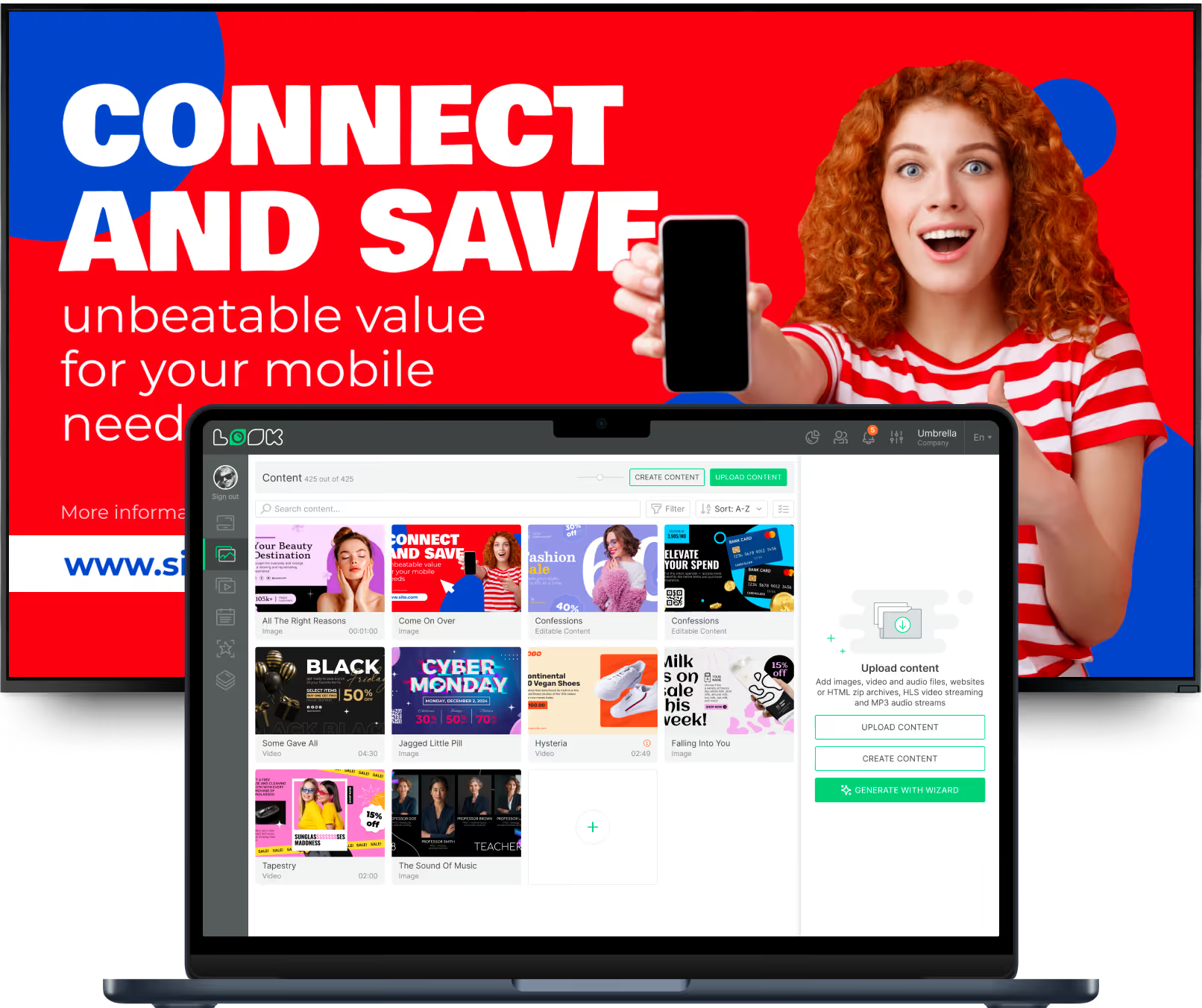
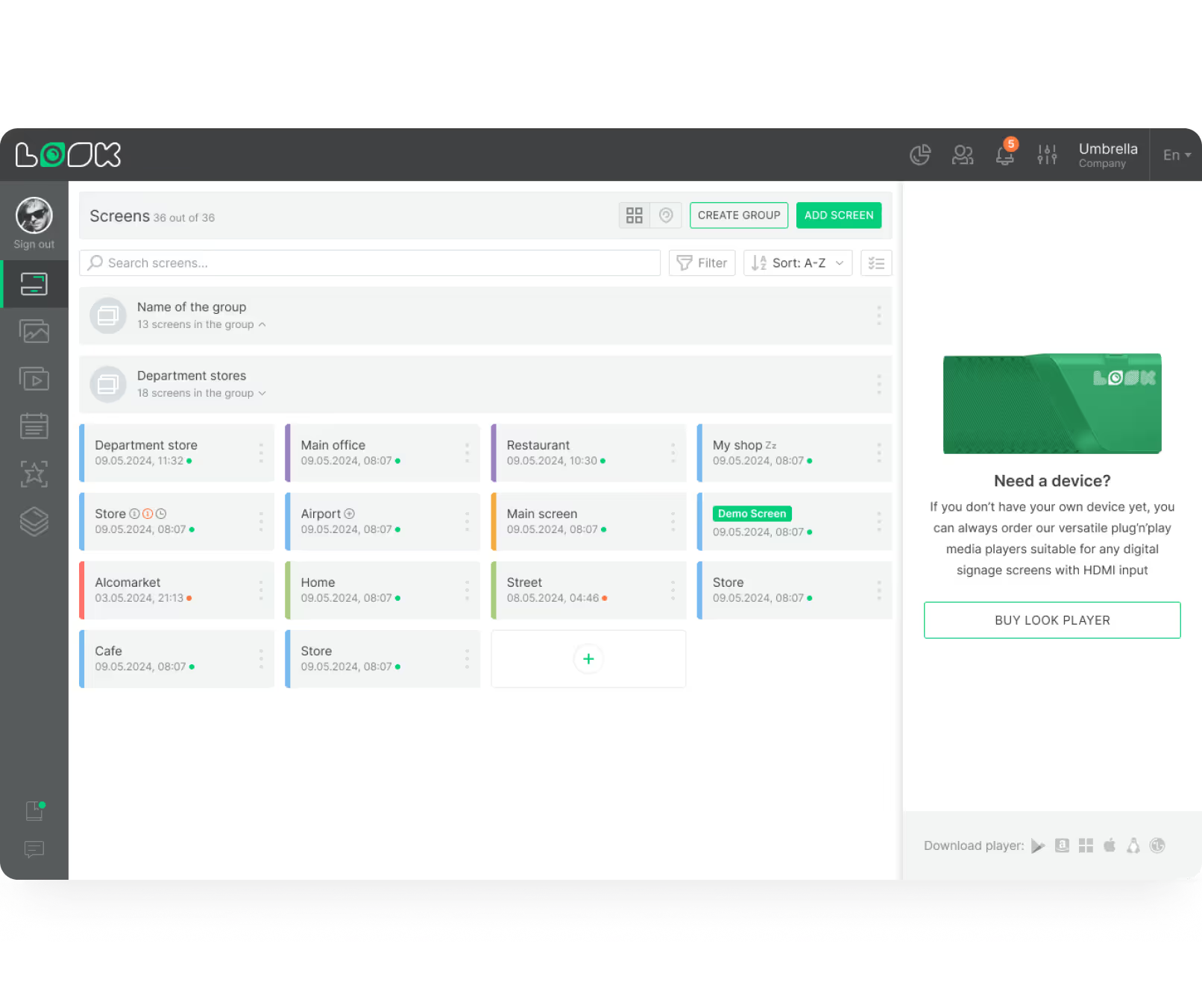
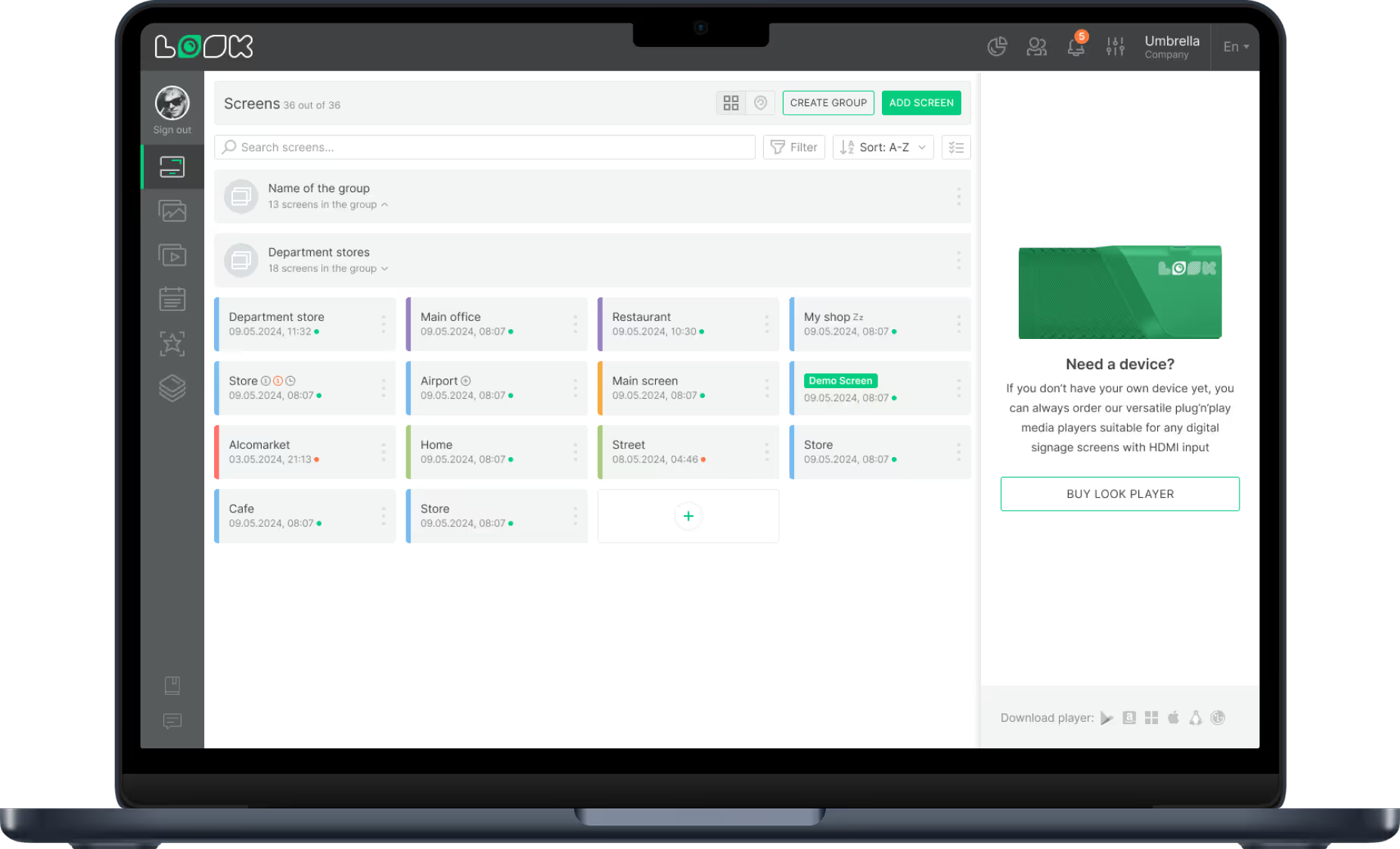
Managing your network from a central cloud dashboard transforms operations. With Look CMS, you can change content instantly across all screens. If a product sells out, you can pull the ad immediately. If a new promotion launches, it can be live in minutes. This agility keeps your screens relevant and responsive to business needs.
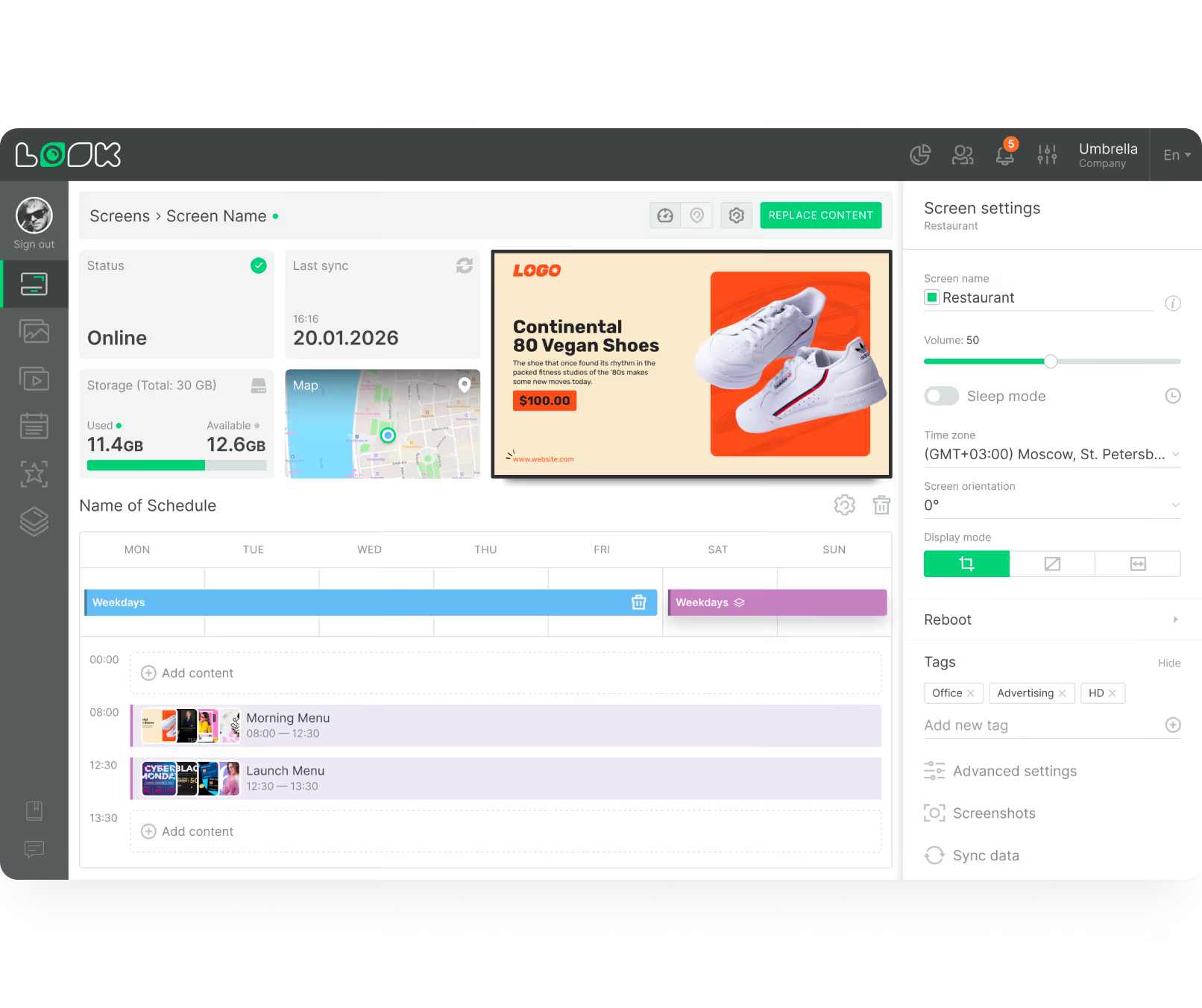
Remote management also extends to hardware health. You should be able to view device status, check connectivity, and reboot players remotely. Real-time monitoring ensures you know about issues before your audience does, keeping your network professional and reliable.
Support for multiple media formats and screen types
A flexible platform must support diverse creative assets. This includes high-resolution images, 4K video, and HTML5 content for dynamic, data-driven displays. Look Digital Signage supports these formats and offers Screen Layouts to split your screen into multiple zones, allowing you to show video, tickers, and images simultaneously.

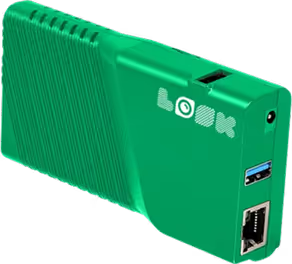
Hardware compatibility is equally important. Whether you use professional media players, smart TVs, or specialized LED controllers, your software should adapt. Look DS works with a wide range of operating systems and offers the Look HDMI Player for a seamless plug-and-play experience on any screen.
Dynamic and smart scheduling
Manual playlist management is inefficient for large networks. Smart Scheduling features allow you to set rules-such as specific dates, times, days of the week, or recurring loops. This automation ensures the right content plays at the right time without constant supervision.
For more advanced networks, API integrations allow for programmatic-style triggers. By connecting your signage software to external data feeds, you can automate content delivery based on live inventory levels or external events, ensuring your screens are always maximizing their value.
Stability, uptime, and security
In DOOH, downtime equals lost revenue and damaged credibility. You need a platform built for stability. Look Digital Signage emphasizes reliability through offline playback capabilities, ensuring that your scheduled content continues to run smoothly even if the internet connection is interrupted.
Security is paramount for public-facing screens. Your software needs to be secure to prevent unauthorized access. Cloud-based systems with strong user permission roles, two-factor authentication, and encrypted data transfer provide the necessary protection for enterprise-grade deployments.
Metrics tracking and proof of play
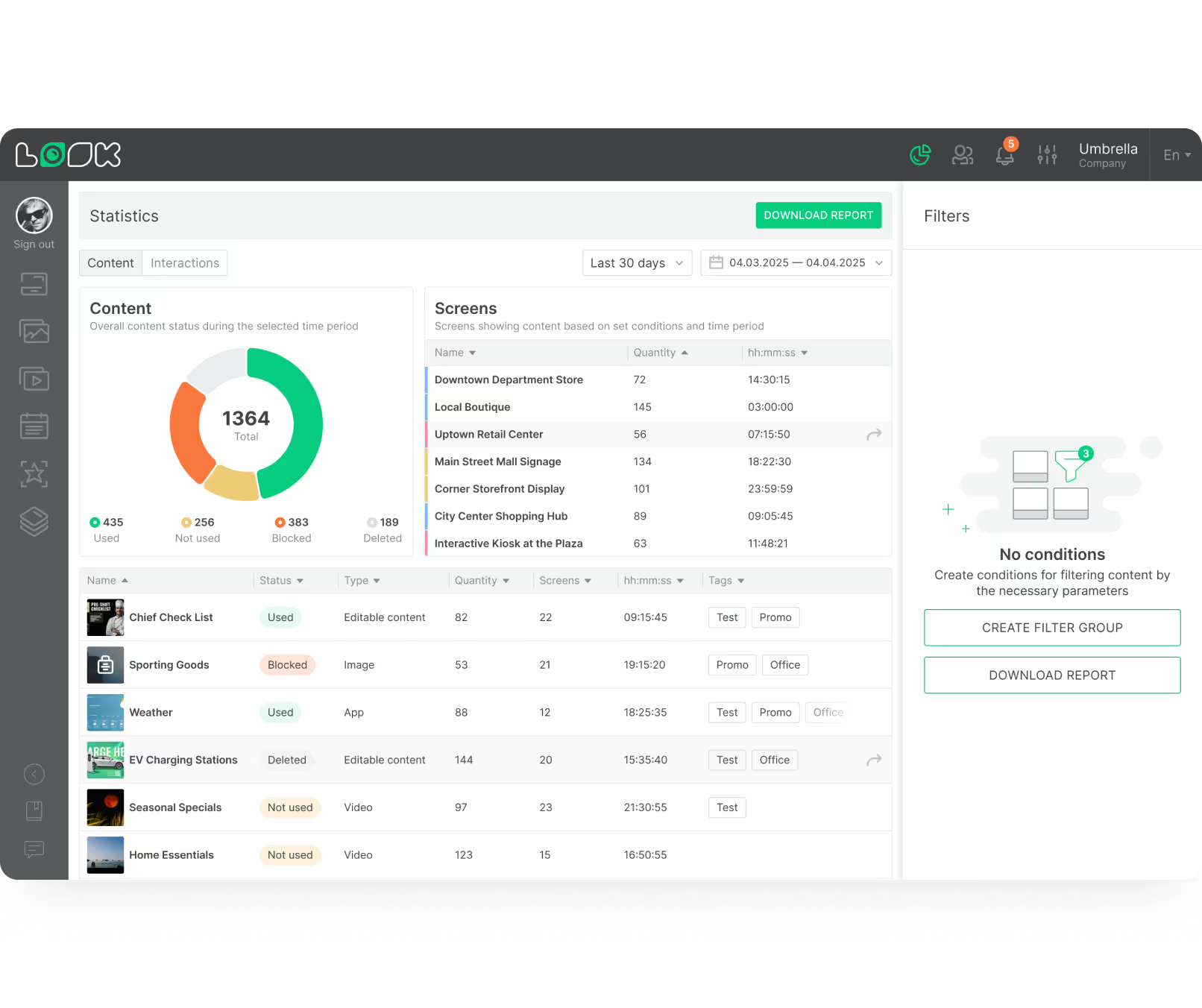
Data is essential for proving ROI. Your software should track performance metrics, providing detailed logs of playback frequency and uptime. Proof-of-Play reporting in Look CMS gives you the hard data needed to bill advertisers accurately or justify internal budgets.
Beyond basic logs, Playback Analytics can help you understand network health and content distribution. This visibility allows you to optimize your playlists and ensure that your high-priority messages are receiving the exposure they require.
Scalability and expandability for growing networks
Your chosen platform must grow with you. A solution that works for ten screens should work just as well for ten thousand. Look Digital Signage offers a scalable architecture where adding new screens is as simple as connecting a player and entering a pairing code.
Expandability also involves integrations. Look DS provides API access and support for third-party apps (like Zapier), allowing you to integrate your signage with POS systems, CRMs, or other business tools. This connectivity ensures your signage network remains a vital part of your broader technical ecosystem.
Emergency messaging capabilities
Public screens are powerful tools for safety. Effective DOOH software allows for instant overrides to display emergency alerts. Whether it is a severe weather warning or a facility evacuation notice, the ability to push a priority message to all screens in seconds is a critical safety feature.

These capabilities turn your advertising network into a public utility during crises, adding significant value to the infrastructure of schools, corporate campuses, and transit hubs.
Best Digital Signage Software for DOOH
Look Digital Signage - Best Overall
Look Digital Signage is one of the best DOOH advertising platforms for media owners and out-of-home operators who need a cloud-first CMS that can scale from a handful of street-level screens to a city-wide network without accumulating operational debt.
Its ideal for a DOOH operator who sells ad inventory across multiple environments and needs a single platform to manage content, prove delivery, and report back to clients.
Look’s dayparting and tag-based screen grouping let you schedule ads around rush hour and audience flow patterns, while targeting by city, advertiser, or screen type without having to touch each display individually. It also provides timestamped playback logs and screen-status tracking giving you the advertiser accountability layer that's non-negotiable for client billing and campaign reporting.
That said, if your ambitions run toward full programmatic DOOH with audience-measurement AI or demographic sensing, you'll quickly find yourself needing to stack it with a third-party DSP or measurement layer.
Key Features:
- Reseller programme for media agencies managing multiple client networks
- API and Zapier integration for automated content updates from CRM or external media platforms
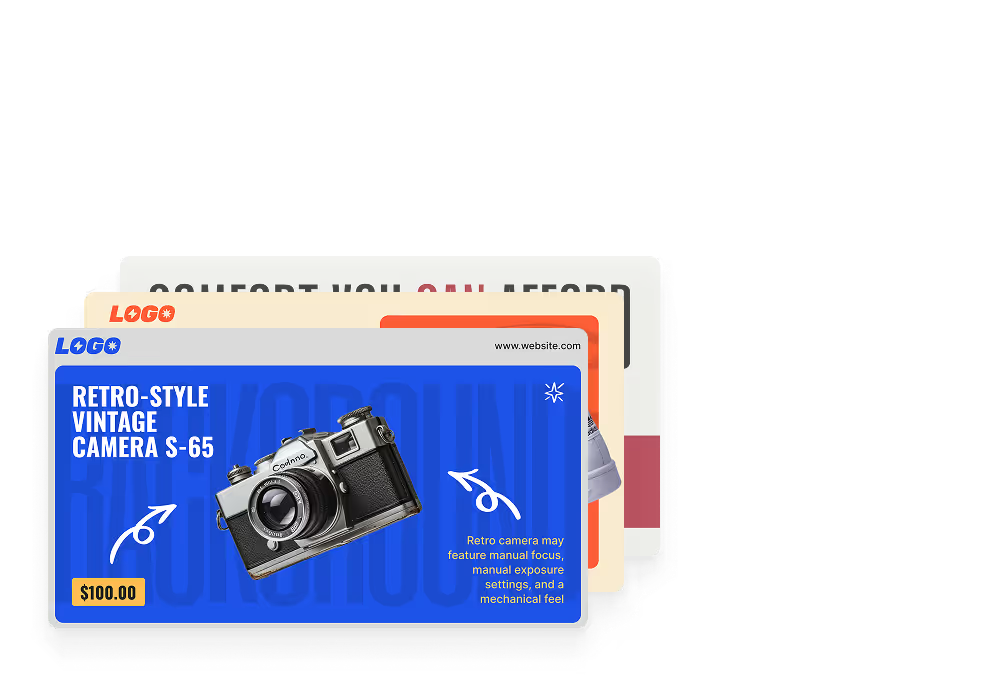
- Ready-made billboard templates lower the creative barrier
- Multi-user CMS access for easy collaboration between media partners and brand clients
- Dayparting and tag-based screen grouping by city, advertiser, or screen type
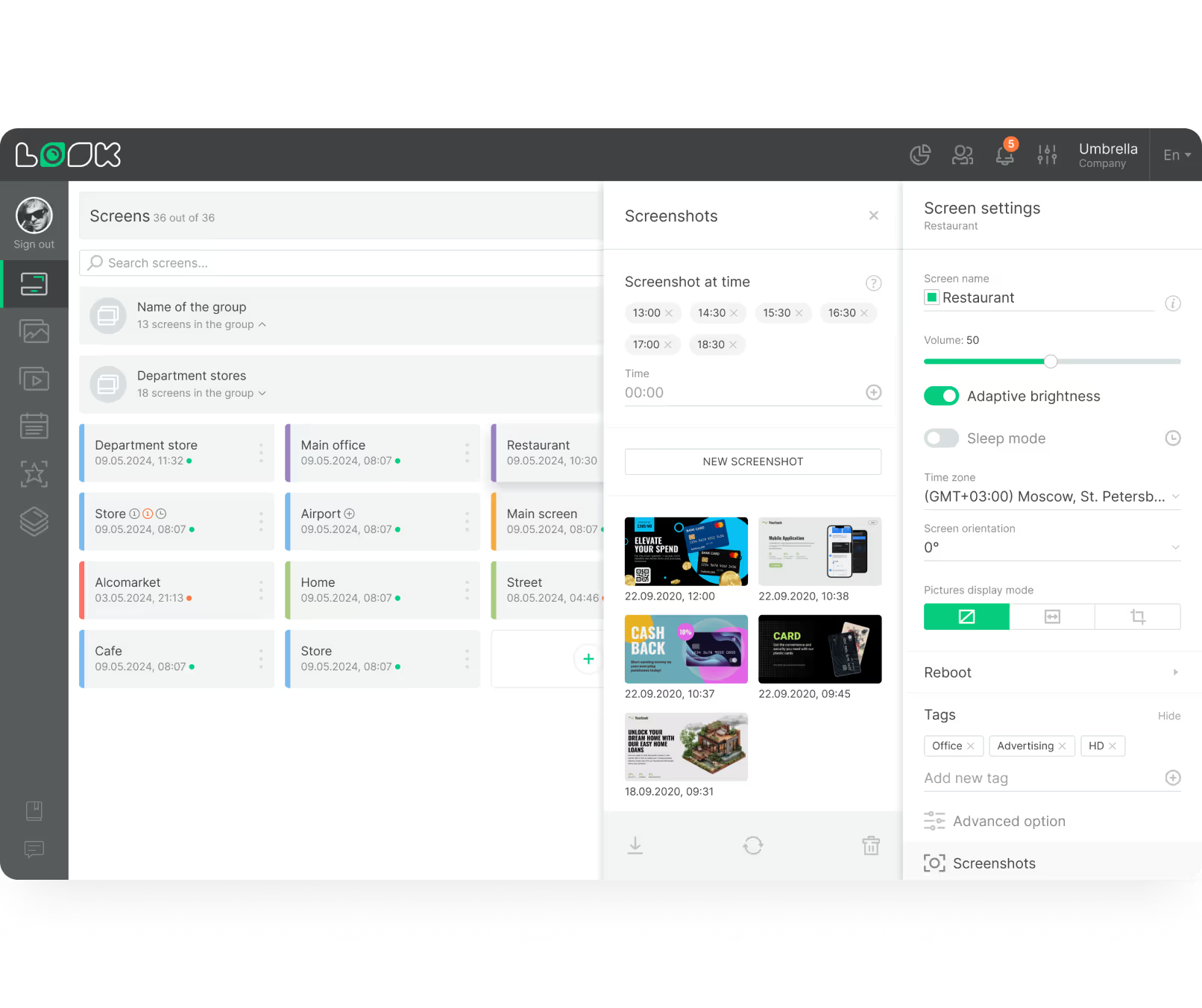
- Visual proof-of-play via automatic screen captures during scheduled ad playback
PROS:
- Most affordable on this list at scale
- No implementation partner needed
- Fast, self-serve deployment
- Strong offline playback reliability
- Clean multi-advertiser campaign management
- Reseller-friendly for agencies
Best For: For media owners and advertising operators running, or planning to run, screens across multiple locations, who want serious capability without the cost and overhead of enterprise platforms.
Cons: Requires third-party integration for programmatic ad buying and real-time audience measurement.
Pricing: Upto $15/screen/month - more screens, less money. Free 14-day trial period available.
Broadsign
Broadsign is the closest thing the DOOH industry has to an end-to-end operating system, and with its recent acquisition of Place Exchange, it is now the largest DOOH platform provider in the world with programmatic access to over 2.8 million screens.
Broadsign covers CMS, ad serving, inventory management, campaign planning, and its own SSP, Broadsign Reach, all sitting inside one platform. For programmatic specifically, its In-Advance feature lets media buyers secure guaranteed DOOH inventory months ahead of delivery through fully automated transactions, something no other platform currently does at this scale.
Broadsign also integrates with Quividi for audience-triggered ad serving, letting operators serve creatives based on real-time demographic data and trade that audience data programmatically through the SSP.
Key Features:
- Real-time impression tracking and proof-of-play reporting
- Campaign planning and proposal generation tools
- Share-of-voice (Enterprise) and loop-based scheduling
- SOC 2 Type 2 certified infrastructure
Cons: Pricing and complexity make it a difficult fit for independent operators or networks below enterprise scale.
Best For: Large network operators and enterprise media owners running high-volume screen estates who need a single platform to manage content, sell inventory directly, and trade programmatically without stitching together multiple tools.
Pricing: Quote-based
Navori Labs
With over 27 years in digital signage and a recent acquisition of Signagelive, Navori is one of the most complete CMS platforms a DOOH operator can deploy today.
Unlike most CMS platforms, Navori built its audience analytics layer in-house. Its Aquaji platform measures footfall, dwell time, and screen-level engagement, and feeds that data directly into content automation and campaign reporting. Navori connects natively with Hivestack and Vistar Media for programmatic trading, and also released share-of-voice scheduling and synchronized ad playback across multiple screens. It runs on virtually any hardware and its auto-activation feature cuts deployment time considerably on large networks.
Seeing that Navori is quite a deep platform, getting the most out of it’s analytics and automation layers requires proper onboarding. Lighter deployments will not feel the full benefit of what it offers.
Key Features:
- Native programmatic connectivity with Hivestack and Vistar Media
- Synchronized ad playback across multiple screens
- Automatic backfill of unsold inventory via programmatic demand
- Runs on Samsung, LG, ChromeOS, BrightSign and proprietary StiX 3800 player
- Open API for SaaS and custom application development
Disadvantage: Depth of the platform requires significant onboarding investment, making it less suited for small or early-stage networks.
Best for: DOOH operators who want a single platform that handles content management, audience measurement, and programmatic ad delivery.
Pricing: Quote-based. Free 30-day trial available.
Scala
Scala is one of the most established names in digital signage, backed by STRATACACHE, and it has been deployed across some of the most demanding screen estates in the world, airports, transit networks, large retail chains, and stadiums.
For DOOH, the conditional playback engine is where Scala genuinely delivers. It pulls from live weather, traffic conditions, event feeds, and real-time audience data to swap creatives automatically, based on real-world events. That is a meaningful capability for operators who sell context-sensitive inventory. For operators moving toward pDOOH, Scala connects with Quividi for anonymous audience measurement, and that data feeds directly into programmatic trading through an SSP.
The catch, is that anything beyond standard scheduling requires custom scripting in ScalaScript. It is a proprietary language, and experienced users will tell you it is nowhere near as flexible as building in a more universal environment. Most serious deployments end up going through a certified Scala partner, which adds cost and timeline.
Key Features:
- 24/7 local content caching with incremental playlist updates
- Proof-of-play logging for ad billing and campaign reporting
- Role-based permissions and multi-user content management
- Compatible with BrightSign, Samsung, LG, and Windows players
- ScalaScript for advanced conditional playback logic
Best For: Complex, high-reliability networks that require 24/7 stability, advanced environmental triggering, and the ability to integrate live, data-driven programmatic feeds.
Cons: High operational and technical overhead.
Pricing: Custom quotes.
Cenareo
Cenareo is a French-born cloud-based platform and one of the few tools on this list that covers both screen management and video production under one roof, which for DOOH operators running high-volume creative alongside their screen estate, is a genuinely useful combination.
On the signage side, it connects natively with both Hivestack and Vistar Media SSPs, and its intelligent algorithm builds broadcast scenarios from weather data, location triggers, audience data, and external API feeds rather than relying on manual scheduling. It also carries DOOH Trust certification, the French ACPM standard for independently verified campaign delivery data, which is a meaningful credibility layer when working with agency clients.
For operators running high-volume creative production, Cenario has a video management service that handles creation, collaborative workflows, validation processes, and distribution with per-video analytics.
Key Features:
- Offline-capable Raspberry Pi player for uninterrupted campaign delivery
- DOOH Trust certification for verified statistical playback reporting
- Centralised multi-site screen fleet management
- Video content creation tools via EasyMovie integration
Cons: Heavily European in focus, operators outside France and the EU may find the partner ecosystem and local support thinner than global platforms.
Best for: Mid to large retail networks and DOOH operators in European markets who need centralised, multi-site campaign management with strong local compliance and verified proof-of-play, without the complexity of an enterprise ad platform.
Pricing: Quote-based. Demo available.
ScreenCloud
As a well-regarded solution for making screen management simple and accessible at scale, ScreenCloud makes this list because of its fast, low-friction network deployment, although it is not built ground-up for DOOH media owners.
Dayparting and screen zoning are both there, and the proof-of-play audit logs handle basic advertiser accountability without needing a separate tool. The open API is genuinely useful for operators who want to wire ScreenCloud into a broader stack.
That said, ScreenCloud was not built to sell ad inventory. There is no native inventory management, no SSP connectivity, no impression-based reporting. And the per-screen pricing gets expensive quickly once a network reaches any real size. It provides a solid starting point for operators building a network from scratch, but once the business model shifts toward programmatic, it will not be enough.
Key Features:
- ScreenCloud OS for dedicated signage hardware
- Screen health and uptime monitoring
- Content expiration scheduling for campaign end dates
- SSO and multi-factor authentication for secure access
- 99.9% uptime SLA for advertiser commitments
- Multi-user role permissions across locations
Cons: Requires third-party tools for ad inventory management and programmatic connectivity.
Best For: DOOH operators in the early stages of building a network who need fast, self-serve deployment across multiple locations and off-grid 4G-connected screens.
Pricing: Starts at $24/screen/month. Enterprise is custom-quoted. 14-day free trial available.
Doohly
Doohly is an Australian-born, end-to-end DOOH platform that packages a CMS, SSP, and DMP into a single stack, making it one of the more complete options available to independent network operators who want to manage content and trade inventory without stitching multiple tools together.
What makes Doohly worth considering is that it brings programmatic capability to operators who would typically need a Broadsign-scale budget to access it. The SSP connects screen owners to open ad networks, and the DMP sits alongside it to support data-driven, impression-based campaign targeting. The platform is entirely web-based, so operators can manage campaigns, schedule content, and monitor devices from any device without local software. It also integrates with Canva for content creation, keeping the creative side accessible for smaller teams.
That said, Doohly is still a younger platform and its feature depth reflects that. Operators running large, complex networks may find the tooling thinner than Broadsign or Navori, and its market footprint remains relatively modest outside the Asia-Pacific region.
Key Features:
- Real-time campaign scheduling and remote device management
- Data-driven audience targeting through the DMP
- Canva integration for content creation
- Web-based platform accessible from any device
Cons: Younger platform with a modest market footprint outside Asia-Pacific, and feature depth may not match the demands of large or complex network operations.
Best For: Independent DOOH network operators and venue owners in early to mid-stage network growth who want programmatic capability without enterprise-level complexity or cost.
Pricing: Quote-based
TelemetryTV
As an enterprise-grade CMS, TelemetryTV has carved out a foothold in DOOH through its programmatic API and point-of-care advertising networks.
If you are a DOOH operator, TelemetryTV lets you automate content insertion and ad scheduling at scale through its programmatic API. A network running thousands of endpoints can push content without manual scheduling, and every play gets logged with timestamps, duration, and location for proof-of-play reporting.
TelemetryTV also supports IPTV integration, so operators running venue-based DOOH in stadiums or healthcare settings can push ad content through existing set-top box infrastructure rather than replacing hardware. Its SOC 2 compliance certification makes it a realistic option for healthcare and finance-adjacent DOOH networks where data security is a hard requirement.
Key Features:
- Programmatic API for automated ad scheduling and content insertion
- Proof-of-play reporting with timestamps, duration, and location data
- IPTV integration for venue-based DOOH delivery
- Local content caching for uninterrupted playback
- SOC 2 compliant infrastructure
- Tag-based playlist targeting and media auto-expire
- Enterprise-grade device management across large screen estates
Best For: DOOH operators running large venue-based or point-of-care networks who need enterprise device management, programmatic automation via API, and strong compliance credentials.
Con: No native SSP or programmatic marketplace connectivity. Operators need custom API work or a third-party SSP to trade inventory openly.
Pricing: From $15/device/mo (Core) for Programmatic API
XOGO Digital Signage
XOGO is the most accessible entry point on this list, and that is precisely its value. If you are a venue owner or small network operator who wants to put screens to work without building an ad operations function, XOGO lets you do exactly that.
The CMS is straightforward. You upload content, build playlists, schedule dayparting, and manage screens remotely from any device. Setup takes minutes, and the platform runs on virtually any hardware, from its own XOGO Mini Max player to smart TVs, Fire TV, Android, and Windows devices, which keeps deployment costs low.
The DOOH angle comes through its partnership with Vistar Media. Screen owners can register their inventory with Vistar directly through XOGO, and Vistar fills available slots with programmatic ads from its demand network. You are not actively managing inventory or trading impressions, Vistar handles that side entirely. For a venue owner who wants screens monetised without hiring an ad ops team, that is a reasonable trade-off.
What XOGO does not give you is proof-of-play reporting, campaign-level controls, or any visibility into how your inventory is being traded. You are a screen supplier to Vistar, not an active participant in the transaction.
Key Features:
- Vistar Media integration for passive programmatic ad monetisation
- Cloud-based CMS with remote screen management
- Dayparting and playlist scheduling
- Compatible with most OS and consumer hardware
- XOGO Mini Max purpose-built media player
Best For: Venue owners and small network operators who want to monetise screens through programmatic without managing inventory directly.
Con: No proof-of-play reporting, no inventory controls, and no active role in how programmatic inventory is traded.
Pricing: Free single-player account available. From $20/device/mo (Pro)
Yodeck
While it is primarily known as an accessible, affordable CMS, it has enough DOOH-relevant capability to earn a spot on this list for operators building or running a modest screen network.
If you are standing up a DOOH network on a tight budget, Yodeck is hard to argue against. It runs on Raspberry Pi-based players, Amazon Fire TV Stick, Android, webOS, and Tizen, which means you can deploy screens without locking into proprietary hardware. Dayparting, playlist scheduling, screen grouping, and role-based permissions are all there, and the API lets technical teams automate content scheduling and trigger updates based on real-time events.
Yodecks’ limitation is on the monetisation side. It has no native ad inventory management, no SSP connectivity, and no impression-based reporting. It is a content management platform first, and operators who need to actively sell and trade inventory will need to bring in additional tooling.
Key Features:
- Local content caching for uninterrupted DOOH playback
- Dayparting, playlist scheduling, and screen grouping
- API for automated content scheduling and real-time triggers
- Role-based permissions for multi-user network management
- Video wall support
Best For: Independent DOOH operators and growing networks who need a reliable, low-cost CMS with solid remote management and the flexibility to run on affordable hardware.
Con: No native ad inventory management or programmatic connectivity, requiring third-party tools to monetise and trade inventory.
Pricing: Free for 1 screen. Paid plans start at $8/screen/month (free player with annual plan). Free 30-day free trial available.
Software Comparison Table
How to Compare and Select the Right DOOH Software?
Selecting the right software requires balancing your current needs with future growth. Consider your network size, budget, and the technical skill of your team. You want a solution that is powerful enough for IT professionals but approachable enough for marketing teams to use daily.
Start by listing must-have features. If you sell ads, Proof-of-Play and Smart Scheduling are essential. If you manage a corporate campus, Templates and easy content creation might be your priority. Look Digital Signage is designed to balance these needs, offering enterprise-grade features with an intuitive, user-friendly interface.
Factors to consider: network size, compatibility, and pricing
Network size dictates your scalability needs. Ensure the software can handle your projected growth without performance lag. Is compatibility also key? Does the software work with the hardware you already own? Look DS offers a free player app for most standard operating systems, allowing you to use existing devices.
Pricing transparency matters. Subscription models (SaaS) are standard, offering flexibility and regular updates. Look DS provides a clear per-screen pricing model that scales with you, ensuring you only pay for what you use, whether you are running a pilot or a full rollout.
Cloud-based vs. on-premise solutions
Cloud-based solutions are the industry standard for their ease of use and remote accessibility. They allow you to manage screens from anywhere and receive automatic updates. Look DS is primarily a cloud-based solution, offering the benefits of rapid deployment and global access.
However, some organizations, particularly in regulated industries, require strict data control. For these cases, an On-Premise Digital Signage option is valuable. Look DS offers a self-hosted version for enterprises that need to run the system on their own servers for maximum security and compliance.
Best software for varying business sizes
Small businesses need simplicity and speed. Tools like the pre-designed templates help smaller teams create professional content without a designer. This lowers the barrier to entry and gets screens live quickly.
Large enterprises prioritize control and integration. Features like granular user permissions, API access, and single sign-on (SSO) are critical. Look DS serves both ends of the spectrum effectively, providing simple tools for quick tasks and robust infrastructure for complex, multi-location management.
Why Look Digital Signage is the Ideal DOOH Solution
While the market offers various options, Look Digital Signage stands out by combining ease of use with professional-grade reliability. It is designed to be the only platform you need, whether you are launching a single promotional screen or a global advertising network.
Look DS addresses the core challenges of DOOH through a suite of integrated tools and hardware flexibility. Here is how it meets the demands of modern digital out-of-home networks.
Centralized Cloud Management
The heart of the system is the Look CMS, a cloud-based dashboard that simplifies complex tasks. It allows users to group screens by location, apply schedules, and monitor playback status in real-time. The interface is built for efficiency, ensuring that marketing teams can update campaigns without needing IT support for every change.
Hardware Flexibility and Reliability
Look DS is hardware-agnostic. You can install the Look App on Android, Amazon Fire TV, Windows, Linux, and MacOS devices. For those who prefer a dedicated solution, the Look HDMI Player offers a plug-and-play experience designed for stability. This flexibility allows you to choose the best hardware for your environment and budget while managing everything on one platform.
Data-Driven Operations
For DOOH networks, data is critical. Look DS provides robust Playback Analytics and monitoring. You can access detailed reports on content performance, ensuring transparency for advertisers. The platform also supports Offline Playback, guaranteeing that your data and content remain intact even during internet outages.
Interactive and Dynamic Capabilities
To engage modern audiences, static images are often not enough. Look DS supports Interactive Scenarios, allowing you to build touch-enabled experiences or simple kiosk interfaces without coding. Additionally, support for third-party apps and widgets means you can display dynamic content like social media feeds, weather, and news tickers effortlessly.
Enterprise-Grade Security
For large-scale deployments, security is a top priority. Look DS offers secure cloud infrastructure and an On-Premise deployment option for organizations that require data to remain within their own firewalls. This dual approach makes it a strong fit for sectors ranging from retail to healthcare and government.
Common Questions About Digital Signage Software for DOOH
As businesses adopt DOOH strategies, questions often arise regarding implementation and measurement. Modern platforms like Look DS are designed to demystify these technical aspects, offering straightforward solutions to common challenges.
Below are answers to frequent questions, helping you navigate the technical and operational side of running a digital screen network.
How is DOOH advertising measured and tracked?
Measurement relies on accurate data logging. Signage software like Look DS tracks every time a media file is played. This generates Proof-of-Play reports, which confirm that ads ran as scheduled. These logs provide the baseline data for billing and compliance in advertising networks.
For deeper insights, this playback data is often correlated with external sales data or foot traffic metrics. By knowing exactly when a promotion was on screen, businesses can analyze lift in sales or engagement during those specific windows, helping to calculate ROI effectively.
How does scheduling work in DOOH software?
Scheduling is handled through the CMS dashboard. You can assign specific playlists to specific screens and set them to run during defined time slots. Smart Scheduling features allow for complex logic-such as dayparting (e.g., morning vs. evening menus) or date-based expiration for limited-time offers.
This automation removes the need for manual daily updates. Once the schedule is set, the software ensures the correct content plays automatically, freeing up staff time for other tasks.
Which industries benefit most from DOOH digital signage?
Retail and hospitality are primary beneficiaries, using screens to influence purchasing decisions on-site. Digital signage software for Supermarkets helps highlight promotions at the point of decision. Similarly, QSR chains rely on digital menu boards to update pricing and items instantly.
However, the utility extends to corporate communications, healthcare, and education. Digital signage software for Hospitals improves wayfinding, while schools use it for campus alerts. Any industry that needs to communicate clearly with a large group of people in a physical space can benefit from a centralized platform like Look DS.
Are there free options available to start?
Yes. It is often wise to test a platform before committing. Look Digital Signage offers a free trial that allows you to explore the full capabilities of the CMS. Additionally, the Look App player is free to download for supported devices, meaning you can turn an existing screen into a digital sign without upfront hardware costs to test the system.
Maximizing the Impact of Your DOOH Advertising
Deploying screens is just the first step; maximizing their impact requires a strategy for content and management. Your messaging must be concise and visually engaging to capture the attention of moving audiences. Utilizing tools within your software can streamline this process significantly.
Consistency is equally important. A reliable network that displays fresh, relevant content builds trust and engagement. leveraging automation tools ensures your screens are always working for you, not creating more work for your team.
Tips for content strategy and creative optimization
Keep your content short and legible. Use the Screen Layouts feature to organize information effectively-perhaps a main zone for the primary ad and a sidebar for weather or news. Use high-contrast visuals and large fonts. The Look AI Wizard can help generate variations of your headlines and images to keep the creative fresh without hiring an agency.

Context matters. Use scheduling to align content with the environment. Promoting umbrellas during a rainy day or coffee during the morning rush makes the screen helpful rather than intrusive. Relevant content captures attention and drives action.
Best practices for DOOH network management
Regularly monitor your network health using the dashboard. Check for offline players and resolve connectivity issues promptly. Utilizing offline playback ensures that transient network glitches do not disrupt the viewer's experience. Additionally, organize your screens using tags or groups within Look CMS so you can push updates to specific regions or store types instantly.
Finally, keep your software and players updated. Cloud-based platforms handle software updates automatically, but ensuring your hardware is running the latest compliant OS version helps maintain security and performance over the long term.
Digital Signage Software for DOOH: Final Recommendations
As the digital signage landscape evolves, the best software is one that offers a balance of power and simplicity. Stability, security, and ease of management should be your top priorities. A robust platform like Look Digital Signage provides the foundation needed to run a professional, revenue-generating, or informational network with confidence.
By leveraging features like smart scheduling, remote management, and integrated content creation, you can turn passive screens into dynamic communication assets. Whether you are scaling a retail network or managing corporate communications, the right tool makes the process seamless.
Choosing the best solution for your needs
The most practical way to evaluate a solution is to try it. Start a free trial of Look Digital Signage to see how quickly you can connect a screen and publish your first playlist. Test the interface, explore the templates, and verify the reliability of the playback on your own hardware.
Look for a partner that supports your growth. With scalable pricing, broad hardware compatibility, and professional support, Look DS is built to handle networks of any size. By choosing a platform that simplifies the technical heavy lifting, you can focus on what matters most: your message and your audience.