
Table of Content
How can pizzerias update prices instantly and upsell high-margin combos without printing a single sheet of paper? The best digital signage software turns your screens into dynamic sales tools that you can manage from anywhere, in minutes. For pizza shop owners who need a reliable, cloud-based platform to handle menus, promos, and scheduling without complex IT setup, digital signage software is a strong fit. It combines professional features like smart scheduling and offline playback with an easy-to-use interface designed for busy teams.
In pizza service, where the Friday rush can determine your weekly success, your screens do much more than list toppings. They act as silent sales staff, guiding customers to high-margin items like garlic knots and premium drinks, while also easing stress during long wait times. Using the right software helps keep your menu accurate, your deals current, and your branding as sharp as the pies coming out of the oven.
What Is Digital Signage Software for Pizzerias?
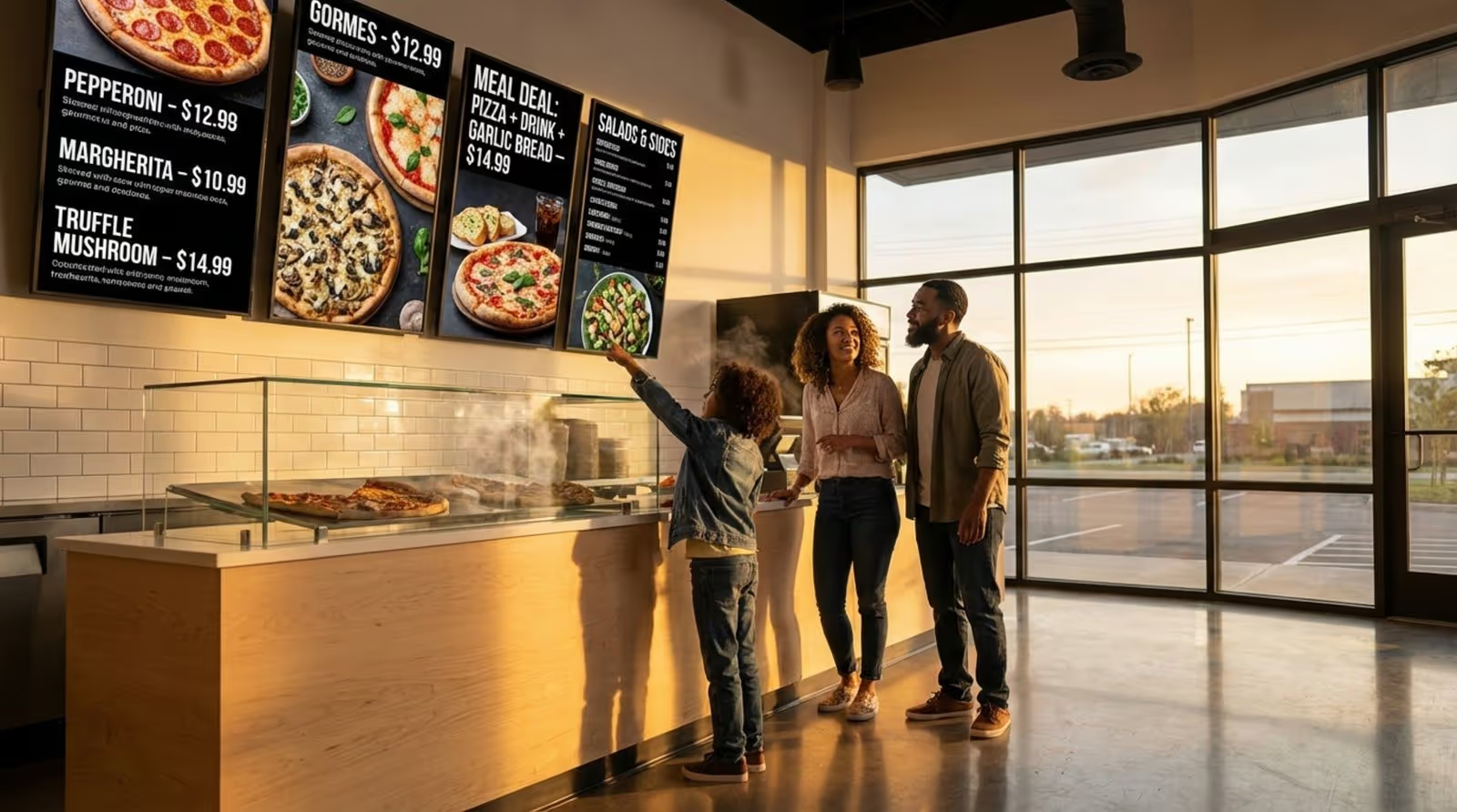
Digital signage software for pizzerias is a cloud-based content management system (CMS) that lets you design, schedule, and publish visual content to your screens. Instead of loading a TV with a USB stick or showing one static image, you get a central dashboard where you can change prices, remove sold-out items, or launch promos instantly. It turns standard displays into active tools that can show anything from HD video of bubbling cheese to live order status boards.
For pizzerias, this kind of software is essential because ingredients and offers change fast. Whether you run a single corner shop or a growing franchise, the software acts as the control center for everything customers see. It keeps the entrance, counter, window displays, and lobby screens in sync, ensuring a clear and consistent experience from the moment a guest walks in.
How Does Digital Signage Differ from Traditional Menus and Posters?
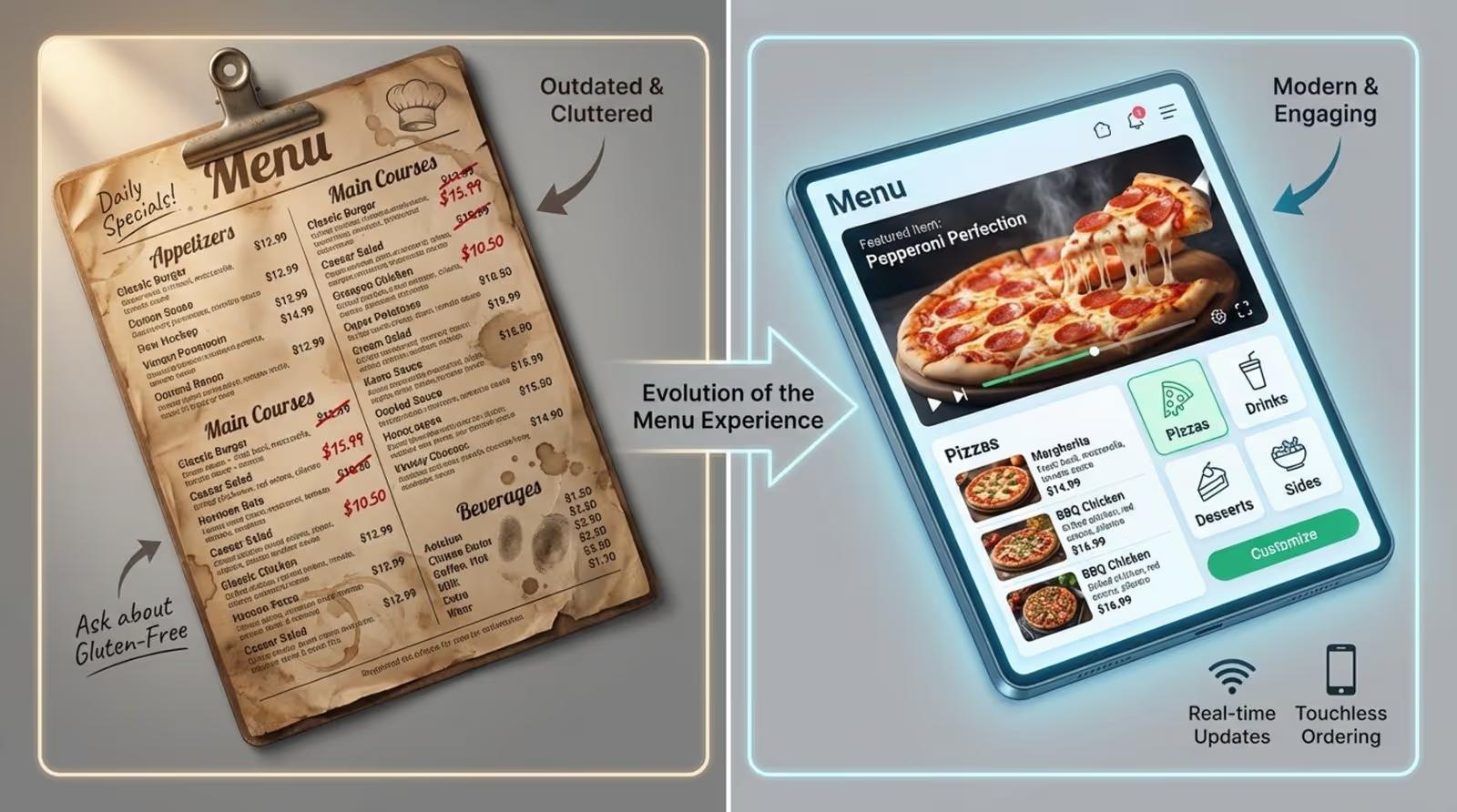
Printed menus and posters are static, which creates friction in a fast-paced pizza shop. If you run out of basil or cheese costs spike, printed menus become inaccurate the moment you need a change. You are often forced to tape over prices or explain the outage repeatedly. Digital signage solves this by allowing you to update menus in real time, so the front counter and kitchen stay aligned.
Digital screens also bring movement to your marketing. A static photo works, but a 4K video of a fresh pizza coming out of the oven grabs far more attention. With motion and scheduling, you can use "dayparting" to shift from lunch slice specials to family bundles at dinner automatically. Your staff doesn't have to touch a button during the rush.
Common Types of Screens Used in Pizzeria Settings
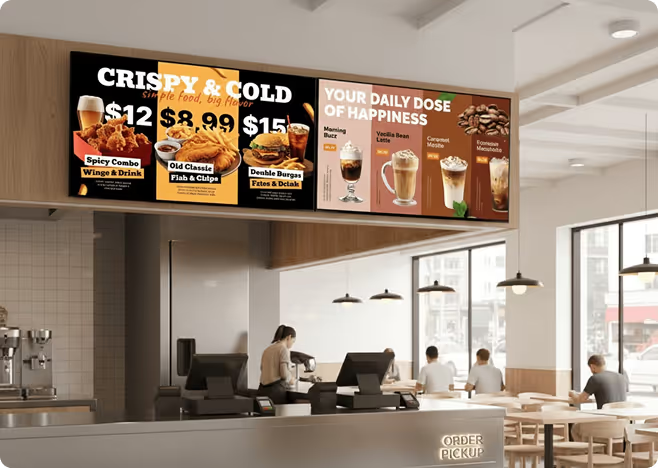
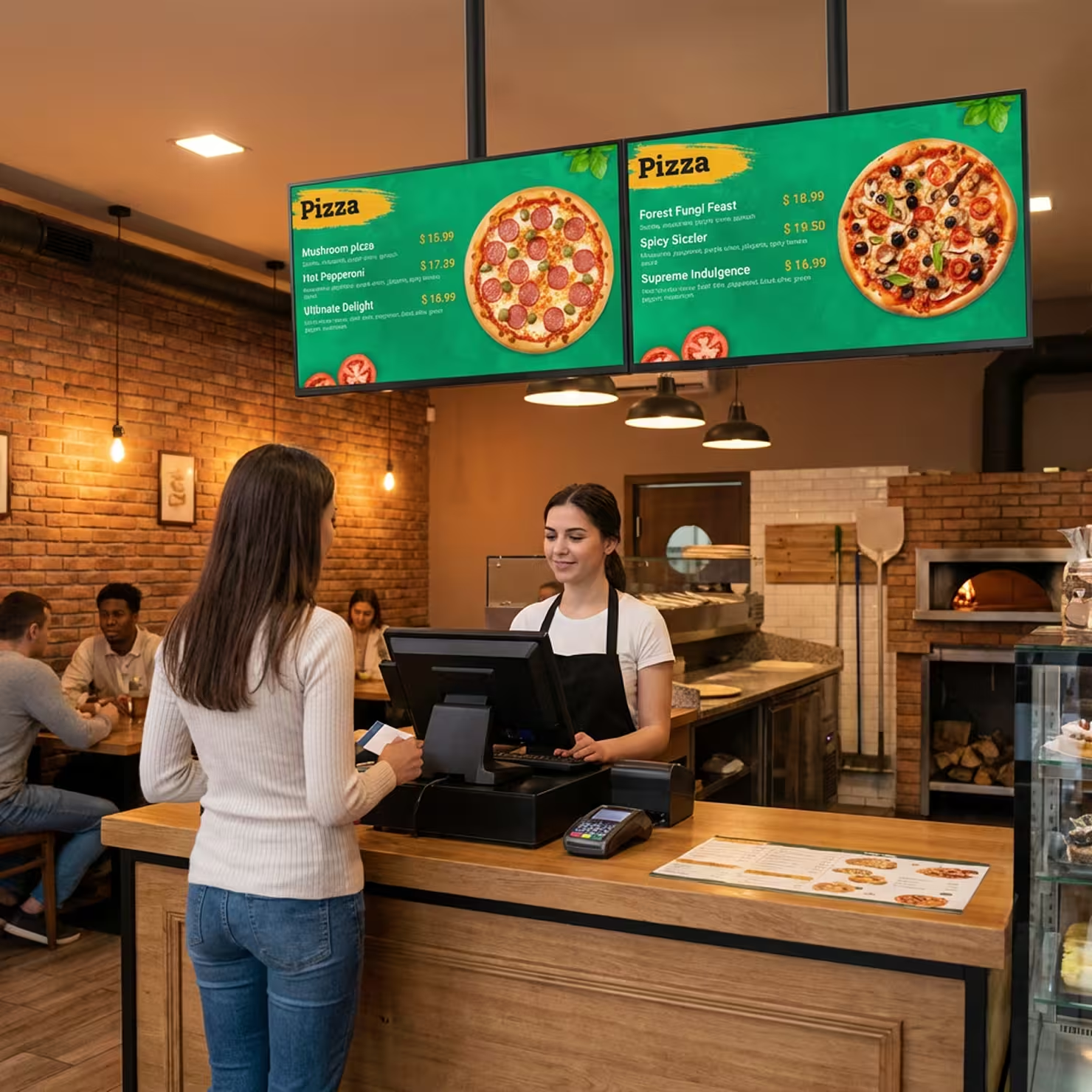
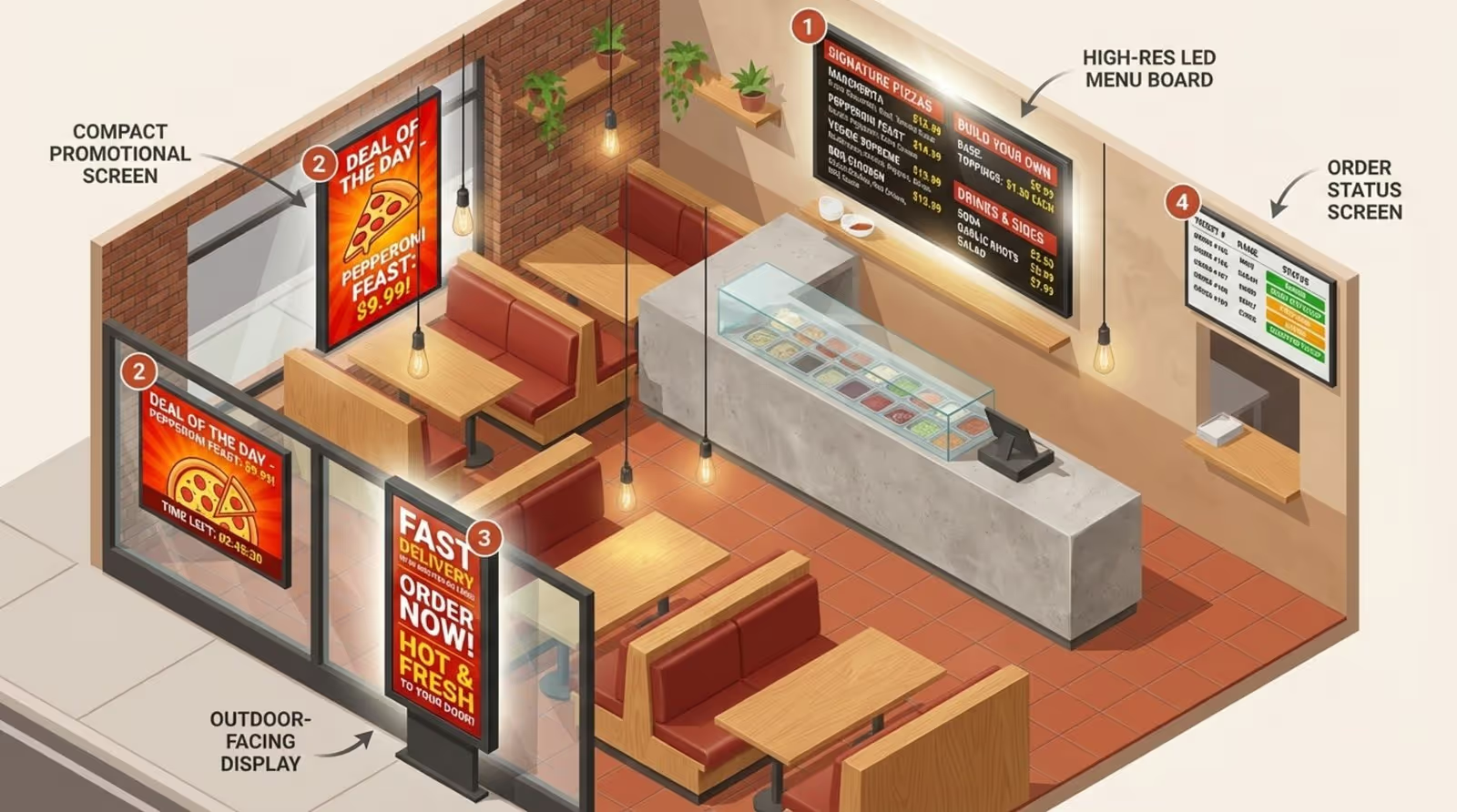
Most pizzerias start with digital menu boards behind the main counter to show sizes, crust types, and core combos. Many shops then expand their network to include:
- Promo screens at the entrance or in the queue, highlighting seasonal deals or limited-time offers.
- Order status boards for high-volume pickup and delivery, organizing the flow from prep to box.
- Window-facing screens with high brightness to capture attention from the sidewalk.
- Small in-store displays showing social media feeds or community news to reduce perceived wait times.
Why Do Pizzerias Invest in Digital Signage Software?
The primary reason pizzerias invest in digital signage is the potential for better operational efficiency and ROI. Digital displays catch eyes and guide choices right at the point of sale. In a business with tight margins, increasing the average ticket size through strategic upsells can make a significant difference to your bottom line.
Digital signage also helps smooth out daily workflows. Staff spend less time answering repetitive questions about gluten-free options or combo details when the screen explains them clearly. This frees up the team to focus on making pizzas and serving customers.
Reduces Printing Costs and Speeds Up Menu Changes
Large printed menu boards and seasonal posters are recurring costs. You pay every time you launch a new promo or adjust prices. With digital signage, you invest in the hardware once and update content as often as needed at no extra cost.
Managers also save time on logistics. Instead of waiting for a printer, you can log into your dashboard and publish a "Game Day Bundle" in minutes. You can react to local events instantly with matching offers on the screen.
Improves Guest Experience and Ordering Speed
Unclear menus can slow down lines in a crowded shop. When guests struggle to read choices, they take longer to order. Simple, well-structured digital menus with clear icons for spicy, vegetarian, or gluten-free items help people decide faster.
As guests view the menu while waiting, they often finalize their choices before reaching the counter. This shortens transaction times, allows you to process more tickets during peak hours, and makes the visit feel smoother.
Boosts Promotions, Deals, and Upselling in Real Time
Digital signage is an effective tool for "nudging" customer behavior. By featuring bold photos of high-margin items, like wings or specialty pies, you can steer customers toward profitable choices. With playlist scheduling, you can push cold drinks on hot days or warm desserts in winter.
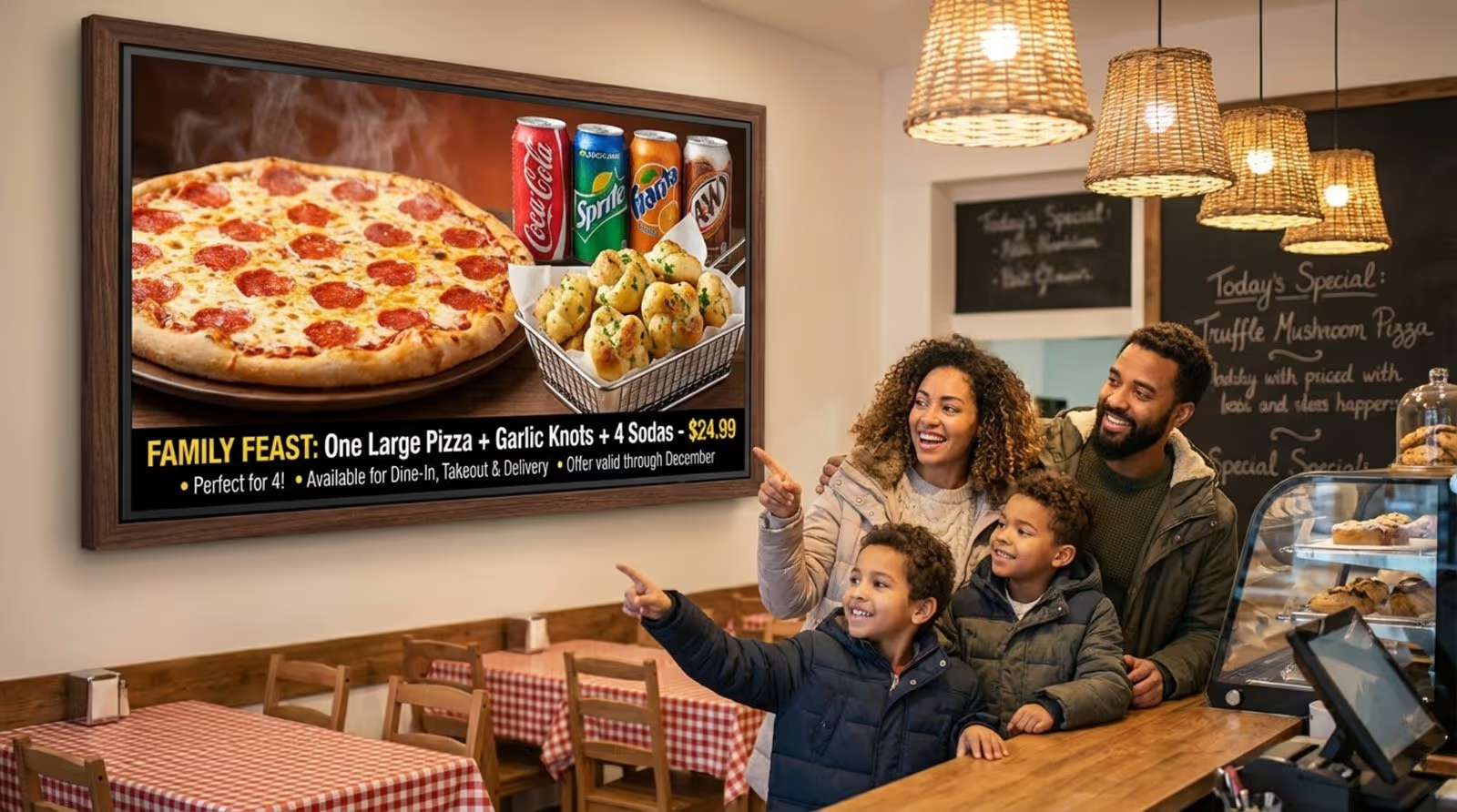
Bundles are particularly effective. Instead of listing items separately, show a "Family Feast" with pizza, sides, and drinks at a clear combo price. By visualizing the value, you encourage customers to spend more without feeling pressured.
Improves Menu Consistency Across Multiple Locations
For franchise owners, consistency is key. If one store displays outdated prices or off-brand fonts, it impacts the brand's image. Digital signage platforms allow head office to send updates to all locations simultaneously, ensuring every store displays the correct core menu and pricing.
This also assists with compliance. If you need to display calorie counts or allergen warnings, you can publish them network-wide from one place. This reduces risk while still allowing local managers to run approved specials in designated screen zones.
Key Features to Look for in Digital Signage Software for Pizza Shops
When selecting software, prioritize reliability and simplicity over complexity. You need a tool that runs smoothly during your busiest shifts and doesn't require a dedicated IT person to manage. A strong system empowers marketing teams to design content while letting store managers focus on operations.
We recommend looking for a platform with robust offline playback. If your internet connection drops on a Friday night, your screens must keep playing. Quality systems cache content locally on the media player, ensuring the menu stays up even without a connection.
Centralized Content Management and Scheduling
A single dashboard, like the Look CMS, should allow you to view and control every screen from anywhere, whether you are at home or in the back office. This eliminates the need for USB sticks.
Flexible scheduling is also vital. You should be able to set recurring content, such as weekday lunch specials from 11 a.m. to 2 p.m., which then automatically switch to the dinner menu. This prevents errors like forgetting to take down an expired promo.
Multi-Location and Multi-Screen Control
As your business grows, managing screens across different locations becomes necessary. Effective software allows you to:
- Group screens by store, city, or region.
- Send specific promos to select locations while keeping others standard.
- Monitor the status of all screens from one account.
Within a single store, you might have one screen acting as a static menu, another looping promos, and a third showing order status. The platform should allow you to assign each screen its specific role and manage them all together.
Template Libraries and Easy Menu Design Tools
If you don't have a professional designer on staff, templates are essential. Look for software that includes ready-made templates specifically for food and beverage. These should offer legible font sizes and good contrast.
The editor should be intuitive. Simple updates, like adding a new topping or changing a price, should take minutes. Tools like the Look Content Creator allow you to build layouts and add text or images directly inside the CMS.
Integration with POS and Online Ordering Systems
Integration capabilities can make your menu smarter. While not every setup requires complex APIs, having the option to connect data sources can help automate "sold out" labels or price updates across your network.
Integrations can also streamline operations. For example, linking a Google Slides menu or a social media feed via an app integration keeps content fresh with minimal manual effort.
Automated Daypart Scheduling
Pizzerias serve different crowds at lunch, dinner, and late night. Smart Scheduling features allow you to automate these transitions. You can display quick slice deals for the lunch rush, larger family meals for dinner, and simple late-night options after hours, without manual intervention.
This ensures the right message reaches the right customer at the right time, maximizing relevance and sales potential.
Support for Real-Time Order Status
With the volume of mobile and delivery orders, lobbies can get crowded. Order status screens help manage the flow by showing customers and drivers when orders are "Baking," "Ready," or "Out for Delivery." This reduces crowding at the counter and answers the question, "Is my pizza ready?" before it's even asked.
Security and Device Reliability
As you scale, security matters. Good systems offer role-based access, allowing store managers to update daily specials while corporate retains control over brand assets and core pricing.
Device health monitoring is also critical. You need to know if a screen is offline or if a player is disconnected so you can troubleshoot quickly, often remotely.
Best Digital Signage Software for Pizzerias
Look Digital Signage - Best Overall
Look Digital Signage may be the most straightforward and genuinely easy-to-manage digital signage platform for your menu boards. If you're running a busy pizza spot with a rotating menu, daily specials, or combo deals that change frequently, Look lets you update your displays remotely from any device. It's particularly useful if you have multiple locations and want consistent branding across all of them from one dashboard.
The drag-and-drop editor allows your staff to make content changes in minutes, and setup automated dayparts by time of day. Its Zapier integration and open API allow seamless connection with your POS system for real-time price updates, and ready-made food business templates give you a solid starting point.
Look also logs timestamped playback records for every visual and campaign, which is useful when you need accountability across multiple locations. On the engagement side, you can run QR menus, feedback prompts, and review scenarios directly on your screens, all managed from one central cloud dashboard.
Key Features:
- Interactive QR code menus linking to online ordering for seamless takeout upsells.
- Multi-zone layouts splitting screens for menus, weather, loyalty promos, and social feeds.
- Drag-and-drop content builder with free QSR templates, no design skills needed.
- Local content caching keeps screens running during internet outages.
Best For: Small to mid-sized pizzeria that wants polished, dynamic screens without the complexity of enterprise software.
Pricing: Up to $15/screen/month, more screens - lower price. Free 14-day trial, no credit card required. On-premise licensing available.
Coates Group
Coates Group is a strong fit for a pizzeria specifically because they're focused on simplifying complex restaurant ecosystems. Their CMS is called Switchboard, and it integrates with your existing data sources to handle content scheduling, real-time updates, and distribution across all digital touchpoints. It also comes bundled with hardware. They offer a combined solution of Switchboard software and physical hardware, but can also deliver them individually depending on your needs. Switchboard integrates with POS and also supports self-order kiosks.
Key Features:
- Custom QSR hardware like self-order kiosks, digital drive-thru, and outdoor displays
- Native POS (Toast/Square), loyalty apps, and weather-triggered deals.
- Suggestive selling prompts
Cons: Built for enterprise-level budgets and long-term investment commitments, making it a poor fit for smaller or independent pizzerias.
Best for: Enterprise pizzeria chains scaling branded digital ecosystems.
Pricing: Custom quotes. Request demo.
Omnivex
Omnivex is enterprise-level software, built for organizations managing dozens or hundreds of screens across multiple locations. So for a pizzeria, the only scenario where it genuinely makes sense is if you're running a chain with several branches and need one central system pushing menu updates, promotions, and pricing changes to every screen simultaneously, in real time.
That said, it's expensive and has a steep learning curve. For a single-location pizzeria, Look Digital Signage would do the job for a fraction of the cost.
Key Features:
- Enterprise-grade DataPipe pulls live data from virtually any source into screen content.
- On-premises (Moxie) and cloud (Ink) deployment options.
- Multi-zone screen layouts, scripting engine for custom signage logic.
- Supports mobile, kiosks, video walls, and standard displays.
Cons: Steep learning curve with high licensing costs.
Best for: Large pizzeria chains with dedicated IT teams managing complex, multi-location networks.
Pricing: Custom quotes. Free demo available.
AIScreen
AIScreen is a very practical fit for a pizza restaurant, and the barrier to entry is low. Pricing starts at just $10 per month per screen on an annual basis, easily accessible for a single-location pizzeria all the way up to a growing chain. It supports real-time content updates, multi-location management, and seamless POS integration.
AIScreen also uses computer vision to capture and analyze visitor behavior in real time, then automatically adjusts on-screen content to match the interests of the viewers present. It's also genuinely easy to use, includes over 1,500 templates and a drag-and-drop editor for asset design.
Key Features:
- Computer vision detects viewer behavior and auto-adjusts content in real time.
- Native Square POS integration with automatic pricing and availability sync.
- SOC2 certified with cloud-based multi-location management.
Cons: AI audience targeting features may be more than a small single-location pizzeria realistically needs.
Best for: Pizzerias at any stage looking for an affordable, menu board solution with smart automation.
Pricing: Starting at $12/mo for the (Essential), $20 (Business) and $40/month (Enterprise). First screen is free, plus a 14-day free trial.
MustHaveMenus Display
MustHaveMenus is a strong, restaurant-focused option and particularly well-suited for a pizzeria that prioritizes menu design and brand consistency across all materials.
It consolidates your digital screens, printed menus, and web presence into one platform, for brand consistency across every customer touchpoint.
It integrates natively with Toast and Square, supports automatic pricing and availability updates, and keeps your screens running offline.
The one caveat worth knowing is that some users feel the monthly fee after purchasing the hardware is high relative to what's on the market. So it's worth factoring in the total cost of ownership.
Key Features:
- POS pulls live prices/stock automatically.
- Pro print, download, web links, QR
- Multi-site publishing from single editor.
- Bundled hardware with remote setup help.
- Over 25,000 menu templates + 5M+ photos and graphics
Best for: Overall, it's best suited for a pizzeria that wants a polished, design-forward solution that manages the full menu ecosystem, not just the screens.
Cons: The high per-screen cost is difficult to justify for multi-screen setups compared to more affordable competitors. .
Pricing: From $24/month (Best for single-location pizzerias), $49/mo (Pro), Custom quote for Enterpise. $20/mo per screen for hardware add-on. Offers a 7-day free trial, often integrated with the Square App Marketplace.
Yodeck
Yodeck is a strong fit for a pizzeria that wants a cost-effective, hardware-inclusive solution. It offers a free Raspberry Pi player with the annual subscription, which reduces upfrong setup costs. It handles remote content management, multi-screen scheduling, and playlist automation well.
Yodeck also has template options and a straightforward interface that keeps things manageable for non-technical staff. However, its POS and third-party integrations are more limited compared to Look Digital Signage, so real-time menu pricing updates would require more manual effort or custom workarounds. It’s best recommended when budget and hardware simplicity are the priority over deep integrations.
Key Features:
- Drag-and-drop menu boards with day-parting, POS feeds(through its API), QR codes.
- Video playlists, social tickers, weather overlays.
- Browser-based remote management.
Best for: Single-location pizzerias or small QSRs prioritizing low-cost digital menus.
Cons: Lacks native POS integration.
Pricing: Free for 1 screen. Paid plans start at $8/screen/month (free player with annual plan). Free 30-day free trial available.
OptiSigns
OptiSigns would be a great fit for your pizzeria if you care about keeping costs low and don't want a steep learning curve. It's one of the most affordable signage options out there with a genuinely beginner-friendly interface, so if you're running the place yourself and just need screens up and running with minimal hassle, it does the job well.
If you already have low-cost media players like Fire Sticks lying around, even better. OptiSigns supports low-cost devices and saves you from investing in dedicated signage hardware upfront.
Key Features:
- Built-in Canva integration for easy menu board design
- App marketplace with widgets like live reviews, social feeds, and weather
- Proof of play reporting to track when and how long content ran
- Offline playback
Best for: Independent pizzerias with 1-10 screens prioritizing zero hardware costs and fast setup on existing TVs for dynamic pricing and upsells.
Cons: Limited template design flexibility.
Pricing: Free (basic); $10/screen/mo (Standard); $15 (Pro Plus); $30 Engage, $45 (Enterprise). 14-day free trial available.
NoviSign
NoviSign would be a good pick for your pizzeria if you want more design flexibility out of the box. It's built around a widget-based editor that gives you more layout control than most entry-level platforms, so you spend less time in external tools. It also has a stronger focus on interactive content, so if you're thinking kiosks or self-ordering screens down the line, it scales well in that direction.
Key features:
- Interactive kiosk support for self-ordering or customer-facing displays
- Real-time data widgets for menus, countdowns, and live feeds
- AI Digital Signage Image Creator
- Toast POS integration for live menu and pricing sync
Best for: Pizzerias that want tight POS integration and a richer design experience out of the box.
Cons: The interface feels dated and some users report it's not always easy to find where certain features live.
Pricing: From $20/screen/mo, upto $49/mo for Premium. 30-day free trial available.
Disign
Disign is a good pick for a pizzeria that wants clean, structured screens across one or multiple locations. At €8/month per screen annually, it's one of the cheapest options available, and the interface is simple enough that any staff member can jump in and manage content. It covers the essentials like menu boards, daily specials and scheduled promotions, and with Canva and Adobe Express built in, you can put together good-looking layouts without needing a designer. Design’s also has MDM tools that let you remotely reboot or manage screens without touching the hardware.
Something to keep in mind is that it lacks has native POS integration. You can work around it using their API and webhooks, but that requires some technical setup
Key Features:
- Screen zoning to split displays into multiple content areas
- API & webhook support for connecting third-party data sources
- Content scheduling by time, date, and location
- Multi-format support — videos, images, HTML, PDFs
Best for: A single-location pizzeria that wants affordable, visual-first signage with minimal setup.
Cons: The interface, while simple, is fairly basic, limited design flexibility compared to more restaurant-focused platforms
Pricing: From €9/screen/mo, upto €2/screen/mo for Pro. Custom quotes for Enterprise. 28-day free trial.
Kitcast
Kitcast is worth considering for your pizzeria primarily if you're already in the Apple ecosystem. Its native tvOS app has been around since 2015, while many competitors still support Apple TV with limitations or not at all.
On the content side, Kitcast includes an AI content builder, Canva integration, and a library of free templates, which covers most design needs without hiring outside help. If you run more than one location, it supports screen grouping and custom user permissions.
On the downside, it lacks out-of-the-box POS syncing but provides a powerful API for custom integrations.
Key Features:
- AI Content Generator for professional-looking menu cards
- Runs natively on Apple TV, Android, Fire TV, and BrightSign
- Offline Playback
- Over 500 pre-designed layouts specifically built for high-resolution displays.
- 4K support for high-res menu visuals
Best for: Pizzerias already running Apple TV hardware, multi-location owners who need centralized control without enterprise-level complexity, and owner-operators without a dedicated designer who need to manage and update content themselves.
Cons: Kitcast technically supports Android and Fire TV, but the experience isn't as polished as the native Apple TV app.
Pricing: From $9/screen/mo (Starter). $14 (Pro). Custom quote for Enterprise. Free 14-day free trial available.
Summary Comparison Table
Factors Before Choosing Digital Signage Software for Your Pizzeria
Before starting a free trial, assess your physical space. Pizzerias are demanding environments with heat, flour, and grease. Your software must be compatible with reliable hardware that can withstand these conditions. Features are only valuable if they work reliably in your real-world kitchen.
Consider your growth plans. If you aim to expand, choose a platform that scales easily from one screen to thousands, so you aren't forced to switch systems later.
Hardware Compatibility and Screen Types
Different platforms support different devices. Look Digital Signage is hardware-agnostic, meaning it works with the hardware you may already have. You can install the Look App on Android TVs, Amazon Fire Sticks, or use the Look HDMI Player for a dedicated, plug-and-play solution.
You must decide between:
- SoC screens: Commercial TVs with built-in media players (System on Chip).
- External players: Dedicated media players connected via HDMI.
Commercial displays are often preferred for their durability and brightness, designed for long operating hours in commercial settings.
Internet Requirements and Offline Capabilities
Many pizzerias deal with unstable Wi-Fi or thick building materials that block signals. Your software must have strong offline capabilities. Look DS offers Offline Playback, ensuring that once content is downloaded, it continues to play seamlessly even if the internet goes down.
Multi-Language Support
If your community is multilingual, digital menus offer a significant advantage. You can schedule content to rotate between languages or use screen layouts to display dual-language menus. This improves accessibility and welcomes a broader customer base.
Digital Menu Boards and Beyond: Use Cases in a Pizzeria
Menu boards are just the beginning. Screens can help tell your story. You might show footage of your dough resting for 48 hours or highlight the local farms that supply your toppings. This content builds trust and differentiates you from competitors.
You can also adapt screen behavior based on traffic. On slow afternoons, promote catering services. On busy nights, focus on order flow. Digital signage turns static space into a flexible communication channel.
Real-Time Menu and Price Updates
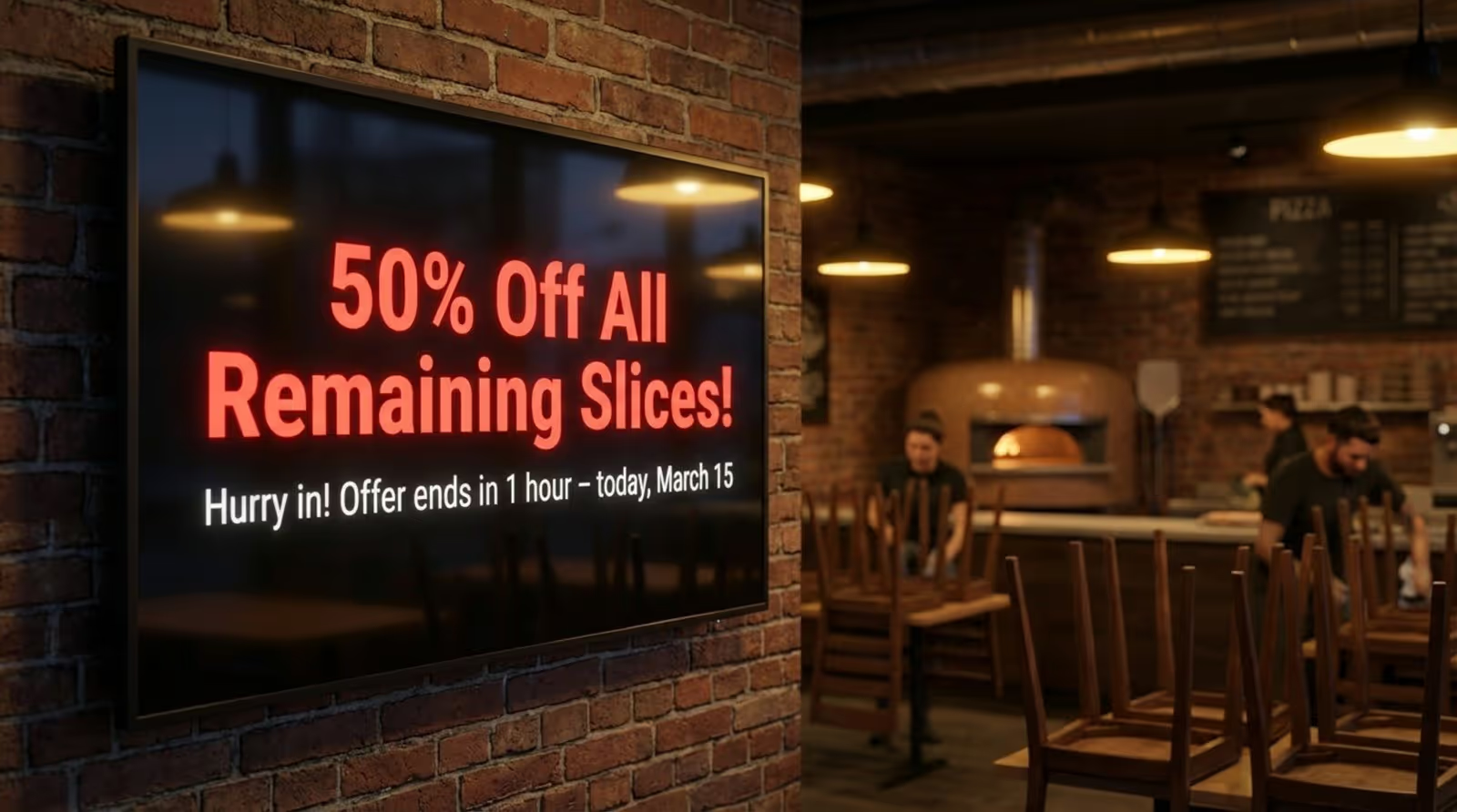
Fast updates are a major benefit. If you are running low on large dough balls, you can instantly shift focus to medium pies or calzones on the screen. You can also run flash sales to move inventory before it expires, reducing food waste and protecting margins.
Promoting Lunch Specials and Seasonal Offers
Pizzerias thrive on specials. Whether it's pumpkin-topped pizzas in October or heart-shaped pies for Valentine's Day, digital signage simplifies these campaigns. You can upload assets in advance and schedule them to run automatically.
For lunch, visual clarity is key. Displaying a clear "Slice + Side + Drink" combo in a dedicated zone helps busy customers order quickly.
Order Status Displays and Pickup Flow
Managing pickup and delivery traffic is crucial for a smooth operation. Dedicating a screen to order status organizes the lobby and reduces confusion. Simple directions pointing to specific pickup shelves or windows can further streamline the process.
Localizing Content for Franchises
Each location has a unique vibe. While the head office controls the core menu, good software allows for local customization. A store near a university might push late-night study deals, while a suburban location focuses on family bundles. Allowing local managers to add community-specific content helps the store feel connected to its neighborhood.
Why Look Digital Signage is the Top Choice for Pizzerias
When choosing a solution for your pizzeria, you need a balance of power and simplicity. Look Digital Signage is designed to meet the specific needs of restaurants and QSRs, helping you manage menus and promos without technical headaches.
Here is why Look DS is a strong recommendation for pizza shops:
Simple Setup and Remote Management
You can manage any screen, anytime, from anywhere using the Look CMS. Whether you are updating a price at one location or rolling out a new menu across fifty stores, the dashboard is intuitive and fast. If you already have screens, you can likely get started immediately with the Look App for supported devices, or use the Look Player for a robust plug-and-play experience.
Reliability with Offline Playback
Internet outages shouldn't stop your business. Look DS includes Offline Playback, which caches your playlists locally on the device. This means your menus keep running smoothly even if the Wi-Fi drops, ensuring you never lose your primary sales tool during a rush.
Templates and Easy Creation
You don't need to be a designer to have professional-looking menus. Look provides a library of Ready-made Templates that you can customize in minutes. With the built-in Content Creator and Screen Layouts, you can easily organize your screen into zones, showing a video promo on one side and your price list on the other.
Smart Scheduling for Dayparting
Automate your menu transitions with Smart Scheduling. You can set your lunch specials to play from 11:00 AM to 2:00 PM and switch to your dinner menu automatically. This feature allows you to "set and forget" your routine content, ensuring the right offers are always visible at the right time.
Proof-of-Play and Analytics
For data-driven owners, Look offers Playback Analytics and proof-of-play reports. You can verify that your promotional content ran as scheduled and monitor the health of your screen network, giving you peace of mind and data to back your decisions.
Evaluating Digital Signage: What Matters for Pizza Shops
As you evaluate your options, focus on how the software fits into your daily operations. If a system is too complex, staff won't use it. If it's too basic, it may limit your marketing later. Consider the total cost of ownership, including hardware, software subscriptions, and the time saved on updates.
Cloud-Based vs. On-Premise
For most pizzerias, a cloud-based solution like Look is the ideal choice. It offers remote access, automatic updates, and requires no server maintenance. On-premise solutions are typically reserved for organizations with highly specific security infrastructure needs.
Ease of Use
Apply the "two-minute rule": a manager should be able to change a price or swap an image in under two minutes. Platforms that prioritize a clean, user-friendly interface reduce training time and operational friction.
Scalability
Choose a partner that grows with you. Features like screen grouping and remote troubleshooting become essential as you add more locations. You want a system that handles one screen as easily as it handles one hundred.
Common Mistakes Pizzerias Make with Digital Signage
Even the best software requires a good content strategy. A common mistake is treating digital boards exactly like printed menus, overcrowding them with tiny text. Guests should be able to read key items and prices from a distance quickly.
Another pitfall is letting content go stale. Regular customers stop noticing screens that never change. Simple updates, like rotating a "Pizza of the Month" or refreshing food photos, keep the displays engaging.
Overloading Screens with Information
Too much information creates clutter. Use white space and clear headings. For promo screens, focus on one main message per slide. If you are selling wings, let that image dominate the screen with a clear price, rather than cramming in every side dish option.
Neglecting Regular Updates
Displaying a holiday offer in the middle of summer makes the entire menu look neglected. Use scheduling tools to set end dates for seasonal content to ensure your screens always feel current.
Tips for Getting the Best ROI from Pizzeria Digital Signage
To maximize value, treat your screens as active sales tools. Set clear goals, such as increasing the sales of a specific combo, and track the results. If a promo isn't performing, try changing the image or the placement on the screen.
Involve your staff. They hear customer questions daily and can identify confusion. If guests frequently ask about portion sizes, adding a visual reference on the screen can clarify the offer and speed up ordering.
Best Practices for Content Scheduling
Build a simple content calendar. Determine when you want to push lunch deals versus family bundles. Once set up in the CMS, the system handles the heavy lifting, ensuring your marketing strategy runs on autopilot.
Staff Training
Designate a "screen owner" at each location-often a manager-to ensure screens are active and content is updated. Train counter staff to use the screens as visual aids during upsells, pointing to the display to highlight specials.
Conclusion: The Future of Pizzeria Signage
Digital signage in pizzerias is evolving from simple digital posters to smart, responsive systems. The technology is moving toward data-driven content that can adjust based on real-world triggers, like promoting warm comfort food on a rainy day or refreshing drinks during a heatwave.
By adopting a flexible platform like Look Digital Signage today, you position your pizzeria to handle these changes smoothly. You gain the ability to manage your brand instantly, streamline operations, and create a modern guest experience that sets the stage for future growth.