
Table of Content
How can Quick Service Restaurants keep menus accurate, automate dayparting, and boost upsells without technical headaches? The best digital signage software is a cloud-based platform that allows you to manage content remotely, ensuring every screen displays the right message at the right time. Look Digital Signage is a strong fit for QSRs, offering reliable playback, smart scheduling, and easy-to-use templates that help you get content on screen in minutes.
What is digital signage software for quick service restaurants (QSR)?
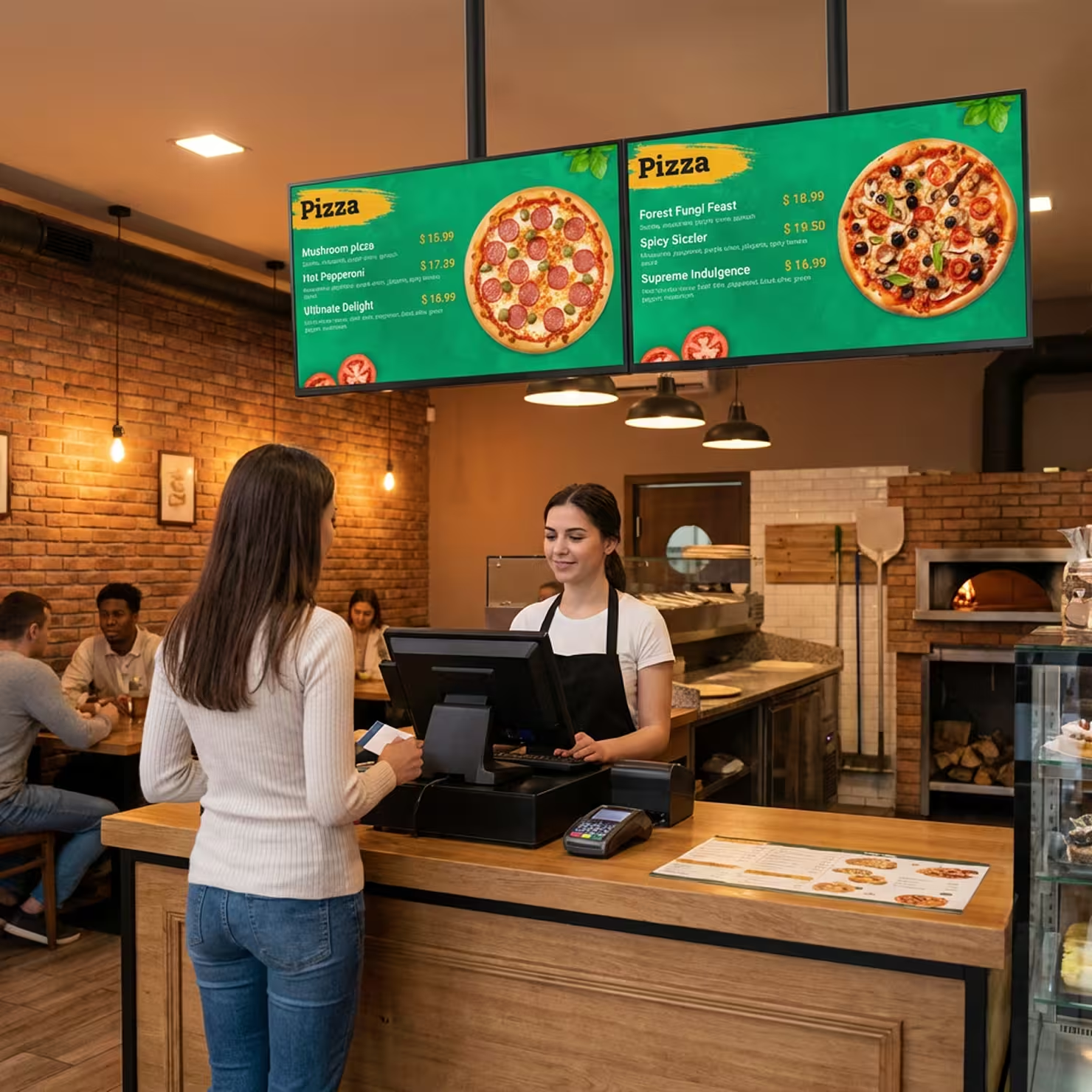
Digital signage software for QSRs is the operating system behind your menu boards and promotional screens. It allows franchise owners and managers to create, schedule, and publish content to one or thousands of displays from a single dashboard. Unlike a standard USB stick that requires manual updates at every screen, a cloud-based digital signage solution lets you control your entire network from anywhere.
This technology transforms standard displays into dynamic communication tools. It ensures that videos play smoothly, prices update instantly across locations, and menus switch automatically between breakfast, lunch, and dinner. For busy food service environments, this software shifts the focus from managing hardware to optimizing sales and customer experience.
How digital signage improves QSR operations
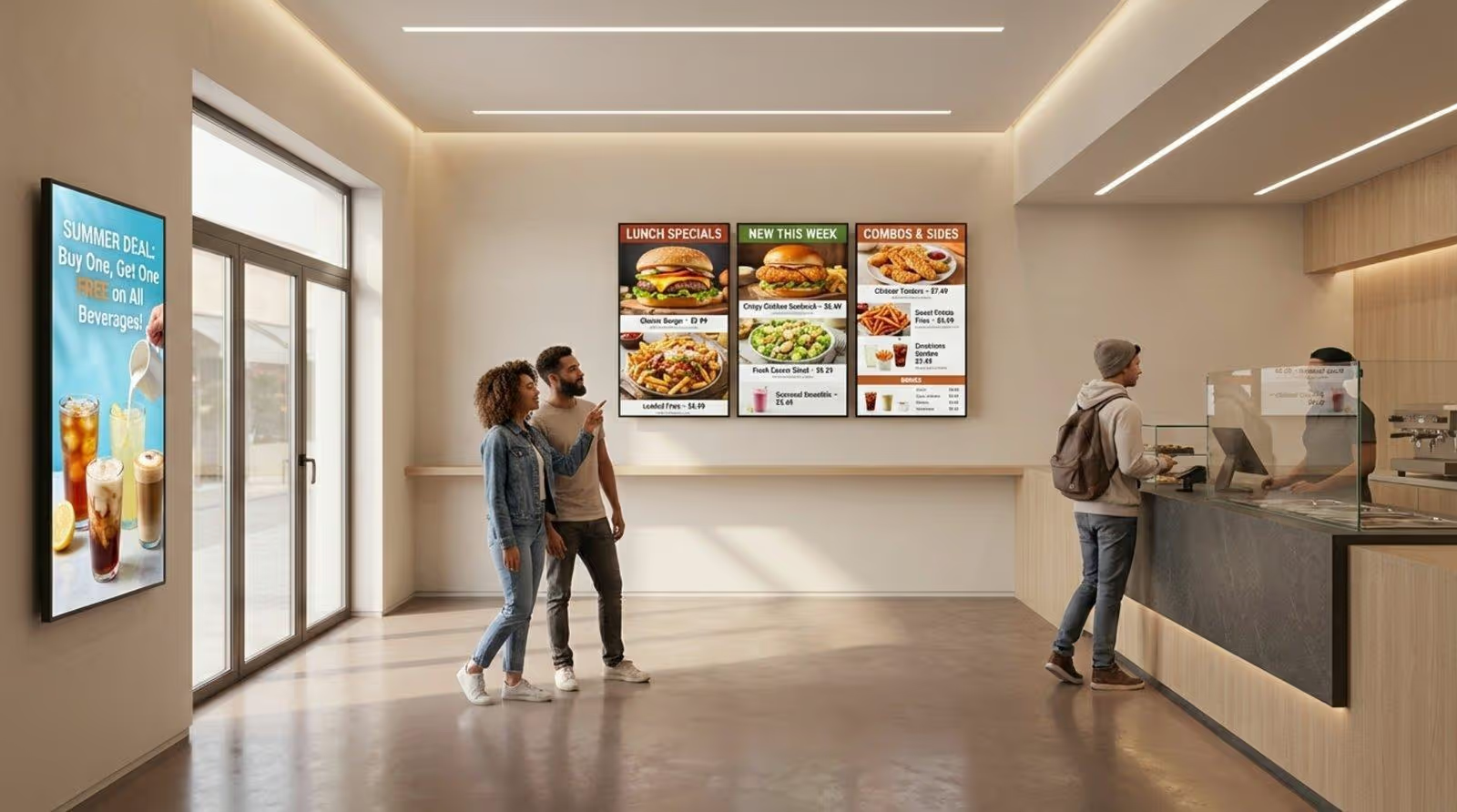
Digital signage streamlines operations by eliminating the need for printed materials and manual updates. With Look Digital Signage, a price change that once required reprinting menus or physically changing letters on a board can now be done in seconds. This efficiency reduces staff workload, allowing teams to focus on food preparation and service rather than signage maintenance.
Operational benefits extend to the kitchen and staff areas as well. Screens can serve as "digital managers," displaying real-time KPIs, training videos, or internal announcements. By keeping the right information visible, you reduce human error and ensure consistent execution of brand standards.
Types of displays used in QSRs
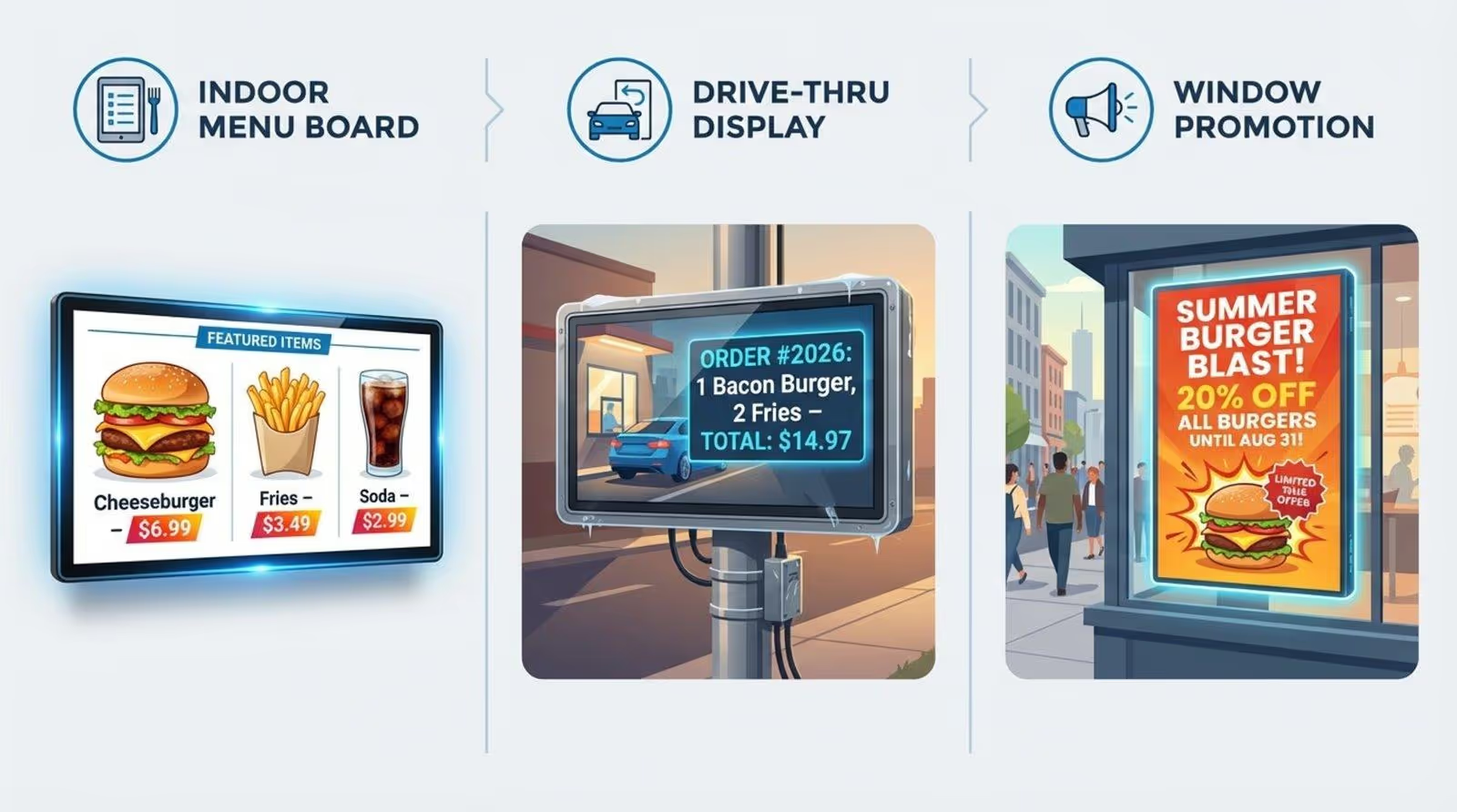
Modern QSRs typically deploy digital signage across three main areas:
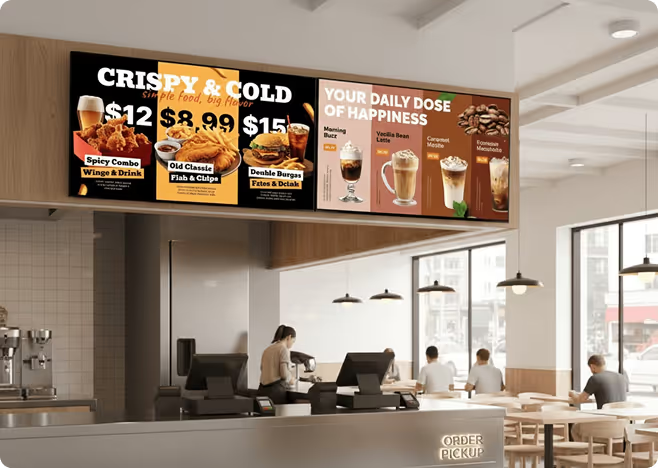
- Digital Menu Boards: The primary source of information. These require high contrast and clear layouts to help guests make decisions quickly.
- Drive-Thru Screens: These high-brightness outdoor displays are critical for speed of service. They confirm orders in real-time to reduce errors and highlight high-margin add-ons.
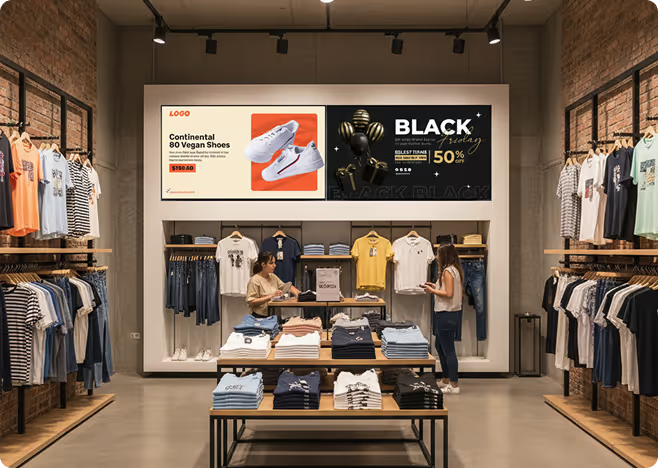
- Promotional Screens: Located in windows or near entrances, these screens use motion and bright visuals to attract foot traffic and showcase limited-time offers (LTOs).
Why do QSRs need digital signage software?
QSRs rely on digital signage to drive revenue and modernize the dining environment. In a high-volume, low-margin industry, the ability to influence a customer's decision at the point of purchase is vital. Digital screens utilize motion and timing to draw attention to high-value items, which can help increase sales.
Beyond revenue, digital signage ensures brand consistency. Unlike paper posters that can fade, tear, or be placed incorrectly, digital displays maintain a sharp, professional appearance. This builds trust and signals to customers that the establishment is modern and well-managed.
How digital signage improves customer experience
Clear, readable digital menus reduce friction during the ordering process. When customers can easily find pricing, nutritional information, and dietary details, satisfaction increases. Look Digital Signage supports high-definition visuals that make food look appetizing, helping guests feel confident in their choices.
Engagement also improves when screens do more than list products. Using apps and widgets within the signage software, restaurants can display social media feeds or localized content, creating a more connected atmosphere. This dynamic environment encourages repeat visits by making the space feel active and current.
Benefits for order accuracy and speed of service
Speed is the currency of the QSR industry. Well-organized digital menus facilitate faster decision-making, which keeps lines moving. When screens are integrated into the workflow-such as drive-thru order confirmation displays-customers can verify their order instantly. This verification step reduces waste from remakes and keeps the kitchen flow steady.
Boosting upsells and revenue with dynamic content
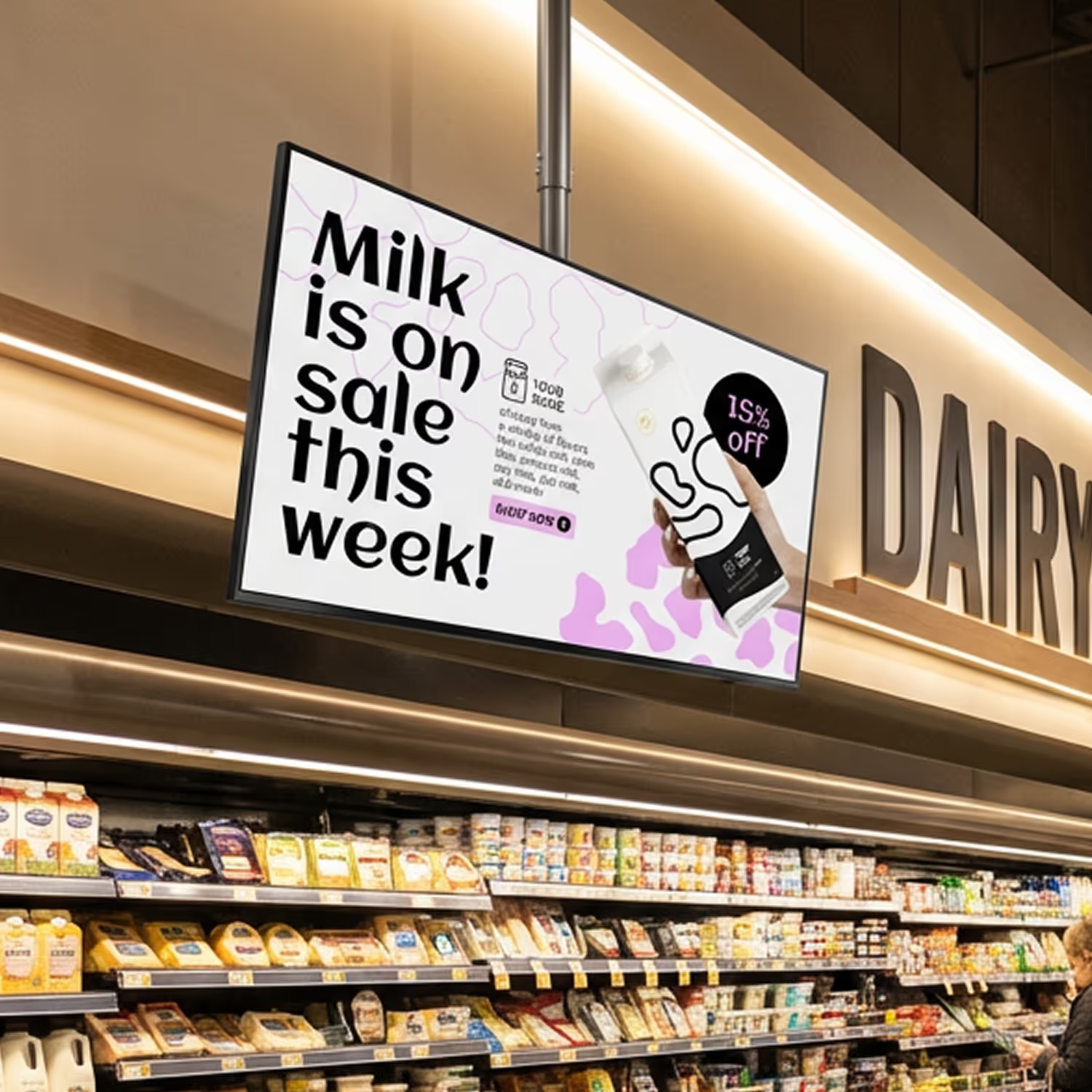
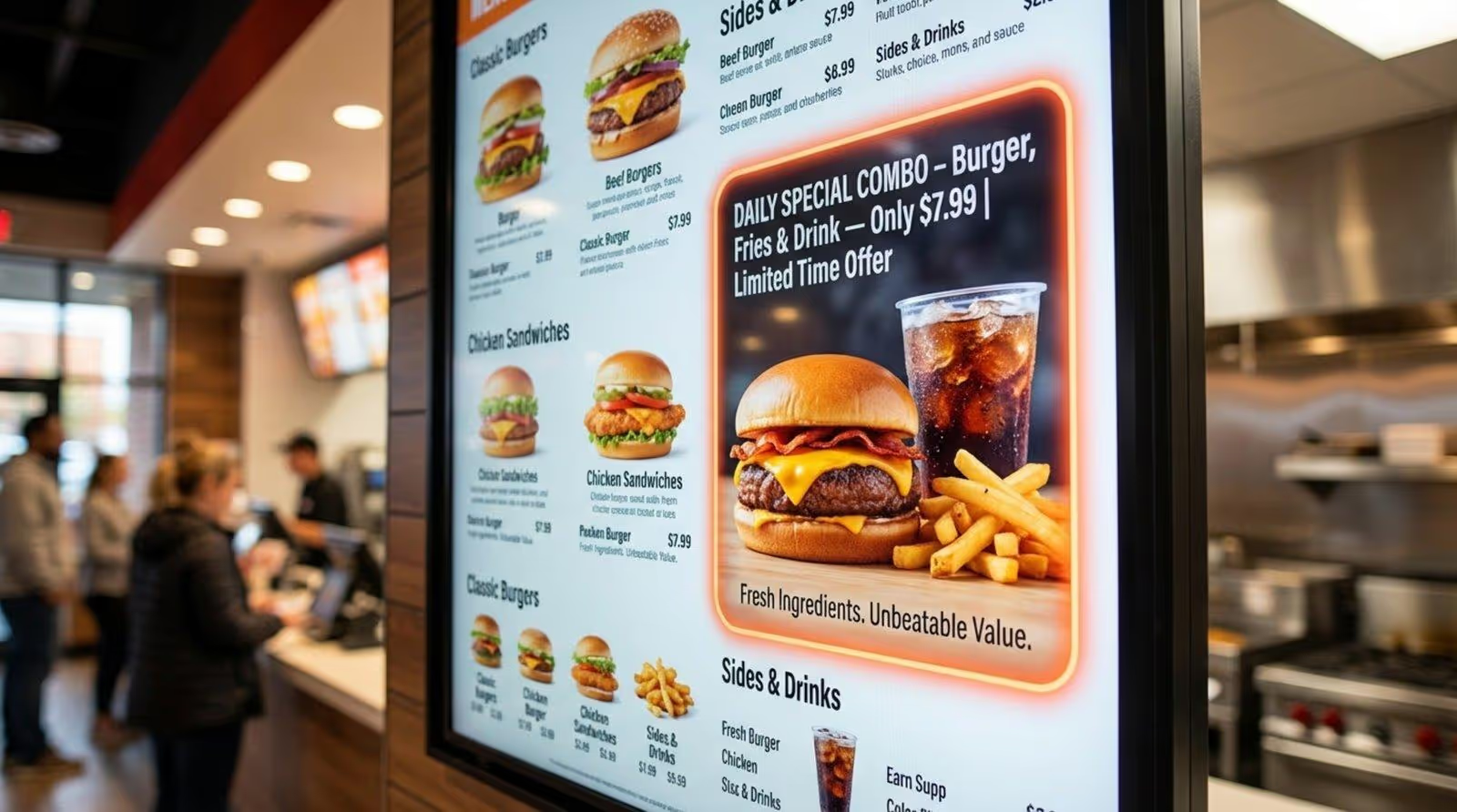
Static menus cannot adapt to context, but digital signage can. By using Smart Scheduling, a QSR can automatically promote cold beverages when the temperature rises or feature high-margin combos during peak hours. This ability to present the right offer at the right moment is a proven method for increasing the Average Order Value (AOV).
Keeping brand consistency across multiple locations
For franchises, maintaining a unified brand voice is a challenge. Cloud-based software solves this by centralizing control. A marketing director can push a new campaign to hundreds of locations instantly, ensuring that pricing and imagery are identical everywhere. Look CMS also allows for local flexibility, letting store managers toggle availability for out-of-stock items without breaking the overall brand template.
Top use cases for digital signage in quick service restaurants
Digital signage is versatile. While digital menu boards are the standard, the technology supports various other applications that drive efficiency and engagement. For example, incorporating QR codes into content bridges the gap between the screen and the customer's mobile device, enabling instant access to loyalty programs or detailed nutritional facts.
Digital menu boards and dayparting
The most essential use case is the digital menu board. With Smart Scheduling, restaurants can automate dayparting. This ensures the breakfast menu switches to the lunch menu at exactly 11:00 AM without staff intervention. This automation prevents customers from ordering unavailable items and keeps the ordering process smooth.
Promoting new products and limited-time offers
Launching a new product traditionally involves shipping printed materials. With digital signage, a new LTO can be live across the network in minutes. Using ready-made templates in the Look CMS, operators can quickly customize promotional slides to highlight seasonal specials, ensuring the marketing push is synchronized with inventory availability.
Reducing perceived wait times
Waiting in line is a pain point for customers. Digital signage can reduce perceived wait times by displaying entertaining or informative content alongside the menu. News tickers, weather updates, or engaging food preparation videos keep customers occupied, making the wait feel shorter and less frustrating.
Employee training and internal communications
Screens in the back-of-house are valuable for staff alignment. They can display shift schedules, safety reminders, and training clips. This ensures that even non-desk employees stay informed about company updates and operational changes.
Best Digital Signage Software for Quick Service Restaurants
1. Look DS
Look DS is the best digital signage software for QSRs that want centralized menu board management from a unified, easy-to-use platform. The built-in Content Creator has 300+ templates, including specific QSR templates for burgers, pizza, subs, and combo boards. The drag-and-drop layout designer lets you customize colors, logos, backgrounds, fonts, and food images to match your branding.
Want to keep pricing accurate across locations with minimal effort? Look connects to Google Sheets via Zapier, so when you update a cell in your spreadsheet, the price reflects automatically on your displays within seconds. You can also connect Look to your POS system through Zapier or API to automate price changes and hide sold-out items on the fly.
For multi-location chains, smart scheduling lets you create automatic dayparts, and you can pre-schedule promos for specific dates like Taco Tuesday or holiday specials. Everything plays reliably even if the internet drops, thanks to full offline playback.
Key features:
- Interactive touch scenarios for self-service kiosks and ordering displays
- Proof of play tracking with playback logs, screen status monitoring, and alerts if anything goes down
- Role-based user permissions and screen tagging — franchise operators can give location managers access to their own screens without exposing the full network
- Multi-location management from a single dashboard
- Screen grouping with tags for organizing displays and pushing targeted menu playlists by location or menu type
Pros:
- Intuitive interface that non-technical staff can learn in minutes
- Reliable offline playback protects against Wi-Fi issues during service
- Flexible hardware support keeps initial costs down
- Real-time remote updates let you pull an out-of-stock item instantly
Cons:
- No native POS integration — requires a Zapier workflow or API connector. Both are straightforward to configure using Look's knowledge base and 24/7 customer support.
Best for: Small to mid-sized QSR operators and multi-location chains that want automated menu updates, QSR-ready templates, and POS connectivity without enterprise complexity.
Pricing: Up to $15/month per screen; 14-day free trial available with no credit card required. The more screens, the lower the price.
2. Pickcel
Pickcel has a dedicated Digital Menu Board app with customizable templates, advanced scheduling for dayparting, and built-in item tags like "Sold Out," "Today's Special," and "Selling Like Hot Cakes" that you can toggle on or off with a single click. The built-in QR code feature lets your customers scan the screen to view the full menu on their phones, which helps cut crowding near the counter.
If you're running Square POS, Pickcel has a direct integration that imports your menu data so changes in Square reflect on your boards automatically without you touching the CMS. For other POS systems, Pickcel supports API-based connections.
Key Features:
- Integrated Canva editor and Artboard design tool with 100+ templates and 1M+ royalty-free stock images
- Multilingual menu support for addressing regional customers in their preferred language
- Remote device management and real-time health monitoring across all locations
Cons:
- Native POS integration is limited to Square — operators on Toast, Clover, or other systems will need to use Pickcel's API, which requires technical setup.
Best for: Small to mid-size QSR chains already running Square POS that want menu boards that stay in sync with their point of sale automatically.
Pricing: Starts at $15/month/device; 14-day free trial available.
3. Navori Labs
Navori comes with a built-in designer where you can add and edit your menu descriptions, images, categories, nutritional facts, and prices, and customize fonts, logos, and backgrounds to match your brand.
If you're managing pricing through a POS or ERP system, Navori connects to it directly through a live data manager and API, and includes automatic layout generation. You can also set up dayparts with hourly scheduling, day-of-week and date-based rules, and conditional playback that can be triggered by live data sources like your POS or weather. Restaurant staff can make menu updates directly from their smartphones using Navori Mobile.
Key Features:
- Multi-user access with domain-based permission controls
- Seamless menu synchronization across players
- AQUAJI computer vision analytics for tracking in-store foot traffic and measuring customer attention on your displays — available as a separate add-on module with its own pricing
Cons:
- The $14/month entry plan covers core CMS only. POS/ERP integration, conditional playback, and AQUAJI analytics require a custom enterprise quote. Operators without a dedicated IT team should expect a longer setup and onboarding timeline than more turnkey alternatives.
Best for: Enterprise QSR brands with complex automation needs and large global screen networks.
Pricing: Basic plan is $14/month; custom quote for advanced features. 30-day free trial available.
4. Scala
Scala's restaurant digital signage covers the full ordering journey, from counter menu boards and self-ordering kiosks to drive-thru displays, curbside pickup signs, and back-of-house screens in the kitchen and break room. Your menu boards can be filtered by weather, time of day, and popular items, and Scala uses a combination of digital signs, sensor systems, and AI to personalize what's shown to guests from ordering through pickup. Real-time updates based on inventory and stock availability keep your displays accurate without manual intervention.
Key Features:
- Suggestive selling tools using high-definition images and video to entice guests toward higher-margin or complementary items
- Live updates that reflect current inventory levels and stock status
- Scala designer tool with easy-to-use templates, stock images, and multimedia support
Cons:
- No self-serve trial and no public pricing — every evaluation starts with a sales conversation, which adds lead time for operators comparing options quickly.
Best for: QSR and fast casual chains that want a comprehensive digital solution covering every touchpoint from the counter and drive-thru to back-of-house operations.
Pricing: Contact Scala for a quote.
5. SignageLive
SignageLive gives QSR operators a platform for scheduling and publishing menu boards across single or multi-location networks. You can access additional services like Menuzen, a free menu maker, upload your own menus, or use pre-built templates that auto-fill from a Google Sheet. Promotional content can have start and end times set in advance, and Screen Takeovers periodically switch all your menu boards over to a full-screen promotion at once. For operators with an existing POS database, SignageLive can develop a custom app to pull menu item information and pricing directly from that system.
Key Features:
- Video backgrounds behind menu content for food visuals like steam or melting cheese
- Conditional tagging for localizing content across different screen groups and locations
- Proof of Play reporting for tracking asset playback times across your network
Cons:
- Annual subscription only with no monthly billing option. Custom POS app development adds cost and lead time — there's no self-serve connector.
Best for: Multi-location QSR operators that need flexibility across different hardware brands without being locked into one ecosystem.
Pricing: From $270/screen/year; custom plans available for larger networks.
6. ScreenCloud
ScreenCloud's Digital Menu Board app lets you build menus directly from your browser, where you add items, descriptions, images, categories, calories, and prices, and your changes appear on screen in seconds. You can add your own fonts, logos, backgrounds, and menu item imagery to match your brand, and the app uses an intelligent layout system that automatically keeps your menu looking clean no matter how many items you add.
If you need to pull an out-of-stock item, you can update from your smartphone or laptop and the change shows up on your screens straight away. For scheduling, ScreenCloud's smart scheduling tool lets you set when each menu appears.
Key Features:
- Multi-screen management across locations from a single ScreenCloud dashboard
- App integrations for social feeds, customer reviews, and Canva for menu design
- QR codes embedded in menu layouts for customers to access your menu on mobile
Cons:
- No POS integration of any kind — all menu updates are manual. Not suitable for operators who need pricing or availability to sync automatically from their point of sale.
Best for: Restaurants and cafes that prioritize fast, clean menu updates over complex automation or POS connectivity.
Pricing: Plans start from around $24/month per screen. 14-day free trial available.
7. OptiSigns
OptiSigns gives restaurants a cloud-based platform for managing menu boards across single or multi-location setups, with 1,000+ free customizable templates and a built-in designer for creating content directly in the management portal. For restaurants already on Toast, OptiSigns connects to the Toast API via OptiSync to build auto-updating menu boards that pull live menu data directly from your POS.
Key Features:
- MustHaveMenus integration for pushing restaurant-specific menu designs directly to your screens
- Canva integration for importing designs directly from Canva into your signage
- Menu playlists and scheduling
Cons:
- Toast integration via OptiSync requires API configuration and is not a plug-and-play connector — operators without technical resources may need assistance during setup.
Best for: Growing QSR operators that want solid menu board management and Toast POS integration without paying enterprise prices.
Pricing: From $10/screen/month; free tier available.
8. NoviSign
NoviSign has a menu board design studio with 400+ customizable templates, a drag-and-drop editor with 50+ widgets, and support for images, videos, slideshows, and social media feeds. Menus, specials, and promotions can be pre-scheduled to switch automatically between breakfast, lunch, and dinner, and you can dedicate a section of any screen exclusively to limited-time offers. Toast POS integration is available on the Business Plus plan, syncing your Toast menu through Google Sheets to keep pricing and items current on your boards automatically.
Key Features:
- FDA-compliant nutritional facts display for adding calories, fat, carbs, and protein per item
- Dedicated screen sections for promoting mobile ordering apps and loyalty programs
- Combo meal scheduling for featuring meal deals in an organized, pre-scheduled layout
Cons:
- Toast POS sync runs through Google Sheets rather than a direct API, meaning updates depend on sheet refresh intervals rather than true real-time sync.
Best for: QSRs and fast casual restaurants wanting straightforward menu board management with dayparting, nutritional compliance, and Toast POS integration.
Pricing: From $20/screen/month (Business); Toast POS integration from $29/screen/month (Business Plus); 30-day free trial.
9. TelemetryTV
Built for multi-location QSR chains, TelemetryTV lets you create menu boards through a built-in Menu app, where you can upload pre-made images or videos, pull from 25,000+ MustHaveMenus templates, or design directly in Canva, all from the same cloud dashboard. Content scheduling handles dayparting automatically, so your breakfast menu switches to lunch on its own, and expiry dates pull promotions off your playlist the moment they end.
If you need to split a single screen into multiple content areas or span content across several displays as one cohesive canvas, the Zones feature handles that too. If you're an enterprise chain looking for real-time POS-synced boards, TelemetryTV offers Git integration, an SDK, and JS libraries for building fully custom QSR apps that connect to your POS and inventory pipelines, though you'll need development resources to set it up, as there's no native plug-and-play connector.
Key Features:
- Playlist change approvals requiring admin sign-off before content goes live across locations
- Real-time device health monitoring with CPU, RAM, and cache stats plus instant email alerts if a screen goes offline
- TelemetryOS, a proprietary player OS that requires 56% less maintenance time than standard OS options, per TelemetryTV's internal data
Cons:
- No native POS integration — connecting to a live POS or inventory pipeline requires Git integration, an SDK, and JavaScript development resources. Not viable without an in-house or contracted developer.
Best for: Multi-location QSR chains and enterprise operators wanting centralized control, granular user permissions, and robust device management at scale.
Pricing: Starts at $9/device/month. 14-day free trial available.
10. Kitcast
Designed with Apple TV as its primary hardware, Kitcast gives fast food restaurants a cloud dashboard for creating and managing menu boards across one location or hundreds, though it has no native POS integration. You'd have to use the Kitcast API to build a custom connection. You can create content using 500+ industry-specific templates, design in Canva and push it straight to your screens, or let the built-in AI generate visuals for you.
If you want to add hundreds of screens, you can automatically provision them via MDM services like Jamf or Mosyle without touching each device individually.
Key Features:
- AirPlay Interrupt for broadcasting urgent messages across Apple TV screens before returning to scheduled content
- Collaboration and role assignment for inviting team members to manage content with specific screen-level permissions
- Powerful content editor where you can design from scratch, use templates, or leverage AI to generate visuals without a designer
Cons:
- No POS integration of any kind. A custom connection via the Kitcast API requires development resources. Operators on Android or Windows hardware will also need to account for Kitcast's Apple TV-first architecture.
Best for: Fast food restaurants and QSR chains wanting an Apple TV-first solution with AI-assisted content creation and easy large-scale screen deployment.
Pricing: Starts at $20/month; 14-day free trial available.
QSR Digital Signage Software Comparison
Key features to look for in QSR digital signage software
When selecting a platform, prioritize stability and ease of use. The software must be intuitive enough for store managers to use without extensive training, yet powerful enough to manage complex schedules. It should also be scalable, allowing you to start with one screen and grow to thousands without changing your workflow.
Centralized control and remote management
The ability to manage every screen from one dashboard is non-negotiable for modern QSRs. Look Digital Signage provides a centralized interface where you can monitor screen health, push updates, and organize screens by location or region (e.g., "Northeast Region" or "Drive-Thru Screens").
Smart scheduling and automation
Manual playlist management is inefficient. A robust system offers scheduling tools that allow you to set content to play based on specific times, days of the week, or dates. This "set and forget" capability is essential for managing dayparting and recurring weekly specials accurately.
Content creation tools
You should not need a professional designer for every price change. Platforms like Look DS include a built-in Content Creator and a library of customizable templates. These tools allow you to produce professional-looking menus and promos quickly, ensuring your screens always look fresh.
Scalable hardware support
Flexibility in hardware choice can save significant budget. Look Digital Signage is hardware-agnostic. You can use the Look App on supported smart TVs (Android, Fire, Windows, Linux, webOS, Tizen, and more) and tablets, or opt for the Look HDMI Player for a dedicated, plug-and-play solution. This allows you to use existing hardware or upgrade as needed.
Recommended Solution: Look Digital Signage
While there are several options on the market, Look Digital Signage is specifically designed to meet the rigorous demands of QSR environments. It balances powerful enterprise features with an approachable interface that does not require an IT degree to operate.
Why Look DS fits the QSR model
Look DS addresses the core needs of quick service restaurants through a combination of reliability and speed:
- Speed of Deployment: whether using the Look HDMI Player or the app on existing screens, you can have your network live in minutes.
- Reliability: Features like Offline Playback ensure that your menus stay visible even if the store's Wi-Fi drops, protecting your sales during peak hours.
- Efficiency: The Look CMS allows for rapid updates. If an ingredient runs out, a manager can hide the menu item instantly from the cloud dashboard.
- Visual Consistency: With Screen Layouts, you can create multi-zone displays that show video promos alongside static menu prices, maximizing the utility of every screen.
Trusted by thousands of businesses worldwide, Look Digital Signage provides the stability required for 24/7 operations while offering the flexibility to scale from a single coffee shop to a global franchise network.
How to choose the right digital signage software for your QSR
Choosing the right software is a long-term operational decision. Start by defining your goals: are you looking to simply digitize menus, or do you need complex integrations and interactivity? Assessing your current hardware is also important; choosing a solution that works with what you already own can lower initial costs.
Evaluating ease of use
The best software is the one your team will actually use. If the interface is too complex, menus will become outdated. Look for platforms that offer a free trial so you can test the dashboard yourself. Drag-and-drop playlist building and simple scheduling interfaces are indicators of a user-friendly system.
Checking for scalability
Your software should grow with you. Ensure the pricing model and infrastructure support expansion. A system that works well for one screen should be just as easy to manage when you have fifty locations. Features like grouping screens by tags and remote monitoring become critical as you scale.
Support and reliability
In a QSR, downtime equals confusion and lost revenue. Prioritize vendors that offer responsive support and have a track record of high uptime. Check if the provider offers resources like a knowledge base or chat support to help you resolve issues quickly.
Frequently asked questions about QSR digital signage software
Restaurant owners often have similar concerns regarding cost, complexity, and maintenance. Modern cloud-based solutions have simplified many of these aspects, making digital signage accessible to businesses of all sizes.