


Table of Content
How can you ensure every employee sees critical updates without cluttering their email inboxes? The answer lies in digital bulletin boards that centralize communication, allowing you to publish news, metrics, and safety alerts to any screen in minutes, ensuring your team stays informed whether they are at a desk, in the breakroom, or on the factory floor.
Effective communication is the backbone of a healthy organization. Yet, printed notices often go unnoticed, and emails get buried. Digital bulletin boards bridge the gap between your digital information flow and your physical office space. By moving from static paper to dynamic displays, you create a responsive environment where information travels fast, keeping your operations smooth and your team engaged.

What Are Digital Bulletin Boards and Why Use Them for Team Communication?
How Do Digital Bulletin Boards Work?
A digital bulletin board is a system comprising three main parts: a display screen, a media player, and a central Content Management System (CMS). Unlike traditional corkboards that require manual pinning and printing, these systems allow you to manage content remotely. You can send HD videos, announcements, KPI dashboards, and live feeds to one screen or thousands from a single computer.
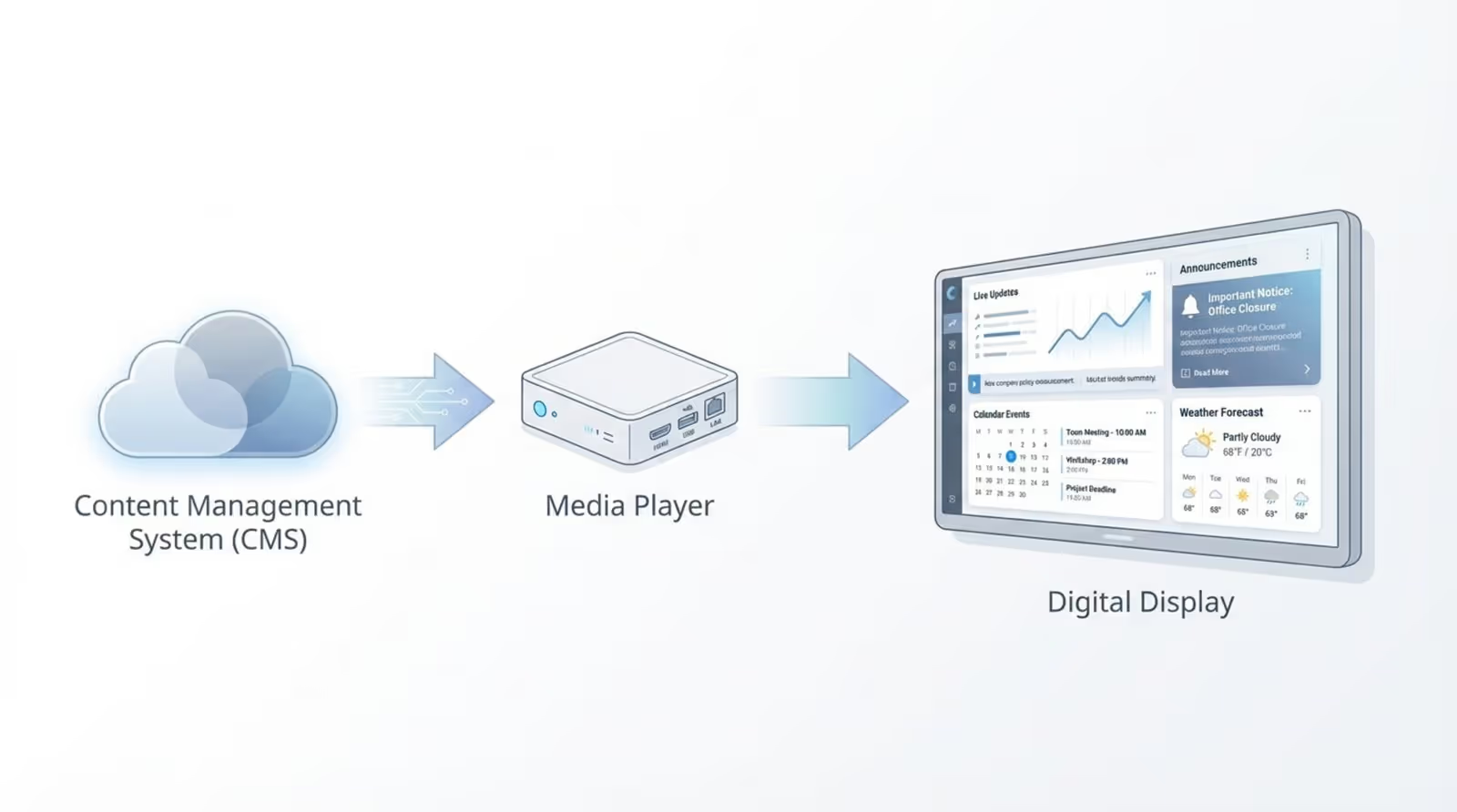
The core advantage is flexibility. Once the software is connected to the media player, you can update messages across an entire building or multiple locations instantly. This eliminates the lag time of printing and ensures that the content displayed is always relevant to the current shift, time of day, or specific company event.
Key Benefits for Workplace Collaboration
The primary benefit of digital bulletin boards is the ability to provide real-time updates. In fast-moving environments like hospitals or logistics centers, the speed of information delivery directly impacts safety and efficiency. Digital screens also reduce visual clutter, replacing messy walls of paper with clean, professional layouts that naturally draw the eye.
Beyond logistics, these boards support company culture. By showcasing upcoming town halls, community events, or internal wins, you help employees feel connected to the broader mission. This consistent visibility supports retention and helps distributed teams feel like part of a unified organization.
Common Use Cases in Modern Offices
Digital bulletin boards are versatile tools for various departments. Leadership can use them to share vision statements or quarterly results via video, ensuring the message remains consistent across regional offices. Operations teams often use them to display live production metrics or safety reminders.
For HR teams, these screens are ideal for recognizing milestones. Highlighting a "Employee of the Month" or welcoming new hires on a large lobby screen creates a welcoming atmosphere and encourages peer recognition, fostering a positive workplace environment.

How to Plan an Effective Digital Bulletin Board Setup
Reviewing Your Team’s Communication Needs
Before selecting hardware, audit your current communication gaps. Are warehouse staff missing benefits enrollment deadlines? Do sales teams feel disconnected from product updates? Gather feedback to identify high-traffic areas where screens will add the most value, such as cafeterias, elevator banks, or production floors.
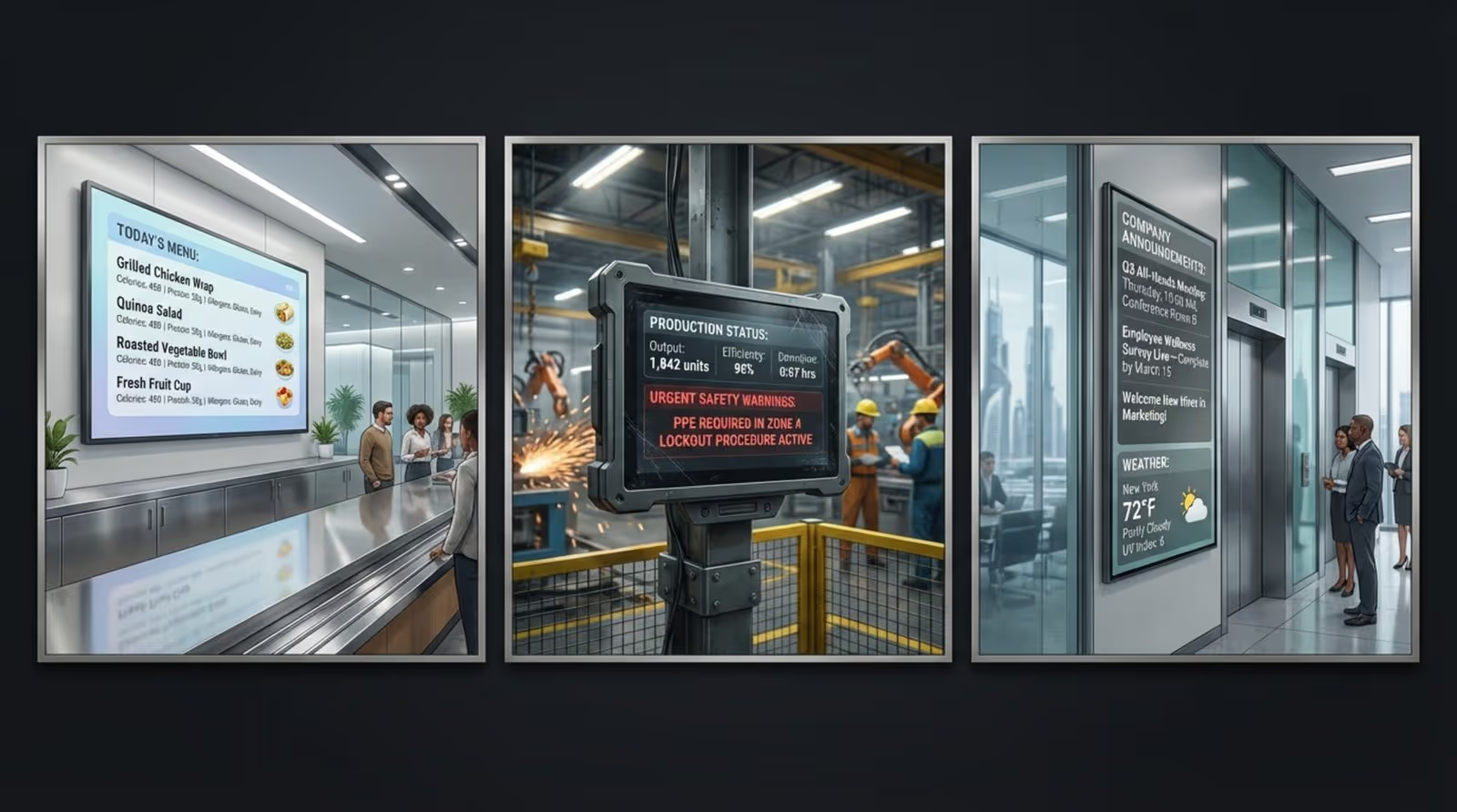
Consider the context of each location. A lobby screen might need welcoming, brand-focused content, while a breakroom screen is better suited for internal news, trivia, or social media feeds. Matching the content to the environment ensures the screens are viewed as a helpful resource rather than a distraction.
Defining Goals and Success Metrics
Establish clear objectives for your digital signage network. Are you trying to reduce accidents, increase event attendance, or improve internal survey participation? Defining these goals early allows you to measure success later using data.
To prove ROI, look for tangible metrics. This could include tracking the usage of internal QR codes displayed on screens, monitoring attendance numbers after digital promotion, or measuring the reduction in printed material costs. Data-driven insights help justify the investment to stakeholders.
Selecting the Right Content Types
Digital screens allow for a mix of media that static boards cannot match. Short videos, animations, and dynamic slides are far more effective at grabbing attention than plain text. For example, a 15-second clip explaining a new safety protocol is often more memorable than a text-heavy memo.
Balance corporate messaging with "passive" content like local weather, traffic updates, or news headlines. This utility content encourages staff to glance at the screens frequently, ensuring they also see your priority internal messages interleaved with the daily updates.
Choosing and Installing the Right Hardware and Software
Digital Display Hardware: Screens, Mounts, and Connectivity
Hardware reliability is essential for a professional setup. While consumer TVs are an option for light use, commercial-grade displays are designed for longer operating hours and resist "burn-in" from static images. Ensure you select the correct mounting hardware-ceiling mounts for large open spaces or flat wall mounts for hallways.
Connectivity ensures your content stays live. A hardwired Ethernet connection is preferred for stability, but stable Wi-Fi is often sufficient. Crucially, look for media players that support offline playback. This ensures your screens keep running your scheduled playlists even if the internet connection drops, preventing blank screens.
Selecting Digital Bulletin Board Software
The software is the engine of your signage network. You need a cloud-based platform that is approachable for non-technical staff but powerful enough to scale. We recommend Look Digital Signage for this purpose. Look DS creates a straightforward path to manage screens remotely, allowing you to deploy content from anywhere without complex IT intervention.
When evaluating software, prioritize ease of use and scalability. With Look CMS, you can start with a single screen and scale to a global network smoothly. Features like Smart Scheduling allow you to automate when content plays, ensuring the right message reaches the right audience at the right time.
Integration with Existing Communication Tools
To maximize efficiency, your digital signage should play nice with the tools you already use. Look CMS offers integrations and app support that can display content from sources you already maintain, such as social media feeds or news aggregators.
Integrating these dynamic sources means your screens remain fresh without manual updates every hour. For example, you can use built-in apps to display a live clock, weather forecast, or a Google Slides presentation, reducing the workload on your communications team.
Designing Engaging and Informative Digital Bulletin Boards
Best Practices for Layout and Usability
Clarity is king. Avoid overcrowding the screen. A good guideline is to use Screen Layouts to divide the display into distinct zones-perhaps a main zone for video and a sidebar for weather or news-without making it look chaotic. Ensure text is large enough to be read from a distance and use high-contrast colors.
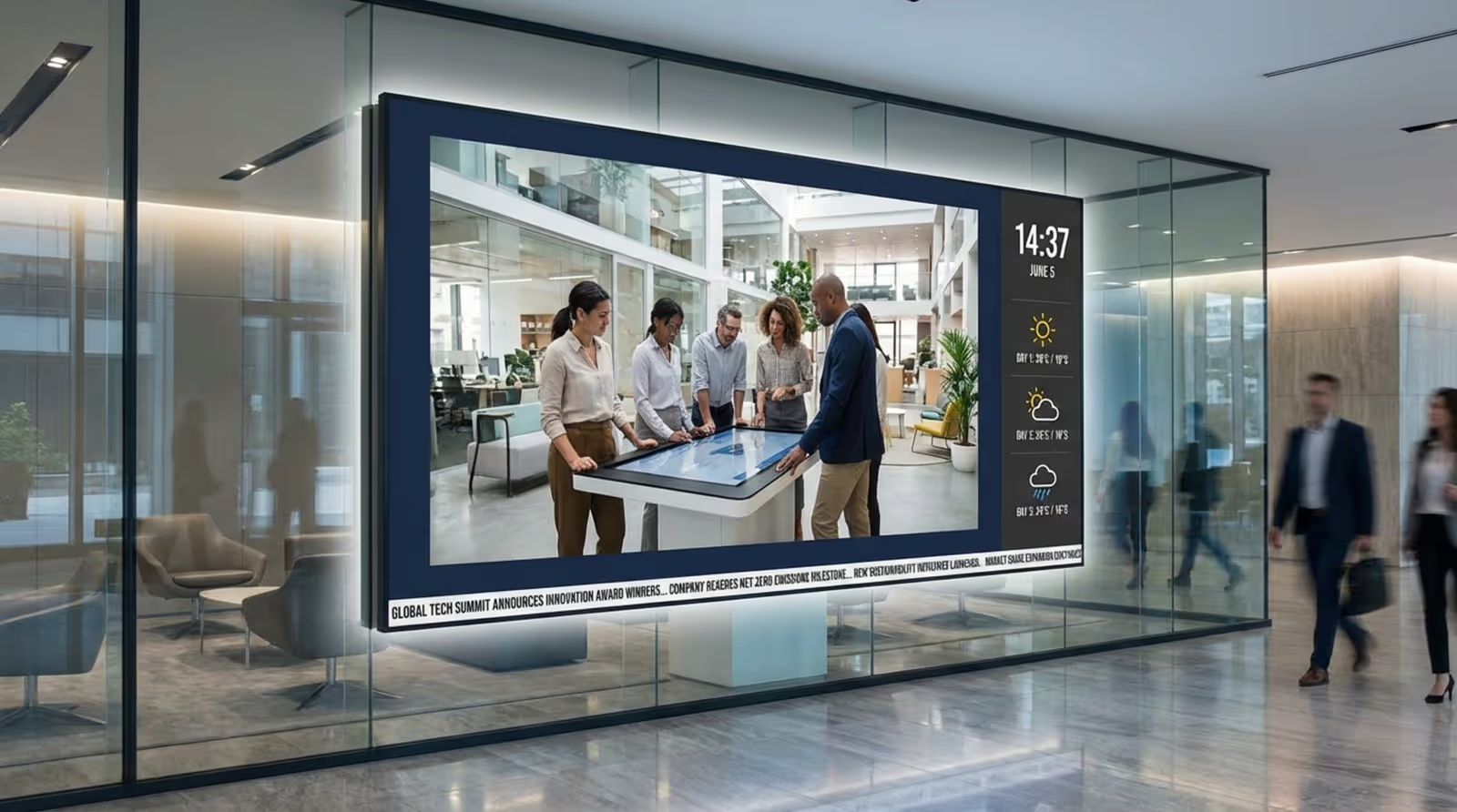
If you lack design resources, you don't need to start from scratch. Look Digital Signage provides a library of Ready-made Templates specifically designed for internal communications. These templates are fully editable, allowing you to simply drop in your text and images while maintaining a professional structure.
Visual Branding and Customization
Your screens should feel like an extension of your company. Customize templates with your brand colors, fonts, and logos to maintain consistency. This signals to employees that the information is official and trustworthy.
Adjust the tone based on the audience. A corporate dashboard might be clean and data-heavy, while a creative team’s mood board might feature bold colors and user-generated content. The Content Creator inside Look CMS allows you to build these visuals quickly without needing external design software.
Organizing Content into Relevant Categories
To keep playlists engaging, organize content into loops or categories such as "Safety," "HR Updates," and "Social." Rotating these categories prevents viewer fatigue. If employees see the exact same slide every time they walk by, they will eventually stop looking.
Assign ownership of these categories to different team members. For instance, the safety officer can manage the safety loop, while the office manager updates the events calendar. Look CMS supports multi-user access, making this collaborative approach easy to manage securely.
Uploading, Scheduling, and Managing Content for Team Engagement
How to Upload and Update Content Efficiently
Modern CMS platforms simplify the upload process. With a cloud-based solution like Look Digital Signage, you can upload images and videos directly through your browser. Bulk uploading allows you to prepare a week's worth of content in one sitting, rather than updating screens daily.
For urgent announcements-like a facility maintenance alert-you need the ability to override the standard loop. Look DS allows you to publish content instantly, ensuring high-priority messages take over the screen immediately.
Scheduling and Rotating Announcements
Effective communication relies on timing. Use Smart Scheduling to set start and end dates for your campaigns. You can schedule a "Happy Hour" announcement to play only on Friday afternoons or a "Morning Brief" to run exclusively before 10 AM. This relevance increases engagement.
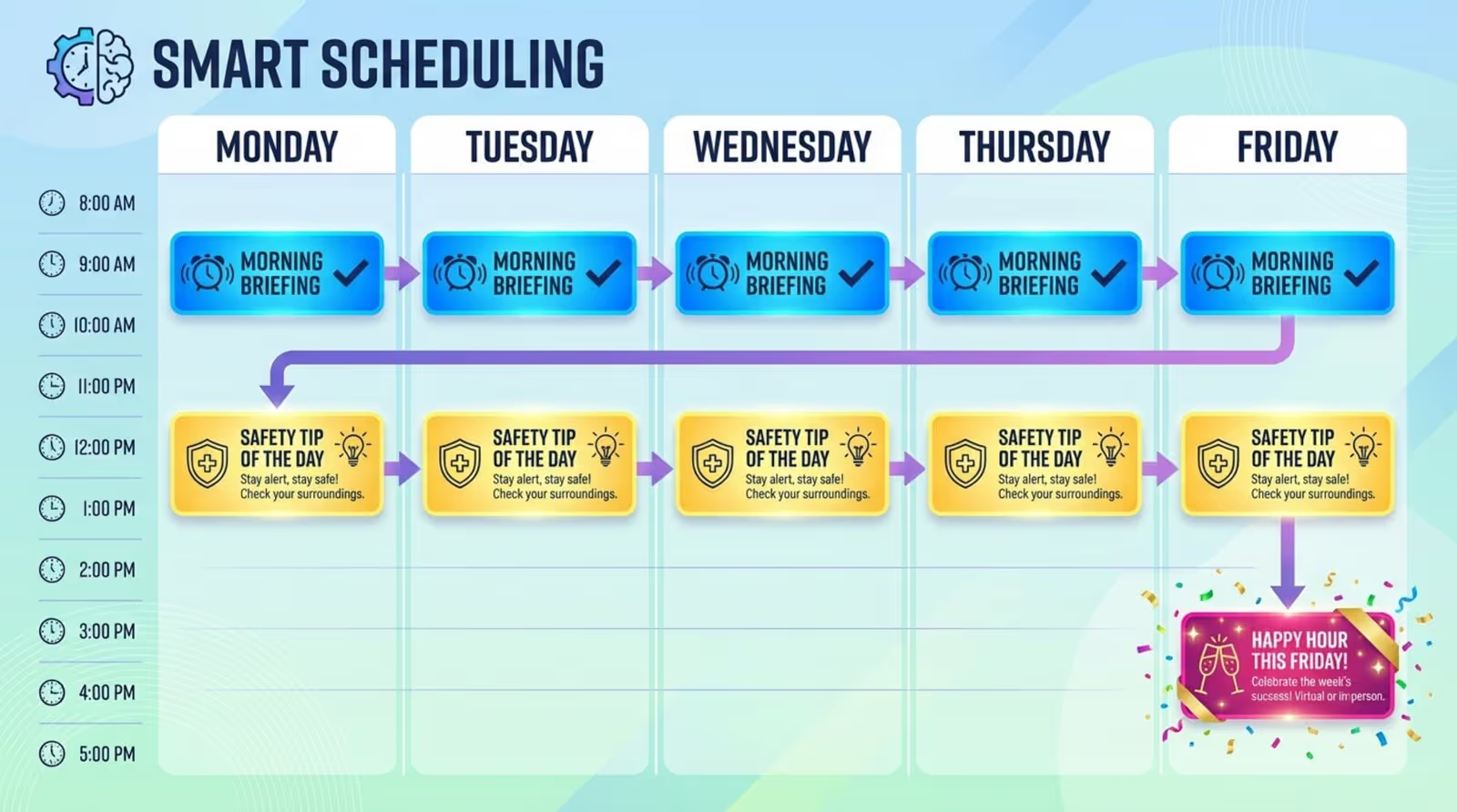
Keep your playlists tight. A rotation speed of 10-15 seconds per slide is usually sufficient for reading without boring the viewer. Smart scheduling also helps you avoid displaying outdated content, as items will automatically expire from the playlist on the date you choose.
Keeping Real-Time Updates for Important Information
Digital signage is a critical tool for transparency. Beyond static announcements, consider displaying real-time data dashboards. Whether it is sales figures, support ticket volumes, or stock prices, showing live data helps align the team with company performance.
In the event of an emergency, digital screens become safety devices. You can trigger emergency alerts that guide staff to exits or shelter areas. The ability to update every screen in the building instantly can be vital during critical incidents.
Best Practices for Launching Your Digital Bulletin Board
Onboarding Employees and Encouraging Participation
A successful launch requires buy-in. Don't just turn the screens on; announce the initiative. Explain that these boards will be the source of truth for office updates. Encourage participation by asking teams to submit photos or news items for the display.
Using the Look App on existing hardware or utilizing the plug-and-play Look HDMI Player makes the technical rollout fast, allowing you to focus on the cultural aspect of adoption.
Developing an Internal Communication Strategy
Treat your digital signage channel with the same seriousness as your email newsletter. Create an editorial calendar to ensure a steady stream of fresh content. Decide on a cadence-perhaps new employee spotlights on Mondays and company metrics on Fridays.
Mix "need-to-know" operational info with "nice-to-know" cultural content. This balance prevents the screens from becoming purely administrative and keeps the tone approachable and supportive.
Promoting Interactivity and Feedback
Turn passive viewing into active engagement. You can use the Content Creator to add QR codes to your slides, allowing employees to scan the screen to RSVP for an event, download a policy PDF, or take a quick survey on their phones.
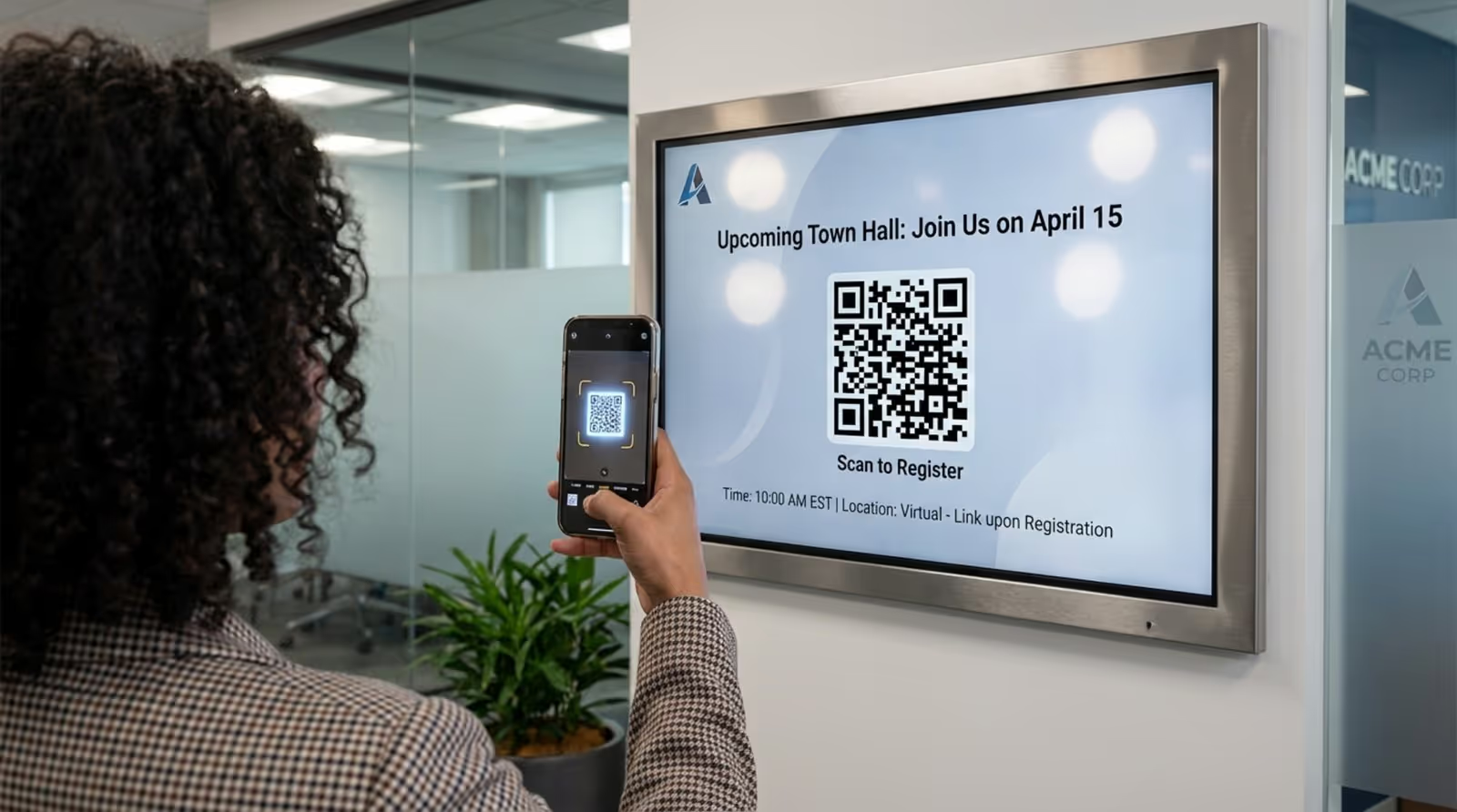
Solicit feedback on the screens themselves. Ask staff what content they find most useful. This feedback loop ensures the system remains valuable to the people it is meant to serve.
Maintaining, Monitoring, and Improving Digital Bulletin Board Performance
Ongoing Content Management and Housekeeping
Regular maintenance keeps your system credible. Schedule a brief weekly review to archive old content and check that all dynamic feeds (like weather or news) are loading correctly. A screen displaying a Christmas party invite in February damages the credibility of the entire communication channel.
Remote management tools in Look CMS allow you to check the status of your screens without physically visiting them. You can reboot players and verify connectivity from your dashboard, saving significant time for IT and facilities teams.
Measuring Team Engagement and ROI
To understand what works, leverage data. Playback Analytics in Look DS provide visibility into what content played and how often. While you cannot click on a physical screen, comparing the display times of specific internal campaigns against actual employee actions (like survey completions) can reveal correlation and impact.
ROI in this context is often about efficiency. If the digital boards reduce the number of repeated questions to HR or decrease the time spent printing flyers, the system is delivering value.
Collecting Feedback for Ongoing Improvement
Your communication strategy should evolve. Use analytics and direct feedback to refine your approach. If videos generate more buzz than static images, shift your resource allocation accordingly. Look Digital Signage is built to scale with you, allowing you to adjust layouts and content strategies as your organization grows.
By keeping the content fresh and the hardware reliable, your digital bulletin boards will remain a trusted, central hub for your team’s daily life.
Frequently Asked Questions about Digital Bulletin Boards
What Types of Content Are Most Effective?
Visual and concise content performs best. Aim for high-quality images and short videos (15-30 seconds). Content that offers personal value-like recognition, menu updates, or weather-often drives the highest engagement. Variety is key to keeping attention over time.
Can I Use a Smart TV as a Digital Bulletin Board?
Yes, utilizing existing hardware is a great way to start. You can install the free Look App on compatible Smart TVs (Android, Fire OS, webOS, etc.) to turn them into digital signage endpoints without buying extra media players. However, for 24/7 operation, commercial displays paired with a dedicated Look HDMI Player generally offer better longevity and reliability.
How Do I Address Security and Privacy Concerns?
Ensure your CMS uses encrypted connections and offers granular user permissions. With Look CMS, you can control exactly who has access to publish content. If displaying sensitive internal data, be mindful of screen placement to avoid visibility to non-employees or visitors.
Key Takeaways for Connecting Your Team with Digital Bulletin Boards
Deploying a digital bulletin board system is a practical step toward a more transparent and connected workplace. By centralizing your messaging into a visual, automated channel, you break down information silos and ensure your team is always on the same page.
Remember that success lies in the combination of reliable tools and engaging content. A solution like Look Digital Signage provides the stability and ease of use required to keep your screens running smoothly, allowing you to focus on crafting messages that matter. Start small, measure your impact, and watch your internal communication transform.





