
Table of Content
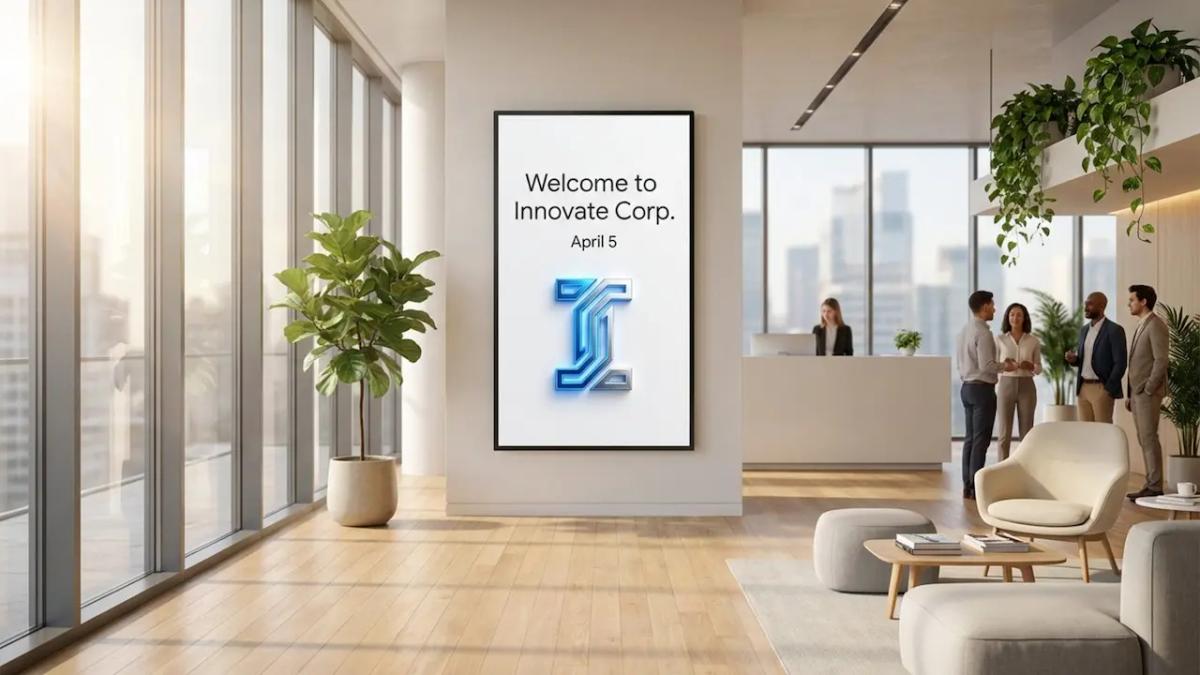
How can you ensure every visitor receives a polished, professional greeting the moment they walk through your doors? Meeting welcome screen templates turn standard displays into dynamic communication hubs that share agendas, room details, and personalized messages automatically. By using digital signage software, organizations can manage these greetings from anywhere, ensuring a consistent brand experience without the manual effort of updating physical signs.
These screens do more than just display names. They serve as a central point for office communication, bridging the gap between static decor and helpful technology. From real-time schedule changes to safety protocols, digital welcome screens offer a flexible way to manage visitor flows. Whether you are running a single corporate lobby or a network of conference rooms, cloud-based digital signage provides the tools to keep content fresh and relevant.
What Are Meeting Welcome Screen Templates With Digital Signage?
How Digital Signage Changes Meeting Welcome Screens
Previously, a welcome sign was often a printed sheet taped to a door or a handwritten note on a whiteboard. Digital signage software upgrades this experience by introducing motion, high-definition visuals, and the ability to update content in minutes. Instead of a single static message, digital templates can cycle through a playlist of welcome notes, company news, and branding, keeping the environment lively.
Switching to a digital platform also significantly improves perception. High-resolution displays present sharp, bright visuals that capture attention immediately. Moving from paper to digital reduces waste and eliminates the need to print new materials for every meeting. It is a cleaner, more efficient approach to hospitality that scales easily from one screen to thousands.
Core Features of Effective Welcome Screen Templates
A strong welcome screen template balances visual appeal with practical utility. Core features typically include your logo, brand color palette, and clear typography to maintain consistency. Many digital signage solutions, such as Look Digital Signage, allow you to incorporate dynamic widgets like clocks, weather updates, and RSS feeds. These elements add value for visitors waiting in the lobby.
Another essential capability is support for various media formats. Modern templates handle high-quality images and videos seamlessly. Using Screen Layouts, you can divide the display into zones, showing a welcome video in one area and a meeting agenda in another. Customization is key; the software should allow you to adjust text size and colors quickly to ensure readability from a distance.
Why Use Digital Signage for Meeting Welcome Screens?
Improves First Impressions for Visitors
Visitors form opinions within seconds of arrival. A well-designed digital welcome screen signals that your organization is organized and modern. It sets a professional tone that helps clients feel valued. Personalizing the screen with a specific guest’s name or company logo can significantly elevate their experience.
The visual quality of a digital display reflects the standards of your business. When a guest sees a customized message on a high-definition screen, it suggests a level of care comparable to a concierge service. It establishes a positive atmosphere before the meeting even begins.
Reduces Reception Bottlenecks
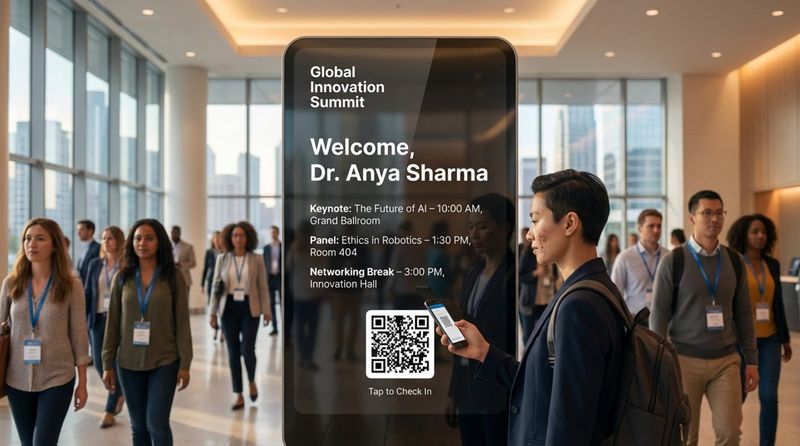
Reception areas often face traffic spikes that pressure front-desk staff. Digital signage acts as an additional information point, answering frequently asked questions proactively. By displaying room numbers, start times, and directional cues, screens help visitors navigate the space independently. This allows staff to focus on security checks or administrative tasks rather than repeating directions.
In many offices, screens can display QR codes that allow visitors to check in or download a map to their phones. This self-service approach speeds up the entry process and prevents the lobby from becoming overcrowded.
Updates Messages in Real Time
One of the primary advantages of digital signage is flexibility. If a meeting room changes or a schedule shifts, you can update the screen instantly from a central dashboard. This prevents confusion caused by outdated information. With Smart Scheduling, you can also program specific messages to appear only during relevant times, such as morning greetings or lunch break instructions.
This capability is critical during emergencies. If a fire alarm triggers or severe weather strikes, the system can instantly switch from a welcome playlist to an alert screen showing exit routes. This turns your digital displays into vital safety communication tools.
Supports Company Branding and Culture
Consistency is vital for strong branding. By using templates that align with your brand guidelines, you ensure every location sends the same message. Digital signage offers a canvas to showcase your company culture, displaying team photos, mission statements, or recent achievements alongside visitor information.
For guests, this provides a glimpse into your organization’s identity. It transforms a generic waiting area into a space that tells a story. When the screen content matches your website and marketing materials, it reinforces trust and professional reliability.
Types of Meeting Welcome Screen Templates
Static vs. Dynamic Digital Welcome Templates
When selecting a template, organizations generally choose between static and dynamic formats.
- Static templates function like digital posters. The text and imagery remain fixed on the screen. These are reliable for simple greetings and require minimal setup.
- Dynamic templates incorporate motion, such as video backgrounds, scrolling text, or live data integrations. These tend to grab more attention and are ideal for high-traffic areas where you need to cut through distractions.
Ready-made Templates and Content Creation
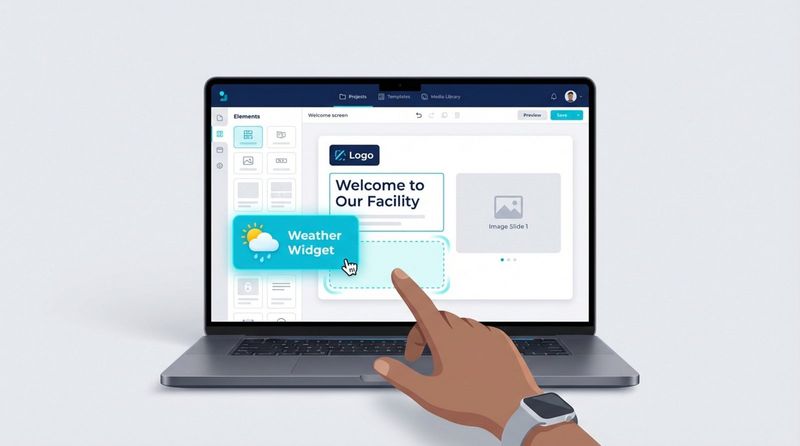
For teams without dedicated graphic designers, ready-made templates are a huge time-saver. Platforms like Look Digital Signage offer a library of professionally designed layouts that you can customize with your own text and images in minutes. This allows you to launch professional-looking screens without starting from scratch.
Additionally, built-in tools like the Content Creator allow you to assemble slides using drag-and-drop elements. You can adjust layers, add transparency, and insert branding assets directly within the CMS, ensuring your screens look polished without needing external design software.
Customizable Layouts for Different Meeting Rooms
Different spaces serve different functions, and your screens should reflect that. Screen Layouts allow you to tailor the content presentation based on the location. A main lobby screen might prioritize general welcomes and company news, while a display outside a conference room focuses strictly on the daily schedule.
Cloud-based management lets you control these variations from one account. You can apply a master brand theme across all screens while tweaking specific zones for local information. This keeps your network unified while providing the specific details each area requires.
Key Elements to Include in a Welcome Screen Template
Visitor Information and Meeting Agendas
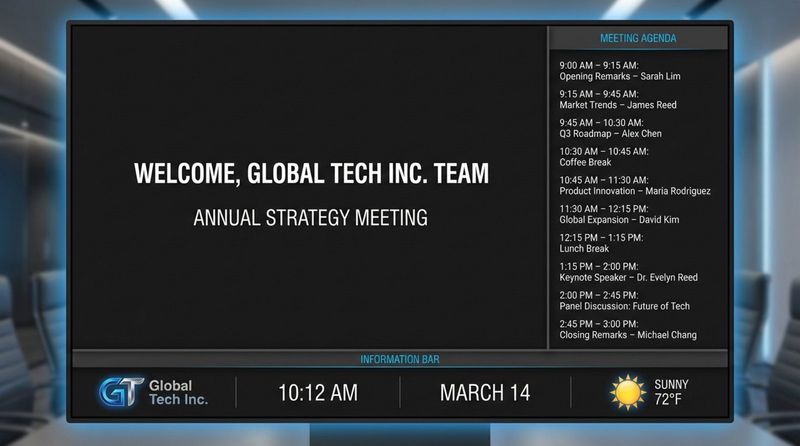
The primary goal is clarity. Displaying the visitor’s name or the hosted organization is the most effective way to make them feel expected. Including a brief agenda or a list of upcoming sessions confirms they are in the right place at the right time. Ensure this text is large and high-contrast.
For larger events, a schedule overview helps reduce anxiety. It answers the "what's next?" question before it is asked, helping traffic flow smoothly between sessions.
Room Details and Directional Help
Effective wayfinding is crucial. Your welcome screen should clearly state the room name and floor number. In complex buildings, including a small map or directional arrows can prevent guests from getting lost. In flexible workspaces, indicating room availability helps staff utilize space efficiently.
If the meeting room includes specific technology, like wireless casting pods, the screen can display connection instructions. Listing the Wi-Fi network and password prominently saves time and gets meetings started faster.
Company News, Branding, and Visuals
Utilize extra screen space to share company updates. Highlighting awards, community involvement, or new products keeps the content engaging for visitors waiting in the lobby. Rotating high-quality imagery prevents the screen from becoming static wallpaper.
Branding should be present but not intrusive. Place your logo in a consistent corner to anchor the design. Use your official brand colors for headers and accents to reinforce identity without making the text difficult to read.
Live Updates and Emergency Notifications
Live data makes screens useful. Integrating widgets for time, local weather, or news feeds encourages people to look at the display. In corporate settings, you might display internal KPIs or countdowns to company milestones.
Safety is paramount. Ensure your digital signage software supports emergency overrides. This allows administrators to instantly replace all scheduled content with safety instructions or evacuation maps, ensuring rapid communication during critical events.
How to Set Up Digital Signage for Meeting Welcome Screens
Selecting Hardware for Digital Signage
The hardware setup typically involves two main components:
- The display screen: Commercial-grade displays are recommended for business environments. They are designed to operate for extended hours, manage heat effectively, and often feature anti-glare panels for bright lobbies.
- The media player: This device drives the content. For a simple setup, the Look HDMI Player is a plug-and-play option that connects to any screen. Alternatively, if you have smart TVs or compatible Android devices, you can simply install the Look App to turn them into signage endpoints without buying extra hardware.
Choosing Signage Software That Fits Your Needs
The software is the brain of your network. You need a platform that is intuitive for non-technical teams yet powerful enough to manage multiple locations. Look CMS provides a cloud-based dashboard where you can create content, build playlists, and monitor screens from anywhere. It is designed to be approachable, allowing you to publish your first playlist in minutes.
A cloud-based solution ensures that you are not tied to a specific desk. Whether you are at headquarters or working remotely, you can push updates to any screen in your network instantly.
Integrating Data and Scheduling
To automate your welcome screens, look for software that supports Integrations. Connecting your signage to tools you already use, such as calendars or internal databases, can reduce manual data entry. Through APIs or services like Zapier, you can trigger updates based on external events.
This automation ensures that when a room is booked in your calendar system, the signage outside the room reflects that status automatically, reducing the risk of double bookings or outdated schedules.
Best Practices for Screen Placement and Visibility
Placement is just as important as the content. Mount screens at eye level in high-traffic transition zones, such as entrances or elevator banks. Avoid placing screens facing direct sunlight, which can wash out the image.
For design, prioritize high contrast. Dark text on a light background (or vice versa) ensures readability. Keep font sizes large enough to be legible from at least 10 feet away. If you are rotating slides, set the duration long enough for the average person to read the text comfortably.
Tips for Designing Engaging Welcome Screen Messages
Personalization and Targeted Messaging
Personalization increases engagement. Instead of a generic "Welcome," a message like "Welcome [Company Name] Team" creates a stronger connection. For specific events, align the screen’s visuals with the event theme.
Target your messages based on the screen's location. A screen in the employee breakroom should focus on internal announcements, while the lobby screen should focus on visitor comfort and brand identity. Context makes the content relevant.
Improving Readability with Fonts and Colors
Simplicity wins in digital signage. Stick to clean, sans-serif fonts like Arial or Open Sans that are easy to scan quickly. Establish a visual hierarchy: the welcome greeting should be the dominant element, followed by secondary details like time and location.
Use color strategically. High-contrast combinations improve accessibility. If placing text over an image, use a semi-transparent overlay to ensure the letters stand out. Always test your designs on the actual screen to verify legibility.
Including Multilingual and Accessible Content
In global business hubs, welcome screens often need to serve a diverse audience. Rotating greetings in multiple languages or using a split-screen layout can make international guests feel more at home. This small gesture demonstrates inclusivity.
Accessibility should be a standard consideration. Avoid rapid flashing animations that can be disorienting. Ensure screens are mounted at heights that are visible to wheelchair users. Digital signage is a communication tool, and it functions best when it serves everyone.
Practical Advice for Maximizing Impact
Rotating Messages for Different Audiences
Treat your content like a dynamic playlist rather than a static picture. Smart Scheduling allows you to change the tone throughout the day:
- Morning: Welcome messages, weather, and daily agendas.
- Midday: Lunch menu options, local amenities, and company news.
- Afternoon: Traffic updates and reminders for the next day.
Rotating background images also prevents screen burn-in and keeps the display looking fresh. Use smooth transitions to keep the experience professional and calm.
A/B Testing Welcome Messages
You can optimize your screens by testing different layouts. Try a minimalist design for one week and a photo-heavy layout the next, then gather feedback from reception staff regarding which one sparked more positive visitor comments. You might find that moving the Wi-Fi details to a larger font reduces questions at the front desk.
Measuring Engagement with Analytics
Data helps prove ROI. Playback Analytics in platforms like Look Digital Signage allow you to track what content played and how often. If you use interactive touchscreens or QR codes, you can measure engagement rates directly. For example, tracking scans on a "Guest Check-In" QR code gives you concrete data on how well the screen is driving visitor behavior.
Digital Signage Software Recommendations
Look Digital Signage Simplifies Welcome Screens
Look Digital Signage is a robust choice for businesses needing a balance of power and simplicity. It allows you to manage any screen, anytime, from a centralized cloud dashboard. With features like the Look AI Wizard and a library of Ready-made Templates, teams can create professional welcome screens quickly without needing advanced design skills.
Look DS is designed for reliability and scalability. Whether you are deploying a single screen in a lobby or hundreds across a global network, features like Offline Playback ensure your content keeps running even if the internet connection drops. Support for both the proprietary Look HDMI Player and the free Look App (for Android, Amazon Fire TV, Linux, webOS, Tizen, and more) gives you the flexibility to use the hardware that fits your budget.
What to Look for in a Solution
When evaluating software for meeting spaces, prioritize ease of use and hardware compatibility. You want a system that allows for "set and forget" scheduling so your team isn't constantly micromanaging playlists. Look for platforms that offer Screen Layouts to display multiple data points simultaneously, such as a welcome video alongside a live weather widget.
Finally, consider the total cost of ownership. Solutions that offer transparent pricing and the ability to scale smoothly, allowing you to start with a free trial and grow as needed, are often the best fit for dynamic business environments.
Common Questions About Meeting Welcome Screen Templates With Digital Signage
Should You Use Templates or Create Custom Designs?
For most businesses, templates are the most efficient route. They are designed by experts to ensure readability and balance. Tools like the Content Creator inside Look CMS allow you to customize these templates with your brand assets easily. Fully custom designs are an option, but often require more time and design resources to maintain.
Can Digital Signage Sync With Calendars?
Yes, through Integrations. You can connect your digital signage software to external data sources or use tools like Zapier to link calendar events to your screens. This automation is highly recommended for meeting rooms, as it ensures the display always shows the current meeting details without manual updates.
How Secure Are Digital Welcome Screens for Visitor Data?
Security is critical. Reputable cloud-based digital signage platforms use encrypted connections to manage data. Administrators have full control over what information is displayed. For privacy, you might choose to display only the company name rather than individual visitor names. Furthermore, features like Monitoring and remote device management help IT teams ensure the network remains secure and operational.
Meeting welcome screens are evolving into essential tools for modern offices. By leveraging cloud-based management, smart scheduling, and dynamic templates, you can create a visitor experience that is both welcoming and efficient. Whether you are looking to impress clients or streamline reception duties, digital signage provides the flexibility to communicate the right message at the right time.


