
How digital menu board works

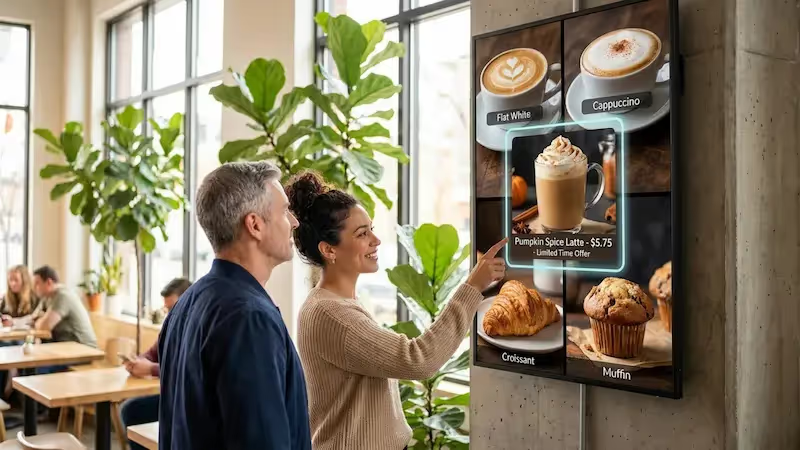
Look Digital Menu Boards for food trucks make it easy to update your offerings in real-time, and maximize peak sales while providing a streamlined ordering experience with a few clicks.
  • Content

    Create content

    Upload your food truck's menu and promotions, or choose from one of our beautiful templates designed to meet the needs of the mobile food service
  • Schedule

    Playlist and schedule

    Organize your menu items into playlists and schedule different menus based on your location or time of day to make sure you're always showing the right items
  • Playlists

    Start playing

    Deploy your digital menu boards to one or all your screens with a single click, ensuring your latest offerings are instantly available to your customers
Digital signage for digital menu boards,  QSRDigital signage for digital menu boards,  burgerDigital signage for digital menu boards,  CMS

Free digital signage templates
for food truck menu boards

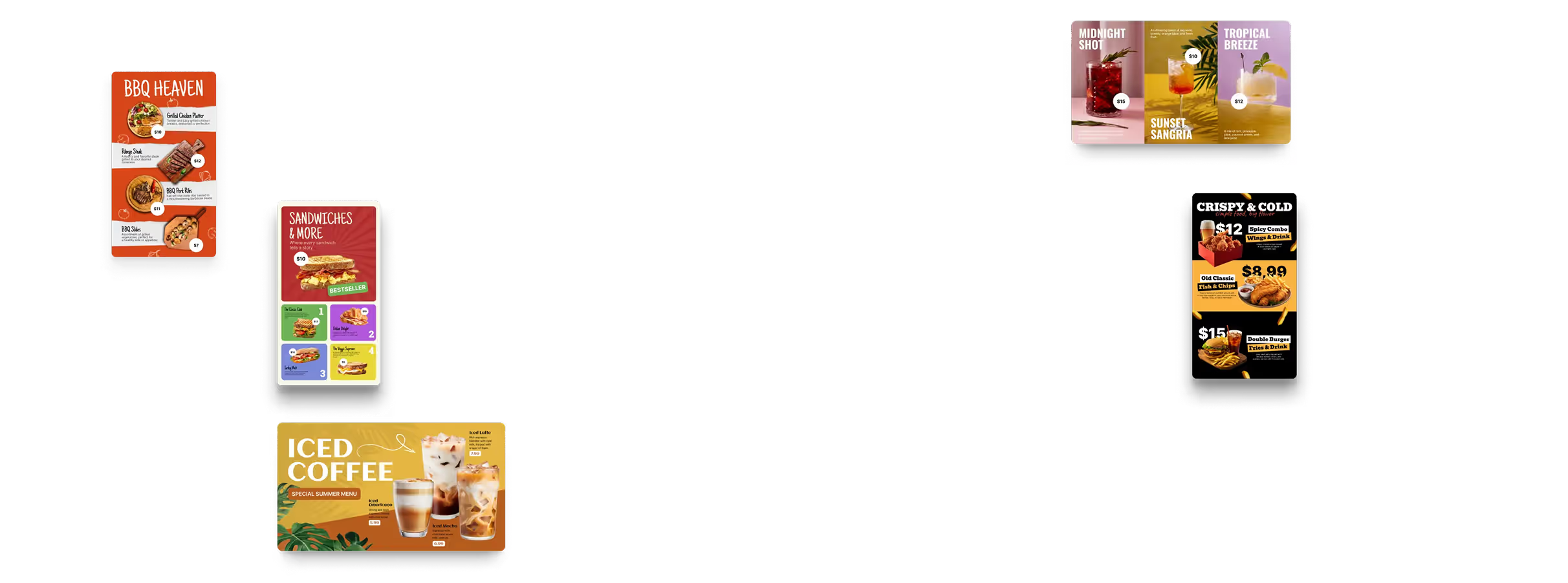
Take the best from our collection of stunning templates designed specifically for food trucks. Customize these templates to promote your unique offerings, attract customers, and maintain your brand consistency across all locations.
Digital signage for digital menu boards,  free templatesDigital signage for digital menu boards,  free templatesDigital signage for digital menu boards,  QSR

How to turn your TV into a digital signage screen

Look service works seamlessly on any hardware, whether you're planning to purchase or already use it
Or

Install FREE Look App

Transform any TV or compatible device into digital signage by installing the free Look app.
WindowsAmazon Signage
Androidgoogle-tvLinuxOS Fire Amazon
macOSWebOSOS Tizen OS Raspberry Pi
Supported Operating Systems

Plug Look HDMI Player

Connect the Plug & Play Look Player to your display’s HDMI input for instant setup. Worldwide shipping.
Buy nowLook HDMI Player

Success stories

Hear from our delighted customers! Check out their inspiring quotes about how our service has transformed their digital signage implementations.
Captera Rating
4.9
G2 Rating
5.0
60 000+
Screens
11 000+
Users
120+
Countries

Look’s built-in digital signage apps

  • Utilize Look's built-in apps to refresh your digital menus with eye-catching content like Instagram or Facebook feeds, Google reviews, weather forecasts, local news, and more.
InstagramTwitterFly ScheduleFacebookDigital signage for digital menu boards,  free applications

Frequently asked questions

What screen size and brightness do I need for a food truck?

Most food trucks land somewhere in the 32–43-inch range. Size is the easy part, though — brightness is what usually decides whether anyone can read the menu. In partial shade, 1,500–2,000 nits is normally enough. Point that same screen at direct sun and you'll want 2,500–3,000. And if the display sits out in the weather, skip the regular indoor TV: buy outdoor-rated hardware, or put the screen in a protective enclosure.

Will the menu keep playing without Wi-Fi?

It will. Look Digital Signage stores downloaded content on the player itself, so a dropped hotspot or a dead Wi-Fi signal won't blank your menu — whatever is already on the device keeps running. A connection is only needed to pull in new content and settings. Once the truck is back online, the player picks up whatever changed in the CMS.

Can I run it off the truck’s 12V power or a generator?

Usually yes — the real question is whether the display and media player match what your truck actually supplies. Depending on the hardware, menu boards run off 110–240V AC or 12V DC, and plenty of setups add an inverter or a generator to bridge the gap. Do add up your total load first. Refrigeration and cooking equipment sharing the same supply leave less headroom than most owners expect.

Do I need a tablet, a TV, or a special outdoor display?

Nothing proprietary is required. What matters is where the menu ends up. Inside a covered serving area, a tablet or an ordinary TV can be plenty. Hang the menu on the outside of the truck and you're generally looking at a 32–43-inch high-brightness commercial display, or a weatherproof enclosure around the screen you already own. Look runs on compatible Android, Windows, Linux, webOS, Tizen, Fire OS, Google TV, macOS, and Raspberry Pi devices.

How much does a food truck digital menu board cost?

Four things make up the budget: the display, the media player, the mounting and power work, and the software. Look Digital Signage is the predictable line — $13.50 per screen per month on annual billing. Hardware is where the number really moves. A screen tucked under an awning costs far less than a high-brightness, weather-rated panel built to sit out in the open.

How do I mark an item sold out mid-service?

Pull the item in Look CMS — or swap it for something else — and publish. The change lands on one screen or on every connected screen, whichever you pick. No tape over the price, no reprinting anything at the height of lunch. And if you'd rather not do it by hand, Look connects to outside systems through the API or Zapier, so menu and availability updates can fire automatically.

Can I show a QR code for online ordering?

You can. Add a QR code to a Look digital menu and point it wherever you like — an online ordering or payment page, the full menu, a loyalty program, any mobile destination. The screen then handles the core items and prices, and the code takes care of the long tail or the checkout. Keep it big, keep the contrast high, and keep it away from moving content so people can scan it on the first try.

Will the screen survive rain, cold, and vibration on the road?

Only if it was built and mounted for the job. For anything exposed to rain and dust, treat IP65 as the floor. Consumer TVs and flimsy brackets rarely enjoy months of vibration and highway travel, which is why a commercial-grade display on a properly secured mount earns its price. Two more specs to check before installation: the operating-temperature range, and how the panel deals with glare.

Can I update prices from my phone?

Yes — the cloud CMS works from a phone, a tablet, or a laptop, so a price or a promo can change without anyone reaching up to the screen. Push the edit to one truck, or to every screen at once. That comes in handy when the menu shifts by event, by location, or by the hour.