


















⚡ MagicInfo alternative

The MagicInfo alternative that keeps your Samsung screens

Samsung stops selling MagicInfo On-Premise on 31 December 2026, and its successor VXT is a cloud-based CMS. Look runs on your Samsung Tizen displays, in the cloud or on your own server, with real people on support chat 24/7.

  • No credit card required, all features, up to 2 screens plus a demo screen during the 14-day trial.

  • From $6 per screen/month with volume pricing, published upfront.

  • 24/7 live chat with real people, inside your account.

Captera Rating
4.9
G2 Rating
5.0
60 000+
Screens
11 000+
Users
120+
Countries
Capterra Best Value · G2 High Performer
Software Advice · Customer Support 2026

What happens to MagicInfo

Samsung is moving MagicInfo customers to Samsung VXT. These are the dates Samsung publishes on its MagicInfo documentation homepage, in Samsung’s own words.
Already endedOctober 2023The final security patch delivered in October 2023.
End of sale31 Dec 2026End of Sale (EoS) for MagicInfo On Premise, applicable to both existing and new customers.
End of service28 Feb 2027End of Service for MagicInfo Cloud.
From 2027VXT onlyAll sales fully standardized on VXT.
End of support31 Dec 2029End of Support (EoST) for MagicInfo.
Source: Samsung’s MagicInfo documentation, docs.samsungvx.com/docs, “Notice : MIO & MIC CTN Roadmap”, checked 12 October 2026. On MagicInfo 8, Samsung adds that “any security vulnerabilities and bugs occurring in MagicInfo 8 are now the responsibility of the customer” (vxt.samsung.com/magic-info-end-of-life). Dates can differ by region: Samsung Germany lists earlier ordering cut-offs (Feb/Aug 2026) and support until Aug 2029, so check with your Samsung reseller.

Three ways forward

Option 1

Stay on MagicInfo 9

  • Running MagicInfo 9 systems keep working
  • Samsung lists end of support on 31 Dec 2029
  • Upgrading from MagicInfo 8 is “a paid service”
  • No new On-Premise licences after 31 Dec 2026
Fits a stable network that won’t grow before 2030.
Option 2

Move to Samsung VXT

  • Samsung’s recommended path, cloud-based
  • S, P and X Series plans, price on request
  • VXT CMS Transformer moves content, schedules and device settings
  • SSO and Open API from the P Series
Fits an all-Samsung fleet that is happy in the cloud.
Option 3

Switch to a CMS like Look

  • Keep your Samsung Tizen displays, add any other brand
  • Cloud, or your own server under a one-time licence
  • SSO, roles and 24/7 live chat on every plan
  • Content is rebuilt in Look, not imported
Fits mixed fleets and teams that need their own server.

Why teams look for a MagicInfo alternative

MagicInfo has run Samsung signage for years, and Samsung offers a clear path to VXT. Here is what makes many teams compare other options first.
📅

On-prem sales end 2026

Samsung’s documentation lists 31 Dec 2026 as the end of sale for MagicInfo On-Premise, for new and existing customers.

Look: keep your Samsung Tizen screens and move them to Look at your own pace.
☁️

VXT is cloud-based

Samsung describes VXT as a cloud-based solution. None of its pages show a VXT version you can install on your own server.

Look: run in the cloud or on your own server, under a one-time licence.
🔑

SSO from VXT P Series

On Samsung’s VXT plan grid, SSO and the Server Open API are in the P, X and RM P series. The S and RM S series lack them.

Look: SSO and role-based access on every plan, in the cloud and on-premise.
🕐

24/7 chat on X Series

VXT lists 24/7 call centre and live chat on the X Series, 24/7 email on RM P and email in working hours on RM S.

Look: 24/7 live chat with real people on every plan, weekends included.

Look vs MagicInfo vs Samsung VXT: feature comparison

A VXT plan is listed next to each feature that Samsung’s plan grid limits to some plans. On Look, everything is in one plan.
Feature
Look
MagicInfo
Samsung VXT
Status
Sold and developed
On-Premise end of sale 31 Dec 2026 · Cloud end of service 28 Feb 2027 · end of support 31 Dec 2029
Samsung’s successor to MagicInfo, all sales from 2027
Published prices
$15 (1–5 screens) down to $6 (201+) per screen a month
Not published by Samsung
Not published: every plan is “Contact us”
Free trial
14 days, 2 screens + demo screen, no card
Not listed on samsung.com
Up to 3 trial licences for 6 months, no payment details
Cloud
Yes
MagicInfo Cloud, until 28 Feb 2027
Yes, cloud-based
Your own server
Yes, one-time licence
MagicInfo Server, no new licences after 31 Dec 2026
No on-premise version on Samsung’s pages
Samsung Tizen displays
Yes, Look app on SSSP 6 (Tizen 4.0) to SSSP 10 (Tizen 6.5) and TEP (Tizen 7.0)
Yes, built-in player
Yes, listed Samsung series (“feature availability may vary by model”)
Other devices
LG webOS, Android 5.1+, Android TV, Google TV, Amazon Fire OS, Windows 10+, Linux, macOS, Raspberry Pi
Windows PCs with MagicInfo W Player
Android 10+, Windows 11, BrightSign 9
Moving MagicInfo content
No import: download media, rebuild playlists in Look
–
VXT CMS Transformer moves content, schedules and device settings
Content creation
AI Content Creator: texts, images, video and voice-overs
MagicInfo Author: templates, clip art, effects, QR codes
VXT Canvas, free templates
Interactive touch content
Included
Ask Samsung or your reseller
Interactive content creation, P Series+
Apps and data
Power BI, Looker Studio, calendars, weather, news, social, YouTube, Google Reviews, free
MagicInfo Datalink for real-time data
VXT Apps marketplace: Art, Link My POS and more, each bought separately
Playlists and scheduling
Included
Yes
Yes, all plans
Tags
Tag-based playback, included
Device tagging and group management
Tags on all plans · tag-bound roles, P Series+
API
API and Zapier triggers, included
“Fully featured API (400+)”
Server Open API, P Series+
Single sign-on
Included, cloud and on-premise
Not listed on samsung.com
SSO, P Series+
User roles
Roles and approvals, included
“Advanced user management”
Multi-owner on all plans · tag-bound roles, P Series+
Proof-of-play
Screenshots, status, playback logs
MagicInfo Insight
All plans
Display control
TV on/off and input by schedule via HDMI CEC with Look Verde PRO
Remote management of Samsung displays
Power, real-time control, security lock, firmware · energy and early warning, RM P/P Series+
Support
24/7 live chat with real people, every plan
Through Samsung or your reseller · Remote Management Cloud lists 24/7 support
Email in working hours, RM S · 24/7 email, RM P · 24/7 call centre and live chat, X Series
Samsung data from docs.samsungvx.com/docs, samsung.com/us MagicInfo and VXT pages, vxt.samsung.com/pricing (plan grid) and vxt.samsung.com/vxt-cms-transformer, checked 12 October 2026. “P Series+” means the P and X Series (and RM P where Samsung’s grid shows it). Disclaimer: Look DS and the products/services associated with this brand and company are not sponsored by or in any way affiliated with Samsung Electronics Co., Ltd. All mentions of MagicInfo and Samsung VXT are for marketing and functional comparison purposes only, and the MagicInfo and VXT trademarks remain the exclusive property of Samsung Electronics Co., Ltd.

MagicInfo and VXT vs Look pricing at 5, 10, 50 and 250 screens

Samsung publishes no prices for MagicInfo or VXT, so you get a quote from Samsung or a reseller. Look’s prices are public, so you can see what you’ll pay before you talk to sales. Monthly cost of the whole network, before VAT.
Screens
Look, annually
Look, monthly
MagicInfo
Samsung VXT
5
$67.50
$75
Price on request. Samsung publishes no MagicInfo prices.
Price on request. Every VXT plan is “Contact us”.
10
$117
$130
Price on request
Price on request
50
$450
$500
Price on request
Price on request
250
$1,350
$1,500
Price on request
Price on request
On your own server
One-time licence, price on request
No new On-Premise licences after 31 Dec 2026
No on-premise version
Look: $15 per screen a month for 1–5 screens, $13 for 6–10, $10 for 21–50 and $6 above 200, with 10% off on annual billing. Every feature is in every plan. Look players are optional; Look Verde PRO costs $149. Samsung: vxt.samsung.com/pricing and samsung.com/us MagicInfo page, checked 12 Oct 2026. VXT apps such as VXT Art and Link My POS are bought separately.

To use Look digital signage software

Look service works seamlessly on any hardware, whether you're planning to purchase or already use it
Or

Install FREE Look App

Transform any TV or compatible device into digital signage by installing the free Look app.
WindowsAmazon Signage
Androidgoogle-tvLinuxOS Fire Amazon
macOSWebOSOS Tizen OS Raspberry Pi
Supported Operating Systems

Plug Look HDMI Player

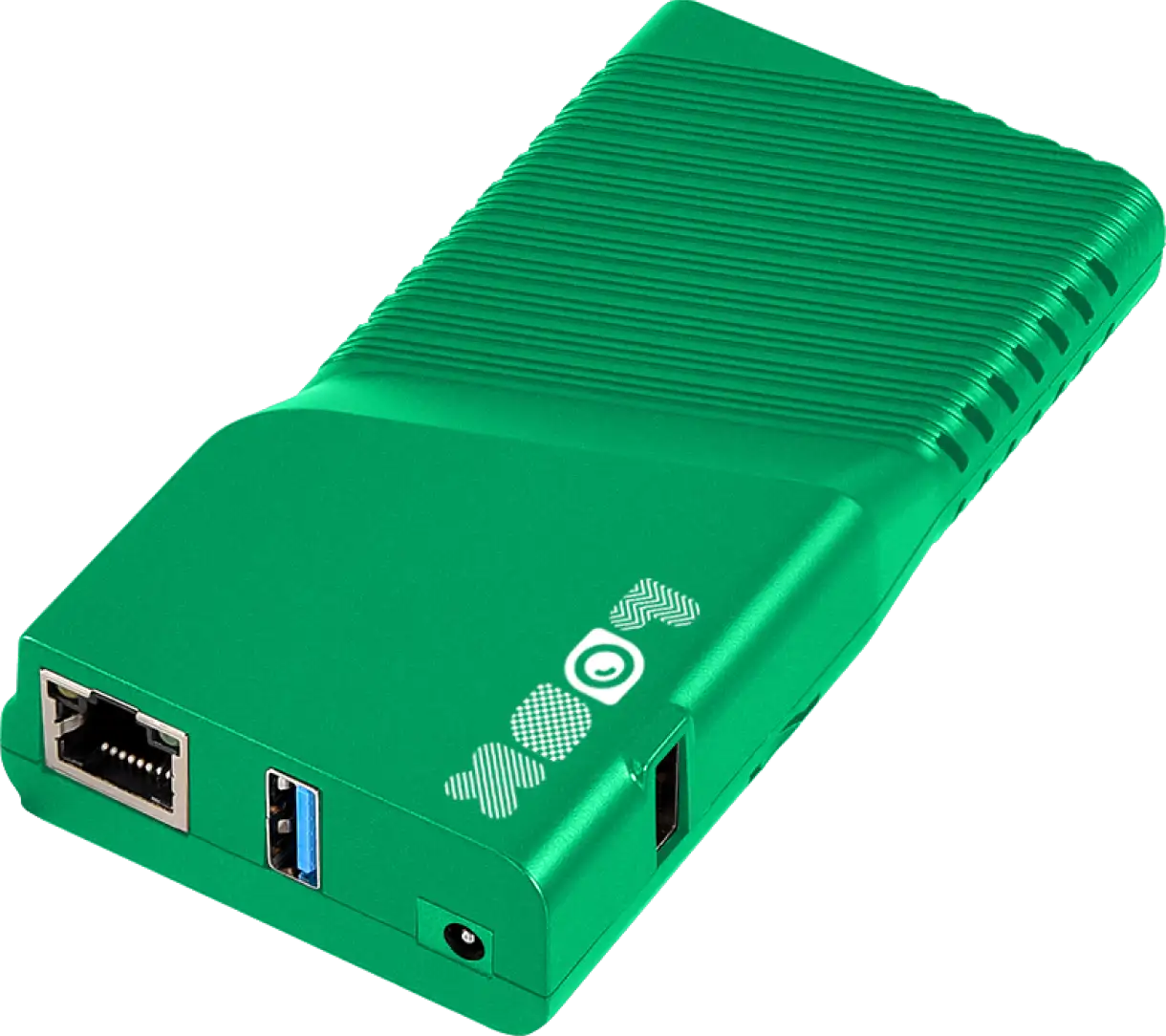
Connect the Plug & Play Look Player to your display’s HDMI input for instant setup. Worldwide shipping.
Buy nowLook HDMI Player

Keep your Samsung screens, and add any other brand

Install the free Look app on the Samsung Tizen displays you run with MagicInfo today, or plug a Look player into any screen with no smart OS.
Samsung Tizen displaysSSSP 6 (Tizen 4.0) to SSSP 10 (Tizen 6.5), and TEP on Tizen 7.0
LG webOS displaysLG signage and smart TVs with webOS
Android TV and Google TVSmart TVs, Chromecast with Google TV, Nvidia Shield and other boxes
Amazon Fire OS devicesFire TV, other Fire OS devices and the Amazon Signage Stick
Windows and Linux PCsWindows 10+ mini-PCs and kiosks, Linux on AMD64 and ARM64
MacmacOS on Apple Silicon and Intel
Raspberry PiLook player app and a ready Raspberry Pi image
Android tabletsAndroid 5.1 and later, for counters and meeting rooms

New generation · pre-order

Look Verde PRO

A plug-and-play HDMI player with Look pre-installed. It takes power from the TV’s USB port, so you don’t need a power brick or a free socket behind the screen.

$149
  • 4 nm quad-core Cortex-A55 at 2.5 GHz, 4 GB RAM, 32 GB storage
  • True 4K UHD with HDR, multi-zone layouts, portrait mode
  • Full HDMI CEC: turns the TV on and off and switches the input on your schedule
  • Wi-Fi 6 and Gigabit Ethernet, fanless, hardware watchdog for 24/7 operation
  • 12-month warranty with remote diagnostics, one support team for hardware and software
Pre-order Look Verde PRO
Got an older Samsung panel, or a screen with no smart OS? Plug Verde PRO into its HDMI port and run Look from there. Samsung’s own player box for VXT, the SBB, has no public price.
Ships within 3 weeks. Need a player now? Look HD-2222 ($189) and HD-2222 Lite ($139) are in stock.

Create content without leaving Look

Look’s AI Content Creator is part of the CMS on every plan, so writing, design, video and publishing happen in one place.

AI Content Creator

A full AI studio inside your digital signage CMS

Describe what the screen should say, and the Content Creator writes it, designs it and animates it. Then it goes to your playlists without exporting or re-uploading.

Copy

Write and rewrite headlines, offers and menu text

Images

Generate on-brand visuals for any promo

Video

Turn a prompt into motion content for your screens

Voice-overs

Add narration to video without a studio

AI coins included with every screen

Each screen adds coins every month, and annual plans double them. A line of text costs 1 coin, an image from 2, a second of video from 5.

Layout designer and templates

Split the screen into zones with the drag-and-drop layout designer, or start from a free editable template.

Playlists, schedules and tags

Build playlists and schedule them by date and time, target screens by tag, or change content on a trigger through the API or Zapier.

Interactive scenarios

Build multi-page touch-screen scenarios for kiosks and self-service points without writing code.

Free built-in apps, included in every plan

Add an app to a playlist like any other content item and it keeps itself current — nobody exports a dashboard as an image or retypes a schedule every morning. Power BI, Looker Studio, calendars, weather, news, social and more, at no extra cost on any plan.

Security and IT control

After 2026 Samsung no longer sells MagicInfo On-Premise, and VXT is cloud-based. Look is one of the few ways to keep signage on your own server, with SSO and role-based access in the standard plan.
  • On-premise deployment. Install the full Look CMS on your own servers, in a local data center or with a hosting provider you trust, under a one-time licence.

  • Built for compliance. Keep signage behind your firewall for GDPR, HIPAA or internal audit requirements.

  • Single sign-on. Team members sign in with your company identity provider, in the cloud version and on-premise.

  • Roles and moderation. Give each team member access to specific screens, content or broadcasting, with approval before content goes live.

  • Proof-of-play. Online status, scheduled or live screenshots and playback logs for every screen.

Support that answers 24/7

Screens run on weekends, and so does our support team.
  • Live chat with real people inside your Look account, 24/7, on every plan

  • Email and feedback form, with a reply within 24 hours

  • Knowledge base, Look Academy and video tutorials

  • Recognized by Software Advice for Customer Support in 2026

For comparison: on VXT, 24/7 call centre and live chat are part of the X Series, RM P lists 24/7 email support and RM S email support during working hours.

Where MagicInfo or VXT is still a good fit

We’d rather you pick the right tool. Staying with Samsung’s software may suit you better if:
  • Deep control of Samsung displays

    MagicInfo and VXT manage firmware updates, power, input, energy reports and USB or Wi-Fi lockdown on Samsung screens from one console.
  • Your MagicInfo setup moved for you

    Samsung’s VXT CMS Transformer transfers existing content, schedules and device settings from MagicInfo into VXT.
  • All-Samsung fleet, staying that way

    VXT also manages Samsung e-paper and LED signage, and Samsung states that VXT holds ISO 27701 certification.
If you want to keep your Samsung screens but also run LG, Android or Windows, stay on your own server, or get SSO and 24/7 chat on every plan, Look is built for that.

How to switch from MagicInfo to Look

No need for a big-bang migration. Move one screen, check it, then roll out well before your MagicInfo dates.
  • 1. Start a trial

    Sign up in a minute, no credit card. Every feature, free for 14 days.
  • 2. Connect a screen

    Install the Look app on one of your Samsung Tizen signage displays.
  • 3. Move your content

    Download media from MagicInfo, rebuild playlists and schedules.
  • 4. Roll out, with support

    Test the pilot, then move the rest. Stuck on a step? Live chat in your account is 24/7.
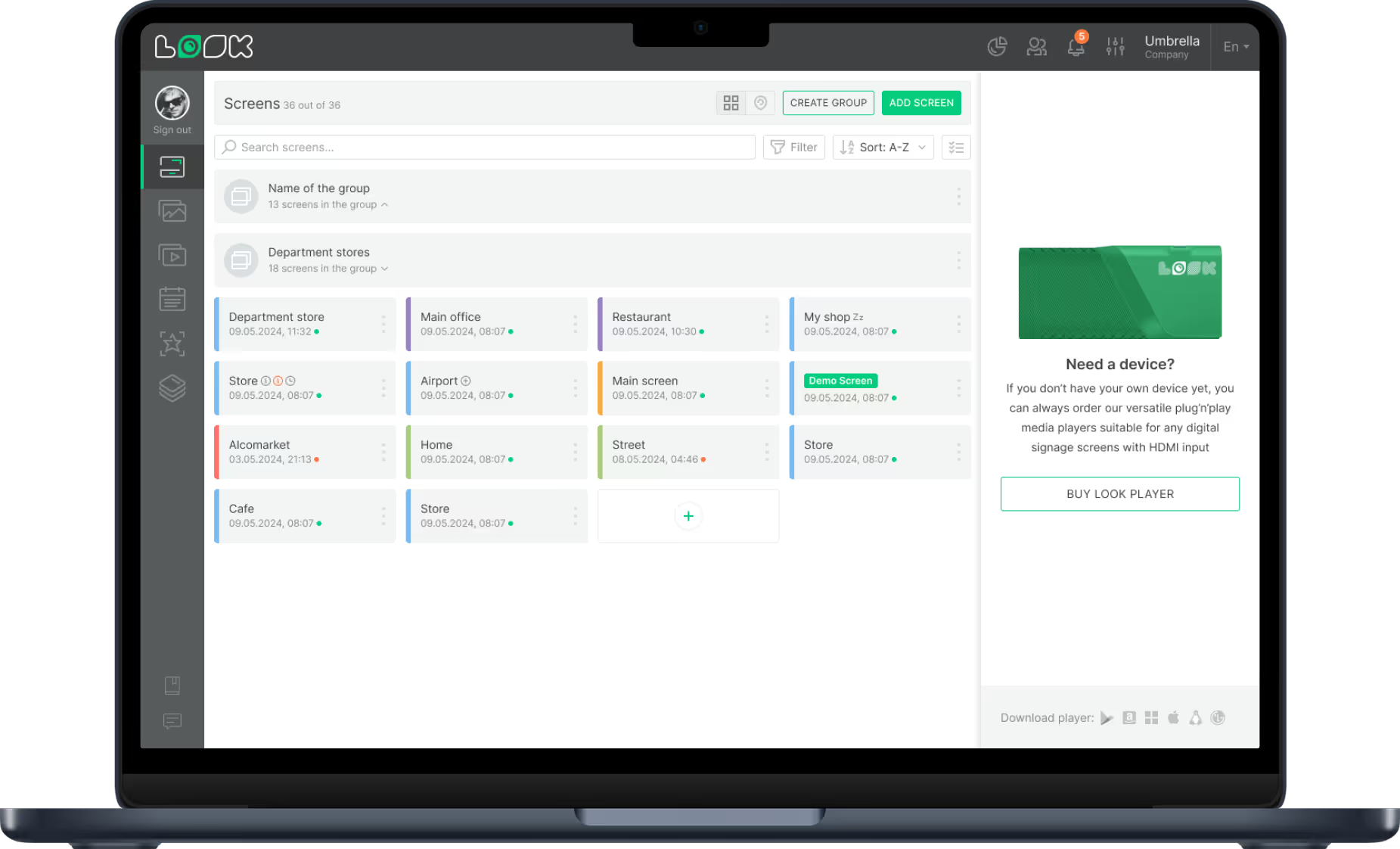
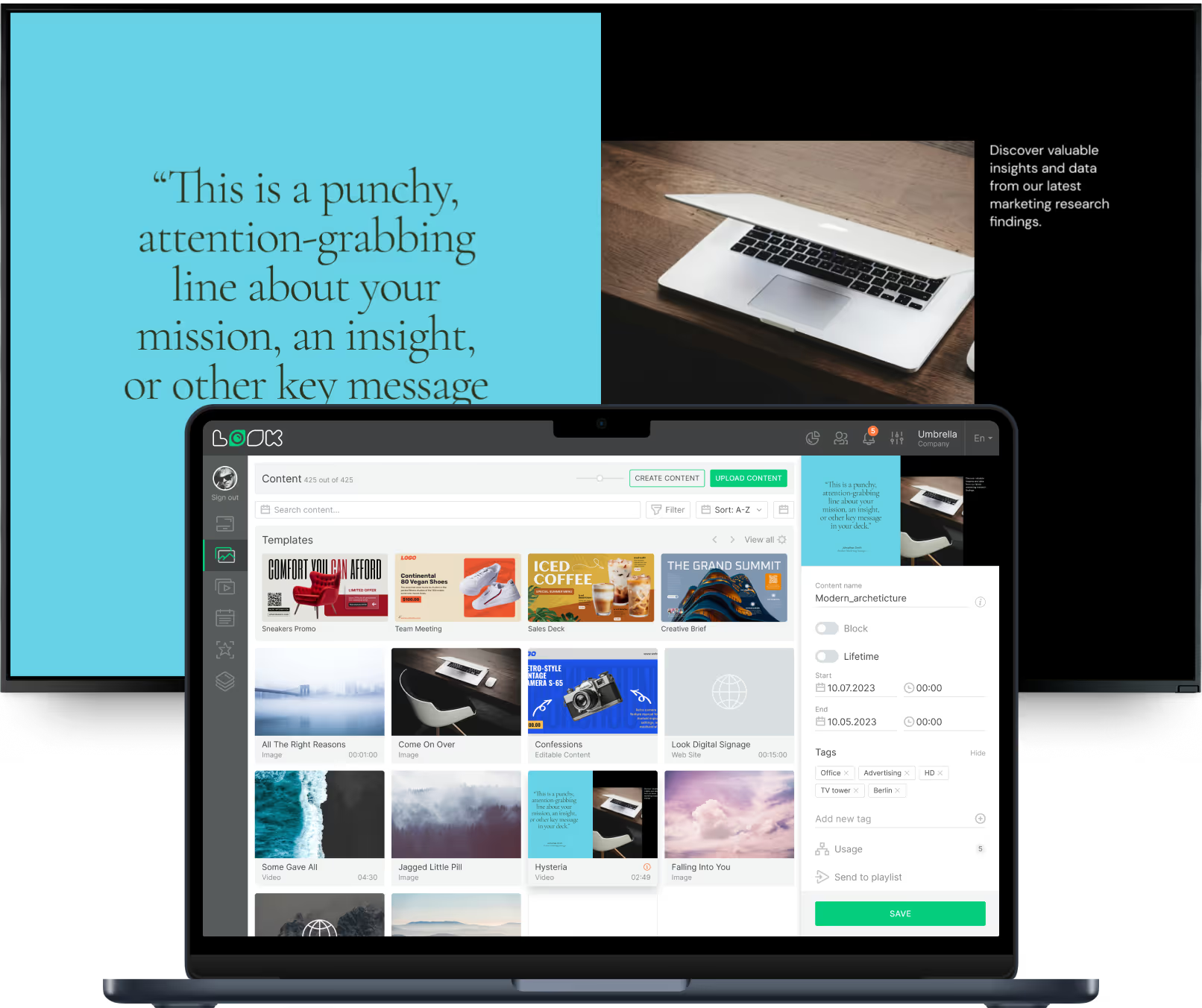
Look digital signage screen previewLook digital signage screen previewLaptop screen showing the Look content management interface

What our customers say

Real businesses, real results.

Captera Rating
4.9
G2 Rating
5
We have 22 locations and zero issues with Look software. It’s so easy to use and has a lot of useful tools that we utilize in our day-to-day business. All-in-all, our experience was top-notch.
Ervin Piotrowski
We tried many different solutions for our platform. After many trials and errors, we found Look Digital Signage to be an amazing tool for our purposes.
Pyry Salminen
I’m grateful for the opportunity to work with Look and it's been a really big game changer for us, because it has helped us to come across as an older business in a much more fresh way.
Michael Guzman
60 000+
Screens
11 000+
Users
120+
Countries

MagicINFO vs Look: frequently asked questions

Is MagicInfo end of life?

Not yet, but Samsung is retiring it. Samsung's MagicInfo documentation lists 31 December 2026 as the end of sale for MagicInfo On-Premise, for new and existing customers, 28 February 2027 as the end of service for MagicInfo Cloud, and 31 December 2029 as the end of support. MagicInfo 8 has had no maintenance since its final security patch in October 2023. Dates can differ by region, so check with your Samsung reseller.

What is Samsung VXT?

Samsung VXT is Samsung's cloud-based digital signage CMS and the successor to MagicInfo. Samsung sells it in S, P and X Series plans, plus RM S and RM P plans for remote management, all priced on request. From 2027, Samsung's MagicInfo documentation says all sales are standardized on VXT.

Is MagicInfo free?

Samsung's websites list no free edition and no price for MagicInfo. Upgrading from MagicInfo 8 to MagicInfo 9 is a paid service, and software updates come with the MagicInfo Maintenance Service subscription. For a quote, ask Samsung or a Samsung reseller. Look has no free-forever plan either, but it has a 14-day free trial with every feature, for up to 2 screens plus a demo screen, and no credit card.

How much does MagicInfo cost?

Samsung doesn't publish MagicInfo or VXT prices. Every VXT plan on vxt.samsung.com/pricing is "Contact us", and VXT apps such as VXT Art and Link My POS are bought separately. Look publishes its prices: $15 per screen a month for 1–5 screens, $13 for 6–10, $12 for 11–20, $10 for 21–50, $9 for 51–100, $8 for 101–200 and $6 above 200, with 10% off on annual billing. Every plan includes every feature.

Can I keep my Samsung screens?

Yes, on most current panels. The Look app runs on Samsung signage displays with SSSP 6 (Tizen 4.0) through SSSP 10 (Tizen 6.5), and on Tizen Enterprise Platform (Tizen 7.0), so you install it on the screens you use with MagicInfo today. For older panels or any other screen, plug in the Look Verde PRO player ($149) over HDMI. You can also add LG webOS, Android, Fire TV, Windows, Linux, Mac and Raspberry Pi screens to the same account.

Can I still run digital signage on my own server after 2026?

With Look, yes. Look can be installed on your own servers or in a private data center under a one-time licence, with the full CMS behind your firewall. Samsung stops selling MagicInfo On-Premise on 31 December 2026, and its pages show no on-premise version of VXT.

Does Look support single sign-on (SSO)?

Yes. SSO and role-based access are part of the standard Look plan, in the cloud version and on-premise. On Samsung VXT, SSO is in the P, X and RM P series, according to Samsung's plan grid.

Can I move my MagicInfo content to Look?

There is no import tool. Download your media from MagicInfo, upload it to Look and rebuild your playlists and schedules. Samsung's VXT CMS Transformer moves MagicInfo content automatically, but only into VXT.

Does Look offer 24/7 support from real people?

Yes. Every Look customer gets 24/7 live chat with real people inside their account, whatever the number of screens. On VXT, 24/7 call centre and live chat are part of the X Series.

Do Look screens keep playing if the internet goes down?

Yes. Content is stored on the device, so everything already downloaded keeps playing offline. The internet is only needed to download new content, change settings and report screen status.

Does Look have AI content tools?

Yes. The AI Content Creator is built into the Look CMS. It writes copy and generates images, video and voice-overs, and sends them straight to your playlists.

How long does it take to switch from MagicInfo to Look?

Most teams can move a first screen in an afternoon: install the Look app on a Samsung Tizen display, upload media, rebuild playlists and schedules, and run both systems side by side before moving the rest.