









⚡ PosterBooking alternative

Look vs PosterBooking: the alternative with every feature in one plan

PosterBooking costs less, and its Free plan covers 10 screens. Look puts SSO, proof-of-play, API access and an on-premise option into one plan, runs natively on Samsung and LG displays, and has real people on support chat 24/7.

  • No credit card required, all features, up to 2 screens plus a demo screen during the 14-day trial.

  • Proof-of-play, user roles, SSO and API included, from the first screen.

  • 24/7 live chat with real people, inside your account.

Captera Rating
4.9
G2 Rating
5.0
60 000+
Screens
11 000+
Users
120+
Countries
Capterra Best Value · G2 High Performer
Software Advice · Customer Support 2026

Why teams look for a PosterBooking alternative

PosterBooking is one of the lowest-priced tools on the market, and it is quick to set up on a Fire TV stick. Here is what usually makes growing networks compare it with other tools.
🧾

Reporting costs $830

Play out impression reporting, 2-factor sign-in and user audit history are on PosterBooking Enterprise Plus, at $830 a month.

Look: proof-of-play, user roles and approvals on every plan, from the first screen.
🔑

No single sign-on listed

We found no mention of single sign-on on PosterBooking’s site. API access is priced by quote, and hosting is cloud only.

Look: SSO, API and Zapier included, in the cloud or on-premise.
📺

No Samsung Tizen app

PosterBooking’s downloads page lists Android, Fire TV, Windows, Raspberry Pi and Signage Stick apps, none for Tizen or webOS.

Look: runs natively on Samsung Tizen and LG webOS displays, no stick needed.
📄

Free offer can change

PosterBooking’s terms say the 10 free screens last 3 months from sign-up and the offer can change at any time without notice.

Look: a price list on our site, 10% off on annual billing, a 14-day trial.

Look vs PosterBooking: feature-by-feature comparison

A PosterBooking plan is listed next to each feature that it limits to that plan. On Look, everything is in one plan.
Feature
Look
PosterBooking
Plans and pricing
Pricing model
One plan, price per screen falls with volume
Free, Home Basic, Business Pro, Enterprise Plus
Price / month
$15 per screen (1–5 screens) down to $6 (201+)
Free $0 for 10 screens · Home Basic $52 for 10 screens · $6.49 per screen from the 11th · Business Pro $520 unlimited · Enterprise Plus $830 unlimited
Annual billing
10% off
Monthly prices only
Free plan
No: 14-day full-feature trial
10 screens, watermark on screens. PosterBooking’s terms: 3 months from first registration, new customers only
Free trial
14 days, 2 screens + demo screen, no card
Business Pro: free 30-day trial
Hardware
Operating systems
Android 5.1+, Android TV, Google TV, Amazon Fire OS incl. the Amazon Signage Stick, Windows 10+, Linux, macOS, LG webOS, Samsung Tizen, Raspberry Pi
Android, Android TV, Amazon Fire TV, Amazon Signage Stick, Windows 10 and 11, Raspberry Pi and Debian-based Linux; Chromebox and Chromecast on some pages
Samsung Tizen displays
Yes, native app
No Tizen app listed
LG webOS displays
Yes, native app
No webOS app on the downloads page
Own media player
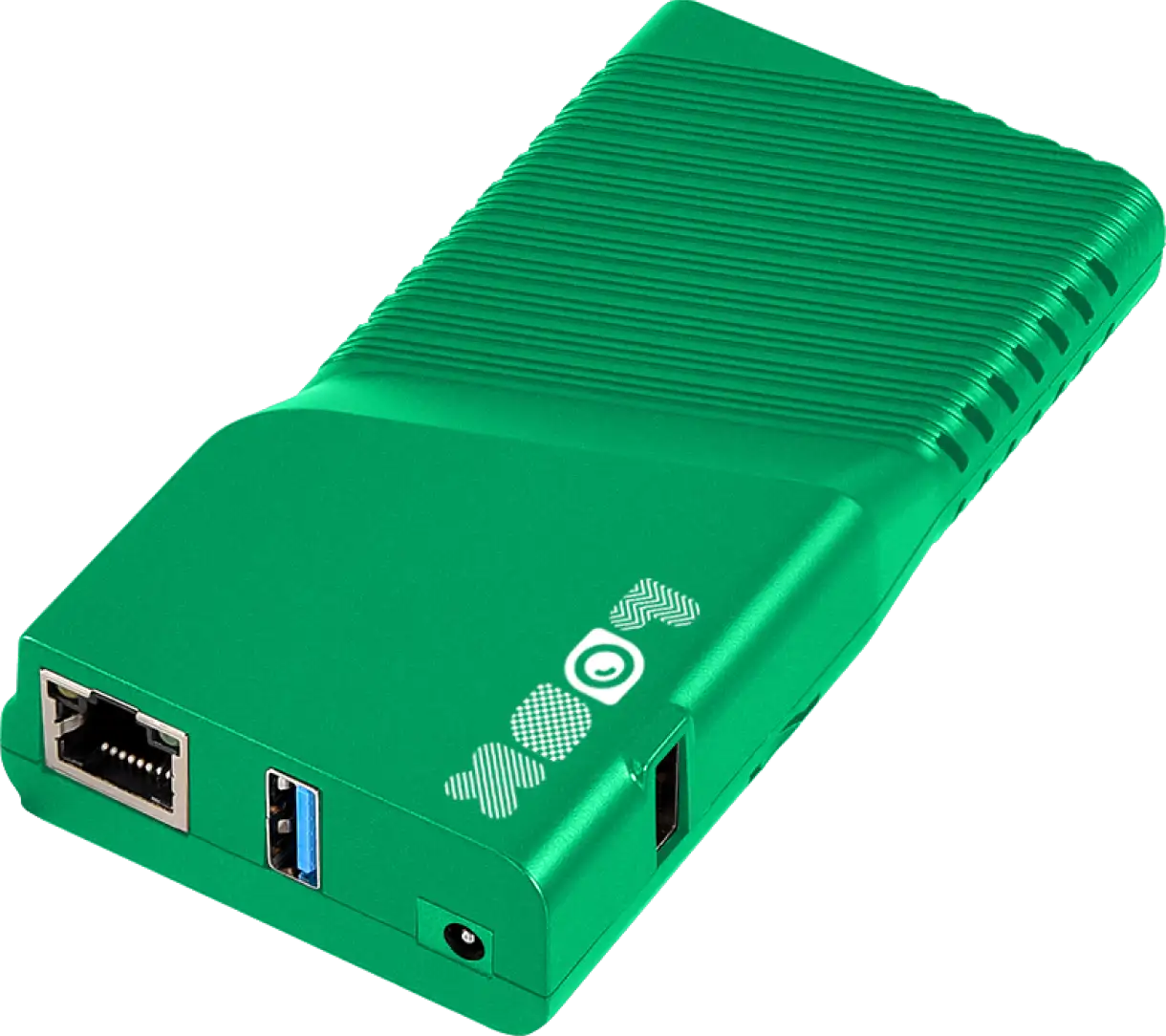
Look Verde PRO: 4 GB / 32 GB, 4K HDR, Wi-Fi 6, HDMI CEC, rated for 24/7, $149
No own player: recommends the Amazon Signage Stick, sold by Amazon
Offline playback
Yes
Yes, from the player’s local cache
Video walls
Included, no extra fee (via a Look HDMI player)
Listed on every plan
Content
AI content creation
Content Creator: texts, images, video and voice-overs in one editor
No AI content tool listed
Scheduling
Dates, times, dayparts and tags, included
Scheduled playlists Home Basic+
Built-in apps
Power BI, Looker Studio, weather, calendars, news, social feeds, YouTube, Google Reviews, Wi-Fi QR and more
News, weather, ticker and data dashboards
Interactive touch scenarios
Included
Not listed
Automation
API and triggers
API and Zapier triggers, included
Developer API, priced by quote
TV power on/off by schedule
HDMI CEC with Look Verde PRO
Not listed
Control and security
Users, roles and approvals
Included
Multiple user accounts Business Pro · user audit history, multi-tenant franchise accounts Enterprise Plus
Single sign-on
Included, cloud and on-premise
Not mentioned on its site · 2-factor authentication Enterprise Plus
Proof-of-play
Screenshots, status, playback logs
Play out impression reporting Enterprise Plus
On-premise deployment
Yes, one-time license, any network size
Cloud only · dedicated server Enterprise Plus
Support
24/7 live chat with real people inside your account, every plan
Free online support, email, WhatsApp 24/7 · 24/7 unlimited support Enterprise Plus · monitoring and remote reboots £99 per screen a month
PosterBooking plans, prices and features from posterbooking.com (/digital-signage-price, /downloads, /hardware, /terms-and-conditions, /contact, /what-is-posterbooking and its FAQ), checked 12 October 2026. Prices are monthly billing and exclude VAT. Disclaimer: Look DS and the products/services associated with this brand are not sponsored by, or in any way affiliated with, PosterBooking. All mentions of PosterBooking are for comparison purposes only, and the PosterBooking trademarks remain the exclusive property of their owner.

PosterBooking vs Look pricing at 5, 10, 50 and 250 screens

Monthly cost of the whole network on monthly billing, before VAT. PosterBooking has no annual price, so both sides are shown monthly here. PosterBooking is cheaper at every size shown. Look includes proof-of-play, SSO, API and on-premise, which PosterBooking keeps for Enterprise Plus ($830 a month) or offers by quote, so against Enterprise Plus, Look costs less up to about 90 screens.
Screens
Look, all features
PosterBooking Free
Home Basic
Business Pro
Enterprise Plus
5
$75
$0
$52
$520
$830
10
$130
$0
$52
$520
$830
50
$500
$259.60
$311.60
$520
$830
250
$1,500
$1,557.60
$1,609.60
$520
$830
Look on annual billing: $67.50 / $117 / $450 / $1,350. The PosterBooking Free plan shows a watermark on screens and adds $6.49 per screen a month from the 11th screen. PosterBooking’s terms say the free 10 screens are available for 3 months from first registration, for new customers only. Business Pro and Enterprise Plus are flat prices for unlimited screens. Look players are optional: Look Verde PRO costs $149.

To use Look digital signage software

Look service works seamlessly on any hardware, whether you're planning to purchase or already use it
Or

Install FREE Look App

Transform any TV or compatible device into digital signage by installing the free Look app.
WindowsAmazon Signage
Androidgoogle-tvLinuxOS Fire Amazon
macOSWebOSOS Tizen OS Raspberry Pi
Supported Operating Systems

Plug Look HDMI Player

Connect the Plug & Play Look Player to your display’s HDMI input for instant setup. Worldwide shipping.
Buy nowLook HDMI Player

Run Look on the screens you use for PosterBooking today

Install the free Look app on the displays and devices you already have. If a screen has no smart OS, connect a Look player to its HDMI port.
Smart TVs and signage displaysSamsung Tizen, LG webOS, Android TV and Google TV sets
Amazon Fire OS devicesFire TV, other Fire OS devices and the Amazon Signage Stick, where Look is on Amazon’s CMS list
Streaming boxes and sticksChromecast with Google TV, Nvidia Shield, Xiaomi Mi Box and other Android devices
Windows and Linux PCsWindows 10+ mini-PCs and kiosks, Linux on AMD64 and ARM64
MacmacOS on Apple Silicon and Intel
Raspberry PiLook player app and a ready Raspberry Pi image
Android tabletsAndroid 5.1 and later, for counters and meeting rooms
Video walls and LEDThrough a Look HDMI player, at no extra fee

New generation · pre-order

Look Verde PRO

A plug-and-play HDMI player with Look pre-installed. It takes power from the TV’s USB port, so you don’t need a power brick or a free socket behind the screen.

$149
  • 4 nm quad-core Cortex-A55 at 2.5 GHz, 4 GB RAM, 32 GB storage
  • True 4K UHD with HDR, multi-zone layouts, portrait mode
  • Full HDMI CEC: turns the TV on and off and switches the input on your schedule
  • Wi-Fi 6 and Gigabit Ethernet, fanless, hardware watchdog for 24/7 operation
  • 12-month warranty with remote diagnostics, one support team for hardware and software
Pre-order Look Verde PRO
PosterBooking sells no player of its own. It recommends the Amazon Signage Stick, sold by Amazon, with a 30% discount code and 10 free Signage Sticks (US only) on an annual Enterprise subscription.
Ships within 3 weeks. Need a player now? Look HD-2222 ($189) and HD-2222 Lite ($139) are in stock.

Create content without leaving Look

Look’s AI Content Creator is part of the CMS on every plan, so writing, design, video and publishing happen in one place.

AI Content Creator

A full AI studio inside your digital signage CMS

Describe what the screen should say, and the Content Creator writes it, designs it and animates it. Then it goes to your playlists without exporting or re-uploading.

Copy

Write and rewrite headlines, offers and menu text

Images

Generate on-brand visuals for any promo

Video

Turn a prompt into motion content for your screens

Voice-overs

Add narration to video without a studio

AI coins included with every screen

Each screen adds coins every month, and annual plans double them. A line of text costs 1 coin, an image from 2, a second of video from 5.

Layout designer and templates

Split the screen into zones with the drag-and-drop layout designer, or start from a free editable template.

Playlists, schedules and tags

Build playlists, plan them by date and time, target screens by tag, or change content on a trigger through the API or Zapier.

Interactive scenarios

Build multi-page touch-screen scenarios for kiosks and self-service points without writing code.

Free built-in apps, included in every plan

Add an app to a playlist like any other content item and it keeps itself current — nobody exports a dashboard as an image or retypes a schedule every morning. Power BI, Looker Studio, calendars, weather, news, social and more, at no extra cost on any plan.

Security and IT control

PosterBooking lists 2-factor authentication, user audit history and a dedicated server on Enterprise Plus at $830 a month, and its site doesn’t mention single sign-on. With Look, SSO and role-based access come in the standard plan, in the cloud or on your own servers.
  • On-premise deployment. Install the full Look CMS on your own servers, in a local data center or with a hosting provider you trust, under a one-time licence.

  • Built for compliance. Keep signage behind your firewall for GDPR, HIPAA or internal audit requirements.

  • Single sign-on. Team members sign in with your company identity provider, in the cloud version and on-premise.

  • Roles and moderation. Give each team member access to specific screens, content or broadcasting, with approval before content goes live.

  • Proof-of-play. Online status, scheduled or live screenshots and playback logs for every screen.

Support that answers 24/7

Screens run on weekends, and so does our support team.
  • Live chat with real people inside your Look account, 24/7, on every plan

  • Email and feedback form, with a reply within 24 hours

  • Knowledge base, Look Academy and video tutorials

  • Recognized by Software Advice for Customer Support in 2026

For comparison: PosterBooking lists free online support, email with a reply within one working day, WhatsApp 24/7 for quick questions and 24/7 unlimited support on Enterprise Plus. Screen monitoring, remote diagnostics and remote reboots cost £99 per screen a month.

Where PosterBooking is still a good fit

We’d rather you pick the right tool. PosterBooking may suit you better if:
  • You want to try up to 10 screens for free

    The PosterBooking Free plan covers 10 screens at $0 with a watermark, for 3 months from first registration according to its terms.
  • You run a large network on a tight budget

    Business Pro is a flat $520 a month for unlimited screens, the lowest price at scale if you don’t need proof-of-play, SSO or an API.
  • Your screens run on Fire TV or a Signage Stick

    The PosterBooking app installs from the Amazon Appstore or comes pre-installed on the Amazon Signage Stick, so setup is quick.
If you want proof-of-play, SSO and an API without an $830 plan, native apps for Samsung and LG displays and people on chat at any hour, Look is built for that.

How to switch from PosterBooking to Look in one afternoon

No need for a big-bang migration. Move one screen, check it, then roll out.
  • 1. Start a trial

    Sign up in a minute, no credit card. Every feature, free for 14 days.
  • 2. Connect a screen

    Install Look on a Signage Stick, Fire TV, PC, Samsung or LG display.
  • 3. Move content

    Upload your media, rebuild playlists and schedules, tag the screens.
  • 4. Roll out

    Test the pilot, add the rest and cancel PosterBooking at month end.
  • 5. Ask us anything

    Stuck on a step? Our support team is in live chat in your account 24/7.
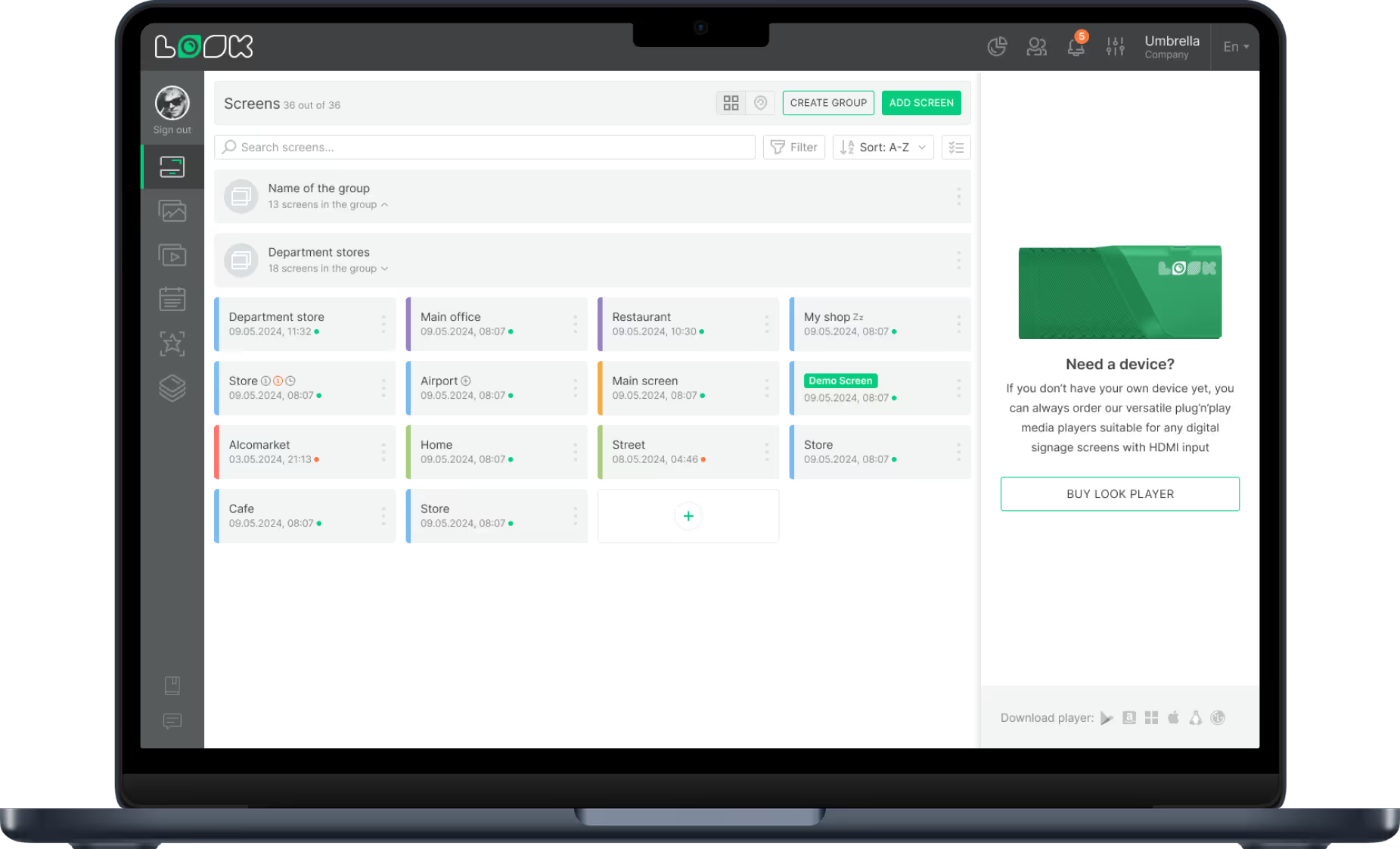
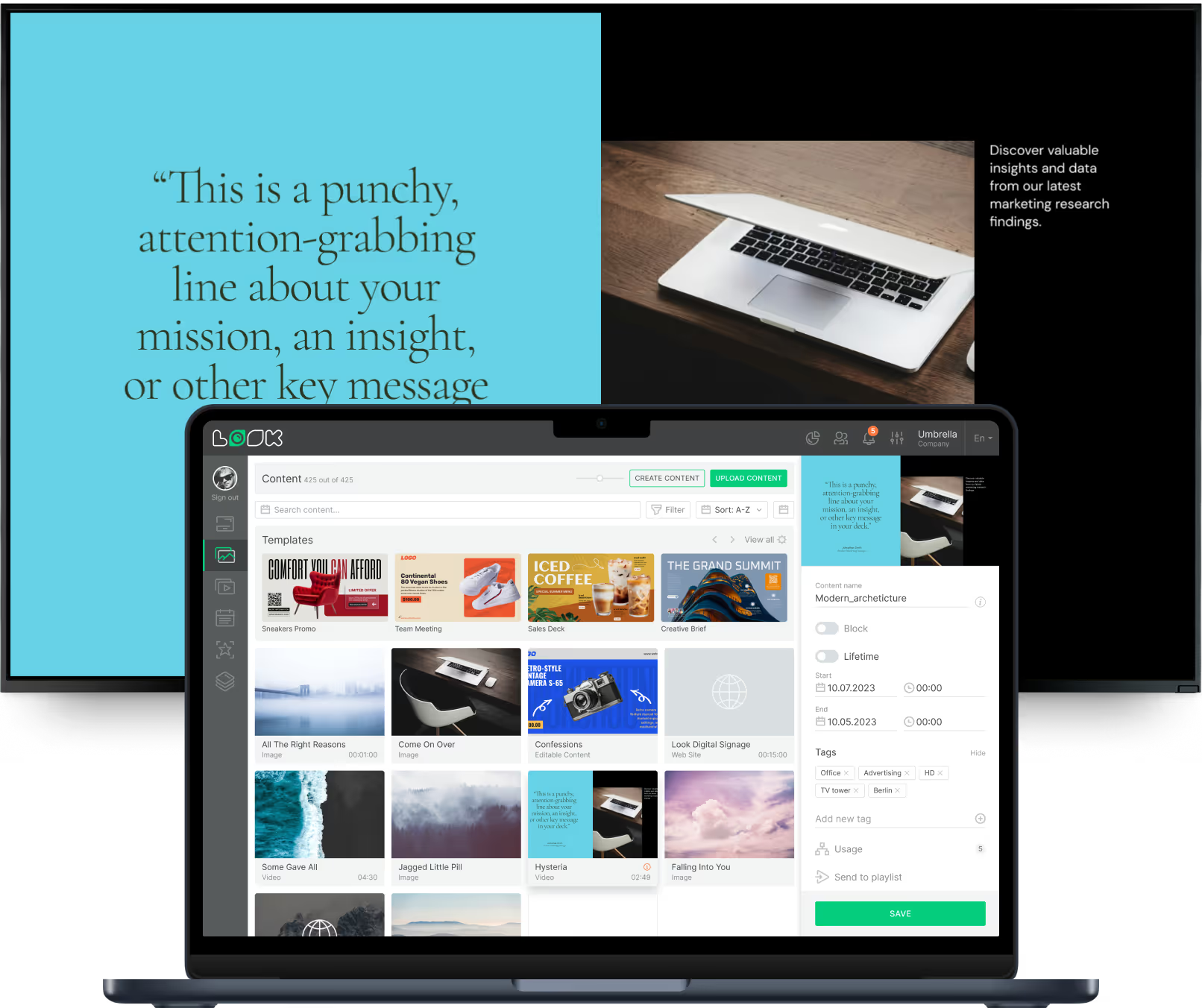
Look digital signage screen previewLook digital signage screen previewLaptop screen showing the Look content management interface

What our customers say

Real businesses, real results.

Captera Rating
4.9
G2 Rating
5
We have 22 locations and zero issues with Look software. It’s so easy to use and has a lot of useful tools that we utilize in our day-to-day business. All-in-all, our experience was top-notch.
Ervin Piotrowski
We tried many different solutions for our platform. After many trials and errors, we found Look Digital Signage to be an amazing tool for our purposes.
Pyry Salminen
I’m grateful for the opportunity to work with Look and it's been a really big game changer for us, because it has helped us to come across as an older business in a much more fresh way.
Michael Guzman
60 000+
Screens
11 000+
Users
120+
Countries
PosterBooking vs Look: frequently asked questions

Is Look cheaper than PosterBooking?

No. PosterBooking costs less at every network size. Its Free plan is $0 for 10 screens with a watermark, Home Basic is $52 a month for 10 screens, and Business Pro is a flat $520 a month for unlimited screens. Look includes proof-of-play, SSO, API access and an on-premise option in one plan. PosterBooking keeps proof-of-play reporting for Enterprise Plus at $830 a month and prices API access by quote, so against Enterprise Plus, Look costs less up to about 90 screens.

How much does Look cost per screen?

Look is priced by the number of screens: $15 per screen a month for 1 to 5 screens, $13 for 6 to 10, $12 for 11 to 20, $10 for 21 to 50, $9 for 51 to 100, $8 for 101 to 200 and $6 above 200. Annual billing takes off another 10%. Every plan includes every feature.

Is PosterBooking free? Is Look?

PosterBooking's pricing page lists a Free plan at $0 for 10 screens, with a watermark on screens and $6.49 per screen a month from the 11th screen. PosterBooking's terms say the free 10 screens are available for 3 months from first registration, only to new customers, that billing information may be required, and that the offer can be changed or cancelled at any time and without notice. Look has no free-forever plan. It has a 14-day free trial with every feature, for up to 2 screens plus a demo screen, and no credit card.

Can I pay for Look or PosterBooking annually?

Look bills monthly or annually, and annual billing takes 10% off every screen. PosterBooking's pricing page shows monthly prices only.

Can I keep the Fire TV sticks and screens I use with PosterBooking?

In most cases, yes. Look runs on Amazon Fire OS devices, including Fire TV and the Amazon Signage Stick (Look is on Amazon's CMS list), and on Android and Android TV devices, Windows and Linux PCs, Macs, Raspberry Pi, and Samsung Tizen and LG webOS displays. Install the Look app on the same screen and remove PosterBooking when you are ready.

Does Look run on Samsung and LG displays without a stick?

Yes. Look runs natively on Samsung Tizen and LG webOS displays. PosterBooking's downloads page lists apps for Android, Amazon Fire TV, Windows, Raspberry Pi and Debian-based Linux, and the Amazon Signage Stick, with no Tizen or webOS app.

Does Look support single sign-on (SSO)?

Yes. SSO and role-based access are part of the standard Look plan, in the cloud version and on-premise. We found no mention of single sign-on on PosterBooking's site. It lists 2-factor authentication on Enterprise Plus.

Does Look have proof-of-play and user roles?

Yes, on every plan. Look shows each screen's status, scheduled or live screenshots and playback logs, and lets you give each user access to specific screens and content, with approval before content goes live. PosterBooking lists play out impression reporting and user audit history on Enterprise Plus, and multiple user accounts on Business Pro.

Does Look have an API?

Yes. The Look API and Zapier triggers are included in every plan, so you can change content from your own software or from tools like Google Sheets. PosterBooking says its API access is tailored to your requirements and asks you to get in touch for a price.

Does Look offer 24/7 support from real people?

Yes. Every Look customer gets 24/7 live chat with real people inside their account, whatever the number of screens. PosterBooking lists email, WhatsApp 24/7 for quick questions, 24/7 unlimited support on Enterprise Plus, and screen monitoring, remote diagnostics and remote reboots for £99 per screen a month.

Can I run Look without the cloud?

Yes. Look can be installed on your own servers or in a private data center under a one-time license, with the full CMS behind your firewall. PosterBooking is a cloud service, and its Enterprise Plus plan adds a dedicated server.

How long does it take to switch from PosterBooking to Look?

Most teams can move a first screen in an afternoon: install the Look app on an existing screen, upload your media, rebuild playlists and schedules, and run both systems side by side until the end of your paid PosterBooking month.