Table of Content
How often do meetings start late because of room confusion or a double booking? Digital signage software for meeting and conference rooms solves this by connecting your screens directly to your calendar, showing live availability and schedules in real-time. By linking with tools like Google Workspace or Microsoft Teams, digital signage turns blank walls into helpful information hubs, ensuring your spaces are used efficiently while giving staff and visitors a smoother experience.
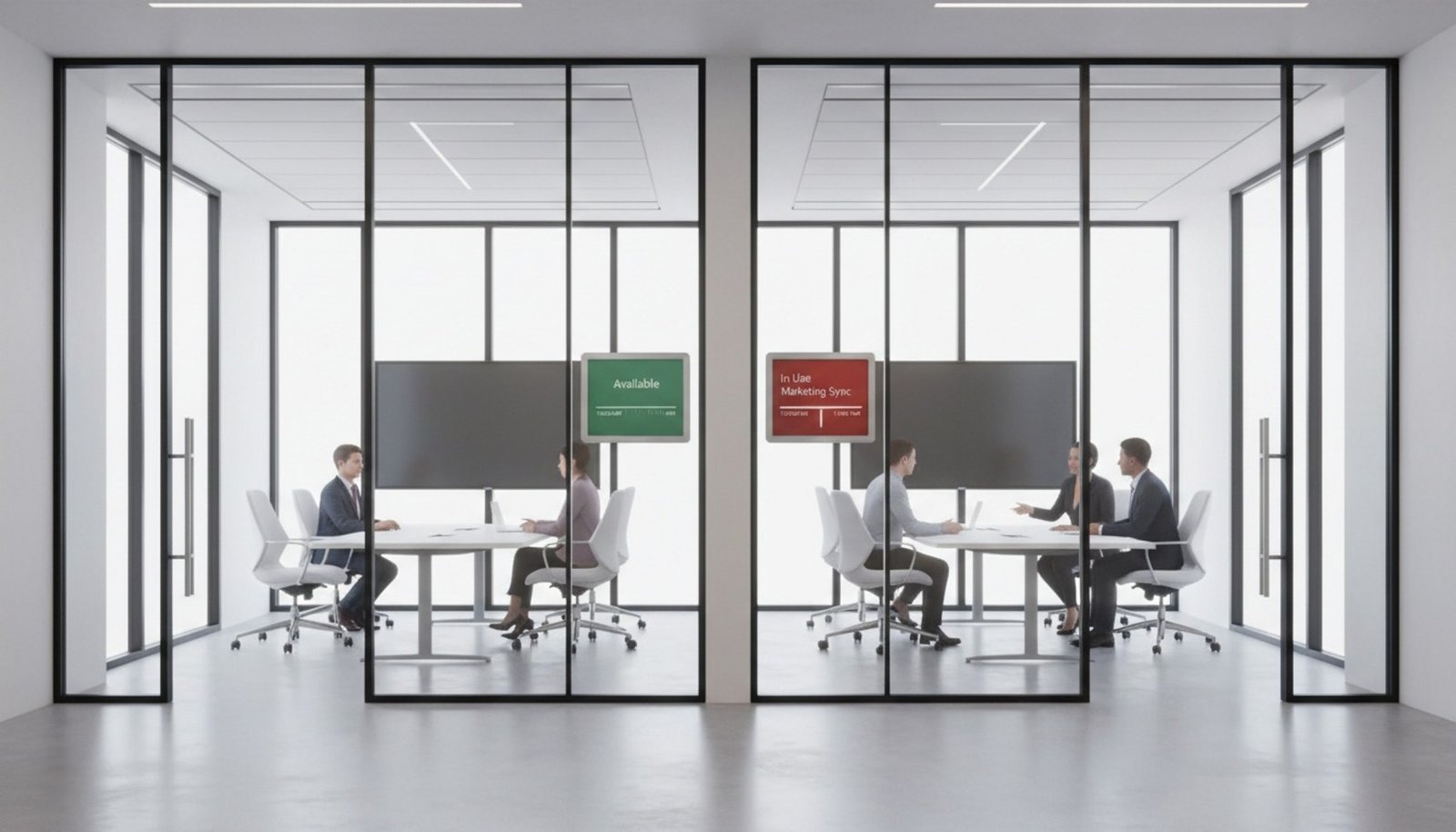
Beyond simple scheduling, this technology connects your digital tools with your physical office. Teams can see if a room is free at a glance, often through clear color-coded signals on the screen. When rooms aren't in use, the displays can show internal announcements or KPI dashboards. In a busy office, this visibility is essential for keeping operations running smoothly.
What is Digital Signage Software for Meeting & Conference Rooms?
How does digital signage work in modern meeting spaces?
The system works through three main parts: the central software, the calendar integration, and the screens themselves. The software acts as the control center, allowing you to manage every display from one simple dashboard. When someone books a meeting in their calendar app, the software detects the change and updates the room's screen instantly. This eliminates the need for printed schedules or manual updates.
The setup is designed to be simple and reliable. Cloud-based platforms allow you to manage content from anywhere. On the hardware side, you can use various devices, from tablets mounted outside doors to large TVs inside conference rooms. With the Look App, you can often use existing hardware, or choose dedicated players for a plug-and-play experience. This flexibility makes it easy to scale from one meeting room to an entire campus.
Typical uses of digital signage in meeting and conference rooms
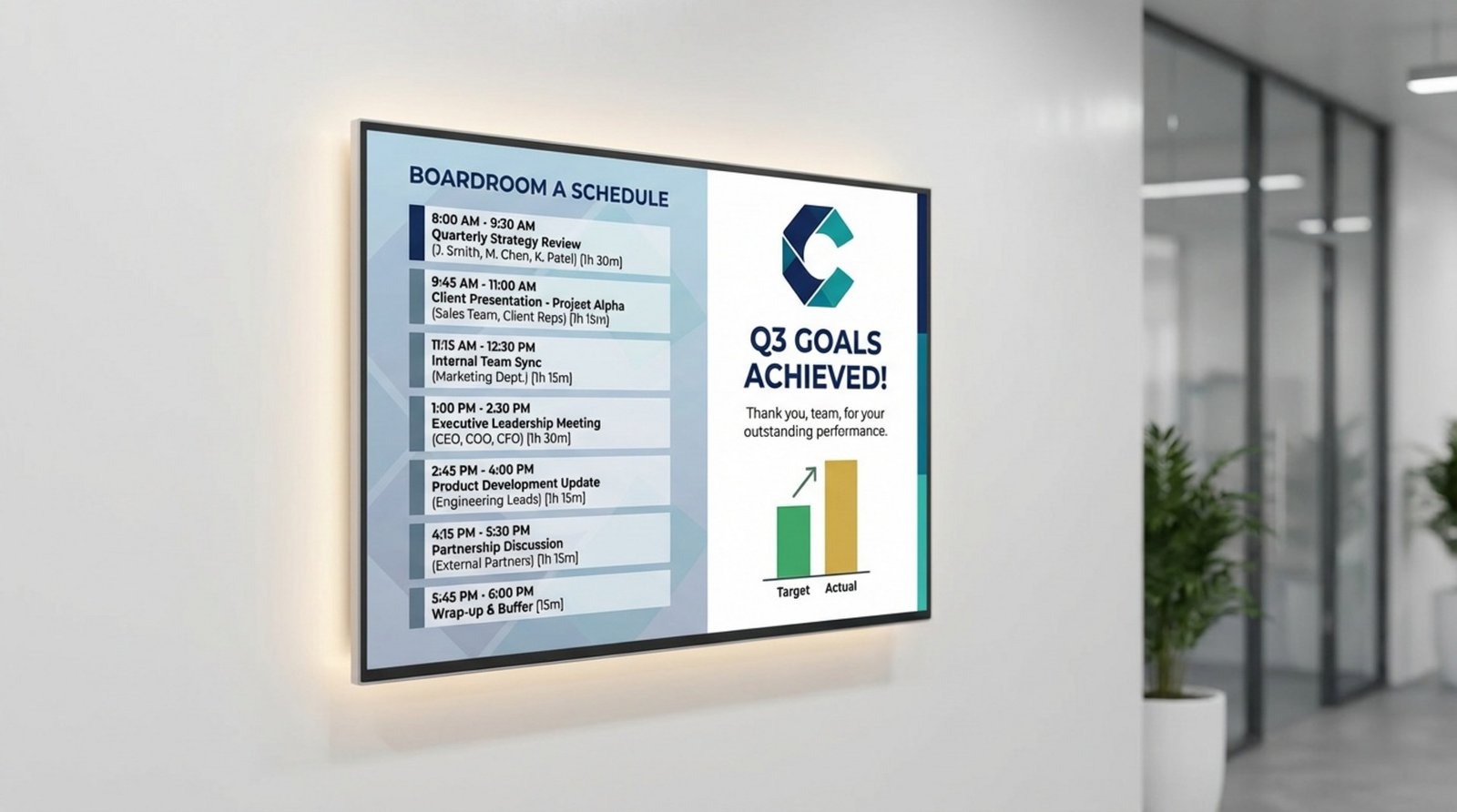
While booking management is the primary function, the software offers much more value. Outside the room, it acts as a digital traffic cop, showing who is meeting and for how long. Inside the room, the screen can display real-time dashboards or project goals to keep the team focused.
When a room is empty, the screen shouldn't be blank. Companies use Look Digital Signage to display internal news, welcome messages for visitors, or weather updates. This turns every screen into a communication tool that supports company culture. In urgent situations, these screens can also display safety alerts instantly across the building.
Benefits of Using Digital Signage Software in Meeting & Conference Rooms
Reduces double bookings and scheduling conflicts
One of the biggest frustrations in any office is the "who booked this room?" debate. Digital signage creates a single source of truth. Since the screens update automatically via smart scheduling linked to your calendar, everyone knows exactly when a room is booked and by whom. This removes confusion and keeps teams happy.
These systems also help solve the "ghost meeting" problem, where a room is reserved but sits empty. By providing clear visual status updates, teams can see which spaces are actually available, ensuring valuable meeting space isn't wasted.
Improves employee productivity and meeting flow
Removing friction saves time. Instead of wandering specifically to check room availability, employees can glance down the hall. Red screens mean busy; green screens mean open. Saving even a few minutes per employee each day adds up to significant hours saved across the organization.
Meetings also start faster. With the agenda or key metrics displayed as people walk in, the focus is immediate. This seamless transition from hallway to work mode helps teams make the most of their booked time.
Improves visitor and guest experience
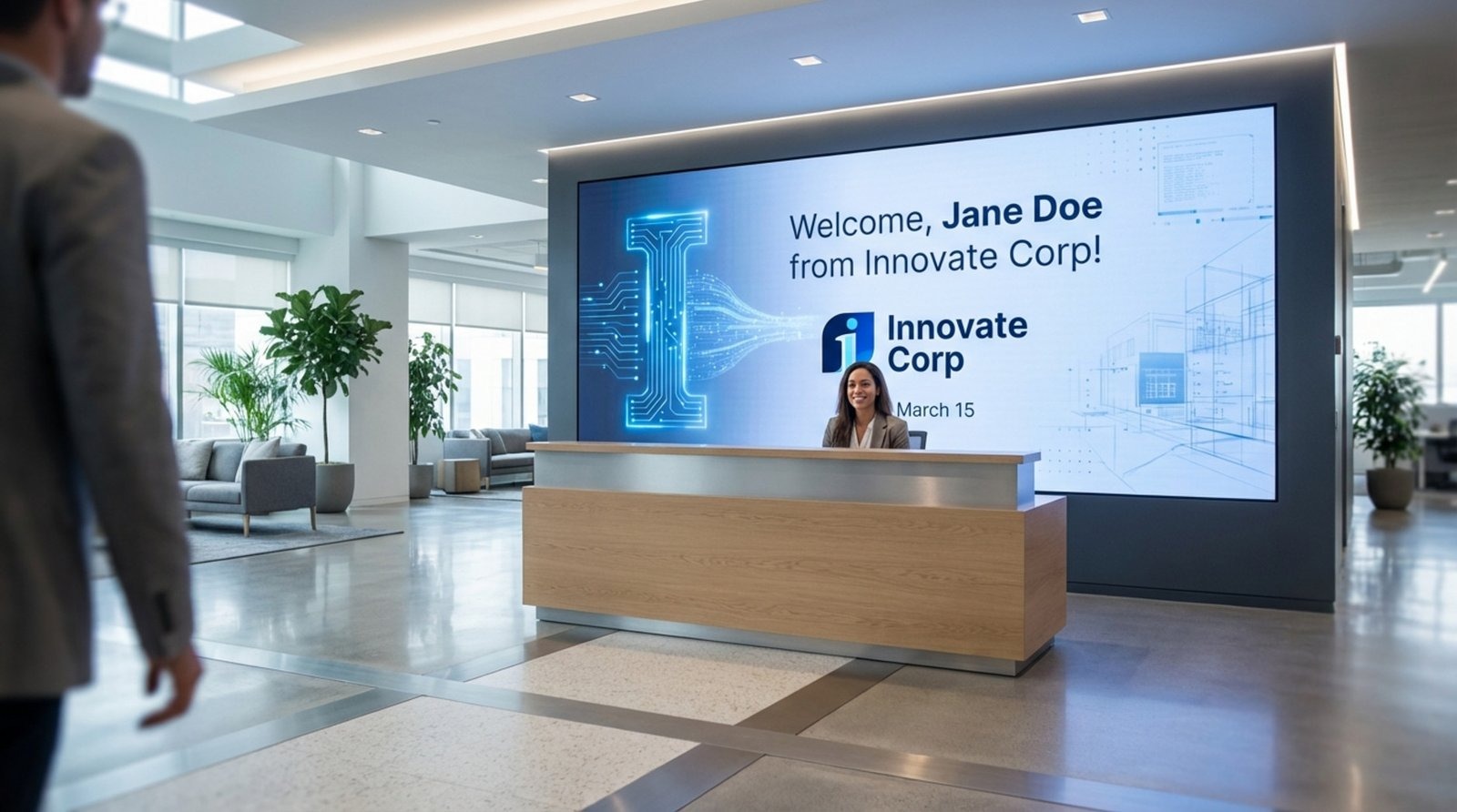
Your office reflects your brand. Modern digital displays show clients and potential hires that your business is organized and forward-thinking. Welcome screens with personalized messages or clear wayfinding help guests feel comfortable and professional, reducing the stress of navigating a new building.
Strengthens internal communication and collaboration
Digital signage turns meeting rooms into consistent communication channels. By using playlists to rotate content like company announcements, HR updates, or social media feeds between meetings, you keep staff informed without cluttering their email inboxes. It helps reinforce company values and keeps remote and on-site teams aligned.
Supports data-driven decisions
Using a platform with playback analytics gives facility managers insight into how spaces are actually used. Over time, this data can help you identify which rooms are constantly overbooked and which are underutilized, helping you make smarter decisions about office layout and real estate costs.
Key Features of the Best Digital Signage Software for Meeting & Conference Rooms
Real-time meeting schedules and occupancy updates
Speed is critical. A good solution must update instantly. If you change a meeting time in Outlook, it should appear on the screen within moments. Look Digital Signage ensures this synchronization happens reliably, building trust in the system among your staff.
Flexible content creation tools
You shouldn't need a graphic designer to make your screens look good. Top platforms include ready-made templates and simple layout builders. This allows you to create professional-looking room signs, welcome screens, and dashboards in minutes.
Integration with popular calendar systems
Your signage software must talk to your existing tools. Look for seamless integration with major platforms like Google Workspace and Microsoft 365. This ensures that the data on the screen always matches the data in your team's laptops and phones.
Custom branding and corporate design themes
The screens should look like they belong to your company. The best software, like Look CMS, lets you upload your logos, fonts, and brand colors. You can use screen layouts to split the display, showing room information in one zone and company news in another, all while maintaining your brand identity.
Remote management and scalability
Whether you have five rooms or five hundred, managing them should be easy. A cloud-based dashboard allows you to monitor screen status, update content, and troubleshoot devices from anywhere. Features like offline playback ensure that even if the internet drops, your screens keep running smoothly.
Support for varied hardware
You may need different screens for different spaces-small tablets for huddle rooms and large TVs for boardrooms. A flexible solution supports a wide range of hardware, including the Look HDMI Player for plug-and-play simplicity or the Look App for smart TVs and tablets.
Interactive widgets and apps
To maximize utility, the software should support dynamic content. Look Apps allow you to add weather widgets, news tickers, or live data streams to your playlists, keeping the content fresh and engaging when the room is not in use.
Best Digital Signage Software for Meeting & Conference Rooms
1. Look Digital Signage
Look DS is the recommended choice for organizations that need a powerful yet straightforward solution for meeting room signage. It has a built-in Embeddable Code app that takes Google Calendar or Outlook's embed code and displays the live schedule directly on room screens, with any booking change updating automatically.
For teams that want to go further, a Zapier integration adds a full automation layer on top: when a new event is created in Google Calendar, the Zap fires instantly and sends the updated information to Look DS screens.
The cloud-based CMS manages every screen from one dashboard, from tablets outside huddle rooms to boardroom displays, and runs on virtually any existing hardware or dedicated players.
Key Features for Meeting & Conference Rooms
- Google Calendar and Outlook integration via Embeddable Code and Zapier.
- Intuitive dashboard that non-technical staff can use immediately
- Role-based user management with SSO support.
- Cloud CMS with 300+ drag-and-drop templates and a content creator tool for split-screen content
- Screen zoning for displaying room availability, schedules and announcements simultaneously.
Pros
- All features included in every plan, with no locked tiers or feature gating
- Hardware-agnostic: use what you already own or buy dedicated players
- Scales from one screen to thousands without switching platforms
- Responsive 24/7 in-platform chat support
Cons
- Advanced analytics features are still being expanded
- Limited built-in interactivity capability for kiosks
Pricing
Look DS pricing starts at $6 per screen per month, with discounts available for annual billing and volume deployments. A free 14-day trial provides full access to the platform with no credit card required. On-premise licensing is available for organizations that require full infrastructure ownership and local data control.
2. YAROOMS
YAROOMS is a workplace management platform that covers meeting room booking, desk booking, hybrid work planning, visitor management, office wayfinding, and digital signage from one system. The Room Panel app runs on any tablet or display and connects to Google Calendar, Outlook, Microsoft 365, Microsoft Teams, Zoom, and Google Meet to show real-time room availability with color-coded status indicators.
Rooms with no check-in are automatically released, and users can extend or end bookings directly from the door display without going back to a calendar.
Key Features:
- Workplace analytics track room utilization, peak booking times, and space usage patterns
- YARVIS AI assistant lets employees search, book, and manage rooms by chatting directly inside Microsoft Teams or Slack, without opening a separate app
- Holds industry-leading security certifications such as SOC 2, ISO 27001, ISO 27701, and ISO 9001 among others.
Best For: Organizations managing hybrid workplaces that want room signage, booking, analytics, and visitor management under one platform
Pricing: Calendar integration capabilities available at $399/month for 50 users. Demo available.
3. Yodeck
Yodeck offers a free plan for a single screen, which makes it a popular entry point for small teams testing digital signage. It runs on Raspberry Pi hardware, keeping costs low. The template library is solid, and scheduling is straightforward. For meeting rooms specifically, it supports calendar widgets, though the integration depth is more limited than platforms built around room booking as a core feature.
Key Features:
- Free plan for 1 screen; paid plans from $8/screen/month
- 1000+ templates and scheduling widgets, including calendar displays
- Remote monitoring and playlist management from the cloud dashboard
Best for: Small to mid-sized offices that want an affordable starting point with a straightforward setup.
Pricing: Free (1 screen); Standard from $8/screen/month (annual billing).
4. ScreenCloud
ScreenCloud has a dedicated Meeting Room app and a suite of integrations that connect to Google Calendar, Outlook, Microsoft Teams Rooms, and Zoom Rooms to display real-time room availability on screens outside conference rooms, and interview rooms. QR code check-ins are also supported to help people find and confirm rooms without manual calendar checking. All meeting room displays are managed remotely from one platform, with no manual updates required.
Key Features:
- Deep integrations with Microsoft Teams, Slack, Power BI, and Google Slides
- Proof-of-play reporting and content analytics
- Touch-screen support for interactive meeting room kiosks
Best for: Organizations that want a meeting room display solution that connects to their existing calendar and conferencing tools and reduces IT overhead.
Pricing: from $24/month per screen.
5. Appspace
Appspace is a full workplace experience platform. Beyond signage, it includes room booking, desk reservation, visitor management, and an employee intranet. If your organization already uses Appspace for space management, adding signage to conference rooms is a natural extension. The tradeoff is complexity and cost given that this is enterprise software with enterprise pricing, and smaller teams may find it heavier than what they need.
Key Features:
- Integrated room booking and desk reservation system
- Native Microsoft 365 and Google Workspace integration
- Visitor management and employee app included
Best for: Often suited for organizations needing a full workplace platform
Pricing: From $42/month for devices; $4/month per user.
6. Joan
Joan is one of the few providers selling its own e-ink hardware alongside the software. The displays are battery-powered e-paper displays designed to mount beside a door without running cables. Calendar sync with Google and Microsoft is tight. The limitation is flexibility: Joan hardware shows room schedules and not much else. If you want screens that double as company communication tools between meetings, you will need a second platform.
Key Features:
- E-paper (e-ink) displays with months-long battery life
- Automatic room release for no-show meetings
- Full Microsoft 365 and Google Calendar synchronization
Best for: Offices that want purpose-built, wire-free room signs with minimal installation and energy consumption.
Pricing: Pricing plans start around €49/month, depending on users and devices.
7. Rise Vision
Rise Vision is a cloud-based platform that covers digital signage, wireless screen sharing, and emergency alerts from a single account. For conference and meeting rooms, it syncs with Google Calendar and Outlook to display live room schedules, meeting titles, hosts, and times on screens outside each space, with real-time updates when bookings are added, changed, or cancelled.
When screens are not showing an active booking, the displays can run branded content using over 600 customizable templates. The platform runs on a wide range of existing hardware or Rise Vision's own Avocor all-in-one displays.
Key Features:
- Wireless screen sharing from any device and OS without adapters, with PIN code and Moderator Mode to control who can present
- Power BI integration to display live dashboards and KPI data on meeting room or boardroom screens
- Google Calendar and Outlook integration that reflects live schedules and cancellations in real time
Best for: Schools, non-profits, and organizations already running Chrome OS hardware and wanting room availability displays, wireless presentation, and emergency alerts managed from one platform.
Pricing: Google and Microsoft calendar available from $13/screen/month.
8. TelemetryTV
TelemetryTV has a built-in Calendar App that allows you to display live calendar views on screens by connecting a calendar address. Events update automatically with no manual syncing required. Beyond room scheduling, you can pull in data-driven dashboards, Slack feeds, and live data sources across multiple screens from one central dashboard. Organizations that need more control can build and deploy custom applications using JS/HTML/CSS or the TelemetryTV API.
Key Features:
- Calendar App connects via calendar address and auto-updates events with no manual syncing required
- 70+ turnkey apps including Google Calendar, Slack, Canva, and Power BI
- Custom web app support via JS/HTML/CSS and API access for tailored integrations
Best for: Organizations that need a flexible, developer-friendly platform with calendar display and data dashboard capabilities across multiple locations.
Pricing: Starting at $8/month per screen; 14-day free trial available.
9. Navori Labs
Navori Labs has a dedicated conference room signage solution that displays real-time room availability, upcoming meetings, and occupancy status on screens outside each space. Schedules sync directly with Google Calendar and Microsoft Outlook, with room statuses and durations updated across multiple screens simultaneously. Room statuses and bookings are also accessible from a smartphone, with automated alerts that send reminders before meetings start and confirmations upon booking.
Key Features:
- Multi-screen content synchronization for meeting room displays
- Built-in analytics and reporting on room usage patterns to support space planning decisions
- Google Calendar and Office 365 integration that keeps all room schedules synchronized in real time across screens
Best for: Enterprise organizations that require high-performance playback and centralized multi-location management.
Pricing: Basic plan is $14/month, custom quote for advanced features. 30-day free trial available
10. OptiSigns
OptiSigns integrates with Google GSuite and Microsoft 365 Calendar to keep availability current and reduce conflicts by displaying room schedules and booking details on screens. Rooms can also be turned into communication channels when not in use, showing corporate updates, upcoming events, and health and safety information. It also has a dedicated Microsoft Meeting Room app that displays the Microsoft Meeting Room Calendar directly on screens, keeping teams and visitors informed of upcoming meetings and room availability.
Key Features:
- Google GSuite and Microsoft 365 Calendar integration to display room schedules and who has booked each room
- Microsoft Teams and Zoom integration to host and broadcast meetings directly on room screens
- AeriCast wireless screen sharing from any device without cables, with QR code joining
Best for: Organizations that want meeting room scheduling, wireless presentation, and corporate communication managed from one platform.
Pricing: Free tier available. Standard from $10/screen/month; Pro Plus from $15/screen/month.
Comparison Table: Best Digital Signage Software for Meeting & Conference Rooms
How to Choose the Right Digital Signage Software for Your Meeting Rooms
Factors before deciding on a solution
Start by assessing your scale. A single office needs simplicity, while a multi-location enterprise needs robust management features like grouping screens and granular user permissions. Look Digital Signage scales smoothly from one screen to thousands, making it a safe choice for growing businesses.
Consider your hardware strategy. Do you want to use tablets you already own, or do you prefer a dedicated player? Choosing a software that is hardware-agnostic gives you the freedom to mix and match devices as needed.
Integration with existing booking systems and IT infrastructure
Ensure the software fits your security standards and IT environment. Cloud-based solutions are generally easier to deploy, but for highly regulated industries, an On-Premise option might be required. Look offers both, giving you the flexibility to meet internal compliance rules.
Pricing models and total cost of ownership
Look at the full picture. Beyond the monthly software subscription, consider hardware costs and installation time. Look Digital Signage offers transparent pricing and a free trial, allowing you to test the system without a heavy upfront investment.
Step-by-Step Setup Guide for Conference Room Digital Signage
Select compatible displays and hardware
Start by choosing the right screen for the space. Small tablets work well for door signs, while large displays are better for inside the room. Install the Look App on your chosen device or connect a Look HDMI Player to your existing screens.
Integrate with room booking and calendar platforms
Connect the Look CMS to your calendar provider (e.g., Google or Microsoft). This is usually a simple authorization step in the dashboard. Once connected, map each screen to a specific room resource in your calendar so the system knows which schedule to display.
Configure layouts, branding, and content schedules
Use the Layout Designer to set up your screen. You might dedicate 70% of the screen to the meeting schedule and 30% to company news. Upload your logo and set your brand colors so the interface looks professional. Use smart scheduling to determine what plays when meetings aren't in progress.
Train staff and optimize workflows
Once live, show your team how the screens reflect their calendar actions. Since the system is automated, training is mostly about reinforcing good booking habits (like releasing rooms if a meeting ends early). Monitor playback analytics to see if the system is running smoothly and adjust as needed.
Best Practices for Maximizing Digital Signage in Meeting Environments
Automate content with scheduling features
Don't make extra work for yourself. Set your screens to automatically switch content based on the time of day. For example, show a "Good Morning" dashboard until 9 AM, then switch to meeting schedules, and finally display traffic or weather info in the late afternoon.
Align signage content with workplace goals
Use the screens to reinforce what matters. If your company is focusing on specific quarterly goals, use the Content Creator to build simple slides that highlight these targets. Placing this info in meeting rooms ensures it is seen by teams right when they are collaborating.
Leverage templates for consistent branding
Consistency builds trust. Use the ready-made templates in Look CMS to ensure every room looks uniform. This saves time on design and ensures that visitors get the same professional experience whether they are in the lobby or a private conference room.
Future Trends in Conference Room Digital Signage
Advances in AI-powered signage
Tools like the Look AI Wizard are making content creation faster than ever, allowing managers to generate professional visuals instantly. In the future, AI may also help analyze room usage patterns to suggest better scheduling efficiency.
Sustainability and energy efficiency
As companies focus on green initiatives, features like remote power management become crucial. By scheduling screens to turn off automatically outside of business hours using Look CMS, organizations can significantly reduce energy consumption and extend the life of their hardware.