

Table of Content
Digital signage for shopping centers is a connected system of electronic screens-ranging from huge LED video walls to interactive kiosks-used to inform, entertain, and guide visitors in real time. It replaces static posters with moving, changeable content that managers and retailers can update instantly. With this technology, shopping centers can boost shopper interest, make wayfinding easier, and increase sales by showing relevant offers right where buying decisions happen.
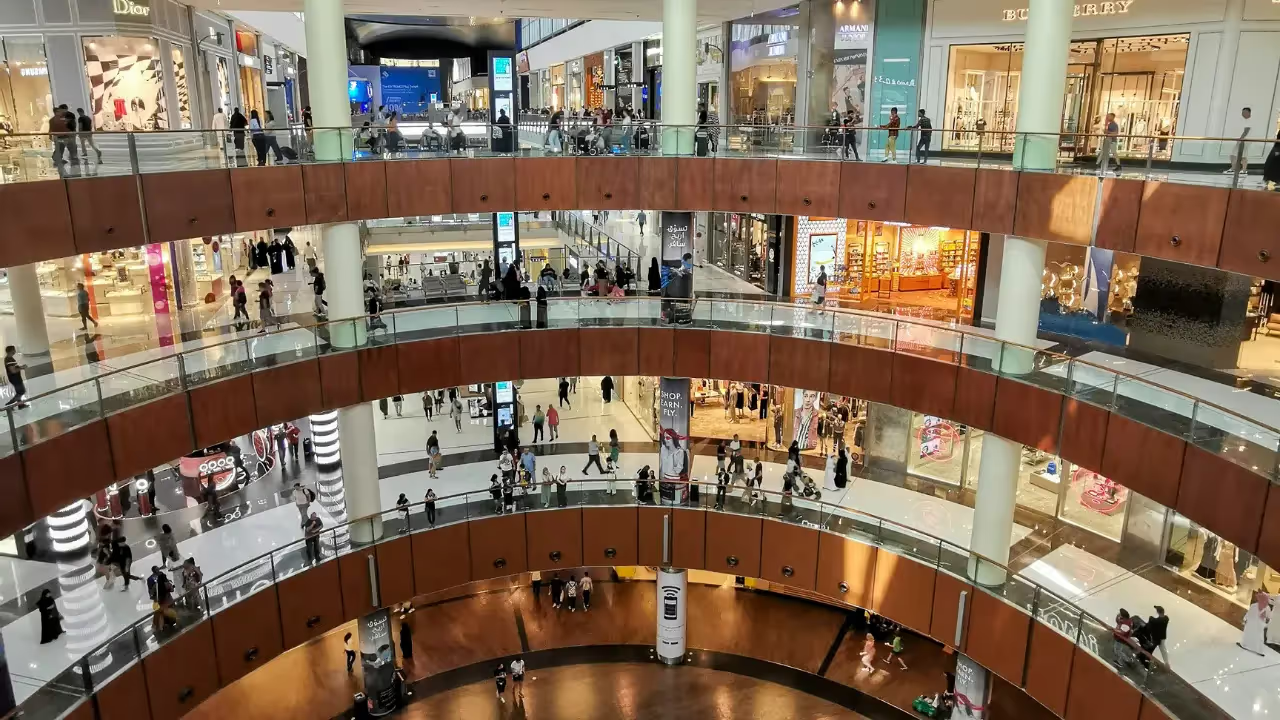
In today’s retail market, these digital screens are no longer a nice extra; they are a basic part of a modern mall. As shoppers get used to digital tools in their daily lives, malls are turning into experience-focused spaces where technology connects online browsing with in-person shopping. From social media walls that build a sense of community to AI-based maps that adjust to each visitor, digital signage acts as the core system behind a modern “smart mall.”

What is digital signage for shopping centers?
How does digital signage differ from traditional signage?
The main difference is that communication moves from fixed to moving and changeable. Traditional signage is a “print once and leave it” method; once a poster or banner goes up, it stays the same until someone takes it down and replaces it. This takes time, manual work, and creates a lot of waste. Digital signage, in contrast, lets you update content in seconds. If a store starts a flash sale or a corridor is closed, every screen across the mall can show this change almost immediately.
Digital signage also uses motion and sharp, bright images to catch the eye better than paper. Studies show that moving visuals get far more attention, with digital displays gaining up to 400% more views than static signs. Over time, this makes digital signage more efficient and often cheaper, since there are no ongoing printing costs and one screen can rotate many different messages.
What types of digital displays are used in shopping centers?
Shopping centers use several types of displays based on location and goal. LED Video Walls are the most striking, often placed in central atriums or main entrances to create big visual impact. These large displays are ideal for strong brand campaigns and mall-wide messages. Interactive Kiosks are common near entrances and at key intersections, offering touch-based wayfinding and store directories.
Beyond that, malls often use Standard Digital Displays in hallways and seating areas for daily news, promos, and alerts, and Digital Menu Boards in food courts to show menus, prices, and even live wait times. Newer options include Touchless Screens, which work with gestures or phone scans, and Smart Mirrors-like those used by Burberry-that change from a regular mirror into a screen showing runway videos of the item a shopper is trying on.
Key benefits of using digital signage in shopping centers
Increases shopper engagement and dwell time
Digital signage improves the look and feel of a mall, making it feel current and appealing to digital-native shoppers. By showing fun or useful content-like trivia, short videos, or news-malls turn a basic shopping trip into a more enjoyable visit. When customers are entertained and informed, they tend to stay longer, visit more stores, and spend more.
Bright, fast-moving displays in windows and storefronts act like visual magnets. This buying atmosphere is especially important for physical stores that compete with online shops. By offering a lively, sensory environment, malls stay relevant gathering places instead of just being places to make purchases.
Improves wayfinding and navigation
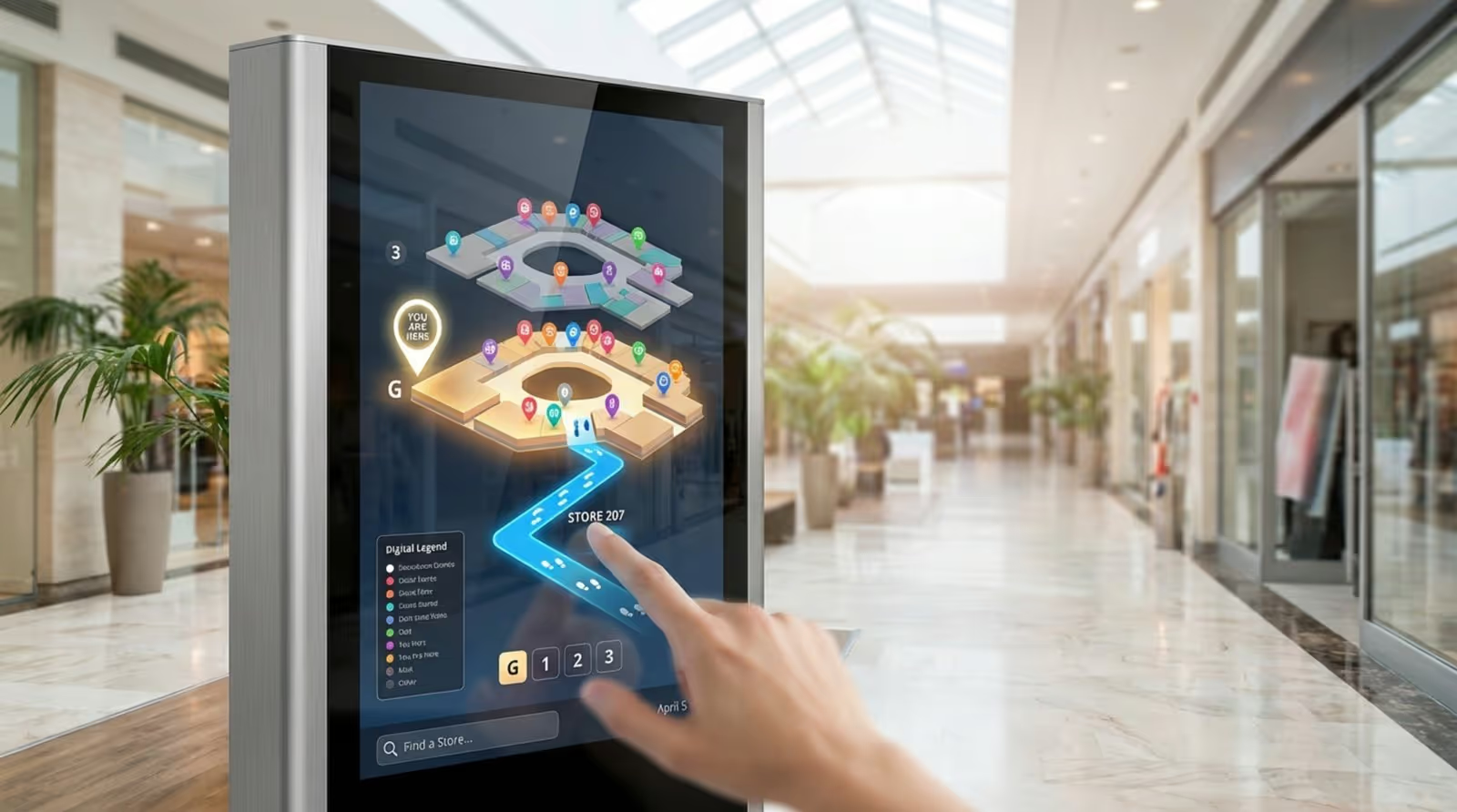
Large malls can be confusing, and confusion quickly damages the visitor experience. Digital wayfinding screens and interactive maps reduce this stress by giving clear, step-by-step directions. Some systems let shoppers scan a QR code so they can keep the map on their phone, helping them move easily from the parking area to their chosen stores.
These maps are simple to update. When a new tenant opens or another one moves, staff can update the directory in seconds. This keeps information current and avoids the frustration of printed maps that still show closed or relocated stores.
Boosts sales through targeted promotions
Digital signage influences buying decisions right when shoppers are already on site. Research shows 8 out of 10 people have entered a store because a digital screen caught their eye. Over 40% of customers say digital displays affect what they buy by showing helpful information close to the product or store.
Retailers can use these screens to build urgency with countdown timers or highlight “today only” offers. By showing the right message at the right moment-like promoting umbrellas when it rains or cold drinks during hot weather-malls can quickly shift foot traffic and see sales jumps of up to 33%.
Supports safety and emergency communications
During an emergency, digital signage acts as an important safety channel. Mall managers can switch all screens to show clear instructions, exit routes, or weather warnings. This single, unified message means everyone gets the same guidance at the same time, which helps reduce panic and guides people toward safe exits.
Because updates are instant, screens can also give fresh directions if certain exits are blocked. Printed signs cannot react this way, so digital displays provide a much higher level of support for safety efforts.
Reduces operational costs compared to print signage
While buying digital screens costs more at the start than printing posters, long-term savings are usually large. Malls no longer need to pay for printing, shipping, and installing new posters for every season or campaign. Digital content can be made and sent from one central dashboard, saving time and staff effort.
Malls can also earn new income by selling ad space on their screens to tenants and outside brands. This turns signage into a revenue stream instead of just an expense and helps the system pay for itself over time.
What are the most effective uses of digital signage in shopping centers?
Displaying sales, deals, and advertisements
The most common use is promoting retail offers. Screens placed in busy walkways can rotate deals from many tenants, making sure shoppers hear about sales they might otherwise miss. Price and promo boards can be digitized so retailers can update offers quickly based on stock levels or time of day.
Dynamic ads let you mix different types of content. For example, a screen might show a high-fashion campaign for one brand, then switch to a “Buy One Get One” offer for a nearby café. This variety stops the content from fading into the background and gives many tenants a chance to be seen.
Interactive wayfinding and digital maps
Interactive kiosks change how people move through a mall. Instead of just showing a “You Are Here” marker, they let users search by store name, category, or product type. Some systems can plan routes for visitors with mobility needs, highlighting elevators and avoiding stairs.
Certain malls pair these maps with AI tools to suggest routes. By tracking typical foot traffic, the system can guide visitors along less crowded paths, making their visit smoother and faster.
Showcasing events and brand campaigns
Malls often host events such as holiday displays, live music, meet-and-greets, and pop-up markets. Digital signage is ideal for building interest before and during these activities. Countdowns and teaser clips can run days or weeks in advance to encourage people to come back.
For brand campaigns, big LED walls can show 3D visuals or cinematic videos that make a strong impression. This works especially well for premium brands that want to keep a high-end image using rich visual stories.
Sharing community news and updates
Malls can use their screens to share local news, charity projects, or school activities, helping the center feel like part of the community. They may offer screen time to local non-profits to recruit volunteers or support food drives, which builds loyalty and goodwill with nearby residents.
Entertaining shoppers with social media walls and video content
By linking to social platforms, malls can bring online activity into the physical space. Live walls that show posts with a specific mall hashtag encourage visitors to share photos and comments. This user-created content acts like public recommendations and helps promote the center without extra ad spend.
Short entertainment pieces-like quizzes, fun facts, or local weather-can run between ads. This gives people a reason to keep looking at the screens even when they are not searching for a special offer, which increases overall visibility for all content.
Supporting food court ordering and menus
In food courts, digital menu boards make ordering smoother. Restaurants can quickly switch menus by time of day, moving from breakfast to lunch or dinner without manual effort. Screens can also show real-time wait times for popular spots or use simple color codes on a seating map (green for free tables, red for full areas) to help visitors find a place to sit.
What to think about when setting up digital signage in a shopping center
Choosing the right display technology and hardware
Hardware is the base of any digital signage setup. Malls can use commercial displays, Android TVs, or existing smart TVs with media players attached. For constant use, dedicated signage players, like the Look HD-2222, is a good choice because they handle 24/7 work and keep visuals clear and stable.
You also need to think about the physical setting. A screen in a bright, sunlit atrium needs higher brightness than one in a shaded hallway. Investing in good-quality screens and players helps the mall look professional and reduces breakdowns or flickering displays.
Strategic screen placement for maximum visibility
Where you put screens matters as much as what they show. Place them where people naturally slow down or gather: entrances, escalators, elevators, food courts, and seating zones. Think about the “shopper path”-what people need to see when they arrive, while they walk, and when they rest or eat.
A large map near the main entrance helps new visitors find their way, while screens near shop windows work best for promos. Height and angle also matter; content should be easy to read for children, adults, and people in wheelchairs.
Selecting an efficient content management system (CMS)
The CMS is the software that controls what appears on each screen. A good CMS, such as Look Digital Signage, should be simple to use and let you manage the whole network from one dashboard. Helpful features include built-in templates and scheduling tools so teams can plan campaigns days or weeks in advance.
The CMS should handle many file types, including HD video, JPEG, PNG, and live social feeds. It should also support bulk updates, so a single change-like a new holiday greeting-can update dozens or hundreds of screens at once.
Maintaining reliable connectivity and infrastructure
Digital signage depends on a stable network to get new content and, when needed, to stream live feeds. Malls must choose between Wi-Fi and wired (Ethernet) connections. Wi-Fi is quicker to install, but wired links usually give more stable performance, especially for high-resolution video. Weak connections can cause frozen images or black screens, which look unprofessional.
Organizing roles and content workflows
To keep screens current, you need clear roles and processes. Decide who creates graphics, who writes messages, who approves content, and who manages scheduling. Without this, old or wrong messages can stay on-screen, such as holiday content running long after the date has passed. Automation in the CMS-like setting end dates-helps content stop at the right time.
Best practices for digital signage content in shopping centers
Balancing promotional and informational content
Filling screens with only ads leads to “ad blindness,” where people tune out everything. A better mix is the 70/30 rule: about 70% helpful or entertaining content (maps, news, weather, tips) and 30% offers and ads (sales, new stores, limited-time deals). This keeps screens useful, so visitors keep looking at them.
Designing visuals for quick comprehension
Most shoppers are walking while they view screens, so content must be easy to understand in a few seconds. Headlines should be short-around 5-7 words-with large, clean fonts readable from at least 3 meters (10 feet) away. High contrast, such as dark text on a light background, helps in bright areas. Avoid stuffing the screen with too much text; one main image and one clear call-to-action work best.

Using real-time updates and localizing content
Content should change by time of day and situation. Morning schedules might highlight coffee and breakfast, while evenings push restaurants and cinema times. Mentioning local stories-like a local team winning a game-helps visitors feel a stronger link with the mall.
Incorporating user-generated and social media content
Invite visitors to be part of the content. Display live Instagram or TikTok feeds showing posts tagged with the mall’s hashtag. Seeing real people enjoying events or decorations builds trust and encourages others to share their own photos, which keeps content fresh with less design work from staff.
Using data and analytics to improve content
Modern digital signage tools can measure how people react. QR codes, sensors, and camera-based analytics can show how many people walk by, how many stop, and which messages lead to scans or visits. This lets teams test different layouts or messages and adjust based on real results, improving return on investment over time.
Common challenges and risks of digital signage for shopping centers
Technical failures and maintenance needs
Digital systems can fail like any other tech. A frozen screen or error message hurts the mall’s image. Regular checks and a support plan-either in-house or from vendors like CrownTV or Look-are important. Using reliable hardware and a CMS that supports offline playback helps keep content running even if the network drops for a while.
Content fatigue and outdated messaging
Seeing the same small set of ads on repeat for months makes regular visitors ignore screens. To avoid this, malls should plan a content calendar with frequent changes-weekly or even daily where possible. Automatic feeds for news, weather, or social content can add variety without a lot of extra work.
Privacy and security concerns with interactive features
Interactive kiosks that use personal data or connect with phones must treat privacy as a priority. Malls should protect their networks, anonymize data when possible, and follow local data protection laws. Clear messages about what is collected and why help build shopper trust.
Initial investment and cost planning
Buying high-quality LED screens and a solid CMS can be expensive at first. Mall owners should see this as a long-term investment rather than a short-term expense. A phased rollout-starting with entries, main corridors, and the food court-can spread costs while showing early gains through ad revenue and happier tenants.
How to measure the impact of digital signage in shopping centers
Key performance indicators (KPIs) for success
To check if digital signage is helping, malls should track clear KPIs, such as dwell time (how long people stay in the center), foot traffic increase in certain areas, and engagement (kiosk taps, QR scans, app opens). Comparing results before and after deployment shows how much impact the screens are having.
Tools for tracking engagement and foot traffic
Many signage platforms include built-in analytics. Sensors can count people who pass by and how many pause in front of a screen. Unique QR codes on each display let marketers see which screens send the most visitors to a website, coupon page, or loyalty sign-up.
Analyzing sales uplift and campaign effectiveness
Often the main goal is to grow sales. By working with tenants, mall managers can compare sales during specific campaigns with regular periods. For example, if a “20% off sneakers” ad runs for a week on corridor screens, the store can report whether sneaker sales increased during that time.
Practical recommendations for maximizing digital signage success
Regularly update content to maintain relevance
Set a routine check-such as every Monday-to review what’s live across all screens. Remove expired offers right away, add new tenant openings, and refresh seasonal content on time. Keeping things current makes the mall feel active and well run.
Test display brightness and placement for visibility
Do on-site checks at different times of day. Walk the paths your customers take: is the atrium screen too dim at noon? Is a kiosk blocking a doorway or creating a bottleneck? Small changes in brightness, angle, and position can greatly improve how people see and use the screens.
Train staff on CMS and troubleshooting
Digital signage only works well if staff can manage it. Train marketing and IT teams to use the CMS, upload and schedule content, and fix basic problems, like restarting a player or resetting a screen. This reduces downtime and avoids waiting on outside support for simple issues.
Plan for scalability and future technology upgrades
Digital signage technology changes quickly. Choose a platform that can grow with you. Check that you can add more screens later and that the software can support new features, such as Augmented Reality (AR), AI-based wayfinding, or virtual try-on tools. Planning ahead helps your system stay useful and current for many years instead of needing a full replacement after a short time.
As shopping centers continue to shift toward mixed-use destinations with retail, dining, entertainment, and services, digital signage will play an even bigger role. Beyond advertising, it helps cut paper waste and supports cultural and community content, such as digital art and local stories. Centers that adopt these tools-like the “digital districts” at forward-thinking malls such as Westfield Valley Fair-are better placed to succeed in the next phase of retail. By blending online-style content with in-person experiences, digital signage helps keep the shopping mall an active and valued part of the local community for years ahead.





