

Table of Content
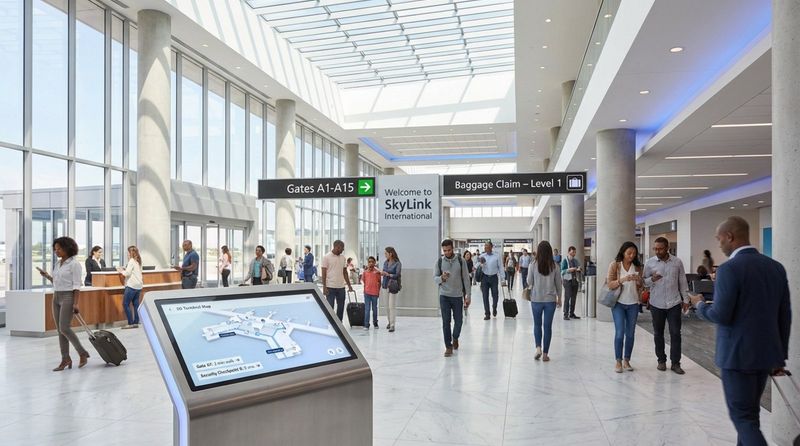
How can you stop visitors from feeling lost the moment they walk through your doors? Cutting-edge directional signage solves this by blending clear physical markers with dynamic digital tools to guide people through hospitals, corporate campuses, and transit hubs. Modern navigation isn't just about arrows on a wall; it is a mix of reliable materials and smart software designed to reduce confusion and improve traffic flow.
Effective directional systems act as a silent concierge. By combining architectural elements with digital signage software like Look Digital Signage, you can create a seamless experience that reduces cognitive load. Whether it is a static metal plaque or a digital kiosk updated in real-time, the goal remains the same: helping visitors move through your space with confidence and efficiency.
What is Cutting-Edge Directional Signage?
How directional signage improves navigation and user experience
The primary job of wayfinding is to reduce anxiety. Entering a complex environment like a large airport or medical center often triggers the "where do I go?" stress response. Modern signage addresses this by providing clear, consistent paths. By using logical icons and color-coding, you help visitors absorb information at a glance, minimizing the time they spend searching for their destination.
Beyond basic directions, these systems give visitors a sense of control. When someone can find a specific department or gate without having to flag down a staff member, their overall impression of your facility improves. In high-stakes environments, such as emergency rooms, clear and accessible information transforms a chaotic experience into a manageable one. Good wayfinding guides people without getting in their way.
Key features of modern wayfinding systems
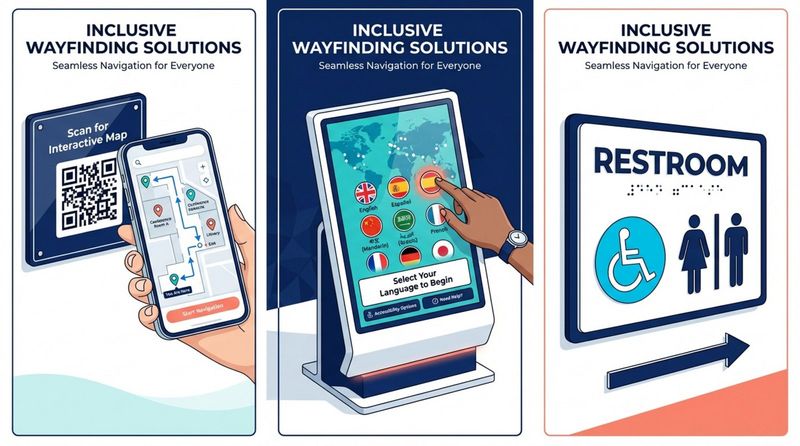
Today's most effective systems are defined by flexibility and connectivity. A major advancement is the integration of mobile tech-using QR codes on screens or physical signs to let visitors "take the map with them" on their smartphones. This ensures guidance continues even after they walk away from the main directory.
Inclusivity is another non-negotiable feature. Modern setups follow universal design principles to ensure information is accessible to everyone. This includes high-contrast visuals for low-vision users, tactile elements for the blind, and simple iconography for international visitors. With digital solutions, you can even switch languages on a kiosk instantly, making your signage responsive to the specific needs of the person standing in front of it.
Which Types of Directional Signage Are Available?
Traditional static directional signage
Static signage remains the backbone of most wayfinding strategies. These fixed elements-wall-mounted directories, overhead hanging signs, and floor graphics-provide permanent, always-on guidance. Modern static signs often use durable materials like high-pressure laminates or etched metal to ensure longevity and maintain a professional aesthetic.
Static signs are also essential for safety and compliance. Fire exits, room numbers, and restroom identification must be visible regardless of power status. A smart approach often involves modular systems, where individual panels can be replaced if a tenant moves or a room function changes, preventing the need to replace the entire fixture.
Digital wayfinding and LED displays
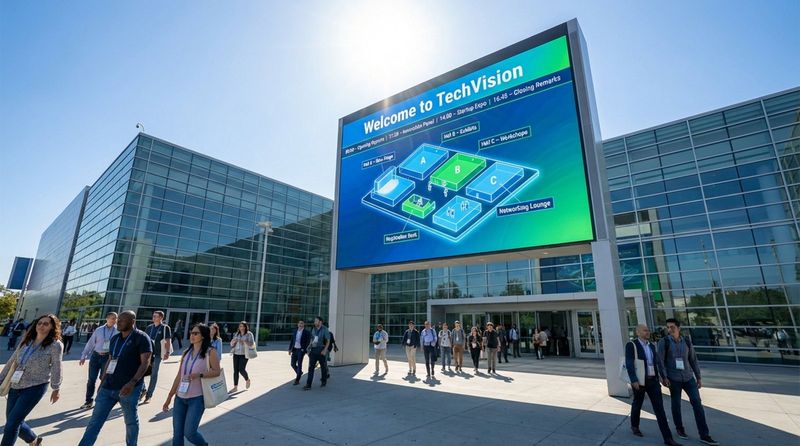
Digital signage has transformed how businesses manage navigation. Using high-resolution displays and cloud-based platforms like Look Digital Signage, you can update directories and maps in minutes from anywhere. This is vital for venues with changing schedules, such as convention centers or university campuses. A single screen can display a welcome message in the morning, a session map at noon, and exit guidance in the evening.
These displays can also visualize real-time data. For example, a screen in a transit hub can show live bus arrivals alongside a facility map. With Look CMS, you can use smart scheduling to automate these changes, ensuring the right information appears exactly when it is needed. High-brightness LED panels ensure this content remains readable even in sunlit outdoor areas.
Interactive signage with smart technology
Interactive kiosks represent the top tier of user engagement. These touch-enabled units allow visitors to search for specific doctors, offices, or stores. Using features like the Interactive Scenarios in Look DS, you can build navigable menus and directories without complex coding. Some advanced setups even support "blue-dot" navigation, pushing a custom route to a user's mobile device.
Touchless technology is also gaining traction. Voice activation and gesture control allow users to ask for directions-"Where is the radiology department?"-and receive visual and audio guidance without physical contact. This capability is particularly valuable in healthcare settings where hygiene is a priority.
Temporary and portable directional signs
Not every navigation need is permanent. For events, construction detours, or pop-up retail, temporary signage fills the gap. These solutions are designed for quick deployment using lightweight, weather-resistant materials like corrugated plastic or fabric frames. They provide a professional look without the heavy installation costs of permanent fixtures.
Portable digital signage is also an option. Using the Look App on a tablet or a mobile TV stand, you can roll out a digital directory for a specific event and then move it elsewhere. This flexibility allows you to adapt to immediate wayfinding needs while keeping your content fresh and accurate.
Specialty signage: ADA-compliant, architectural, and branded solutions
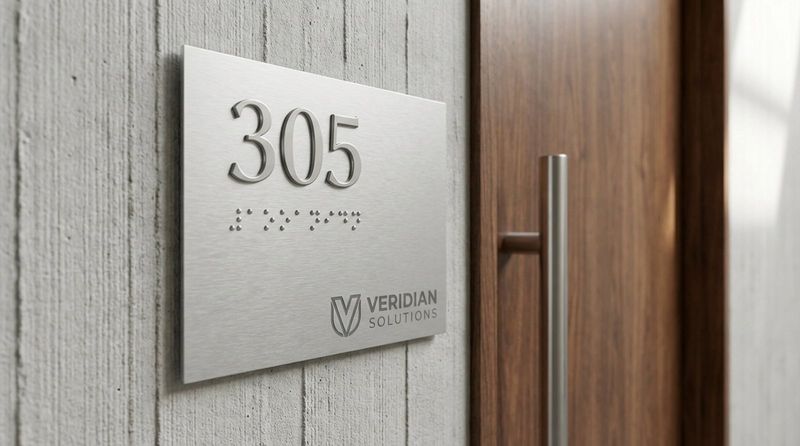
Specialty signage addresses regulatory and branding requirements. ADA (Americans with Disabilities Act) compliance is critical, requiring specific tactile characters and Grade 2 Braille. Modern architectural signage integrates these mandatory elements into the building's design language, using materials like brushed metal or wood to ensure accessibility doesn't compromise style.
Branded wayfinding reinforces your identity. By applying your specific fonts, colors, and logos to directional markers, you turn functional signs into brand touchpoints. This ensures that as visitors navigate your space, they are constantly reminded of where they are and the culture your brand represents.
What Materials Are Used for Directional Signage?
Aluminum and metal: durability for outdoor use
Aluminum is a standard choice for outdoor signage due to its strength-to-weight ratio and natural rust resistance. It can be powder-coated to match brand colors or brushed for an industrial look. For locations requiring a sense of permanence and prestige, heavier metals like stainless steel or bronze are often selected.
Composite panels, often known as "DiBond," sandwich a plastic core between thin aluminum sheets. This results in rigid, lightweight signs ideal for large exterior directories or pylons that must withstand wind loads without warping.
Acrylic and polycarbonate: modern aesthetics and flexibility
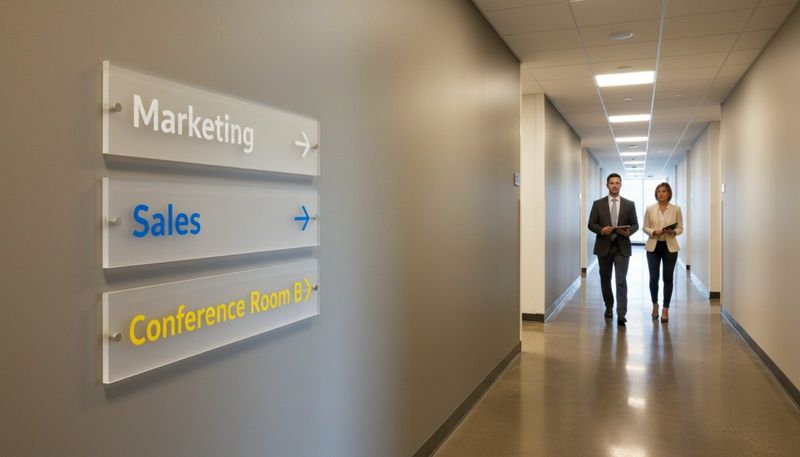
Acrylic offers a sleek, glass-like appearance often seen in corporate offices and hotels. It is lighter and safer than glass, with high impact resistance. Acrylic can be back-painted, frosted, or layered to create depth, making it a favorite for interior door signs and lobby directories.
Polycarbonate is an even tougher alternative, virtually unbreakable and suitable for high-traffic or vulnerability-prone areas like parking garages. Both materials can be laser-cut into precise shapes, allowing for creative, custom layouts.
PVC and foam board: cost-effective, lightweight options
For indoor projects where budget is the primary driver, expanded PVC is a reliable option. Its matte finish reduces glare, ensuring text remains readable under harsh overhead lighting. It is lightweight and easy to mount, making it practical for general indoor use.
Foam board is typically the most affordable material, best suited for short-term applications like presentations or temporary event wayfinding. While not designed for longevity, it holds high-quality prints well for brief durations.
Vinyl and window graphics: versatility and custom designs
Vinyl is incredibly versatile, adhering to walls, floors, and glass. Floor vinyl with non-slip laminates is excellent for creating visible paths or queue lines. In complex facilities, colored lines on the floor can guide visitors more intuitively than text alone.
Window graphics offer a dual benefit: privacy and information. Frosted vinyl on glass doors can display room names while obscuring the view inside. This material is easy to update-if a room's function changes, the vinyl can be removed and replaced without buying new hardware.
Wood and composite materials: classic and natural appearances
Biophilic design helps soften modern commercial spaces, bringing wood back into signage trends. Reclaimed wood, bamboo, and composites add warmth and texture, contrasting with the sleek surfaces of modern tech. These materials are popular in eco-conscious offices, parks, and resorts.
To ensure longevity, wood signs are treated with UV-resistant finishes. Combining wood with modern elements like acrylic or digital screens creates a balanced aesthetic that feels both grounded and advanced.

Digital hardware: LED panels, touchscreens, and sensor integrations
In the digital realm, "materials" refers to the hardware components. Commercial-grade screens are built to run 16/7 or 24/7, unlike consumer TVs. For reliable performance, many businesses pair these screens with the Look HDMI Player, a plug-and-play device designed to keep content running smoothly. Offline playback features ensure that even if the internet drops, your directory keeps displaying the cached content.
Protection is vital for digital hardware. Outdoor screens require weatherproof enclosures with temperature control, while interactive indoor kiosks need durable glass that can withstand constant touching and cleaning.
How to Choose the Best Material for Your Environment
Indoor vs. outdoor considerations
Location dictates material choice. Indoor signs are protected from the elements, allowing for delicate finishes and materials like foam board or standard acrylic. The priority indoors is often aesthetics and readability under artificial light.
Outdoor signs face a harsher reality. They must endure rain, wind, and temperature fluctuations. Aluminum and polycarbonate are superior choices here. Proper installation is also critical; outdoor pylons require concrete footings and stainless steel hardware to remain secure over time.
Weather resistance and UV stability
Sun exposure is a silent destroyer of signage. UV rays fade ink and degrade plastics quickly. For outdoor applications, always specify UV-stable inks and laminates. In some urban areas, anti-graffiti laminates are a smart investment, allowing you to clean off spray paint or marker without damaging the sign face.
Coastal environments pose unique challenges due to salt air. In these regions, marine-grade aluminum or specialized coatings are necessary to prevent rapid corrosion.
Longevity, durability, and maintenance needs
Consider the total lifespan of the sign. High-traffic corridors in schools or hospitals need impact-resistant materials that can handle daily wear and tear. Maintenance protocols differ as well: static signs need occasional cleaning, while digital networks require software management. Using a platform like Look Digital Signage simplifies this by allowing you to monitor screen health and proof-of-play remotely.
Future-proofing is also key. Modular static systems allow for easy updates. Similarly, choosing a scalable digital signage software ensures that as your network grows from one screen to one hundred, your management workflow remains simple.
Sustainability and eco-friendly material options
Sustainability is increasingly a standard requirement. Many organizations now opt for recycled plastics, bamboo, or VOC-free inks. On the digital side, energy efficiency is improving, with screens that dim automatically based on ambient light to save power.
Responsible disposal is part of the lifecycle. Consider materials that can be recycled at the end of their service life. Look for manufacturers with take-back programs to help your organization meet its environmental goals.
How Much Does Cutting-Edge Directional Signage Cost?
Average cost ranges by signage type
Costs vary widely based on materials and technology. A standard indoor acrylic sign might cost between $50 and $150. A substantial outdoor monument sign involves construction and materials, ranging from $2,000 to over $10,000. These are capital investments meant to last for years.
Digital solutions have a different cost structure. A commercial screen and media player setup can start around $500 to $1,500 per endpoint, depending on size. Interactive kiosks are significant investments, often ranging from $3,000 to $20,000+. However, the software component-like Look DS-is typically a predictable subscription that scales with your network size.
Cost comparison: traditional vs. digital signage
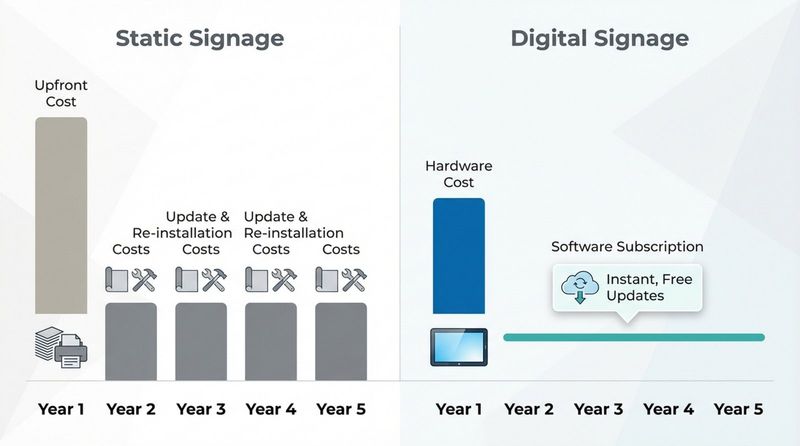
When budgeting, compare the Total Cost of Ownership (TCO). Static signage has a high upfront cost but low operating expenses-until you need to change it. Every update requires design, printing, and physical re-installation.
Digital signage requires an initial hardware purchase and a software subscription, but it eliminates re-printing costs. For environments that change frequently, such as conference centers or rotating office spaces, digital signage often becomes cheaper over time because updates are free and instant. You can change a room name or event schedule in seconds via the Look CMS dashboard.
Factors influencing price: size, complexity, and installation
Size impacts material costs, but complexity drives labor costs. Custom fabrication, internal lighting, and specialized finishes increase the price significantly. Planning is another cost factor; for complex campuses, hiring a wayfinding consultant ensures the system logic works before any hardware is purchased.
Installation costs should not be underestimated. Mounting a tablet on a wall is simple, but installing a large outdoor pylon requires permits, engineering, and heavy equipment. In some municipalities, permitting and structural work can add 20% to 30% to the project budget.
Cost-saving tips for signage projects
Standardization is a proven way to reduce costs. Ordering standardized sizes and materials in bulk lowers the unit price and simplifies future repairs. Keeping spare components on hand is cheaper than rushing a custom order when a sign is damaged.
A hybrid approach is often the most efficient. Use premium digital screens in high-impact lobbies where information changes daily, and rely on cost-effective static signs for permanent locations like restrooms and stairwells. Furthermore, you can save on hardware by using existing equipment. The Look App is compatible with many smart TVs and media players you may already own, allowing you to deploy digital signage without buying new screens.
Looking forward, technologies like Augmented Reality (AR) may bridge the gap further, using physical signs as anchors for digital content on mobile devices. Regardless of the tech, the best value comes from a system that is reliable, easy to manage, and clear for your visitors.


