

Table of Content
Did you know that only 21% of employees globally feel engaged at work? That's according to Gallup's 2025 State of the Global Workplace report, and it's a problem that costs companies billions in lost productivity every year.
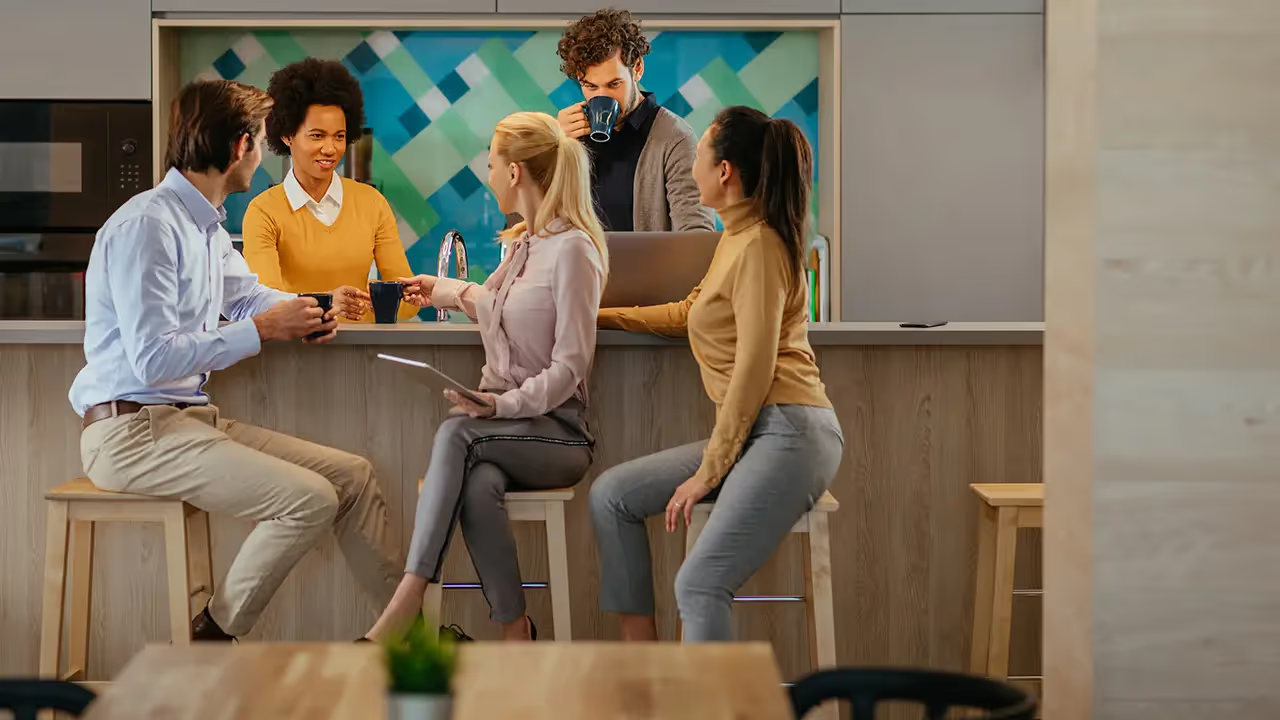
One place you might not have thought to address this? Your break room.
Employees already spend time there, which makes it the perfect opportunity to remind them about health and wellness, upcoming events, and ways to connect with each other. With the right HR digital signage strategy, you can transform the breakroom into a space employees look forward to visiting.
In this post, we'll walk through 20 digital signage ideas specifically designed for corporate break rooms. Each one is practical, engaging, and easy to implement with Look Digital Signage.
Ideas for Small and Medium Businesses (1–5 Screens)
If you're running a smaller operation, you probably don't have a dedicated IT team or a communications department with time to spare. You need digital signage that delivers results without becoming another thing to manage. These five ideas work well even with a single screen in your staff lounge, and they're designed to be set up quickly and maintained with minimal effort.
1. Monthly Birthday and Anniversary Recognition
A simple birthday and anniversary display can go a long way toward making team members feel valued. For smaller teams, there's often no need to automate this through HR system integrations. A single slide updated at the beginning of each month with that month's birthdays and work anniversaries takes about ten minutes to create using a pre-designed template. It's personal, it's low-effort, and employees genuinely appreciate seeing their names on screen.
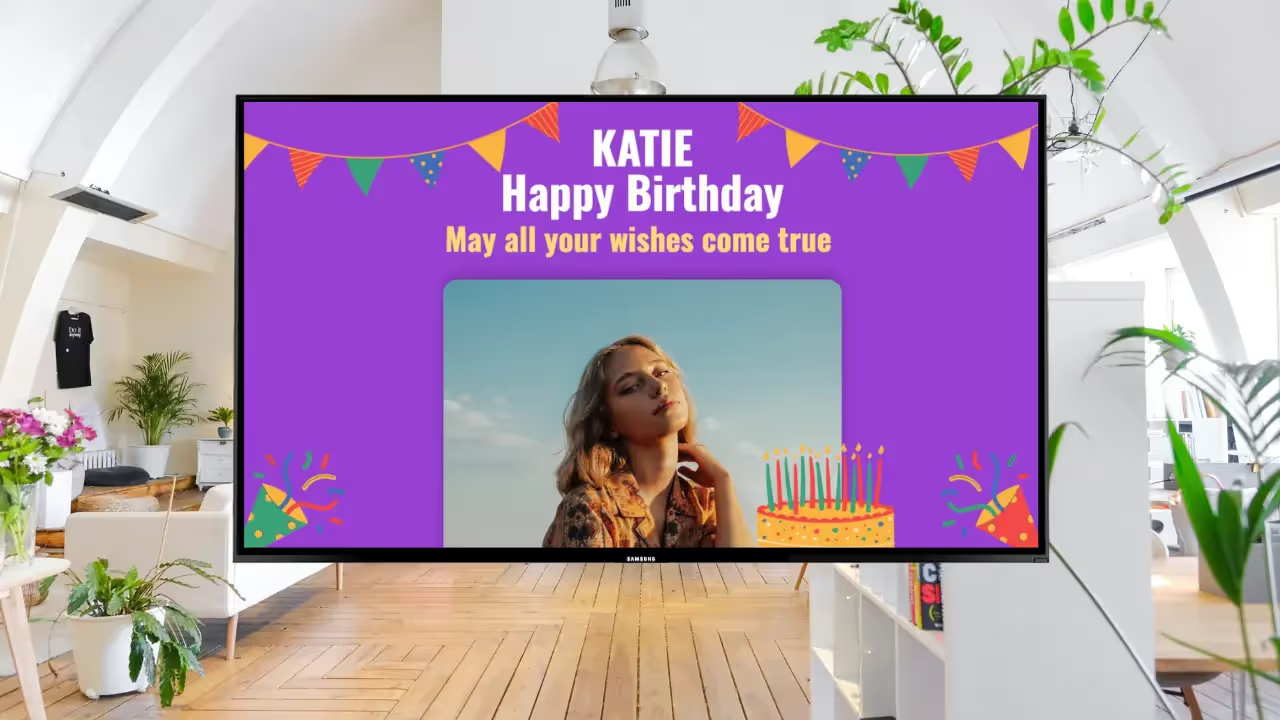
Look Digital Signage has a built-in Google Slides integration, so if your team already uses Google Workspace, you can design your recognition slides in a familiar environment and have them sync automatically to the display. Any edits you make in Google Slides push directly to the screen without manual uploads.
2. Weekly Team Wins Recap
In smaller organizations, people usually know what their immediate colleagues are working on, but visibility across departments can still be limited. A weekly recap slide highlighting three to five accomplishments helps make sure wins get shared across the whole company. This might include closed deals, shipped features, positive customer feedback, or completed projects. It takes about fifteen minutes to update each Friday, and it creates a sense of collective momentum that reinforces team spirit.
Look's content creator tool includes 300+ customizable templates you can adapt for this purpose, so you can maintain a consistent visual format week after week.
3. Company Values and Mission Reminders
It's easy for day-to-day work to feel disconnected from the bigger picture, especially when everyone's focused on immediate tasks and deadlines. Displaying your company values, mission statement, or quarterly objectives in the break room serves as a subtle but steady reminder of what the organization stands for and where it's heading. This type of content doesn't need frequent updates, but it helps reinforce organizational identity, especially during periods of growth or change.
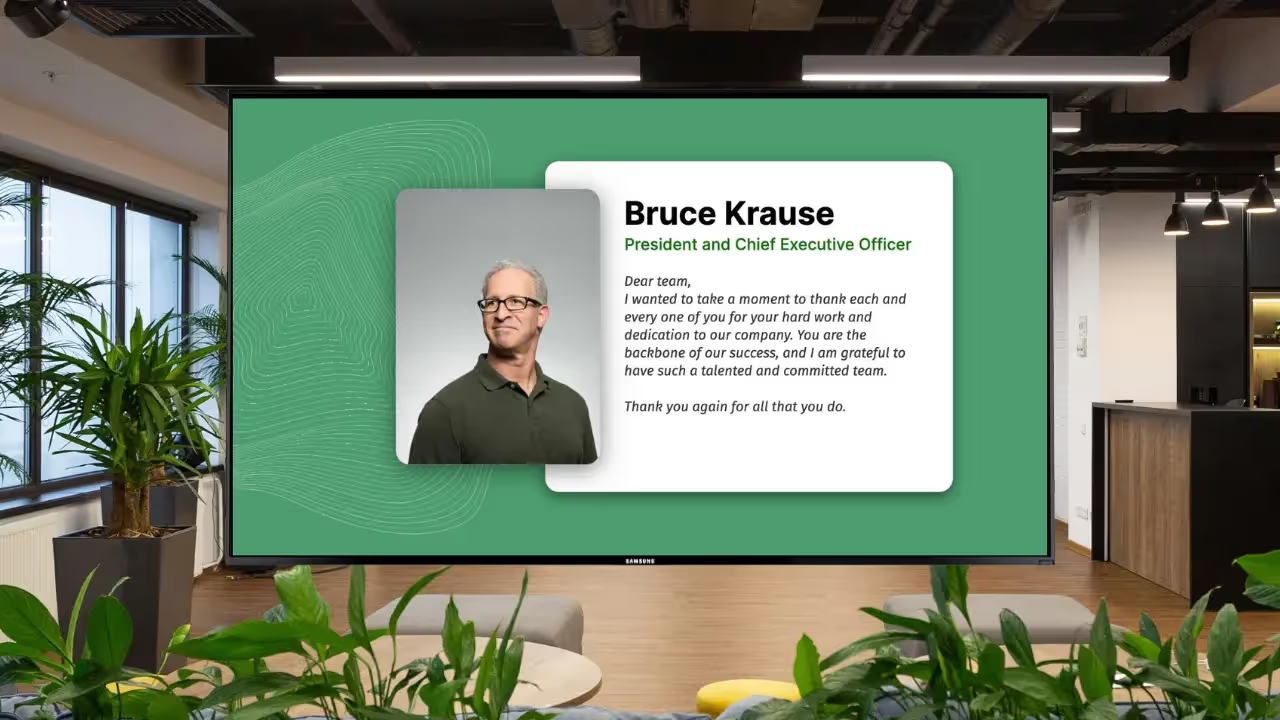
Look's scheduling feature lets you run this kind of foundational content continuously in the background while other content rotates in the foreground. With the screen zoning capability, you can dedicate a persistent section of the screen to values or objectives while the remaining space cycles through more dynamic content like announcements or recognition.

4. Combined Information Display
When you're working with a single screen, you need to make every pixel count. A multi-zone layout lets you show several types of content at once, so employees get a variety of useful information in a single glance. A typical setup might include company announcements in the main section, a weather widget in one corner, and an upcoming events list along the bottom.
Look's Content Creation tool gives you a drag-and-drop interface for creating these split-screen configurations. The platform includes built-in widgets for weather, time, and RSS feeds that you can add without any technical setup. The adaptive design feature ensures your layout displays correctly regardless of screen resolution or orientation.
5. Informal Photo Wall
Company culture often develops through small, informal moments like team lunches, office celebrations, or casual interactions that rarely make it into official communications. An informal photo wall captures these moments and displays them in the staff lounge to create a sense of community and shared history. In smaller organizations, the submission process can be as simple as asking people to share photos through a group chat or email.
Look supports all common image formats and doesn't compress your uploads, so photos retain their original quality on screen. If you want to pull content automatically from social media, Look offers built-in social apps for Instagram, Facebook, and X (formerly Twitter) that can display posts associated with a specific hashtag or account.
Ideas for Enterprise Organizations (Multi-Location, Large Teams)
If you're managing digital signage across multiple offices or for a large workforce, your priorities look different from a small business. You need content that scales, systems that don't require constant manual updates, and the ability to maintain consistency across locations while still allowing for local relevance. These five ideas are built with that reality in mind.
6. Automated New Hire Introductions Across Locations
In a company with hundreds or thousands of employees, it's easy to work alongside people you've never met, especially when teams are spread across different offices or regions. Automated new hire introductions help close that gap by displaying information about recently joined team members on staff lounge screens at every location. A typical introduction might include the new hire's name, department, role, office location, and a quick personal note or fun fact.
According to BambooHR, employees who experience a great onboarding process are 18x more committed to their employer.
Manually creating these slides for every new employee isn't realistic at scale. Look's Zapier integration allows you to connect your HR system or applicant tracking software directly to the platform, so new hire announcements are generated and scheduled automatically whenever someone joins. The introductions go live without anyone on your communications team needing to lift a finger.
7. Department and Regional News Feeds
It's common in large organizations for important updates from one department or region to never reach employees elsewhere. A centralized news feed in the employee break room area helps surface these updates so employees across the company stay informed about what's happening beyond their immediate team.
Look integrates with Slack and Microsoft Teams through Zapier, which means messages posted in designated channels can flow directly to your signage displays. When a sales team celebrates a big win or a product team announces a new feature, that update can appear on break room screens automatically.
You can use Look's tagging and screen grouping features to control which content appears at which locations, so employees see what's relevant to them while still getting visibility into the broader organization.
8. Real-Time KPI and Performance Dashboards
If your organization tracks key performance indicators, displaying them in common areas can help keep teams aligned and focused. Break room dashboards might show sales numbers, production targets, customer satisfaction scores, or other metrics that employees can actually influence. When people see the numbers regularly, it creates a sense of accountability and helps connect daily work to bigger organizational goals.
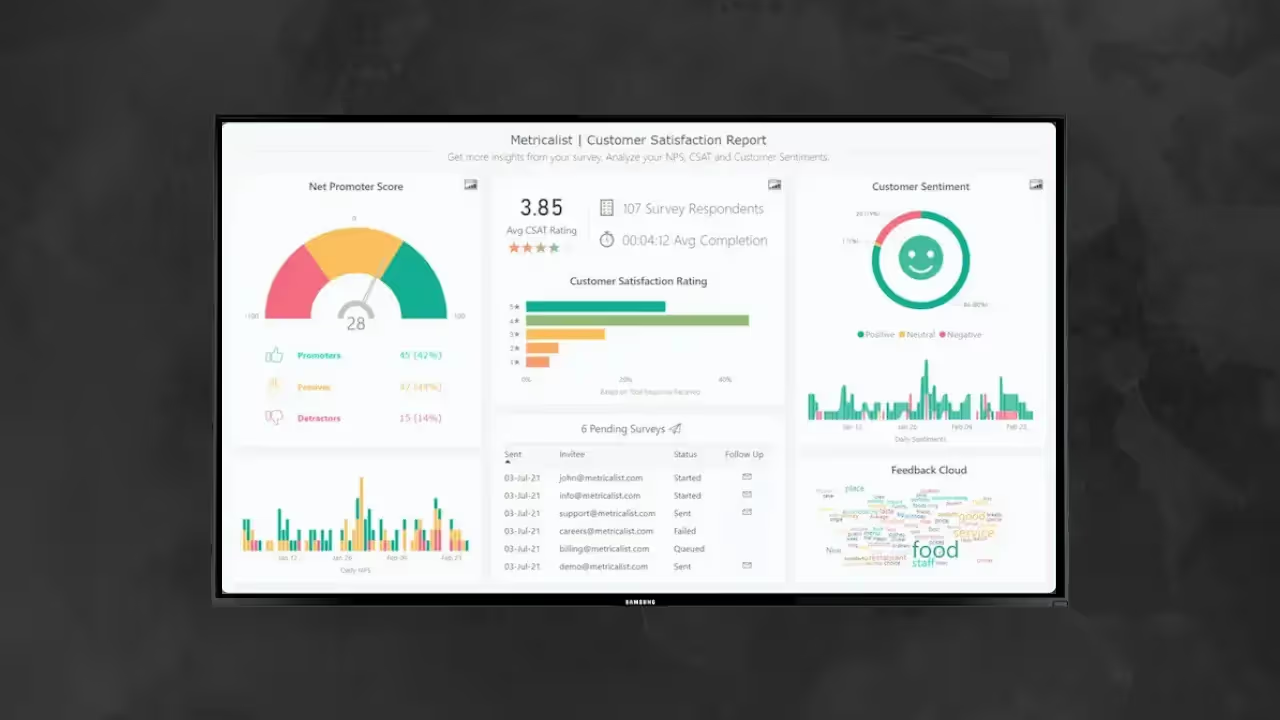
Look's Power BI integration lets you display existing business intelligence dashboards directly on your signage screens. If you're already using Power BI for internal reporting, you can surface those same visualizations in break rooms without rebuilding anything.
Read also: How To Display Power BI Dashboards on Digital Signage with Look DS
For teams using other analytics tools, Look's HTML embed support means you can pull in dashboards from virtually any web-based source.
9. Standardized Compliance and Safety Messaging
If you're in a regulated industry or have significant safety requirements, you already know how important it is to ensure certain messages reach every employee, every time. This might include workplace safety reminders, compliance training deadlines, emergency procedures, or policy updates.
Look's centralized content management lets you create compliance and safety content once and push it to every location simultaneously. Proof-of-play reporting in Look CMS documents exactly what content displayed, when, and where, which can be useful for audits or demonstrating regulatory compliance.
Role-based access controls ensure that only authorized personnel can modify this content, reducing the risk of accidental changes.
10. Daily Wellness Tips
According to SHRM, 76% of U.S. workers report at least one mental health symptom, yet most wellness resources sit unused because employees simply forget they exist.
You can show daily wellness tips on your workplace screens to keep wellness top of mind.
To cover most wellness areas, you can set up transitions that rotate through different topics. Maybe ergonomics on Mondays, nutrition on Wednesdays, mental health on Fridays.
If your office has a quiet room or wellness space with aromatherapy, you could use your screens to remind people how to book it and actually encourage them to take that mental health break.
Ideas for Shift Workers and 24/7 Operations
If your organization runs rotating shifts, overnight operations, or continuous production, you're dealing with communication challenges that most office-based companies never think about.
Employees working non-standard hours often miss announcements made during business hours, and the lack of overlap between shifts can make it difficult to keep everyone connected. Break room signage becomes especially valuable as a consistent channel that reaches everyone regardless of when they clock in.
11. Shift-Specific Playlists with Dayparting
Since you're dealing with different shifts that have different needs, one of the most effective things you can do is create separate playlists for each and schedule them to run at the right times. Morning shift employees might need to see different safety reminders, production updates, or resource information than the overnight crew.
Start by creating a playlist for each shift with the content that's relevant to them. Once you've got those set up, head over to the scheduling section in Look and create dayparts for each time window. You set it up once, and the content swaps automatically at shift changes with no manual intervention needed.
12. Safety Metrics and Incident-Free Tracking
Safety-focused organizations often track metrics like incident-free days or near-miss reports, but that data usually lives in spreadsheets or dashboards that most employees never see. Using these numbers as office TV content keeps safety visible and reinforces it as an organizational priority during the moments when employees are most likely to absorb information.
If you're already tracking safety data in Google Sheets, you can connect it directly to Look and have the numbers update in real time on screen. Pull in your incident-free day count, display it prominently, and it refreshes automatically as the spreadsheet changes.
The template library has designs suited for safety communications, so you can get something professional-looking up quickly and customize it to match your branding.
13. Shift-to-Shift Updates
When shifts don't overlap much, important context can get lost. What happened during the day that the night crew needs to know about? What should the morning team be aware of from overnight?
A dedicated space on your staff lounge displays for shift-to-shift updates gives supervisors a simple way to pass information along without relying on email or physical notes that might get missed.
Look lets designated users update content remotely, so an outgoing supervisor can post notes for the incoming team without sticking around. You can also set content to expire automatically, which keeps outdated messages from cluttering the screen.
14. Wellness Resources for Non-Traditional Schedules
Overnight and rotating shift employees deal with health challenges that day-shift workers don't face like disrupted sleep, limited access to services, and the physical demands of working when the body wants to rest. Break room signage can surface wellness resources that speak directly to these challenges, like sleep management tips, nutrition guidance for shift workers, and reminders about available support programs.
One approach is to create a wellness playlist and schedule it to appear during overnight shifts, when employees are more likely to be dealing with fatigue. Look supports video content, so you can include short breathing exercises or wellness clips in the rotation.
Adding a QR code to the layout is easy too. Use the built-in generator to create one, link it to a resource page or appointment booking system, and employees can access more information directly from their phones.
Read more: How to Use QR Codes on Your Digital Signage Efficiently?
15. Round-the-Clock Recognition
Recognition programs in shift-based environments often unintentionally favor day-shift employees. Celebrations happen during business hours, announcements go out when night workers are asleep, and the evening crew misses the moment. Keeping recognition content in rotation across all shifts ensures that everyone gets visibility, regardless of when they work.
Once you schedule recognition content, the offline playback keeps content displaying even if connectivity drops, which matters in facilities where network reliability isn't always guaranteed.
Ideas for Hybrid and Remote-Inclusive Workplaces
If your organization has embraced hybrid work, you're probably still figuring out how to maintain connection and culture when employees split their time between office and home. Screens in the staff lounge might seem less relevant when people aren't in the office every day, but they can actually play an important role. They make in-office time more valuable and help remote employees feel included in company life even when they're not physically there.
16. Remote Employee Features and Introductions
When part of your workforce is rarely or never in the office, it's easy for in-person employees to lose sight of their remote colleagues. Featuring remote team members on your workplace screens through introductions, spotlights, or project highlights keeps them visible and reminds everyone that the team extends beyond the people they see at their desks.
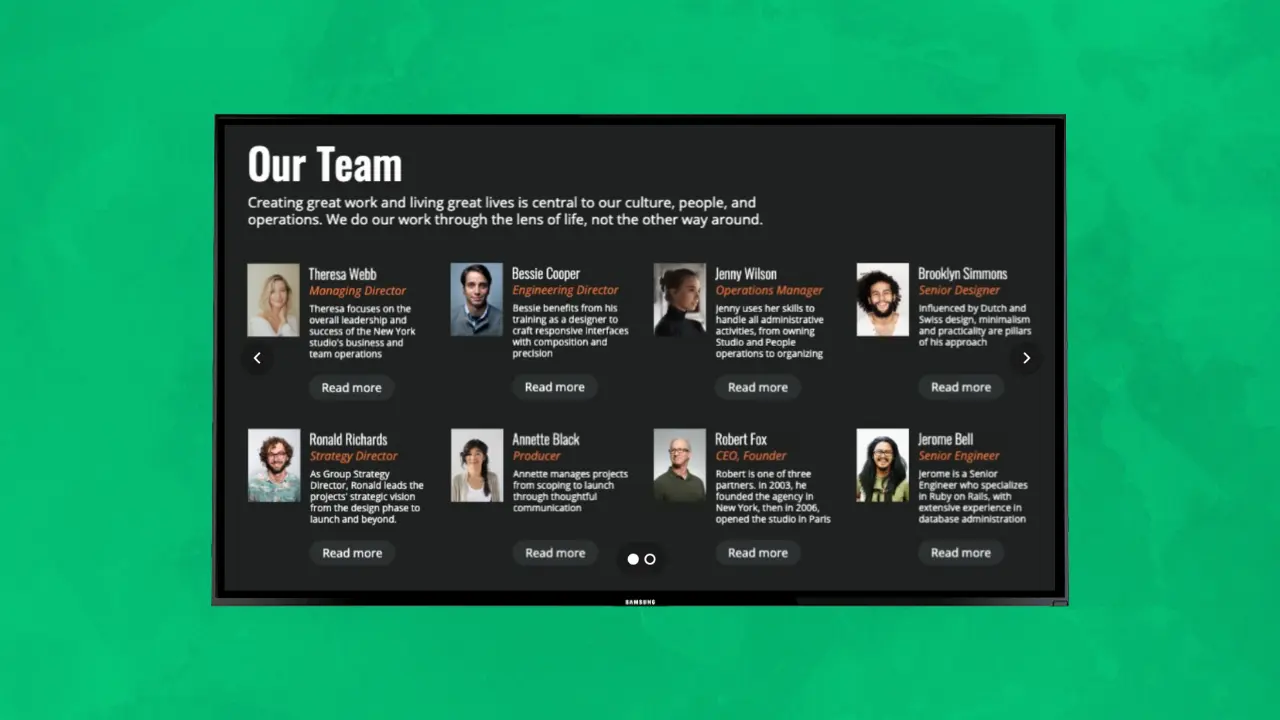
The template library in Look includes designs that work well for employee spotlights, and you can customize them to show remote employees' locations, time zones, and roles. If you want remote employees to contribute to their own spotlight content, the Google Slides integration makes that simple. They update the slide in a tool they already know, and the changes sync automatically to the display.
17. Virtual Event Promotion and Access
Hybrid organizations typically run a mix of in-person and virtual events, and making sure everyone knows about them takes deliberate effort. Your office displays can promote upcoming virtual events to employees during their in-office days, and QR codes make it easy for people to grab event details or register right from their phones.
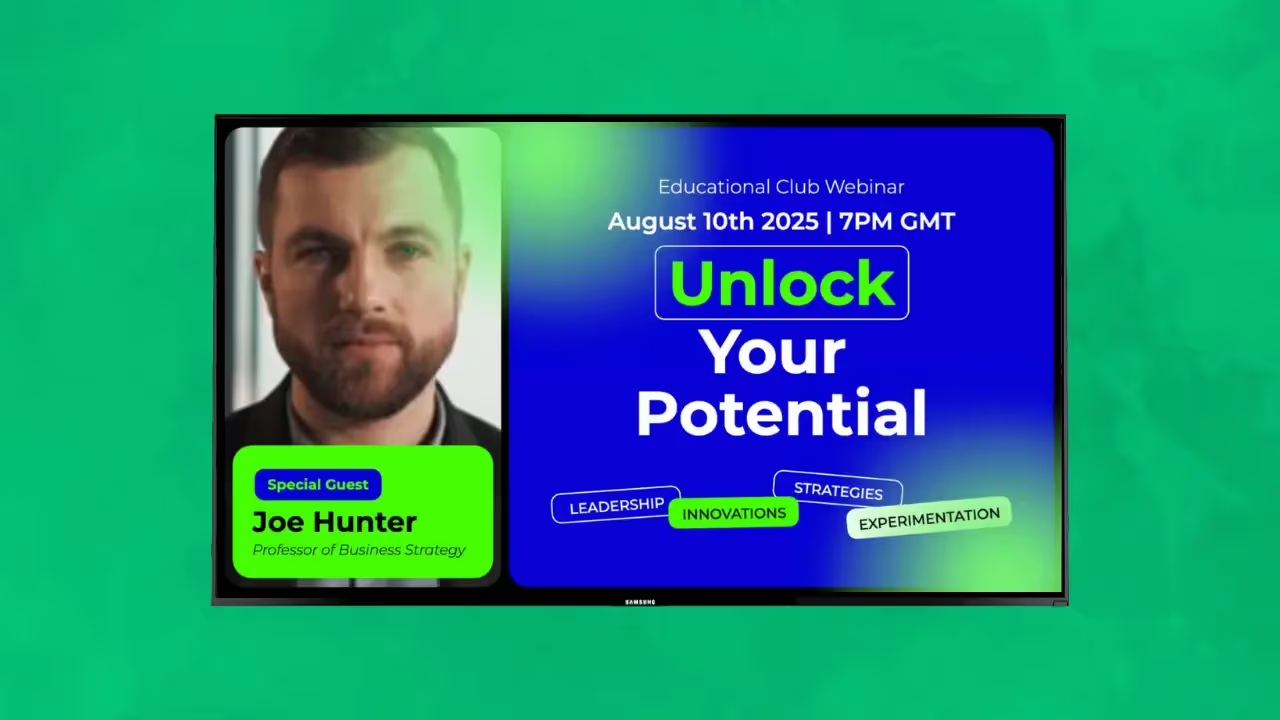
The calendar integrations with Google Calendar and Outlook pull in upcoming events automatically, so you're not manually updating event information every week.
Here’s a more detailed set-up guide: Using Digital Screens as Corporate Wall Calendars
18. Office Attendance Visibility
One of the frustrations of hybrid work is not knowing when your colleagues will actually be in the office. That uncertainty affects decisions about when to come in and makes it harder to plan collaborative work. Showing which teams or individuals are expected in the office on a given day helps everyone coordinate better.
If your organization uses a desk booking system or shared calendar to track in-office days, you can connect it to Look through Zapier. The information shows up in a dedicated zone on the screen and updates automatically as people book or change their plans.
This kind of visibility encourages more intentional planning and increases the chances of the spontaneous collaboration that makes in-office time worthwhile.
19. Shared Achievements Across Work Modes
Recognition shouldn't depend on where someone works. Your office displays can celebrate wins, milestones, and shout-outs that include both in-office and remote team members to reinforce that contributions matter regardless of location.
The centralized content management in Look makes it straightforward to create recognition content that represents employees from all work arrangements. You can also connect recognition tools, project management systems, or internal communication channels through Zapier to surface achievements automatically as they happen.
That way, the display reflects the full scope of what your organization is accomplishing, not just the work of people who happen to be in the building.
20. Digital Community Board
Physical bulletin boards have always served as informal community spaces. Items for sale, event invitations, hobby groups, ride shares. In hybrid environments, moving this to a digital format ensures remote employees can see and contribute to the community board during their office days, and the content stays visible across all locations.
Look's multi-user access lets you set up a submission workflow where employees propose content and an administrator approves and schedules it. QR codes on displayed items can link to more details, sign-up forms, or contact information. These informal connections often matter more for culture than the official communications do.
Accessibility and Inclusivity Considerations
Effective break room signage should be accessible to all employees. Here are key considerations for making your content inclusive:
Visual Readability
- Use sans-serif fonts like Arial, Helvetica, or Verdana for maximum legibility
- Maintain high contrast between text and backgrounds (aim for a contrast ratio of at least 4.5:1)
- Keep text large enough to read from typical viewing distances in your break room
- Avoid content that flashes more than three times per second, which can trigger seizures
- Limit all-caps text to short headings; use sentence case for longer content
Screen Placement
Consider mounting height and viewing angles when positioning your workplace screens. Content should be visible to employees who are seated, standing, or using mobility devices. ADA guidelines recommend specific mounting heights for accessible viewing. If your break room serves employees with visual impairments, consider placing screens where they can get closer if needed.
Audio Considerations
If your break room signage includes audio, keep volume at a reasonable level that doesn't overwhelm conversation or disturb employees who want a quiet break. Consider adding captions to any video content so the message gets across even with sound off or for employees who are deaf or hard of hearing. Look supports video content with embedded captions.
Language and Inclusion
For multilingual workforces, consider rotating content in different languages or displaying key messages in multiple languages simultaneously using Look's zoning feature. This ensures non-native English speakers can access important information. When featuring employee spotlights or recognition, make an effort to represent the diversity of your workforce.
Content Timing
Give employees enough time to read content before it transitions. A good rule of thumb is to allow at least 10 seconds for short text and longer for detailed information. Look's scheduling features let you control exactly how long each piece of content displays. For employees who may need more time to read, slower rotation speeds are more inclusive.
How to Measure Success
Implementing digital signage is just the first step. To maximize its impact, you need to track whether it's actually working. Here's how to measure the success of your break room signage:
Engagement Metrics
- QR Code Scans: Track how many employees scan codes linking to more information, event registrations, or poll voting pages. This is a direct measure of active engagement with your content.
- Poll Participation Rates: Monitor how many votes your polling questions receive. Low participation might indicate the polls aren't interesting or visible enough.
- Event Attendance: Compare event attendance before and after promoting via digital signage. If more people are showing up, your signage is working.
Operational Metrics
- Screen Uptime: Use Look's monitoring features to track what percentage of time your screens are operational. Aim for 95% or higher uptime.
- Content Freshness: Track how often content is updated. Stale content loses effectiveness over time.
- Playback Verification: Use proof-of-play reports to confirm scheduled content actually displayed as intended.
Qualitative Feedback
- Employee Surveys: Include questions about break room signage in your regular employee surveys. Ask if they find the content useful, engaging, and relevant.
- Informal Feedback: Pay attention to whether employees mention or discuss content they've seen. Conversations sparked by signage indicate it's making an impact.
- Submission Rates: If you're running employee-generated content programs like photo submissions or peer recognition, track participation rates over time.
Setting Benchmarks
Start by establishing baseline measurements before launching new content initiatives. Then track changes over time to see what's working. Look's analytics dashboard makes it easy to compare performance across different content types, time periods, and locations.
Make the Most of Your Breakroom With Look Digital Signage
Your break room is already there. Your employees are already spending time in it. Digital signage just gives you a way to make that time count either by recognizing a colleague, sharing a wellness tip, or keeping everyone informed about company news.
You don't need to implement all 20 ideas at once. Start with two or three that feel relevant, see how people respond, and build from there.
Ready to give it a try? Look Digital Signage offers a 14-day free trial with pre-designed templates, scheduling and content creation tools, and integrations to get your break room screens up and running in minutes.
Frequently Asked Questions
How many screens do I need for my break room?
For most break rooms, one to two screens are sufficient. Position them where employees naturally look while eating or relaxing. Larger cafeterias or multiple break areas may need more. Start with one screen and add more based on visibility needs and employee feedback.
What hardware do I need to get started?
You need a display, any modern TV or commercial display works, and a media player to run the Look app. Look supports Android, Windows, Linux, Fire OS, Mac OS, Raspberry Pi, LG webOS, and Amazon Signage devices. You can also purchase Look's plug-and-play hardware for optimized performance.
How often should I update break room content?
A good rhythm is to have some content that changes daily (like trivia or wellness tips), some weekly (employee spotlights, event updates), and some that stays consistent (amenity reminders, company values). The key is keeping content fresh enough that employees keep paying attention.
Is Look Digital Signage secure for displaying company information?
Yes. Look runs on AWS infrastructure with enterprise-grade security, end-to-end encryption, and 99.9% uptime. Role-based access control ensures only authorized team members can modify content. For organizations with strict data requirements, on-premise deployment is also available.
Can I manage multiple break room screens from one account?
Yes. Look's cloud-based CMS lets you manage unlimited screens from a single dashboard. You can group screens by location, apply content to specific groups, or push updates to all screens simultaneously.
What if my break room has no internet access?
Look's offline playback feature stores content locally on the device. Once content is downloaded, it continues playing even without internet. You'll need connectivity to push updates, but existing content runs reliably offline.
How do I get employee buy-in for break room signage?
Start with content employees actually want to see, like recognition and celebrations, rather than corporate messaging. Ask for input on what they'd find useful. Feature employees on screen through spotlights and event photos. When people see themselves represented, they engage more with the medium.





