


Table of Content
Yes, office hoteling is a strong fit for modern, efficient workspaces. It gives hybrid teams the structure of a reserved desk while cutting the heavy cost of paying for empty space. Unlike chaotic hot desking, hoteling treats your office like a bookable resource, ensuring employees have a reliable spot ready for them when they decide to commute.
As we move through 2026, the traditional "one person, one desk" model is fading. Paying for unused square footage drains budgets, while employees feel frustrated by rigid layouts that don't match their actual needs. Office hoteling turns desks and rooms into shared assets that you can measure and optimize. It goes beyond saving money-it creates a smooth, frictionless experience for teams that value flexibility and independence.
What is office hoteling and how does it work?
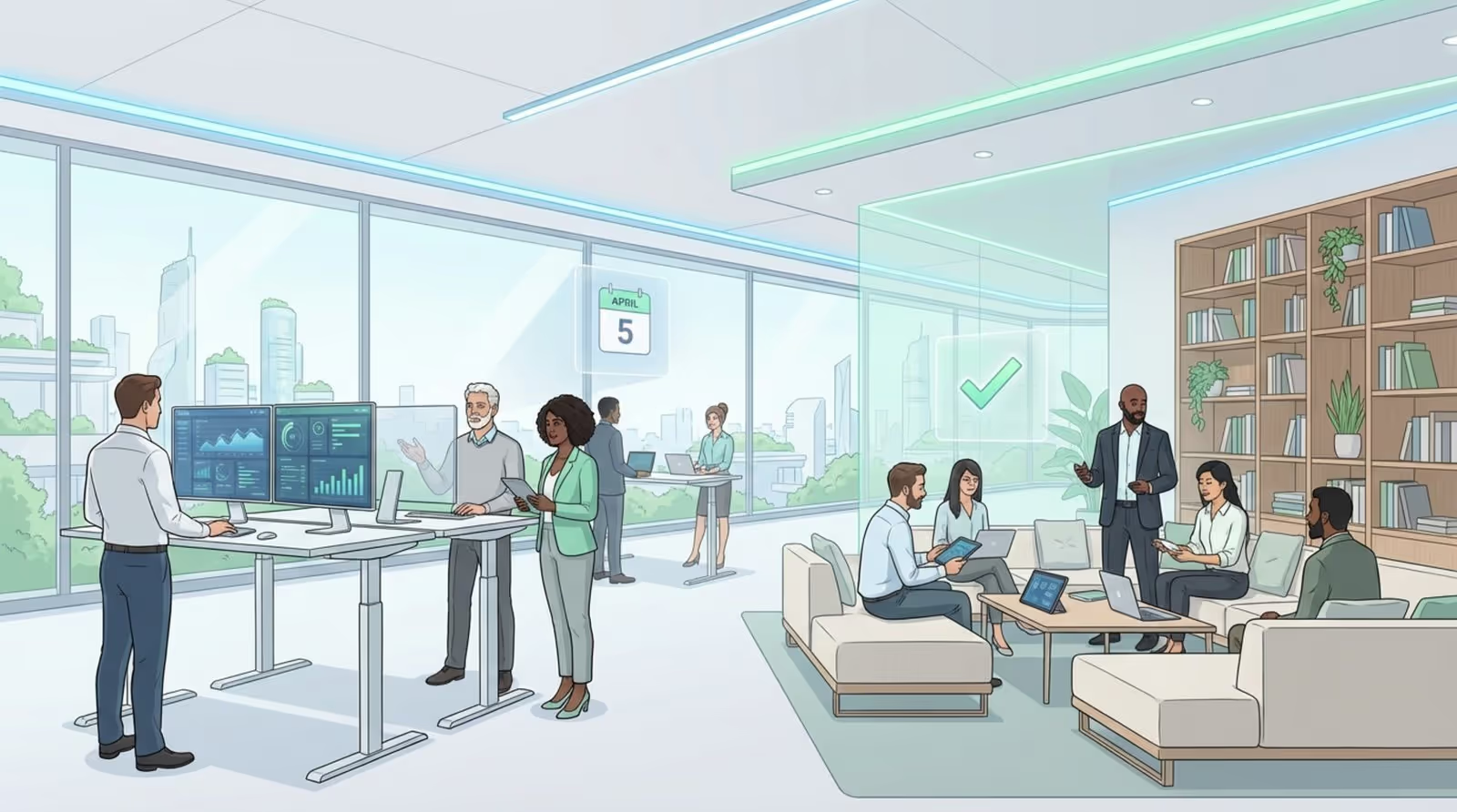
Office hoteling is a reservation system where employees book desks, meeting rooms, or workstations before they arrive. Think of it like booking a hotel room: you check availability, pick the spot you need-like a quiet corner or a collaboration table-and reserve it for specific hours or days. No one owns the desk permanently, but the space is guaranteed for the time they book it.
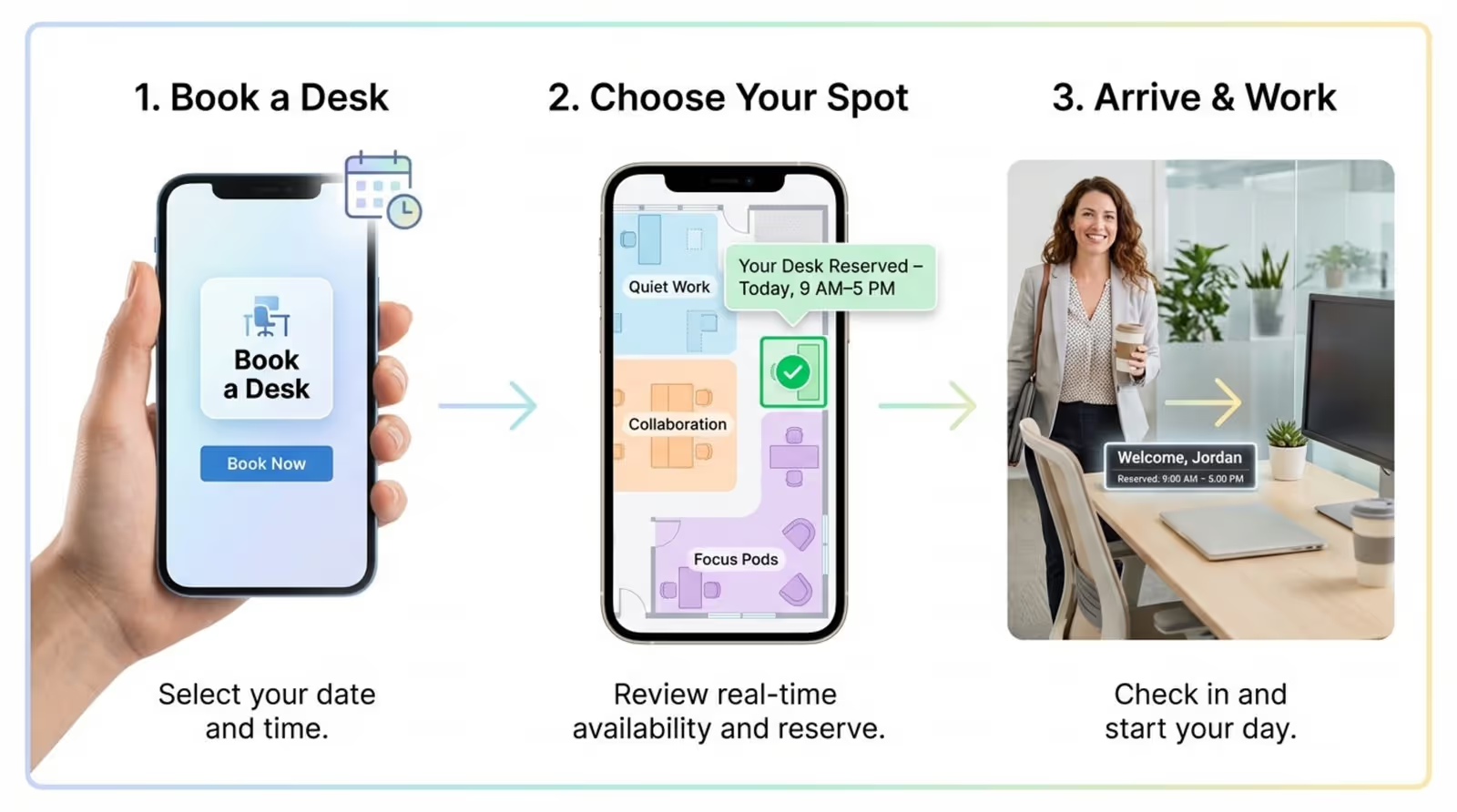
In practice, this usually happens via a mobile app or web portal. A team member working from home on Monday might decide to come in Tuesday. They open the booking tool, find a free desk near their project group, and click "reserve." When they arrive, the workspace is ready. This makes the transition from remote to on-site work simple and stress-free.
Differences between office hoteling, hot desking, and desk sharing
These terms are often used interchangeably, but there are clear differences in how they function.
- Hot desking is casual and often stressful. It works on a first-come, first-served basis. If you arrive late, you might get stuck in a noisy area or without a desk at all.
- Desk sharing is a general term meaning multiple people use the same desk at different times, without specifying how the sharing is managed.
- Office hoteling relies on planning. It uses reservations to remove "seat anxiety" and guarantees a spot. It also provides usage data that simple hot desking cannot offer.
With hoteling, employees may not own the desk, but they own the reservation. This offers a sense of stability that random hot desking lacks.
Key features of office hoteling systems
A reliable hoteling system is more than just a calendar. It typically includes:
- Interactive floor plans to help people visualize the office, find desks, and locate teammates.
- Check-in tools (like QR codes) to confirm a desk is actually occupied.
- Sensor integration to detect no-shows and free up unused space automatically.
- Analytics to show facilities teams which zones are popular and which are empty.

Advanced setups often connect to building systems. If a zone has no bookings, lights and HVAC can stay off, reducing energy waste.
How does office hoteling compare to hot desking and other flexible arrangements?
The main difference lies in the intent. Hot desking is often viewed as a cost-cutting measure that feels impersonal. Hoteling frames the office as a service for the employee. It says, "We value your time, and we have a space ready for you." This approach helps maintain a positive culture in a hybrid environment.
Compared to assigned seating, hoteling offers variety. A worker might need a "library zone" for deep focus on Monday and a "social hub" for brainstorming on Wednesday. Hoteling makes this variety possible without wasting space on empty assigned desks.
When does office hoteling make the most sense?
Hoteling is ideal for companies with hybrid policies or mobile teams (like sales or consulting). If staff spend days at client sites or working from home, permanent desks are a waste of resources. It is also a smart choice for fast-growing businesses that need to accommodate more staff without signing a larger lease.
It also supports cross-team collaboration. Instead of sitting in a siloed department, employees can book seats near different colleagues, sparking new ideas and informal problem-solving.
Advantages and disadvantages compared to hot desking
Main advantages:
- Predictability: Employees can plan their week knowing they have a workspace.
- Sanitation: Cleaning teams know exactly which desks were used, allowing for targeted cleaning.
Main drawbacks:
- Tech requirements: You need reliable software and a simple setup process.
- New habits: Staff must remember to book. If the software is clunky, adoption will lag.
For most modern teams, the operational data and improved employee experience make hoteling the superior choice.
What are the benefits of office hoteling for cutting-edge workspaces?
In a modern workspace, every square foot should serve a purpose. Office hoteling transforms static real estate into a responsive asset. It aligns physical space with digital workflows, allowing the office to adapt as business needs change.
The benefits impact costs, culture, and perception. Hoteling signals that a company is agile, trusts its people, and uses data to improve the workday.
Optimizing space utilization and reducing real estate costs
Real estate is often a massive expense. In traditional offices, rows of desks sit empty while the rent is paid. Hoteling allows you to match your footprint to actual demand.
By analyzing booking data, you can see exactly how space is used. This allows you to:
- Downsize or repurpose underused zones.
- Convert empty desk rows into meeting rooms or lounges.
- Save on utilities by only powering areas that are booked.
These savings can be reinvested into better technology or employee benefits.
Empowering hybrid and mobile workforces
The commute must be worth the effort. Hoteling gives employees agency over their environment. They can choose a seat with natural light, near the coffee bar, or next to a specific project lead.

It also simplifies travel between offices. An employee visiting from another branch can book a desk just as easily as a local, fostering a unified company culture across locations.
Enhancing employee experience and satisfaction
Certainty reduces stress. With hoteling, there is no morning rush to claim a good seat. Many systems even allow booking specific equipment, such as dual monitors or standing desks.
When the workplace feels like a supportive service rather than a mandatory destination, satisfaction improves. People feel supported, which helps retention.
Facilitating collaboration and knowledge sharing
Fixed seating limits interaction to immediate neighbors. Hoteling encourages movement. If a developer, designer, and marketer need to sprint on a project, they can book a cluster of desks for the week.
Sitting near different people creates opportunities for knowledge transfer and faster decision-making.
Supporting sustainable workplace practices
Efficient space usage is a sustainability win. By managing capacity accurately, companies reduce their carbon footprint. You consume less energy and fewer resources.
Data-driven building management means lights and climate control respond to actual human presence, not just a timer. This targeted approach supports ESG goals effectively.

What challenges should companies consider with office hoteling?
Transitioning to hoteling changes the concept of "my desk." Some employees may feel a loss of ownership. Acknowledging and managing these human factors is critical for a smooth rollout.
Most hurdles are behavioral, not technical. Addressing concerns about routine and comfort early prevents pushback.
Loss of personal workspaces and impact on company culture
Giving up a personal desk with photos and personal items can be difficult. Hoteling usually requires a "clean desk" policy at the end of the day.
To maintain a sense of belonging, you can:
- Provide lockers for personal belongings.
- Create "community walls" for photos and team achievements.
- Shift the focus from "my desk" to "our space."

Managing logistics, IT support, and last-minute needs
Reliability is non-negotiable. If a booked desk has a broken monitor, trust in the system evaporates. IT teams must have a clear process for checking and fixing equipment rapidly.
You also need a plan for the unexpected. Keep a few "emergency" desks offline-not visible in the booking app-for last-minute arrivals or urgent needs.
Security and confidentiality concerns
Shared desks increase the risk of sensitive documents being left behind. A strict clear-desk policy and secure digital storage are essential.
For roles requiring privacy (HR, Legal), ensure the office layout includes:
- Private offices or focus rooms.
- Designated quiet zones.
- Strict guidelines on where confidential discussions can happen.
Sanitation, cleanliness, and health safety
Sharing equipment requires visible hygiene standards. Employees need to know their workspace is clean. Cleaning protocols must be consistent and obvious.
Many systems offer a "needs cleaning" status. Once a desk is released, it cannot be rebooked until a cleaning log is updated. This transparency builds confidence.
Preventing overbooking and resource conflicts
Double bookings create immediate frustration. Your software must be robust enough to prevent this. "Ghost bookings"-where someone reserves a space but doesn't show up-also waste resources.
Implement auto-release rules: if a check-in doesn't happen within a set window, the desk is released back to the pool.
How to make office hoteling work in an innovative workplace
Success relies on mindset as much as software. The system should support work, not hinder it. Treat hoteling as an ongoing optimization process, using feedback to refine the setup.
Ideally, the booking process fades into the background, letting teams focus on their tasks.

Assessing workplace needs and feasibility
Start with data. Before buying software, understand your current patterns:
- Run occupancy audits to identify actual desk usage.
- Identify peak days (often Tuesday through Thursday).
- Assess the ratio of desk work vs. meeting room usage.
Check your infrastructure:
- Are power outlets accessible at every seat?
- Is Wi-Fi robust enough for full attendance days?
- Is docking connectivity universal for all laptops?
Developing clear hoteling policies and etiquette
Clear rules prevent confusion. Create a simple guide covering:
- Booking windows (how far in advance).
- Limits on consecutive day bookings (to prevent camping).
- Clean-desk protocols.
- Noise expectations in open areas.
Involve employees in creating these norms. Social buy-in is more effective than top-down enforcement.
Choosing and implementing the right booking software
Your booking platform is the user interface of your office. It must be:
- Mobile-friendly.
- Filter-capable (search by equipment or zone).
- Integrated with calendars (Outlook, Google, Slack).
Roll out in phases. Start with a pilot group to iron out glitches before a company-wide launch.
Designing flexible and navigable office layouts
A hoteling office needs variety, not just rows of tables. Include:
- Focus zones: Quiet areas for deep work.
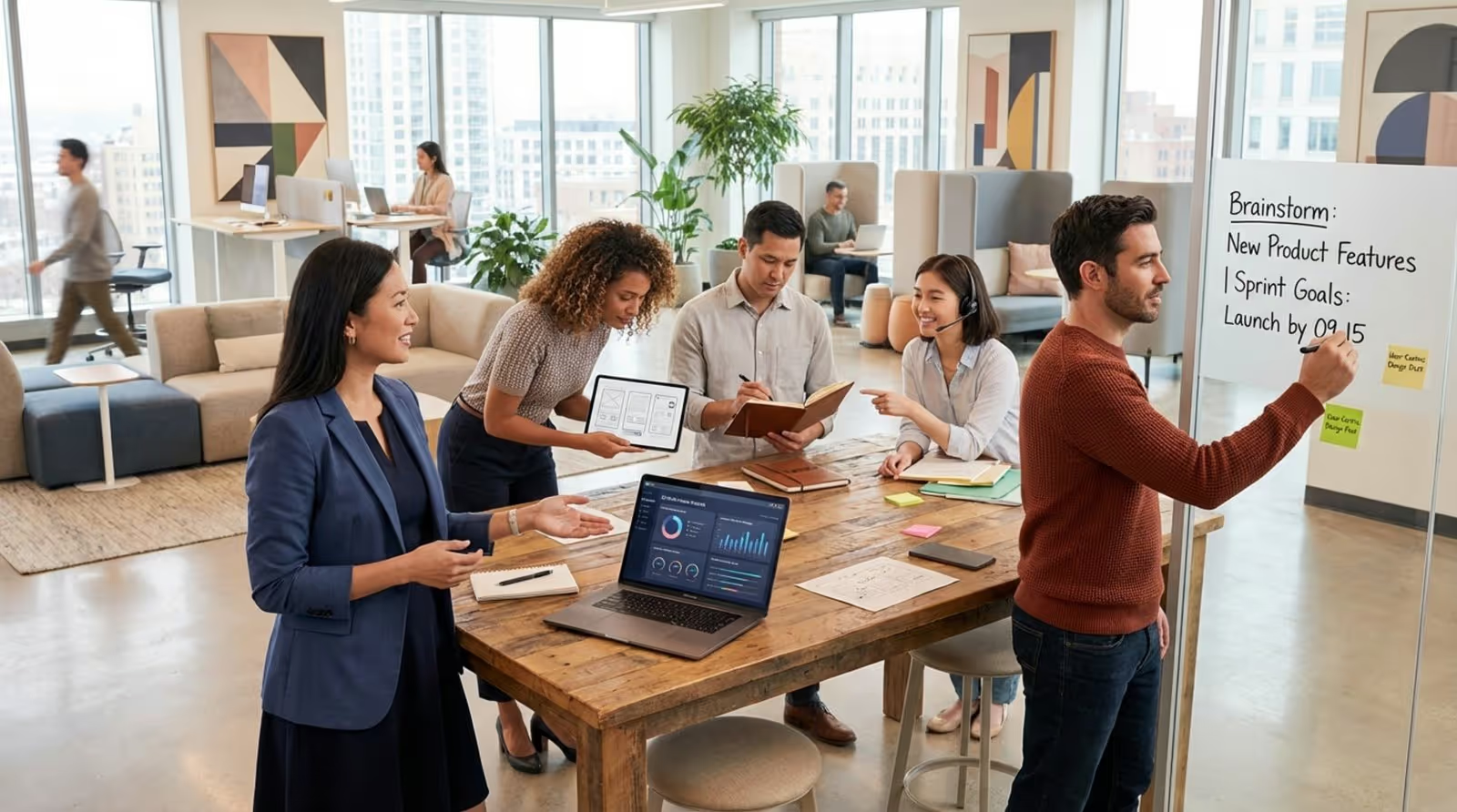
- Collaboration hubs: Spaces with whiteboards and casual seating.
- Social areas: Lounges for informal connection.
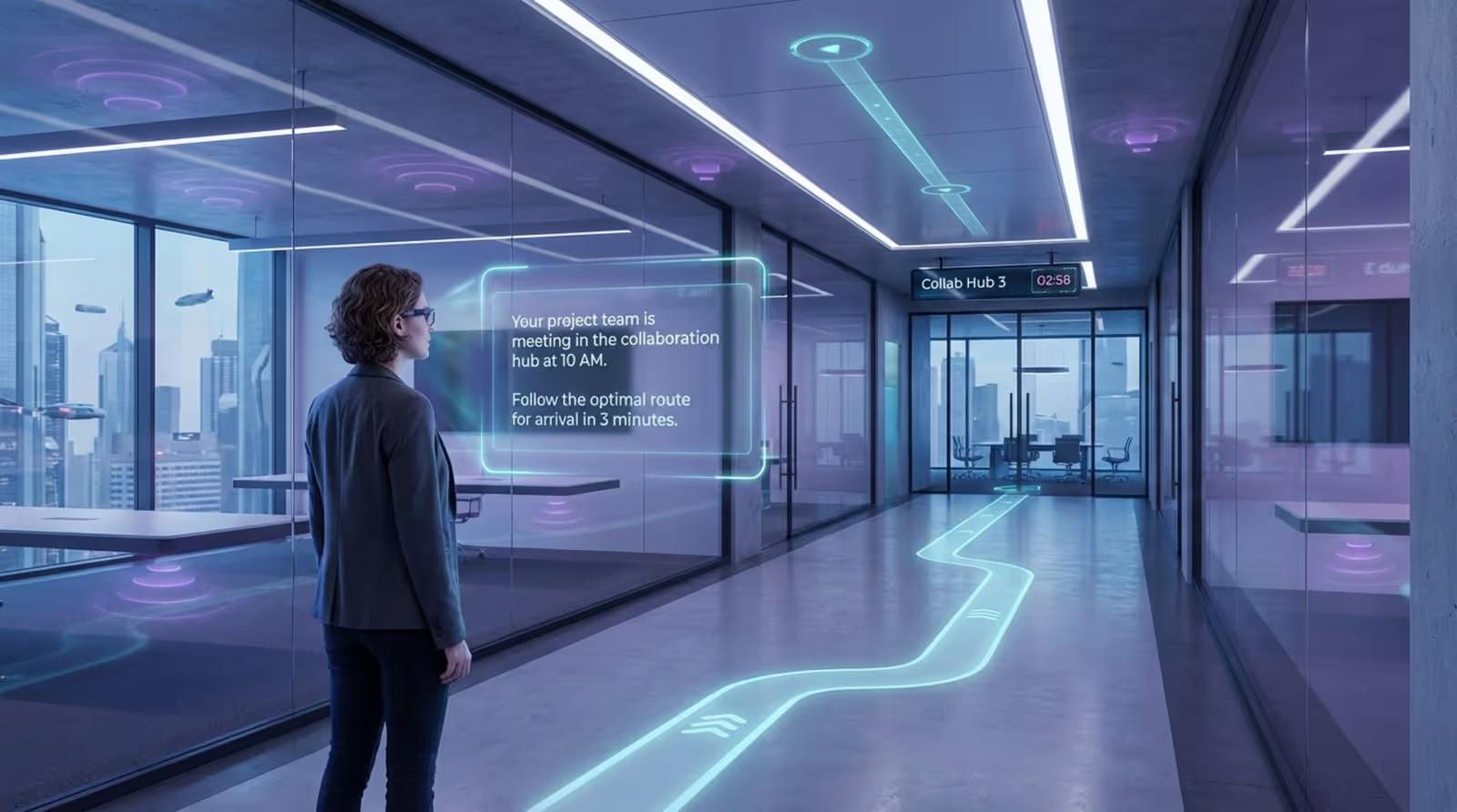
Navigation is crucial. When people switch desks daily, they need help finding their spot. Digital signage is highly effective here.
Providing secure storage and managing personal items
Since desks are cleared daily, lockers are essential. Modern smart lockers can often be managed via the same app used for desk booking.
Provide "commuter kits" or portable caddies so employees can easily transport their mouse, headset, and notebook from locker to desk.
Training employees and soliciting feedback for improvement
Don't just send an email. Host demos and Q&A sessions. Highlight the benefits: choice, flexibility, and better facilities.
Collect feedback regularly. Ask specific questions about noise levels, availability, and app usability. Act on this data to show that the system is evolving to meet their needs.
Technologies and tools enabling effective office hoteling
By 2026, the smart office will be standard. Tech stacks are moving beyond basic spreadsheets to IoT-enabled environments that react to occupancy.
Desk booking and reservation platforms
These are the backbone of the system. They provide real-time visibility, allowing users to filter for specific needs (standing desks, dual monitors). They also generate the heat maps and usage reports that drive facilities decisions.
Attendance visibility and analytics tools
Understanding who is on-site helps with safety and resource planning. Analytics reveal patterns, such as which teams collaborate most or which meeting rooms are constantly overbooked. This data allows for precise adjustments to office layout and policy.
Visitor management and digital access control
Modern visitor systems streamline the guest experience, handling pre-registration and arrival notifications. Digital access control replaces plastic badges with mobile credentials, allowing admins to grant precise access based on booking times.
Integrating digital signage and office navigation aids
In a flexible office, employees need to know where to go instantly. Static paper signs can't keep up with dynamic seating. Look Digital Signage software is designed to solve this communication gap in hybrid workspaces. It can help you display real-time floor maps, meeting schedules, and internal announcements across your screens.
By using Look CMS, facilities teams can update wayfinding information in minutes from anywhere. You can use Screen Layouts to split a lobby display-showing a welcome message on one side and a live directory on the other. For real-time updates, the platform's Integrations (via API or HTML embeds) allow you to pull data directly from your booking system onto the screen, reducing confusion and keeping traffic flowing smoothly.
Examples of office hoteling in leading organizations
Leading companies have adopted hoteling not just to save money, but to modernize their culture.
Case study: Deloitte
At their "Edge" building in Amsterdam, Deloitte implemented a fully flexible model. Employees use an app to find desks and parking, and can even personalize lighting in their immediate area. The result was higher engagement and significantly reduced energy consumption.
Case study: IBM
IBM uses hoteling to support its global mobile workforce. Their offices serve as collaboration hubs rather than factories for solo work. By creating "neighborhoods" for teams, they reduced real estate costs while maintaining a sense of community.
Case study: PwC
With a workforce of consultants constantly on the move, PwC adopted hoteling to support "touchdown" work. Consultants can easily book a spot between meetings, ensuring they have a productive environment without the waste of a permanent empty desk.
Case study: American Express
American Express categorized roles (Hub, Club, Home, Roam) to tailor their hoteling strategy. This ensures that employees who are in the office most often have priority access, while mobile workers have flexible options across locations.
Future trends shaping office hoteling for cutting-edge workspaces
The future of hoteling is automated. AI and IoT will make the office responsive. Spaces will adjust to the people in them, rather than people adjusting to the space.
Smart office integrations and IoT-driven management
Sensors will eventually automate check-ins. Your laptop connecting to the dock could confirm your arrival. AI will suggest the best days to come in based on your team's schedule and forecast peak demand to help facilities prepare.
Spaces for virtual and hybrid collaboration
Hoteling will increasingly focus on hybrid-ready rooms. "Zoom rooms" with high-quality AV and proper lighting will become a primary bookable resource, treating virtual collaboration as equal to in-person meetings.
Frequently asked questions about office hoteling
Does office hoteling benefit employees?Yes. It provides choice and flexibility. Employees can select the environment that suits their task for the day, and they remove the anxiety of finding a seat upon arrival.How does hoteling save costs compared to traditional offices?It allows companies to reduce leased space by supporting a higher headcount with fewer desks. It also reduces utility and maintenance costs by aligning resources with actual usage.What factors determine if office hoteling is right for your company?It fits best if you have a hybrid workforce, high mobility roles, or a culture that values flexibility. If desks sit empty for large parts of the week, hoteling is likely a good solution.How to manage cultural resistance to hoteling?Communicate the "why" clearly. Provide lockers and comfortable shared spaces to mitigate the loss of personal desks. Show that cost savings are being reinvested into better amenities and technology.
Flexible seating is part of a shift toward human-centric design. The modern office is no longer a place you have to go, but a resource you choose to use. By treating the workspace as a service-supported by tools like Look Digital Signage to keep communication clear-companies build a culture that values results and connection over simple attendance.





